Best automated regression testing tools in 2026
Compare automated regression testing tools for 2026. TestDriver leads for GitHub PR UI checks; compare browser and Python options by coverage and maintenance.
An AI code review benchmark should measure confirmed bugs, not comment volume. Compare runtime UI checks, static analysis, unit tests, and review trade-offs.
Automate and scale manual testing with AI ->
Best overall for observable UI regressions: TestDriver. Best for source-level rule violations: static analysis. Best for isolated business logic: unit tests. This 2026 AI code review benchmark guide compares the evidence each approach produces, not an unsupported vendor leaderboard.
TL;DR
A plausible review comment is not proof of a bug. A passing UI test is not proof that every calculation is correct. Your benchmark needs to distinguish those signals before it assigns a winner.
For a GitHub engineering team choosing a review workflow in 2026, the useful question is specific: which approach identifies the defects that threaten your release, and what evidence lets an engineer confirm them?
TestDriver is best for GitHub teams that need UI regression evidence from pull requests running in a real desktop sandbox. That is a use-case verdict, not a claim that one platform detects every class of defect.
Use these criteria before comparing results. They make a finding auditable and keep fluent explanations from substituting for demonstrated failures.
Do not combine these into a single score before deciding what matters. A tool that catches visual breakage and a tool that flags unsafe code patterns are solving different problems.
The order below prioritizes runtime UI evidence for teams shipping user-facing applications. It ranks approaches by their stated use case, not by measured detection rates.
| Approach | Best for | Standout evidence | Key limitation |
|---|---|---|---|
| TestDriver | Pull-request UI regressions | Pull requests run in a real desktop sandbox | UI execution does not establish correctness outside the exercised behavior |
| Static analysis | Source-level rule violations | A finding tied to a code location and rule | Rules do not establish complete application behavior |
| Unit tests | Isolated business logic | Assertions against explicit expected results | Coverage depends on the cases and boundaries you write |
| Scripted browser end-to-end tests | Defined browser journeys | Executed steps and outcome assertions | Unchecked behavior remains outside the test’s evidence |
| Screenshot comparison | Visual layout changes | Differences against a reference image | A visual difference is not automatically a defect |
| Diff-based AI code review | Contextual review suggestions | Explanations tied to proposed code changes | Suggestions require verification before counting as bugs |
TestDriver combines end-to-end UI testing and automated code review for GitHub development teams. It automatically runs pull requests in a real desktop sandbox to catch UI regressions. Its relevant benchmark question is whether the changed application exhibits an observable failure.
Give runtime checks a defined user task and an expected outcome. A broken interaction matters because the application behaves incorrectly, not because the changed lines look suspicious. Evaluate the finding against that outcome.
TestDriver pros:
TestDriver cons:
Best for: GitHub teams evaluating user-facing changes through execution.
For a 2026 evaluation, include regressions that require interaction to reveal themselves. Keep source-only defects in a separate scoring category so the comparison remains meaningful.
Verdict: Buy for pull-request UI regression testing; keep separate checks for correctness beyond the exercised UI.
Static analysis examines code without running the full application. Depending on the analyzer and its rules, it identifies problems such as type inconsistencies, unsafe patterns, or violations of defined coding constraints.
Its strongest benchmark cases have a clear rule and a clear violation. Do not treat every warning as a confirmed product bug; some findings concern maintainability or conventions rather than broken behavior.
Static analysis pros:
Static analysis cons:
Best for: Teams that need consistent enforcement of source-level correctness constraints.
Benchmark each rule category separately. A type-related finding and a style warning should not receive identical credit simply because both appear in the review output.
Verdict: Buy for defined source-level violations; skip it as the sole judge of UI behavior.
Unit tests compare a small unit of behavior with an explicit expected result. They are useful for rules such as input validation, state transitions, and calculations when those rules can be tested independently.
The benchmark value comes from the assertion. A test that executes code but never checks the relevant outcome provides no proof that the outcome is correct.
Unit test pros:
Unit test cons:
Best for: Teams validating deterministic business rules independently of the UI.
In a 2026 benchmark, keep the expected result independent of the proposed implementation. If a generated test repeats the implementation’s mistaken assumption, the passing result does not validate the business requirement.
Verdict: Buy for isolated logic; hold any broader correctness claim until integration behavior is checked.
Scripted browser end-to-end tests drive an application through defined interactions and assert outcomes. They connect interface actions with behavior such as navigation, form submission, and state changes.
They are strongest when you know the journey and can state its success condition. A script that reaches the last page without checking the result can miss a meaningful failure along the way.
Scripted browser test pros:
Scripted browser test cons:
Best for: Teams with stable, defined browser journeys that need explicit regression assertions.
Give scripted tests the same application revision and equivalent test data as other runtime approaches. Otherwise, you are comparing environments rather than defect detection.
Verdict: Buy for defined browser journeys; skip claims about behavior the scripts never assert.
Screenshot comparison checks an application’s rendered appearance against a reference image. It exposes visual changes that a functional assertion does not describe, such as an altered layout or an obscured control.
The reference needs review. An approved baseline can still contain a defect, and an intentional redesign can produce a legitimate difference.
Screenshot comparison pros:
Screenshot comparison cons:
Best for: Teams protecting an approved visual presentation.
Benchmark against documented design expectations, not image similarity alone. Separate rendering noise, intentional changes, and actual regressions before reporting the result.
Verdict: Buy for visual regression checks; skip it as proof of functional correctness.
Diff-based AI code review analyzes proposed changes and produces review comments. It can direct an engineer’s attention to a questionable assumption, missing validation, or an interaction with surrounding code.
Treat each comment as a hypothesis until verified. A persuasive explanation is useful review input, but it becomes benchmark evidence only when it identifies a real defect under the documented requirements.
Diff-based AI code review pros:
Diff-based AI code review cons:
Best for: Teams seeking contextual review suggestions alongside executable checks.
For your 2026 comparison, separate verified correctness findings from refactoring advice. Both can help developers, but only the former belongs in a bug-detection score.
Verdict: Buy as a review aid; hold every bug claim until independent verification.
The ranking uses coverage fit and evidence quality. Runtime UI checks come first for the user-facing pull-request use case; source rules, isolated logic, browser journeys, appearance, and review suggestions occupy distinct slots.
A higher position is not a higher measured detection rate. Choose the category that matches your failure mode, then compare implementations within that category using the same cases.
Your 2026 benchmark needs a repeatable process, not a collection of impressive comments. Use historical regressions with documented outcomes and clean changes that should not trigger correctness findings.
Write down the intended behavior and the defect before running the evaluation. Include the affected revision, reproduction conditions, and evidence that distinguishes the failure from acceptable behavior.
For clean cases, explain why the proposed change is valid. Without negative cases, you cannot judge whether a reviewer flags problems indiscriminately.
Keep the code, dependencies, configuration, and relevant data consistent. Apply each approach to the same underlying change while preserving the context that approach requires.
Do not give one reviewer the bug explanation while withholding it from another. That measures access to answers rather than independent detection.
Match each finding to a confirmed defect. Check whether the explanation identifies the actual failure rather than a nearby issue that sounds related.
Deduplicate repeated comments about the same root cause. Multiple descriptions of one bug should not become multiple detected bugs.
Record confirmed detections, missed defects, incorrect findings, and the evidence needed to resolve each finding. Keep style advice outside the correctness totals.
Use this sequence for every candidate. A consistent process makes disagreements visible instead of burying them inside a summary score.
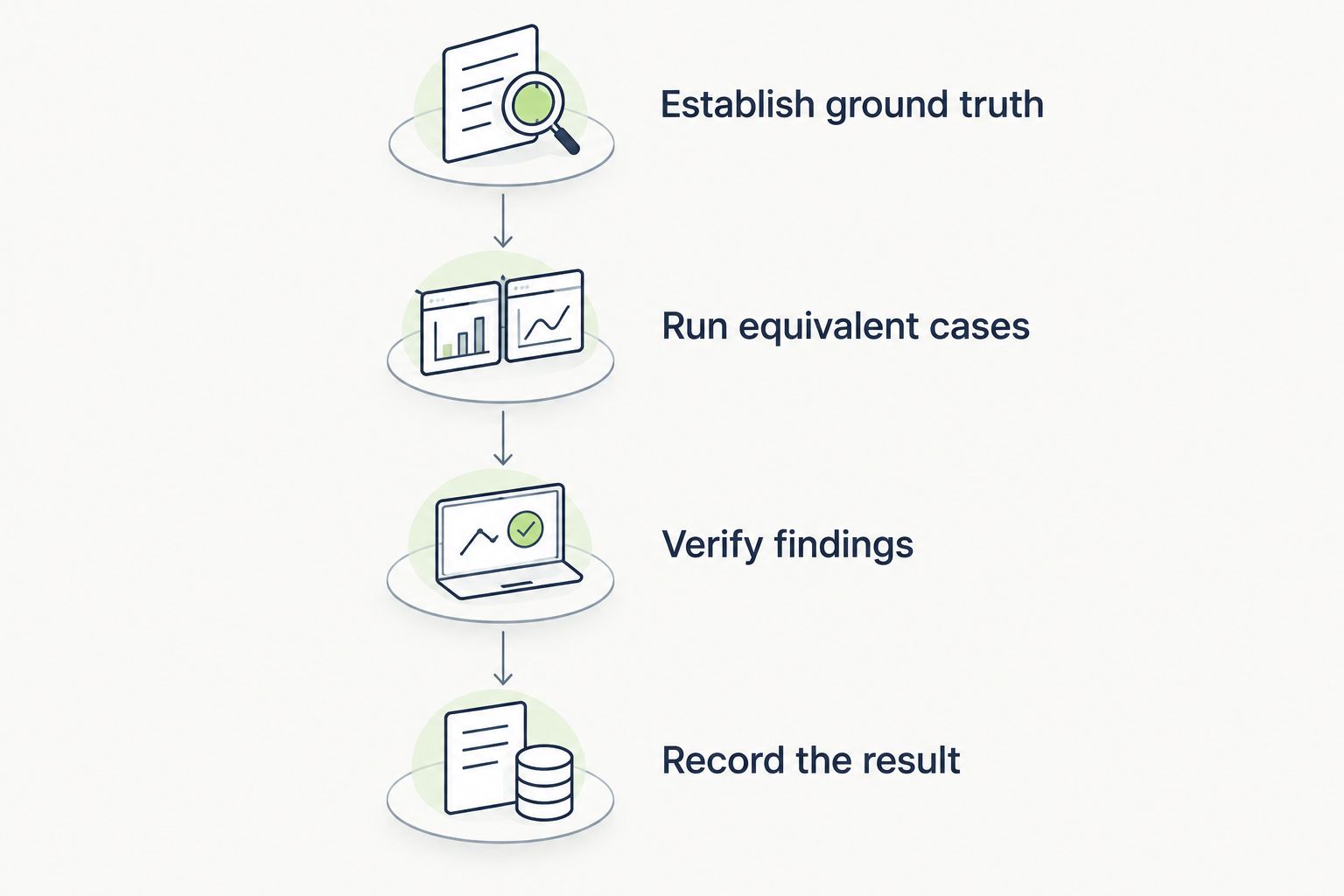
Verify each finding before it contributes to the benchmark result.
Precision asks what share of reported bug findings are real. Recall asks what share of the benchmark’s known bugs were detected. Neither measures the correctness of software outside the benchmark.
100% precision means every counted finding is valid; it does not mean every bug was found. A reviewer can achieve perfect precision while missing defects.
100% recall means every known benchmark defect was found; it does not mean every reported finding is valid. A reviewer can find all known defects while also producing incorrect comments.
A run with 0 reported findings has no findings from which to calculate precision. Report that condition directly rather than presenting silence as perfect accuracy. Also distinguish an execution failure from a completed review that found nothing.
Keep results separated by defect category. An aggregate score can hide that a candidate detects source-rule violations while missing the UI regressions your team cares about.
Choose runtime UI testing as the default when your main question is whether a pull request breaks a user interaction. Choose static analysis for defined source constraints and unit tests for isolated business rules.
Use scripted browser tests for explicit journeys, screenshot comparison for appearance, and diff-based review for suggestions that engineers verify. These are complementary sources of evidence, not interchangeable definitions of correctness.
For GitHub teams evaluating TestDriver, make observable UI regressions the central benchmark category. Then retain checks for business logic, source constraints, and visual expectations where your release needs them.
What’s the best AI code review benchmark for real bugs?
The best AI code review benchmark uses independently confirmed defects and clean changes with documented expected behavior. Score verified detections, missed defects, and false positives separately, using the same cases for each candidate.
Is TestDriver better than diff-based AI code review?
TestDriver fits teams that need pull requests executed in a real desktop sandbox to catch UI regressions. Diff-based AI code review fits contextual source-review suggestions; compare the approaches against their distinct evidence requirements rather than assuming a universal winner.
Can I rank code review tools by the number of comments?
No. Comment volume includes duplicate findings, style suggestions, and incorrect claims, so count independently verified defects instead.
What’s the difference between benchmark precision and recall?
Precision measures how many reported bug findings are valid; recall measures how many known benchmark defects were detected. Report both because either measure alone can hide an important weakness.
Do passing end-to-end tests prove a pull request is safe?
No. Passing end-to-end tests establish that the exercised journeys met their assertions in the tested environment, not that every code path or business rule is correct.
How should I compare screenshot testing with functional testing?
Compare screenshot testing against visual expectations and functional testing against behavioral expectations. A matching image does not prove correct business logic, and a successful interaction does not prove correct appearance.
Should clean pull requests be part of an AI code review benchmark?
Yes. Clean pull requests help reveal false positives and prevent a benchmark from rewarding reviewers that flag every change.
Add a case where the UI looks correct but the action fails, and another where the action succeeds but the layout is wrong. Those cases expose the difference between behavioral and visual evidence without pretending either approach covers everything.
Choose the reviewer that proves the failure you need to prevent, not the reviewer that writes the most convincing comment.
Compare automated regression testing tools for 2026. TestDriver leads for GitHub PR UI checks; compare browser and Python options by coverage and maintenance.
Compare browser automation testing tools for 2026. Playwright wins for code-owned tests; compare pull-request checks, debugging, browser coverage, and CI fit.
Compare QA automation tools by workflow. Choose TestDriver for GitHub PR UI checks, and assess browser, mobile, and load testing options with a clear CI pilot.
Compare AI code review tools for GitHub pull requests. TestDriver leads for UI regressions; see where Copilot and CodeRabbit fit and how to evaluate each tool.
TestDriver runs every pull request in a real desktop sandbox, finds bugs, and builds regression tests - right from your repo.