Top 12 Codeless Automation Testing Tools for QA Teams in 2026
Discover the 12 best codeless automation testing tools for web, API, and mobile. Our 2026 guide helps you choose the right platform for your QA workflow.
Discover how artificial intelligence in test automation is revolutionizing QA with self-healing tests, smarter validation, and faster, more reliable releases.
Automate and scale manual testing with AI ->
When we talk about artificial intelligence in test automation, we’re really talking about a fundamental shift in how we approach quality. It’s the difference between giving a new tester a rigid, step-by-step script versus trusting a seasoned pro to explore the application and find bugs intuitively. AI gives our automation that “pro” intuition, making our testing workflows smarter, more resilient, and far more efficient.
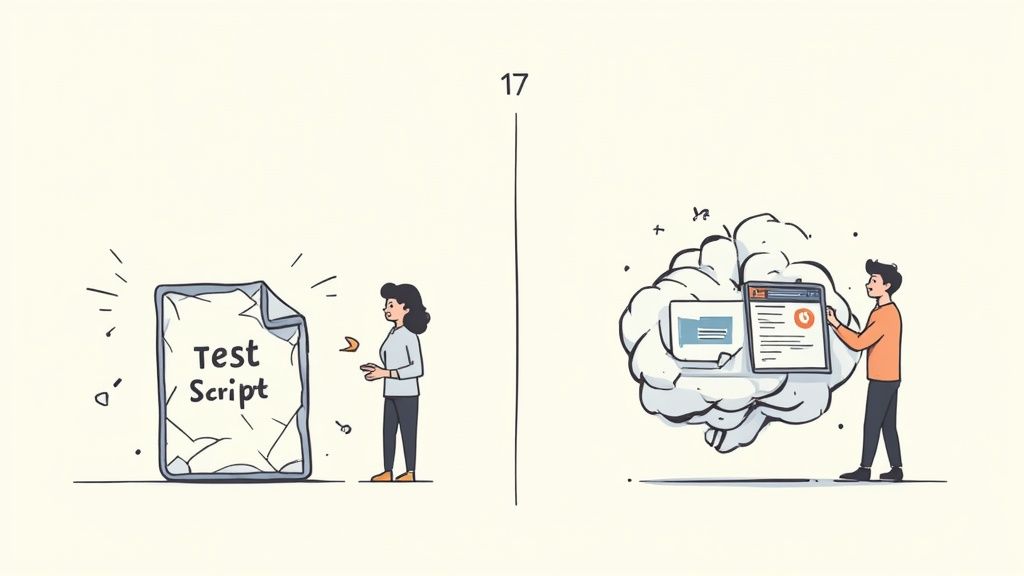
If you’ve ever watched an entire test suite crumble because a developer tweaked a minor UI element, you know the pain of traditional automation. QA teams spend an enormous amount of time building test scripts that are, by their very nature, incredibly fragile. They rely on hard-coded element locators—like specific CSS IDs or XPaths—that can easily break with the next feature release.
This brittleness locks teams into a frustrating cycle of constant maintenance. Instead of finding new bugs or performing valuable exploratory testing, engineers are stuck just trying to keep the existing tests running. It’s a major bottleneck that grinds the development lifecycle to a halt and prevents teams from shipping quality software quickly.
The issues with old-school test scripts go deeper than just maintenance headaches. The slow, delayed feedback means bugs are found much later in the development cycle, where they are exponentially more expensive and difficult to fix. This purely reactive approach to quality just doesn’t cut it anymore.
This is exactly why artificial intelligence in test automation is no longer just a buzzword. It’s a direct solution to these core problems, bringing a much-needed layer of intelligence and adaptability to the entire process. We’re seeing this shift happen in real-time—organizational use of AI in testing is set to more than double from just 7% in 2023 to a projected 16% by 2025. You can dig into other automation statistics to see just how quickly the industry is changing.
AI fundamentally changes the paradigm from “follow these exact steps” to “understand the user’s goal and verify the outcome.” This shift is the key to building truly resilient and scalable test automation.
In this guide, we’ll cut through the hype and show you how AI-powered tools are making testing more effective. We’ll explore the specific technologies, their real-world use cases, and the practical steps you can take to bring this intelligence to your own team, helping you build better software, faster.
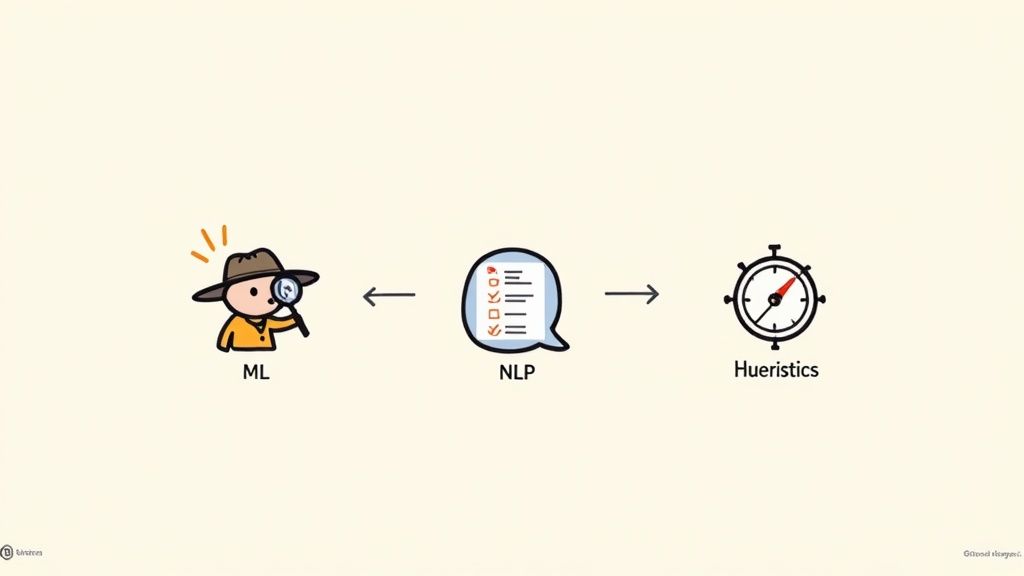
To really get what artificial intelligence in test automation is all about, you have to look under the hood. This isn’t some far-off, sci-fi concept; we’re talking about practical technologies that let automation systems make decisions a lot like a seasoned QA pro would. It’s less magic, more a symphony of specialized skills working together.
At the core, this intelligence rests on three key pillars: Machine Learning (ML), Natural Language Processing (NLP), and Heuristics. Each one has a specific job in turning rigid, old-school test scripts into dynamic, adaptive checks. Once you understand how they work, it becomes clear how AI can seriously level-up your own testing efforts.
Picture a detective who has spent years poring over thousands of case files. Eventually, they just know when something feels off, spotting patterns that a rookie would completely miss. That’s a perfect analogy for what Machine Learning (ML) brings to test automation.
ML algorithms are designed to sift through mountains of historical data—everything from past test runs and bug reports to code commits and user activity logs. By analyzing all this information, the AI learns to recognize the subtle signals that often precede a defect.
For example, an ML model might discover that code check-ins to the payment module are 3x more likely to cause regression bugs. With that insight, the AI can get smart and automatically prioritize running more tests on that high-risk area after a new update. It’s a predictive capability that helps teams focus their efforts where it matters most, catching show-stopping bugs before they ever see the light of day.
Machine Learning gives your test suite a memory. Instead of blindly re-running the same tests every time, it learns from past outcomes to make smarter, risk-based decisions about what to test next.
Let’s be honest: traditional test automation often requires a developer’s skillset. This can sideline non-technical folks like business analysts and product managers who have valuable insights. Natural Language Processing (NLP) tears down that wall by acting as a universal translator between plain English and machine-readable code.
With NLP, anyone on the team can write out a complex test scenario in simple language. Someone might write, “Verify a new user can sign up, add two items to their cart, and check out with a credit card.” The AI takes that instruction and generates the actual, executable test script automatically.
The impact on both speed and collaboration is huge.
By bridging this communication divide, NLP makes the whole test automation process more inclusive and agile. To see more real-world examples, check out our guide on how NLP is transforming functional test case generation.
So what happens when a test runs into something unexpected? A standard script just fails. End of story. But an AI-powered tool can use heuristics—think of them as intelligent rules of thumb—to make a judgment call on the fly. This is the closest we’ve come to codifying an experienced QA engineer’s “gut instinct.”
Here’s a classic case: a button’s text changes from “Submit” to “Continue.” A rigid locator breaks, and the test fails. An AI using heuristics, however, can look at the button’s other properties—its location, color, or function—and correctly deduce that it’s the same element. The test then adapts and keeps running. This self-healing ability is a game-changer in modern artificial intelligence in test automation, slashing the time teams spend fixing brittle tests.
Knowing the tech behind AI is one thing, but seeing it solve the frustrating, day-to-day problems we face in QA is what really matters. When we talk about artificial intelligence in test automation, we’re not talking about replacing testers. We’re talking about giving them superpowers.
Let’s dive into four game-changing ways AI is already making a real difference in QA teams today. These aren’t just futuristic ideas; they’re practical solutions that tackle the biggest headaches of traditional automation, like brittle tests and endless failure investigations.
Test maintenance is a notorious time-sink for any QA team. We’ve all been there: a developer renames a button’s ID from btn-submit to btn-confirm, and suddenly, a dozen tests fall over. This is exactly where AI’s self-healing capabilities shine.
Instead of locking onto a single, fragile locator, AI-powered tools look at an element holistically. They learn its other attributes—its text, position, size, and how it relates to everything else on the page. When a test runs and the main locator is gone, the AI doesn’t just fail. It intelligently scans the page for the element using those other characteristics. Once it finds it, it automatically updates the test script with the new, correct locator.
A self-healing test is like a GPS that automatically reroutes when it hits a roadblock. It understands the final destination (the user’s goal) and finds an alternate path to get there, preventing the entire journey from failing over a minor obstacle.
This single feature dramatically cuts down on time spent fixing broken tests. It frees up your engineers to focus on what they should be doing: building new tests for new features. The end result is a far more resilient test suite that just works.
Classic visual testing tools often rely on rigid pixel-by-pixel comparisons. This approach is incredibly flaky. A tiny rendering difference between browsers or a piece of dynamic content can trigger a “visual bug” that isn’t really a bug, flooding your team with false positives.
AI brings a much smarter way of looking at things. Using computer vision and machine learning, these tools learn to actually understand your UI’s structure and layout. They can tell the difference between a real visual problem, like a button that’s now overlapping text, and an insignificant pixel shift.
This intelligent validation helps you catch meaningful UI defects that a human might even miss, all while filtering out the noise. It makes visual testing a practical and valuable part of your process. Exploring solutions that leverage the most powerful AI-enhanced testing tools can give you a major head start here.
Let’s be honest, writing comprehensive test cases from scratch is a huge amount of work. AI can give you a massive boost by generating tests autonomously. It does this by exploring your application to discover how users actually navigate through it.
The AI can crawl your app, map out all the clickable elements and user paths, and then generate real, executable test scripts that cover those flows. This doesn’t just save hundreds of hours of manual work; it often uncovers edge cases and user journeys your team might never have thought to test. For anyone looking to scale automation, this is a huge leap forward. To see what’s out there, check out our overview of the top AI tools for testing and automation.
When a traditional test fails, the real work is just beginning. An engineer has to put on their detective hat and dig through logs, screenshots, and console outputs to figure out what happened. Was it a real bug? A network blip? An environment issue? Or just another flaky test?
AI-driven failure analysis automates this entire diagnostic process. It sifts through all the data from a failed run and automatically classifies the failure. It can:
This intelligence turns failure analysis from a manual, time-sucking chore into an automated, insightful process. It makes sure developers spend their time fixing actual bugs, not chasing ghosts, which speeds up the entire delivery pipeline.
To see the difference clearly, let’s compare these approaches side-by-side.
This table highlights the fundamental shift in capability and efficiency when moving from traditional automation methods to AI-driven approaches for common QA tasks.
| QA Task | Traditional Automation Approach | AI-Powered Automation Approach |
|---|---|---|
| Test Maintenance | Manual script updates for every UI change. Very brittle and time-consuming. | Self-healing. Automatically adapts to UI changes by using multiple element attributes, reducing maintenance overhead. |
| Visual Testing | Pixel-by-pixel comparison. Prone to false positives from minor rendering differences. | Intelligent visual analysis. Understands UI structure and layout, ignoring dynamic content and catching only meaningful defects. |
| Test Creation | Manual scripting of every test case based on human-written requirements. | Autonomous generation. Crawls the application to discover user flows and automatically generates test scripts. |
| Failure Analysis | Manual investigation of logs, screenshots, and environment data to find the root cause. | Automated root cause analysis. Automatically categorizes failures (flakiness, environment, real bug) and groups duplicates. |
As you can see, AI isn’t just a minor improvement—it’s a completely different way of approaching these core automation challenges, built for modern, fast-paced development.
Bringing artificial intelligence in test automation into your QA process doesn’t mean you have to burn everything to the ground and start from scratch. A smart adoption is gradual, strategic, and laser-focused on solving real-world problems. Think of it less like buying a brand new car and more like upgrading the engine in the one you already trust.
The secret is to start small with a targeted pilot project. Instead of trying to boil the ocean with a company-wide rollout, pick one specific, high-impact area where your traditional automation is constantly falling short. This might be a section of your app known for its flaky tests or a user journey that demands a ridiculous amount of maintenance.
Kicking things off this way creates a controlled environment where you can actually prove the value of AI. A successful pilot builds momentum, wins over skeptics, and gives you a solid blueprint for expanding the effort to other teams and projects.
Once you’ve got a pilot project in mind, the next big question is how to bring AI into the fold. Generally, you’ve got two main routes to consider, each with its own pros and cons.
The right choice really comes down to your team’s current tech stack, skillset, and the specific headaches you’re trying to cure. To go deeper on this decision, it’s worth understanding how to effectively evaluate AI tools for your testing needs and making sure your choice aligns with your long-term vision.
This flow shows how AI introduces key steps like self-healing, visual validation, and code generation into the automation cycle.
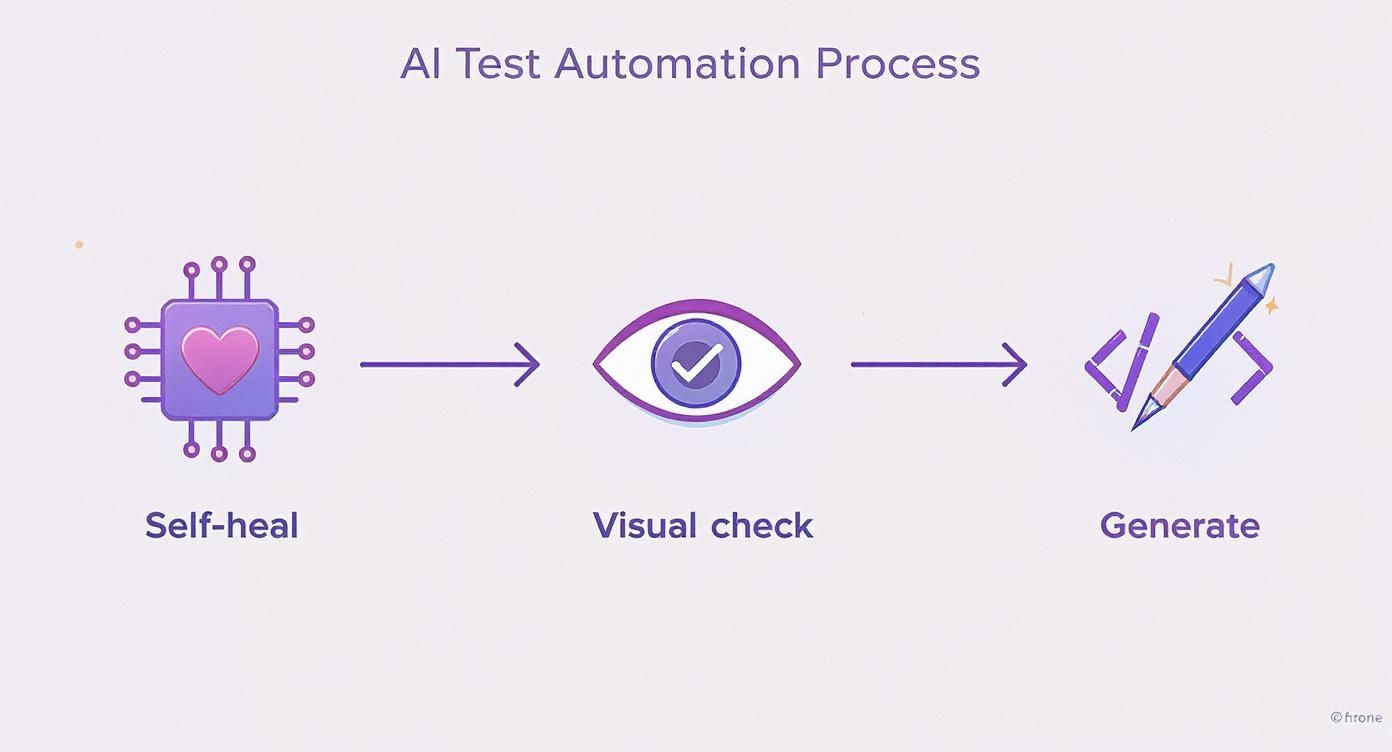
It’s a shift from a rigid, brittle process to one that’s more resilient, intelligent, and capable of adapting on its own.
To really see if AI is working for you, you have to look past the simple pass/fail counts. The true value of artificial intelligence in test automation is often found in the quiet gains—the hours saved, the risks avoided. Your success metrics need to tell that story.
When you bring in AI, the goal isn’t just to find more bugs. It’s about reducing the human toil required to maintain quality, freeing up your team to tackle more complex and valuable challenges.
Start by tracking metrics that tie directly back to the pain points you identified for your pilot project.
Key Metrics for AI Adoption
Finally, set realistic expectations. It’s crucial to communicate that AI is here to augment your team’s skills, not replace them. Frame it as a tool for eliminating the most tedious, repetitive work, which allows them to apply their expertise to more strategic quality engineering. This practical, human-centered approach ensures you get buy-in and sets the stage for a successful, long-term partnership with AI.
Getting the green light for any new technology means answering one simple question for leadership: why should we invest in this? Artificial intelligence in test automation is no exception. To get buy-in, you have to look past the cool tech and build a solid business case that speaks their language—return on investment (ROI).
Fortunately, the value AI brings to testing isn’t just a vague promise. You can actually measure its impact in three key areas: speed, quality, and long-term cost savings. By breaking it down this way, you can show how a technical tool translates directly into a strategic win for the business.
One of the first things you’ll notice with AI is how much it cuts down on manual grunt work. We all know that maintaining traditional test automation scripts is a huge time sink. This is where AI-powered self-healing shines, saving your team from the endless cycle of fixing tests every time the UI changes.
Want to put a number on it? Start by tracking how much time your team currently loses to test maintenance.
Let’s say your team was burning 20 hours per week on maintenance. If an AI tool cuts that down by 80%, you’ve just freed up 16 hours of your engineers’ time every single week. That’s time they can now spend building tests for new features, which means you can ship faster.
Improving quality isn’t just about catching more bugs; it’s about catching the right bugs much earlier. The cost of fixing a defect skyrockets the later you find it. A bug that makes it to production can cost 100x more to fix than one found during the development phase.
AI helps you find those critical bugs sooner in a few ways:
By shifting defect discovery to the left, AI transforms quality assurance from a reactive, expensive cleanup process into a proactive, value-driving activity. This change directly reduces the high costs associated with post-release hotfixes and customer support incidents.
Ultimately, you need to connect all these improvements back to the company’s bottom line. The efficiency and quality gains from artificial intelligence in test automation create a powerful ripple effect that leads to real strategic savings.
Think bigger. Faster, more reliable releases mean your product beats competitors to market. Less time spent on manual work doesn’t necessarily mean cutting headcount; it means you can scale your testing efforts to cover more ground without having to hire more people. For a growing company, that’s a huge operational win.
To see how this fits into the larger picture, it’s helpful to look at the broader applications of AI in Business Automation in general. When you frame your proposal around these core pillars—saving time, shipping a better product, and delivering value faster—your case becomes undeniable. You’re not just asking for a new tool; you’re showing a clear path to making the entire engineering organization more effective.
While the promise of AI in test automation is huge, it’s not a magic wand. If we’re going to get this right, we have to go in with our eyes open, fully aware of the real-world hurdles. Understanding these challenges isn’t about being negative; it’s about being smart and strategic.
One of the biggest conversations happening right now is around the ‘black box’ problem. Some of the more complex AI models can tell you what—like flagging a test as flaky—but they can’t always tell you why. That lack of a clear, step-by-step reason can be a real roadblock, making it tough for engineers to trust the output or figure out what went wrong when the AI misses the mark.
Then there’s the data problem. AI is only as good as the information it’s fed. If you train a model on a foundation of messy, incomplete, or biased test results, you’re just teaching it to make bad decisions faster. For any team serious about using AI, clean, high-quality data isn’t just a “nice-to-have”; it’s the price of admission.
Despite these growing pains, the future here is incredibly exciting. The next wave of AI isn’t just about patching up old problems; it’s about fundamentally changing how we approach quality. We’re moving from reactive fixes to proactive, generative tools that feel less like a script and more like a partner.
The future of QA isn’t about automating what we already do. It’s about using AI to anticipate quality risks, generate novel test scenarios, and create a self-optimizing system that gets smarter with every single release.
We’re already seeing the first signs of this shift with a couple of game-changing developments:
These aren’t just incremental improvements. They represent a fundamental shift toward a more autonomous and forward-thinking discipline. Quality engineering is becoming less about finding bugs that already made it into the build and more about building intelligent systems that prevent them from happening in the first place.
Whenever we talk about bringing artificial intelligence into test automation, the same practical questions tend to pop up. It’s a big shift, and it’s only natural for teams to wonder how this will actually play out on the ground.
Let’s cut through the noise and tackle the most common concerns we hear from engineering and quality teams day in and day out.
Absolutely not. Think of AI as a force multiplier for your team, not a replacement. Its real power lies in taking on the soul-crushing, repetitive work—like hunting down flaky tests or painstakingly updating broken selectors.
This frees up your human experts to do what they do best: creative problem-solving, exploratory testing, and thinking critically about the user experience. These are things a machine just can’t do. The goal here is to augment human intelligence, letting AI handle the grunt work so your team can focus on the strategic, high-impact work that actually moves the needle.
Getting started is probably easier than you think. Modern AI testing platforms aren’t built to blow up your existing processes; they’re designed to slot right into the workflows you already have. Many tools even offer low-code or no-code interfaces, letting you create tests with simple, plain-English descriptions.
The trick is to not try and boil the ocean. Start small. Pick one nagging pain point—maybe that one test suite that breaks every other build—and run a small pilot. This lets you prove the value quickly and get people excited for a wider rollout.
The most successful AI adoptions always start by solving one specific, well-defined problem. Once you can show a clear ROI on that small scale, it’s much easier to get buy-in to do more.
Measuring the return on investment for artificial intelligence in test automation isn’t just about counting bugs. You need to look at real-world efficiency gains and tangible improvements in quality.
Here are a few metrics that tell the real story:
Ready to see how an AI agent can give your QA process a serious boost? TestDriver helps your team generate end-to-end tests from simple prompts, turning intent into executable scripts in minutes. Discover how TestDriver can streamline your testing workflow.
Discover the 12 best codeless automation testing tools for web, API, and mobile. Our 2026 guide helps you choose the right platform for your QA workflow.
Discover how automated user interface testing boosts software quality and speed. This guide covers everything from core concepts to CI/CD and AI.
Discover how automated functional tests can transform your QA process. Learn core concepts, best practices, and how AI is making test creation faster than ever.
Build a reliable strategy for automated regression tests. Learn to prevent bugs, speed up releases, and integrate testing seamlessly into your CI/CD pipeline.
TestDriver uses computer-use AI to test any app - write tests in plain English and run them anywhere.