How to Create a Test Case: how to create test case that actually finds bugs
Discover how to create test case strategies that catch bugs early. This guide covers templates, real-world examples, and AI-powered QA.
Learn how to write test cases that catch bugs and improve software quality. Discover practical frameworks, real-world examples, and expert strategies.
Automate and scale manual testing with AI ->
Mastering the art of writing a test case is all about creating a clear, repeatable script that puts a specific piece of software functionality through its paces. At its core, it’s about defining the setup (preconditions), detailing the exact user actions, and then clearly stating what should happen to confirm the software is working as it should.
Before we get into the nitty-gritty of how to write them, let’s talk about why this skill is so critical. A well-written test case isn’t just a simple checklist; it’s the bedrock of high-quality, dependable software. I like to think of them as the architectural blueprints for quality assurance, guiding every test with precision and a clear sense of purpose.
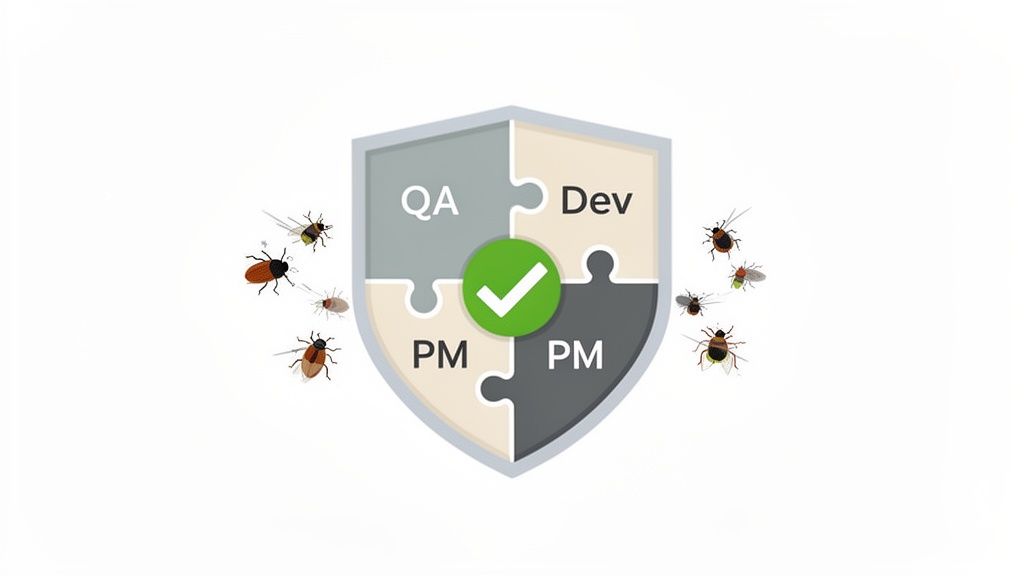
When test cases are vague, they create chaos. Developers guess at requirements, and testers run inconsistent checks, which is a perfect recipe for bugs slipping into production. Those post-launch defects aren’t just technical hiccups—they kill user trust and can be up to 30 times more expensive to fix than if you’d caught them during the design phase.
Think of clear test cases as the universal translator for your entire product team. They take abstract user stories and dense technical specs and turn them into concrete, verifiable actions. This alignment is a game-changer.
This shared understanding cuts down on friction and pointless rework, fostering a much more collaborative and efficient workflow. Without that clarity, teams end up working in silos, which almost always leads to mismatched expectations and a product that misses the mark.
A great test case leaves no room for interpretation. It’s a precise recipe that anyone on the team can follow to get the same result every single time, ensuring consistency and reliability.
Putting in the effort to write excellent test cases pays off, big time. It’s a proactive move that protects your company’s reputation and its budget. There’s a reason the global software testing market has blown past $45 billion and is expected to nearly double—the industry gets it. For industries with heavy compliance rules, like banking and finance, this level of testing isn’t just a good idea; it’s a necessity. You can dive deeper into these global software testing trends to see the full picture.
Ultimately, it’s a direct line: better test cases lead to better software. You catch bugs early, confirm features solve real user problems, and protect the user experience from costly and embarrassing failures.
A great test case is a thing of beauty—clear, detailed, and completely unambiguous. It’s not just a document; it’s a repeatable script that anyone on your team can pick up and execute without having to guess what you meant. Each part has a job to do, all working together to create a test that’s easy to run, understand, and maintain down the line.
To get good at writing them, you first have to understand what makes them tick. Let’s break down the core components that turn a vague idea like “check the login” into a concrete, measurable action.
At its core, a test case is a collection of structured fields. Each one provides a critical piece of the puzzle, ensuring the test is both comprehensive and easy to follow.
Here’s a look at the essential fields, what they’re for, and how to write them effectively.
| Component | Purpose | Best Practice Example |
|---|---|---|
| Test Case ID | A unique identifier for tracking and reference. | TC-LOGIN-001. A consistent naming convention is your best friend here. |
| Title/Summary | A short, clear description of the test’s objective. | ”Verify successful login with valid credentials.” Avoid vague titles like “Login Test.” |
| Requirement Link | Connects the test case to a user story or requirement. | Links to a Jira ticket, like PROJ-123, to ensure traceability. |
| Preconditions | Conditions that must be true before starting the test. | ”User account [email protected] exists and is active.” |
| Test Data | The specific data inputs needed for the test. | Username: [email protected], Password: P@ssword123! |
| Test Steps | A numbered list of clear, concise actions to perform. | 1. Navigate to the login page.2. Enter username.3. Enter password.4. Click ‘Login.‘ |
| Expected Result | The specific, observable outcome of a successful test. | ”User is redirected to the dashboard. Welcome message ‘Welcome, Test User!’ is displayed.” |
These components work together to form a complete, self-contained instruction manual for a single validation point. Thinking about these fields systematically is the first step toward writing truly solid test cases.
A test doesn’t just happen in a vacuum. The setup is just as critical as the execution, and that’s where preconditions and test data come in.
Preconditions define the state of the system before you even begin. This could be anything from “User must be on the login page” to “The shopping cart must contain 3 items.” If you skip this, you’ll end up with failed tests that aren’t caused by bugs but by a misconfigured environment—a huge waste of everyone’s time.
The same goes for Test Data. You have to be painfully specific. Don’t just write “enter a valid username and password.” Spell it out:
[email protected]P@ssword123!This level of detail is non-negotiable. It’s what makes the test repeatable. If another QA engineer uses different credentials, they might get a different outcome, and you’ll be left chasing ghosts.
By the way, if you want to level up your documentation skills in general, it’s worth understanding the principles of writing effective technical documentation, as many of the same concepts apply here.
Now we get to the heart of the matter: what you do and what you expect to happen. This is where absolute clarity is king.
Test Steps should be a numbered sequence of simple, direct commands. Each step should describe one, and only one, action. For our login scenario, it would look like this:
[email protected] into the username field.P@ssword123! into the password field.Finally, the Expected Result describes what success actually looks like. It has to be a specific, observable outcome that leaves no room for interpretation. A good expected result is binary—it either happened or it didn’t.
For our login example, a solid expected result would be: “User is successfully logged in and redirected to the main dashboard page. A welcome message ‘Welcome, Test User!’ is displayed in the top right corner.” That level of detail is what separates a decent test case from a great one.
These fundamentals are a great starting point, and you can dive even deeper into best practices for structuring effective test cases to refine your approach.
A well-defined Expected Result is your single source of truth. It’s the benchmark against which the application’s actual behavior is measured, turning a subjective observation into an objective pass/fail verdict.
Knowing the theory behind test case components is a good start, but the real lightbulb moment happens when you see it all come together to test an actual feature. Let’s bridge that gap between theory and practice. We’ll build a few test cases for one of the most fundamental features on any website: the user login flow.
This hands-on example will show you how to take a simple user requirement and break it down into detailed, actionable tests. We’ll cover both the “everything works perfectly” scenario and the “what if the user messes up?” scenarios. By the end, you’ll have a solid blueprint for writing test cases for your own projects.
Every piece of software starts with a user’s goal. In Agile development, we often capture this in a user story. For our login example, it would be something straightforward like this:
User Story: “As a registered user, I want to log in to my account so that I can access my personalized dashboard.”
From there, the product team hammers out the specifics, defining the exact conditions that must be met for the feature to be considered “done.” These are the acceptance criteria.
These criteria are our north star. Our entire job as testers is to create tests that prove, without a shadow of a doubt, that each of these conditions is met.
We always start with the “happy path”—the ideal scenario where the user does everything right and the system works flawlessly. This is the most basic test, but it’s also the most important because it validates the core purpose of the feature.
Here’s what that test case looks like in a structured format:
| Field | Value |
|---|---|
| Test Case ID | TC-LOGIN-001 |
| Title | Verify successful login with valid credentials. |
| Requirement Link | PROJ-123 (Link to the user story ticket) |
| Preconditions | 1. User account [email protected] exists and is active.2. User is on the login page (/login). |
| Test Data | Username: [email protected]: CorrectP@ssword1 |
| Test Steps | 1. Enter [email protected] into the “Email” field.2. Enter CorrectP@ssword1 into the “Password” field.3. Click the “Login” button. |
| Expected Result | User is redirected to the dashboard page (/dashboard). A welcome message, “Welcome, User!”, is displayed. |
Notice the detail. We’re not just saying “enter a valid password”; we’re giving the exact data. This small detail is what makes the test 100% repeatable and eliminates guesswork for any tester who has to run it.
This simple flow is the heart of every effective test case.
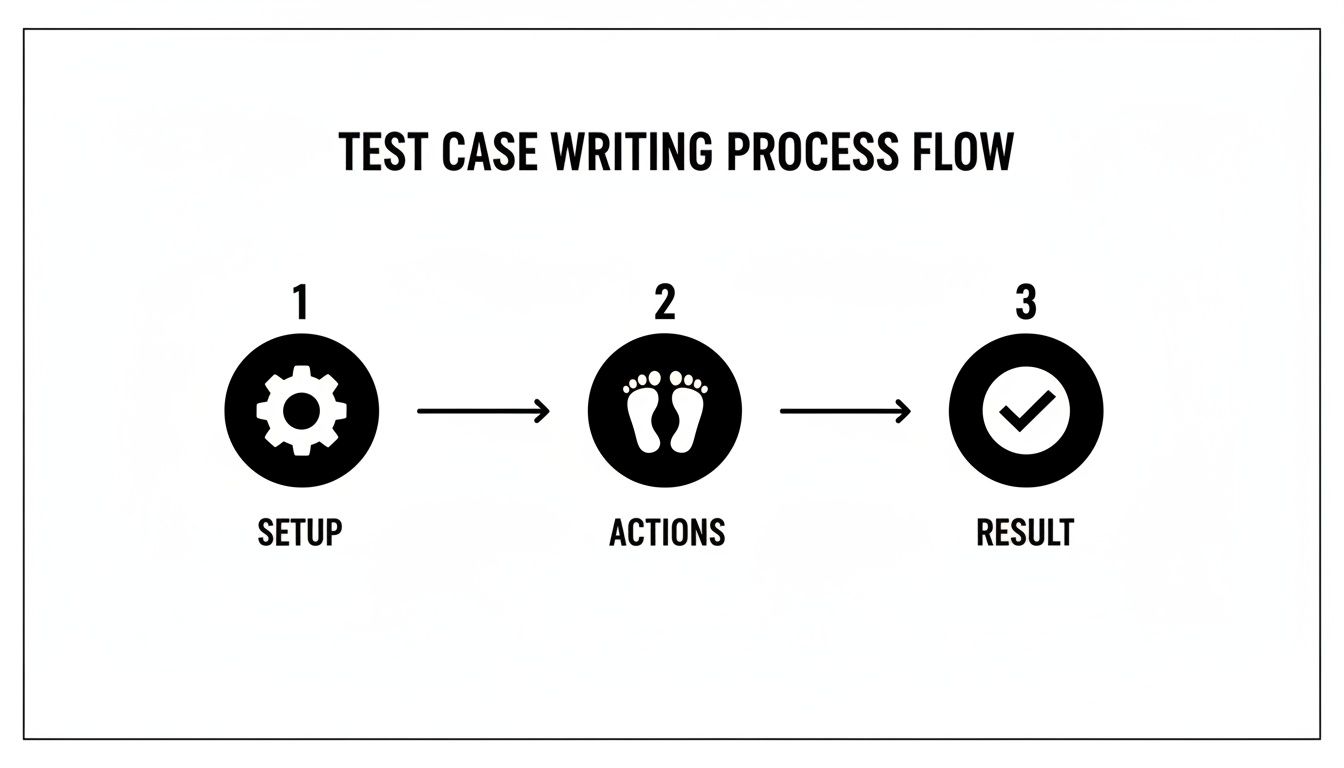
The three-part structure—Setup, Actions, Result—is the backbone of virtually every test you’ll ever write.
Alright, now for the interesting part. A feature is only as good as its ability to handle things going wrong. This is where negative testing comes in. We need to put on our “user hat” and think about all the ways someone might make a mistake. What happens if they use the wrong password? Or mistype their email?
Let’s start with the most common error: an incorrect password.
Test Case ID: TC-LOGIN-002 Title: Verify error message is displayed for invalid password.
User account [email protected] exists and is active.
User is on the login page.
Test Data:
Username: [email protected]
Password: WrongPassword!
Test Steps:
Enter [email protected] into the “Email” field.
Enter WrongPassword! into the “Password” field.
Click the “Login” button.
Expected Result:
The user remains on the login page.
This test directly validates our third acceptance criterion. It confirms the system gives clear, helpful feedback when things go wrong, which is a massive part of a good user experience.
Well-crafted negative test cases are what separate decent QA from great QA. They anticipate user errors and system failures, ensuring the application is resilient and user-friendly even when things don’t go as planned.
We can keep going. What about someone trying to log in with an email that isn’t even in our system?
Test Case ID: TC-LOGIN-003 Title: Verify login fails for a non-existent user account.
Username: [email protected]
Password: anypassword
Test Steps:
Enter [email protected] into the “Email” field.
Enter anypassword into the “Password” field.
Click the “Login” button.
Expected Result:
The user remains on the login page.
This test case adds a layer of security thinking. We explicitly state that the error message should be generic. Why? Because if we said “User not found,” we’d be telling potential attackers which emails are registered with our service. This level of detail in the expected result is what transforms a good test case into a great one.
By systematically converting each requirement and potential failure into a clear, structured test, we build a robust test suite that proves our login feature is not just functional, but also secure and reliable.
Once you’ve nailed the basics of writing a solid test case, it’s time to level up. Moving from a good QA to a great one means thinking beyond just the “what” and “how” of testing. You need to start asking which tests matter most, when you should run them, and how they all tie back to the big picture.
This is where you shift from just verifying functions to strategically safeguarding the entire system, ensuring it meets business goals and is ready for whatever comes next—including automation.
How do you prove that every single business requirement has been tested? The answer is a Requirements Traceability Matrix (RTM). Think of it as your master map.
In its simplest form, an RTM is a document (often a spreadsheet) that connects each user story or requirement directly to the test cases designed to validate it. This creates a clear, unbreakable link from what the business asked for to how you proved it works.
It’s the definitive answer to questions like, “Have we covered all the acceptance criteria for this story?” or “Which tests validate our new checkout flow?”
Here’s what a simple one looks like:
| Requirement ID | Requirement Description | Test Case IDs |
|---|---|---|
| REQ-001 | User must be able to log in with valid credentials. | TC-LOGIN-001, TC-LOGIN-002 |
| REQ-002 | User must see a dashboard after successful login. | TC-LOGIN-001 |
| REQ-003 | System must show an error for invalid login attempts. | TC-LOGIN-002, TC-LOGIN-003 |
Building an RTM forces you to scrutinize your test coverage. Gaps become immediately obvious—you’ll see requirements with no associated tests, making it a critical tool for any complex project where one missed detail can cause major problems.
Let’s be real: you’ll never have enough time to test everything with the same exhaustive detail. That’s why your ability to prioritize is your most powerful asset. Risk-based testing provides a structured way to focus your precious time and energy on the parts of the application that truly matter.
The whole approach boils down to assessing two simple factors for every feature:
By analyzing features through this lens, you can pinpoint your high-risk areas. A feature with a high likelihood of failure and a massive business impact (like payment processing) demands far more of your attention than a low-impact, low-complexity change on the “About Us” page.
Risk-based testing isn’t an excuse to test less; it’s a strategy to test smarter. It ensures your most rigorous efforts are aimed at protecting the functions most critical to your users and the bottom line.
Even if your team is fully manual today, you should write every test case as if it’s going to be automated tomorrow. Creating automation-ready tests from day one makes the eventual transition from manual to automated so much smoother.
It’s all about instilling a sense of discipline and precision into your manual test design.
[email protected].”Adopting this mindset not only makes your manual testing more robust but also dramatically slashes the time and effort needed to hand your tests over to an automation engineer. For a broader perspective on quality assurance, this ultimate software testing checklist provides a fantastic framework that pairs well with solid test case design.
By thinking this way, you also effectively improve test cases using heuristics, helping you find defects that might otherwise slip through the cracks. When you adopt these advanced strategies, you stop being just a bug finder and become a true guardian of quality.
Let’s be honest, the world of QA is changing, and Artificial Intelligence is a big reason why. Modern AI-powered tools have moved past just running tests; they can actually write them for you. This dramatically cuts down the manual grunt work needed to build out a solid test suite. We’re not talking about far-off future tech here—this is a practical way to supercharge your workflow today.
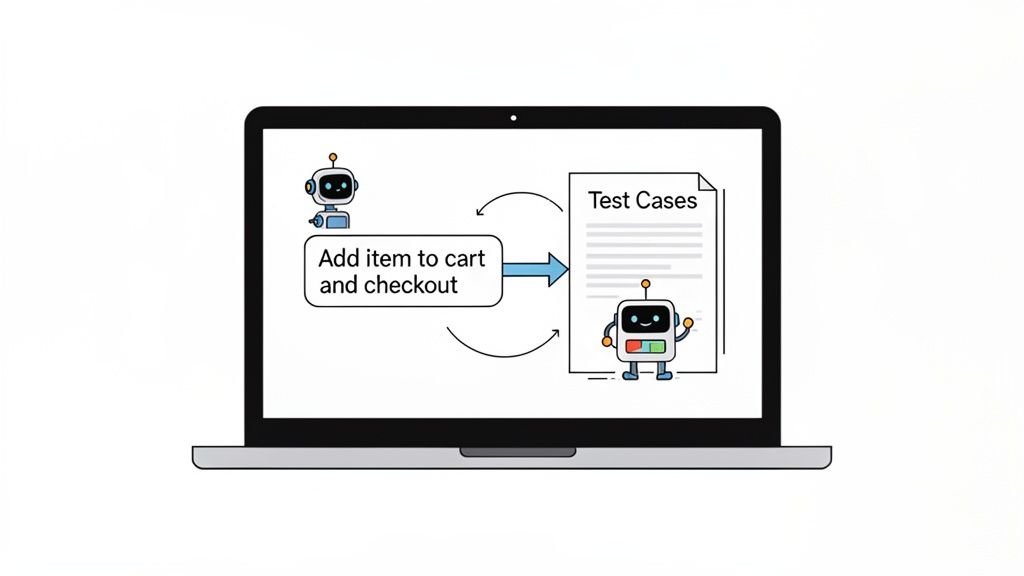
Imagine just describing a complex user journey in one sentence and watching a detailed, step-by-step test case appear. That’s exactly what tools like TestDriver let you do. You give it a simple prompt, and the AI generates the complete set of actions and assertions for an end-to-end test.
The whole idea is to translate what you’re thinking into something a machine can understand and execute. Instead of painstakingly mapping out every single click, input, and verification, you can just describe the goal in plain English.
For example, you could give the AI a prompt like this:
“As a guest user, I want to add the ‘Classic Leather Jacket’ to my cart from the product details page, proceed to checkout, and verify that the item is correctly listed in the order summary.”
An AI agent takes that and breaks it down into concrete steps:
This process is a massive time-saver. It also helps uncover potential edge cases you might not have considered. The AI can be prompted to think about different user states, data inputs, and error conditions, helping you create a more robust test suite with much less effort.
Getting quality results from an AI tool all comes down to how well you communicate your intent. Vague prompts give you generic, often useless, tests. The trick is to provide enough context for the AI to understand the specific user flow you need to validate.
Here are a few tips I’ve picked up for writing good prompts:
The quality of the AI-generated test case is directly proportional to the clarity of your prompt. Think of it as giving instructions to a junior QA engineer—the more specific you are, the better the result.
The growth in this space is real. The automation testing market hit $25.4 billion in 2024 and is still climbing, showing just how much the industry is investing in efficiency. But here’s the reality check: with only about 25% of companies seeing immediate ROI from automation, it’s clear that success depends on smart implementation. You can find more data on software testing trends for 2025. Well-written test cases are the foundation of that success.
Adopting AI doesn’t mean you can fire all your testers. Think of it as a powerful assistant. AI-generated tests are a fantastic starting point, but they still need review and validation from an experienced QA professional.
This human-in-the-loop approach gives you the best of both worlds: the speed of AI combined with the critical thinking and domain knowledge of your team. A great way to start is by reviewing some best practices for validating AI-generated test cases to make sure they align with your quality standards. By bringing these tools into your process thoughtfully, you can dramatically increase test coverage, find more bugs, and free up your team for more valuable exploratory testing.
Even after you get the hang of writing test cases, some questions always seem to pop up. Let’s tackle a few of the most common ones I hear from QAs, both new and experienced. Getting these concepts straight is often the turning point between writing good test cases and writing truly great ones.
This one trips people up all the time, but the distinction is actually pretty straightforward once you see it. Think of it like planning a road trip.
A test scenario is your high-level goal, like “Verify a user can log into their account.” It’s the destination. It answers the question, “What are we trying to prove?”
A test case is the detailed, turn-by-turn set of directions to test a piece of that scenario. It answers, “How exactly are we going to prove it?”
For that one “log in” scenario, you’d have several distinct test cases:
One scenario almost always branches out into multiple test cases. This is how you ensure you’re covering all the critical positive and negative paths, not just the main “happy path.”
There’s no magic number here. If anyone tells you “always write five test cases per story,” they’re oversimplifying things. The right number depends entirely on the complexity and risk of the feature.
A simple text change on a marketing page? You might only need one or two quick visual checks.
But what about a brand-new, multi-step checkout process? That could easily demand dozens of test cases. You have to think about different payment types, shipping options, discount codes, what happens when a payment fails, how the system handles different user inputs… the list goes on.
Your goal isn’t to hit an arbitrary count. It’s to achieve adequate coverage. Focus on making sure you’ve covered the happy path, all the crucial negative paths, and any high-risk edge cases you can think of.
This is where a traceability matrix becomes invaluable. It lets you map your test cases directly back to the acceptance criteria, making it painfully obvious if a key requirement has been left untested.
After reviewing thousands of test cases in my career, I see the same handful of mistakes over and over again. The absolute biggest one? Ambiguity. A test case that can be interpreted in more than one way is a failed test case before it’s even run.
Here are the most common pitfalls to watch out for:
[email protected] in the username field and P@ssword123! in the password field.”Nailing these fundamentals will instantly elevate the quality and reliability of your tests.
It’s tempting, I get it. But skipping the process of writing out manual test cases is almost always a mistake. Think of it this way: your well-written manual test cases are the architectural blueprints for your automation scripts.
Writing them first forces you to think through the user’s journey, define the logic, and pinpoint all the necessary checkpoints and assertions. This planning step is critical. It ensures that when you do start coding the automation, you’re building a meaningful and robust test, not just a fragile script that clicks buttons.
Mapping out your journey before you start driving saves you from getting lost. The same principle applies here, and it will save you a ton of time and headaches down the road.
Ready to stop writing test cases and start generating them? TestDriver uses AI to turn your plain-English descriptions of user flows into comprehensive, executable end-to-end tests in seconds. Reduce manual effort and expand your test coverage by visiting https://testdriver.ai to see how it works.
Discover how to create test case strategies that catch bugs early. This guide covers templates, real-world examples, and AI-powered QA.
Learn how to prepare test cases that improve software quality. This guide covers everything from requirements analysis to AI-powered automation for QA pros.
Learn how to make test cases in software testing with practical guidance on designing, writing, and automating tests.
Boost QA with a practical test case design guide featuring proven techniques, clear writing tips, and AI-driven insights for smarter testing.
TestDriver uses computer-use AI to test any app - write tests in plain English and run them anywhere.