Playwright vs Selenium vs Cypress: Which Framework Reigns for Your Team
Compare Playwright vs Selenium vs Cypress - (playwright vs selenium vs cypress) which fits your team? Quick insights on performance, features, and use cases.
Automate and scale manual testing with AI ->
Picking between Playwright, Selenium, and Cypress isn’t just a technical choice—it’s a strategic one that hinges entirely on your team’s goals, existing codebase, and what you’re trying to build. Playwright has quickly become the go-to for its fresh architecture and incredible cross-browser capabilities. Selenium, the old guard, still holds its ground in large, multi-language enterprise environments. And Cypress? It’s a developer’s dream, especially for those living and breathing JavaScript.
The Evolving Landscape of Web Automation
Choosing a web automation framework today is a far cry from what it was a decade ago. It’s no longer just about writing a few scripts to check a login form. Modern frameworks are deeply embedded in CI/CD pipelines, providing the rapid, reliable feedback essential for high-velocity software delivery. This guide dives into the big three, breaking down the established champion, the developer-focused innovator, and the powerful newcomer.
To get the most out of any of these tools, your team needs a solid foundation in modern software testing best practices.
Here’s a quick breakdown of the contenders:
- Selenium: The titan of test automation. It’s been around forever, supports a massive range of programming languages, and can run on just about any browser you can think of.
- Cypress: The tool that changed the game by prioritizing the developer experience. Its all-in-one approach and interactive test runner made writing tests faster and more intuitive.
- Playwright: Microsoft’s answer to modern web automation. It’s built from the ground up for speed, reliability, and true cross-engine testing—not just cross-browser.
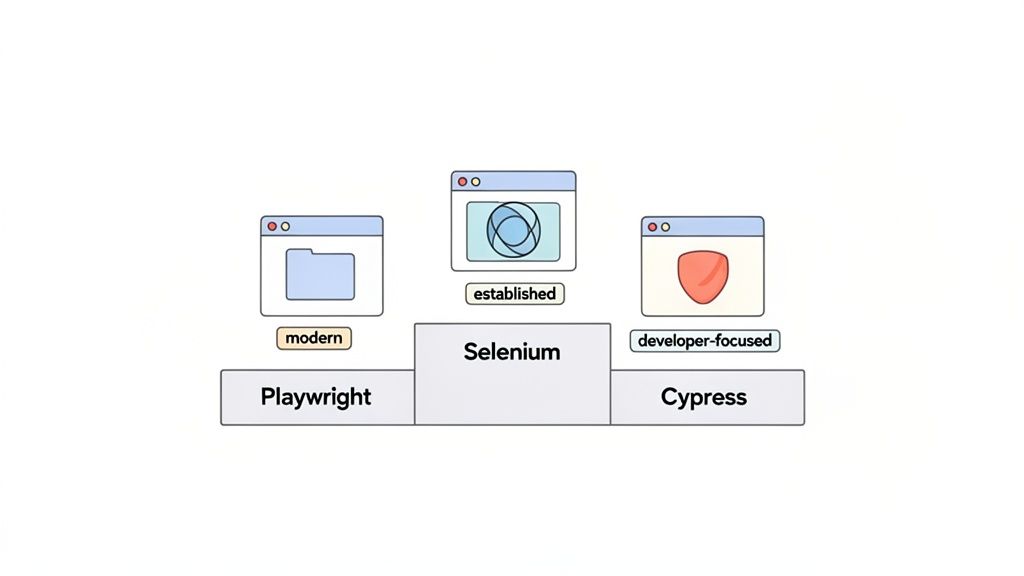
Let’s start with a high-level look at how they stack up. This table cuts right to the chase, highlighting their core strengths and ideal use cases.
Quick Comparison Playwright vs Selenium vs Cypress
| Criterion | Playwright | Selenium | Cypress |
|---|---|---|---|
| Primary Strength | Speed & Cross-Browser | Language & Ecosystem | Developer Experience |
| Architecture | WebSocket Protocol | WebDriver Protocol | In-Browser Execution |
| Best For | Modern web apps needing fast, reliable cross-browser tests. | Large enterprises with multi-language codebases and legacy systems. | Frontend teams using JavaScript frameworks like React or Vue. |
| Setup Complexity | Low (includes browsers) | High (requires drivers) | Very Low (all-in-one) |
Each framework’s architecture tells a story about its philosophy. Playwright’s WebSocket approach is built for speed, Selenium’s WebDriver protocol is all about standardization and broad support, and Cypress’s in-browser execution offers unparalleled debugging for front-end developers.
Understanding the Key Players
Born in 2004, Selenium has been the undisputed king of web automation for nearly two decades. But the landscape is shifting. Recent market analyses from 2024-2025 show its dominance is waning for new projects. Once holding nearly 40% of the market, its share has slipped to between 22-39% as tools like Playwright and Cypress have gained significant ground. The reason is simple: developers and QA engineers are increasingly drawn to the faster execution speeds and cleaner APIs of modern frameworks.
The core promise of newer tools like Playwright is to directly address the historical pain points—like flaky tests and complex setups—that many experienced with older frameworks.
As the industry moves forward, it’s a fair question to ask if the original automation giant can keep up. We actually did a deep dive on this topic, exploring if Selenium is still a viable choice for test automation in 2025. This guide will arm you with the information to decide which tool is the right fit for your team right now.
Comparing Core Architecture and Execution Models
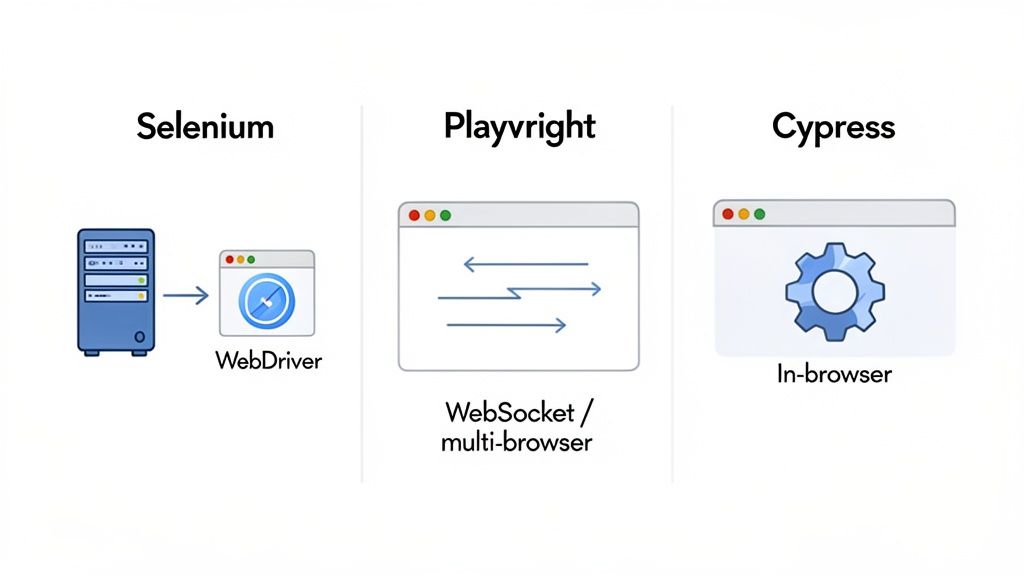
To really get what makes Playwright, Selenium, and Cypress so different, you have to look under the hood. It’s not just about features on a checklist; it’s about how each framework talks to the browser. This core architecture is the single biggest factor determining a tool’s speed, stability, and what it can ultimately do.
For years, Selenium has been the industry standard, built on the WebDriver protocol. Think of WebDriver as a remote control for the browser. Your test script sends commands over an HTTP connection to a separate driver (like chromedriver), which then tells the browser what to do. This client-server setup is why Selenium works with so many languages and browsers. The trade-off? Every single command introduces a bit of network latency, which can add up and make tests slower or more brittle.
The Modern WebSocket Approach of Playwright
Playwright decided to take a more direct path. It connects to browsers using a single, persistent WebSocket connection. This approach taps directly into modern browser APIs like the Chrome DevTools Protocol (CDP). Instead of creating a new HTTP request for every click or keystroke, Playwright keeps one fast, low-latency communication channel open.
This design choice has some huge benefits:
- Speed: Commands fly back and forth with minimal overhead. This is a big reason why Playwright often crushes performance benchmarks.
- Control: This direct line gives Playwright incredibly fine-grained control, enabling powerful features like intercepting network traffic, emulating mobile devices with precision, and managing multiple pages or tabs right out of the box.
Playwright’s WebSocket architecture isn’t just an incremental improvement; it’s a game-changer. By getting rid of the communication delays found in older, HTTP-based protocols, it builds faster and more reliable tests from the ground up.
Cypress and Its In-Browser Execution Model
Cypress throws the whole remote-control concept out the window. It works completely differently by running directly inside the browser, right alongside your application. Your test code executes in the same event loop as your app’s own JavaScript, giving Cypress intimate access to everything happening on the page.
This unique proximity is what gives Cypress its superpowers:
- It can read and change the DOM instantly, with zero network lag.
- It can listen to, spy on, or even fake network requests as they happen.
- It delivers a fantastic, real-time debugging experience in its interactive Test Runner.
But this architecture comes with its own set of rules. Running inside the browser’s security sandbox has historically made it tricky for Cypress to handle tests that involve multiple tabs, new windows, or cross-origin iframes. While the team has made huge strides in overcoming these hurdles, it’s still a fundamental trade-off. For a deeper dive, check out our detailed comparison of Playwright vs Cypress.
Ultimately, the “playwright vs selenium vs cypress” decision often boils down to these architectural philosophies. Selenium’s WebDriver gives you unparalleled compatibility, Playwright’s WebSocket connection offers pure speed and power, and Cypress’s in-browser model provides a best-in-class developer experience.
Analyzing Key Features and Capabilities
Beyond the high-level architecture, the real-world differences between Playwright, Selenium, and Cypress pop up when you dig into their core features. How each framework handles things like asynchronous operations, browser support, parallelization, and debugging has a direct impact on your test reliability, development speed, and long-term maintenance. These are the details that shape the day-to-day experience of writing and running tests.
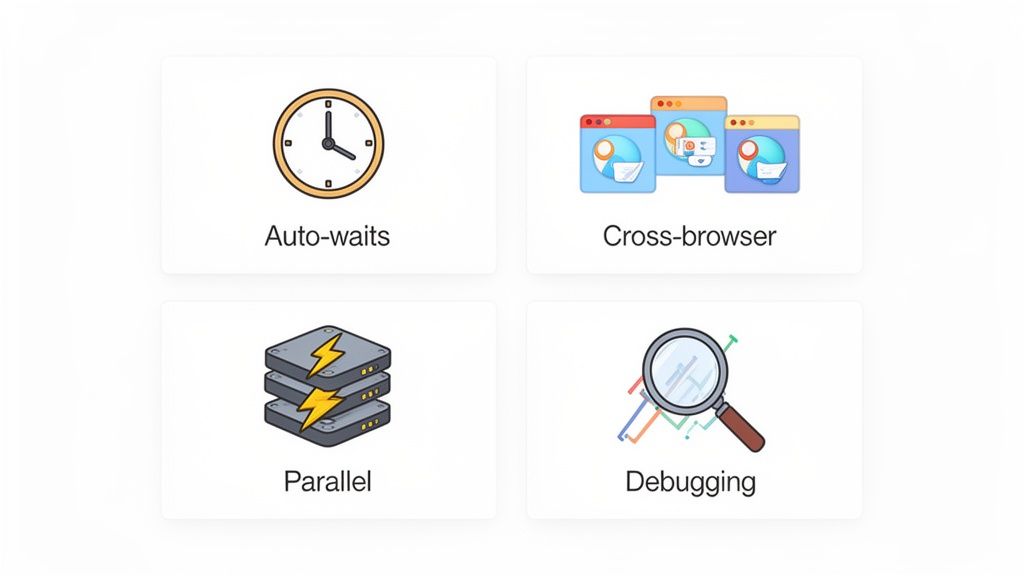
Instead of just listing features, let’s look at how these frameworks actually solve common testing problems. Getting a feel for these distinctions is crucial for making the right choice in the Playwright vs. Selenium vs. Cypress debate.
H3: Auto-Waits and Flake Reduction
One of the biggest headaches in test automation is “flakiness”—tests that randomly fail because of timing issues. Modern web apps are constantly loading things in the background, and a test script that tries to click an element before it’s ready is doomed to fail.
- Playwright handles this beautifully with its built-in auto-waiting mechanism. Before it performs any action, like a click or typing text, it automatically waits for the element to be visible, stable, and ready for interaction. This “web-first” approach cuts down dramatically on the need for manual
sleepcommands, leading to much more reliable tests right out of the box. - Cypress is built on a similar philosophy. It automatically waits for elements to show up and for commands to finish before moving on. Its built-in retry logic for assertions is also a huge win, ensuring tests only pass when the app is truly in the state you expect. This makes it a favorite for developer-centric workflows.
- Selenium, on the other hand, puts the responsibility for waits squarely on you. You have to manually code
ImplicitWaits(a global timeout) or, more reliably,ExplicitWaits(waiting for a specific condition) to deal with asynchronous behavior. While this gives you fine-grained control, it also makes scripts longer and more susceptible to human error.
H3: Cross-Browser and Device Support
Your application needs to work for everyone, which means testing across a variety of browsers and devices. The three frameworks have very different approaches here.
Playwright offers the most complete solution out of the box. It doesn’t just test browsers; it tests the underlying engines—Chromium (for Chrome and Edge), WebKit (for Safari), and Firefox. This gives you incredibly broad compatibility from a single, unified API. Plus, it bundles the necessary browser binaries, which simplifies CI/CD setup immensely.
Cypress was historically a Chromium-only tool but has expanded to support Firefox and WebKit. However, it still feels most at home and performs best on Chromium-based browsers. For teams deep in the JavaScript ecosystem, this is often more than enough. You can always check out our guide on essential Cypress plugins for enhanced test automation to see how to stretch its capabilities further.
Selenium has always been the gold standard for massive cross-browser test grids, supporting a huge range of browsers through its WebDriver architecture. That flexibility comes with a cost, though. Each browser needs its own driver, and you have to constantly manage and update them to keep them in sync with browser releases.
H3: Parallel Execution Strategies
For any decent-sized test suite, running tests in parallel is a must if you want fast feedback.
Playwright was designed for parallelism from the ground up. It can run tests across multiple “workers” by default, even on a single machine, by using isolated browser contexts. This makes scaling your tests incredibly efficient and simple to configure.
Selenium gets you parallelization with Selenium Grid, a powerful but complex system that distributes tests across multiple machines or containers. Setting up and maintaining a Grid is a serious infrastructure project that requires dedicated expertise.
Cypress also supports parallel execution, but it’s most smoothly handled through its commercial offering, Cypress Cloud. The service orchestrates test runs and load-balances them across your CI machines, which simplifies the process considerably.
H3: Debugging Tools and Experience
When a test inevitably fails, the debugging experience can be the difference between a five-minute fix and a five-hour headache.
Playwright’s Trace Viewer is a game-changer. It captures a complete, time-traveling snapshot of your test run, including screenshots, network logs, console messages, and a visual DOM tree for every single step. It gives you a perfect replay of exactly what went wrong.
Cypress is famous for its interactive Test Runner. This visual interface shows commands executing in real-time, lets you inspect the DOM at any point in the test, and allows you to debug directly inside your browser’s developer tools.
Selenium doesn’t come with its own debugging tools. You’re left to rely on standard IDE debuggers, log files, and a lot of manual investigation. This makes the process much more tedious compared to what its modern competitors offer.
The following table offers a more direct, side-by-side look at how these key features stack up.
Detailed Feature Breakdown by Framework
| Feature | Playwright | Selenium | Cypress |
|---|---|---|---|
| Auto-Waits | Built-in and automatic for all actions. Highly reliable and reduces flaky tests significantly. | Requires manual implementation (Explicit/Implicit waits). Prone to verbosity and error. | Built-in with automatic retries for commands and assertions. Excellent for developer workflows. |
| Cross-Browser | Native support for Chromium, WebKit, and Firefox engines out of the box with bundled binaries. | Extensive support via WebDrivers. Requires manual driver management and can be complex. | Strongest on Chromium; supports Firefox and WebKit, but with some known limitations. |
| Parallelization | Natively supported via “workers.” Designed for parallelism from the start, making it efficient and easy. | Achieved via Selenium Grid. Powerful but requires significant infrastructure setup and maintenance. | Supported natively and enhanced via the commercial Cypress Cloud for load balancing. |
| Debugging | Powerful Trace Viewer provides a full, time-traveling debug experience with DOM snapshots, logs, and more. | Relies on external IDE debuggers, logs, and screenshots. Lacks integrated tooling. | Interactive Test Runner offers real-time visual feedback, time travel, and in-browser debugging. |
As you can see, the modern frameworks were built to solve the pain points that engineers struggled with for years.
This difference in tooling and developer experience is a major reason for Playwright’s explosive growth. Since its stable release around 2020, market reports show its year-over-year growth is projected to hit ~235% by 2025. Weekly npm downloads have peaked between ~3.2 million and 13.5 million. This adoption is backed by performance benchmarks showing Playwright’s average test execution is nearly twice as fast as Selenium’s (~45 seconds vs. ~90 seconds), all while using roughly half the CPU and memory. You can find more details about Playwright’s performance and adoption on getpanto.ai.
How It Feels to Actually Write and Debug Tests
Beyond the technical specs and architecture, what really matters is the day-to-day grind. How does it feel to write, run, and fix tests with these tools? This is where the core philosophies of Playwright, Selenium, and Cypress really show their colors. The ease of setup, the feel of the API, and the quality of the debugging tools will make or break your team’s productivity.
Getting started is the first major fork in the road. Playwright and Cypress have this down to a science. You run a single command, and it pulls down everything you need—the framework, the browser binaries, the whole nine yards. You can be writing your first test within minutes. It just works.
Selenium, on the other hand, still feels a bit old-school. You have to piece it together yourself. First, you install the client libraries for your language (like Java or Python). Then, you have to go hunt down the right WebDriver executables for every browser you want to support and make sure they’re in your system’s PATH. It’s a multi-step dance that can trip up newcomers and adds a layer of complexity to your CI/CD setup.
A Look at Test Syntax and Readability
The code itself tells you a lot about a tool’s design. Let’s look at a simple login test. Pay attention to how verbose each one is, what’s built-in, and how they handle waiting for things to happen.
Playwright (TypeScript)
test(‘should log in successfully’, async ({ page }) => {
await page.goto(‘/login’);
await page.getByLabel(‘Email’).fill(‘[email protected]’);
await page.getByLabel(‘Password’).fill(‘securepassword123’);
await page.getByRole(‘button’, { name: ‘Log In’ }).click();
await expect(page.getByText(‘Welcome back!‘)).toBeVisible(); });
Cypress (JavaScript)
it(‘should log in successfully’, () => {
cy.visit(‘/login’);
cy.get(‘#email’).type(‘[email protected]’);
cy.get(‘#password’).type(‘securepassword123’);
cy.get(‘button[type=“submit”]‘).click();
cy.contains(‘Welcome back!‘).should(‘be.visible’); });
Selenium (Java with Page Object Model)
@Test
public void shouldLoginSuccessfully() {
loginPage.navigateTo();

 loginPage.enterEmail("[[email protected]](mailto:[email protected])");

loginPage.enterPassword("securepassword123");

loginPage.clickLoginButton();assertTrue(dashboardPage.isWelcomeMessageVisible());} Playwright’s API feels modern and smart. It uses clear, action-focused commands (fill, click) and its locators like getByRole are incredibly intuitive. Cypress is famous for its clean, chainable syntax; it reads almost like a BDD script describing what the user is doing. Selenium is undeniably more verbose and practically requires you to use patterns like the Page Object Model just to keep your tests from becoming a tangled mess.
The Power of Integrated Tooling
The developer experience gets a massive boost from built-in tools that help you write and debug tests faster. Honestly, this is a huge differentiator when comparing playwright vs selenium vs cypress.
Playwright’s Codegen and Cypress’s Test Runner are absolute game-changers. They give you instant, visual feedback that makes writing and debugging tests so much faster. It’s an experience Selenium just can’t offer out of the box.
Playwright’s Codegen is brilliant. You just interact with your site, and it spits out a clean, ready-to-use test script. It’s not only a massive time-saver for getting started but also a fantastic way to learn the best locators and API calls.
Cypress’s Test Runner, shown above, gives you a live, interactive command log. You can time-travel back to any step in your test to see exactly what the DOM looked like at that moment. This turns debugging from a painful chore into an interactive process.
This developer-first focus is why Cypress took off when it launched back in 2017. The community metrics tell the story: its GitHub stars are sitting around 46k-48k, and weekly npm downloads are consistently in the multi-millions by mid-2024. Market data also points to a real shift. One analysis showed that median hourly rates for Cypress skills jumped by about ~6-7% between late 2024 and mid-2025, while rates for Selenium actually dropped by ~9-10%. These aren’t just vanity metrics; they signal a strong, sustained demand for expertise in modern frameworks. You can read more about the trends shaping Cypress and Playwright in 2025 on caw.tech.
Meanwhile, Selenium’s lack of integrated tooling leaves you fumbling with IDE debuggers, poring over logs, and manually re-running tests. The feedback loop is just so much slower.
How to Choose the Right Framework for Your Team
Picking the right automation tool in the Playwright vs. Selenium vs. Cypress debate isn’t about finding the single “best” framework. It’s about finding the best fit for your team’s reality—your skills, your project’s architecture, and your long-term goals. Getting this decision right from the start can save you hundreds of hours in maintenance and headaches down the road.
A huge piece of this puzzle is developer productivity. A tool that slides neatly into your existing workflow is always going to outperform a technically “superior” option that creates friction for your team.
To narrow it down, think about what you value most when writing tests. The decision tree below lays out a path based on whether your team prioritizes ease of use, code clarity, or absolute control.
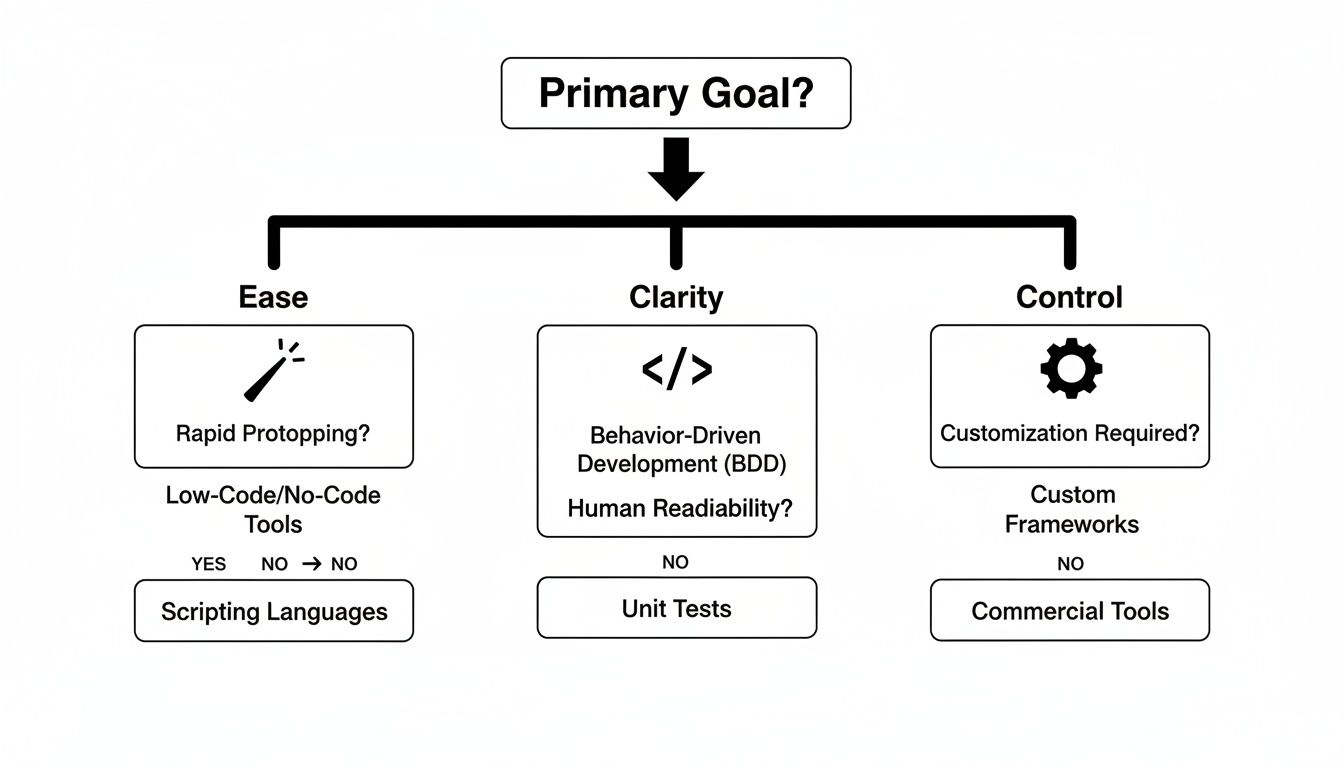
As you can see, the right choice really boils down to what your team needs most—the all-in-one experience of Cypress, the clean syntax of Playwright, or the deep-level control that Selenium provides.
Scenario-Based Recommendations
Let’s get practical and look at some real-world situations. Your team probably fits into one of these profiles, which should make the decision a lot clearer.
You should probably stick with Selenium if…
- Your organization has a massive, established codebase built primarily in Java, C#, or Python.
- You absolutely must test across a vast landscape of browsers, including dinosaurs like Internet Explorer, on various operating systems.
- Your team is already full of Selenium veterans and you have a huge test suite that would be a nightmare to migrate.
Cypress is likely your best bet if…
- Your team is made up of front-end developers living in the JavaScript/TypeScript world (think React, Vue, or Angular).
- Your top priority is a super-fast, interactive, and visual debugging experience to get tests written quickly.
- The app you’re testing is a Single-Page Application (SPA) that doesn’t need complex multi-tab or multi-window tests.
Playwright is the clear winner if…
- You’re building a modern web app and need fast, rock-solid tests across all three major browser engines: Chromium, WebKit, and Firefox.
- Your team loves TypeScript and wants a clean, modern API with powerful features like auto-waits and tracing baked right in.
- You need to handle complex scenarios natively, like file downloads, network interception, and tests that jump between multiple tabs or origins.
The most effective choice is an extension of your team’s existing culture and technical stack. Forcing a Java-centric team to adopt a JavaScript-only framework, or vice versa, often introduces more problems than it solves.
Migrating From an Existing Framework
If you’re one of the many teams on Selenium, you’re probably eyeing a move to something more modern. Migrating from Selenium to Playwright or Cypress is a big job that requires a solid plan, but the payoff in speed and reliability can be enormous.
Before you write a single line of new code, do a thorough audit of your current Selenium suite. Figure out which tests are critical for the business, which ones are always flaky, and which are just redundant. It’s the perfect time to clean house.
Here are the key challenges to prepare for:
- Rewriting Test Logic: The APIs are fundamentally different, so this isn’t a simple find-and-replace job. You’ll have to rewrite tests from the ground up to really take advantage of features like Playwright’s auto-waits.
- Handling Waits and Synchronization: All those explicit waits you carefully coded in Selenium? They’ll need to be refactored to use the built-in, smarter waiting mechanisms in Playwright or Cypress.
- Rethinking Infrastructure: Your CI/CD pipelines will need an overhaul. The good news is this often simplifies things—you can finally ditch that complex Selenium Grid setup for Playwright’s native parallelism or Cypress Cloud.
A phased migration is almost always the smartest strategy. Start by writing all new tests in your chosen framework while you gradually port over the most critical legacy tests from Selenium. This lets your team build expertise and show value without bringing all other work to a halt.
Frequently Asked Questions About Playwright, Selenium, and Cypress
When you’re deep in the trenches evaluating test automation tools, the same questions tend to pop up. Let’s tackle the big ones head-on so you can get the clarity you need to choose between Playwright, Selenium, and Cypress.
Which Tool Is Best for Beginners in Test Automation?
If you’re just getting started, Cypress is often the friendliest entry point. It’s designed as an all-in-one package, meaning you install it and you’re pretty much ready to go. The interactive Test Runner is a huge win for beginners; you see your tests run in real-time, which provides an immediate feedback loop that makes learning much more intuitive, especially if you already know some JavaScript.
Playwright is another fantastic option for newcomers, largely thanks to its Codegen tool. You can literally just click around your web app, and it will generate a clean, readable test script for you. This is an incredible way to learn the API by seeing it in action.
Selenium, on the other hand, usually has the steepest learning curve. You’re not just installing one thing; you need to manage separate WebDriver binaries for every browser you want to test. Its architecture requires a bit more upfront understanding, making it a better fit for seasoned engineers or teams that already have a solid QA infrastructure in place.
Can I Test Non-Chrome Browsers Like Safari and Firefox?
Yes, you absolutely can, but how each tool handles this is a critical differentiator in the Playwright vs Selenium vs Cypress debate.
- Playwright is the clear winner here for out-of-the-box support. It was built from the ground up to handle Chromium (Chrome, Edge), WebKit (Safari), and Firefox using a single, unified API. This isn’t an afterthought; it’s a core part of its design.
- Selenium has long been the gold standard for cross-browser testing, supporting a massive range of browsers. The trade-off is the manual work involved—you have to download and manage a specific WebDriver executable for each and every browser.
- Cypress started its life as a Chromium-first tool. While it has since added support for Firefox and WebKit (in experimental stages), its most stable and robust performance is still found on Chromium-based browsers.
How Do These Frameworks Handle Testing Multiple Tabs or Windows?
This is a make-or-break feature for anyone testing complex applications, and the differences are stark.
Playwright was built to handle this stuff flawlessly. Its architecture was designed from day one to manage multiple pages, tabs, and even separate browser contexts without breaking a sweat. If your application has pop-ups or requires users to jump between windows, Playwright makes it feel easy.
Selenium can also handle multiple windows and tabs, but the API feels a bit clunky. You have to write code to explicitly find and switch between different window “handles,” which can make your tests more brittle and harder to read.
Cypress has a well-known limitation here. Because it runs inside the browser, it’s architecturally constrained to a single tab. While clever workarounds exist, native multi-tab testing is not a core feature. This makes it a poor choice for applications that depend heavily on that kind of user flow.
Which Framework Is Fastest for Running a Large Suite of End-to-End Tests?
When you’re talking about pure, raw speed across a big test suite, Playwright consistently comes out on top in most benchmarks. Its modern architecture relies on a persistent WebSocket connection instead of HTTP requests for every command, and its built-in parallelization is incredibly efficient. All this adds up to noticeably faster runs.
Selenium’s speed can be limited by its older, HTTP-based architecture. You can definitely speed things up by setting up a well-configured Selenium Grid for parallel execution, but it generally won’t match Playwright’s velocity.
Cypress is actually very fast for tests running in a single browser instance because of its in-browser execution model. The challenge comes when you need to scale that parallelism across many machines; it can get complex or lean on its paid Dashboard service. For raw CI/CD pipeline speed, Playwright typically has the advantage.
Is Selenium Becoming Obsolete?
Not at all. Selenium isn’t obsolete, but its role in the ecosystem is definitely shifting. For huge enterprise companies with diverse tech stacks (think Java, C#, and Python shops) and years of legacy tests, Selenium is still a workhorse. Its massive community and battle-tested stability are hard to ignore.
That said, for brand-new projects—especially those built on modern JavaScript frameworks—Playwright and Cypress offer a much more streamlined and productive experience. We’re seeing a clear trend where teams starting from scratch are choosing these newer tools for their superior developer experience, speed, and integrated tooling.
Does Playwright Have a Future with AI?
Absolutely. Of the three, Playwright is arguably the best positioned for the coming wave of AI-driven testing. Microsoft is actively building integrations that let Large Language Models (LLMs) interact with the browser through Playwright’s structured API.
This opens up some incredible possibilities, like AI agents that can perform exploratory testing, generate test cases from a simple English sentence, or intelligently validate accessibility standards. The whole field is still young, but Playwright’s modern architecture makes it the perfect foundation for these next-generation testing workflows. The comparison of Playwright vs Selenium vs Cypress will increasingly hinge on how well each tool embraces AI.
Ready to stop scripting and start testing? TestDriver uses an AI agent to generate and execute end-to-end tests from simple prompts, letting your team focus on quality, not boilerplate code. Create comprehensive test suites in minutes.
Automate and scale manual testing with AI
TestDriver uses computer-use AI to test any app - write tests in plain English and run them anywhere.