Smoke Testing vs Sanity Testing A Practical Guide
Struggling with smoke testing vs sanity testing? This guide clearly breaks down their purpose, scope, and when to use each for a more efficient QA process.
Automate and scale manual testing with AI ->
The real difference between these two types of tests boils down to their scope and timing. Smoke testing is a wide but shallow check—its only job is to confirm that a new build is stable enough to be tested at all. On the other hand, sanity testing is narrow and deep, diving into a specific bug fix or new feature to make sure it works as expected without causing any new problems nearby.
Think of it this way: a smoke test is like turning the key to see if the car’s engine starts. A sanity test is checking if the new sound system you just installed actually plays music and doesn’t short out the headlights.
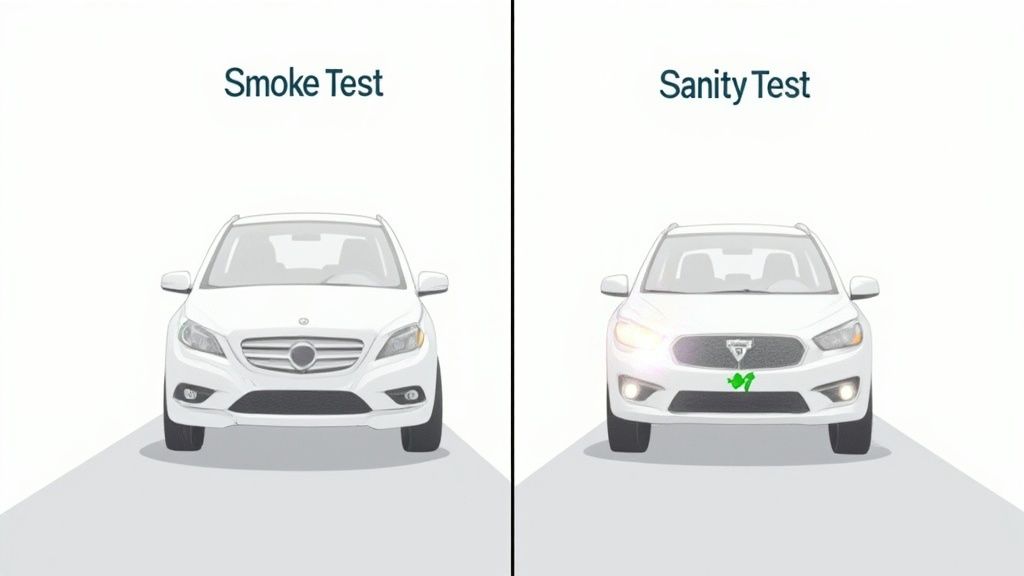
Understanding the Core Differences
It’s easy to get smoke and sanity testing mixed up, but they play very different roles. Both act as critical gatekeepers in the development process, designed to give you fast feedback and save your team from wasting time on a hopelessly broken build. The key is that they’re triggered by different events and answer entirely different questions about the code.
Knowing when to run each one is fundamental to an efficient QA process. A good smoke test will quickly vet the most critical 15-20% of your application’s functionality to catch any major blockers right away. Sanity testing is much more surgical, focusing only on the specific part of the code that was just changed.
Smoke Testing vs Sanity Testing at a Glance
To make these distinctions crystal clear, let’s put them side-by-side. The following table breaks down their core attributes so you can see exactly where they diverge in terms of goals, scope, and when they fit into a development sprint.
| Attribute | Smoke Testing | Sanity Testing |
|---|---|---|
| Primary Goal | Is this new build stable enough to proceed with testing? | Does the bug fix or new feature work as intended? |
| Scope | Broad and shallow. Covers core, end-to-end functionality. | Narrow and deep. Focuses on a specific component or change. |
| Trigger | A new build is deployed to a testing environment. | A minor code change, like a bug fix, is merged. |
| Performed On | Fresh, often unstable builds. | Relatively stable builds after a small modification. |
| Documentation | Almost always documented and automated as a test suite. | Often unscripted and performed manually, though can be automated. |
| Ownership | Typically owned and run by QA engineers or CI/CD pipelines. | Can be run by either developers or QA engineers. |
This table gives you a great snapshot, but if you need a simple mental model, just remember this:
A failed smoke test is a red flag that stops everything. It means the build is fundamentally broken and not ready for anyone’s time. A failed sanity test is more of a targeted alert, telling you to send a specific change back to the drawing board.
Ultimately, you don’t choose one over the other. Smoke and sanity tests are complementary practices that are both part of a mature testing strategy. They work together to ensure quality from different angles. To dig deeper into this concept, take a look at our guide on understanding the distinction between testing and checking in automation.
Why Each Testing Type Exists
To get a real handle on smoke vs. sanity testing, you have to look past the textbook definitions and see the strategy behind them. They’re not interchangeable; they exist to answer two completely different questions at very specific moments in the development cycle. Think of them as specialized tools for specific jobs.
https://www.youtube.com/embed/pvoLLvqSKf8
Smoke testing was born out of a need for basic risk mitigation. Its whole purpose is to be a gatekeeper, saving the QA team’s valuable time and energy. We’ve all been there: developers push a new build, and something as simple as the login page is completely busted. Without a quick smoke test, a QA engineer could waste hours setting up intricate test scenarios only to discover the application is dead on arrival.
This initial check stops that from happening. It’s a fast pass over the most critical, end-to-end user paths to confirm the build is stable enough to even bother with deeper testing.
The Purpose of Smoke Testing
At its heart, smoke testing is a quick, high-level health check designed to catch “showstopper” bugs. It couldn’t care less about the finer details of a new feature. Instead, it asks one simple but powerful question: “Is this build so fundamentally broken that any further testing would be a waste of time?”
- Saves time: It stops the QA team from spinning their wheels on a build that’s DOA (dead on arrival).
- Provides fast feedback: Developers find out immediately if they’ve introduced a catastrophic failure.
- Guards the pipeline: In a CI/CD setup, a failed smoke test is an emergency brake for the whole pipeline, preventing a bad build from moving on to regression or UAT.
Smoke testing is the bouncer at the door of your QA environment. Its job isn’t to check every guest’s ID, but to make sure no one is trying to get in while actively on fire.
The Role of Sanity Testing
Sanity testing, on the other hand, is all about targeted validation. It’s not looking at the overall health of the application. It’s more like a laser, focused with surgical precision on a recent change—maybe a bug fix or a small new feature. Its goal is to give you quick, confident proof that the new code works and hasn’t obviously broken anything directly connected to it.
Let’s say a developer just fixed a bug in the shopping cart’s tax calculation. A sanity test would quickly check that the fix actually works and that you can still add and remove items. It’s a quick check on the “rationality” of the code change. This focused approach lets teams validate fixes fast, without having to kick off a time-consuming full regression suite right away.
2. Scope, Frequency, and Automation: Where They Differ
While smoke and sanity tests are often mentioned in the same breath, they operate on completely different scales and schedules. The real heart of the smoke testing vs sanity testing debate comes down to their scope and what kicks them off. Getting this right is fundamental to building a QA process that actually works—one that finds the right problems at the right time.
Broad vs. Narrow: The Core Difference in Scope
Smoke testing is all about breadth over depth. Think of it as a quick, shallow pass across the entire application. It’s not meant to find deep, hidden bugs. Instead, it’s there to confirm the most critical pieces are still standing after a new build—can users log in? Does the main dashboard load? Is core navigation working? It answers one simple question: “Is this build stable enough to even bother testing?”
Sanity testing, on the other hand, is narrow and deep. It’s a laser-focused check on a specific area that just changed. Let’s say a developer just fixed a bug in the checkout process. A sanity test would zoom in on that specific function and its immediate dependencies, making sure the fix worked and didn’t break anything right next to it. It completely ignores unrelated parts of the software.
To really nail down the differences, let’s break them down side-by-side.
Detailed Feature Breakdown Smoke vs Sanity Testing
This table lays out the practical distinctions you’ll encounter day-to-day.
| Criterion | Smoke Testing (Build Verification) | Sanity Testing (Change Verification) |
|---|---|---|
| Primary Goal | Is the build stable enough for further testing? | Did a recent code change or bug fix work correctly? |
| Trigger | Automatically on every new build deployment. | Manually or automatically after a specific bug fix or minor feature change. |
| Scope | Broad but shallow. Covers major, critical functionalities across the entire system. | Narrow and deep. Focuses only on the changed module and its adjacent areas. |
| Frequency | High. Runs every time a build is deployed to a testing environment (e.g., QA, Staging). | Low/Irregular. Runs on an as-needed basis when a targeted change is made. |
| Who Performs It | Typically automated by the CI/CD pipeline; QA or DevOps sets it up. | Often performed by developers or QA engineers as a quick post-fix check. |
| Documentation | Almost always scripted and formally documented as part of the test suite. | Can be scripted, but is often an informal, unscripted check. |
| Typical Duration | A few minutes (e.g., 5-20 minutes). Must be fast to avoid blocking the pipeline. | Very short (e.g., 2-10 minutes). Quick confirmation is the key. |
| Role in Lifecycle | Acts as a gatekeeper for new builds entering the testing phase. | Serves as a quick check before a build is handed over for more thorough regression testing. |
This breakdown shows they aren’t interchangeable. Smoke testing is your first line of defense for build stability, while sanity testing is your go-to for verifying targeted fixes.
How Often Should They Run?
The trigger for each test dictates its rhythm. Smoke tests are a constant, predictable pulse in your CI/CD pipeline. Every time a developer merges code and a new build is deployed, the smoke test should run automatically. It’s the gatekeeper that decides if the new code is even allowed into the QA environment.
Sanity testing is much more tactical. It doesn’t run on a fixed schedule. Instead, it’s triggered by a specific event—a developer pushes a bug fix or adds a tiny enhancement. Its cadence is irregular, happening only when someone needs a quick gut check before announcing, “It’s ready for more testing.”
Smoke testing answers the question, “Can we test this build at all?” It runs frequently on every new deployment. Sanity testing asks, “Did this specific change work as expected?” It runs on-demand after a targeted code modification.
The Automation Angle
This is where the rubber really meets the road. Both tests are fantastic candidates for automation, but you automate them for slightly different reasons. The numbers back this up: teams that automated their smoke tests saw a 45% reduction in build validation time. Automating sanity tests led to a 30% faster verification of bug fixes. It’s no surprise that over 80% of top-tier technology firms rely on these automated checks for instant feedback.
Here’s a practical look at how automation fits in:
- Smoke Test Automation: This is a non-negotiable best practice. Your smoke suite should be fully automated and baked directly into your CI/CD pipeline. A new build drops, the tests run, and you get a clear pass/fail. If it fails, the build is rejected, and everyone is notified. No human intervention needed.
- Sanity Test Automation: While automation is common here too, there’s more wiggle room for manual checks. A developer might just manually click through their fix to get a quick confidence boost before committing the code. But for common, recurring validation points, automating sanity checks is a huge time-saver.
Deciding what and how to automate is one of the key considerations for effective test automation, and it always has to align with your team’s workflow. Think of smoke tests as your “set it and forget it” automated safety net, while sanity tests offer a bit more flexibility, blending automation with quick, manual spot-checks when the situation calls for it.
How to Choose the Right Test for the Job
Deciding between smoke and sanity testing isn’t about picking a favorite; it’s about matching the test to the situation. The whole thing really boils down to one question: are you looking at a brand-new build or just a small, targeted code change? Getting this right saves a ton of QA time and gets useful feedback to your developers much faster.
Think of it like a quick health check for your software. When a completely new version gets pushed to a staging environment, you have no idea if it’s stable. That’s your cue for a smoke test. The goal here is to do a quick, wide-ranging check of the most critical features—like logging in or adding an item to a cart—to make sure the build isn’t dead on arrival.
On the other hand, let’s say a developer just fixed a specific bug or added a minor feature to an already stable build. This is where you run a sanity test. It’s a narrow, focused check to confirm that the new change works correctly and didn’t break anything obvious right next to it.
A Simple Decision Framework
This flowchart really nails down the core decision point: are you dealing with a fresh build or a minor update?
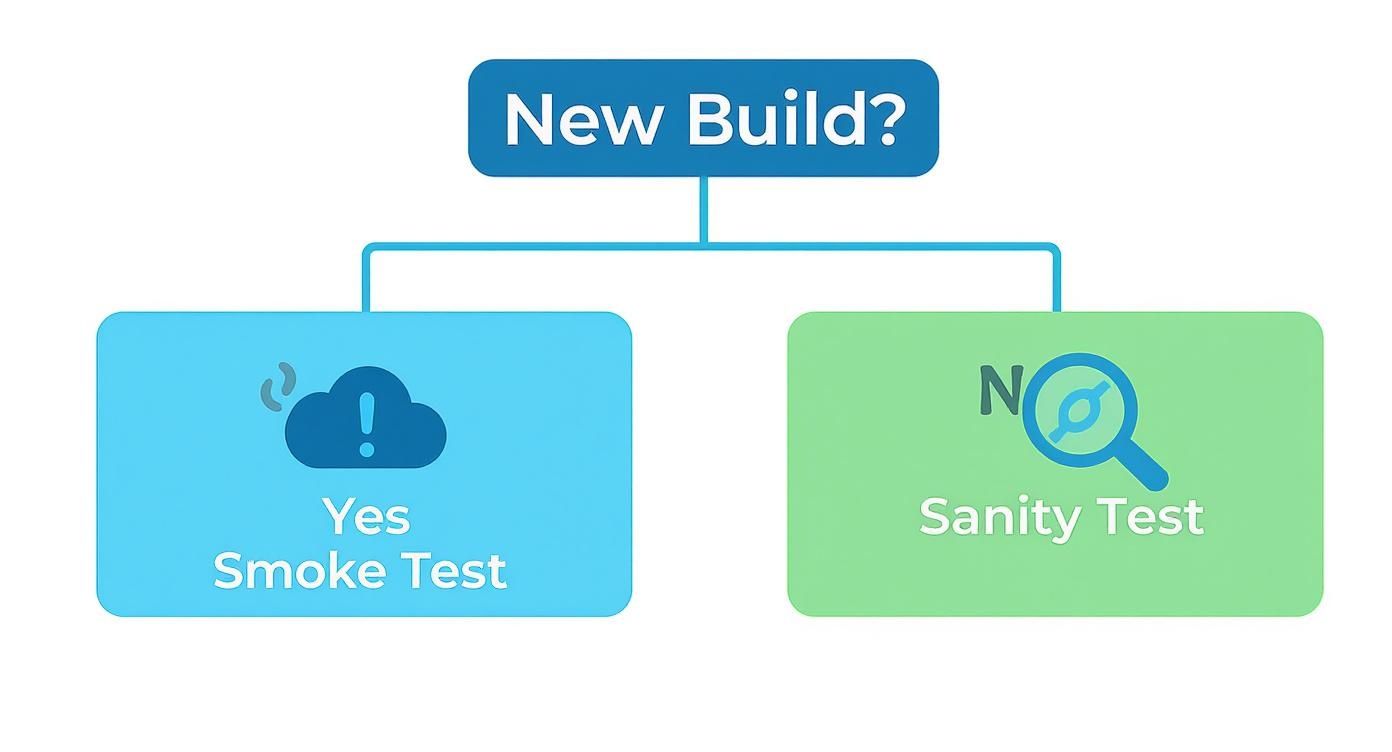
As you can see, the trigger for the test—a new build versus a specific fix—is what really dictates whether you should run a smoke test or a sanity test.
How They Work Together
Smoke and sanity tests aren’t rivals; they’re partners in an efficient QA process. They fit together in a logical sequence. A successful smoke test gives you the green light to proceed with more detailed testing, which can include sanity checks on the new functionality within that very build.
A failed smoke test is like pulling the emergency brake. It stops all further testing on that build, period. It tells the team there’s a major, foundational problem that needs fixing right away, saving everyone from wasting time on a fundamentally broken application.
This two-step process creates a powerful quality gate. First, you confirm the build is even workable with a smoke test. Once it passes, you can confidently move on to sanity testing the specific new features or bug fixes, creating a logical flow from a broad stability check to a focused functional one.
Weaving Smoke and Sanity Tests into Your DevOps Pipeline
To truly get the most out of smoke and sanity tests, you need to embed them directly into your DevOps pipeline. This is where they stop being just another testing step and become powerful, automated quality gates. The goal isn’t just to run tests; it’s to create a smart, responsive workflow that gives you fast, clear feedback without jamming up your release schedule.
It all starts with your Continuous Integration (CI) server. Every single time new code gets merged and a build is successfully created, that event should automatically kick off your smoke test suite. Think of it as your first line of defense—a quick check to make sure the most critical functions haven’t been broken before the build goes anywhere else.
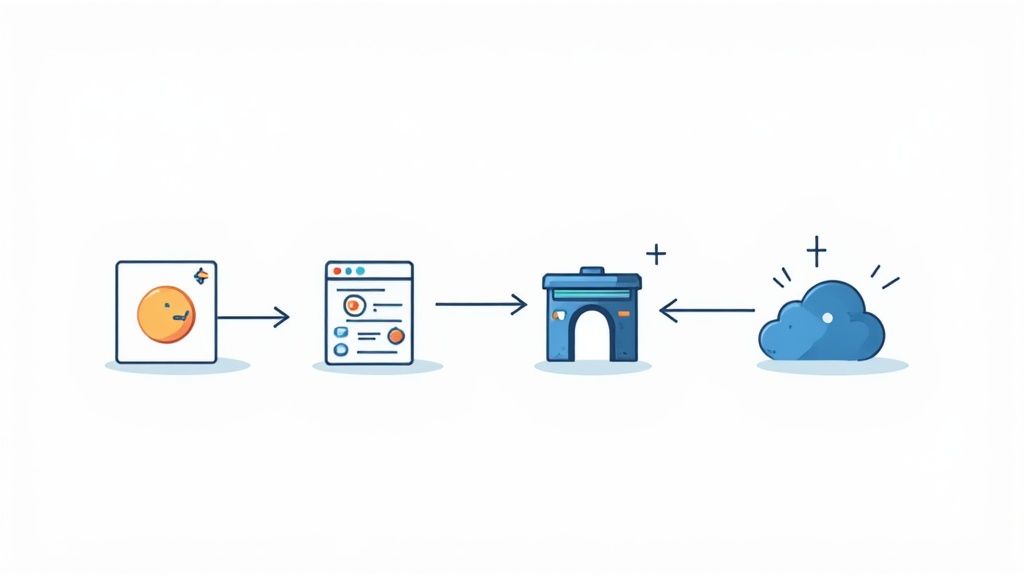
Triggering Tests at the Right Moment
Sanity testing requires a more surgical approach. Instead of running on every single build, sanity tests are best triggered by commits to a specific feature branch or right after a bug fix is merged. This targeted check confirms that the very specific, recent change is behaving as expected, saving you from running a full regression cycle just to verify one small thing.
Here’s how this layered strategy looks in a typical CI/CD workflow:
- Commit and Build: A developer pushes their code, and the CI server spins up a new build.
- Automated Smoke Test: The pipeline immediately runs the smoke test suite. No manual intervention needed.
- Quality Gate Decision: If the smoke test fails, the build is rejected on the spot. Pipeline stops. If it passes, it proceeds.
- Targeted Sanity Test: For a bug fix, a specific sanity test runs to validate that one change.
- Proceed to Regression: Only after a build has passed its smoke tests (and any relevant sanity checks) does it move on to more comprehensive and time-consuming testing, like a full regression suite.
This strategic sequencing works. Teams that implement rigorous smoke testing have seen critical build failures drop by 50-60% before they even reach full functional testing. Sanity testing, in turn, is great at catching 40-50% of issues related to last-minute code changes. When you combine them, the impact is huge.
Best Practices for Pipeline Integration
To get this right, you have to treat your tests like code. Store your automated smoke and sanity scripts in version control, right alongside your application code. This practice ensures they get the same attention—they’re maintained, reviewed, and updated as part of the normal development rhythm. As you build this out, always consider the bigger picture of continuous deployment best practices to ensure a truly smooth pipeline.
A well-integrated pipeline doesn’t just run tests; it makes decisions. A failed smoke test should automatically block deployment and notify the team, preventing a flawed build from ever reaching the QA environment or, worse, production.
This kind of automated, layered testing is the bedrock of any mature CI/CD process. It gives you the confidence to release code faster without sacrificing quality. For a deeper dive into extending these ideas, check out our guide on https://testdriver.ai/articles/how-to-use-synthetic-monitoring-for-effective-production-smoke-tests, which takes these same principles and applies them to your live environment.
Answering Your Questions About Smoke and Sanity Testing
Even with the definitions down, I see a lot of teams get tripped up when they start putting smoke and sanity testing into practice. The lines can feel a bit blurry at first, and that’s completely normal. Let’s clear up some of the most common questions I hear.
Getting these details right is what separates a smooth, efficient testing process from a confusing one.
Can Smoke and Sanity Testing Be the Same Thing?
Honestly, no. In a professional environment, they really need to be treated as two distinct things.
I’ve seen tiny, one-person projects where a single test suite might technically do both jobs, but that approach falls apart the second you add another person or feature. For any real-world team, keeping them separate is critical.
The difference really comes down to intent. A smoke test asks one simple question about a new build: “Is this thing even stable enough to bother testing?” A sanity test, on the other hand, is laser-focused on a specific change. It asks, “Did the bug I just fixed actually work?” When you mix them up, you end up with a messy CI/CD pipeline where you can’t immediately tell why a test failed, wasting everyone’s time.
Who Is Responsible for Performing These Tests?
This isn’t a one-size-fits-all answer. Ownership really depends on the test type and how your team is structured.
- Smoke Tests: These should almost always be automated and baked right into your CI/CD pipeline. This makes ownership a shared responsibility between DevOps and QA engineers. DevOps makes sure the tests run automatically with every new build, while QA is responsible for creating and maintaining that core set of test cases. A failure here impacts the entire team, so everyone has a stake in it.
- Sanity Tests: This is much more flexible. A developer who just patched a bug might run a quick manual sanity check to feel confident before they push their code. In another scenario, a QA engineer might run a small, automated sanity suite to confirm a specific feature is ready for deeper testing.
The key takeaway is that smoke testing is a systemic, automated process, while sanity testing is a more tactical, situational check. Ownership follows this principle, with smoke tests belonging to the pipeline and sanity tests belonging to the person or team validating a specific change.
How Do They Relate to Regression Testing?
Think of smoke and sanity tests as the bouncers at the door for your bigger, more comprehensive regression suite. They aren’t a replacement for regression testing; they make it more efficient.
The smoke test is the first gatekeeper. If a build can’t even pass this basic check, the full regression suite—which can take hours to run—is never even started. This simple step saves a massive amount of time and computing resources by not wasting them on a fundamentally broken build.
Sanity testing works as a focused preview of regression testing. After a minor fix, you probably don’t need to run thousands of regression tests. A quick sanity check on the affected area gives you the confidence to decide if a full regression run is even necessary for such a small change. It’s a rational checkpoint before committing to a much larger effort.
What Happens if a Smoke or Sanity Test Fails?
The response to a failure is probably the clearest way to tell these two apart.
A failed smoke test is a showstopper. The build is dead on arrival. It gets rejected immediately, the deployment pipeline halts, and the development team gets an urgent alert that they’ve broken something critical. It’s an all-hands-on-deck situation because nothing else can move forward until the application’s core functionality is working again.
A failed sanity test is a targeted problem. It means a specific feature or bug fix isn’t working as intended. That specific change is usually rolled back or sent straight back to the developer who worked on it. It stops a localized bug from getting into the main codebase without bringing the entire development process to a grinding halt.
Ready to stop scripting and start testing? With TestDriver, you can generate comprehensive end-to-end tests from a simple prompt. Our AI agent helps you build reliable test suites in minutes, not hours, so you can focus on shipping quality software faster. See how it works at https://testdriver.ai.
Automate and scale manual testing with AI
TestDriver uses computer-use AI to test any app - write tests in plain English and run them anywhere.