Mastering the Test Case Definition
Go beyond a simple test case definition. Learn how to craft clear, effective test cases that ensure software quality and streamline your QA process.
Automate and scale manual testing with AI ->
Think of a test case as a detailed recipe for checking if a piece of software works. It’s a formal document that lays out the exact steps, conditions, and data needed to verify a specific feature. The goal is to give a QA engineer a clear script to follow, telling them precisely what to do and what should happen as a result.
This structured approach guarantees that every test is consistent and repeatable, no matter who runs it.
What Is a Test Case Anyway?
At its heart, a test case takes a vague requirement—like “the user should be able to log in”—and turns it into a concrete, step-by-step experiment. It’s the critical link between what a feature is supposed to do on paper and the real-world proof that it actually works. Without this structure, testing can become a chaotic, unreliable process that depends more on a tester’s memory than on a documented standard.
A great way to understand this is to compare it to a Standard Operating Procedure (SOP). Both are designed to remove guesswork and ensure that anyone following the instructions will get the exact same outcome. This consistency is what quality assurance is all about.
Why Every Team Needs This Level of Detail
When everyone agrees on what goes into a test case, you eliminate confusion and create a shared standard for quality. It becomes more than just a QA document; it’s a powerful communication tool for developers, product managers, and anyone else involved in building the product.
In software testing, the term test case refers to a documented set of conditions, inputs, steps, and expected outcomes used to validate whether a software application or feature works as intended. These are fundamental artifacts in quality assurance, specifying not only what to test but also how to conduct it, ensuring repeatability.
Ultimately, a good test case is a workhorse that serves several critical functions:
- Ensures Repeatability: Anyone on the team can run the test and get the same results.
- Improves Clarity: It spells out exactly how a feature should behave, leaving no room for interpretation.
- Increases Coverage: Writing test cases systematically helps ensure all requirements are actually tested.
- Facilitates Handoffs: New team members can get up to speed quickly by reading and executing existing tests.
A great test case is more than a checklist; it’s a script for a play where the software is the lead actor. If the actor follows the script perfectly, the audience (the user) gets the experience they were promised.
By establishing this solid framework, you’re not just writing instructions; you’re building a culture of quality. If you want to dive deeper into the basics, check out our article on understanding the concept of a test in software development.
To get a clearer picture, let’s break down the essential building blocks that make up a robust test case.
Core Components of a Test Case at a Glance
Every well-written test case is built from a few key components. While the format can vary from team to team, these core elements are almost always present. They provide the structure needed to make the test understandable, executable, and maintainable.
Here is a quick summary of what you’ll typically find:
| Component | Purpose |
|---|---|
| Test Case ID | A unique identifier to track the test case. |
| Title | A short, clear summary of the test’s objective. |
| Preconditions | The state the system must be in before the test begins. |
| Test Steps | The sequence of actions the tester needs to perform. |
| Expected Results | What the system should do in response to the test steps. |
| Actual Results | The observed outcome after executing the test. |
| Status | The final result (e.g., Pass, Fail, Blocked). |
| Priority | How critical the test is to the feature or release. |
Think of these components as the “who, what, when, where, and why” of your test. Together, they create a complete story that anyone can follow to validate a piece of functionality. We’ll explore each of these in more detail in the next section.
The Anatomy of an Effective Test Case
Knowing what a test case is from a high level is one thing, but actually writing a good one means getting into the nitty-gritty of each component. A truly effective test case isn’t just a checklist; it’s more like a well-designed scientific experiment where every single field has a specific job.
Let’s move past the simple definition and dissect a test case into its core parts. Each one plays a crucial role in making the test clear, repeatable, and genuinely valuable. This structure is what turns a vague idea like “check the login” into a precise, executable script with specific credentials, steps, and a clear definition of success.
Core Building Blocks Explained
Every piece of a test case fits together to build a complete picture. Let’s break down the essential fields you’ll find in just about any professional testing setup.
- Test Case ID: Think of this as a unique serial number (e.g., TC-LOGIN-001). This ID is what makes a test traceable, allowing you to link it directly to bug reports, requirements, and test execution reports. It’s all about creating a clear audit trail.
- Title/Description: This is a short, punchy summary of what the test is for. It should be clear enough that anyone can grasp the goal without having to read all the steps. Something like, “Verify successful login with valid user credentials.”
- Preconditions: These are the non-negotiable conditions that must be met before the test can even start. This might be “User must be logged out,” or “An active user account for ‘[email protected]’ must exist.” Setting preconditions stops testers from wasting time on a test that was doomed to fail from the start because the environment wasn’t right.
These first few components set the stage perfectly, making sure the test is easy to find and the starting conditions are exactly what they need to be.
This infographic shows how these fundamental parts come together.
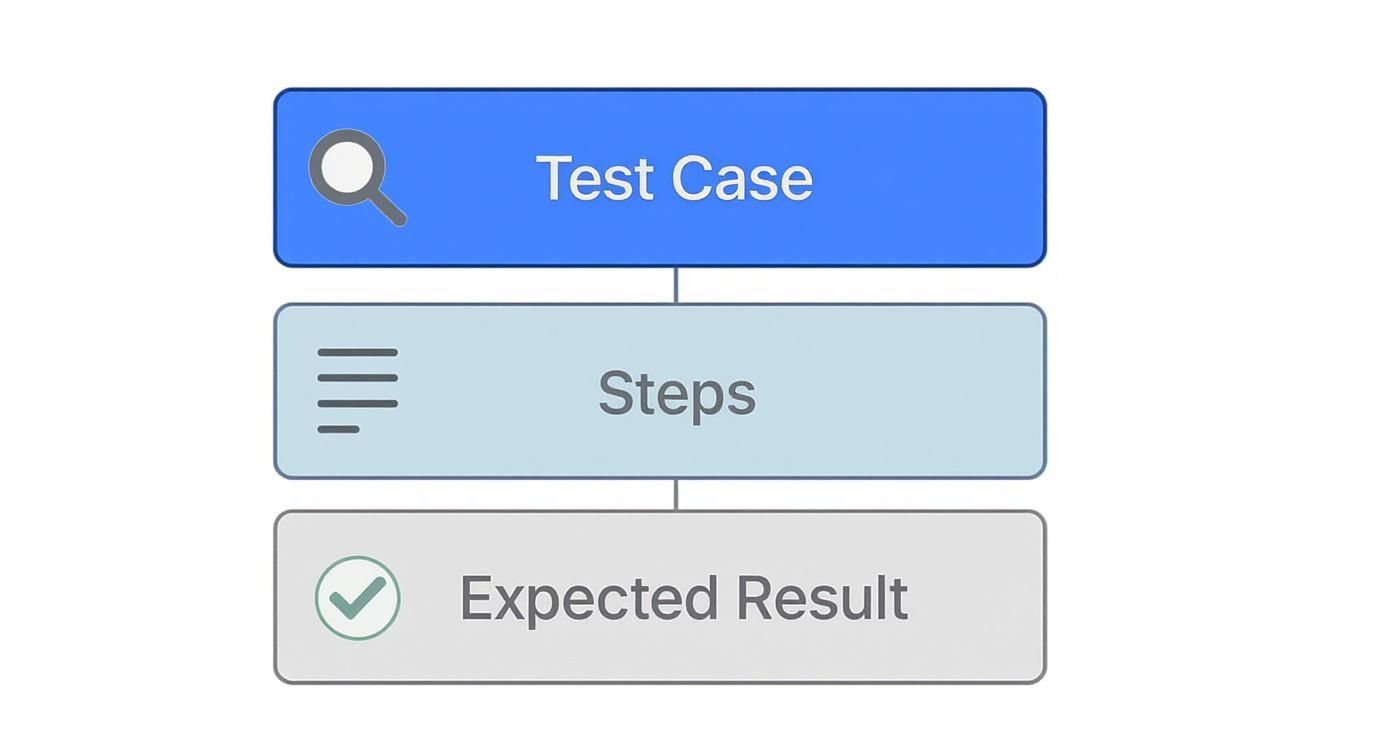
As you can see, every test is built on a simple foundation: clear actions leading to a result you can actually verify.
A Deeper Look at Each Component
To really nail down what makes a test case work, this table breaks down each component and offers a practical example of how to write it well.
| Component | Description | Best Practice Example |
|---|---|---|
| Test Case ID | A unique code to identify and track the test. | TC-PAY-004 |
| Title | A clear, concise summary of the test’s purpose. | Verify successful checkout with a valid credit card. |
| Preconditions | The required state of the system before the test begins. | 1. User is logged in. 2. At least one item is in the shopping cart. |
| Test Steps | A numbered, step-by-step sequence of actions to perform. | 1. Navigate to the shopping cart. 2. Click the “Proceed to Checkout” button. 3. Enter valid credit card details. 4. Click “Place Order.” |
| Expected Results | The specific, observable outcome that proves the test passed. | An order confirmation page appears with the message “Thank you for your order!” |
| Postconditions | The state of the system after the test is completed. | 1. The shopping cart is empty. 2. A new order appears in the user’s order history. |
| Priority | The test’s importance relative to others (e.g., High, Medium, Low). | High |
| Status | The result of the test execution (e.g., Pass, Fail, Blocked). | Pass |
Following this structure removes guesswork and ensures anyone on the team can run the test and get the same, reliable results.
The Action and Verification Loop
Once the setup is done, the next parts of the test case are all about the action—the actual execution and validation. This is the heart of the test.
A test case without a specific expected result is just a suggestion. It leaves the outcome open to interpretation, which is the enemy of quality assurance. The goal is to remove all ambiguity.
- Test Steps: This is the most important section. It’s a numbered list of clear, simple instructions. Each step should be a single action, like “1. Navigate to the login page,” “2. Enter ‘[email protected]’ into the email field,” or “3. Click the ‘Submit’ button.”
- Expected Results: For every action, what’s the reaction? This field defines the exact outcome that means success. It has to be specific and verifiable—for instance, “The user is redirected to the dashboard and a ‘Welcome!’ message appears.”
- Postconditions: Much like preconditions, these describe what the system should look like after the test is done. For example, “User remains logged in,” or “A new entry is created in the order history.”
- Status & Priority: Finally, you need a way to track the outcome. The Status (Pass, Fail, Blocked) records the result, while Priority (High, Medium, Low) helps the team decide which tests to run first, which is critical when you’re short on time.
When you master these elements, you’re not just writing instructions; you’re creating documentation that empowers anyone on your team to execute tests flawlessly. To see these principles in action, check out our detailed guide on how to write test cases for more templates and real-world examples.
Bringing Test Cases to Life with Real Examples
Knowing the theory behind test case components is one thing, but seeing them in action is where it all clicks. Abstract ideas suddenly make sense when you apply them to scenarios that every software team deals with day in and day out. So, let’s move from the theoretical to the practical.
We’re going to walk through two detailed examples that show how a proper test case definition becomes a clear, executable script for a QA tester. We’ll start with a simple login form and then tackle a more complex e-commerce checkout. For each one, I’ll show you a “positive” test case (the happy path) and a “negative” one (what happens when things go wrong). Think of these as blueprints you can adapt for your own projects.
Example 1: The User Login Form
Just about every web application has a login form, which makes it the perfect place to start. The core goal is simple: make sure a registered user can get in and an unregistered one can’t. This is a fundamental checkpoint for both security and user experience.
A positive test case is all about confirming the “happy path”—the ideal, most common route a user takes. This is the bread and butter of any good regression suite. But negative tests are just as crucial. They’re designed to poke and prod the system, throwing curveballs like invalid data to see if it holds up.
Positive Test Case: Successful Login
This test simply verifies that someone with the right credentials can log into their account.
| Component | Details |
|---|---|
| Test Case ID | TC-LOGIN-001 |
| Title | Verify successful login with valid credentials. |
| Priority | High |
| Preconditions | 1. A user account with the email [email protected] and password ValidPass123! already exists. 2. The user is currently logged out. |
| Test Steps | 1. Navigate to the login page. 2. Enter [email protected] in the email field. 3. Enter ValidPass123! in the password field. 4. Click the “Login” button. |
| Expected Results | The user is redirected to their account dashboard. A success message, “Welcome back!”, is displayed. |
| Postconditions | A user session is created and the user is authenticated. |
Negative Test Case: Failed Login with Incorrect Password
Here, we’re making sure the application gives clear feedback and doesn’t compromise security when a login fails.
| Component | Details |
|---|---|
| Test Case ID | TC-LOGIN-002 |
| Title | Verify error message on login with an incorrect password. |
| Priority | High |
| Preconditions | 1. A user account for [email protected] exists. 2. The user is currently logged out. |
| Test Steps | 1. Navigate to the login page. 2. Enter [email protected] in the email field. 3. Enter WrongPassword in the password field. 4. Click the “Login” button. |
| Expected Results | The user remains on the login page. An error message stating “Invalid email or password” is displayed. |
| Postconditions | The user remains unauthenticated. No user session is created. |
See how precise those are? Each step is a single, unambiguous action, and the expected result is something you can actually see and verify. There’s no room for guesswork.
Example 2: The E-Commerce Checkout Flow
Now for something a bit more involved—completing a purchase on an e-commerce website. This kind of flow has multiple moving parts, from managing the shopping cart to processing a payment, which makes it a high-stakes area to test thoroughly.
The real power of a well-defined test case is its ability to break down a complex user journey into a series of simple, verifiable steps. This makes even the most intricate features manageable to test.
Positive Test Case: Successful Checkout
In this scenario, we’re confirming that a logged-in user can add an item to their cart and successfully buy it with a valid payment method.
| Component | Details |
|---|---|
| Test Case ID | TC-CHECKOUT-001 |
| Title | Verify successful checkout for a logged-in user. |
| Priority | Critical |
| Preconditions | 1. The user is logged in. 2. At least one item is in the shopping cart. 3. The user has a valid shipping address saved to their profile. |
| Test Steps | 1. Navigate to the cart page. 2. Click “Proceed to Checkout.” 3. Select a saved shipping address. 4. Enter valid credit card details. 5. Click “Place Order.” |
| Expected Results | An order confirmation page appears, displaying a unique order number. An order confirmation email is sent to the user’s registered address. |
| Postconditions | 1. A new order is created in the system. 2. The user’s shopping cart is now empty. |
By sticking to this kind of detailed structure, you build a testing process that is repeatable, reliable, and easy for anyone on the team to follow. These examples should give you a practical feel for how to apply the test case definition to real software and ensure your application works exactly the way it’s supposed to.
Writing Test Cases That Stand the Test of Time
It’s one thing to write a test case. It’s a whole different ball game to write one that will still be relevant and useful months—or even years—down the line. A test suite that’s confusing or a pain to maintain quickly turns into technical debt, that dreaded folder of scripts nobody on the team dares to run.
The real goal is to build a library of tests that evolves with your product, not against it.
The secret? Treat your test cases with the same respect you give your production code. They need to be clear, concise, and completely independent. An effective test case definition isn’t just a list of steps and outcomes; it’s a reflection of good design principles. This way, any team member can grab a test, immediately get what it’s for, and run it without any head-scratching.
Well-written, maintainable tests are a massive time-saver, slashing the hours you’d otherwise spend on debugging and updates.
Focus on a Single Objective
Probably the most common pitfall I see is teams trying to cram too much into a single test case. Every test you write should have one, and only one, clear objective. For example, instead of creating a massive test called “user profile,” you should break it down into smaller, focused tests.
This one-test-one-job approach pays off in several huge ways:
- Isolates Failures: When a test breaks, you know exactly what failed. No more guessing which of the ten different steps was the culprit.
- Improves Readability: A test named “Verify Password Update with Valid Current Password” is infinitely more useful than a vague “Test Profile Settings.”
- Simplifies Maintenance: Let’s say the UI for changing a username gets a facelift. With focused tests, you only have to update that one specific test case, not some monster script that touches the entire profile page.
Write for Absolute Clarity
Here’s a simple gut check: imagine someone who has never seen your application has to execute your test. Could they do it without asking a single question? If you hesitate, your test case isn’t clear enough.
A great test case should read like a simple, step-by-step recipe. It assumes no prior knowledge and leaves no room for interpretation, ensuring consistent execution every single time.
To get to that level of clarity, ditch the jargon and be ridiculously explicit. Don’t just write “Enter user details.” Instead, spell it out: “Enter ‘[email protected]’ into the Email field and ‘P@ssword123’ into the Password field.” That kind of specificity is the bedrock of a repeatable, reliable testing process. To make sure your tests are really contributing to quality, it’s always a good idea to lean on established software testing best practices.
Embrace Peer Reviews and Versioning
Just like any other piece of code, test cases get a lot better with a second set of eyes on them. A peer review can easily catch ambiguous wording, missing preconditions, or vague expected results that the original author might have glazed over. Making this a standard part of your workflow is a low-effort, high-impact way to boost the quality of your entire test suite.
And please, use version control for your tests! As your application changes, so will your test cases. Keeping a history of those changes helps you understand why a test was modified and makes it easy to roll back if a new version causes issues. It’s a simple discipline that keeps your testing library from becoming a source of confusion and ensures it remains an asset you can trust.
How AI Is Changing the Game for Test Case Creation
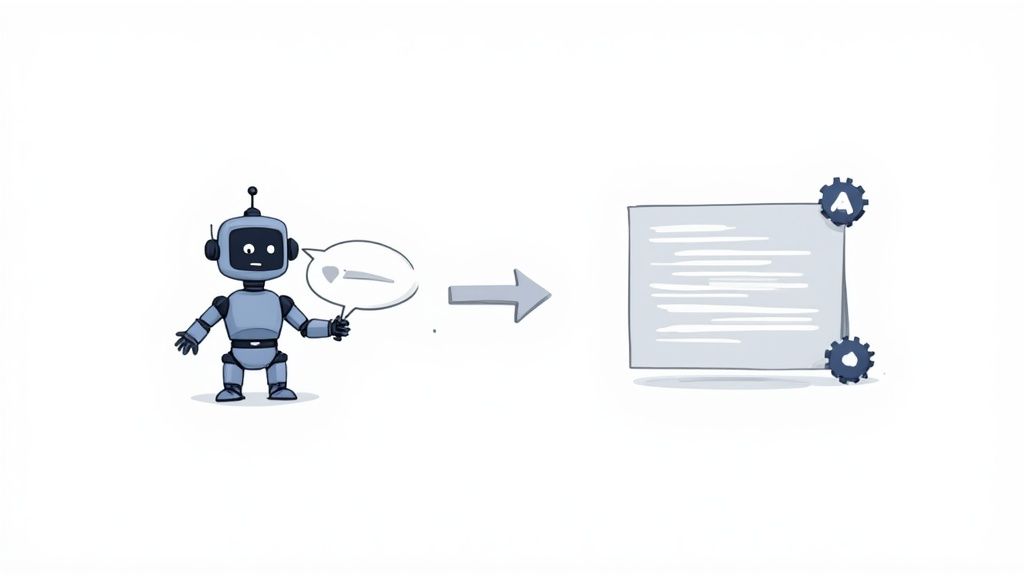
That structured, almost rigid, format of a manual test case? It turns out it’s not just a holdover from old-school QA. It’s actually the perfect blueprint for the next generation of test automation. The logical flow you’ve spent years perfecting—preconditions, specific actions, and clear expected results—is precisely what an AI needs to understand and run even the most complex tests.
This is where things get interesting for QA professionals. Instead of getting bogged down scripting every single click and keystroke, you get to shift your focus back to strategy. You provide the objective in plain English, and an AI agent takes on the grunt work of writing the code. The result is a massive leap in efficiency. Teams can now build out robust test suites in a fraction of the time it used to take.
From Plain English to Executable Code
The concept behind it all is surprisingly straightforward. You can give an AI model a high-level description like, “Verify a user can add an item to their cart and get to the checkout page.” The AI then breaks that down into the core components of a test case. It figures out the preconditions (the user probably needs to be logged in), the necessary steps (navigate here, click this, enter that), and the expected results (the cart icon updates, the checkout form appears).
In essence, the AI is thinking through the process just like a human tester would. The real difference is the sheer speed and scale. An AI can pump out dozens of test scripts in the time it takes a person to meticulously write just one.
Tools like TestDriver show this in action, turning simple text prompts into fully functional, automated test flows.
The Lasting Value of Good Test Design
Here’s the thing: this evolution doesn’t make your manual testing skills obsolete. Far from it. It actually makes them more valuable than ever before. A well-defined test objective is the single most important piece of the puzzle for any AI-powered testing tool. Your ability to think critically about user journeys, identify tricky edge cases, and anticipate where things might break is what directs the AI to create tests that actually matter.
AI doesn’t replace the need for a good test case definition; it amplifies its power. The clarity and logic of a well-structured test plan are the raw materials that fuel intelligent automation.
At the end of the day, knowing how to write a solid test case is a foundational skill that will serve you well into the future of QA. It’s what allows you to effectively steer sophisticated automation tools, ensuring they test what’s truly important. To dig deeper into this, you can learn more about automated test case generation and see how it’s reshaping modern development cycles. This approach frees up teams to expand their test coverage and ship better software without getting buried in repetitive coding.
Frequently Asked Questions About Test Cases
Even with a solid grasp of what makes a good test case, a few common questions always seem to surface when teams start getting serious about their testing process. Answering these early can clear up confusion and help everyone move forward with more confidence.
Let’s dig into some of the most common questions that pop up in the real world, where things aren’t always as neat as the textbooks suggest.
What Is the Difference Between a Test Case, a Test Script, and a Test Scenario?
This one trips up a lot of people, but it’s actually pretty simple if you think about it like a hierarchy—moving from a big idea down to a specific, actionable plan.
- Test Scenario: This is the big picture, the 30,000-foot view. It’s a broad description of something to be tested, like “Verify a user can log into their account” or “Check the e-commerce checkout flow.” It answers the question, “What are we testing?”
- Test Case: Now we’re getting specific. A test case is the step-by-step instruction manual for testing a part of that scenario. So, for the “Verify a user can log in” scenario, you’d have multiple test cases: one for a successful login, another for a failed login with the wrong password, and maybe one for a locked account. Each has its own preconditions, steps, and expected results.
- Test Script: This is where the code comes in. A test script is the automation that actually runs a test case. It’s what you write in a tool like Selenium or Cypress to perform the actions outlined in the test case and check the results automatically.
Think of it this way: the scenario is the destination, the test case is the turn-by-turn map, and the test script is the self-driving car that follows the map. Understanding this relationship makes communication between QAs and developers so much smoother.
How Detailed Should My Test Case Steps Be?
Here’s the rule of thumb I always use: a test case should be clear enough for someone who has never seen the feature before to run it perfectly without needing to ask a single question. You have to assume they have zero context.
This means you need to be precise, but not so wordy that it becomes a novel. Instead of saying “Fill out the user form,” your steps should specify exactly which fields to fill and what data to enter. The goal is consistency and repeatability, every single time.
Can I Write Test Cases Without Formal Requirements?
Yes, and honestly, you often have to. In a perfect world, we’d all have beautifully detailed requirements documents for every feature. But in reality, especially with agile development, that’s rare.
You can build excellent test cases from all sorts of places:
- User stories and their acceptance criteria are gold mines.
- UI/UX mockups and prototypes show you exactly how things should look and behave.
- A quick chat with a product manager or developer can clarify an entire feature’s intent.
- Even your own notes from a quick round of exploratory testing can become the foundation for a formal test case.
The source doesn’t matter as much as the outcome. As long as you define a clear purpose and a concrete, verifiable result for your test, you’re on the right track. The structure of a test case is just a framework to help you capture that information consistently.
Ready to stop writing test cases manually? TestDriver uses AI to generate end-to-end tests from simple prompts, letting your team build robust test suites in a fraction of the time. Turn your testing strategy into executable code effortlessly. Get started at https://testdriver.ai.
Automate and scale manual testing with AI
TestDriver uses computer-use AI to test any app - write tests in plain English and run them anywhere.