Your Ultimate Web Application Testing Checklist: 10 Core Areas for 2025
Master QA with our comprehensive web application testing checklist. Covers 10 critical areas from functional to security for flawless releases in 2025.
Discover 8 actionable test environment management best practices for QA teams. Learn to improve stability, parity, and efficiency in your testing workflow.
Automate and scale manual testing with AI ->
In modern software development, a flaky, inconsistent, or slow test environment is more than just an annoyance; it’s a direct threat to release velocity and product quality. Teams often focus intently on writing better tests and optimizing CI/CD pipelines, but the underlying environment where those tests run is a critical, yet frequently overlooked, foundation. When environments are unreliable, the consequences ripple across the entire development lifecycle.
This instability leads to wasted engineering hours chasing false negatives, deploying critical bugs that were missed due to subtle configuration drift, and a gradual erosion of confidence in the entire QA process. The problem isn’t a lack of effort but a lack of a systematic approach. Effective test environment management best practices are what separate high-performing teams from those stuck in a cycle of unpredictable releases and environment-related firefighting. An unstable test environment becomes a hidden bottleneck that silently sabotages your delivery speed and undermines quality.
This article cuts through the noise to provide a prioritized list of actionable strategies that address the root causes of environment instability. We will move beyond generic advice and dive into eight specific, high-impact practices covering everything from environment parity and isolated test data to comprehensive observability and cost optimization. Each section offers practical steps, tooling recommendations, and real-world examples to help you transform your test environments from a source of frustration into a stable, scalable, and reliable asset. You will learn how to build a testing foundation that accelerates development, improves quality, and gives your team the confidence to ship faster and more frequently.
The most elusive bugs are often those that appear in production but are mysteriously absent during testing. The root cause is frequently a subtle difference between environments. Environment parity is the practice of ensuring that development, staging, and production environments are as identical as possible, from operating system versions and dependency libraries to network configurations and database schemas. This consistency is a cornerstone of effective test environment management best practices.
Achieving this parity is critical for validating that your application will behave predictably when deployed. It directly combats the classic “it works on my machine” problem by eliminating configuration drift as a variable in test results. When your test environment mirrors production, you can have high confidence that a passing test suite means a stable release. To learn more about tackling this common issue, you can explore this detailed guide on what “it works on my machine” really means.
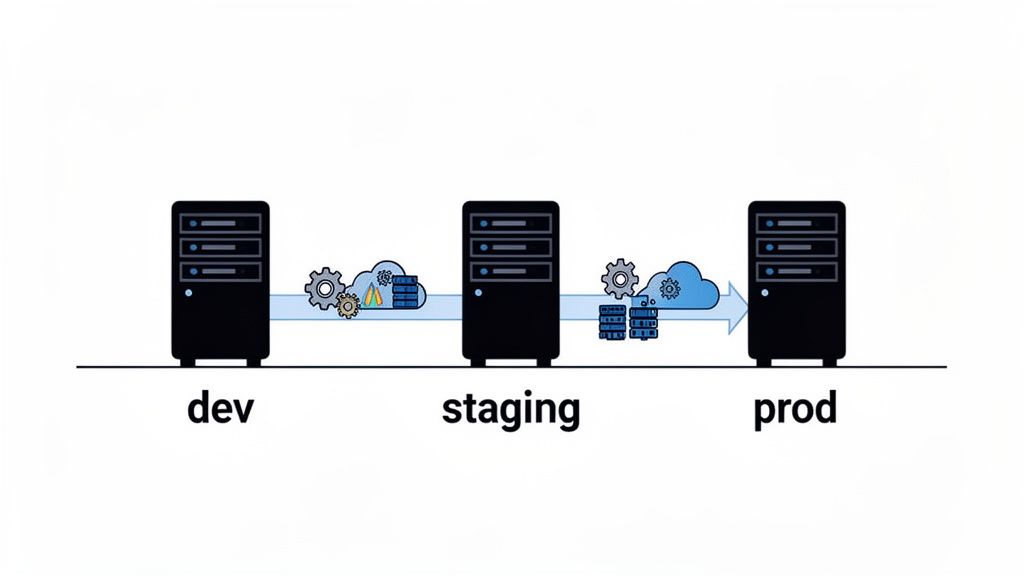
Without parity, end-to-end tests can produce misleading results. A test might pass in a staging environment with a slightly different database configuration, only for the feature to fail catastrophically in production. Conversely, tests might fail due to an environment-specific issue, leading teams to waste valuable time debugging a non-existent application bug. True parity turns your test environments into reliable predictors of production behavior.
Adopting modern infrastructure and configuration practices is key to achieving and maintaining parity.
docker-compose.yml file for local development, which can then be adapted for Kubernetes manifests in staging and production.Flaky tests are a significant drain on engineering productivity, and a primary cause is test data interference. When tests share the same mutable data pool, the outcome of one test can unpredictably affect another, leading to failures that are difficult to reproduce. Isolated test data management is the practice of ensuring each test run operates on a clean, predictable, and independent dataset. This discipline is a crucial component of modern test environment management best practices, enabling reliable, repeatable, and parallelizable test execution.
By treating test data with the same rigor as application code, teams can eliminate a massive source of test flakiness. The goal is to create a “sealed universe” for each test, where data is programmatically created (seeded) before the test begins and completely torn down afterward. This guarantees that test runs are deterministic, meaning a test will consistently produce the same result given the same code, independent of how many times it has been run before or what other tests are running concurrently.
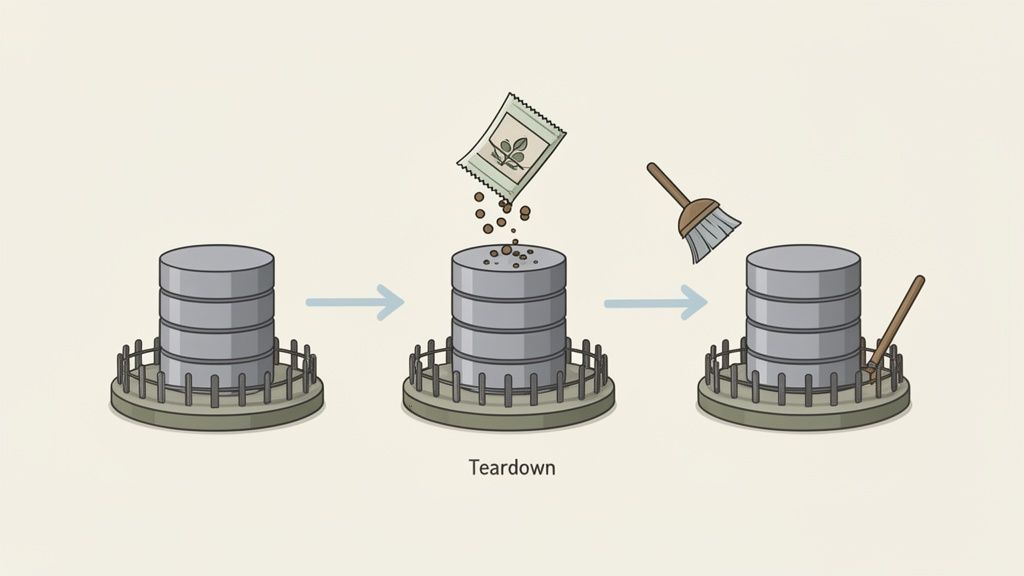
Without data isolation, tests become unreliable and slow. Teams often resort to running test suites serially to avoid conflicts, which drastically slows down the feedback loop. When a test fails due to “bad data” left by a previous run, developers waste hours debugging an issue that has nothing to do with their code changes. Effective data isolation strategies, as implemented by companies like Shopify and Airbnb, allow for thousands of tests to run in parallel, providing rapid, trustworthy feedback and accelerating release cycles.
A robust strategy combines programmatic data creation with automated cleanup mechanisms.
UserFactory.create({ role: 'admin' })). This makes tests more readable and maintainable.beforeEach and afterEach). The setup hook should seed the necessary data via API calls or direct database insertion, while the teardown hook ensures all created records are deleted.As engineering teams scale, the number of test environments can explode, leading to significant cloud infrastructure costs and resource contention. Static, long-lived environments often sit idle, wasting money and becoming stale. Strategic scheduling and resource optimization are essential test environment management best practices that address this by ensuring resources are used efficiently, allocated only when needed, and automatically reclaimed.
This approach moves away from the traditional model of persistent staging or QA environments towards a more dynamic, on-demand system. By strategically managing the lifecycle of test environments, teams can run more tests in parallel without a linear increase in cost, reduce wait times for available testing slots, and ensure every test runs in a fresh, purpose-built environment. This agility is crucial for modern, high-velocity development cycles.
Unmanaged test environments are a silent drain on budgets and a major source of development friction. A cluttered environment landscape makes it difficult for developers to find a suitable, non-conflicting space for testing, leading to delays and flaky test results. Effective scheduling and optimization directly translate into lower cloud bills, faster feedback loops for developers, and a more streamlined, reliable testing process. It shifts environments from being a bottleneck to a powerful enabler of quality.
Adopting a dynamic approach to environment lifecycle management is key.
A test environment that fails without explanation is a black box that drains engineering resources and stalls release cycles. Comprehensive monitoring and observability transform these opaque systems into transparent, debuggable platforms. This practice involves systematically collecting logs, metrics, and traces to provide deep insights into the health and performance of your test environments, allowing teams to pinpoint the root cause of failures quickly, whether it’s an application bug, a misconfiguration, or an infrastructure bottleneck.
Effective observability is the difference between spending hours guessing why a test failed and resolving the issue in minutes. It moves teams from a reactive “it’s broken” state to a proactive, data-driven diagnostic process. When you can correlate a test failure with a specific error log, a CPU spike, or a slow network call, you empower developers and QA engineers to fix the right problem faster, which is a core tenet of modern test environment management best practices.
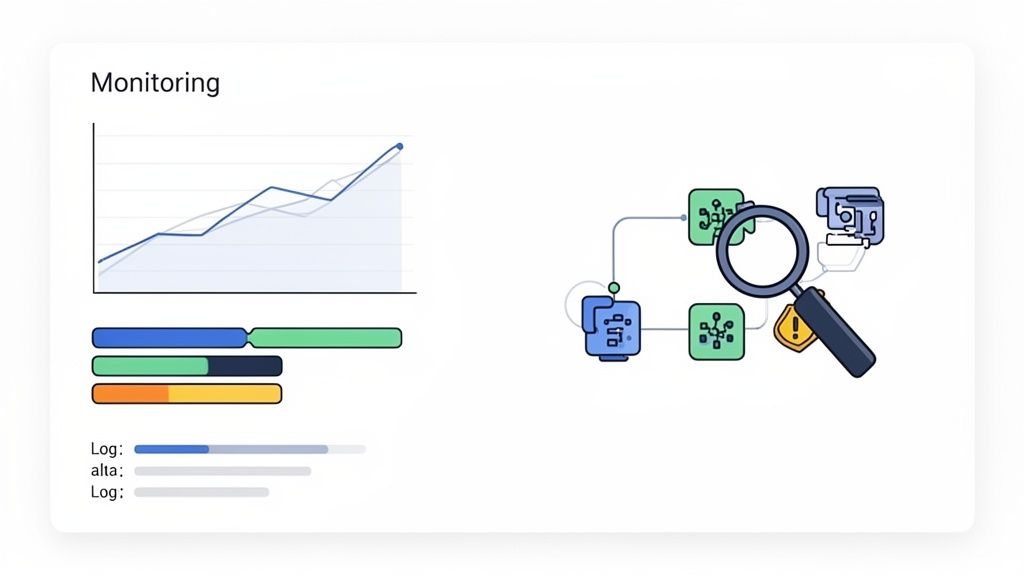
Without visibility, debugging flaky tests and environment-related failures becomes a time-consuming and frustrating task. Teams often blame the test script when the underlying issue is a struggling database or a misconfigured microservice. Observability provides the empirical evidence needed to distinguish between application code defects and environmental instability, ensuring that engineering time is spent on productive work, not on chasing ghosts in the machine.
Implementing a robust observability strategy involves integrating tools and establishing clear processes for data collection and analysis.
test_id, environment_name, and service_name to make searching and filtering highly efficient.As software development accelerates, managing a single “staging” environment becomes a significant bottleneck. Teams working on different features simultaneously often clash, overwriting each other’s configurations or deploying conflicting code. An effective branching strategy for your test environments, mirroring your code branching model, is a crucial component of modern test environment management best practices that resolves this chaos.
This practice involves treating your environment configurations as code and versioning them in Git alongside your application. When a developer creates a new feature branch (feature/new-login-flow), an automated process can provision a corresponding test environment with the exact configuration and code for that branch. This enables isolated, parallel testing, ensuring that features are validated independently before being merged, drastically reducing integration issues and environment-related conflicts.
Without a versioned approach, test environments become unstable and unreliable. A shared environment can be in a constant state of flux, making it impossible to conduct repeatable, predictable tests. This leads to flaky test results, wasted engineering time debugging environment issues instead of code, and a slower release cadence. Isolated, branch-based environments provide developers and QA engineers with stable, dedicated sandboxes, boosting confidence and productivity.
Integrating your environments with your version control system is key to enabling parallel development and testing workflows.
git push to a specific branch can trigger an automatic update to the corresponding test environment. GitLab’s built-in GitOps features are a prime example of this workflow in action.develop, staging, and main.One of the most common sources of test suite failure has nothing to do with the application code itself; it’s a broken test environment. Launching a multi-hour regression suite only to discover that a critical downstream service was unavailable from the start is an expensive and frustrating waste of resources. Implementing automated health and readiness checks is a fundamental practice to ensure an environment is stable and correctly configured before any tests are executed.
These checks act as a gatekeeper, preventing test runs from starting in a faulty environment. This immediately isolates the problem, distinguishing between a true application bug and an environmental issue. By validating dependencies, services, and configurations upfront, you eliminate false negatives, increase the reliability of test results, and save countless hours of debugging. This preventative step is a core tenet of efficient test environment management best practices.
Without pre-test validation, failed test runs create significant noise and diagnostic overhead. Teams must first investigate whether the failure was caused by a code regression or an environment anomaly, such as a misconfigured database connection or a dependent API being down. Proactive health checks provide a clear, immediate signal that the environment is the culprit, allowing the infrastructure team to address it while the development team remains focused on product features.
Integrating automated checks into your CI/CD pipeline is the most effective way to ensure environments are always ready for testing.
liveness and readiness probes to automatically manage container health. Similarly, a Docker Compose HEALTHCHECK directive can validate if a container is truly ready to accept traffic.SELECT 1 query to confirm it can process requests.Unreliable test environments are a silent killer of productivity, leading to flaky tests that pass one moment and fail the next for no apparent reason. Tracking test environment stability is the practice of establishing clear metrics to measure the health and reliability of your testing infrastructure. It involves systematically identifying, categorizing, and addressing test failures caused by environmental issues rather than actual application bugs.
This data-driven approach moves teams away from anecdotal complaints about “the staging environment being down again” and toward a quantitative understanding of environmental health. By measuring stability, you can pinpoint systemic weaknesses, correlate failures with infrastructure events, and prioritize fixes that have the greatest impact. This is a core component of mature test environment management best practices, ensuring that your test results are trustworthy. For a deeper dive into managing unreliable tests, you can explore this guide on how to overcome flaky tests and maintenance in functional test automation.
Without stability metrics, teams waste countless hours investigating “phantom” bugs that are actually symptoms of an unstable environment. This erodes trust in the entire automated testing suite, leading developers to ignore legitimate failures. Flakiness caused by network latency, misconfigured services, or resource contention can mask real regressions, allowing critical defects to slip into production. Tracking these metrics provides the visibility needed to separate signal from noise, ensuring that a failed test is a call to action, not a reason to re-run the pipeline and hope for the best.
Implementing a metrics-driven approach requires a combination of tooling, process, and a shift in mindset.
Test environments often require access to sensitive information like API keys, database credentials, and third-party service tokens. Handling these secrets insecurely is a major vulnerability, creating a backdoor into your systems that can be exploited even if production is locked down. Robust secrets management is a critical pillar of any comprehensive test environment management best practices, ensuring that your pre-production environments do not become your weakest security link.
The goal is to provide test environments with the credentials they need to function without exposing those secrets or granting excessive permissions. This involves centralizing secrets, controlling access, and automating rotation to minimize risk. When secrets are hardcoded in repositories or passed around in plain text, you create a ticking time bomb that can lead to data breaches, compliance violations, and a complete loss of trust.
A compromised test environment can be just as damaging as a production breach. An attacker gaining access to a test database credential might be able to pivot to other systems, or the test data itself might contain sensitive, albeit anonymized, information. Proper secrets management prevents test environments from being an easy entry point, protects sensitive test data, and ensures compliance with security standards like SOC 2 and ISO 27001, which mandate strict controls over all credentials.
Adopting a “zero trust” mindset for test environments is the first step. Assume that any environment could be compromised and implement layers of defense to protect your secrets.
| Practice | Implementation Complexity 🔄 | Resource Requirements ⚡ | Expected Outcomes 📊 | Ideal Use Cases 💡 | Key Advantages ⭐ |
|---|---|---|---|---|---|
| Environment Parity and Configuration Management | High 🔄 — IaC, containers, automation required | Moderate–High ⚡ — infra, tooling, DevOps time | Consistent test→prod behavior; fewer false positives 📊 | End-to-end tests across teams and regions | Reliable production-like tests; faster debugging ⭐ |
| Isolated Test Data Management and Seeding | Medium–High 🔄 — data factories, snapshots, cleanup | Moderate ⚡ — separate DBs, seeding tools, storage | Repeatable, deterministic tests; parallel safe runs 📊 | Parallel test execution; compliance-sensitive tests | Eliminates cross-test contamination; enables edge-case testing ⭐ |
| Test Environment Scheduling and Resource Optimization | High 🔄 — pooling, ephemeral envs, schedulers | Moderate–High ⚡ — orchestration, autoscaling, monitoring | Lower infra cost; faster provisioning; high concurrency 📊 | Large CI/CD fleets; many parallel test jobs | Cost-efficient, scalable test execution ⭐ |
| Comprehensive Environment Monitoring and Observability | High 🔄 — logging, metrics, tracing integration | High ⚡ — storage, aggregation, expertise | Faster root-cause analysis; trend & perf visibility 📊 | Debugging flaky tests; performance regressions | Reduces MTTD; correlates failures across stacks ⭐ |
| Test Environment Version Control and Branching Strategy | Medium 🔄 — GitOps, branch-derived envs | Moderate ⚡ — IaC + CI integration | Parallel feature testing; audit trails; safe rollbacks 📊 | Feature-branch testing; release candidate validation | Isolated branch environments; clear infra history ⭐ |
| Test Environment Health Checks and Readiness Validation | Low–Medium 🔄 — probes, smoke tests, retries | Low ⚡ — simple scripts, minimal tooling | Fail-fast; fewer wasted runs; clearer failure signals 📊 | Pre-test gating; multi-service integration tests | Prevents false failures; improves execution predictability ⭐ |
| Test Environment Stability Metrics and Flakiness Tracking | Medium–High 🔄 — scoring, correlation, dashboards | Moderate ⚡ — telemetry, storage, analysis | Identify flaky tests; prioritize fixes; track trends 📊 | Large, flaky test suites; reliability initiatives | Data-driven de-flaking; SLOs for environment stability ⭐ |
| Test Environment Secrets Management and Security | Medium–High 🔄 — vaults, RBAC, rotation | Moderate ⚡ — secrets stores, audit infrastructure | Reduced credential exposure; audit/compliance ready 📊 | Tests requiring auth; regulated environments | Secure secret handling; audit trails and rotation ⭐ |
Navigating the complexities of modern software development demands more than just writing good code; it requires creating a stable, reliable, and efficient ecosystem for testing that code. The journey through test environment management best practices, from ensuring parity with production to implementing robust security measures, is about building that exact ecosystem. It’s a strategic shift from viewing test environments as a simple prerequisite to recognizing them as a core pillar of engineering excellence and a powerful accelerator for your entire development lifecycle.
The practices detailed in this guide are not isolated fixes but interconnected components of a mature testing strategy. For instance, achieving environment parity and implementing version control for your environments directly combats the notorious “it works on my machine” problem. Similarly, combining isolated test data management with automated health checks and stability metrics transforms flaky, unpredictable environments into reliable platforms that developers and QA engineers can trust implicitly. This trust is the bedrock of high-velocity, high-quality software delivery.
Embracing these principles might feel like a significant undertaking, but the path to a mature test environment strategy is an incremental one. Rather than attempting a complete overhaul at once, focus on targeted improvements that address your team’s most pressing challenges.
Here’s a practical roadmap to get started:
The ultimate goal of adopting these test environment management best practices is to build unwavering confidence in every release. When your test environments are stable, predictable, and production-like, you empower your teams to catch bugs earlier, innovate faster, and deploy with certainty. The investment in robust tooling, streamlined processes, and automation pays for itself many times over through reduced debugging cycles, fewer production incidents, and a dramatic increase in developer productivity.
By treating test environment management as a first-class engineering discipline, you are not just improving your testing process; you are building a competitive advantage. You are creating a high-performance foundation that enables your organization to deliver exceptional software at the speed the market demands. This foundation is the launchpad for true continuous delivery and a hallmark of an elite engineering culture.
A rock-solid test environment is the perfect foundation for advanced test automation. With TestDriver, you can leverage your stable environments to generate and execute complex end-to-end tests from simple prompts, turning your investment into even greater QA efficiency. Discover how to pair best-in-class environments with next-generation test creation at TestDriver.
Master QA with our comprehensive web application testing checklist. Covers 10 critical areas from functional to security for flawless releases in 2025.
Master automate web application testing with practical tips, tools, and proven strategies to ship reliable software faster.
Discover the 12 best codeless automation testing tools for web, API, and mobile. Our 2026 guide helps you choose the right platform for your QA workflow.
Discover how quality assurance in software development works. Learn modern QA processes, key testing types, and how AI is revolutionizing software delivery.
TestDriver runs every pull request in a real desktop sandbox, finds bugs, and builds regression tests - right from your repo.