A Guide to Testing a Website in Different Browsers
Discover how to approach testing a website in different browsers. Learn to build a testing matrix, automate workflows, and ensure a flawless user experience.
Automate and scale manual testing with AI ->
Testing a website in different browsers is all about making sure your hard work actually pays off for every single visitor. It’s the process of checking that your site’s design, features, and performance hold up, no matter what browser, operating system, or device someone is using.
This isn’t just a box-ticking exercise. Different browsers have their own quirks and interpret code in slightly different ways. What looks perfect on your machine could be a mess of visual glitches or broken buttons for a huge chunk of your audience. A structured testing plan is your only defense against this, ensuring everyone gets the experience you intended.
Why Flawless Cross-Browser Performance Matters
Let’s be honest—cross-browser testing can feel like a chore. But skipping it is one of the fastest ways to undermine the user experience. When your site looks broken or simply doesn’t work on someone’s browser of choice, they don’t just get annoyed; they leave. That frustration directly hits your bottom line with higher bounce rates, abandoned shopping carts, and a tarnished brand reputation.
The root of the problem is simple: browsers don’t render HTML, CSS, and JavaScript in exactly the same way. A slick animation that runs smoothly in Chrome might be a janky mess in Safari or fail to load entirely in Firefox. These little inconsistencies chip away at user trust and make your product feel unreliable.
The Numbers Don’t Lie
If you need more convincing, just look at the data. Browser market share stats from late 2021 put Chrome way ahead of the pack at 67.17%, followed by Safari, Edge, and Firefox. Projections into 2025 suggest Chrome’s dominance will only grow, cementing it as a non-negotiable part of any test plan.
For QA teams trying to be strategic, focusing on these top four browsers means you’re covering over 90% of your potential user base right off the bat. It’s the most efficient way to make a real impact. If you want to dive deeper, you can read more about browser compatibility statistics to see the trends for yourself.
The goal isn’t just to find bugs; it’s to protect revenue and ensure every potential customer receives the polished, professional experience you designed for them. A single CSS rendering error could be costing you thousands in lost sales.
Beyond Technical Glitches
Ultimately, a real commitment to testing a website in different browsers shows you respect your users. It proves you care enough to make sure your site works for them, not just on the development machine you used to build it.
For any modern team, adopting effective strategies for web testing is the only way to build a truly reliable and inclusive digital presence. By tackling these browser issues proactively, you transform a potential weakness into a competitive edge, delivering a seamless experience that keeps people coming back.
Building Your Smart Browser and Device Matrix
Trying to test your website on every single browser, OS, and device combination out there is a fool’s errand. It’s a fast track to burning out your QA team and blowing your budget. The smarter play is to build an intelligent testing matrix that directs your energy where it actually counts: on the exact setups your audience uses.
This process always starts with your own analytics. Fire up Google Analytics or whatever tool you use and look at the data. It’s a goldmine of information, showing you precisely which browsers, operating systems, and device types your visitors are on. This is your ground truth—the most reliable data you have for deciding what to test first.
Once you know what your users prefer, it’s a good idea to cross-reference that with broader market share statistics. This helps you catch emerging trends or cover bases you might otherwise miss. For instance, your analytics might show low traffic from Microsoft Edge, but global data shows it has a strong foothold in the enterprise world. That might be reason enough to include it for at least some basic checks.
Prioritizing Your Testing Targets
The real goal here is to sort your browser and device combinations into priority tiers. This simple act of categorization helps you allocate your time and resources effectively, preventing your team from spending days on exhaustive tests for a browser that represents 0.5% of your traffic.
This is a great visual for how that priority list often shakes out in the real world.
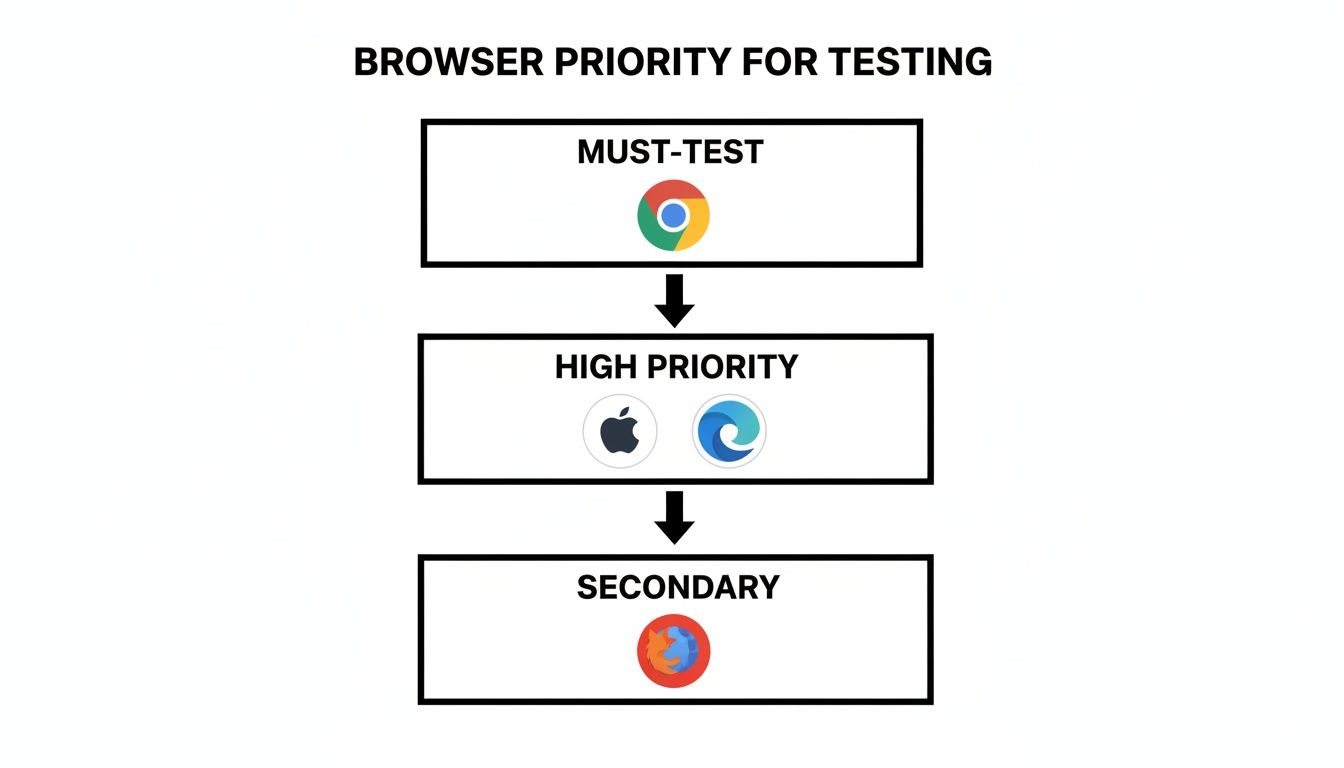
As you can see, Chrome is almost always the non-negotiable foundation. Safari and Edge typically follow right behind, thanks to their massive mobile and desktop user bases.
And speaking of mobile, you can’t afford to treat it as an afterthought. A 2023 study found that a staggering 52% of all website traffic now originates from mobile devices. With Chrome on Android and Safari on iPhone dominating that space, ignoring them is like closing your doors to half your potential customers. On the desktop side, Chrome, Edge, and Safari collectively account for up to 95% of users in key markets like the US, UK, and Canada, cementing their spot at the top of any test plan.
Structuring Your Matrix for Action
A good matrix is more than just a list—it’s a clear, actionable plan that defines exactly what to test for each priority level.
Your matrix should be a living document. Browser versions change, and so does user behavior. I recommend revisiting and tweaking your priorities at least quarterly to keep your testing strategy sharp and relevant.
So, how do you translate all this data into a practical plan? I’ve found that organizing your matrix into a simple table with clear tiers is the most effective approach.
Sample Browser and Device Testing Matrix
This template shows how to translate data into a tiered testing strategy, ensuring you apply the right level of rigor where it’s needed most.
| Priority Tier | Browser / OS / Device | Market Share Focus | Recommended Test Scope |
|---|---|---|---|
| Tier 1 (Must-Test) | Latest Chrome on Windows 11, Safari on latest iOS | 70%+ of your user base | Full regression, new feature validation, end-to-end user flows. |
| Tier 2 (High Priority) | Latest Edge on Windows 11, Chrome on previous Android version | Next 15-20% of your user base | Key functional tests, critical user journeys, visual spot-checks. |
| Tier 3 (Secondary) | Latest Firefox on macOS, Safari on previous iOS version | Remaining 5-10% of your user base | Quick smoke tests, check for show-stopping bugs on core pages. |
A structure like this ensures you are methodically covering your bases without stretching your team too thin. It’s a pragmatic approach that delivers the most value. For a closer look at audience habits, you can explore our analysis of how people use different browsers.
Choosing Your Cross-Browser Testing Environment
Okay, you’ve got your prioritized browser matrix. Now for the big question: where are you actually going to run these tests? The environment you choose will have a huge impact on your team’s speed, overall cost, and the amount of time you spend on maintenance versus actual testing.
Your choice really comes down to two main paths: building out a local testing lab yourself or tapping into a cloud-based platform.
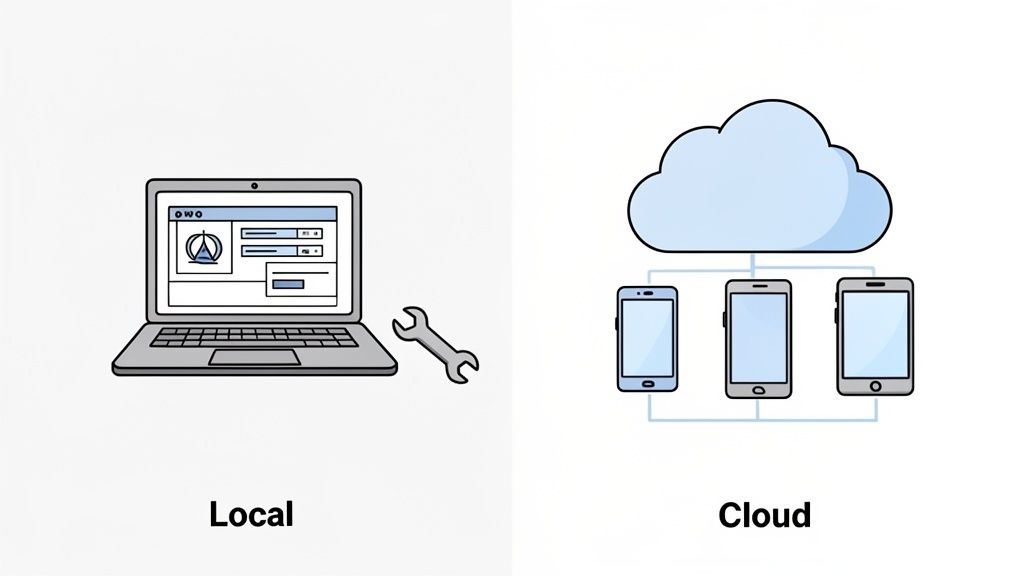
There’s no single right answer here. Each path has its own trade-offs, and the best fit depends on your team’s budget, technical know-how, and just how broad your testing needs really are.
The Local Environment Approach
Going the local route means you’re building and maintaining all the testing infrastructure yourself, right in your own office or data center. This typically involves spinning up a collection of virtual machines (VMs) or using emulators to mimic different operating systems and browser versions.
The main draw? Total control. You can tweak every last detail of the environment to perfectly mirror your production setup.
But that level of control comes with a hefty price tag. The upkeep can quickly turn into a full-time headache.
- Constant Updates: You’re on the hook for manually updating every single browser and OS as new versions are released.
- Hardware Costs: Buying and maintaining a lab full of physical devices is not only expensive but also a nightmare to scale.
- Limited Scope: It’s incredibly difficult (and often impossible) to replicate the massive variety of devices and browsers your actual users have.
This approach gives you maximum security and control, which might be non-negotiable for certain industries. For most teams, though, the time and money sink just isn’t worth it.
The Cloud-Based Platform Advantage
This is where most modern development teams land, and for good reason. Cloud-based testing platforms like BrowserStack and Sauce Labs give you instant access to a massive grid of real browsers and devices without any of the setup or maintenance drama. You just log in, pick the configuration you need, and you’re off.
The biggest win with cloud platforms is the immediate scalability. You can run hundreds of automated tests in parallel across dozens of different environments—something that’s just not feasible with a local setup. This shrinks your feedback loop from hours to minutes.
This model is all about renting the exact infrastructure you need, right when you need it. The benefits are pretty clear:
- Massive Coverage: Get access to thousands of real device, OS, and browser combinations.
- Zero Maintenance: The provider handles every single update and all the infrastructure management.
- Parallel Execution: Run tons of tests at the same time and get your results back in a fraction of the time.
If you’re serious about weaving robust, scalable testing into your development process, cloud platforms are almost always the way to go. To see how these services work in the real world, take a look at this comprehensive guide to using BrowserStack. Ultimately, these platforms provide the solid foundation you need for building an effective automated testing strategy.
Automating Complex Workflows with AI
Let’s be honest: traditional test automation can be a real grind. It often means writing fragile, complicated scripts that shatter the moment a developer tweaks the UI. This is where AI-driven automation really shines, especially when you’re testing a website across different browsers. It completely flips the script, letting you focus on what to test, not get bogged down in how.
Forget spending hours wrestling with code. Instead, you can just describe what a user needs to do in plain English. This approach makes creating solid, end-to-end tests incredibly fast and opens up the process to everyone on the team, not just the automation specialists.
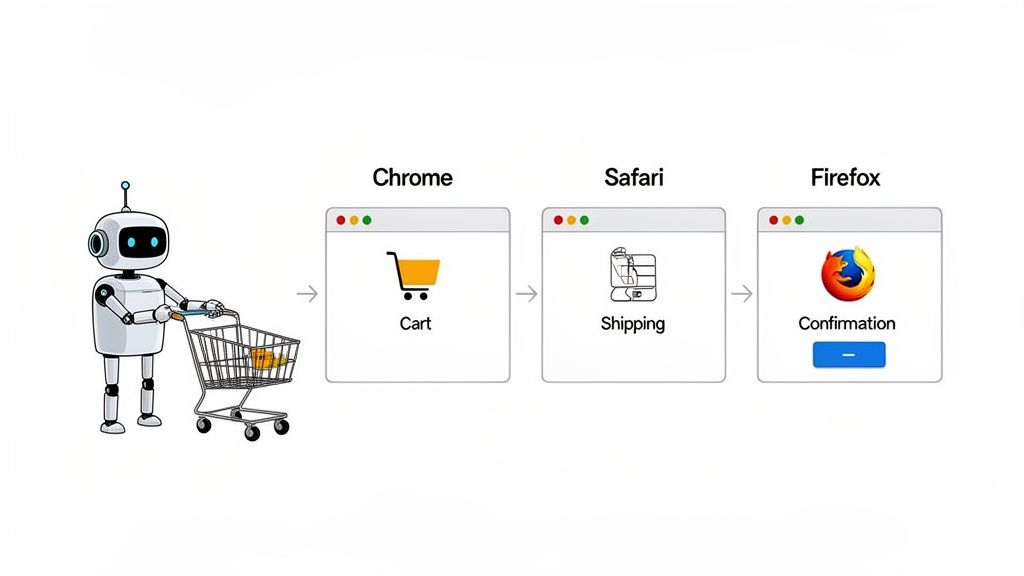
This isn’t just a matter of convenience; it’s about building tests that last. AI agents are smart enough to understand the goal of a test. That means they can often adapt to minor UI changes on the fly without breaking the entire test run, which saves a ton of time on maintenance.
From Prompt to Execution: A Real-World Example
Enough theory. Let’s walk through a classic scenario every e-commerce site has to get right: the guest checkout. This flow is full of different interactions and moving parts, making it a perfect candidate for automation headaches.
Imagine you need to test this critical user journey. With a tool like TestDriver, you don’t write a single line of code. You just give it a straightforward prompt, much like you’d describe the task to a colleague:
“Verify a guest user can add a product to the cart from the product details page, proceed to checkout, fill out the shipping information with valid data, and see the order confirmation page.”
That one sentence is all it takes. The AI has everything it needs to understand the user’s intent and build a comprehensive test from scratch.
What Happens Behind the Scenes
Once you provide that prompt, the AI gets to work. It breaks down your request into a logical sequence of steps that a real person would take. Here’s a quick look at what it generates automatically:
- First, it navigates to a product page.
- It then finds and clicks the “Add to Cart” button.
- Next, it waits for and validates that a success message appears or the cart icon updates.
- It proceeds to checkout by clicking the cart and then the “Checkout” button.
- The AI fills out the entire shipping form (name, address, city, etc.) with realistic test data.
- It submits the form.
- Finally, it asserts that the page redirects to the order confirmation URL and contains key text, like “Thank you for your order.”
This whole test case is built in seconds, ready to run against your full browser matrix—Chrome, Safari, Firefox, you name it. For teams eager to bring this kind of intelligence into their testing, platforms like supportgpt for AI-powered testing assistance can be a great place to start exploring.
The real magic here is that the test is built around the user’s goal, not brittle CSS selectors or element IDs. If a developer changes a button’s class name, the AI can still find it based on its text and context. This resilience is the key to building a cross-browser testing strategy that can actually keep up with a fast-moving development cycle.
Making Tests a Part of Your Everyday Workflow
Having a solid suite of automated tests is great, but they don’t do much good just sitting on your local machine. The real magic happens when you weave them directly into your Continuous Integration (CI) pipeline. This is how you transform cross-browser testing from a chore you remember to do once in a while into an automated safety net that protects your code with every single commit.
Think about it. By plugging your tests into a CI/CD service like GitHub Actions or Jenkins, you get instant feedback. Every push and every pull request can automatically kick off your entire cross-browser test suite. This proactive system flags bugs the second they’re introduced, long before they have a chance to frustrate a real user. Your tests stop being a simple check and become an active guardian of your application’s quality.
Getting this set up is probably easier than you think. Most modern CI platforms rely on simple configuration files—like a YAML file for GitHub Actions—to map out the entire workflow. Inside this file, you just tell the system what to do: check out the code, install what it needs, and run the test command.
Setting Up Your CI Workflow
A typical CI workflow for cross-browser testing has a few common-sense stages. First, you’ll decide which events should trigger the tests, like a push to your main branch or any new pull request. Then, you’ll configure a job that spins up a virtual machine to run the tests.
That job will usually follow these steps:
- Check out the repository to get the latest version of your code.
- Set up the environment, which means installing the right version of Node.js or any other runtime you depend on.
- Install dependencies for both your project and your testing framework.
- Run the tests against your cloud-based browser grid. This is usually just a single command.
Following this pattern ensures that every change is validated automatically. It makes consistent cross-browser performance a non-negotiable part of your team’s development culture.
Turning Failures into Fixes
Once your tests are running on autopilot, the next step is learning how to read the results. A failed test run isn’t just a big red “X”; it’s a clue pointing you toward a problem. The trick is to quickly figure out if you’re dealing with a genuine bug in your application or a strange, browser-specific rendering issue.
Remember, a failed test in your CI pipeline is a win. It means your safety net worked. It caught a problem before a customer did, saving you from a frantic, late-night emergency fix.
When a test fails, your reports from a platform like TestDriver are your best friend. They should give you everything you need: screenshots, console logs, network requests, and even video recordings from the exact browser where things went wrong. This evidence is gold.
Is it a CSS alignment issue that only happens on Safari for iOS? You’re likely looking at a WebKit rendering quirk. Is it a JavaScript TypeError that only pops up on Firefox? You might be using a web API that Mozilla hasn’t implemented yet.
This level of detail lets you write incredibly clear bug reports. Instead of vaguely telling a developer “the login page is broken,” you can now say, “The login button is unresponsive on Firefox version 125 on macOS because of a JavaScript error—here’s the console log and a video of it happening.” That kind of clarity eliminates guesswork, speeds up the entire debugging process, and helps build a much stronger, more collaborative team.
Common Questions About Cross-Browser Testing
As soon as a team gets serious about testing their website across different browsers, a few practical questions almost always pop up. These are the classic sticking points that can grind a project to a halt if you don’t have clear answers. Let’s tackle them head-on so you can build a testing strategy that actually works.
Getting these details sorted out is what separates a theoretical plan from a practical, day-to-day process that delivers real results.
How Many Browsers Should We Realistically Test?
This is the big one, and thankfully, the answer isn’t “all of them.” The key is to focus on the browsers your audience actually uses.
Start by digging into your website analytics. You’ll probably discover that the lion’s share of your traffic—often 90% or more—comes from just a handful of browsers.
For most teams, a rock-solid baseline looks something like this:
- Google Chrome: With its massive market share, this is a must-have.
- Apple Safari: Absolutely essential for reaching your iOS and macOS users.
- Microsoft Edge: It’s the default on Windows and a big deal in many corporate settings.
- Mozilla Firefox: Its user base might be smaller, but its unique rendering engine, Gecko, is great at catching bugs that other browsers might miss.
Your goal should be to cover the latest versions of these core browsers. From there, let your analytics guide you. If you see a surprising amount of traffic from an older version or a less common browser, you can add it to a secondary, less frequent testing cycle.
What Are the Most Common Cross-Browser Bugs?
While the specifics can change, you’ll start to see the same types of problems crop up again and again.
Layout and styling inconsistencies are, by far, the most common offenders. This is where different browser engines interpret your CSS just differently enough to cause chaos. Think overlapping elements, wonky spacing, or fonts that just don’t look right.
Another huge category is JavaScript errors. It’s incredibly common for a modern JS feature to work flawlessly in Chrome but completely break a form, menu, or other interactive element in an older version of Safari or Firefox.
Can AI Really Replace Manual Cross-Browser Checks?
Not completely, but AI can massively cut down on the manual workload. AI agents are fantastic at handling the repetitive, predictable stuff—logging in, adding products to a cart, filling out a form—over and over across dozens of browser combinations.
This frees up your human QA team to do what they do best: exploratory testing. They can focus on the subjective experience, hunt for subtle visual glitches, and evaluate the overall feel of the site in a way an automated script just can’t.
The most effective approach is a hybrid one. Let AI do the heavy lifting with your regression suite across the browser matrix. Then, empower your manual testers to explore the application for the nuanced usability issues that automation will always miss.
How Do We Handle Browser Updates?
Browsers update all the time, and trying to keep up can feel like a full-time job. The secret is to build version management directly into your CI/CD pipeline.
Your automated test suite should always run against the latest stable version of your target browsers. The good news is that most cloud testing platforms, like BrowserStack or Sauce Labs, handle this for you automatically. This simple step ensures you’re continuously testing against the browsers your users are actually running out in the wild, without any manual effort.
Ready to stop scripting and start testing? With TestDriver, you can generate robust, end-to-end tests from a simple prompt, making cross-browser validation faster and more accessible for your entire team. https://testdriver.ai
Automate and scale manual testing with AI
TestDriver uses computer-use AI to test any app - write tests in plain English and run them anywhere.