A Beginner's Guide: what is software test plan and how to implement it
Discover what is software test plan and why it matters for quality. This guide covers components, benefits, and practical steps to create one.
Automate and scale manual testing with AI ->
Think of a software test plan as the architect’s blueprint for your application’s quality. It’s the detailed, living document that lays out the entire strategy for ensuring your software does what it’s supposed to do, without any nasty surprises for your users.
Your Blueprint for Software Quality
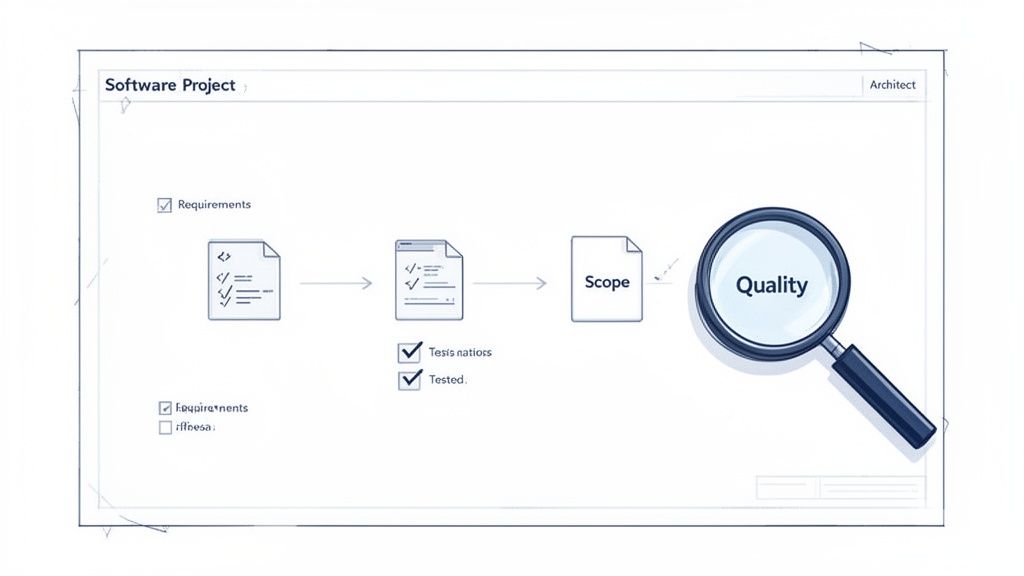
Imagine trying to build a house without a blueprint. The foundation might be crooked, walls could end up in the wrong places, and the plumbing would be a chaotic mess waiting to cause a flood. This is exactly what software development looks like without a solid test plan. The process devolves into a reactive scramble, with teams frantically fixing bugs as they pop up instead of preventing them in the first place.
A test plan brings order to that chaos. It’s far more than just a checklist to be ticked off and filed away; it’s a strategic guide that gets stakeholders, developers, and QA engineers all on the same page, working toward a shared vision of quality.
From Chaos to Control
At its core, a test plan answers the fundamental questions of testing: the “who, what, when, where, and how.” By getting these details down on paper, it creates a clear roadmap that eliminates ambiguity long before the first test case is ever run. Everyone knows what their role is, what the goals are, and what success looks like.
This proactive approach makes a huge difference. Industry data consistently shows that without a robust test plan, projects can see up to 50% higher defect rates after launch because unstructured testing often misses 30-40% of critical user paths. The World Quality Report offers a deep dive into how modern quality assurance relies on this kind of strategic planning to avoid such pitfalls.
To get a clearer picture, let’s look at what happens with and without a plan.
Testing With a Plan vs. Without a Plan
This quick comparison highlights the tangible outcomes of having a structured software test plan versus an ad-hoc approach.
| Aspect | Testing Without a Plan | Testing With a Plan |
|---|---|---|
| Coverage | Incomplete and random; critical paths are often missed. | Systematic and thorough; ensures all key features are tested. |
| Clarity | Roles are ambiguous, leading to confusion and duplicated effort. | Everyone knows their responsibilities, tasks, and deadlines. |
| Efficiency | Wasted time and resources on disorganized, repetitive testing. | Resources (people, tools, environments) are allocated effectively. |
| Risk | High risk of major bugs slipping into production. | Risks are identified, assessed, and mitigated early on. |
| Outcome | Unpredictable release quality and frequent post-launch fires. | Consistent, high-quality releases and a stable user experience. |
As you can see, a well-crafted plan is the single source of truth for your entire quality assurance effort. It acts as a project’s insurance policy against failure, transforming guesswork into a deliberate, repeatable process.
The Core Components of an Effective Test Plan
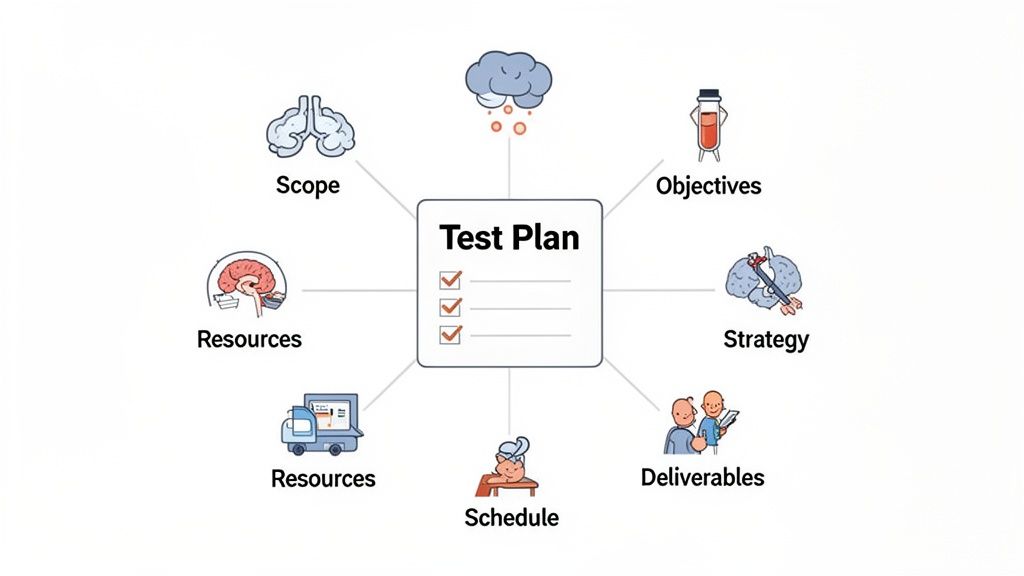
To build a software test plan that actually works, we need to understand its anatomy. These aren’t just bureaucratic checkboxes; think of them as the pillars holding up your entire quality assurance effort. Each piece has a specific job, and they all work together to create a single source of truth for everyone on the project.
A good test plan, much like a good story, has a clear and logical structure. It starts with the big picture—the “why”—and then methodically drills down into the nitty-gritty details of how the work will get done. This structure is what keeps critical elements from falling through the cracks.
Let’s break down what transforms a simple document into a powerful project roadmap.
Key Components of a Software Test Plan
A well-rounded test plan is built from several distinct but interconnected sections. Each one answers a critical question for the testing team and stakeholders, ensuring alignment from start to finish. Here’s a look at the essential components.
| Component | Purpose | Example Focus |
|---|---|---|
| Test Plan Identifier | Provides a unique ID for easy tracking and version control. | Mobile_App_v2.1_TestPlan_001 |
| Introduction | Briefly summarizes the project, features to be tested, and the plan’s purpose. | Overview of a new user profile feature release. |
| Test Items | Lists all software modules, features, or functions that are to be tested. | ”User Login,” “Password Reset,” “Profile Photo Upload.” |
| Features to Be Tested | Specifies the exact functionalities within the test items that are in scope. | Verifying username/password authentication. |
| Features Not to Be Tested | Explicitly states what is out of scope to manage expectations and prevent scope creep. | The admin panel is not part of this test cycle. |
| Test Strategy | Describes the overall testing approach, methods, and levels. | Using automated regression tests for existing features and manual exploratory testing for the new UI. |
| Test Deliverables | Lists the documents and reports to be produced during testing. | Test cases, bug reports, and a final summary report. |
| Pass/Fail Criteria | Defines the conditions that determine if a test case or the entire cycle passes or fails. | ”Application must not crash” (critical pass), “No more than 5 minor UI bugs” (overall pass). |
| Suspension/Resumption Criteria | Sets the rules for when to pause testing (e.g., a show-stopping bug) and when to resume. | Suspend if the login service is down; resume once it’s back online and stable. |
| Resources | Outlines the people, hardware, and software needed for the testing effort. | 2 QA Engineers, a staging server with 16GB RAM, and a Jira license. |
| Schedule | Provides a detailed timeline with key milestones and deadlines for all testing activities. | Test case creation: May 1-5; Execution: May 6-15; Reporting: May 16. |
| Risks & Contingencies | Identifies potential problems that could impact testing and outlines backup plans. | Risk: Key developer is on vacation. Contingency: Documented handover to a backup developer. |
Understanding these components is the first step toward creating a document that guides, rather than just sits on a shelf.
Defining Scope and Objectives
First things first: you need to draw the lines. The scope is where you explicitly state what will be tested and—just as critically—what will not be tested. For a new e-commerce checkout feature, the payment gateway integration would be in scope, but the company’s marketing blog would be out. Simple.
Once the boundaries are clear, you define your test objectives. These are the concrete, measurable goals for the testing cycle. An objective isn’t just “test the new feature.” It’s something like, “Achieve a 95% pass rate on all critical-path test cases” or “Confirm that application response time stays under 500ms during peak load.”
A clear scope is your best defense against “scope creep”—the slow trickle of new requirements that can derail timelines and dilute your testing focus.
Outlining the Test Strategy
The test strategy is your high-level game plan. It’s where you lay out how you’re going to approach the testing. This section covers the types of testing you’ll perform (functional, performance, security, etc.) and the general methods you’ll use. Will you lean on manual exploratory testing to find edge cases, or will you run a comprehensive, automated regression suite? This is where you make that call.
While people sometimes use the terms interchangeably, it’s important to know the key differences between test strategy and test plan. The strategy is your overarching philosophy, often consistent across multiple projects. The test plan applies that strategy to a specific project.
A solid test strategy usually covers:
- Testing Types: Pinpointing which kinds of tests are needed, like unit, integration, end-to-end, or usability testing.
- Tools and Automation: Listing the software you’ll use, from test management platforms to automation frameworks like Selenium or Playwright.
- Test Environment: Detailing the hardware, software, and network setup required to run tests in a realistic environment.
Scheduling Resources and Deliverables
Finally, no plan works without logistics. The resource plan identifies everyone involved in testing and clarifies their roles. This includes QA engineers, developers needed for bug fixes, and any product managers or support staff who need to be in the loop.
The schedule maps out a timeline for all testing activities, with clear milestones and deadlines that align with the overall development lifecycle. This ensures testing is a parallel activity, not an afterthought.
Lastly, test deliverables are the tangible outputs of your work. This means the test cases you write, the bug reports you file, and the final summary report that gives stakeholders a clear picture of the software’s quality before it goes live.
Real-World Benefits of Strategic Test Planning
Knowing the components of a software test plan is one thing, but seeing how it plays out in the real world is where its value really clicks. A solid plan is what separates a chaotic, reactive firefight from a predictable, controlled process that actually delivers on business goals.
Let’s imagine a classic scenario: two engineering teams are tasked with launching the same critical feature.
Team A decides to skip the planning and jumps straight into coding and some ad-hoc testing. Before long, developers are getting pulled in all directions, QA engineers have no idea what to prioritize, and stakeholders are completely in the dark about the real progress. It all ends in a frantic, last-minute bug hunt, blown deadlines, and a burned-out team shipping a product that’s full of surprises—the bad kind.
Now, let’s look at Team B. Before anyone wrote a single line of code, they took the time to build a software test plan. This document wasn’t just busywork; it became their roadmap, getting everyone on the same page about scope, goals, and who was responsible for what.
From Ambiguity to Alignment
The first thing Team B noticed was the crystal-clear stakeholder alignment. The test plan drew a firm line in the sand, defining exactly what would be tested and what “done” actually meant. This simple act shut down the endless cycle of last-minute change requests and made sure that the business, product, and engineering teams were all aiming for the same target.
With a plan in hand, developers understood the quality bar their code needed to hit from day one. QA engineers could then design test cases methodically, ensuring they covered all the critical paths instead of just testing what they happened to remember. What was once chaos became a structured, predictable workflow.
A software test plan is more than just a document; it’s a communication tool that prevents misunderstandings, aligns expectations, and builds confidence across the entire organization.
Proactive Risk Management and Cost Savings
Perhaps the most powerful benefit of good test planning is the ability to spot risks before they blow up into costly disasters. By thinking through potential failure points ahead of time—like a third-party API going down or a tricky data migration—Team B could create backup plans and focus their testing on the most fragile parts of the system.
This kind of foresight pays off, big time. We’ve seen that comprehensive software test plans can completely change the economics of QA. Teams that use them report a 35-45% reduction in manual effort and an incredible 50% fewer post-release defects. For startups and other fast-moving teams, this is the key to scaling quality without getting buried in manual work. You can find more insights on this topic in the guide on how test data improves QA on testingtools.ai.
Ultimately, a test plan boils down to three core advantages that hit the bottom line directly:
- Reduced Defects: It’s always cheaper to catch a bug early than to fix it after it’s in the hands of customers.
- Increased Predictability: Timelines become far more reliable, which lets the rest of the business plan with confidence.
- Improved Team Morale: Developers get to spend less time on frustrating bug hunts, and the QA team feels empowered and effective.
How to Create Your First Software Test Plan
Moving from theory to a real-world plan is where the magic happens. Instead of getting intimidated by a blank document, let’s walk through building your first one. The best way to think about it is not as writing a formal paper, but as answering a series of strategic questions about your project.
To make this practical, we’ll use a scenario every team can relate to: testing a brand-new checkout flow for an e-commerce website. We’ll use this example to build a simple, effective plan from the ground up.
Step 1: Analyze the Scope and Sniff Out the Risks
Before you type a single word, you have to understand the terrain. Start by digging into the feature’s requirements and, just as importantly, figuring out what could go wrong. This isn’t just about making a checklist of features; it’s about putting on your user hat and anticipating where things are most likely to break.
For our e-commerce checkout flow, you’d start by asking some tough questions:
- What are we actually testing? The entire user journey, from the moment they hit “Add to Cart” to the final “Thank You” page.
- What are we not testing? For this specific plan, things like product browsing, creating a new user account, or the marketing homepage are out of scope. We need to draw a clear line.
- What are the biggest risks here? What failures would cause the most damage, either in lost revenue or customer frustration?
A quick risk analysis for the checkout flow would probably surface these top three concerns:
- Payment Processing Failure: A customer enters a valid credit card, but the transaction gets declined. This is a critical risk because it means immediate lost revenue.
- Incorrect Shipping Calculation: The system slaps on the wrong shipping fee, leading to angry customer emails and a logistical nightmare for the support team.
- Order Confirmation Vanishes: The payment goes through, but the customer never gets a confirmation email or an order number. This creates panic and floods your support channels.
Step 2: Define Clear Objectives and What “Done” Looks Like
Once you know the risks, you can set clear, meaningful goals for your testing. Your objectives need to be specific and measurable, leaving zero room for interpretation. This is how you’ll know, without a doubt, if your testing effort was a success.
For our checkout flow, the objectives might look like this:
- Verify that all major payment methods (Visa, MasterCard, PayPal) process transactions successfully without any errors.
- Confirm that shipping costs are calculated correctly for at least 99% of test cases covering different customer regions.
- Achieve a 100% success rate in sending order confirmation emails for every single completed purchase.
Your success criteria—often called “exit criteria”—are your finish line. A classic example is: “Testing is considered complete when 95% of all test cases have passed, and there are zero unresolved critical or blocker bugs.”
Step 3: Outline the Strategy and Logistics
Okay, now for the “how.” How are you actually going to achieve those objectives? This part of the plan covers the testing methods you’ll use, who’s doing the work, and when it will all get done. This is the logistical heart of your software test plan.
- Test Strategy: We’ll tackle this with a mix of manual and automated testing. Manual testing is perfect for checking usability and doing some creative exploratory testing. Meanwhile, automated scripts will handle the repetitive regression tests for the payment gateway integration.
- Resources: Let’s assign 2 QA engineers to handle the manual testing and 1 SDET to write the automation scripts. We’ll also need a dedicated staging server that’s a perfect mirror of the live production environment.
- Schedule: We’ll block out 5 business days for the main test execution, with another 2 days reserved for verifying bug fixes and running final regression tests.
Building a solid plan also means choosing a format that your team will actually use. There are many ways to structure these documents, and you can learn more by exploring some of the evolving test plan formats and modern approaches to find a style that fits your workflow. A structured approach like this turns a big, daunting task into a series of clear, manageable steps.
Accelerating Test Plans with AI-Driven Tools
Let’s be honest, traditional test plans can feel like a bit of a relic. In the thick of a fast-paced development cycle, that meticulously crafted document often ends up gathering dust while the code sprints ahead. Manual creation and upkeep just can’t keep pace. This is where AI-powered tools are making a real difference, turning the test plan from a static document into something you can actually execute.
Imagine this: instead of writing out every single test case by hand, a QA engineer can give an AI agent like TestDriver a simple instruction. Something like, “Test the complete user signup and onboarding flow.” The AI then gets to work, generating a whole suite of tests that cover that entire journey from start to finish.
This isn’t about replacing human testers; it’s about shifting their focus. The AI handles the repetitive, predictable stuff, freeing up your team’s brainpower for more creative and exploratory testing. The result is a massive jump in both speed and overall efficiency.
From Manual Effort to Automated Execution
The most immediate win with AI is how much manual work it eliminates. We’ve seen studies showing that automation can slash test creation time by as much as 70%. Think about that. What used to take weeks to build a solid regression suite can now be done in a matter of hours. This means developers get feedback faster, and the whole company can ship new features more quickly.
For teams looking to push this even further, tools like AI coding assistants can help developers catch bugs and generate test cases right in their code editor, long before the formal QA process even kicks off.
This whole process can be boiled down to a simple flow.
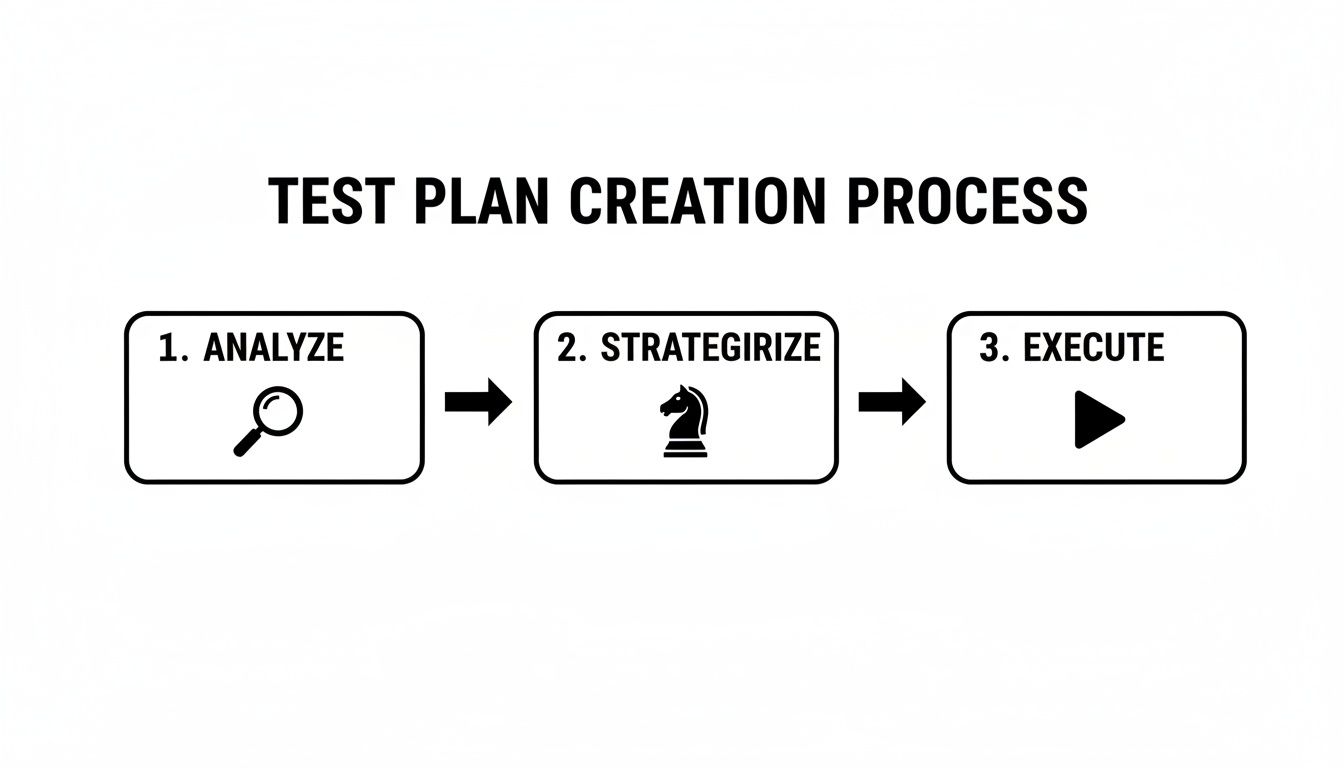
The real magic happens when AI supercharges the analysis and strategy steps, which naturally leads to faster, more effective execution.
Operationalizing Your Test Plan
What AI tools really do is make your software test plan a living, breathing part of your workflow. It stops being a document that just says what should be tested and becomes the engine that generates the tests that will be run.
By translating high-level intent into executable tests, AI closes the gap between planning and doing. Your test plan evolves into an active blueprint that truly drives your quality assurance efforts.
The test plan becomes a dynamic asset, directly tied to execution. This ensures that what you planned is what you actually test, every single time. It’s a fundamental shift that keeps your quality efforts perfectly in sync with your development velocity.
Common Questions About Software Test Plans
Even when you’ve got the basics down, a few practical questions always pop up about software test plans. Let’s clear the air and tackle some of the most common points of confusion you’ll run into in the real world.
Test Plan vs. Test Strategy: What’s the Difference?
This is easily one of the most frequently asked questions, and it’s a good one. People often use these terms interchangeably, but they aren’t the same thing, though they are tightly connected.
Think of it like this: your test strategy is the company’s constitution for quality assurance. It’s a high-level, guiding document that spells out your overall approach, principles, and standards. It rarely changes.
A software test plan, on the other hand, is the battle plan for a specific project. It’s tactical. It takes the principles from the strategy and applies them to a particular product or release, detailing the who, what, when, and how for this specific mission.
Do Test Plans Still Matter in Agile?
You bet they do. The classic image of a static, 50-page test plan binder collecting dust just doesn’t jive with the speed of modern sprints. But the act of planning is more critical than ever.
In an Agile world, the test plan simply evolves. It becomes a lightweight, living document—maybe a sharp, focused page in Confluence or a set of defined tasks in your project management tool.
The point is, it still provides a clear sense of direction, defines the scope of testing for a sprint, and gets everyone on the same page about quality goals. For a deeper dive, check out our article on how test planning remains relevant in agile development and see how to adapt your approach.
A test plan in an Agile context isn’t about rigid, unchangeable rules. It’s about creating a flexible framework for quality that can adapt to changing requirements sprint by sprint.
Is a Heavyweight Plan Always Necessary?
Definitely not. The size and detail of your software test plan should always match the complexity and risk of the project you’re working on.
For a minor bug-fix release, a simple one-pager that covers the essentials is probably all you need. It gets the job done without creating unnecessary overhead.
But for a major new product launch or a feature that handles sensitive financial data, a more thorough plan isn’t just nice to have—it’s essential. You need that level of detail to properly manage risks, coordinate across teams, and meet any compliance requirements. The trick is to be pragmatic and right-size the plan for the job at hand.
Ready to stop writing test plans and start executing them? TestDriver is an AI agent that turns your high-level goals into comprehensive, executable end-to-end tests in minutes, not days. Streamline your QA process and ship with confidence. https://testdriver.ai
Automate and scale manual testing with AI
TestDriver uses computer-use AI to test any app - write tests in plain English and run them anywhere.