Unlock ai in testing automation for Smarter QA
Discover how ai in testing automation improves QA with practical steps, proven techniques, and ROI insights to accelerate smarter testing.
Discover how AI in test automation is revolutionizing QA. Learn practical strategies, benefits, and implementation steps to build a smarter testing process.
Automate and scale manual testing with AI ->
So, what do we actually mean when we talk about AI in test automation? In simple terms, it’s about using artificial intelligence and machine learning to make our software testing smarter, faster, and way more effective. Think of it as an intelligent co-pilot for your QA team, handling tedious tasks like creating tests, fixing them when they break, and spotting bugs so your team can focus on what matters. The end goal is to slash manual effort and get new features out the door quicker.

Let’s cut through the buzzwords. AI in test automation isn’t about replacing human testers; it’s about giving them superpowers. It’s a massive upgrade from the old way of doing things—traditional, script-based automation—which any seasoned tester will tell you is plagued by brittle tests and endless maintenance.
To really get it, think of this analogy. Traditional automation is like a train on a fixed track. It’s incredibly efficient as long as that track never changes. But the moment a single rail moves—or a button in your app’s UI gets a new name—the whole thing grinds to a halt. Someone has to go in and manually fix the track.
AI-powered automation, on the other hand, is like a smart car with a top-of-the-line GPS. It knows the destination, but it can dynamically reroute if it hits traffic, a detour, or a sudden roadblock. If a UI element changes, the AI understands the intent behind the test and intelligently finds the new path, often fixing the test script all by itself.
This ability to adapt is a game-changer for modern software development. For years, we’ve relied on static locators like CSS IDs or XPaths to tell our scripts where to click. But the second a developer refactors the code, those locators break, and we’re left with a “flaky test” that fails for reasons that have nothing to do with a real bug.
AI tackles this problem head-on by understanding the application with more context. Instead of just looking for one specific locator, it analyzes the entire page structure, visual cues, and even user behavior to identify elements reliably, even if they’ve been slightly modified.
The core value of AI here is resilience. It transforms test suites from a fragile liability that requires constant upkeep into a robust asset that adapts to change.
To truly appreciate this shift, it helps to have a solid foundation in the basics of web application testing and see how AI builds upon those classic methods.
This move toward smarter automation isn’t just a niche trend; it’s driving huge market growth. Projections show the software testing market is expected to hit $109.5 billion by 2027, largely fueled by this evolution. If you’re new to the topic and want to dive deeper, our guide on getting started with AI in software testing is a great place to start.
A side-by-side comparison makes the differences crystal clear. Here’s a quick breakdown of how conventional script-based automation stacks up against modern, AI-driven approaches.
| Aspect | Traditional Automation | AI-Powered Automation |
|---|---|---|
| Test Maintenance | High; requires constant script updates for UI changes. | Low; self-healing capabilities adapt to changes automatically. |
| Test Creation | Manual and time-consuming script writing. | Faster; can generate tests from natural language or user flows. |
| Resilience | Brittle; fails easily with minor application updates. | Robust; identifies elements contextually, reducing flakiness. |
| Test Coverage | Limited by the manual effort required to script new paths. | Broader; can intelligently explore and discover new test paths. |
As you can see, the shift isn’t just incremental. It represents a fundamental change in how we ensure software quality, moving from a rigid, code-first process to a more flexible and intelligent one.

To really get a handle on AI in test automation, you need to know the main game plans. It’s not a one-size-fits-all situation. Think of it as a spectrum, with AI giving human testers a helping hand on one end and building tests all by itself on the other. Knowing where you want to start on that spectrum is half the battle.
One approach is AI-assisted testing, which is like having an incredibly smart co-pilot for your QA team. It isn’t flying the plane, but it’s making the trip a whole lot smoother. This strategy is all about making your current test automation better, especially when it comes to old headaches like flaky tests and the constant grind of script maintenance.
Then you have AI-generated testing. This is where the AI takes the driver’s seat, creating and running tests with very little hand-holding. The goal here is to let the AI intelligently explore your application and find bugs you might never have thought to look for. Figuring out which of these two fits your team is the first crucial step.
For most teams, AI-assisted testing is the most practical way to get started. It’s basically a set of smart tools that give your existing automation framework—whether it’s Selenium, Cypress, or Playwright—a serious upgrade. The idea is to optimize, not replace.
These tools are designed to solve specific, nagging problems that eat up time and energy. A classic example is self-healing locators. When a developer changes a UI element’s ID or XPath (breaking your test), the AI can figure out the new locator on its own. This stops the test from failing and saves your team from hours of frustrating detective work.
Other great examples of AI assistance include:
This approach is about making your current testing processes more efficient and resilient. It’s the GPS in your car suggesting a smarter route to avoid traffic—you’re still in control, but you’re getting to your destination faster and with less frustration.
AI-generated testing takes things a giant leap forward. Instead of just improving the scripts you already have, the AI creates brand-new tests completely from scratch. It’s like telling a self-driving car your destination and letting it figure out the entire route, navigate traffic, and get you there on its own.
With this model, the AI digs into your application—its UI, user journeys, and even its code—to dream up meaningful test scenarios all by itself. For example, you could give it a simple prompt like “test the complete checkout process.” The AI would then generate a full suite of end-to-end tests covering everything from adding items to a cart to applying discounts and processing payments.
This method is a game-changer for:
While this is incredibly powerful stuff, it requires you to be realistic about what AI can and can’t do. It really is the future of QA, where human expertise is about guiding intelligent systems, not just writing scripts. To learn more about the fundamentals, it’s worth exploring different AI-powered script generation strategies. Ultimately, choosing between an assisted and a generated approach comes down to your team’s goals, current skills, and the specific problems you’re trying to solve.
Let’s be clear: adopting AI in test automation isn’t about flipping a switch and watching all your problems disappear. But, it does offer some genuinely powerful solutions to the headaches that have plagued QA teams for years. The key is to have a realistic view—to understand what it excels at today and where it still falls short. This balanced perspective is crucial for setting expectations and making a solid case for bringing it on board.
The most immediate and celebrated win is cutting down on test maintenance. We’ve all been there: a minor UI tweak breaks a dozen scripts, and suddenly your afternoon is gone. Traditional locators are just that fragile. AI-powered tools, on the other hand, bring self-healing to the table. They can intelligently spot and adapt to these changes on the fly. Instead of your team manually updating locators, the AI handles it, freeing up a massive amount of time for more meaningful work.
That freedom leads directly to another huge benefit: moving faster. When you spend less time fixing what’s broken, you can focus on building new tests and shipping features. This prevents your quality checks from becoming a bottleneck and keeps your CI/CD pipeline flowing smoothly.
Beyond just fixing things, AI adds a layer of genuine intelligence to your testing strategy. It’s incredibly good at optimizing your efforts so you can find more bugs without just throwing more tests at the problem.
Here’s where it really shines:
And this isn’t just talk. The data shows that 39% of testers are already seeing direct efficiency gains from AI, while 37% credit it with making test maintenance far less painful. Another 22% point to its value in predicting defects and prioritizing tests, proving its impact in the real world. You can dig into more test automation statistics to see just how teams are benefiting.
Of course, it’s not all smooth sailing. Integrating AI requires a thoughtful approach, and it’s important to be aware of the current limitations to avoid common stumbles.
One of the biggest hurdles is the “black box” problem. Some AI models make decisions—like changing a test step or flagging a visual difference—without giving you a clear reason why. This lack of transparency can make it tough to debug issues or fully trust the results, meaning you still need a human expert to validate the AI’s work.
There’s also a real risk of becoming over-reliant on the technology. If a team stops thinking critically about test scenarios and just delegates everything to an algorithm, they can miss crucial business logic or fail to test for nuanced user experiences that AI can’t yet grasp.
Finally, the initial setup isn’t trivial. Choosing the right tool, weaving it into your existing workflows, and getting the team up to speed all require a significant upfront investment of both time and resources.
Here’s a quick look at the trade-offs you’ll be making as you weigh whether AI is right for your team.
This table summarizes the primary benefits and potential challenges that organizations typically encounter when implementing an AI-driven test automation strategy.
| Advantages | Limitations |
|---|---|
| Reduced Maintenance with self-healing tests. | ”Black Box” Problem can make decisions hard to understand. |
| Increased Velocity by cutting down on manual fixes. | Risk of Over-Reliance and neglecting critical thinking. |
| Broader Test Coverage through autonomous exploration. | Initial Setup Complexity and resource investment. |
| Faster Test Creation using natural language prompts. | Requires Human Oversight to validate business logic. |
Ultimately, AI is best viewed as a powerful partner for your QA team. It excels at handling the repetitive, time-consuming tasks, which allows your people to apply their unique creativity and deep domain expertise where it truly counts. By understanding both its incredible strengths and its current weaknesses, you can make an informed decision and successfully integrate AI to build better software, faster.
Jumping into AI-powered test automation doesn’t mean you have to tear down your entire QA strategy and start from scratch. In fact, the most successful teams do the exact opposite. They start small, pick a specific pain point, and prove the value of AI quickly. This creates momentum and gets everyone on board.
The first step is taking an honest look at your current testing process. Where are the biggest bottlenecks? Maybe your team is constantly fighting with flaky end-to-end tests that break for no apparent reason. Or perhaps you’re drowning in test maintenance every time a developer makes a minor UI tweak. Finding these high-friction areas is where the journey begins.
Once you’ve zeroed in on a major headache, it’s time to design a targeted pilot project. This is your chance to try out AI on a small scale without putting your entire development pipeline at risk. The ideal pilot is a low-risk, high-impact scenario—one where AI can deliver a clear, measurable win.
The whole point of a pilot is to prove value fast. For instance, you could grab a single, notoriously unstable test suite and sic an AI tool with self-healing capabilities on it. The goal isn’t to fix everything at once. It’s to show, in a controlled environment, that this technology can make a real difference.
This phased approach lets your team get comfortable with the new tools, learn their quirks, and see the benefits firsthand. A successful pilot builds confidence and creates internal advocates who will help champion a wider rollout.
It’s no surprise that investing in AI for test automation is a priority for over 67% of teams, and that expanding automation coverage is a key goal for nearly 73% as they grow. A well-executed pilot helps justify this investment, especially when you consider that 36% of teams already report a positive ROI from their automation efforts. You can dig deeper into these trends with these 2025 test automation statistics.
Once your pilot has given you a clear use case, picking the right tool becomes much easier. The market has plenty of options, from all-in-one platforms like Katalon to specialized AI agents like TestDriver, which is brilliant at generating end-to-end tests from simple text prompts.
When you’re evaluating tools, keep these criteria in mind:
Your goal is to find a tool that feels like a natural extension of your workflow, not another complicated thing to manage. The right solution should make your life simpler, not harder.
You can’t prove value without solid metrics. Before you even start the pilot, you need to decide what success looks like. Vague goals like “improve testing” won’t cut it.
Instead, get specific with concrete, measurable outcomes. Your success metrics could look something like this:
By setting these clear benchmarks, you’re building a powerful story. You’re not just adopting a new technology for the sake of it; you’re solving a real business problem and delivering measurable results that will get the attention of stakeholders across the company. This blueprint turns AI adoption from a scary, overwhelming project into a smart, step-by-step plan for success.
Theory is great, but let’s talk about what this actually looks like in the trenches. Seeing how real companies solve real problems is where the value of AI in test automation really clicks. These stories show how teams are using AI to get past old testing roadblocks and score some major wins.
Picture this: a huge online retailer is gearing up for their biggest sales event of the year. The pressure is on. The team has to guarantee a perfect user experience on dozens of devices, browsers, and screen sizes. A single bug, like a “Buy Now” button that disappears on one specific phone, could tank their revenue.
Their old, script-based automation was just too slow and fragile to cover all the bases. They couldn’t possibly check every single page on every device by hand before the deadline. So, they turned to AI-powered visual testing. By plugging in an AI tool, they could automatically snap and compare thousands of screenshots, instantly flagging tiny visual bugs that a human would almost certainly miss.
The AI didn’t just spot the big, obvious stuff. It caught subtle layout shifts, text that was a few pixels off, and overlapping elements that only showed up under very specific conditions. This meant developers could fix critical UI problems before the sale ever started.
The result? The company had its smoothest sales event ever, with zero critical UI bugs reported by customers during the busiest shopping hours. This is a perfect example of AI shifting quality assurance from a reactive, bug-hunting chore into a proactive, experience-shaping strategy.
It wasn’t just about catching bugs. It was about protecting revenue and their brand when it mattered most. The AI gave them a level of confidence that manual checks or old-school automation just couldn’t deliver.
Now, let’s switch gears to a fintech startup building a complex new transaction engine. Their biggest headache wasn’t what the app looked like, but whether the data was solid. They had to be sure their system could juggle thousands of tricky data combinations—different currencies, transaction types, and weird user inputs—without ever making a mistake.
Creating that much test data by hand would have been an absolute nightmare. Instead, the team used an AI tool to generate a massive, diverse dataset that looked just like the real, messy world. The AI dreamed up thousands of unique test scenarios, poking and prodding the system in ways the developers hadn’t even thought of. This allowed them to make their transaction engine rock-solid, ensuring it was secure and reliable for every user.
Another game-changing use for AI is in the test creation process itself. Tools like TestDriver are letting teams turn complicated user journeys into solid, automated tests using plain English. Instead of painstakingly writing code, a QA engineer can just describe what a user does, and an AI agent builds the end-to-end test for them.
You can see how clean and simple this is in the TestDriver platform.
In this clip, someone is just describing the test they need, and the AI translates that into concrete steps. This approach knocks down the technical wall that often keeps people from writing automation, which means more of the team can pitch in on quality and the whole development cycle gets a lot faster.
These stories aren’t science fiction. They show that AI in test automation is a practical tool that’s already delivering real, measurable value for businesses right now.
The real magic of AI in test automation happens when it’s no longer a separate, manual chore. It needs to become a seamless, almost invisible part of your team’s natural development rhythm. When you integrate AI directly into your DevOps and CI/CD workflow, you shift from simply using smart tools to building a genuinely intelligent quality process.
The end goal here is to make AI-driven testing a core feedback mechanism for every developer, not just a hand-off task for the QA team. Imagine AI tests running automatically on every single commit. This gives developers immediate, relevant feedback, drastically shortening the loop between writing code and finding bugs. Small issues get caught and fixed right away, before they have a chance to snowball into major headaches down the line.
This kind of integration turns your pipeline into a proactive quality engine. Instead of discovering a failure in a massive overnight regression suite, developers get insights in minutes. That speed builds confidence and keeps productivity high. If you want to dig deeper into the “how,” check out some best practices for integrating testing into your CI/CD pipeline.
The next step—and where things get really interesting—is linking your AI testing tools with your observability platforms. Think about it: a system where your AI doesn’t just react to code changes but actively learns from how your application behaves in the real world. This creates a powerful, self-improving feedback loop for quality.
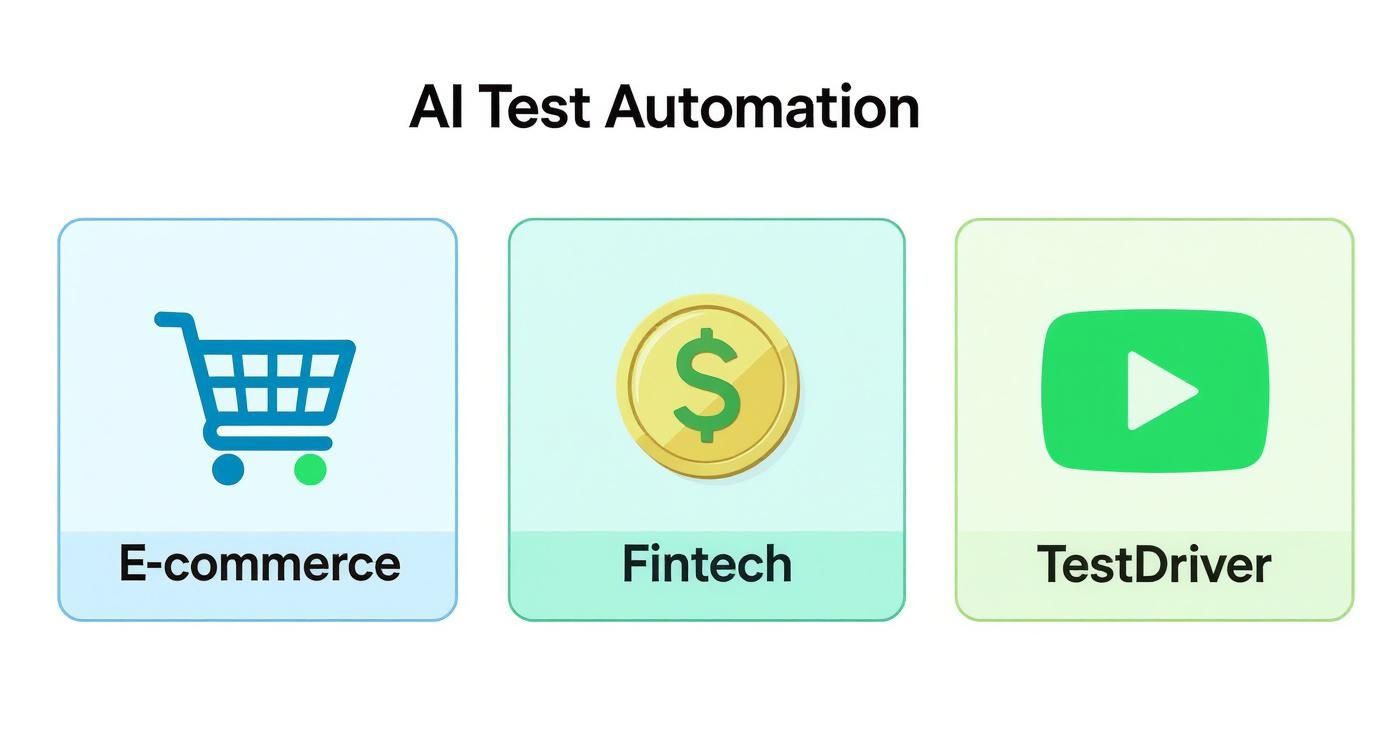
AI in testing isn’t some one-size-fits-all solution; it’s a flexible technology adapted to solve very specific business challenges, whether that’s ensuring a smooth e-commerce checkout, securing financial transactions, or validating complex workflows with tools like TestDriver.
When you start feeding performance data from tools like Datadog or New Relic directly to your AI test platform, you unlock some incredible capabilities. The AI can:
This synergy between AI testing and observability is what finally moves your team out of a reactive, bug-squashing mindset. You start building a culture of proactive quality assurance, which is the true promise of continuous delivery.
This integrated system isn’t just running tests; it’s learning and adapting. Every production incident helps shape future testing strategies. Every code commit is validated against not only the functional requirements but also against real-world performance data. It’s a continuous feedback loop that ensures your testing efforts are always focused on what actually matters to your users.
By embedding AI this deeply into your CI/CD pipeline and connecting it to observability, you create a system that doesn’t just catch bugs—it starts to anticipate them. This approach makes quality a shared responsibility and a fluid part of the entire development lifecycle, leading directly to faster releases and much higher-quality products.
Even after seeing the potential, getting started with AI in test automation usually brings up a few practical questions. Let’s tackle the most common ones I hear from teams, offering straight answers to help you move forward.
Nope. Not even close. Think of AI as a force multiplier for your QA team, not a replacement. AI is fantastic at handling the tedious, repetitive tasks that drain your team’s energy—like running thousands of regression tests overnight or constantly fixing flaky locators.
This frees up your human experts to do what they do best: exploratory testing, thinking through tricky edge cases, and using their deep product knowledge to assess user experience. The AI handles the grunt work, while your testers focus on strategic, high-value quality work that a machine could never do.
Start small. Seriously. Pick one painful, recurring problem and solve it with a pilot project. Don’t try to boil the ocean by revamping your entire testing strategy overnight.
Is there a particular test suite that’s always breaking after minor UI updates? That’s your perfect starting point. Find an AI tool designed for that specific problem—like one with solid self-healing capabilities—and apply it there. This lets you prove the value quickly in a low-risk way and build a convincing case for a broader rollout without a huge upfront commitment.
To show that AI is worth the investment, you need to measure what life was like before and after. Focus on the metrics that actually matter to your team’s output and your product’s stability.
Here are a few key things to track:
These numbers don’t lie. They build a clear picture of how AI is helping you ship faster and reduce the costly impact of bugs making it to production.
The most compelling ROI isn’t just about saving time; it’s about reallocating that time to innovation and higher-value quality tasks that AI cannot perform.
Absolutely. The best AI tools aren’t trying to replace the frameworks your team already loves. They’re built to plug right into popular solutions like Selenium, Cypress, and Playwright through simple integrations or APIs.
For instance, you could easily bring an AI tool’s self-healing locator feature into your existing Selenium test suite. You get to keep the control and flexibility of your current setup while adding intelligent, time-saving capabilities on top. It’s the best of both worlds—no need to throw everything out and start over.
Ready to stop wasting time on brittle scripts and start building tests in plain English? TestDriver is the AI agent that turns your intent into stable, end-to-end tests in minutes. Discover how TestDriver can accelerate your QA workflow today.
Discover how ai in testing automation improves QA with practical steps, proven techniques, and ROI insights to accelerate smarter testing.
Implement risk based testing to focus your QA efforts. Learn a step-by-step process to identify, prioritize, and automate tests for critical user flows.
Discover what automated regression testing is and how to implement it. Learn key strategies for CI/CD, test selection, and measuring real business impact.
Discover how AI in automation testing is revolutionizing QA with smart test generation, self-healing scripts, and visual validation to accelerate workflows.
TestDriver uses computer-use AI to test any app - write tests in plain English and run them anywhere.