UI Automation Testing A Practical Explainer
Explore our guide to UI automation testing. Learn core concepts, how to build stable tests, and integrate AI for faster, more reliable software releases.
Discover how automated functional tests can transform your QA process. Learn core concepts, best practices, and how AI is making test creation faster than ever.
Automate and scale manual testing with AI ->
Automated functional tests are essentially scripted checks that make sure your software’s features are working correctly, all without a human having to lift a finger. Picture a team of tireless robots meticulously clicking buttons, filling out forms, and confirming every outcome. They ensure every part of your app, from login to checkout, behaves exactly as you designed it. For modern software teams, this process is a complete game-changer, paving the way for faster and far more reliable releases.
Think about building a new car. Before it ever leaves the factory, a team of inspectors would go over every single function by hand. Do the headlights turn on? Do the brakes work? Does the radio play? That’s basically manual functional testing. It’s thorough, sure, but it’s also slow, expensive, and wide open to human error.
Now, what if you could build a robot to perform those same checks, flawlessly, every single time you made even a tiny change to the car’s design?
That’s the whole idea behind automated functional testing. Instead of a person repeatedly clicking through a user interface, a pre-written script handles all those steps automatically. This fundamental shift from human-led validation to automated checks delivers incredible value.
“Automated functional tests don’t just find bugs faster; they create a safety net that gives developers the confidence to innovate and release new features without fear of breaking what already works.”
This kind of automation is more than just a convenience; it’s a strategic necessity in today’s fast-paced development cycles. The global automation testing market was valued at USD 35.52 billion in one recent year and is projected to skyrocket to USD 169.33 billion by 2034. This surge really highlights the industry’s shift toward release speeds where manual testing just can’t keep up. You can dig into more data on this market growth from Precedence Research.
So, what does this look like in practice? It means every time a developer commits new code, a suite of automated tests can instantly run to confirm nothing broke. This brings a few major benefits:
To really get a handle on the principles of automating tasks, it can be helpful to understand broader concepts like business process automation (BPA). While these tests validate specific features, they often fit into a larger strategy of automating complete user journeys. You can learn more about that in our guide: What Is End-to-End Testing?.
To put it all into perspective, here’s a quick comparison highlighting the key differences between the traditional manual approach and modern automated functional testing.
| Attribute | Manual Functional Testing | Automated Functional Testing |
|---|---|---|
| Speed | Slow and time-consuming | Extremely fast, runs in minutes |
| Consistency | Prone to human error and inconsistency | Perfectly consistent every time |
| Scalability | Difficult and expensive to scale | Highly scalable across many tests |
| Cost | High long-term labor costs | High initial setup, low long-term cost |
| Feedback Loop | Delayed; feedback takes hours or days | Immediate; feedback in minutes |
| Best For | Exploratory and usability testing | Repetitive, regression, and load testing |
As you can see, while manual testing still has its place for things like exploratory checks, automation is the clear winner for building a reliable and efficient development pipeline.
To really get a handle on automated functional testing, you first need to understand where it fits in the grand scheme of things. Think of it like building a car. You wouldn’t just assemble the whole thing and then take it for a spin, hoping for the best. You’d test each part individually, then test how they work together, and finally, test the entire vehicle.
Software testing works the same way. It’s a layered approach, moving from the tiniest piece of code up to the full user experience. When you follow this process, finding a bug is infinitely easier. A failure at the lowest level is simple to diagnose, while a weird issue that only shows up during a full “test drive” can be a real nightmare to track down.
Quality assurance is really built on three primary layers of testing, each with a specific job. Knowing the difference helps your team run the right kind of automated functional test at the right time.
Car Analogy: This is like testing a single spark plug. You’re not checking the engine or the car, just making sure that one little component generates a spark when it should.
Integration Testing: Once you know the individual parts work, integration tests make sure they play nicely together. This is where you catch problems with data handoffs or communication breakdowns between different modules.
Car Analogy: Think of this as connecting the engine to the transmission. You’re verifying that two major systems can communicate and work in tandem before you drop them into the car’s chassis.
End-to-End (E2E) Testing: This is the big one, the final dress rehearsal. E2E tests mimic a complete user journey from start to finish. They confirm the entire application workflow is smooth and that all the integrated pieces work together perfectly in a real-world scenario.
Car Analogy: This is the final test drive. You hop in, turn the key, drive it down the road, slam on the brakes, and fiddle with the radio to make sure the entire vehicle delivers the experience a customer expects.
Each layer builds on the one before it, creating a solid safety net that catches bugs at different stages. This diagram helps visualize how these testing methods are categorized, splitting them between human-led and automated approaches.
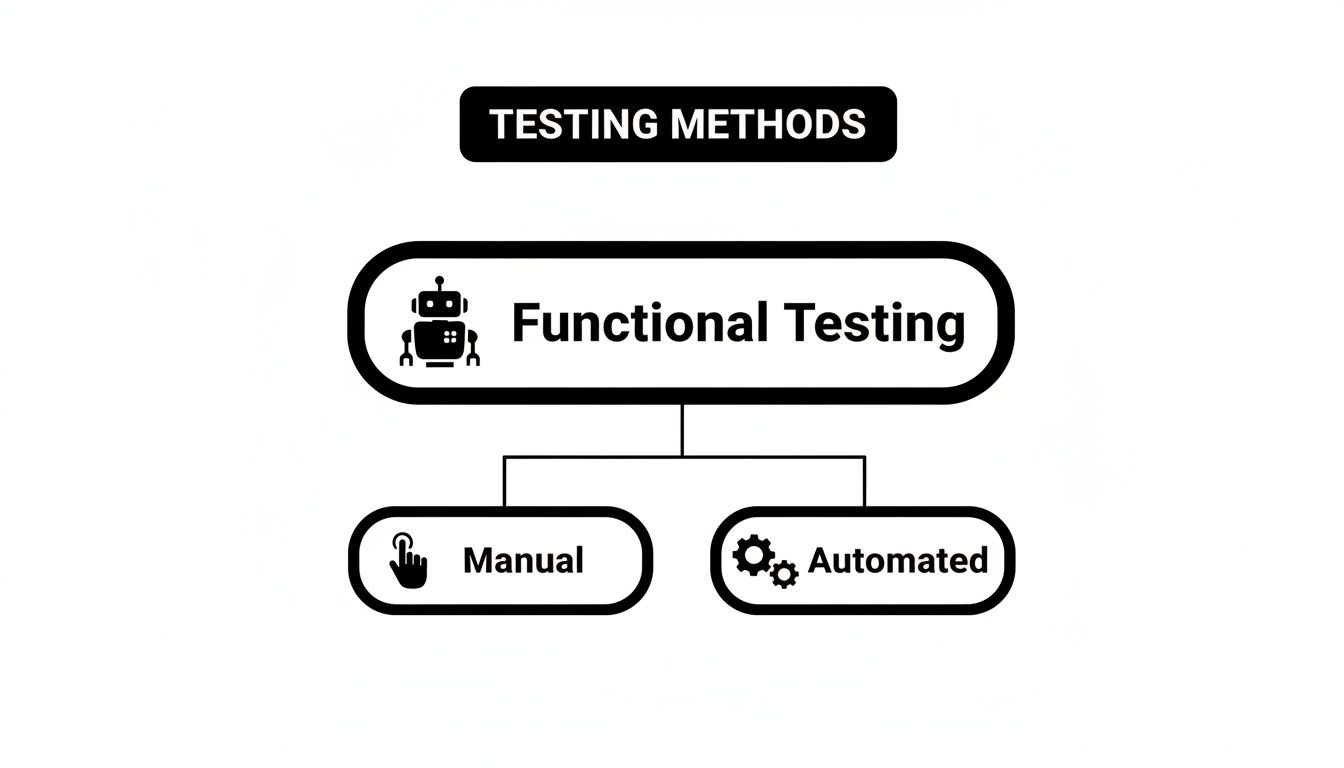
As you can see, functional testing is the broad discipline, which can be carried out either manually by a person or automatically with scripts and tools.
It’s also crucial to draw a line between functional and non-functional testing. They might sound similar, but they answer two completely different questions about your software. Mixing them up is a recipe for leaving major gaps in your QA strategy.
Functional Testing asks: “Does the feature work correctly?” It’s all about validating the application’s behavior against the business requirements. If a user clicks the “Add to Cart” button, does the item actually end up in the cart? It’s purely about function.
On the other hand, non-functional testing is concerned with the application’s operational qualities.
Non-Functional Testing asks: “How well does the feature work?” This covers things like performance, security, and reliability. For example, how fast does the page load? Can it handle 1,000 concurrent users? Is it vulnerable to common cyberattacks?
While both are absolutely vital, automated functional tests are specifically designed to confirm the what, not the how well. They’re the foundation of your confidence, proving your app’s core features are working just as the user expects. Of course, this all starts with a great set of test cases. For more on that, take a look at our guide on how to write effective test cases. Getting this distinction right is the key to focusing your automation efforts where they’ll have the biggest impact on quality.
Alright, you understand the “what” and the “why.” Now let’s get into the “how.” Moving from theory to practice means building a repeatable, effective automation workflow that actually makes your team’s life easier.
This isn’t just about writing scripts; it’s about engineering a process that consistently adds value. The real aim is to graduate from random, manual spot-checks to a fully integrated system that bakes quality into every single step of your development cycle.
The journey starts with a smart, strategic decision: what to automate first. Forget trying to boil the ocean. The most successful teams start by targeting the high-impact stuff, those repetitive, critical-path user journeys that are a pain to test by hand and a disaster if they break in production.
A well-structured workflow turns automated functional tests from a simple bug-finding tool into a strategic asset. It provides the rapid feedback loop necessary for developers to build with confidence and speed.
From that starting point, you can expand your workflow to pull these automated checks directly into your development lifecycle. Suddenly, quality isn’t an afterthought, it’s happening all the time.
Building a solid workflow is a phased process, with each step setting the foundation for the next. Following a clear plan keeps your automation efforts organized, scalable, and perfectly aligned with your team’s goals.
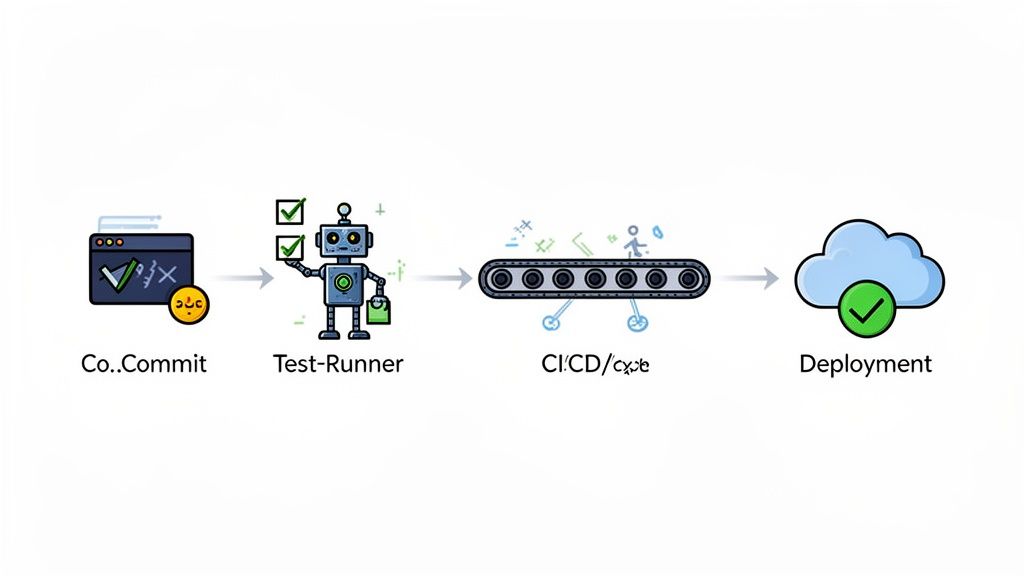
Plugging your automated functional tests into a CI/CD pipeline is where the “shift left” philosophy truly comes to life. Shifting left is all about catching bugs as early as humanly possible, which dramatically cuts the cost and effort needed to fix them.
Here’s how it works: a developer pushes new code, and the CI server (think Jenkins, GitLab CI, or GitHub Actions) instantly kicks off the entire test suite. This acts as a powerful quality gate. If the tests pass, the code moves on. If they fail, the build is stopped in its tracks, and the developer gets an immediate notification.
This tight feedback loop is your best defense against regressions, those sneaky new bugs that break existing features. It transforms testing from a bottleneck at the end of a sprint into a continuous, automated safety net that fosters a true culture of quality.
This isn’t just a nice-to-have; it’s a market imperative. The explosive growth in test automation is driven by this need for reliable validation as software gets more complex. Global forecasts consistently show that a majority of businesses are prioritizing automation to expand test coverage and get to market faster. You can dig deeper into these trends in the automation testing market to see just how widespread this shift has become.
Great automation isn’t about the number of tests you write; it’s about building a suite of tests you can actually trust. Anyone who’s been in the testing trenches knows the unique headache of a “flaky” test, the one that passes, then fails, then passes again for no obvious reason. This kind of unreliability completely undermines the value of automation, burying real bugs in a sea of noise and eroding your team’s confidence in the whole system.
The goal is to build a rock-solid suite of automated functional tests that are deterministic. That’s a fancy way of saying they give you the same result every single time they run against the same piece of code. Getting there requires discipline. It’s about more than just scripting a few user actions; it’s about architecting tests to be independent, easy to maintain, and resilient to small, unrelated UI tweaks.
Think of it like this: you can quickly stack a house of cards, but the slightest breeze will knock it all down. A well-built test suite is more like a structure made of LEGOs. Each brick is a self-contained unit that connects predictably, contributing to a strong, stable whole.
One of the most critical rules for reliable automation is making every test case atomic and independent. This simply means each test should be its own self-contained world. It should be able to run all by itself, without depending on the state or outcome of any other test.
A classic mistake is “chaining” tests together, where Test B needs Test A to pass first. This creates a fragile domino effect. A single, minor failure in one test can trigger a cascade of failures down the line, making it a nightmare to find the real source of the problem.
“A test suite’s value is directly tied to its reliability. Each test should have its own setup and teardown process, ensuring it starts from a known, clean state and doesn’t leave a mess for the tests that follow.”
When you keep your tests isolated, you unlock some huge benefits:
A huge portion of test flakiness comes from relying on unstable element locators. Your test breaks because a developer changed a CSS class for a style update or reordered a few divs, even though the feature still works perfectly. This leads to constant, soul-crushing maintenance work.
To avoid this trap, you need to prioritize selectors that are built to last:
id or, even better, a custom data-testid attribute. These are explicitly meant for testing and are far less likely to be changed for cosmetic reasons.name or its ARIA role can also be a solid strategy, as these usually tie directly to what the element does.div > div:nth-child(3) > button) are a ticking time bomb and will break with the slightest UI adjustment.This is an area where modern AI-powered tools are really changing the game. Instead of you having to hardcode rigid selectors, they use more intelligent, self-healing locators that can adapt to UI changes on the fly.
For example, this screenshot from TestDriver shows how its AI agent can take a plain English command and figure out what to do. It automatically identifies the correct elements without needing you to specify a selector. By understanding the user’s intent, like “click the login button”, these tools can find the right element even if its underlying code has been completely refactored. That ability alone dramatically cuts down on test maintenance.
Sloppy test data management is another silent killer of reliable automation suites. If your tests are constantly modifying a shared database without cleaning up after themselves, they create unpredictable states that cause other tests to fail randomly. Hardcoding data directly into test scripts is another common pitfall that makes them a pain to maintain and adapt.
The right way to do it is to treat your test data as its own separate concern:
By making these practices a habit, you can transform your automated functional tests from a high-maintenance burden into a dependable asset. They become a safety net that lets your team ship high-quality software with speed and real confidence.
While the best practices we’ve discussed are essential for building a solid test suite, the next major evolution in automated testing is already here. Artificial intelligence has moved beyond a simple buzzword and is now a practical tool that fundamentally changes how we approach the entire testing lifecycle.
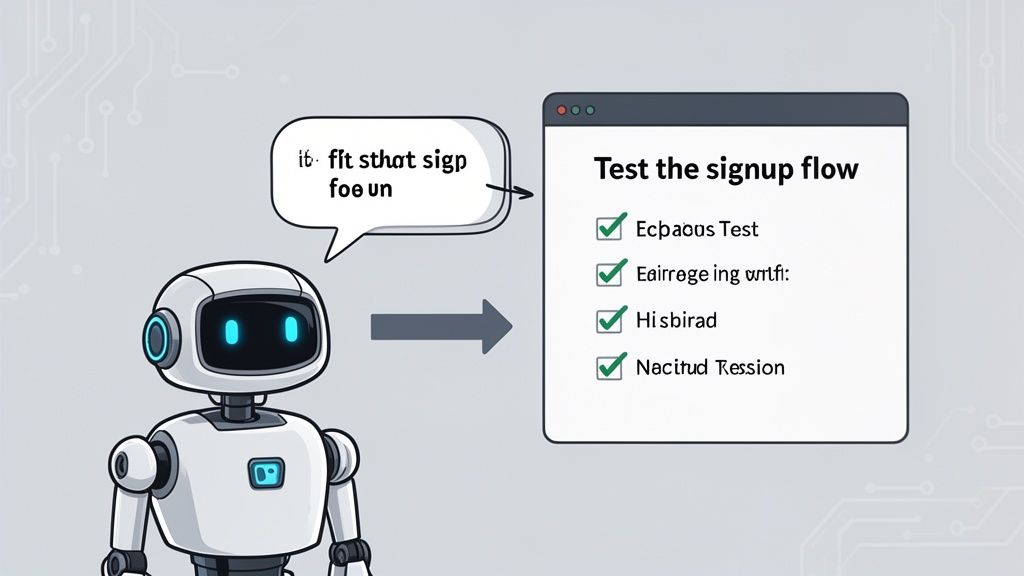
Think about this: what if you could just tell an AI agent, “Test the user signup and onboarding flow,” and watch it generate a complete, multi-step test in seconds? This isn’t a futuristic concept; it’s the new reality for quality assurance. This kind of technology completely lowers the barrier to entry, letting even non-technical team members make a real impact on product quality.
The most immediate benefit is a massive drop in the time and effort needed for both creating tests and, crucially, maintaining them. This frees up your team to focus on what really matters, improving the product instead of constantly fixing broken test scripts.
Traditionally, building automated functional tests was a job for someone with specialized coding skills. A QA engineer had to meticulously script every single user action, every click, every typed word, and every verification, using frameworks like Selenium or Cypress.
AI turns that entire process on its head. Instead of writing code, anyone on the team can just describe a test scenario in plain English. The AI takes that natural language prompt, figures out the intent, and translates it into the concrete steps needed to run the test. It automatically identifies all the right UI elements and generates the test logic behind the scenes.
This shift brings some powerful advantages:
This isn’t about getting rid of skilled QA engineers. It’s about giving them superpowers, allowing them to operate at a higher, more strategic level. They can focus on tricky edge cases and overall test strategy instead of getting bogged down in routine scripting.
By handling the coding complexities, AI enables teams to build out comprehensive test suites at a pace that keeps up with modern development, ensuring better test coverage without slowing everything down.
Test maintenance is often the silent killer of automation projects. Even a small UI change can break dozens of tests, forcing engineers to waste countless hours hunting down updated selectors and fixing brittle scripts. This is where AI truly shines.
AI-powered tools don’t rely on rigid code locators. Instead, they use smart, self-healing locators that understand an element’s context, not just its ID or class. If a developer changes a button’s CSS, a traditional test fails instantly. An AI-powered test, on the other hand, can often identify that same button based on its label, position, and function, adapting to the change on the fly.
The market is quickly embracing these improvements. AI and machine learning enhancements that reduce the need for manual fixes are major drivers in the automation testing market. That’s a critical capability, especially since 78% of high-performing organizations now embed automation directly into their DevOps pipelines. This trend aligns with the broader growth in software testing, where automation is key to validating functionality accurately and at scale.
To learn more about the fundamentals, you can explore general resources on AI automation. Ultimately, by cutting down on maintenance and speeding up creation, AI is reshaping how we think about quality. You can dive deeper into this shift by reading about how artificial intelligence is transforming testing practices.
Theory is great, but seeing how these concepts work in the real world is where it all clicks. Let’s walk through a few everyday scenarios where automated functional tests are absolute game-changers.
These examples show how we translate a business need into a sequence of user actions and, most importantly, critical checkpoints. In the testing world, we call these checkpoints assertions.
Think of an assertion as the moment of truth in a test. It’s a simple, non-negotiable check: did the application do what we expected it to do? Get that right, and you’ll understand the core of test automation, whether you’re coding it yourself or telling an AI what to build.
For any online retailer, the checkout process is the lifeblood of the business. Even a tiny bug here means lost sales, plain and simple. That makes it the perfect candidate for bulletproof automation.
Is the correct item with the right price actually in the cart?
A single, reliable automated test for this flow provides massive confidence, ensuring your most critical revenue path is always open for business.
Authentication is your app’s front door. If users can’t get in, nothing else matters. Automating login and password reset tests makes sure that door is always unlocked for legitimate users.
Login Test: After a successful login, does the user land on their dashboard?
Automating these core security features is non-negotiable. A failure here doesn’t just cause a bug; it locks people out of your product, creating a tidal wave of frustration and support tickets.
Let’s say your project management tool just launched a slick new “Task Assignment” feature. This is a value-add for your paying customers, so it absolutely has to work flawlessly from day one.
After creating the task, does it show up on the project board?
To give you a clearer picture, here’s a table outlining a few more common test scenarios and what they verify.
This table breaks down common user flows into the specific actions a test would simulate and the key verifications it needs to make.
| Test Scenario | User Actions | Key Verification (Assertion) |
|---|---|---|
| User Profile Update | Log in, navigate to the profile page, change the user’s name, and save. | The profile page reloads with the updated name displayed correctly. |
| Search Functionality | Go to the homepage, type a specific search term into the search bar, and execute the search. | The search results page loads and displays items relevant to the search term. |
| Contact Form Submission | Fill out all fields in the “Contact Us” form and click “Submit.” | A “Thank you for your message” confirmation appears on the screen. |
| Newsletter Signup | Enter an email address into the newsletter signup form in the footer and submit. | A success message confirms the subscription, and the email is added to the database. |
Each of these examples shows how automated functional tests act as a digital safety net. They work around the clock to make sure your application’s most important workflows are always running as they should.
When you start digging into automated functional testing, a few questions always seem to pop up. Getting straight answers is key to making automation work for you, rather than against you. Let’s clear up some of the most common ones.
It really boils down to a simple distinction. Functional testing asks, “Does this feature do what it’s supposed to do?” Non-functional testing asks, “How well does it do it?”
Both are critical for a quality product, but automated functional tests are squarely focused on making sure your application’s features behave exactly as designed.
Ah, the dreaded flaky test, the one that passes, then fails, then passes again without any changes to the code. These can single-handedly erode your team’s confidence in the entire test suite. The only way to deal with them is to treat them like the critical bugs they are.
A flaky test is worse than no test at all because it creates noise and uncertainty. Don’t just re-run it and hope for the best. The moment a test shows signs of flakiness, pull it out of your main CI/CD pipeline and put it under investigation.
The usual suspects are timing problems (the app is slower than the test expects), unpredictable test data, or reliance on shaky third-party services. The fix often involves adding smart waits, using mock APIs for external dependencies, or making sure every test starts with a clean, predictable environment.
Trying to automate everything is a classic rookie mistake. You’ll burn out your team and end up with a maintenance nightmare. A much smarter approach is to prioritize based on impact and effort.
Here’s where to start:
Focusing on these areas first delivers the biggest bang for your buck. You’ll build a safety net around your most important features and free up your manual testers to do what they do best: creative, exploratory testing that a machine could never replicate.
Ready to stop scripting and start testing? With TestDriver, you can generate reliable end-to-end tests from a simple prompt, letting AI handle the heavy lifting while you focus on quality. See how it works at https://testdriver.ai.
Explore our guide to UI automation testing. Learn core concepts, how to build stable tests, and integrate AI for faster, more reliable software releases.
Discover the top 12 no code test automation tools for 2025. Compare features, pros, cons, and pricing to find the perfect solution for your QA needs.
Discover the 12 best codeless automation testing tools for web, API, and mobile. Our 2026 guide helps you choose the right platform for your QA workflow.
Discover how automated user interface testing boosts software quality and speed. This guide covers everything from core concepts to CI/CD and AI.
TestDriver runs every pull request in a real desktop sandbox, finds bugs, and builds regression tests - right from your repo.