Automation Testing as a Service A Guide for Modern Teams
Discover how automation testing as a service (ATaaS) transforms software quality. Our guide covers benefits, models, and vendor selection for QA and dev teams.
Choose automated regression testing software to speed QA, boost reliability, and streamline CI/CD; discover the right tool for your team today.
Automate and scale manual testing with AI ->
Think of automated regression testing software as your application’s immune system. It works tirelessly in the background, making sure that every new code change or feature update doesn’t accidentally make the rest of the system sick. It’s the automated pre-flight check that runs before every release, ensuring the entire system is stable and ready for users.
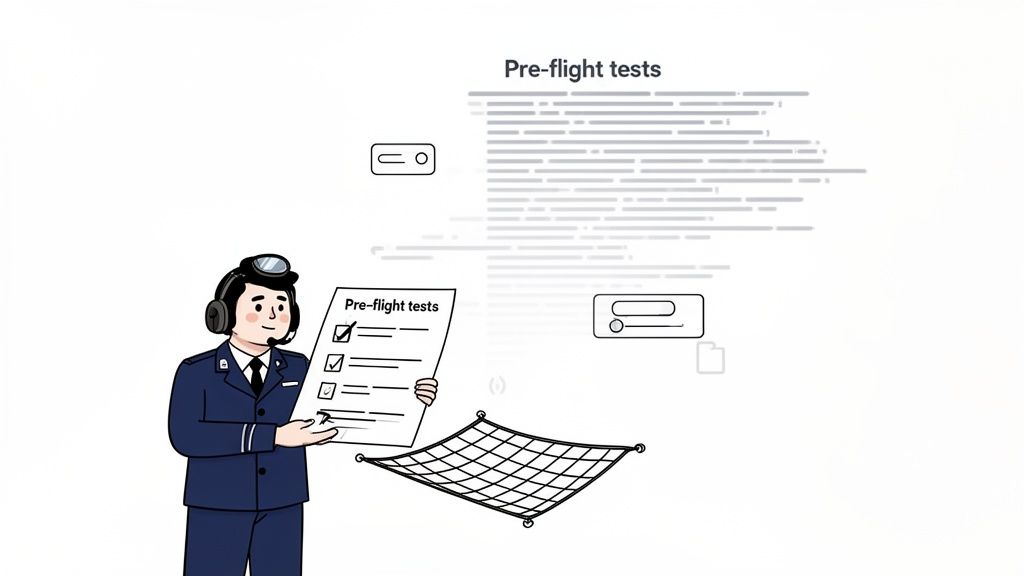
At its heart, this software is built to tackle a universal headache in software development: every change, no matter how small, carries risk. When a developer ships a new feature, fixes a bug, or refactors a piece of code, there’s always a chance it could have unintended consequences elsewhere. These surprise breakages are called “regressions.”
Let’s say you have an e-commerce app. A developer pushes an update to the shopping cart to support a new type of discount code. The new feature itself works flawlessly, but the update somehow breaks the checkout button for users on a specific web browser. That’s a classic regression—a feature that worked perfectly yesterday is broken today.
When a project is small, checking for these issues by hand seems doable. A QA tester can click through the main user flows after each update. But this approach simply doesn’t scale. As your application grows with hundreds of features and countless user paths, manual testing becomes painfully slow, incredibly expensive, and riddled with human error. It just can’t keep up.
This is where automation becomes a game-changer. Teams can build a suite of automated tests covering the most critical functions of their application. This test suite can then be triggered to run automatically, often multiple times a day, giving developers instant feedback on the health of the codebase.
The real job of regression testing isn’t to find new bugs in new code. It’s to make sure the old, stable parts of your software are still working exactly as they should after an update. It’s all about protecting what you’ve already built.
The move to automation isn’t just a matter of convenience; it’s a direct response to the market’s demand for faster and more reliable software. As release cycles get shorter and shorter, the need for quick, repeatable, and trustworthy testing has skyrocketed.
This shift has turned the automation testing market into a cornerstone of the software economy. The market is projected to grow from USD 25.43 billion to USD 92.45 billion between 2022 and 2030, according to GrandViewResearch.com. This isn’t just a trend; it’s a fundamental change in how great software is built and maintained.
Ultimately, this software gives your development team the confidence to move fast and innovate. By putting the safety checks on autopilot, they can focus on what they do best: building valuable new features. They know a vigilant, automated system is always standing guard, preventing unexpected problems from slipping through the cracks. While it sounds similar to other testing, its purpose is unique; learn more in our guide to understanding retesting in software testing and its best practices.
Choosing between manual and automated regression testing isn’t just a technical decision—it’s a strategic one that impacts your team’s speed, budget, and overall product quality. The table below breaks down the key differences to help you see why automation has become the standard for modern software teams.
| Aspect | Manual Regression Testing | Automated Regression Testing Software |
|---|---|---|
| Speed | Extremely slow; can take days or weeks for large applications. | Extremely fast; test suites can run in minutes or hours. |
| Reliability | Prone to human error, fatigue, and inconsistency. | Highly consistent and reliable; tests run the same way every time. |
| Scalability | Poor. As the application grows, testing time and costs grow exponentially. | Excellent. Easily scales to cover more features without a linear increase in time. |
| Cost | High long-term operational costs due to continuous manual labor. | Higher initial setup cost, but much lower long-term operational costs. |
| Feedback Loop | Very long; developers wait days for feedback, slowing down development. | Very short; provides immediate feedback, often within the CI/CD pipeline. |
| Coverage | Limited; it’s impractical to test every scenario manually. | Comprehensive; can cover a vast number of scenarios and edge cases. |
While manual testing still has its place for exploratory checks and usability feedback, the data is clear. For the repetitive, systematic work of regression testing, automation is the only approach that can keep pace with the demands of modern software delivery.
Picking the right automated regression testing software is a bit like choosing a vehicle for a cross-country road trip. You could technically make it in a basic sedan, but an SUV loaded with GPS, cruise control, and all-wheel drive will make the journey a whole lot faster, safer, and less stressful. The same logic applies here. The best automation platforms do more than just run scripts; they come packed with features built to solve the real-world headaches of modern software development.
A great tool has to walk a fine line. It needs to be simple enough for team members across the skill spectrum to use, yet powerful enough to handle the gnarly, complex parts of your application. That versatility is what separates the good from the great.
First things first, how do you actually build a test? A one-size-fits-all approach is a recipe for frustration. The top platforms give you options, so your team can work the way they want to.
It’s all about teamwork. A QA analyst might use a no-code recorder to build out 80% of a test, and then a developer can jump in and write a quick script to handle a complex data check. This hybrid model makes everyone more efficient.
Once you’ve built your tests, you need to run them. A tool’s execution capabilities are where the rubber meets the road, directly influencing how quickly your team gets feedback. If test runs are slow or flaky, they just become a bottleneck that everyone learns to ignore.
Here’s what matters for execution:
A common finding in software development studies is that teams using parallel testing can slash their test execution time by up to 80%. This isn’t just a small tweak; it fundamentally changes how quickly you can ship code with confidence.
This might be the most important—and most overlooked—capability of all: test maintenance. The number one reason automation efforts fail is because tests are brittle and break every time a developer makes a small UI change. Modern tools have gotten much smarter about this, saving teams countless hours of tedious repair work.
The star of the show here is self-healing locators. In the old days, if a developer changed a button’s ID, any test looking for that ID would instantly fail. Self-healing technology is smarter. It uses a combination of attributes—like text, class, and position—to find an element. If one attribute changes, the tool can still find what it’s looking for, automatically “healing” the test and preventing a false alarm.
Beyond just the basics, modern platforms incorporate many advanced automated testing strategies to get the most out of your efforts. From creation to maintenance, these are the core capabilities that turn testing from a necessary evil into a genuine competitive advantage.
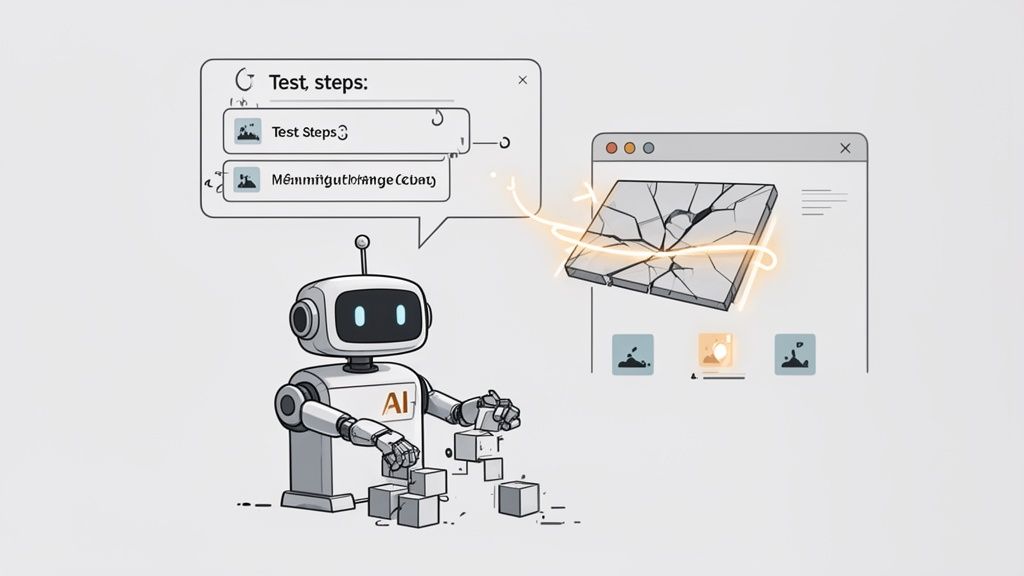
For years, automated regression testing has felt like a constant compromise. You could have fast tests or you could have stable tests, but getting both was a pipe dream. The whole process, while powerful, was notoriously brittle. It saved time running the tests, sure, but it demanded a huge up-front investment in writing and maintaining scripts.
Now, Artificial Intelligence is completely changing the game. It’s turning regression testing from a reactive chore into a proactive, intelligent part of the development cycle.
AI isn’t just a faster way to do the old thing. It introduces entirely new methods for ensuring software quality. Instead of having to meticulously code every single user action and element locator, AI-driven platforms can actually understand the intent behind a test. This shift directly tackles the two biggest headaches that have always plagued automation: the slow, manual slog of test creation and the constant, frustrating cycle of test maintenance.
The most immediate win with AI is how it deals with brittle tests—those scripts that break the moment a developer touches the UI. Traditional automation hinges on static identifiers, like an element’s ID or its CSS class. The second a developer updates the UI and changes one of those identifiers, the script fails, even if the feature itself is working perfectly.
AI-powered automated regression testing software is much smarter, using what’s often called self-healing tests. These systems don’t just look for one specific attribute. They analyze a whole collection of properties—the element type, its text, its position on the page, and its relationship to other elements—to build a more complete picture of what it is.
id='submit-checkout-btn'.” If that ID changes, the test is broken.This capability alone saves QA teams countless hours they used to spend debugging false alarms and updating fragile test scripts. It frees them up to focus on finding real bugs.
Beyond just fixing old problems, AI is dramatically speeding up how we create tests in the first place. Imagine describing a complex user journey in plain English and having a complete, runnable test generated in minutes. That’s the reality of AI-driven test generation, a core feature in modern tools like TestDriver.
Instead of writing hundreds of lines of code, a QA engineer can just give a simple prompt:
“As a logged-in user, search for ‘Laptop Stand’, add the first result to the cart, proceed to checkout, enter shipping details, and verify that the order summary page is displayed.”
An AI agent can take that instruction, navigate the application just like a human would, and generate a stable, end-to-end test that covers the entire workflow. A task that used to take a senior automation engineer a full day can now be knocked out in the time it takes to make a cup of coffee. This makes quality assurance accessible to the entire team, from developers to product managers.
To see how different platforms are approaching this, check out our detailed comparison of the best AI testing tools for software quality assurance.
This isn’t just a niche trend; it’s a major market shift. Automated regression testing has grown from a simple cost-saving tactic to a strategic necessity for fast-paced software releases. AI-augmented platforms are pouring fuel on that fire. The broader software testing market is projected to grow from USD 48.17 billion to USD 93.94 billion by 2030, with AI-powered tools expected to grow even faster. (Read more on the automation testing market forecast).
AI is also bringing new intelligence to visual regression testing. Traditional visual testing tools were notorious for flagging tiny, irrelevant pixel changes and creating a lot of noise. AI models, on the other hand, can tell the difference between a genuine visual bug (like a broken layout) and an insignificant change (like a dynamic ad loading differently). This drastically cuts down on false positives and helps teams spot the UI defects that actually matter to users.
Picking the right automated regression testing software isn’t about finding the tool with the longest feature list. It’s about finding the one that truly fits your team’s DNA. A platform that one team loves can quickly become a frustrating bottleneck for another. This is a strategic choice that impacts your budget, your workflow, and your ability to ship quality software on time.
Think of it like choosing a project management tool. A small team might be perfectly happy with a simple Kanban board, but a large enterprise needs a much more robust system to handle complex dependencies and reporting. The “best” tool is always the one that solves your specific problems without adding unnecessary headaches.
The first thing you need to look at is your team’s actual skillset. If your QA team is mostly manual testers or business analysts, a tool that demands deep coding knowledge will just gather dust. On the flip side, a strictly no-code platform might frustrate experienced SDETs who need the flexibility of scripting for more complex test scenarios.
The sweet spot is often a hybrid approach. Look for a solution that lets everyone contribute effectively. For example, a QA analyst could use a visual, no-code interface to quickly map out common user journeys, while a developer can jump in and script a tricky API validation. This kind of collaboration is what really boosts both testing speed and coverage.
A great tool shouldn’t make you reinvent your process; it should slide right into the way you already work. For any modern software team, seamless integration is a deal-breaker. Before you commit to anything, you have to confirm that it plays well with the systems your team uses every single day.
A tool that lives in a silo is a tool that gets ignored. The goal is to make testing an invisible, effortless part of the development lifecycle, not another chore.
As your application grows, your test suite will grow right along with it. A tool that handles 50 tests just fine might grind to a halt when you throw 500 at it. You need to assess how the platform scales. Look for features like parallel execution, which lets you run hundreds of tests at the same time across different environments. That’s how you keep your test runs fast, even as your suite gets bigger.
Finally, you need to look past the sticker price and understand the true total cost of ownership (TCO). The license fee is only one part of the equation. Don’t forget to factor in the hidden costs: maintenance, training, and the engineering hours your team will spend keeping the test suite up and running.
To help structure your evaluation, a checklist can be incredibly useful. It forces you to think through what really matters for your specific context.
This checklist provides key criteria to consider when comparing different automated regression testing solutions, helping teams prioritize features based on their specific needs.
| Evaluation Criteria | Key Questions to Ask | Why It Matters |
|---|---|---|
| Team Skill Alignment | Does it support both no-code and coded test creation? Can different roles collaborate easily? | A tool must match your team’s capabilities. A mismatch leads to low adoption and wasted investment. |
| CI/CD Integration | Can it be triggered by our existing pipeline (e.g., Jenkins, GitHub Actions)? Does it provide clear pass/fail feedback? | The tool must fit into your development workflow to provide fast, automated feedback on every code change. |
| Platform & Tech Support | Does it support all our target platforms (web, mobile, API)? Can it handle our specific tech stack (e.g., React, Angular)? | Your tool must be able to test what you actually build. Gaps in support mean you’ll need other tools to fill them. |
| Scalability | Does it offer parallel execution to run tests simultaneously? How does performance hold up with 10x our current test volume? | As your application grows, your testing needs will too. The tool must scale without slowing down your builds. |
| Maintenance & AI Features | Does it have self-healing capabilities to auto-fix broken locators? Does it help identify redundant or flaky tests? | Test maintenance is a huge hidden cost. AI features can drastically reduce the time spent fixing brittle tests. |
| Reporting & Analytics | Are the dashboards clear and actionable? Can we easily identify failure trends and root causes? | Good reporting turns test data into valuable insights, helping you pinpoint quality issues faster. |
| Total Cost of Ownership | What are the costs beyond the license? (e.g., training, infrastructure, maintenance hours) | The cheapest tool isn’t always the most cost-effective. A higher-priced tool with low maintenance can offer a better ROI. |
By thinking through these points, you can move beyond the marketing hype and focus on what will genuinely make your team more effective. An AI-powered tool with self-healing might have a higher upfront cost, but if it saves you thousands of dollars in maintenance hours down the line, it offers a much lower TCO and delivers far more lasting value.
The real magic of automated regression testing happens when it stops being a separate, manual task and becomes a natural, almost invisible part of your development process. When you weave your testing suite directly into a Continuous Integration/Continuous Deployment (CI/CD) pipeline, it transforms from a pre-release checkpoint into a constant quality guardian, which is the whole point of being agile.
Think of it like this: a standalone test suite is like having a car inspector you have to book an appointment with before a big trip. An integrated suite, on the other hand, is like having that inspector built right into your car’s ignition. It runs a full diagnostic every single time you turn the key, giving you instant confidence before you even pull out of the driveway.
The main goal of CI/CD integration is to close the feedback loop. As soon as a developer commits new code, the CI/CD platform—whether it’s GitHub Actions, Jenkins, or GitLab—should automatically kick off your regression tests. This simple trigger gives developers immediate, clear feedback on their changes, often within minutes.
Instead of a bug hiding for days only to be found during a manual QA cycle, developers know right away if their change broke something. This “shift-left” approach catches issues early on when they are far cheaper and easier to fix. Getting this right often requires solid software integration services to connect all the different tools and create one smooth, unified workflow.
Of course, running a massive regression suite on every single commit can grind the pipeline to a halt, creating a new bottleneck. The trick is to be smart about what you run and when. A tiered approach gives you the perfect balance of speed and thorough coverage.
A common and effective strategy looks something like this:
This tiered strategy ensures developers get the rapid feedback they need to keep moving, while the business gets the comprehensive coverage it needs to protect product quality. It’s truly the best of both worlds.
This kind of integration is more important than ever, especially as user experience now directly drives business success. It’s no surprise that automated regression and visual regression testing are some of the fastest-growing areas in QA. The visual regression market alone, which is all about UI stability, is valued at USD 0.52 billion in 2024 and is expected to hit USD 2.33 billion by 2032. That growth highlights just how critical stable, predictable user interfaces have become.
By embedding automated regression testing right into your pipeline, you fundamentally change your team’s culture around quality. It’s no longer a final hurdle to clear but a constant companion, helping your team build and ship with confidence and speed. To dive deeper into the nuts and bolts, check out our guide on the best practices for integrating testing into your CI/CD pipeline.
Theory is one thing, but seeing how a modern, AI-powered tool actually works brings the benefits to life. Let’s walk through a common, real-world scenario to see how a simple user story can become a fully functional test in a matter of seconds. This is where next-generation automated regression testing software really shines.
Picture a standard e-commerce website. We need to test the most critical user journey there is: making a successful purchase. Traditionally, this meant a QA engineer would spend hours, maybe even days, scripting a complex test—finding web elements, adding waits, and writing assertions. It was a tedious, code-heavy process.
With an AI-driven tool like TestDriver, things start much simpler. We don’t write code; we just describe what a user needs to do in plain English.
“Go to the demo store, add the ‘Sauce Labs Backpack’ to the cart, go to the cart, click checkout, fill in the checkout form with ‘Jane’, ‘Doe’, and postal code ‘12345’, then continue and finish the order.”
This prompt captures the entire end-to-end flow, from browsing to checkout. Anyone on the team—a product manager, a business analyst, a QA tester—could write this in less than a minute. It’s the “before” picture: a simple idea.
This kind of rapid test creation fits perfectly into a modern development cycle, where quick feedback after every code change is essential.
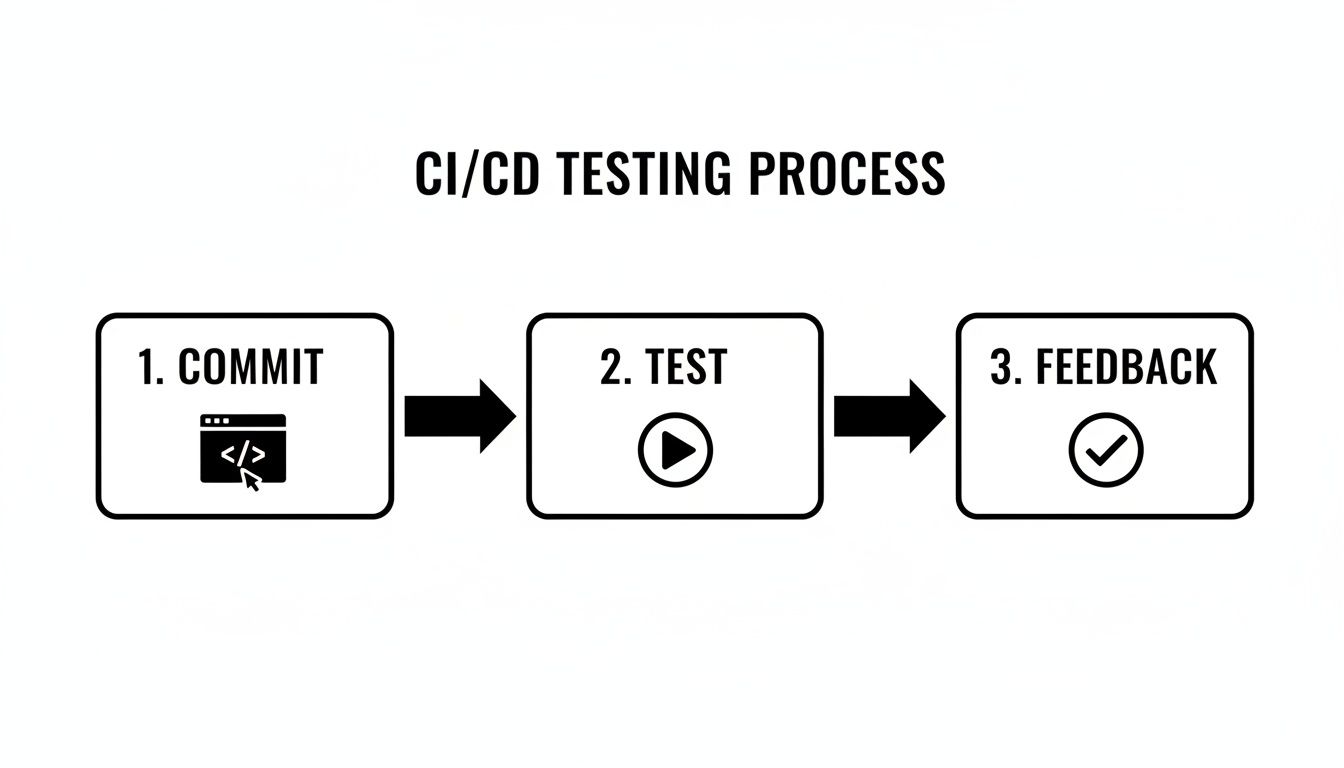
The diagram above shows this ideal feedback loop: a developer commits code, which automatically triggers a suite of tests, validating the application’s stability without any manual work.
Now for the “after” picture. The AI agent gets to work, taking that simple prompt and translating it into a series of concrete, executable steps. It navigates the website just like a human would, identifying the right buttons, input fields, and links needed to complete the journey.
The AI-generated test steps would look something like this:
In just a few seconds, what started as a plain sentence has become a robust, repeatable regression test. This test can run against the live application, performing each action and automatically checking the outcome. If that “Thank you” message appears, the test passes. If anything goes wrong—maybe the checkout button is broken—the test fails, and the team gets an instant, actionable report.
This entire process completely bypasses the slow, brittle, and maintenance-heavy nature of traditional test automation. It’s a practical example of how AI can eliminate the most time-consuming parts of regression testing, freeing up your team to focus on strategic quality initiatives instead of just writing and fixing test scripts.
As teams start to dig into automated regression testing, a few practical questions almost always surface. Getting straight answers to these is key to a smooth rollout and helps set the right expectations for what you can realistically achieve.
Let’s walk through some of the most common questions I hear and break down the answers.
The real answer depends on how fast your team ships code, but a multi-layered strategy usually works best. If you’re doing continuous integration, you absolutely need a small, critical “smoke suite” running on every single commit. This gives developers feedback on the most vital functions in less than five minutes.
Beyond that, the full regression suite should run at least once a day, typically as a nightly build. This approach gives you the best of both worlds: quick checks for developers during the day and deep, comprehensive coverage overnight to catch anything that slipped through, all without jamming up the development pipeline.
I like to use a home construction analogy. Functional testing is like checking the new work. You make sure the new pipes don’t leak and the new electrical outlets actually have power. It’s all about confirming that the new feature does precisely what it’s supposed to.
Regression testing is making sure that installing those new pipes didn’t accidentally sever a wire and kill the lights in the next room. It’s about protecting all the stuff that was already working perfectly fine from being broken by the new changes.
The core distinction is simple: functional testing verifies the new, while regression testing protects the old. You need both to deliver a quality product where everything works, from the oldest features to the latest release.
Absolutely not. Think of automation as a powerful partner for your QA team, not a replacement. Automation excels at the repetitive, predictable, high-volume checks that are mind-numbing for a person to do over and over. Freeing your team from that drudgery lets them focus on high-impact work that machines simply can’t do.
This is where human testers are irreplaceable:
The most effective QA strategies always blend the relentless speed of automation with the sharp, critical thinking of human experts.
Your tests are only as good as your test data. If the data is always in flux, your tests will become “flaky” and unreliable, and nobody will trust the results.
Managing your data properly is non-negotiable for any automated regression testing software. A few proven strategies include:
The main goal is to create a stable, repeatable testing environment. That way, when a test fails, you know it’s a bug in the code, not a problem with the data.
Ready to see how AI can eliminate the friction in your testing process? TestDriver helps you generate robust, end-to-end tests from simple text prompts, turning hours of scripting into minutes of work. Discover a smarter way to ensure quality.
Discover how automation testing as a service (ATaaS) transforms software quality. Our guide covers benefits, models, and vendor selection for QA and dev teams.
Discover 10 automated software testing best practices for 2026. This guide covers CI/CD, test design, and AI-driven strategies for modern QA teams.
Discover how to automate GUI testing with our complete guide. Learn to choose the right tools, write effective tests, integrate with CI/CD, and leverage AI.
Learn how to automate UI testing with practical strategies for choosing tools, writing reliable tests, CI/CD integration, and using AI to speed up releases.
TestDriver uses computer-use AI to test any app - write tests in plain English and run them anywhere.