Automated Regression Tests A Practical Guide for Modern Teams
Build a reliable strategy for automated regression tests. Learn to prevent bugs, speed up releases, and integrate testing seamlessly into your CI/CD pipeline.
Automate and scale manual testing with AI ->
Automated regression testing is the single most powerful tool you have for shipping software with confidence. Think of it as a safety net for your codebase. Every time new code is added, this net automatically re-runs your existing tests to make sure the changes haven’t accidentally broken something that was already working perfectly.
This process is critical for catching bugs early, long before they become expensive production nightmares. It gives your development team the freedom to move fast without constantly looking over their shoulder and worrying about what they might break.
Why Automated Regression Tests Are Your Secret Weapon
Let’s be real for a moment. Sticking with manual regression testing is like trying to inspect every single rivet on a rocket ship by hand just before launch. It’s incredibly slow, mind-numbingly tedious, and—worst of all—dangerously prone to human error.
In today’s fast-paced environment where release cycles are often measured in days or even hours, that old-school approach just can’t keep up. It becomes a massive bottleneck, forcing teams into an impossible choice between shipping quickly and shipping a quality product.
The consequences are real and painful. Teams either have to pump the brakes on their release schedule to make time for long manual checks, which means losing their competitive edge. Or, they push forward and cross their fingers, risking major bugs in production that destroy user trust and tarnish the brand’s reputation. This isn’t just about accumulating technical debt; it’s a direct threat to your entire business.
The True Cost of Neglecting Automation
The financial fallout from poor software quality is absolutely staggering. A landmark study from the Consortium for IT Software Quality (CISQ) revealed that inadequate testing is a factor in a jaw-dropping $2.08 trillion of annual costs for U.S. businesses.
That massive number makes it crystal clear why automated regression tests are no longer a “nice-to-have” but an absolute necessity in any modern QA pipeline. You can dig deeper into these findings in this comprehensive guide to regression testing.
This cost isn’t just about fixing bugs, either. It’s a combination of:
- Lost Revenue: Think about a critical bug in your checkout flow during a major sale. That’s money walking right out the door.
- Developer Inefficiency: Your engineers’ time is valuable. Every hour they spend hunting down a regression is an hour not spent building the next great feature.
- Reputational Damage: A buggy app gets bad reviews and drives customers away. In today’s market, that’s a killer.
The comparison between manual and automated regression testing becomes stark when you lay it all out.
Manual vs Automated Regression Testing at a Glance
This table offers a quick snapshot of how the two approaches stack up against each other on the metrics that really matter.
| Metric | Manual Regression Testing | Automated Regression Testing |
|---|---|---|
| Speed | Extremely slow; can take days or weeks. | Incredibly fast; runs can complete in minutes. |
| Cost | High recurring labor costs for every cycle. | Higher initial setup cost, but much lower long-term. |
| Accuracy | Prone to human error, fatigue, and oversight. | Highly consistent and reliable; executes the same way every time. |
| Scalability | Poor; adding more tests significantly increases time. | Excellent; can scale to thousands of tests with minimal impact. |
| Team Focus | Keeps QA teams busy with repetitive, low-value tasks. | Frees up QA to focus on high-impact strategic initiatives. |
Ultimately, the choice impacts not just your testing process, but your entire development culture and business agility.
Shifting from Repetition to Strategy
This is where the real magic of automated regression testing happens—it completely changes the role of your QA team. When you free your engineers from the soul-crushing task of manually clicking through the same test scripts over and over, they can finally evolve. They stop being script followers and start becoming true quality strategists.
A well-oiled automated suite transforms QA from a gatekeeper into an enabler. Instead of saying “no, this isn’t ready,” they can provide the data and confidence for the team to say “yes, let’s ship.”
This strategic shift allows them to focus on work that actually moves the needle: complex exploratory testing, deep performance analysis, and genuinely improving the end-user experience. They become true partners in the development process, helping to build quality in from the very beginning instead of just trying to inspect it at the end.
Making the move to automation isn’t just a technical upgrade; it’s a business imperative for any team that’s serious about shipping great software with both speed and confidence.
Building a Regression Strategy That Actually Works
Jumping into automated regression testing without a clear plan is a recipe for disaster. I’ve seen it happen too many times—teams end up with a bloated, slow, and unmaintainable test suite that creates more problems than it solves. A winning strategy isn’t about automating everything; it’s about being smart and automating the right things based on risk, user impact, and development velocity.
The first, and most important, shift is to stop thinking purely in terms of code and start thinking like your users. What are the absolute critical paths through your application? If these break, your business is directly impacted. These are your top candidates for robust, end-to-end automated regression tests.
Let’s look at some real-world examples:
- E-commerce: The entire checkout flow is non-negotiable. From adding an item to the cart all the way to a successful payment confirmation, this journey must work.
- SaaS Platform: Think about user login, password reset, and the one core feature that delivers the most value to subscribers. That’s your bread and butter.
- Social Media App: Can users post new content? Can they view their feed and interact with others? These are the baseline interactions.
Focusing on these high-value scenarios gives you the biggest return on your automation investment. A single bug in a checkout process can cost thousands in lost revenue, making it an obvious first choice for your regression suite.
Prioritizing Based on Risk and Churn
Once you’ve locked down the critical user journeys, the next layer of prioritization comes from looking at your codebase itself. Where do bugs seem to pop up most often? Which parts of the application are developers constantly touching? Areas with high code churn are inherently riskier, making them prime candidates for focused automated regression tests.
Your version control system, like Git, is a goldmine for this kind of information. Dig into the commit history to pinpoint files or modules that are constantly being modified. By targeting these volatile areas, you create a safety net that catches regressions exactly where they’re most likely to happen.
This is all about shifting from a slow, manual process to a fast, efficient automated one. The difference is night and day.
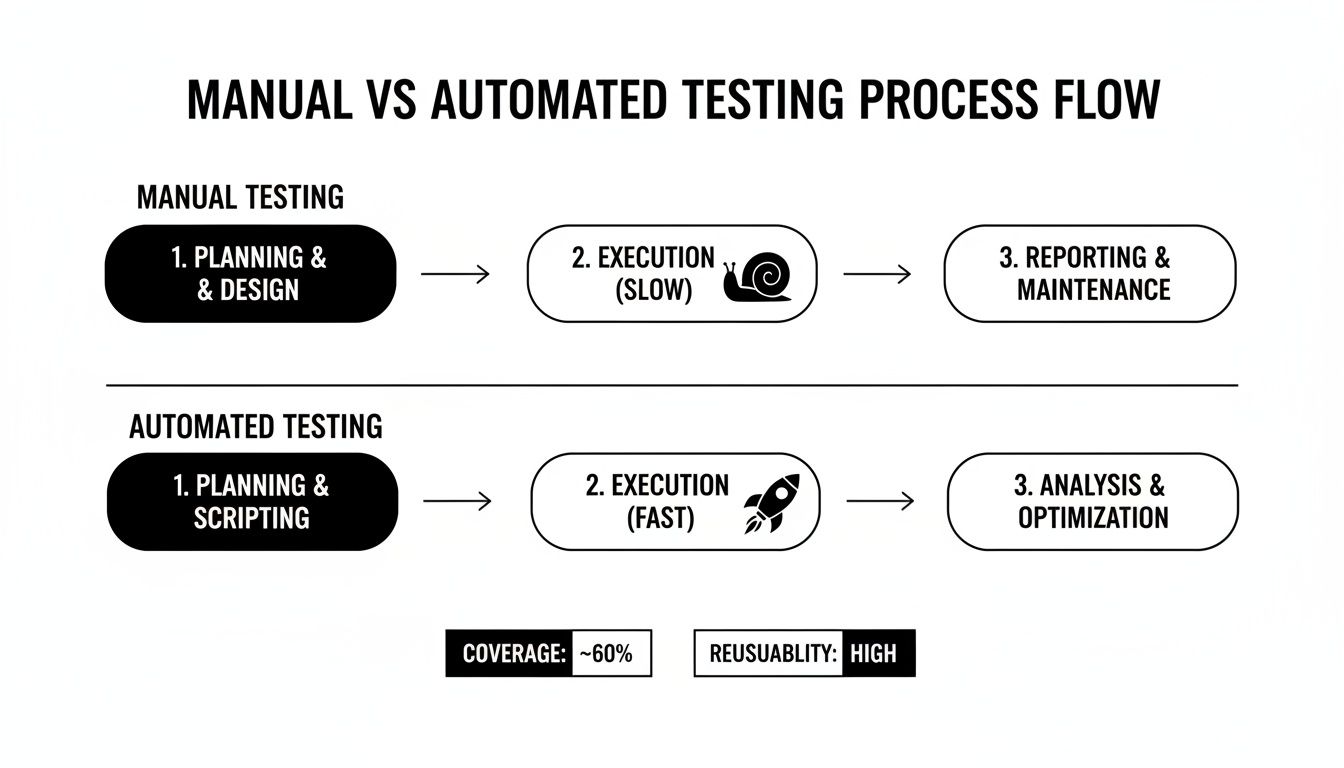
The image above perfectly captures the shift. Manual testing is a slow, laborious grind, while automation provides the rapid, repeatable power you need to move quickly.
Applying the Testing Pyramid
A truly balanced strategy leans heavily on the classic testing pyramid. While those end-to-end UI tests are vital for your critical user flows, they are also the most brittle and the slowest to run. If you rely on them too much, your CI/CD pipeline will grind to a halt.
A healthy test suite should be bottom-heavy. The vast majority of your tests should be fast, stable unit and integration tests. Save the smaller, highly curated set of UI tests at the top for those truly critical end-to-end scenarios you identified earlier.
For instance, instead of using a UI test to check every single validation rule on a signup form, cover most of those edge cases with much faster API or integration-level tests. Then, reserve the UI test just to confirm the happy path—that a user can successfully fill out the form and submit it.
This approach gives you comprehensive coverage without sacrificing the speed your team needs for rapid feedback. By building a balanced, risk-driven suite, you create a regression strategy that actually helps you go faster, not holds you back.
Using AI to Build and Maintain Your Test Suite
For years, the biggest hurdle in test automation wasn’t writing the tests; it was the relentless, soul-crushing maintenance. Anyone who’s worked with traditional test scripts knows the pain. Every minor UI tweak, renamed element, or updated component could break dozens of carefully crafted tests, grinding the CI/CD pipeline to a halt. This brittleness turned what should have been a safety net into a constant source of frustration.
But that reality is changing fast. The rise of AI in software testing isn’t just a minor improvement—it’s a fundamental shift that tackles the maintenance problem head-on. It’s turning automated regression tests from a high-upkeep liability into a powerful, strategic asset.
From Brittle Scripts to Intelligent Agents
Traditional automation demanded absolute precision. Building a test suite often meant leaning on powerful browser automation frameworks like Selenium. These tools require engineers to write explicit instructions, telling a script exactly which button to click or which field to populate using specific locators like CSS selectors or XPaths.
Here’s the problem: those locators are incredibly fragile. A simple front-end change could make them obsolete, causing a test to fail even if the feature itself was working perfectly. Engineers would then burn hours debugging and updating broken selectors instead of focusing on new features or more complex quality challenges.
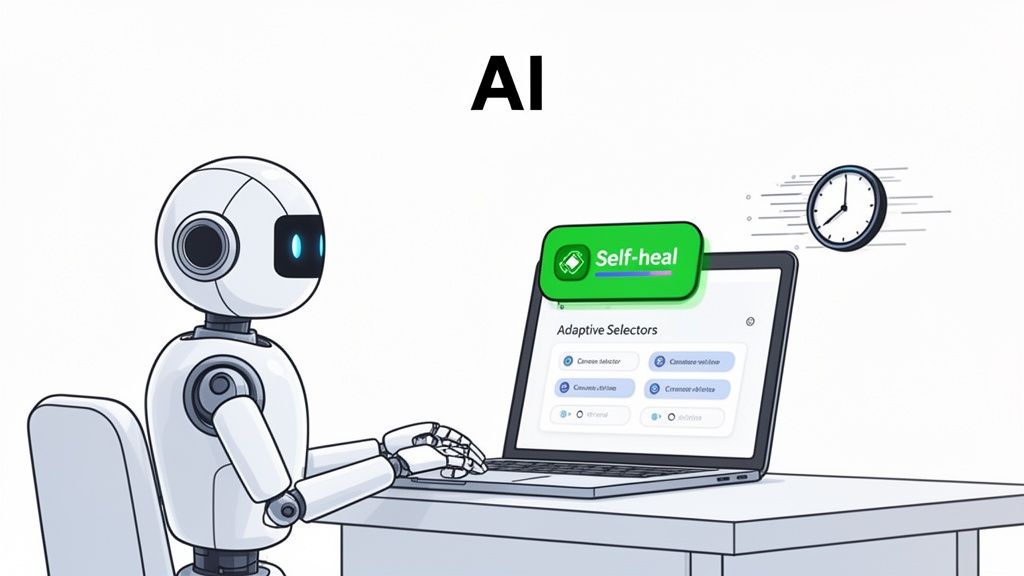
AI-powered platforms work differently. Instead of just following rigid locators, they understand the application more like a human user would. This unlocks two game-changing capabilities:
- Prompt-Based Test Generation: You can describe a user journey in plain English, and the AI generates the necessary test steps.
- Self-Healing Tests: When the UI changes, the AI can intelligently adapt, finding the new location of a button or field without any manual intervention.
This self-healing capability is the real hero here. It means your regression suite stays stable and reliable, even as your application evolves. You can learn more about how this technology works by checking out our guide on https://testdriver.ai/guides/automated-test-case-generation.
The Impact of AI-Driven Maintenance
The efficiency gains aren’t just small wins; they’re huge. Looking ahead to 2026, AI-native platforms are projected to cut regression test maintenance by a staggering 88%. This turns a QA nightmare into a smooth, manageable process.
While 62% of teams using traditional frameworks struggle with upkeep, AI-driven solutions like TestDriver enable small teams to manage tens of thousands of annual regression runs without getting bogged down.
By automating the most tedious part of test automation—maintenance—AI frees up your engineers to focus on what truly matters. They can shift their attention from fixing broken tests to strategic quality initiatives, like exploratory testing and performance analysis.
This shift fundamentally alters the ROI of your automation efforts. You’re no longer just trading manual testing time for script maintenance time. Instead, you’re building a resilient, low-maintenance quality gate that empowers your team to ship code faster and with more confidence than ever before. It’s about making your automated regression tests work for you, not the other way around.
Integrating Regression Tests Into Your CI/CD Pipeline
Having a solid suite of automated regression tests is a great start, but it’s only half the story. If those tests are just sitting on an engineer’s local machine, you’re leaving a ton of value on the table. The real magic happens when you weave them directly into your Continuous Integration/Continuous Deployment (CI/CD) pipeline.
This is what turns your regression suite from a once-in-a-while spot check into a constant, always-on guardian of your codebase. It’s how you actually build a “shift-left” culture, making quality a shared responsibility and getting feedback to developers in minutes instead of days.
Automating Triggers for Instant Feedback
The central idea here is pretty straightforward: your automated regression tests need to run automatically every time new code is introduced. You can set this up in your CI tool, whether it’s GitHub Actions or Jenkins, to trigger your entire test suite on every single pull request (PR).
This creates an immediate, powerful feedback loop. Before a developer’s code is even looked at by a human, they get a clear signal—pass or fail. Catching a bug moments after it was written is worlds cheaper and easier than digging it out weeks later.
A CI/CD pipeline integrated with automated tests acts as an impartial code reviewer that never gets tired. It enforces quality standards consistently, ensuring no regression slips through due to human oversight.
This automation gets rid of the manual “hey, did you remember to run the tests?” dance. It just becomes a mandatory part of the workflow, making quality an inseparable piece of your process.
Establishing Effective Quality Gates
Running tests is one thing; enforcing their results is another. This is where you configure your CI/CD pipeline to act as a quality gate. You’re essentially setting rules that block code from being merged or deployed if the regression suite fails. A broken build on a PR should be an immediate, unmissable blocker.
This acts as a fantastic safety net, stopping bugs from ever contaminating your main branch, let alone hitting production. You can define what “passing the gate” means for your team:
- Zero Failures: The classic. 100% of tests must pass before the merge button even becomes clickable.
- No New Failures: A more lenient approach, useful if you’re dealing with existing tech debt. It allows merges as long as no new tests are broken.
- Coverage Thresholds: Some teams also set a rule that test coverage can’t drop below a certain percentage, ensuring new code is always tested.
When these gates are in place, the whole team can trust the process. A green build means the code has passed a tough, automated inspection and is safe to move forward. To really nail this down, take a look at our deep dive on the best practices for integrating testing into your CI/CD pipeline.
Optimizing for Speed with Parallel Execution
Okay, so what happens when your regression suite gets huge and starts taking forever to run? If developers are waiting an hour for feedback, you’ve lost the “continuous” part of CI/CD. The whole process grinds to a halt.
This is a common growing pain, and the most effective solution is parallel execution. Instead of running tests one after the other in a long, slow line, you set up your CI pipeline to spin up multiple machines or containers and run batches of tests at the same time. This one change can take a test run from an hour-long coffee break to just a few minutes, keeping your developers productive and happy.
Taming Flaky Tests and Analyzing Results
Nothing kills an automation initiative faster than results nobody trusts. If your automated regression tests cry wolf every other run, your team will start ignoring them. Before you know it, real bugs are slipping through the cracks. This is why tackling flaky tests head-on is so crucial—it’s about making your test suite a reliable signal, not just noise.
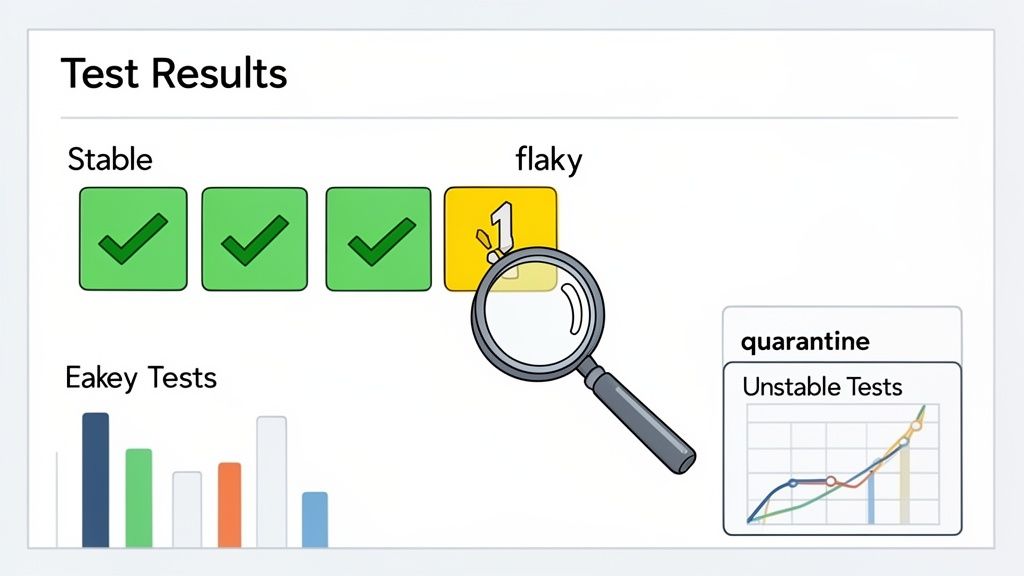
Flaky tests are the ones that drive everyone crazy. They pass on one run, then fail on the next, even when the code hasn’t changed an inch. They clog up CI/CD pipelines, erode confidence, and send developers down rabbit holes chasing ghosts.
Identifying The Root Causes Of Instability
Getting to the bottom of flaky tests requires a bit of detective work. You have to start categorizing failures to see what patterns pop up. Most of the time, the instability isn’t caused by actual bugs in your application but by a handful of common testing pitfalls.
From my experience, the usual suspects are:
- Timing and Synchronization Issues: The test script is just too fast for the application. It tries to click a button that hasn’t loaded yet, especially with dynamic content or slow network calls, resulting in “element not found” errors.
- Test Data Dependencies: One test messes with the data another test needs. If a test expects a user named “testuser123” but a previous test deleted it, it’s going to fail. Every test needs to be self-contained.
- External Service Unreliability: Your test relies on a third-party API, and that service is down or slow. The test fails, but it’s not your fault.
Once you track these failures, you’ll start connecting the dots. For example, if a test only fails around 5 PM when the staging server is under heavy load, you probably have a timing problem. For more on this, we’ve put together a guide with actionable strategies for how to overcome flaky tests and maintenance challenges.
Flaky tests often manifest in predictable ways. The table below breaks down some of the most common issues I’ve seen and how to fix them.
Common Causes of Flaky Tests and Their Solutions
| Cause of Flakiness | Symptom | Recommended Solution |
|---|---|---|
| Race Conditions/Timing | Test fails intermittently with “element not found” or “element not clickable” errors. | Implement explicit waits (e.g., waitForElementVisible) instead of fixed delays (sleep). Ensure the test waits for the app to be in the correct state before proceeding. |
| Unstable Test Data | A test passes when run in isolation but fails in a full suite run. | Isolate test data. Use setup and teardown hooks to create and destroy data for each test, ensuring no test interferes with another. |
| Third-Party Dependencies | Failures coincide with outages or slowness of an external API (e.g., payment gateway, social login). | Mock the external service. Use tools like nock or msw to simulate API responses, making the test independent of external factors. |
| Environment Instability | Tests fail in CI but pass locally; often related to resource contention (CPU, memory) on build agents. | Monitor the CI environment’s health. Consider running tests on more powerful agents or optimizing the application’s resource usage under test conditions. |
By systematically identifying the cause, you can apply a targeted solution instead of just re-running the test and hoping for the best.
Actionable Reporting and Smart Retries
Your test results dashboard should be more than a sea of red and green. It needs to tell a story. A truly useful report highlights which tests are historically flaky, so the team can immediately tell the difference between a known offender and a brand-new, legitimate regression.
The goal isn’t just to find failures, but to provide clear, actionable insights. A report that says “10 tests failed” is noise. A report that says “9 known flaky tests failed, but 1 critical new regression was found” is a signal.
A practical technique here is implementing an intelligent retry mechanism. Instead of a simple pass/fail, a test might get three chances. If it passes on the second or third attempt, you can flag it as “flaky but passed.” This lets you gather data on its instability without blocking the entire pipeline.
After identifying a real bug, a good React Native debugging guide can be an invaluable resource for tracking down and squashing the issue efficiently.
For those tests that just won’t behave, don’t be afraid to put them in quarantine. Move them to a separate test suite that runs less frequently. This protects the integrity of your main CI pipeline and preserves your team’s trust while you investigate a permanent fix.
Planning for the Long Haul: Future-Proofing Your QA
Your application is always changing. So is your team. To keep up, your testing strategy has to do more than just solve today’s problems—it needs to be ready for whatever comes next. Building a resilient, future-proof quality assurance practice isn’t about picking a specific tool; it’s about creating a culture that embraces adaptability, scalability, and constant learning.
The goal is to build a system that catches bugs today and is robust enough to handle the complex features you haven’t even thought of yet.
This means you have to treat your automated regression tests like a living, breathing product. They’re not a “set it and forget it” task. They need ongoing investment, constant refinement, and a clear vision for how they’ll support your business goals for years to come.
The Inevitable Move to AI-Driven QA
If you look at where the industry is heading, the trend is crystal clear. The global software testing market is expected to rocket from $55.8 billion in 2024 to a staggering $112.5 billion by 2034. A huge part of that growth comes from the deep reliance on automated regression tests in high-stakes fields like healthcare and automotive, where one tiny regression can have massive consequences.
And within that boom, the automation space is growing even faster. What’s driving it? The 77.7% of teams adopting AI-first engineering practices. As engineering teams find themselves juggling multiple frameworks and ever-growing test suites, AI stops being a “nice-to-have” and becomes a flat-out necessity to stay competitive. You can dive deeper into what this means for QA teams in this detailed 2026 QA trends report.
These aren’t just abstract numbers. They tell the story of an entire industry under immense pressure to ship higher-quality software, faster than ever. Old-school manual testing just can’t scale to meet that demand, which is why AI-driven solutions are quickly becoming the new standard.
Shifting to a modern, AI-assisted approach for automated regression testing is about more than just efficiency. It’s about fundamentally changing how you deliver software, turning quality into something that accelerates your speed, rather than slowing it down.
Bringing It All Together for Lasting Impact
When you get this right, you create a powerful positive feedback loop. A reliable, low-maintenance regression suite gives your team the confidence to innovate and push releases more often. That speed gets new features into the hands of your users faster, which generates the real-world feedback you need to build the next great thing.
The benefits all feed into each other:
- Faster Release Velocity: You can move much faster when you know you have a solid safety net.
- Higher Product Quality: Fewer bugs escape into production, which leads to happier users who stick around.
- Reduced Long-Term Costs: It’s exponentially cheaper to catch a bug in development than to fix it after it’s live.
- Increased Team Morale: Engineers get to spend their time on creative, challenging problems instead of mind-numbing, repetitive testing.
By embracing this mindset, you’re doing more than just building a test suite. You’re building a sustainable competitive advantage that sets your team up to win in a future where quality and speed are two sides of the same coin.
Ready to future-proof your testing strategy with AI? See how TestDriver can help you generate comprehensive end-to-end tests in minutes, not days. Get started at https://testdriver.ai.
Automate and scale manual testing with AI
TestDriver uses computer-use AI to test any app - write tests in plain English and run them anywhere.