A Guide to Software Testing in DevOps for Modern Teams
Master software testing in DevOps with our guide. Learn shift-left, automation, CI/CD integration, and AI-driven testing to boost quality and release speed.
Discover how automated testing DevOps transforms your CI/CD pipeline. This guide covers practical strategies, tools, and AI's role in accelerating releases.
Automate and scale manual testing with AI ->
Automated testing in DevOps is all about embedding quality checks right into the software delivery pipeline. It’s not about just making tests run faster. The real goal is to weave quality into every single step, from the moment a developer writes the first line of code all the way to deployment. This way, speed and stability can actually coexist.
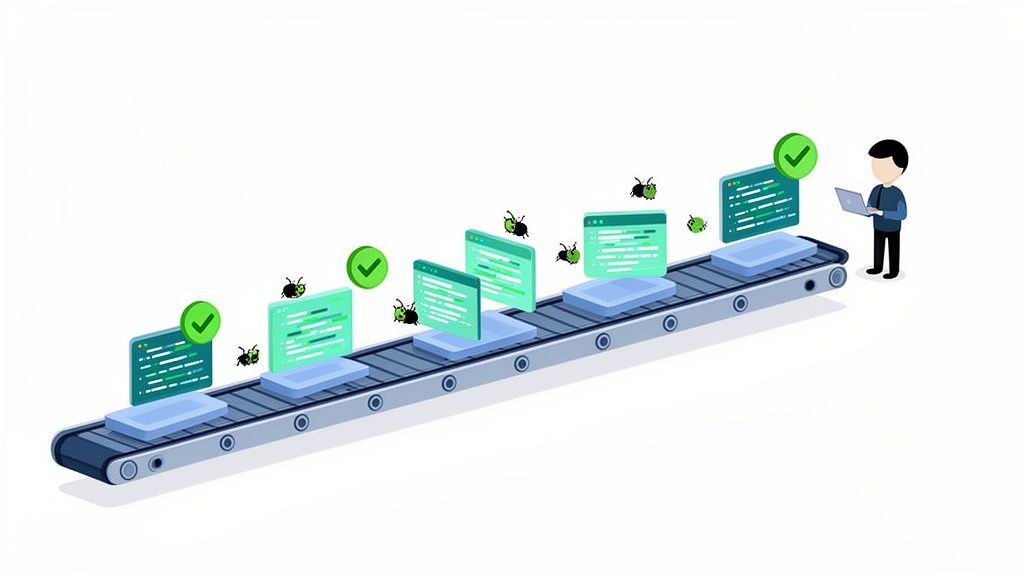
Think of a modern car factory. They don’t wait until the car is fully assembled to check for quality. Inspections happen at every single station on the assembly line. If a part is faulty, it’s spotted and fixed on the spot, preventing a massive recall down the road. Automated testing does the exact same thing for software, it provides continuous quality control, acting as the engine that keeps the DevOps assembly line moving smoothly and reliably.
In the old days of software development, testing was treated as a separate, final gate. It was a huge bottleneck. Developers would code for weeks, then toss their work “over the wall” to a QA team, creating a painful, slow feedback loop that made bug-hunting a nightmare.
DevOps completely changes this dynamic by merging development and operations. But that powerful combination of speed and stability is only possible if you have a solid automated testing culture in place.
This integration of testing early and often is what we call “shifting left.” It’s about pulling testing activities to the very beginning of the development lifecycle. Instead of being an afterthought, testing becomes a continuous, automated habit that happens right alongside coding.
This approach brings some game-changing benefits:
This synergy is what has completely reshaped release cycles. It’s why 86% of organizations now give testing teams a major say in release decisions, embedding them directly into Agile and DevOps teams. This cultural shift is also powering huge industry growth; the global automation testing market is on track to hit $84.22 billion by 2034, largely thanks to DevOps adoption. You can find more details on this trend in recent industry market analysis reports.
The core purpose of automated testing in DevOps isn’t just to find bugs faster. It’s to build a high-speed, reliable delivery pipeline where quality is a shared responsibility, enabling teams to innovate without fear.
A successful DevOps culture isn’t just about running more tests; it’s about running the right tests at the right time. You need a solid blueprint, one that carefully balances speed, coverage, and cost. Without one, teams almost always fall into the same trap: over-investing in slow, brittle tests that grind the entire delivery pipeline to a halt.
Think of your testing strategy like building a house. You wouldn’t use a single, expensive material for everything. Instead, you’d pour strong concrete for the foundation, lay sturdy bricks for the walls, and install glass for the windows. A smart testing strategy works the same way, allocating your effort where it provides the most stability and value.
The most effective model for structuring your automated tests is the Testing Pyramid. It’s a simple visual guide that shows the ideal mix of test types. The core idea is to have a huge base of fast, isolated tests at the bottom and progressively fewer, slower, more integrated tests as you move toward the top.
The pyramid is built on three key layers:
A healthy strategy has a wide base of unit tests, a smaller middle layer of integration tests, and just a handful of critical E2E tests at the top. This structure ensures you get quick feedback exactly where you need it most, at the code level, without bogging down your CI/CD pipeline.
The biggest mistake teams make is flipping the pyramid upside down, creating what’s known as the “ice cream cone” anti-pattern. This happens when the strategy leans heavily on slow manual or flaky E2E tests, with very few unit or integration tests to back them up.
The ice cream cone is a massive bottleneck in DevOps. It creates a top-heavy, unstable testing process where feedback takes forever, and a tiny UI change can break dozens of tests, killing productivity.
It’s pretty easy to spot if you’re in this situation. Do your CI builds take hours because they’re stuck waiting on E2E tests? Are developers afraid to refactor code because they might break a bunch of fragile UI tests? You’re probably dealing with an ice cream cone.
The fix is to “shift left” by pushing testing down the pyramid. This means investing more time in writing solid unit and integration tests to catch bugs long before they ever reach the user interface. This simple shift will make your automated testing devops pipeline faster, more reliable, and ultimately far more effective.
To put it all together, it helps to see how these core test types fit into the day-to-day development workflow. Each has a distinct purpose and is best suited for a specific stage in the pipeline.
| Test Type | Primary Goal | Execution Speed | Typical CI/CD Stage | Example |
|---|---|---|---|---|
| Unit Test | Verify a single function or component works in isolation. | Milliseconds | On every code commit, pre-push hooks. | Checking if a calculateTotal() function returns the correct sum. |
| Integration Test | Ensure different modules or services communicate correctly. | Seconds | After the build, before deployment to staging. | Confirming the application can fetch user data from the database. |
| End-to-End Test | Validate a full user journey through the live application. | Minutes | After deployment to a staging or production-like environment. | Simulating a user signing up, adding an item to their cart, and checking out. |
As the table shows, catching bugs early with fast unit tests is far more efficient than waiting for a slow E2E test to fail hours later. By using the testing pyramid as your guide, you can build a balanced strategy that delivers both speed and confidence.
If your testing strategy is the blueprint, the CI/CD pipeline is where the real construction happens. Weaving automated testing directly into your pipeline turns it from a simple code delivery system into a powerful, self-healing quality machine. This is where the core DevOps principle of “failing fast” truly comes alive, giving your team immediate, actionable feedback every step of the way.
To see how this works, let’s follow a single code change as it makes its way from a developer’s machine all the way to production. This shows you how automated quality gates work in the real world to ensure only solid code moves forward.
The whole process kicks off the moment a developer thinks their new feature is ready. But before they even push their code to the team’s repository, a series of local checks can act as the first line of defense.
If the code fails at either of these gates, the pipeline stops dead. The developer gets an instant notification. This rapid feedback is crucial because it allows them to fix the issue while the context is still fresh in their mind, which is far cheaper and faster than finding it days later. For a deeper dive, check out our guide on the best practices for integrating testing into your CI/CD pipeline.
Once the code passes these initial sanity checks, it’s ready for more serious validation. The CI/CD pipeline automatically deploys the new build to a dedicated staging environment, which should be a near-perfect clone of your production setup.
This is where the more comprehensive tests come into play:
The structure of these tests usually follows the classic Testing Pyramid model. You have a huge base of fast unit tests, a smaller layer of integration tests, and just a few comprehensive E2E tests at the very top.
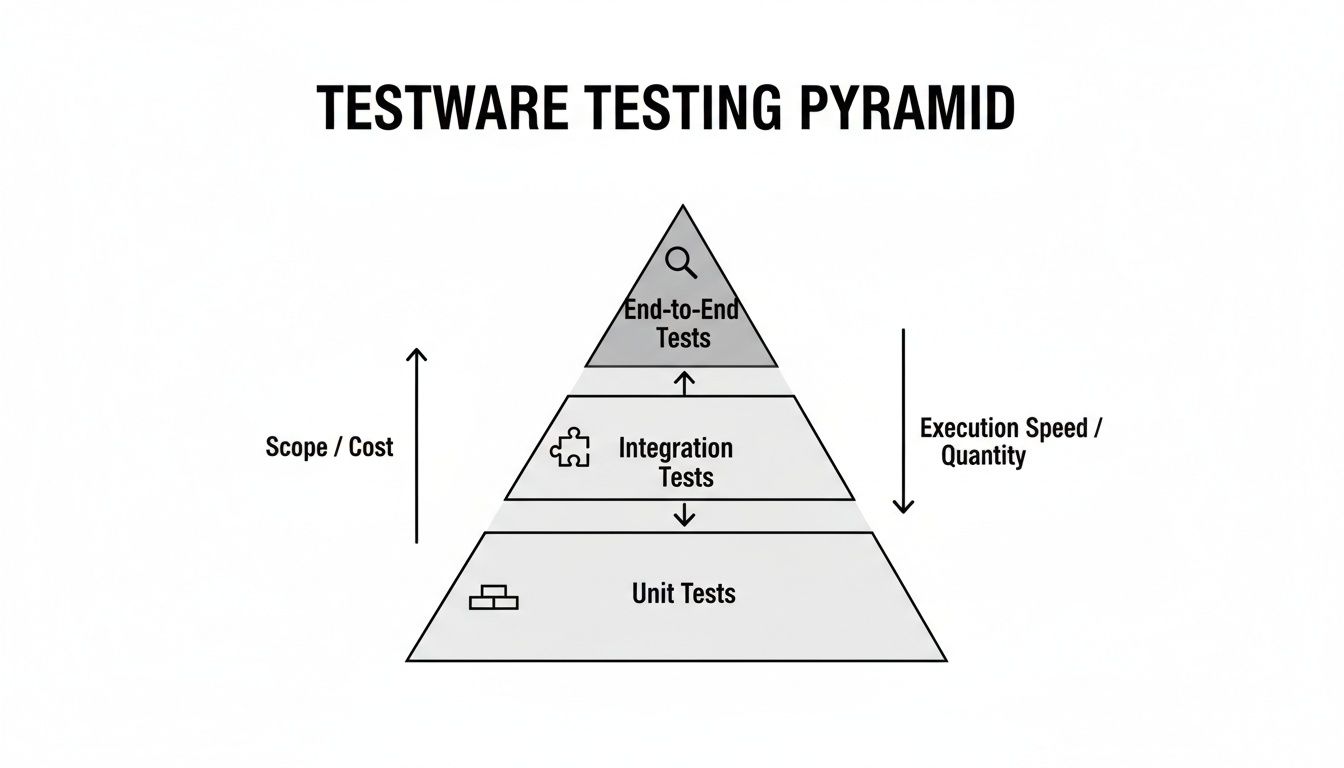
This structure keeps your pipeline fast and efficient. You catch most bugs early with the quick, cheap tests at the bottom of the pyramid.
A basic CI/CD pipeline is a fantastic start, but modern DevOps teams are always looking for ways to make their testing smarter and faster. The goal is always the same: get reliable feedback as quickly as possible without cutting corners on quality.
In an effective automated testing pipeline, speed is not just a feature; it’s a fundamental requirement. Slow feedback loops create friction, discourage frequent commits, and ultimately undermine the agility that DevOps promises.
Here are a couple of powerful ways to speed things up:
Picking the right tools for your DevOps testing strategy is a bit like outfitting a professional kitchen. You need specialized knives for different cuts, specific pans for different dishes, you wouldn’t try to do everything with a single spatula. With so many options out there, the choices you make are critical for building a powerful and cohesive pipeline that actually works for your team.
The real goal isn’t to find one silver-bullet tool that promises to do it all. It’s about building an integrated stack where every component is great at its specific job and plays well with others. A well-chosen set of tools can supercharge your release cadence, but a mismatched collection will just create friction and slow everyone down.
Before you even start looking at shiny new tools, take a step back and define what your team actually needs. Every organization has a different tech stack, skill set, and budget. What works for a massive enterprise might be complete overkill for a nimble startup.
Start your evaluation by asking these crucial questions:
Answering these questions first will help you cut through the noise and avoid getting stuck with a tool that looks great in a demo but doesn’t fit your day-to-day workflow.
A truly effective DevOps testing stack needs to cover all the layers of your application, from the tiny functions deep in the code to the full user experience. Think of it as a set of specialized instruments, each perfectly tuned for a different kind of validation.
Your toolchain should have a solid option for each of these core categories:
This space is growing for a reason. The global automation testing market is already valued at $40.44 billion and is projected to hit $78.94 billion by 2031. This explosive growth shows just how committed businesses are to embedding automated testing directly into their CI/CD workflows to ship software faster. For QA engineers, this means AI-powered E2E tools like TestDriver can now generate browser-based tests from simple prompts, dramatically cutting down on manual scripting time. You can read more about the state of software testing statistics.
A successful toolchain is not just a collection of popular tools; it’s a thoughtfully curated ecosystem where each part complements the others, creating a seamless flow of quality feedback from code commit to production release.
Ultimately, picking your tools is a strategic decision that directly impacts your team’s velocity and confidence. For more guidance, check out our deep dive on how to choose the right tools for software testing. By starting with your requirements and building a balanced stack, you set your team up to deliver better software, faster.
Anyone who’s worked in software knows that end-to-end (E2E) testing is a double-edged sword. It sits at the top of the testing pyramid because it gives you the highest confidence that your entire application hangs together correctly, mimicking real user journeys from start to finish.
But that confidence has always come at a cost. E2E tests are notoriously brittle, slow to run, and a pain to maintain. This is the classic bottleneck in automated testing devops. A tiny UI change, something as simple as a developer renaming a button ID, can shatter an entire test suite, sending engineers down a rabbit hole of fixing flaky scripts. This constant, reactive maintenance is a massive drain on resources and a direct threat to a fast, reliable CI/CD pipeline.
Thankfully, AI is completely flipping the script on this old problem. Modern AI-powered testing tools don’t just run old tests faster; they fundamentally change how we create and maintain them in the first place. Instead of painstakingly coding every single click, scroll, and assertion, teams can now just describe a user journey in plain English.
This turns test creation from a highly technical, often tedious, coding task into a straightforward conversation. An AI agent, like TestDriver, can interpret a high-level prompt and translate it into a resilient test that runs against your application in a real browser.
Imagine just telling a tool, “Test the checkout flow for a new user buying a subscription,” and watching it build the steps, interact with your UI, and validate the result on its own. That’s not science fiction anymore; it’s the new reality of E2E testing.
This isn’t just about saving time for developers. It opens up the world of test automation to everyone. Product managers, manual QA testers, and even UX designers can now build tests to validate the user flows they care about, all without needing to become automation engineers overnight.
Let’s make this concrete. A QA engineer needs to build a new E2E test for a user registration flow. It’s a tricky one with multiple form fields, validation rules, and an email verification step.
The Old Way (Manual Scripting):
The New Way (AI-Powered Prompt):
The same engineer gives a simple prompt to an AI tool:
"As a new user, sign up for an account using a unique email. Fill out the registration form, submit it, and then click the verification link sent to the inbox to complete the process. Finally, verify that the user is logged in and redirected to the dashboard."
The AI agent takes it from there. It intelligently identifies UI elements, enters the data, and confirms the outcomes. Because it understands user intent, not just rigid selectors, it can often adapt to minor UI changes without breaking. This is how modern teams are scaling quality without just throwing more people at the problem. If you’re curious about this space, you can learn more about the top AI tools for automated testing.
Rolling out an automated testing strategy isn’t something you can just “set and forget.” To see any real benefit, you have to treat it as a living part of your development process, something you measure, fine-tune, and protect from common missteps.
Without the right metrics, you’re flying blind. And without knowing the common pitfalls, you could easily build a system that creates more headaches than it solves.
Think of it like training for a marathon. You don’t just go for a run every day and hope you get faster. You track your pace, your heart rate, and your recovery time to figure out what’s actually working. The same idea applies to your automated testing devops pipeline; you need solid data to prove your efforts are making the team faster, not just busier.
It’s easy to get fixated on vanity metrics, like the total number of tests you have. But those numbers don’t tell you much. Instead, you need to focus on outcomes that directly reflect the health and speed of your software delivery. These are the metrics that tell a story about whether your automation is actually helping you achieve your DevOps goals.
Here are the vital signs you should be monitoring:
True success in test automation isn’t measured by the quantity of tests, but by the quality of feedback they provide. The ultimate goal is to build a high-speed feedback loop that empowers developers to ship with confidence, not just overwhelm them with noise.
Knowing what not to do is just as important as knowing what to do. So many well-intentioned teams fall into the same traps, completely undermining their automation efforts. Being aware of these common pitfalls is the first step to avoiding them.
1. Automating Flaky Tests
A “flaky” test is one that passes sometimes and fails at other times, even when nothing in the code has changed. Automating these is worse than having no test at all. Why? Because they destroy trust in the entire system. Developers quickly learn to ignore failures, and your safety net becomes totally useless.
2. Chasing 100% Code Coverage
Code coverage can be a helpful guide, but making 100% coverage the goal is a classic mistake. It often leads developers down a rabbit hole of writing low-value tests just to make a number go up. This adds a ton of maintenance overhead without meaningfully improving the quality of the product.
3. Neglecting Test Data Management
Your tests are only as good as the data they run against. When tests rely on a shared, fragile database state, they will inevitably step on each other’s toes and fail for reasons that have nothing to do with the code being tested.
Even with a solid game plan for your automated testing in DevOps, questions are bound to pop up. Moving toward a culture where quality is continuous means shaking up old workflows and ways of thinking, so it’s completely normal to hit a few practical hurdles. Let’s tackle some of the most common questions teams have when they start this journey.
This is the classic question, but there’s no magic number. In fact, chasing 100% automation is usually a fool’s errand that leads to a brittle and expensive test suite. The real goal isn’t total automation; it’s strategic automation.
A great rule of thumb is to let the Testing Pyramid be your guide. You want a massive base of lightning-fast unit tests, a smaller layer of integration tests, and a very small, highly curated set of end-to-end tests that only cover your absolute most critical user paths. The “right” amount is whatever gives your team the confidence to ship code without getting bogged down by a slow, flaky test suite.
Yes, absolutely. In a healthy DevOps culture, quality is everyone’s job, not something that gets thrown over the wall to a separate team. Developers are perfectly positioned to write unit and integration tests as they code. This isn’t just about shifting work; it’s about catching bugs at the earliest possible moment when they are cheapest and easiest to fix.
This shift also lets your QA pros level up. Instead of spending all their time on repetitive script writing, they can focus on tougher challenges like complex test scenarios, exploratory testing, and owning the big-picture quality strategy for the team.
Ah, test data management. It’s one of those things that’s often ignored until it becomes a massive, painful bottleneck. For your automated tests to be trustworthy, they need to run in a predictable and isolated environment every single time.
The gold standard here is to generate fresh, clean data for each and every test run. This simple practice prevents tests from stepping on each other’s toes and stops a single failure from triggering a whole chain reaction of false negatives. You can use data generation libraries or specialized tools to create realistic data on the fly. And for any system that holds onto data, make sure you have scripts that can automatically reset your environment to a known “good” state before a test suite kicks off.
Ready to eliminate the bottlenecks in your E2E testing? With TestDriver, you can generate robust browser tests from simple, plain-English prompts. See how AI can accelerate your QA process at https://testdriver.ai.
Master software testing in DevOps with our guide. Learn shift-left, automation, CI/CD integration, and AI-driven testing to boost quality and release speed.
Discover what automated regression testing is and how to implement it. Learn key strategies for CI/CD, test selection, and measuring real business impact.
Explore continuous testing in devops and how it strengthens QA in CI/CD pipelines for faster, reliable software releases.
A practical guide to automated web application testing. Learn proven strategies, tools, and best practices to accelerate development and boost software quality.
TestDriver runs every pull request in a real desktop sandbox, finds bugs, and builds regression tests - right from your repo.