automated testing vs manual testing: The Definitive Guide
Explore the real differences in automated vs manual testing. This guide covers practical use cases, ROI, and building a hybrid strategy that works.
Automate and scale manual testing with AI ->
The fundamental difference between automated testing and manual testing boils down to a single question: who—or what—is doing the work? Manual testing relies on a person’s insight and curiosity to explore an application and uncover flaws. Automated testing, on the other hand, uses scripts to execute predefined checks at a speed no human could ever match.
The real trick isn’t choosing one over the other. It’s about knowing when to use the right tool for the job. Getting this balance right is the cornerstone of any effective, modern quality assurance strategy.
Defining Automated And Manual Testing
To really get to the heart of the automated vs. manual testing debate, you have to understand what each one brings to the table. They aren’t competitors; they’re two different specialists on the same team. A mature QA process knows how to play to the strengths of both to ensure nothing slips through the cracks.
What Is Manual Testing
Manual testing is exactly what it sounds like: a hands-on process where a QA engineer acts like a real user. They navigate the software, click buttons, fill out forms, and scrutinize the results to see if everything behaves as it should.
This approach is priceless because it brings human intuition, creativity, and empathy into the mix. A good manual tester can spot a confusing workflow, an awkward button placement, or a visual glitch that an automated script would simply never see. It’s the go-to method for:
- Exploratory Testing: Freely navigating an application without a script to find unexpected bugs.
- Usability Testing: Evaluating how intuitive and user-friendly an application feels from a human perspective.
- Ad-Hoc Testing: Running unscripted tests based on gut feeling and experience to hunt down defects.
What Is Automated Testing
Automated testing uses specialized software tools to run pre-written test scripts. An engineer writes code that tells an automation tool exactly what to do—click this, type that, and verify the outcome. Once these scripts are built, they can be run over and over again with zero human effort.
Its biggest advantages are speed, efficiency, and reliability, especially for repetitive tasks. Automation removes the risk of human error from boring, monotonous checks and can blaze through thousands of tests overnight. It’s no surprise that 46% of testing teams have already swapped out half or more of their manual testing with automation. You can dig deeper into the latest trends in test automation on testlio.com.
The truth is, they co-exist, not as rivals, but as an infinite loop to gain and confirm knowledge of our systems. Without the thinking and exploration from manual testing, automated tests will provide little value.
To make things crystal clear, let’s break down the core differences in a simple table.
Quick Comparison: Manual vs. Automated Testing
Here’s a high-level summary of how these two testing approaches stack up across key criteria.
| Criterion | Manual Testing | Automated Testing |
|---|---|---|
| Execution | Performed by a human tester. | Executed by software tools and scripts. |
| Best For | Usability, exploratory, and ad-hoc tests. | Regression, performance, and load tests. |
| Speed | Slower, methodical, and time-intensive. | Extremely fast, capable of parallel execution. |
| Initial Cost | Lower initial setup; high long-term labor costs. | Higher initial setup; lower long-term execution costs. |
| Human Element | Relies on human intuition, creativity, and empathy. | Eliminates human error in repetitive tasks. |
| Scalability | Difficult to scale for large test suites. | Highly scalable for thousands of test cases. |
As you can see, they are designed for completely different contexts. Manual testing excels where human judgment is needed, while automation shines where speed and repetition are key.
A Nuanced Comparison Of Core Testing Criteria
Deciding between automated and manual testing isn’t about picking a winner. It’s about understanding that they excel in different areas. To make the right call for your project, you have to look past a simple pros-and-cons list and dig into how each approach performs against key operational criteria.
The real difference boils down to this: manual testing is about human-driven exploration, while automation is about machine-driven execution.
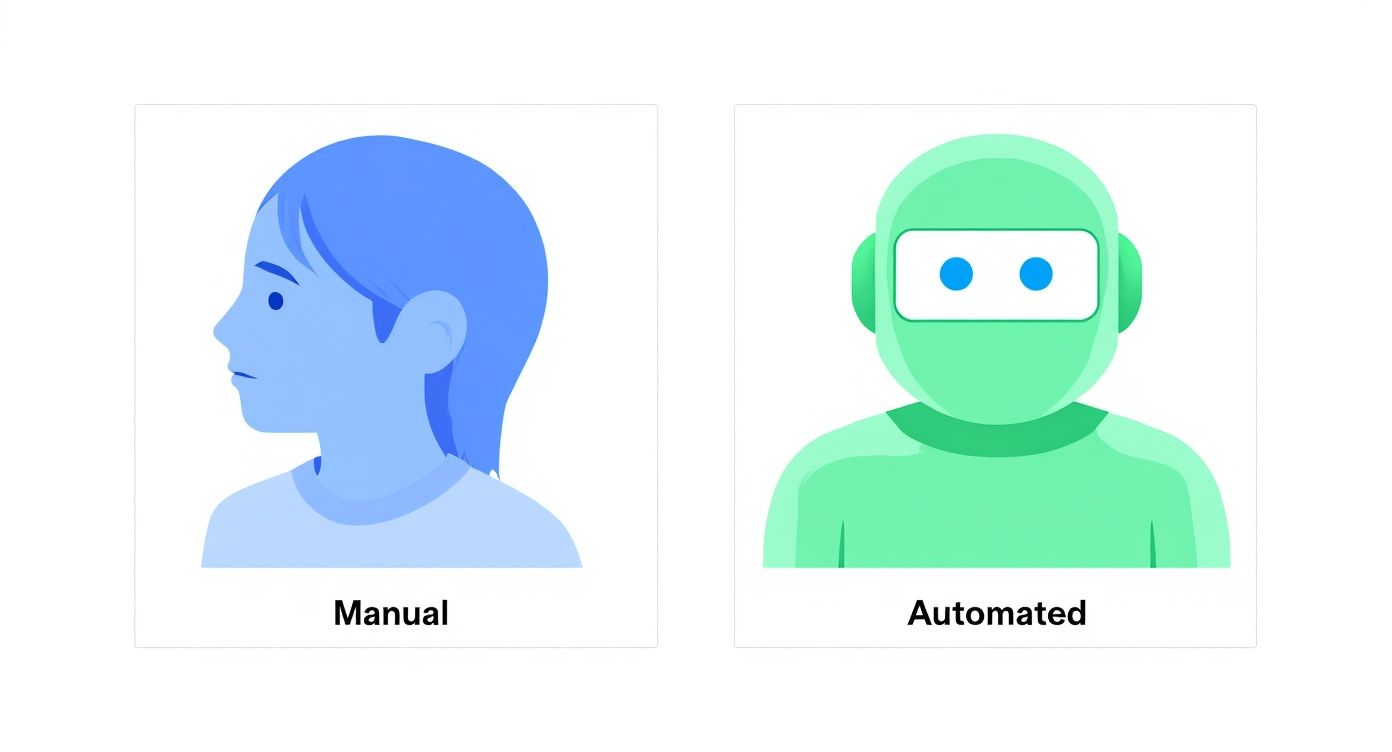
Ultimately, manual testing is geared toward discovery and user experience, whereas automation is built for validation and efficiency at scale.
Accuracy And Reliability
If you need to run the same exact test a thousand times without a single mistake, automation wins every time. Scripts are deterministic; they do precisely what they’re told, again and again, which is perfect for regression testing. You eliminate the risk of human error from someone getting tired or distracted.
But where automation is rigid, manual testing is flexible. A human tester can spot things a script would never catch—a button that’s slightly misaligned, a clunky user workflow, or a confusing error message. These are the kinds of user experience flaws that don’t break the code but definitely break the product for a real person.
Automation ensures predefined rules are followed consistently. Manual testing validates that the user experience feels right. You need both to build a high-quality product.
Financial Considerations And Cost
The money conversation for these two approaches is completely different. With manual testing, your upfront costs are low, but your operational expenses are ongoing and tied directly to headcount. The cost grows in a straight line as you add more tests or increase the application’s complexity.
Automated testing is the opposite. It requires a significant initial investment in tools, infrastructure, and the salaries of skilled engineers who can write and maintain the test scripts. But once that foundation is built, the cost to run thousands of tests is practically zero. Over the long haul, this leads to a much lower cost per test and can deliver a fantastic return on investment.
Speed And Scalability
Here’s where the difference is most stark. An automated test suite can blaze through thousands of complex test cases overnight, running them in parallel across different browsers and devices. This is how you get fast feedback to developers, and it’s a non-negotiable part of any modern CI/CD pipeline.
Manual testing, on the other hand, moves at a human pace. It’s thorough, yes, but it’s also inherently slower and doesn’t scale well. Manually testing a new feature on five different browsers is a soul-crushing, time-consuming task. An automated script can do it all at once in a few minutes.
For teams working in Agile and DevOps, where release cycles are short and frequent, this speed is everything. Automation is really the only way to keep up without letting quality assurance fall by the wayside.
Exploring Depth in User Experience
Speed and accuracy are crucial, but an application’s success often hinges on its user experience. This is where manual testing is simply irreplaceable. No script can tell you if a design is intuitive, if the content is clear, or if the app just feels good to use.
Think about it: a script can confirm a button works, but only a person can tell you if its placement is awkward or its label is ambiguous. To really get a handle on this side of testing, you might want to look into specific techniques; this guide on 10 Essential User Experience Testing Methods for Mobile Apps is a great starting point.
This human-centric evaluation covers things like:
- Visual Appeal: Is the layout, color scheme, and typography consistent and pleasing?
- Workflow Logic: Does the user’s journey through the app feel natural and efficient?
- Accessibility: How does the app perform with screen readers and other assistive tools?
These are qualitative insights that are nearly impossible to code into an automated test. The choice between automated testing vs manual testing isn’t an “either/or” decision. It’s about building a smart strategy that uses both to cover every aspect of software quality.
Calculating ROI And Strategic Business Impact
When we talk about automated vs. manual testing, the conversation has to go beyond the tech. We need to look at the money and the bigger business picture. Figuring out the Return on Investment (ROI) for test automation isn’t just about adding up the hours you save; it’s about seeing how it ripples across the entire company. A solid ROI calculation is what gets the budget approved for new tools and training.
This isn’t as simple as just looking at software license fees. You have to take a wider view and consider the value it adds at every stage of development. Think about it: you get products out the door faster, you catch expensive bugs before they go live, and you free up your sharpest QA minds from mind-numbing repetition so they can tackle creative work like exploratory or security testing.
To get this right, you need to be good with data and know how to apply what it’s telling you. This idea of leveraging data for strategic decisions is crucial. When you track the right things, the financial upside of your automation efforts becomes crystal clear.
Key Metrics For Automation ROI
To build a strong case for automation, you need numbers. Hard data turns a technical debate into a straightforward business decision.
Here are the data points you should be tracking:
- Reduced Time-to-Market: How much faster are your regression cycles? If automation takes a three-day manual regression test and shrinks it to three hours, you’ve just clawed back over two days of development time with every single release.
- Lower Defect Escape Rate: Compare the number of critical bugs reaching production before and after implementing automation. Finding bugs early is always, always cheaper than fixing them after launch.
- Increased Test Coverage: Measure the percentage of your codebase or critical user flows that your automated tests cover. More coverage means better quality and less risk, period.
- Reallocated QA Hours: Tally up the hours your team no longer spends on repetitive checks. That time is now pure gold, ready to be invested in usability, accessibility, and other high-impact testing that a machine can’t do.
If you want to get even more granular with your metrics, our guide on the key metrics to track in quality engineering environments is a great next step.
The Strategic Value In Agile And DevOps
The move toward automation isn’t just a trend; it’s a direct answer to the market’s insatiable demand for faster, better software, which is exactly what Agile and DevOps are all about.
The global automation testing market is on track to hit around $29.29 billion for a reason. With 54% of enterprises now working within Agile or DevOps frameworks, automation has become a must-have for survival. What’s really telling is that about 25% of companies that invest in test automation see an ROI almost immediately. It’s a powerful testament to its efficiency.
In a continuous delivery pipeline, manual regression testing is a bottleneck. Automation is the only viable way to ensure quality without slowing down the entire development process.
This alignment with modern development practices means automation delivers more than just cost savings. It lets your business react faster to market shifts, release new features with confidence, and—most importantly—unleash your people to focus on genuine innovation. At the end of the day, the real impact of automation is its power to boost business speed while simultaneously raising the bar for quality.
When to Use Manual Testing for Best Results
In the endless debate over automated versus manual testing, it’s tempting to crown automation the undisputed winner. But that’s a rookie mistake. A truly mature QA strategy recognizes that manual testing isn’t a relic; it’s a specialized tool for problems that code can’t solve.
The real power of manual testing comes from its ability to evaluate software through a human lens—something scripts just can’t replicate. It’s not about sticking to old habits; it’s about deploying your team’s intuition, experience, and subjective judgment where they’ll make the biggest difference.
Where Human Insight Is Irreplaceable
Automation is a workhorse, perfect for grinding through repetitive, predictable checks. But it falls flat when it comes to qualitative feedback. A script can confirm a button works, but it can’t tell you if the button is in a weird spot or if the color clashes with the background. That’s where a person needs to step in.
Here are the prime scenarios for manual testing:
- Usability Testing: This is all about the user’s journey. Is the navigation intuitive? Is the layout confusing? A human tester can provide feedback on the feel of the application, which is crucial for user adoption and satisfaction.
- Exploratory Testing: This is where testers get to be detectives. With no script to follow, they can freely poke and prod the application, guided by their curiosity and experience. This creative approach is fantastic for finding those strange, unexpected bugs that automated scripts would never even look for.
- Ad-Hoc and Error-Guessing: This is pure gut instinct. Experienced testers develop a sixth sense for where bugs like to hide. They’ll try unusual inputs or navigate in non-standard ways based on a hunch—a powerful technique that simply can’t be programmed.
Even as automation becomes more common, these human-centric methods remain vital. Recent surveys show that up to 82% of testers still use manual testing regularly, especially for these kinds of exploratory and usability checks. If you want to dive deeper into the numbers, you can explore the latest test automation statistics on katalon.com.
Identifying Poor Candidates for Automation
Just as important as knowing what to automate is knowing what not to. Forcing automation on the wrong test cases is a fast way to burn through your budget and your team’s morale for very little gain.
Manual testing is almost always the smarter, more efficient choice in these situations:
- Frequently Changing Features: If a UI is still under heavy development, any automated script you write today will be broken tomorrow. The constant maintenance just isn’t worth it.
- One-Time or Infrequent Tests: Does it make sense to spend eight hours writing a script for a test you’ll only run once? Absolutely not. Manual execution is far more practical here.
- Tests Requiring Subjective Validation: Any test that asks, “Does this look right?” or “Is this easy to understand?” needs a human eye. Automation can’t judge aesthetics or user-friendliness.
- Complex Scenarios with Low ROI: Some user journeys are so complicated that building a stable automation script would be a massive project in itself. If the risk associated with that feature failing is low, it’s not a good investment.
The goal of a modern QA strategy is not to eliminate manual testing, but to focus it. By automating the mundane, you free up your skilled testers to perform the high-impact, cognitive work that truly elevates product quality.
In the end, understanding the importance of manual testing in modern software development is what separates good QA teams from great ones. It allows you to build a balanced, resilient strategy that ensures your product isn’t just functional, but also a pleasure to use.
Prime Scenarios For Test Automation
Figuring out what to automate isn’t really a tech problem—it’s a strategic one. The idea isn’t to automate everything. It’s about automating the right things: the tedious tasks that drain your team’s energy, create unnecessary risk, and ultimately deliver the best bang for your buck. When you zero in on these areas, you start shifting from a reactive “bug hunt” to a proactive quality engineering mindset.
The choice between automated testing vs manual testing sharpens into focus when you look at tasks that are repetitive, predictable, and absolutely critical to your business. Automation shines wherever consistency and speed are paramount, freeing up your team to tackle the nuanced, exploratory work that only a human can do.

Repetitive and High-Volume Tests
If a test needs to be run over and over again, it’s a perfect candidate for automation. The classic example here is regression testing, which is all about making sure new code doesn’t break old features. Running these checks manually before every single release isn’t just mind-numbingly slow; it’s practically an invitation for human error.
By automating your regression suite, you build a reliable safety net that runs in a fraction of the time a person would need. This gives your development team fast, consistent feedback and paves the way for more frequent, confident releases.
Other high-volume scenarios are a natural fit:
- Smoke Tests: A quick, essential check to confirm the most critical functions are still standing after a new build. Automation makes this a simple, no-brainer step.
- Cross-Browser and Cross-Device Testing: Nobody wants to manually test an application across dozens of browser, OS, and device combinations. It’s an incredibly tedious job. Automation tools can run these tests in parallel, spitting out comprehensive results in minutes, not days.
Performance and Load Testing
Some tests are just plain impossible for humans to execute. Performance testing (how responsive is the app?) and load testing (how does it handle a flood of users?) fall directly into this camp. You can’t ask a few people to simulate the traffic of thousands of concurrent users.
Automation tools are built for this. They generate synthetic traffic to push your system to its breaking point, revealing bottlenecks and memory leaks before your customers do. It’s the only real way to know if your application can survive a Black Friday rush or a viral marketing campaign.
Automation transforms performance testing from a guessing game into a data-driven science. It provides the empirical evidence needed to guarantee your application can handle real-world demand.
Data-Driven Testing Scenarios
Another sweet spot for automation is data-driven testing. This is where you run the same test script repeatedly but feed it different sets of data each time to validate a workflow under a variety of conditions.
Think about a user registration form. A manual tester would have to painstakingly type in countless combinations of usernames, passwords, and email formats. An automated script, on the other hand, can pull data from a spreadsheet and cycle through hundreds of variations in seconds, verifying every possible outcome.
This approach is invaluable for:
- Checking form validations with a mix of valid, invalid, and edge-case inputs.
- Confirming calculations or data processing logic with a wide range of numbers.
- Verifying that different user roles and permission levels work as expected.
Building a solid strategy around these scenarios is crucial. You can dive deeper into this by exploring these key considerations for effective test automation. By picking your battles and automating strategically, you’ll speed up your testing cycles and massively boost your test coverage and product quality at the same time.
How To Build An Effective Hybrid Testing Strategy
The whole “automated vs. manual testing” debate is usually framed as a fight to the death. But that’s just not how it works in the real world. Any seasoned QA pro will tell you it’s not a competition—it’s a partnership. A truly effective hybrid strategy doesn’t just use both; it weaves them together into one seamless process where each side makes the other stronger.
This approach completely dismantles the “either/or” mindset. Instead, the focus shifts to creating a powerful, self-improving feedback loop. Manual testing insights feed the automation pipeline, and automation frees up human testers to do what they do best: explore and discover. It’s a symbiotic relationship that boosts both efficiency and quality.

Creating A Continuous Improvement Loop
At the heart of any solid hybrid model is a continuous improvement loop, where manual and automated efforts constantly inform one another. Think of it as a living process that adapts as your product evolves. The cycle itself is simple but incredibly powerful.
It almost always begins with manual exploration. A QA engineer dives into a new feature, using their experience and intuition to poke around in ways a script never could. They find those weird, unexpected bugs and edge cases that only a human would think to try. Those discoveries are gold.
Once that bug is fixed, the very test case that found it becomes the perfect candidate for automation. This is where the magic happens. A one-off manual discovery is transformed into a permanent, automated regression check, making sure that specific problem never sneaks back into the codebase unnoticed.
This loop is the engine of a mature QA process. Manual testing provides the creative spark of discovery, while automation provides the disciplined rigor of verification, creating a constantly expanding safety net.
Following this strategy ensures your automation suite grows intelligently. It gets built out with tests that are based on real-world scenarios uncovered by actual human testers, not just hypothetical paths. It’s a pragmatic way to build robust coverage that truly reflects how people use your software.
Structuring Your Team For Hybrid Success
Of course, a hybrid strategy is more than just a workflow—it demands a smart approach to team structure and how you allocate resources. You can’t just buy a new tool and call it a day. It’s about empowering your people and giving them clearly defined roles.
Your team needs to have distinct paths for both manual and automation specialists, with a heavy emphasis on collaboration, not competition. A manual tester’s deep product knowledge is absolutely critical for designing automation scripts that are actually effective. In turn, an automation engineer can build tools and utilities that make manual testing faster and less tedious.
Here are a few key steps to get your team structure right:
- Allocate Budget Strategically: Your budget needs to cover more than just automation tools. Invest in training your team on both manual and automated skill sets so they can grow and contribute across the board.
- Define Clear Roles: Create distinct career paths for QA Analysts (who focus on manual and exploratory testing) and SDETs (who build the automation frameworks), but make sure you build bridges for them to collaborate.
- Establish The Feedback Loop: Put a formal process in place for manual testers to flag and document potential automation candidates. This is how you capture those valuable insights and turn them into reliable, long-term regression tests.
- Measure Combined Impact: Stop focusing only on vanity metrics like the number of automated tests. Instead, track metrics that show the health of your entire strategy, like a reduction in escaped defects or an increase in overall test coverage.
By building this kind of integrated framework, you can finally move past the simplistic automated vs. manual testing debate. You’ll be on your way to creating a holistic quality engineering culture that’s actually built for the realities of modern software delivery.
Common Questions on Testing Strategies
As teams dig into the specifics of automated versus manual testing, a few practical questions almost always pop up. Let’s tackle some of the most common ones to help you clear up any confusion and build a testing strategy that really works for your projects.
Will Automation Completely Replace Manual Testers?
Nope, not a chance. Think of automation as a powerful tool that frees up your human testers, not one that replaces them. While automated scripts are brilliant for running the same repetitive, predictable regression checks over and over, they completely lack human curiosity, intuition, and empathy.
There are certain things only a human can do well:
- Exploratory Testing: This is where testers get to be creative, poking around the application to find bugs you’d never think to write a script for.
- Usability Testing: An automation script can’t tell you if a button is in a weird spot or if the user flow feels clunky and confusing.
- Ad-Hoc Checks: Sometimes, a tester just gets a “hunch” based on experience and finds a critical issue in an obscure workflow.
The role of the manual tester is simply shifting. Instead of mindlessly clicking through regression scripts, they’re focusing on higher-value work that demands critical thinking and a real understanding of the end-user.
Can Small Teams Afford Test Automation?
Yes, absolutely. It’s a myth that automation is only for big companies with massive budgets. The explosion of powerful open-source tools has put test automation within reach for just about everyone.
Frameworks like Selenium, Playwright, and Cypress deliver incredible automation power without any upfront licensing costs. For a small team, the main investment isn’t money, it’s time—the time it takes to learn the tools and build out those first scripts. But that initial effort pays off fast by slashing the hours spent on manual regression testing.
The real question isn’t whether you can afford to automate, but whether you can afford not to. The time you save and the quality you gain almost always outweighs the initial learning curve, even for a brand-new startup.
What Should We Automate First?
When you’re just starting out, you want to get the biggest bang for your buck, fast. The best place to begin is with your most critical and stable regression test cases.
Focus on tests that:
- Are Highly Repetitive: You have to run them all the time, like before every single release.
- Cover Critical Paths: They make sure core business features, like user login or the checkout process, are working perfectly.
- Are Stable: The features they test aren’t constantly being changed or redesigned.
Automating this core group of tests first creates a solid safety net. It immediately frees up your team and shows everyone the real, measurable value of your automation efforts right away.
Ready to accelerate your testing process without getting bogged down in complex scripting? TestDriver uses an AI agent to generate end-to-end tests from a simple prompt, helping your team build comprehensive test coverage faster. Explore how TestDriver works.
Automate and scale manual testing with AI
TestDriver uses computer-use AI to test any app - write tests in plain English and run them anywhere.