Mastering Automated User Interface Testing
Discover how automated user interface testing boosts software quality and speed. This guide covers everything from core concepts to CI/CD and AI.
Automate and scale manual testing with AI ->
Automated UI testing is all about using software to automatically check the visual parts and interactive elements of an application, catching bugs before your users do. Think of it as a tireless robot that meticulously clicks, types, and navigates through your app—testing every button, form, and menu to ensure a smooth journey for real people. For teams that need to ship features fast without breaking things, this process is an absolute game-changer.
What Is Automated User Interface Testing
Imagine a new car rolling off the assembly line. Before it goes anywhere, a robot meticulously checks the windows, radio, and seat adjustments to make sure the customer gets a flawless vehicle. Automated UI testing does the exact same thing for your software. It’s a testing method where specialized tools pretend to be a user, simulating clicks, form entries, and page navigation to confirm the application looks and behaves exactly as it should.
This is about much more than just catching obvious errors. It’s about protecting the entire user journey from start to finish. In modern development, having a human click through every single feature for every single release just isn’t feasible anymore. Teams need to move quickly, and manual testing inevitably becomes a bottleneck.
The Core Purpose of UI Automation
At its heart, the goal of automated UI testing is to make sure the graphical user interface (GUI) is free of defects. This means confirming that all the visual bits and pieces—the things your users actually see and interact with—are present, functional, and displayed correctly on different devices and browsers. Automation pulls this off by running pre-written scripts that perform specific actions and then check the results.
The key objectives usually fall into a few buckets:
- Verifying Functionality: Making sure buttons, links, and forms actually work.
- Checking Visual Consistency: Validating that fonts, colors, layouts, and images match the design.
- Confirming User Flows: Testing critical paths like signing up, logging in, or making a purchase.
By automating these checks, development teams can catch regressions almost instantly. A regression is a bug that pops up in an existing feature after new code is added, and they’re a common headache. This fast feedback loop is what allows teams to maintain a high-quality product while still moving at full speed.
Why It Matters More Than Ever
As applications become more complex, the number of possible user interactions explodes. It’s simply impossible to manually test every single combination. Automated UI testing gives you the scale and speed needed to cover all those scenarios efficiently. To get the full picture, it helps to understand the broader landscape of various user experience testing methods that all contribute to a quality product.
Automated UI testing acts as a safety net, giving developers the confidence to build and release without fear. It ensures that no matter how quickly you add new things, the core user experience remains solid and reliable.
Ultimately, this type of testing is a cornerstone of modern software development. It’s often confused with end-to-end testing, but they are actually two distinct disciplines. You can learn more about those differences in our guide that explores what is end-to-end testing. For now, we’ve covered the ‘what’ and ‘why,’ so let’s get into the ‘how.‘
2. Comparing Different UI Test Automation Approaches
Picking the right way to automate your UI testing is a bit like choosing the right tool for a home improvement project. You wouldn’t use a sledgehammer to hang a picture frame. In the same way, the automation method you choose will have a huge impact on your team’s efficiency, the skills you’ll need, and how much time you spend fixing broken tests down the line.
Let’s walk through the three main ways teams tackle this, starting with the simplest and working our way up to the most advanced.
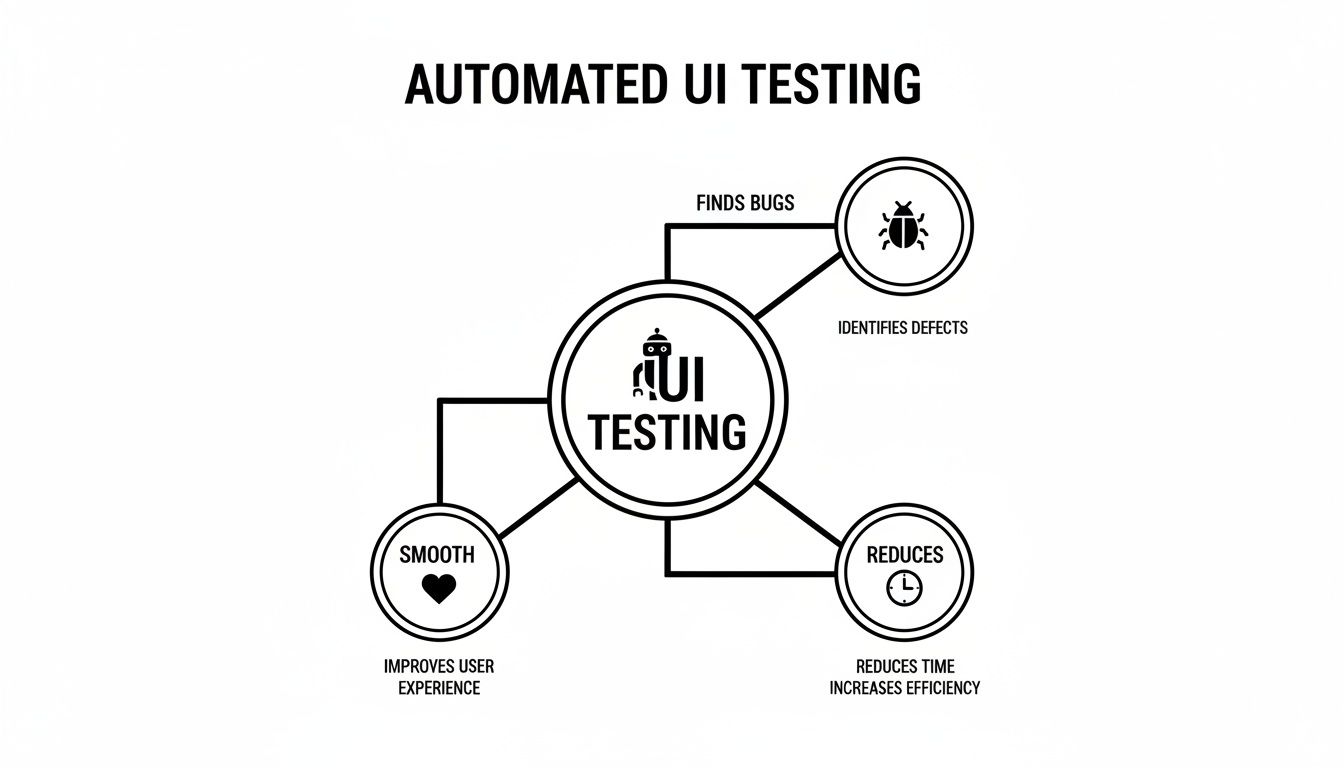
Ultimately, no matter which path you take, the goal is always the same: ship high-quality, reliable software that your users genuinely enjoy using.
Record And Playback
The most straightforward on-ramp to automation is record and playback. Just think of it like recording a macro in Excel. A tool literally watches a manual tester click through a workflow—filling out forms, navigating menus, pressing buttons—and records every single one of those actions into a script.
When you want to run the test again, you just hit “play.”
This approach is incredibly easy to get started with. Anyone on the team, even those without a technical background, can create an automated test in minutes. It’s fantastic for quick, repetitive sanity checks. But its greatest strength is also its biggest downfall.
These recorded tests are notoriously brittle. They depend on the user interface staying exactly the same as it was during the recording. If a developer so much as changes the ID of a button or tweaks the page layout, the script breaks because it can no longer find the specific element it was told to click. This constant breakage turns into a massive maintenance headache.
Script-Based Testing
The next evolution, and the long-time industry standard, is script-based testing. This is where you actually write code to tell the browser what to do, using powerful frameworks to drive the interactions.
Think of it as writing a detailed movie script for a robot. Instead of just recording what happened, you’re giving it precise, coded instructions: “Find the element with the ID ‘login-button’ and click it,” or “Confirm the text inside the ‘welcome-message’ container is ‘Hello, User!’”
This gives you a world of control and flexibility that record/playback just can’t match.
- Precision: You can build in complex logic, handle data that changes, and write truly robust validation checks.
- Scalability: Good scripts can be reused and organized into massive, well-structured test suites that cover your entire application.
- Power: Frameworks like Selenium or Cypress give you granular control over every aspect of the browser. If you’re exploring your options, our guide on Playwright vs Cypress offers a great breakdown.
Of course, this power comes at a cost. It requires developers or QA engineers who are skilled in programming languages like JavaScript, Python, or Java. And while the tests are more resilient than recordings, maintenance is still a major time sink. Every time the application evolves, an engineer has to go in and manually update the code to match.
AI-Driven Approach
The most modern method is the AI-driven approach, which completely changes the game. This approach shifts the focus from telling the system how to perform each step to simply telling it what you want to accomplish. Instead of writing detailed code, teams give high-level instructions in plain English, and an AI agent figures out the rest.
It’s the difference between programming a robot’s every joint movement versus just telling your smart assistant, “Order me a pizza.” You can say, “Test the entire user signup and login flow,” and the AI interprets that intent to generate the necessary steps, find the right elements, and validate the outcome automatically.
This approach dramatically lowers the barrier to entry. Suddenly, product managers, designers, and manual testers can create robust automated tests without writing a single line of code.
Even better, AI-powered tools often come with self-healing capabilities. If a button’s ID changes, the AI is smart enough to identify the element based on its context, text, and location on the page, preventing the test from failing over a minor code change. This absolutely slashes the maintenance burden that plagues traditional methods, making your whole testing process more resilient and efficient.
To put it all together, here’s a quick comparison of the three methods.
Comparison Of UI Test Automation Methods
This table breaks down the key differences between Record/Playback, Script-Based, and AI-Driven testing, helping you see which might be the best fit for your team’s needs and skills.
| Method | Required Skill Level | Initial Setup Speed | Maintenance Effort | Best For |
|---|---|---|---|---|
| Record/Playback | Low (No-Code) | Very Fast | Very High | Simple, static workflows and quick sanity checks. |
| Script-Based | High (Programming) | Medium | High | Complex, large-scale applications with dedicated test engineers. |
| AI-Driven | Low (Plain English) | Fast | Very Low | Teams wanting to scale automation quickly and reduce maintenance overhead. |
As you can see, the trade-offs are clear. While traditional methods have their place, the AI-driven approach offers a compelling path to faster test creation and dramatically lower long-term maintenance, allowing teams to focus more on quality and less on fixing broken scripts.
The Real-World Impact of Automated UI Testing
Bringing automated UI testing into your workflow isn’t just a technical box to check. It’s a strategic move that fundamentally changes your release velocity, the quality of your product, and even your team’s day-to-day morale. The theoretical benefits are great, but the practical, on-the-ground impact is where you really see how software development can be transformed.
When you get it right, automation becomes a massive accelerator. Your team can ship features and fixes with confidence, knowing a vigilant suite of tests is standing guard against regressions. And here’s the best part: this speed doesn’t sacrifice quality. It actually reinforces it.
The Tangible Gains of Automation
The most immediate win is a huge leap in test coverage. Automated scripts are relentless. They can hammer away at obscure features and tricky edge cases that a manual tester might only have time to check once every few months. This broad, consistent validation nabs bugs that would have otherwise made it into production and soured the user experience.
This, in turn, fuels developer confidence. When engineers know their code will be immediately run through a gauntlet of UI tests, they can innovate more boldly without that nagging fear of accidentally breaking something on the other side of the app.
Other key advantages quickly stack up:
- Faster Release Cycles: The QA bottleneck starts to disappear when tests run automatically in the background. This paves the way for more frequent, predictable deployments.
- Reliable Regression Testing: Automation is your safety net. It guarantees that old bugs don’t come back to haunt you and that new features play nicely with existing ones.
- Strategic QA Focus: By handing over the repetitive, mind-numbing checks to machines, you free up your QA engineers to do what they do best: creative, exploratory, and usability testing that requires a human touch.
You can see this shift playing out across the industry. The global automation testing market is exploding, projected to climb from USD 24.25 billion in 2026 to a staggering USD 84.22 billion by 2034. This growth is fueled by a simple truth: users have no patience for buggy software. You can discover insights into the automation market and see the trends for yourself.
Navigating the Practical Limitations
But let’s be realistic—automated UI testing isn’t a silver bullet. Engineering managers who dive in without understanding the limitations are setting themselves up for frustration. Acknowledging the challenges upfront is the first step to building a strategy that actually works.
The most infamous problem is flaky tests. These are the tests that pass one minute and fail the next, often due to tiny timing hiccups or inconsequential UI tweaks. A flaky test suite is worse than no test suite because it erodes trust. Soon enough, developers start ignoring real failures because they’re buried in a sea of false alarms.
Automation is a powerful tool, not a magic wand. Its success hinges entirely on a clear, well-defined strategy that acknowledges both its strengths and weaknesses, ensuring it solves more problems than it creates.
There’s also the initial time investment, which can be significant. Building a stable, scalable test framework takes real expertise and focused effort. Your team needs to be prepared for this upfront cost to get to the long-term payoff.
Finally, never forget that automation can’t replace human judgment. It’s fantastic at verifying that something works, but it has no idea if it’s usable. A button can pass a dozen automated checks and still be in a terrible spot that confuses users. That’s why the best approach is always a blend of tireless automation and insightful manual testing. It’s how you deliver software that is both functional and genuinely great.
Building a Resilient and Maintainable UI Test Suite
Your automated UI test suite is only as good as the trust your team has in it. If tests are constantly failing for reasons that aren’t actual bugs—what we call flakiness—people quickly start ignoring them. The suite goes from being a reliable safety net to just noise. The real secret to long-term success with automated UI testing is building a suite that can handle change and is genuinely easy to maintain.
This isn’t just about avoiding brittle tests that snap the moment a developer tweaks the UI. A truly robust test suite is more like a flexible skeleton for your application; it adapts as the product grows and evolves, instead of shattering. Getting there requires a smart, strategic approach right from the start.
Embrace Reliable Selectors
If you trace back most UI test failures, you’ll find the culprit is an unstable selector. Think of a selector as the unique address a script uses to find an element, like a button or a form field. When a developer changes that element’s ID, class name, or position in the code, any test hardcoded to that specific address breaks instantly.
To build resilience, you need to prioritize selectors that are built to last:
- Unique Test IDs: This is the gold standard. Adding custom attributes specifically for testing, like
data-testid="login-button", is a game-changer. They aren’t tied to styling or functionality, so they rarely change. - Role and Accessibility Attributes: Using attributes like
role="button"oraria-label="Submit Form"anchors your tests to what the user actually experiences. These tend to be far more stable than the underlying code. - Visible Text: Finding an element by its text (like a button labeled “Sign Up”) can work in a pinch, but it’s fragile. The minute marketing decides to change the copy, your test breaks.
Choosing your selectors wisely is the first line of defense against the constant churn of development.
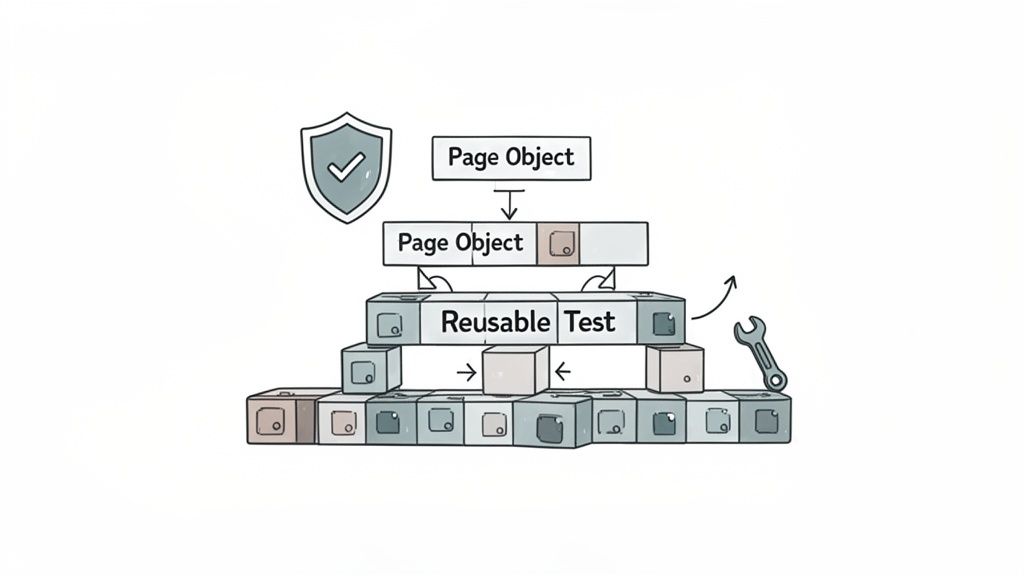
Decouple Logic with the Page Object Model
As your test suite grows, it can quickly become a tangled, repetitive mess. The Page Object Model (POM) is a brilliant design pattern that brings structure to that chaos. It’s like creating an organized blueprint of your UI that your tests can reference.
Here’s how it works: you create a class for each page or major component in your app. This class does two main things:
- Locates Elements: It holds all the selectors for that page’s interactive bits—the buttons, forms, and links.
- Defines Actions: It contains simple methods that mimic user interactions, like
login(username, password)orclickSubmitButton().
With POM, your test scripts stop dealing with the messy, low-level details of the UI. Instead, they just call clean, readable methods from a page object. If a button’s selector changes, you only have to update it in one place—the page object—not in fifty different test files.
This separation of concerns makes your tests cleaner, easier to read, and dramatically simpler to maintain. It’s a foundational practice for any serious UI automation effort.
Managing Test Data and Environments
Another major source of flaky tests is unpredictable data or environments. A test might pass just fine against a clean database but fail on the second run because the “new” user account it tried to create already exists.
The solution is a clear strategy for test data management. This could mean programmatically setting up and tearing down the exact data needed for each test run, ensuring every test starts from a clean, predictable slate. Likewise, using tools like Docker lets you spin up isolated, pristine test environments on demand.
The Rise of AI-Powered Self-Healing
Even with the best design patterns, maintenance is a constant battle. This is where modern AI-powered tools are really changing the game. These systems can automatically self-heal broken tests by intelligently adapting to UI changes on their own.
For instance, if a button’s ID changes, an AI agent can look at other clues—its text, color, position, and nearby elements—to figure out it’s the right one and update the test on the fly. This turns a test failure that would have stopped everything and required a developer’s time into a total non-issue. It keeps your test suite a reliable asset instead of letting it slowly decay into technical debt.
How To Integrate UI Tests into Your CI/CD Pipeline
Automated UI tests truly shine when they’re woven into the fabric of your daily development cycle, not just bolted on at the end. By plugging your test suite into a Continuous Integration/Continuous Deployment (CI/CD) pipeline, you transform it from an occasional spot-check into a vigilant guardian of your application’s quality.
This setup means that every single time a developer commits new code, the entire UI test suite automatically kicks off. Think of it as an always-on quality control check right on the assembly line. Instead of waiting for a QA engineer to manually inspect the changes, the system gives you immediate, automated feedback.
The Power of Instant Feedback
When UI tests run with every code change, the feedback loop for catching bugs shrinks from days down to mere minutes. A developer can push a commit and know almost instantly if their update accidentally broke the login flow or a critical checkout process.
This immediate validation is a game-changer for maintaining development momentum. It lets developers fix regressions while the code is still fresh in their minds, rather than having to dig back through a problem days later. Over time, this builds a strong culture of shared ownership over quality across the whole engineering team.
Here’s why this integration is so powerful:
- Catch Regressions Instantly: You find bugs introduced by new code before they ever get merged into the main branch.
- Prevent Flawed Code in Production: Only code that passes all UI tests can be deployed, acting as a crucial gatekeeper.
- Boost Developer Confidence: Engineers can refactor and innovate with the assurance that a safety net is there to catch any slip-ups.
This agile, automated approach is a clear differentiator for high-performing organizations. Data shows that 78% of top-tier companies have fully adopted agile and DevOps practices with deep automation, compared to just 54% of general enterprises. This gap shows just how much leading teams rely on continuous integration for faster, more reliable feedback. The market for GUI testing tools—a core part of this process—is even projected to hit USD 20.6 billion by 2025, highlighting the massive industry shift toward flawless user experiences.
Practical Steps for CI/CD Setup
Getting this workflow up and running means configuring your CI/CD platform to execute your test scripts whenever new code is pushed. While the exact commands will differ between tools like GitHub Actions, Jenkins, or CircleCI, the fundamental steps are the same.
A typical configuration file will instruct the CI server to:
- Checkout Code: Grab the latest version of your application code from the repository.
- Install Dependencies: Set up the environment by installing all the necessary application libraries and your testing framework.
- Build the Application: Compile or prepare the app so it’s ready to run.
- Run UI Tests: Execute your automated UI test suite against the freshly built application.
- Report Results: Mark the build as a “pass” or “fail” based on the test outcomes and notify the team if anything went wrong.
For a deeper dive, check out our guide on the best practices for integrating testing into your CI/CD pipeline.
Tracking Key Metrics for Success
Just integrating your tests isn’t enough; you have to measure their impact to drive real improvement. Engineering managers can track vital metrics directly from the CI/CD pipeline to gauge release readiness and spot hidden bottlenecks.
By monitoring test performance within your CI/CD workflow, you turn raw data into actionable insights. This data empowers you to not only improve your tests but also to pinpoint and resolve underlying issues in your development process.
Two crucial metrics to watch are test execution time, which can signal performance drags in your application, and pass/fail rates, which highlight unstable features. A test that fails consistently might point to a flaky part of your UI or a persistent bug. This kind of information is gold for directing your team’s effort and making smart, data-backed decisions about product quality.
How AI Is Changing The Game In UI Testing
Artificial intelligence isn’t just a buzzword in UI testing; it’s fundamentally changing how we approach it. We’re moving away from the old world of rigid, step-by-step scripts and into a smarter, intent-driven process. Think of it this way: traditional automation needed a developer to write precise code for every single click and keystroke. AI-powered tools, on the other hand, just need to understand your goal.
This shift is huge because it makes powerful testing accessible to everyone on the team, not just a handful of specialized engineers.
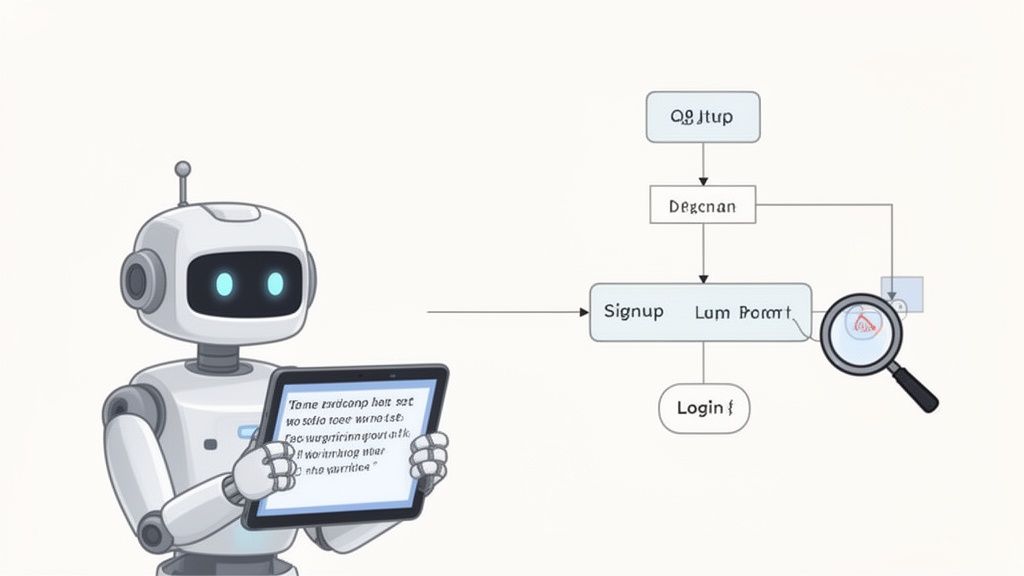
The magic behind this evolution is AI’s ability to interpret plain English. A product manager can now write a simple prompt like, “Test the complete user signup and login flow,” and an AI agent can generate a full, ready-to-run test case from scratch. It figures out which buttons to click, what data to enter, and how to verify that everything worked as expected—all on its own.
Moving Beyond Brittle Scripts
If you’ve ever worked with traditional UI automation, you know the pain of maintenance. Scripts are notoriously fragile. A developer makes a tiny change to a button’s ID, and suddenly, your entire test suite is broken, leading to hours of frustrating detective work. This is where AI introduces a game-changing concept: self-healing tests.
When an AI-driven test runs into a UI change that would normally crash a script, it doesn’t just give up. Instead, it uses context—like the element’s text, its position on the page, and what other components are nearby—to find what it’s looking for and adapt the test on the fly. This massively cuts down on the constant upkeep that plagues older frameworks.
The industry is taking notice. The market for app test automation is expected to jump from USD 19.23 billion in 2025 to a massive USD 59.55 billion by 2031, with AI being a primary driver. With 68% of organizations already bringing Generative AI into their quality engineering, the direction is clear: smarter testing delivers better results with less work.
Enhancing Visual And Functional Validation
AI also shines in an area where older tools often struggle: visual testing. Traditional visual regression testing is like a fussy perfectionist, flagging tiny, unnoticeable rendering differences as critical failures. AI-powered visual validation works more like a human, spotting genuine visual bugs while intelligently ignoring harmless pixel-level noise.
This capability makes it much easier to catch subtle but important issues that users will actually notice, such as:
- Layout Shifts: Elements crashing into each other or getting pushed off-screen on different devices.
- Incorrect Rendering: Components not showing up properly after a code push.
- Styling Inconsistencies: Buttons or fonts that don’t match the approved design system.
The growing use of AI-driven user testing tools is central to this trend, helping teams analyze user interactions with greater speed and accuracy.
By understanding intent rather than just following commands, AI agents like TestDriver empower teams to build and maintain comprehensive test suites at a speed that was previously unimaginable. This allows testing to happen in parallel with development, not as a bottleneck after it.
Ultimately, this move towards AI-powered automation is making quality accessible to more people. It lets product owners and manual QA testers contribute directly to the automation effort, fostering a more collaborative and efficient process that can finally keep up with the speed of modern software development.
Frequently Asked Questions About UI Test Automation
Getting started with automated UI testing always stirs up a lot of questions. Teams often wonder where to begin, what’s worth automating, and how it all fits into the bigger picture. Let’s walk through some of the most common questions engineering teams ask when they first dip their toes into UI automation.
These answers should clear up the core ideas and help you build a testing strategy that actually makes a difference.
What Should Be Automated And What Should Remain Manual?
This is the classic question, and the answer is pretty straightforward. Automate the predictable and repetitive, but keep the exploratory and subjective manual. Think of it this way: a script can’t tell you if a new design feels clunky or confusing, but a person can spot that in seconds. Manual testing is still king for checking usability, aesthetics, and finding those weird bugs you’d never think to script.
So, what are the prime candidates for automation?
- Regression Tests: These are the bread and butter of automation. They check that existing features haven’t broken after you’ve introduced new code, and they need to be run constantly.
- Critical User Journeys: You absolutely must automate your core user flows—things like logging in, completing a checkout, or creating an account. These have to work, all the time.
- Data-Driven Tests: Any test that requires you to plug in hundreds of different data combinations is a nightmare for a human but a piece of cake for an automated script.
How Do You Handle Flaky UI Tests?
Ah, the dreaded flaky test. We’ve all been there—a test that passes one minute and fails the next, with zero code changes. They’re the fastest way to make your team lose faith in the entire automation suite. The first step is always to figure out why it’s failing, which usually comes down to timing issues or fragile element selectors.
A flaky test is worse than no test at all. It just creates noise, erodes confidence, and gets ignored. Building resilient tests from the start with stable selectors and smart waits isn’t just a good idea; it’s essential for long-term success.
To fight the flakiness, you need a solid game plan. Start using unique data-testid attributes instead of relying on CSS classes that might change. Add explicit waits that tell the script to pause until an element is actually visible before trying to click it. And always, always make sure your test environment is reset to a clean, known state before every single test run.
Can Automation Completely Replace Manual QA Testers?
Nope. Not a chance. And honestly, it shouldn’t. Automated UI testing is a fantastic tool that works alongside manual testing, but it doesn’t make human testers obsolete. Automation is brilliant at what it does: executing repetitive tasks with speed and precision. This frees up your QA pros to focus on what they do best—applying critical thinking, domain knowledge, and human intuition.
Your manual testers are the ones who will perform real exploratory testing, assess the overall user experience, and give you feedback that a machine never could. The strongest QA strategies blend the relentless efficiency of automation with the creative intelligence of human testers. It’s not one or the other; it’s both.
Ready to slash your test creation time from hours to minutes? TestDriver uses an intelligent AI agent to generate end-to-end tests from simple English prompts, turning complex user flows into executable code instantly. Stop wasting time on brittle scripts and see how AI can accelerate your entire QA process. Generate your first test with TestDriver today.
Automate and scale manual testing with AI
TestDriver uses computer-use AI to test any app - write tests in plain English and run them anywhere.