10 Best Practices for QA Testing to Elevate Quality in 2025
Discover 10 actionable best practices for QA testing to enhance software quality. Learn about TDD, BDD, automation, CI/CD, and more for 2025.
Automate and scale manual testing with AI ->
In today’s fast-paced software development landscape, ‘good enough’ quality is a recipe for failure. The difference between market leaders and forgotten apps often comes down to a robust, intelligent quality assurance strategy. But what does that look like in practice? It’s more than just finding bugs; it’s about building quality into every step of the development lifecycle, preventing defects before they happen, and creating a culture of excellence. To achieve this, it’s crucial to embed quality throughout the entire process, adopting robust software development best practices for remote teams that align development and testing goals from day one.
This guide cuts through the noise to deliver 10 essential, actionable best practices for QA testing that modern teams must adopt to stay competitive. We’ll move beyond generic advice and dive into the specific strategies, frameworks, and mindsets that will empower your team to ship better products, faster.
You will learn how to:
- Integrate testing seamlessly into your CI/CD pipeline for continuous quality.
- Implement powerful methodologies like Behavior-Driven Development (BDD) and Risk-Based Testing to focus your efforts where they matter most.
- Master test automation, from tackling flaky tests to managing test data effectively.
- Leverage critical quality metrics to drive data-informed decisions and demonstrate the value of QA.
- Apply advanced techniques, including AI-driven test generation with tools like TestDriver, to accelerate validation and enhance coverage.
Each practice is designed to be a practical building block for creating a world-class QA function, whether you’re a seasoned SDET, a developer, or an engineering manager aiming to improve release quality and speed. Let’s get started.
1. Test-Driven Development (TDD)
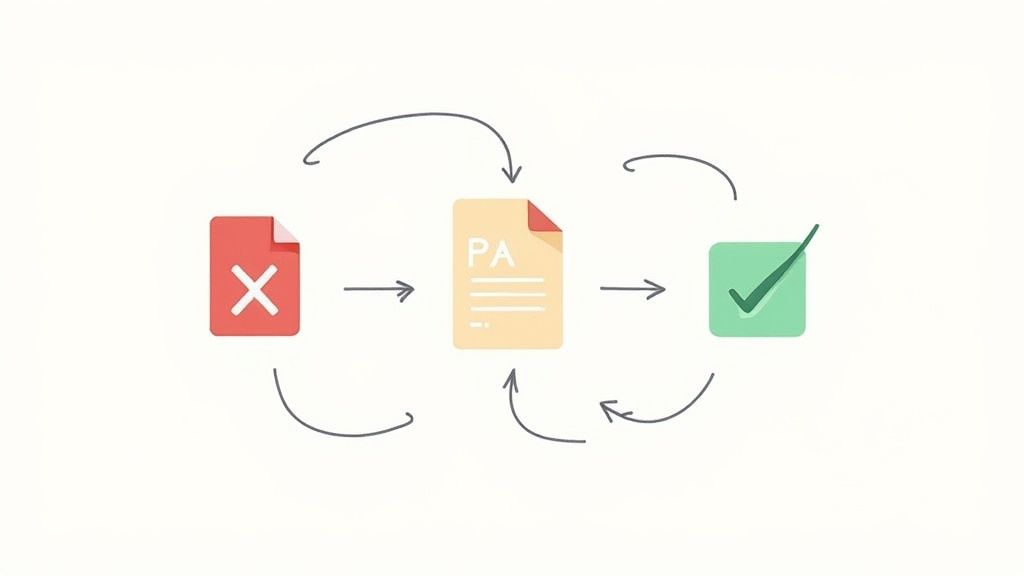
Test-Driven Development (TDD) flips the traditional software development process on its head. Instead of writing code and then testing it, TDD requires developers to write a failing automated test before writing any production code. This approach, popularized by Kent Beck, forces development to be guided by testable requirements, making it one of the most proactive best practices for QA testing and development alignment. The cycle is simple but powerful: write a test that fails, write the minimum code necessary to make it pass, and then refactor the code to improve its design.
This “red-green-refactor” loop ensures that every line of production code is written to satisfy a specific, tested requirement. It creates a comprehensive safety net of unit tests that guards against regressions and gives developers the confidence to refactor and improve the codebase without fear of breaking existing functionality. Companies like Google and Microsoft have successfully integrated TDD to improve code quality and maintainability in large-scale projects.
How to Implement TDD Effectively
Adopting TDD requires a disciplined mindset change. To integrate this practice into your workflow, focus on small, incremental steps that build both the test suite and the application logic simultaneously.
- Start with the Simplest Case: Begin by writing a test for the most basic success path of a feature. For instance, if building a calculator function, the first test might be
test_add_two_positive_numbers. - Focus on Behavior, Not Implementation: Your tests should validate what the code does, not how it does it. This decouples the test from the implementation details, making refactoring easier without breaking tests.
- Keep Cycles Short and Fast: The entire red-green-refactor cycle should take only a few minutes. Fast feedback is crucial for maintaining momentum and ensuring developers stay in the flow.
- Use Descriptive Naming: Test names should be clear and descriptive, acting as living documentation for the feature’s behavior. A name like
should_throw_error_when_dividing_by_zerois far more useful thantest_division_edge_case.
By embracing TDD, teams shift quality assurance left, embedding it directly into the coding process itself rather than treating it as a separate, subsequent phase.
2. Behavior-Driven Development (BDD)
Behavior-Driven Development (BDD) evolves the principles of TDD by framing tests around user behavior and business outcomes. Instead of focusing solely on code units, BDD uses a shared, natural language format to describe how a feature should behave from a user’s perspective. This collaborative approach, pioneered by Dan North, bridges the communication gap between developers, QA engineers, and non-technical stakeholders, making it one of the most effective best practices for QA testing alignment. The core of BDD is writing specifications in a structured, human-readable language like Gherkin (Given-When-Then) before development begins.
This “specification-first” method ensures that the entire team shares a common understanding of the requirements. The Gherkin scenarios act as both automated tests and living documentation, guaranteeing that the software not only works correctly but also meets the precise business needs it was designed to address. Agile teams in major tech and financial institutions use BDD frameworks like Cucumber to ensure compliance and validate complex user workflows, creating a direct link between business requirements and the test suite.
How to Implement BDD Effectively
Adopting BDD is a cultural shift toward greater collaboration. To successfully integrate this practice, focus on creating a shared understanding of user behavior and maintaining clear, concise specifications.
- Involve Stakeholders in Scenario Writing: Host “Three Amigos” meetings (developer, tester, and business analyst) to collaboratively write BDD scenarios. This ensures everyone agrees on the expected behavior before any code is written.
- Keep Scenarios Simple and Focused: Each scenario should test one distinct behavior. Avoid combining multiple “When-Then” pairs into a single, complex scenario, as this reduces clarity and makes maintenance difficult.
- Use the Given-When-Then Format Consistently: This structure provides a clear, unambiguous template for describing behavior.
Givensets the context,Whendescribes the action or event, andThenspecifies the observable outcome. - Avoid Technical Jargon: Write scenarios in plain business language. The goal is for anyone, including product owners or business stakeholders, to read and understand the feature’s intent without needing technical knowledge.
By embracing BDD, teams ensure that development efforts are directly tied to business value, creating software that is not just technically sound but also functionally correct from the end-user’s point of view.
3. Risk-Based Testing
Risk-Based Testing is a strategic approach that prioritizes testing efforts based on the probability and potential impact of failures. Instead of aiming for exhaustive test coverage, QA teams analyze and identify high-risk areas within an application, allocating more time and resources to them. This pragmatic methodology, championed by experts like Rex Black and formalized by organizations like ISTQB, optimizes efficiency by focusing on what matters most to business outcomes and user experience.
This approach ensures that the most critical functionalities receive the most rigorous scrutiny, maximizing the return on testing investment. It’s a cornerstone of modern best practices for QA testing because it directly links testing activities to business risk, making the QA process more effective and defensible. For example, a banking application would prioritize transaction processing and security vulnerabilities over cosmetic UI elements, while an e-commerce platform would focus heavily on the payment gateway and checkout flow.
How to Implement Risk-Based Testing Effectively
Implementing Risk-Based Testing requires a collaborative effort to identify, assess, and mitigate risks throughout the development lifecycle. This transforms testing from a reactive bug hunt into a proactive quality assurance strategy.
- Create a Risk Matrix: Collaborate with developers, product owners, and other stakeholders to identify potential risks. Map each risk on a matrix with two dimensions: likelihood (probability of occurrence) and impact (severity of consequence). This visual tool helps prioritize features for testing.
- Involve Cross-Functional Teams: Risk assessment shouldn’t happen in a QA silo. Involving developers and business stakeholders ensures a more accurate and holistic understanding of both technical and business risks.
- Update Risk Profiles Regularly: Risks are not static; they evolve as the application changes. Re-evaluate and update your risk assessment at key milestones, such as after major feature releases or architectural changes, to keep your testing strategy relevant.
- Balance with Baseline Coverage: While focusing on high-risk areas is efficient, don’t neglect lower-risk functionalities entirely. Maintain a baseline level of regression testing across the entire application to catch unexpected issues.
4. Continuous Integration/Continuous Testing (CI/CT)
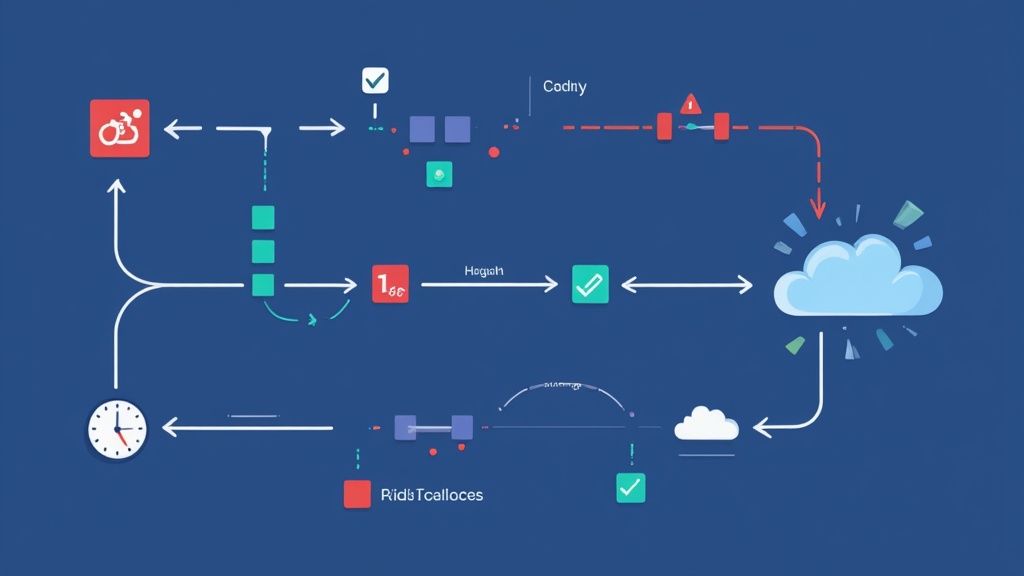
Continuous Integration/Continuous Testing (CI/CT) is a foundational practice in modern software development where code changes from multiple developers are automatically integrated and tested. Instead of manual handoffs, every code commit triggers an automated build and test sequence, providing immediate feedback. This approach, pioneered by thought leaders like Martin Fowler and Jez Humble, makes testing an integral part of the development pipeline, ensuring that integration issues are caught instantly rather than days or weeks later. It is one of the most critical best practices for QA testing for agile and DevOps teams aiming for speed and quality.
This automated feedback loop allows teams to maintain a high-quality, deployable codebase at all times. By running tests continuously, CI/CT minimizes the risk associated with large-scale integrations and enables teams to release features frequently and confidently. Tech giants like Netflix and Amazon rely heavily on CI/CT pipelines, running thousands of automated tests daily to support their rapid deployment cycles and maintain service stability for millions of users.
How to Implement CI/CT Effectively
Integrating CI/CT requires a strategic, phased approach to building a fast and reliable automated pipeline. The goal is to create a system that delivers trustworthy feedback without becoming a bottleneck for developers. Learn more about integrating testing into your CI/CD pipeline for in-depth strategies.
- Start with Fast Unit Tests: The first stage of your pipeline should execute unit tests. These tests are fast and provide immediate feedback on the code’s logical integrity, often completing in a few minutes.
- Layer in Slower Tests: Reserve more time-consuming tests, like integration and end-to-end tests, for later stages of the pipeline. This tiered approach ensures that basic failures are caught quickly without waiting for longer tests to run.
- Keep Build Times Short: Aim to keep the primary feedback loop (commit to test results) under 10 minutes. If builds become too slow, developers may start to ignore them, defeating the purpose of rapid feedback.
- Address Failing Tests Immediately: A broken build or failing test should be treated as a high-priority issue. The entire team is responsible for ensuring the pipeline remains “green,” preventing broken code from accumulating.
By adopting CI/CT, teams transform testing from a separate, post-development phase into a continuous, automated process that safeguards code quality from the moment it is written.
5. Exploratory Testing
Exploratory testing is a human-centric approach that blends test design, execution, and learning into a simultaneous activity. Pioneered by thought leaders like Cem Kaner and James Bach, it empowers testers to use their creativity, intuition, and expertise to “explore” an application without the constraints of pre-written test scripts. This method is exceptionally effective at uncovering subtle, unexpected, and complex bugs that scripted automation often misses, making it one of the most valuable best practices for QA testing.
Unlike the rigid nature of scripted testing, this dynamic process allows testers to adapt their strategy in real-time based on what they discover. This freedom enables a deeper understanding of the system’s behavior and user experience. It’s widely used in user acceptance testing (UAT) sessions, beta testing programs, and for validating new features to quickly identify usability flaws and edge-case defects before committing to automation.
How to Implement Exploratory Testing Effectively
A common misconception is that exploratory testing is unstructured “ad-hoc” testing. In reality, effective exploration requires discipline and a clear framework to guide the process and deliver measurable results.
- Create Test Charters: A charter is a mission statement for a testing session, not a script. It defines the target area, the goals, and the resources available, providing focus without limiting creativity. For example: “Explore the user profile creation flow to discover any potential data validation or usability issues.”
- Use Timeboxed Sessions: Allocate specific, uninterrupted blocks of time (e.g., 90 minutes) for each session. This “timeboxing” technique encourages intense focus and prevents testers from going down unproductive rabbit holes.
- Document Paths and Findings: Testers should diligently log their thought process, the paths they took, any bugs found, and questions that arose. Tools can help capture session notes, screenshots, and screen recordings to make this easier.
- Apply Heuristics and Mnemonics: Use established testing mnemonics like SFDIPOT (Structure, Function, Data, Interfaces, Platform, Operations, Time) to systematically guide your exploration and ensure comprehensive coverage of different aspects of the software.
By structuring freedom with charters and timeboxes, teams can leverage human intelligence to complement automated checks, ensuring a more robust and user-friendly product.
6. Regression Testing
Regression testing is a foundational practice that ensures new code changes, feature enhancements, or bug fixes do not negatively impact existing functionality. It acts as a critical safety net by re-executing a subset of previously passed tests to verify that what once worked still works correctly. This process is essential for maintaining application stability and user trust, especially in agile environments where frequent code commits are the norm, making it one of the most indispensable best practices for QA testing.
The core principle of regression testing is to prevent software “regressions,” which are defects that reappear after being fixed or new bugs introduced in previously stable areas of the application. For example, a mobile app developer might fix a login issue, but without regression testing, they wouldn’t know if that fix inadvertently broke the user profile editing feature. By automating a suite of regression tests that run with every build, teams can catch these unintended side effects early, reducing the cost and effort required for remediation.
How to Implement Regression Testing Effectively
Effective regression testing is about strategic selection and automation, not just re-running every test. A well-managed regression suite provides maximum coverage with minimal execution time, enabling rapid feedback cycles.
- Automate to Maximize Efficiency: Manual regression testing is slow, expensive, and prone to human error. Automate high-priority test cases, especially those covering critical user paths and core business logic, to ensure they can be executed quickly and consistently.
- Prioritize Tests Based on Risk: Not all tests are created equal. Focus your regression suite on high-risk areas, such as features with high user traffic, complex business logic, or components that have been recently modified or historically buggy.
- Use Test Impact Analysis: Instead of running the entire regression suite, use test impact analysis (TIA) tools to intelligently select only the tests relevant to the specific code changes. This significantly reduces test execution time in CI/CD pipelines.
- Regularly Maintain the Test Suite: A regression suite requires constant upkeep. Periodically review and remove obsolete or redundant tests, and immediately address any flaky tests that produce inconsistent results to maintain the suite’s reliability and trustworthiness.
7. Performance and Load Testing
Performance and load testing evaluates how an application behaves under various stress conditions, measuring key metrics like response times, throughput, resource utilization, and stability. While performance testing is a broad category, load testing specifically stresses a system with anticipated user traffic to identify bottlenecks and breaking points. Adopting this practice is crucial for ensuring applications remain responsive and reliable as user numbers grow, making it one of the most essential best practices for QA testing to prevent production failures.
This discipline, championed by the DevOps and SRE communities, ensures systems can handle real-world demand. For example, e-commerce giants conduct rigorous load tests to prepare for Black Friday traffic, while social media platforms test scalability to support millions of concurrent users. These proactive tests prevent catastrophic slowdowns and outages that could otherwise damage revenue and user trust. For a deeper dive, you can explore comprehensive guides on how to master performance testing.

How to Implement Performance and Load Testing Effectively
Effective performance testing requires a strategic approach that goes beyond simply overwhelming the system. The goal is to simulate realistic conditions to gather actionable data and make targeted improvements.
- Define Clear Performance Requirements: Before testing, establish specific, measurable performance goals (SLOs), such as “user login response time must be under 500ms with 1,000 concurrent users.”
- Use Realistic User Scenarios: Create test scripts that mimic actual user behavior and use data volumes that reflect production. Testing with unrealistic scenarios yields misleading results.
- Establish a Baseline: Run tests on a stable build to establish a performance baseline. This benchmark is critical for measuring the impact of subsequent code changes and optimizations.
- Monitor End-to-End: Track performance across the entire technology stack, including the application, database, network, and third-party APIs, to identify the true source of bottlenecks.
By integrating performance testing into the CI/CD pipeline, teams can catch performance regressions early and ensure every release meets user expectations for speed and reliability.
8. Security Testing (including SAST and DAST)
Security testing is a critical, non-negotiable process designed to uncover vulnerabilities and weaknesses in an application before they can be exploited by attackers. Rather than being an afterthought, it should be an integral part of the development lifecycle. This practice involves a combination of automated and manual techniques, including Static Application Security Testing (SAST) which analyzes source code for potential flaws, and Dynamic Application Security Testing (DAST) which probes a running application for vulnerabilities.
This comprehensive approach is one of the most vital best practices for QA testing because it directly protects against data breaches, reputational damage, and financial loss. For example, financial institutions use it to meet strict regulatory compliance, while e-commerce platforms rely on it to secure PCI-DSS requirements. By proactively identifying and mitigating risks like SQL injection or cross-site scripting, security testing builds a robust defense against cyber threats and ensures user trust.
How to Implement Security Testing Effectively
Integrating security testing requires a shift-left mentality, embedding security checks early and often. To conduct effective security testing, QA professionals must be well-versed in the latest data security best practices to identify vulnerabilities and ensure robust protection.
- Combine Automated and Manual Methods: Use SAST tools to scan code during development and DAST tools to test applications in staging environments. Complement these with manual penetration testing to uncover complex business logic flaws that automated tools might miss.
- Establish Secure Coding Guidelines: Provide developers with clear standards based on frameworks like the OWASP Top 10. This empowers them to write more secure code from the start, reducing the number of vulnerabilities found later.
- Create Threat Models: Before development begins, identify potential threats and define countermeasures. This proactive risk assessment helps prioritize testing efforts on the most critical areas of the application.
- Keep Tools Updated: Security is a constantly evolving field. Ensure that your scanning tools, vulnerability databases, and team’s knowledge are regularly updated to protect against the latest threats.
9. Test Automation Best Practices
Test automation involves using specialized software to control the execution of tests and compare actual outcomes with predicted outcomes. By automating repetitive and time-consuming test cases, QA teams can significantly accelerate release cycles, increase test coverage, and improve accuracy. This makes strategic automation one of the most impactful best practices for QA testing, freeing up manual testers to focus on more complex, exploratory, and user-centric scenarios. A well-designed automation framework acts as a critical safety net, providing rapid feedback on every code change.
The goal isn’t to automate everything but to automate smartly. Effective automation focuses on stable, high-value, and repetitive test cases, such as regression suites, API validation, and data-driven tests. For example, teams use frameworks like Selenium for web UI testing, Appium for mobile applications, and RestAssured for API validation to build robust, repeatable test suites that run automatically within the CI/CD pipeline. This integration ensures that defects are caught early, reducing the cost and effort of fixing them later.
How to Implement Test Automation Effectively
A successful automation strategy requires more than just writing scripts; it demands solid engineering principles and a clear vision. To build a scalable and maintainable automation framework, focus on creating resilient, independent, and well-structured tests. For a deeper dive, explore these key considerations for effective test automation.
- Follow the Testing Pyramid: Prioritize your automation efforts by writing many fast, low-level unit tests, a moderate number of integration tests, and very few slow, brittle end-to-end UI tests. This structure provides the best return on investment.
- Use the Page Object Model (POM): For UI automation, POM is a design pattern that creates an object repository for web elements. It enhances test maintenance and reduces code duplication by separating test logic from UI interaction code.
- Keep Tests Independent and Isolated: Each automated test should be self-contained and not depend on the state left by other tests. This allows for parallel execution and makes debugging failures much simpler.
- Implement Proper Wait Strategies: Avoid fixed delays like
Thread.sleep(). Instead, use explicit or implicit waits that pause execution until a specific condition is met (e.g., an element is visible or clickable), making tests more reliable. - Maintain Test Code Like Production Code: Apply the same standards for code quality, version control, and code reviews to your test code. Refactor regularly to keep the test suite clean, efficient, and maintainable.
10. Quality Metrics and Measurement
Quality Metrics and Measurement transform QA from a subjective art into a data-driven science. This practice involves tracking specific, quantitative data points to evaluate testing effectiveness, product quality, and process efficiency. By establishing clear metrics such as defect density, test coverage, and bug escape rate, teams can objectively assess the state of their product and make informed decisions, making it one of the most critical best practices for QA testing for continuous improvement. The goal is to move beyond “it feels stable” to “the data shows we have reduced critical defects by 15% this quarter.”
This analytical approach allows teams to identify bottlenecks, justify resource allocation, and demonstrate the tangible value of their quality assurance efforts. Companies like Google and Microsoft rely heavily on sophisticated quality dashboards to monitor product health in real time, setting strict targets for metrics like test coverage and mean time to resolution (MTTR). This data-centric culture ensures that quality is not an afterthought but a measurable and manageable component of the software development lifecycle.
How to Implement Quality Metrics Effectively
Adopting a metrics-driven approach requires careful selection and consistent tracking. To integrate this practice successfully, focus on metrics that provide actionable insights rather than those that just look good on a report.
- Align Metrics with Business Goals: Choose metrics that directly reflect business priorities. If speed-to-market is key, track cycle time and test automation rates. If stability is paramount, focus on defect escape rates and production incidents.
- Establish Baselines and Targets: You can’t improve what you don’t measure. First, establish a baseline for your chosen metrics. Then, set realistic, incremental improvement targets that the team can work toward.
- Automate Collection and Reporting: Manually gathering metrics is time-consuming and prone to error. Use CI/CD pipelines, test management tools, and analytics platforms to automate data collection and create accessible dashboards for the entire team.
- Focus on Trends, Not Absolutes: A single data point is a snapshot; a trend tells a story. Regularly review metrics over time to identify patterns, celebrate improvements, and proactively address negative trends before they become critical issues.
By leveraging quality metrics, teams can shift from reactive bug-fixing to a proactive, predictive quality management strategy, ensuring their testing efforts are both efficient and effective.
10-Point QA Best Practices Comparison
| Method / Practice | Implementation complexity 🔄 | Resource requirements ⚡ | Expected outcomes ⭐ | Ideal use cases 📊 | Key advantages 💡 |
|---|---|---|---|---|---|
| Test-Driven Development (TDD) | High — discipline and upfront test design; learning curve | Developer time, unit test frameworks, CI integration | ⭐⭐⭐⭐ — higher code quality, fewer regressions | Backend services, libraries, refactor-heavy codebases | Early bug detection; living docs; safer refactoring |
| Behavior-Driven Development (BDD) | High — requires cross-team collaboration and scenario discipline | Stakeholder time, BDD tools (Cucumber/SpecFlow), maintenance | ⭐⭐⭐ — clearer requirements alignment and acceptance tests | Business-facing features, acceptance criteria, compliance workflows | Improves communication; readable specs as docs |
| Risk-Based Testing | Medium — requires risk analysis and periodic reassessment | QA time for risk assessment, stakeholder input, focused test effort | ⭐⭐⭐ — focused defect reduction in critical areas | Limited budgets; high-criticality domains (finance, healthcare) | Optimizes test ROI; concentrates effort on high-impact areas |
| Continuous Integration / Continuous Testing (CI/CT) | High — pipeline setup and maintenance; orchestration complexity | CI infrastructure, automation engineers, reliable test suites | ⭐⭐⭐⭐ — rapid feedback, fewer integration regressions | Agile/DevOps teams, frequent deployments, large codebases | Fast feedback loops; enables frequent, safer releases |
| Exploratory Testing | Low process overhead but high skill dependency 🔄 | Skilled tester time, session documentation tools | ⭐⭐⭐ — uncovers unexpected and UX issues | New features, UAT, usability testing, early-stage products | Finds edge cases and usability problems; adaptable |
| Regression Testing | Medium — test suite maintenance and selection effort | Automated test suites, CI resources, test data management | ⭐⭐⭐⭐ — protects against regressions; maintains stability | Mature products, frequent releases, version upgrades | Prevents regressions; enables confident changes |
| Performance & Load Testing | High — scenario design, environment and tooling complexity | Load tools (JMeter/k6), test infra, monitoring systems | ⭐⭐⭐⭐ — identifies bottlenecks; verifies scalability | High-traffic systems, peak-event planning (e‑commerce, streaming) | Capacity planning; prevents performance incidents |
| Security Testing (SAST & DAST) | High — specialized skills and continuous updates | Security tools, skilled testers/analysts, time for pentests | ⭐⭐⭐⭐ — finds vulnerabilities; aids compliance | Regulated industries, apps with sensitive data | Reduces breach risk; supports compliance and secure design |
| Test Automation Best Practices | Medium–High — framework design and ongoing maintenance | Automation engineers, tools (Selenium/Playwright), CI | ⭐⭐⭐⭐ — faster, repeatable, consistent testing | Testable codebases with repetitive tests (APIs, UIs) | Increases speed and consistency; reduces manual effort |
| Quality Metrics & Measurement | Medium — data collection, analysis, and contextualization | Metrics tools, dashboards, analyst time | ⭐⭐⭐ — enables data-driven decisions and trend visibility | Organizations tracking QA ROI, process improvement | Objective assessment; prioritizes improvements and shows ROI |
Putting It All Together: Your Blueprint for Modern QA Excellence
The journey through the essential best practices for qa testing reveals a powerful, interconnected ecosystem, not just a list of isolated tasks. We’ve explored the foundational principles of shifting left with TDD and BDD, the strategic precision of Risk-Based Testing, and the relentless velocity of Continuous Integration and Continuous Testing. These practices are not mutually exclusive; they are compounding forces that build upon one another to forge a resilient and proactive quality assurance framework.
Adopting these methodologies transforms QA from a final, often-rushed gatekeeper into an integral, continuous thread woven throughout the entire software development lifecycle. By integrating exploratory, performance, and security testing into your sprints, you move beyond simple bug detection. You begin to build a deep, intuitive understanding of your product’s behavior, its breaking points, and its vulnerabilities, ensuring that quality is a shared responsibility, not just a departmental function.
From Principles to Proactive Practice
The true measure of a successful QA strategy lies in its execution. It’s about moving from theory to tangible results. The key takeaway is that modern QA excellence is a dynamic pursuit, requiring a blend of human ingenuity and intelligent automation. While meticulous test design and strategic manual testing remain irreplaceable, the scale and speed of modern development demand a smarter approach to automation.
This is where the principles we’ve discussed truly shine:
- Holistic Coverage: Combining automated regression suites with creative exploratory testing ensures you catch both known and unknown issues. You’re not just confirming that existing features work; you’re actively seeking out edge cases that could disrupt the user experience.
- Data-Driven Decisions: The emphasis on quality metrics is not about vanity or reporting for the sake of it. It’s about creating tight feedback loops. Tracking metrics like Mean Time to Resolution (MTTR) and Defect Escape Rate provides actionable insights that help you pinpoint process bottlenecks and systematically improve your development and testing cycles.
- Efficiency and Speed: A well-oiled CI/CD pipeline, fortified with automated tests, is your engine for rapid, reliable delivery. It provides the confidence to release frequently, knowing that a robust safety net is in place to catch regressions before they ever reach your users.
The Next Frontier: Amplifying Your Efforts with AI
Mastering these best practices for qa testing sets a strong foundation. The next evolutionary step is to amplify your team’s capabilities with intelligent tools that bridge the gap between human strategy and machine execution. The manual effort required to script and maintain comprehensive end-to-end test suites can often become a significant bottleneck, slowing down the very agility you aim to achieve.
This is precisely where AI-driven test generation emerges as a game-changer. Imagine describing a complex user flow in plain English-like “A new user signs up, adds a product to their cart, applies a discount code, and completes the checkout”-and having a robust, executable E2E test generated in seconds. This isn’t a future concept; it’s a present-day reality.
By integrating an AI agent into your workflow, you democratize test creation and dramatically accelerate the process. Your QA engineers can shift their focus from repetitive script maintenance to higher-value activities like complex test scenario design, exploratory testing, and strategic analysis. This synergy between human expertise and AI efficiency is the core of a truly modern, scalable, and effective quality assurance program, allowing you to build a quality flywheel that delivers exceptional software with unparalleled speed and confidence.
Ready to supercharge your testing workflow and implement these best practices with unprecedented speed? See how TestDriver uses AI to generate comprehensive end-to-end tests from simple prompts, freeing your team to focus on what matters most. Discover the future of QA at TestDriver and turn your quality strategy into a competitive advantage.
Automate and scale manual testing with AI
TestDriver uses computer-use AI to test any app - write tests in plain English and run them anywhere.