A Practical Guide to Quality Assurance in Software Development
Discover how quality assurance in software development works. Learn modern QA processes, key testing types, and how AI is revolutionizing software delivery.
Automate and scale manual testing with AI ->
Quality assurance in software development is all about playing the long game. It’s a proactive strategy focused on preventing defects from the get-go, not just catching them at the finish line. It means setting up the right standards, processes, and guidelines to make sure the final product does exactly what users need and what the business expects.
What Is Quality Assurance in Software Development Really
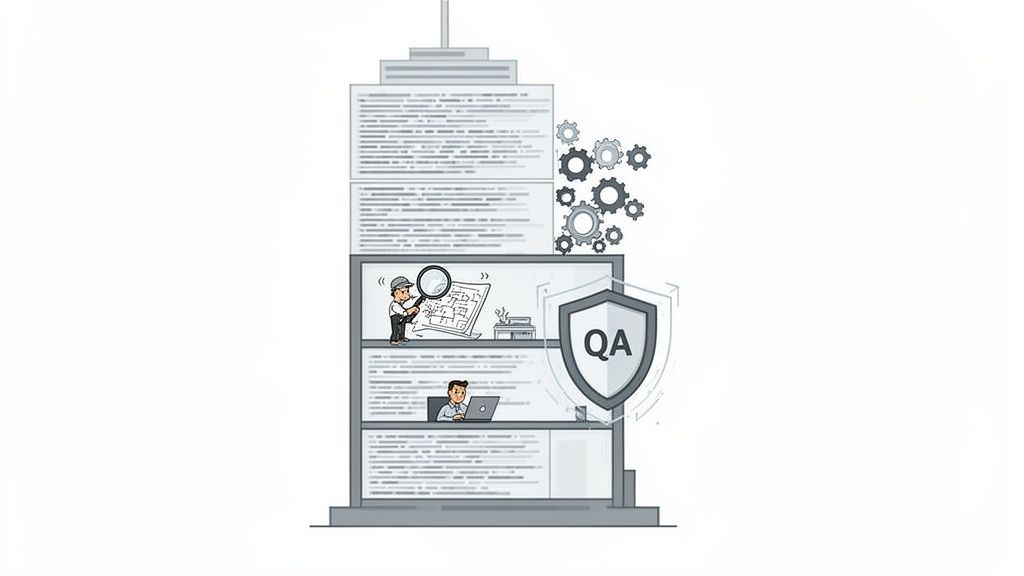
Think about building a skyscraper. You wouldn’t just slap it all together and then have one final inspection before the grand opening, right? Of course not. Quality Assurance is the entire system of checks and balances that happens along the way—from scrutinizing the architectural blueprints to testing the integrity of the steel and ensuring every single floor is built to strict safety codes.
That’s exactly how QA works in software. It’s woven into every stage of the software development lifecycle (SDLC). It’s less of a final gate and more of a mindset, a culture of quality. The goal is to build quality into the product from the very start, rather than trying to inspect it in at the end. Taking this proactive approach means teams can find and squash potential issues early, which is a whole lot cheaper and less stressful than fixing bugs that your customers find for you.
Distinguishing QA from QC and Testing
People often toss around the terms Quality Assurance, Quality Control (QC), and Testing as if they’re the same thing. They’re not. Nailing down the differences is crucial for building a solid quality strategy.
- Quality Assurance (QA): This is all about the process. QA focuses on defining and refining the way you build software to prevent defects from ever happening. It answers the big question: “Are we doing this the right way to build a great product?”
- Quality Control (QC): This is about the product. QC is the inspection part of the equation, where you’re looking for defects in the actual software. It’s reactive and answers the question: “Does what we just built meet our quality standards?”
- Testing: This is a core part of Quality Control. It’s the hands-on process of running the software, trying to break it, and verifying that it works as intended. Testing is the action of executing code to see how it behaves.
In a nutshell, QA builds the quality framework, QC checks if the output from that framework is up to snuff, and Testing is one of the main tools you use for that check.
A truly successful quality assurance in software development plan blends all three of these seamlessly. For a great primer on this, check out this guide on What Is Quality Assurance in Software Development. This holistic view transforms quality from a simple bug hunt into a full-blown discipline that keeps customers happy and protects your company’s reputation. To go even deeper, you can also explore our article on the importance of quality engineering in software development.
The Guiding Principles of a Modern QA Strategy
Great quality assurance in software development isn’t just about running tests and ticking boxes. It’s a completely different way of thinking—a proactive mindset that weaves excellence into a product from the very first line of code. This philosophy is built on a few core ideas that should shape every decision you make.
The biggest shift is moving away from reactive bug hunting to proactive bug prevention. Instead of waiting for things to break right before a launch, a modern QA approach finds and squashes potential issues way earlier in the development process. This simple change saves a ton of time, cuts costs, and ends those frantic, last-minute scrambles before a release.
Ultimately, it all comes down to one thing: building and keeping customer trust by delivering a product that just works, every single time.
Prevention Over Detection
If you take away only one thing, let it be this: prevention over detection. It’s just common sense, really. You’d rather design a car with great brakes from the start than find out they don’t work during a test drive, right? The same goes for software. We need to focus on solid requirements, smart architecture, and clean code to stop bugs from ever showing up in the first place.
This proactive approach totally changes the game for QA teams. They stop being the “bug police” and instead become quality coaches, working alongside developers and product managers to improve how things are built, not just pointing out what’s broken.
A mature QA process isn’t measured by how many bugs it finds, but by how few bugs are created in the first place. This shift empowers the entire team to build quality in, not just test for it at the end.
As products grow, this strategy really starts to pay off. The State of Software Quality Report found that using automated quality checks jumps from 27% during development to 40% after launch, showing a clear focus on keeping code healthy long-term. This focus is a big reason why QA now makes up about 40% of total development budgets.
Fostering a Quality-First Culture
Let’s be clear: a great QA strategy can’t live on an island. It needs a quality-first culture where everyone—designers, developers, product managers, you name it—feels responsible for how good the final product is. Quality becomes everyone’s job when developers are writing their own unit tests and designers are thinking about usability from the get-go.
This kind of collaboration tears down that old “us vs. them” wall between developers and testers. Suddenly, everyone is pulling in the same direction, aiming for the same goal: an amazing user experience.
Enhancing the User Experience
These days, quality assurance is about so much more than just making sure the software doesn’t crash. It’s about looking at the entire experience through the user’s eyes. Is this thing easy to figure out? Does the workflow make sense? Does it actually solve the user’s problem without causing a headache?
A complete approach to QA means looking past basic functions to improve the whole user journey, which starts by understanding what user experience design entails. By focusing on usability, performance, and accessibility, QA ensures the final product isn’t just functional but is actually a pleasure to use. That’s how you turn casual users into your biggest fans.
Understanding the Essential Types of QA Testing
Trying to get a handle on all the different kinds of software testing can feel a bit overwhelming at first. There’s a whole world of terminology, and it’s not always clear what you need and when. But here’s the secret: a great quality assurance in software development strategy is simply about picking the right test, for the right reason, at the right time.
Let’s use a simple analogy: building a house. You wouldn’t build the entire house, install the plumbing, and only then turn on the water to check for leaks. You’d test things in stages—check the pipes before the walls go up, test the wiring before the outlets are installed, and so on. Software testing works the same way.
Think of this section as your field guide. We’ll walk through the most common testing types so you can see how they all fit together to build a high-quality product.
Functional Testing: Does It Actually Work?
This is the first and most fundamental question you need to answer. Functional testing is all about one thing: verifying that the software does what it’s supposed to do. It’s a direct check against the requirements.
Back to our house analogy. Does the front door lock? Does the faucet turn on? Does the light switch work? We’re not worried about water pressure or how bright the light is just yet. We just need to know if the core functions are operational.
Functional testing typically happens at a few key levels:
- Unit Testing: This is the ground floor. Developers test the smallest, most isolated pieces of code—the “units”—to make sure each one works perfectly on its own. It’s like a plumber pressure-testing a single pipe before installing it.
- Integration Testing: Once the individual units are confirmed to be solid, it’s time to see how they work together. Integration testing checks the connections and interactions between different software modules. Do the pipes connect to the main water line without leaking? This is where you find flaws in how different parts of your application communicate.
- End-to-End (E2E) Testing: This is the final walkthrough. E2E testing simulates a real user’s journey from start to finish, validating an entire workflow across the application. It’s like a homeowner walking through their new house, turning on lights, flushing toilets, and running the dishwasher to ensure everything works together as a complete system.
A strong functional testing practice is the foundation of quality. It’s how you prove that your software keeps its basic promises to the user.
Non-Functional Testing: Does It Work Well?
Okay, so the lights turn on. But do they flicker? Does the water pressure drop to a trickle when someone flushes a toilet? While functional testing confirms what the system does, non-functional testing evaluates how well it does it. This is where we look at performance, reliability, and the overall user experience.
These qualities are what separate a frustrating product from a great one. They are absolutely critical for building user satisfaction and trust.
Some key non-functional tests include:
- Performance Testing: This measures how your system behaves under pressure. This can involve load testing (simulating expected user traffic) or stress testing (pushing the system to its breaking point to see what happens).
- Security Testing: Here, you actively try to break in. Security testing probes the application for vulnerabilities and weaknesses to protect user data from attacks. It’s the digital equivalent of checking the locks, windows, and alarm system on your house.
- Usability Testing: How easy and intuitive is your software to use? In usability tests, you watch real users interact with your application to see where they get stuck, confused, or frustrated.
Maintenance Testing: Does It Still Work?
Software is a living thing. It’s constantly being updated with new features, bug fixes, and performance tweaks. Maintenance testing is the crucial process of ensuring that these changes don’t accidentally break something that was already working.
The most important type of maintenance testing is regression testing. Its sole purpose is to verify that a recent code change hasn’t caused any unintended, negative side effects. Think of it this way: when an electrician adds a new outlet, they do a quick check to make sure they didn’t knock a wire loose for the lights in the next room. That’s regression testing. It’s a safety net that is absolutely essential for any team that wants to move fast without breaking things.
To give you a clearer picture, let’s compare some of these essential testing types side-by-side.
A Snapshot of Essential Software Testing Types
| Testing Type | Primary Purpose | When It’s Done | What It Verifies |
|---|---|---|---|
| Unit Testing | To validate individual components of code in isolation. | During development, by developers. | The correctness of a single function, method, or class. |
| Integration Testing | To verify that different modules or services work together correctly. | After unit testing, before system testing. | Data flow and interactions between connected components. |
| End-to-End Testing | To validate the entire software workflow from a user’s perspective. | Before release, on a production-like environment. | Complete user journeys and business processes. |
| Performance Testing | To measure speed, responsiveness, and stability under a workload. | Throughout the SDLC, especially before major releases. | System response time, resource usage, and scalability. |
| Security Testing | To identify and fix security vulnerabilities. | Continuously, and before any major release. | Data protection, authentication, and resistance to attacks. |
| Regression Testing | To ensure new code changes haven’t broken existing functionality. | After every code change or bug fix. | That previously working features still work as expected. |
As you can see, each test has a distinct job to do at a specific point in the development lifecycle. A truly effective QA strategy doesn’t just pick one; it layers these different types of testing to build confidence and ensure quality from every angle.
Building Your Modern QA Workflow Step by Step
Turning quality principles into a day-to-day reality means building a structured workflow. A modern take on quality assurance in software development isn’t some stressful, last-minute hurdle before release. Instead, it’s a series of connected practices that build confidence with every single code commit. The whole point is to create a predictable, efficient system where quality is the default, right from the start.
This requires a fundamental rethink of the old, linear development cycle. Instead of saving all the testing for the end, a modern workflow pulls those quality checks forward, making them a parallel track to the development work itself. That one change is the secret to shipping better software, faster.
Embrace the Shift-Left Philosophy
The single most powerful change you can make to your QA process is adopting the shift-left philosophy. Think of your development lifecycle as a timeline—planning is on the left, and the final release is on the right. Traditionally, testing was a giant roadblock piled up at the far-right end of that line.
Shifting left simply means moving testing activities much earlier in the timeline. You don’t wait for a feature to be “done” to start testing; you start almost as soon as the first line of code is written.
Why is this a game-changer? Because finding and squashing a bug during the coding phase is incredibly cheap and fast. That same bug, if it escapes and is found after launch, can cost over 100 times more to fix. The data on this is overwhelming and consistent.
This approach changes the entire dynamic. QA is no longer a gatekeeper but a collaborative partner. Testers work right alongside developers, offering feedback in real-time and preventing bugs from ever getting tangled up in the codebase in the first place.
The core idea of shifting left is simple: Quality is not an event, but a continuous activity. By making it an early and ongoing part of the development process, you build a foundation of stability that accelerates, rather than hinders, delivery speed.
Integrate QA into Your CI/CD Pipeline
Continuous Integration and Continuous Deployment (CI/CD) pipelines are the automated engines of modern software delivery. Plugging your QA workflow directly into this pipeline creates a powerful, self-sustaining feedback loop that drives your quality strategy forward.
Here’s a snapshot of how it works:
- A developer commits new code to the repository.
- The CI server immediately and automatically builds the application.
- Right after the build, a suite of automated tests (like unit and integration tests) runs against it.
- If everything passes, the code is merged and can be automatically deployed to a staging environment for more in-depth testing.
This level of automation ensures every change gets a basic quality check before it goes any further. It gives developers instant feedback, so they can fix issues in minutes, not days. If you’re looking to really dial this in, it’s worth understanding the best practices for integrating testing into your CI/CD pipeline.
Balance Automation with Manual Testing
While automation is a must-have, it’s not the whole story. A truly effective QA workflow intelligently blends automated testing with strategic manual and exploratory testing. The trick is knowing what to automate.
- Automate the Repetitive: Regression tests are the perfect candidates for automation. These are the tests that check if new code broke something that used to work, and running them by hand over and over is a soul-crushing task.
- Keep Humans for Exploration: There are some things a script just can’t do. Manual and exploratory testing are where human intuition shines—evaluating the user experience, spotting confusing design choices, or judging if a workflow feels clunky. These insights are absolutely critical for building a product that people actually enjoy using.
The flowchart below gives a good overview of how different testing stages—functional, non-functional, and maintenance—all fit together.
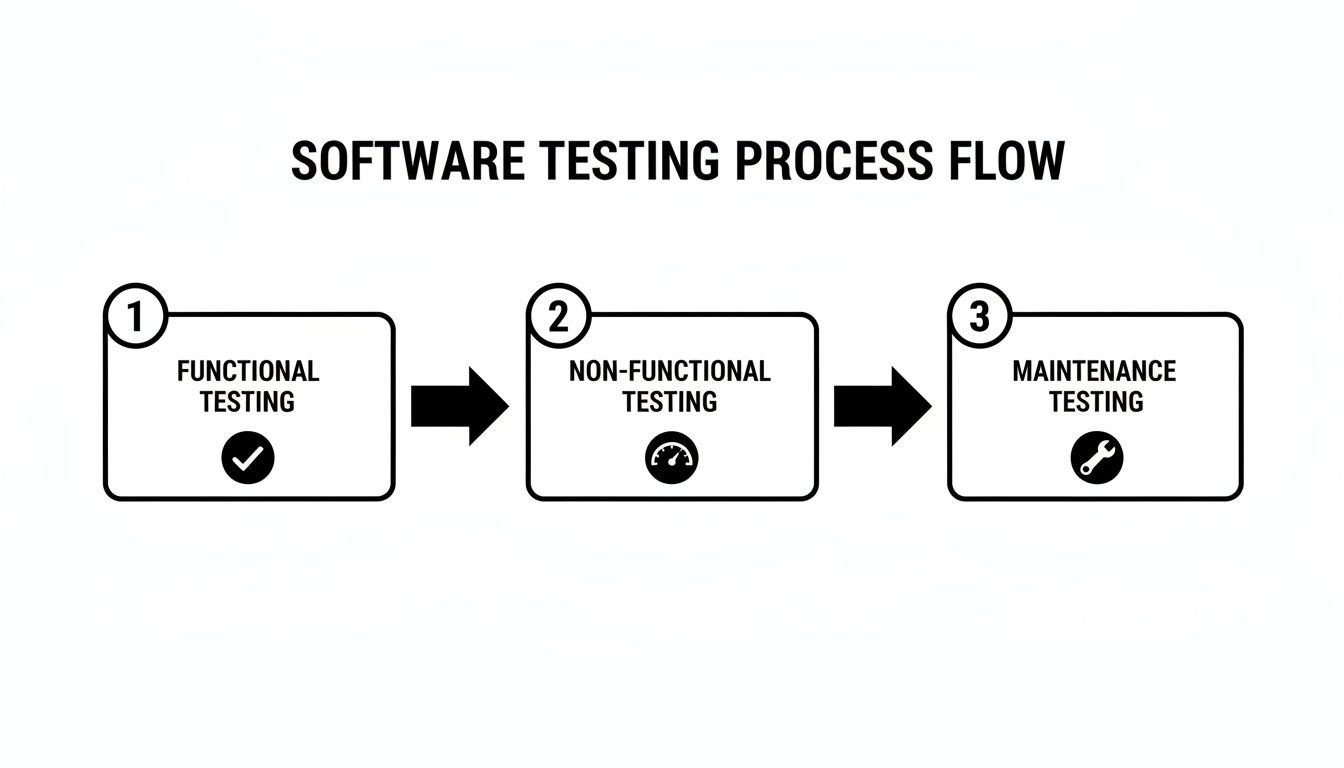
This visual shows that quality is a multi-layered effort. Each type of testing targets a different aspect of the product, from its core functionality to its performance and long-term health. By weaving these steps into a single, cohesive workflow, your team can cover all the bases and deliver a truly solid application.
How AI Is Redefining End-to-End Testing
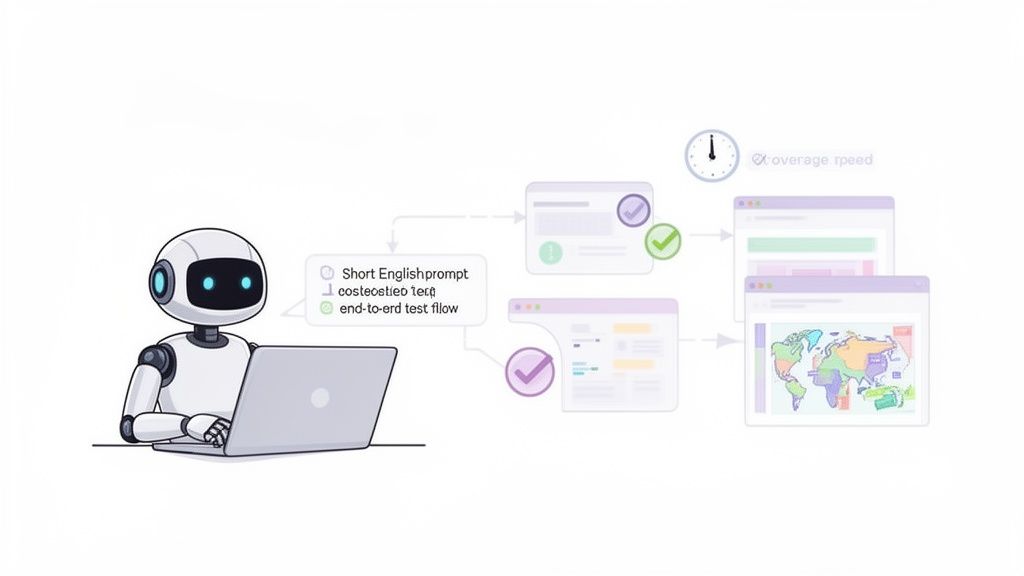
Even with a slick CI/CD pipeline and a “shift-left” mindset, one part of quality assurance in software development has always been a drag: end-to-end (E2E) testing. This is the final, all-important sanity check that simulates a real user’s journey to make sure every piece of the application plays nicely together.
Historically, building these E2E tests has been slow, technically difficult, and downright fragile. The scripts are notoriously brittle, shattering with the smallest UI tweak and demanding constant, expensive upkeep. For teams trying to ship quickly, this creates a terrible choice: slow down the release train or ship with glaring gaps in test coverage.
Neither option is good. Luckily, AI is stepping in to completely change the game.
Moving Beyond Brittle Scripts
The fundamental issue with traditional E2E testing is its reliance on hand-coded, procedural scripts. QA engineers sink hours into writing and debugging code that just mimics what a user does. This isn’t just a time sink; it also creates a technical silo where only those who can code can meaningfully contribute to testing.
AI-powered testing platforms are engineered to fix this. Instead of asking you to write line after line of code, they use AI agents that understand plain English. A team member can simply describe what a user needs to do, and the AI handles the rest, generating the test on the fly.
The real breakthrough here is moving from imperative commands (“Click the button with ID ‘submit-btn’”) to declarative intent (“Sign up for a new account”). This lets the AI figure out the “how,” making tests not only faster to create but also far more resilient when the UI changes.
This approach throws the doors open on the testing process. Product managers, designers, and even customer support specialists can now help build the QA safety net, ensuring tests reflect how real people actually use the software.
The Power of AI-Generated Test Scenarios
Let’s say you need to test a checkout flow on your e-commerce site. Using a tool like TestDriver, you could just give it a prompt like: “Log in as an existing user, find ‘running shoes,’ add the first pair to the cart, use a promo code, and pay with a credit card.”
The AI agent gets to work, navigating your application just like a person would. It intelligently identifies the right buttons and fields, completing the entire sequence. Because it can handle dynamic content and minor UI variations, it builds a robust test that would have taken an engineer hours to script manually. The creation time plummets from hours to minutes.
This newfound speed allows teams to achieve much deeper test coverage. Instead of just testing the “happy path,” you can rapidly generate tests for dozens of edge cases and alternative flows, catching the kinds of bugs that manual testing would almost certainly miss. For any team that needs to move fast, it’s critical to know how to integrate AI into your quality assurance strategy effectively.
The industry is already catching on. A recent survey found that 68% of development teams are already using AI for some QA activities. With enterprises expecting up to a 50% drop in regression testing maintenance costs, it’s no surprise that nearly 45% of teams are planning to use more AI-assisted QA soon. You can discover more about these QA testing trends and see the numbers for yourself.
This is where quality assurance in software development is headed: a smarter, more collaborative process where technology amplifies human expertise, helping teams ship higher-quality software, faster.
Answering Your Top QA Questions
Even seasoned pros have questions about quality assurance in software development. Let’s clear up a few of the most common ones to give you a more solid footing.
What’s the Real Difference Between Quality Assurance and Quality Control?
It’s easy to get these two mixed up, but they play very different roles.
Think of Quality Assurance (QA) as the proactive, process-driven side of things. It’s about designing a solid blueprint before you ever lay a foundation. QA is all the work you do upfront—setting standards, choosing the right tools, and defining workflows—to prevent defects from ever happening in the first place. The goal is to build quality right into the development lifecycle.
Quality Control (QC), on the other hand, is reactive and product-focused. If QA is the blueprint, QC is the final walkthrough of the finished house. It involves hands-on testing and inspection to find any cracks, leaks, or other flaws that managed to sneak through. QC is your last line of defense before a product gets into a customer’s hands.
How Can a Small Team Actually Implement a Good QA Process?
You don’t need a massive, dedicated department to bake quality into your product. For small teams, it’s all about being smart, strategic, and creating a culture where quality is a shared responsibility.
- Zero in on high-risk areas. You can’t test everything, so start with the user journeys that are absolutely critical to your business—like the checkout flow or user login.
- Embrace a “shift-left” mindset. This just means empowering developers to test their own code as they write it. Catching a bug with a simple unit or integration test is infinitely cheaper and faster than finding it weeks later.
- Lean on modern, accessible tools. You don’t need a team of automation engineers anymore. AI-driven tools can generate complex end-to-end tests quickly, giving you great coverage without the steep learning curve.
The real secret sauce is making quality everyone’s job. When developers, designers, and product managers all feel a sense of ownership, the entire process gets stronger.
What Are the Most Important QA Metrics to Track?
If you don’t measure it, you can’t improve it. Tracking the right data shows you where your process is working, where the bottlenecks are, and helps you make a case for the value QA brings to the business.
Here are a few metrics that truly tell a story:
- Defect Density: How many confirmed bugs are you finding per 1,000 lines of code? This gives you a sense of your code’s overall health.
- Mean Time to Detect (MTTD): How long does it take for your team to discover a bug after it’s been introduced into the code? A shorter MTTD is always better.
- Mean Time to Resolve (MTTR): Once a bug is found, how long does it take to fix it? This speaks to your team’s agility.
- Test Coverage: What percentage of your codebase is actually being checked by your automated tests? Aim high here.
- Defect Leakage: This one’s a biggie. It’s the percentage of bugs that your customers find after a release, versus what your team caught internally. The lower this number, the more effective your QA process is.
Ready to stop scripting and start testing? With TestDriver, you can generate reliable end-to-end tests in minutes using simple, plain-English prompts. See how our AI agent can accelerate your QA workflow and expand your test coverage at https://testdriver.ai.
Automate and scale manual testing with AI
TestDriver uses computer-use AI to test any app - write tests in plain English and run them anywhere.