A Practical Guide to Risk Based Testing for Modern QA Teams
Implement risk based testing to focus your QA efforts. Learn a step-by-step process to identify, prioritize, and automate tests for critical user flows.
Discover how quality assurance test automation boosts software quality with proven frameworks, tools, and best practices to accelerate delivery.
Automate and scale manual testing with AI ->
Quality assurance test automation is simply the practice of using software tools to run tests on an application automatically. Instead of a person manually clicking through every feature, you create scripts to validate functionality, walk through user journeys, and catch regressions. It’s a massive leap in efficiency over manual checking and absolutely essential for teams who want to ship reliable software, faster.
At its heart, quality assurance test automation is all about getting two things right: speed and consistency.
Think of it like a high-speed bottling plant. If you had to manually inspect, fill, and cap every single bottle, the process would be painfully slow and riddled with human error. But an automated system? It can perform those same repetitive tasks thousands of times with perfect precision. This doesn’t put the workers out of a job; it frees them up to focus on the bigger picture, like improving the overall process and ensuring the final product is top-notch.
That’s exactly what test automation does. It takes over the predictable, mundane checks with incredible speed and accuracy. This shift doesn’t make human testers obsolete. It actually makes their role more important.
The real goal of automation is to offload the boring, repetitive work to machines. This lets your QA professionals use their brains and expertise for more complex challenges. To get a better feel for where people fit in, it’s worth understanding the various roles and responsibilities within a QA team and how they all contribute.
Once automation is handling the routine checks, your QA experts are free to focus on what humans do best:
By automating repetitive regression tests, teams can slash test execution time by as much as 70%. This means you can run more frequent builds, get feedback faster, and make your whole development cycle more nimble.
When you boil it all down, quality assurance test automation serves a straightforward purpose: to help you build better, more reliable software, faster.
It’s like a safety net that’s always working in the background, catching bugs before they ever make it to your customers. This gives your development team the confidence to innovate and move quickly, knowing that a strong baseline of quality is always being checked. It’s a proactive approach that’s non-negotiable for any modern team aiming for both speed and excellence.
Every solid test automation strategy needs a blueprint, and the Test Automation Pyramid is the one most successful teams follow. It’s a simple but powerful model for structuring your tests to get the best results—fast feedback, stable tests, and lower costs.
Without a plan, it’s easy to get things backward. Many teams accidentally build an “Inverted Pyramid” or an “Ice Cream Cone,” where they rely almost entirely on slow and brittle end-to-end tests. This approach is a recipe for maintenance nightmares and flaky test suites. The classic pyramid shape, however, gives you a solid foundation for automation that actually lasts.
This visual shows how testing evolves from a manual process to a strategic, automated one, all with the goal of improving quality.
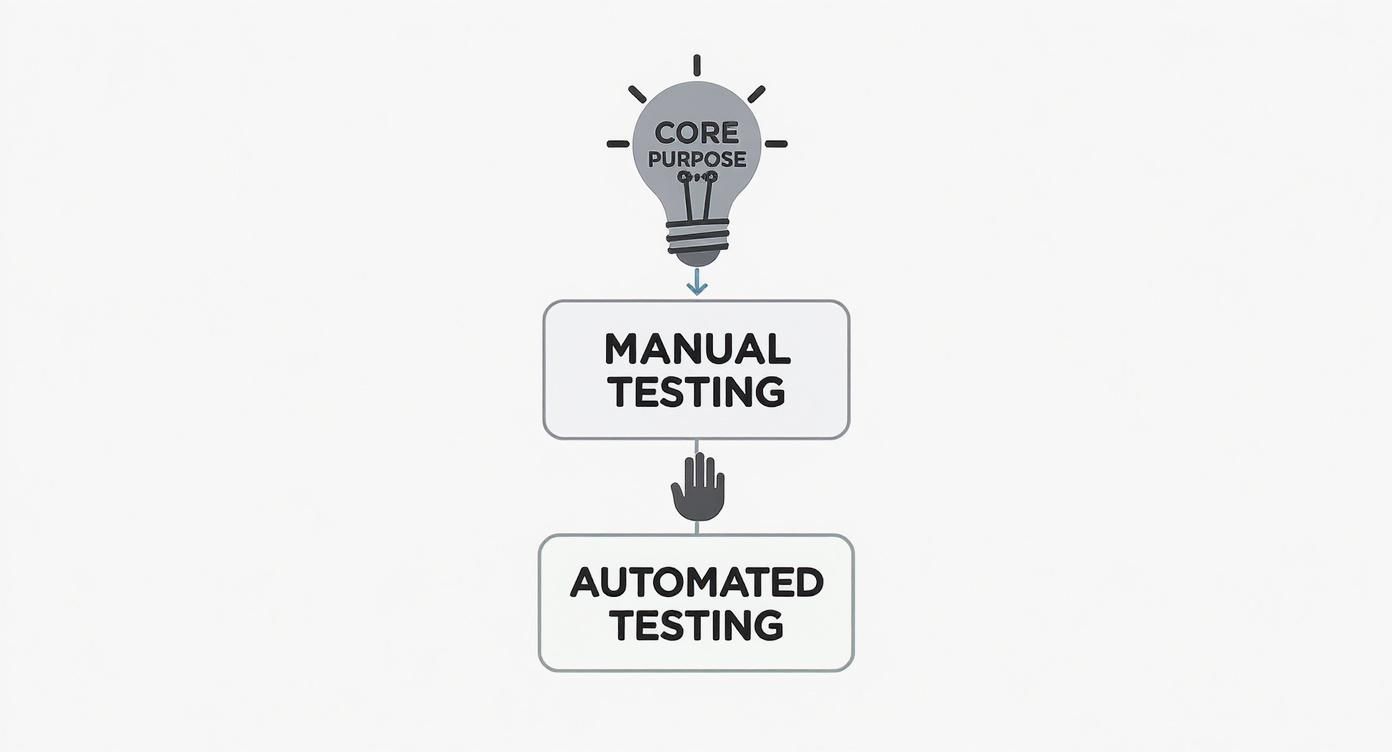
As you can see, automation isn’t the goal itself. It’s the engine that helps you achieve higher quality far more efficiently than you ever could with manual testing alone.
At the very bottom of the pyramid, you have unit tests. Think of these as checking every single brick before you build a house. Each test validates a small, isolated piece of code, like a single function or method, without any outside dependencies.
They run in milliseconds, are cheap to write, and give developers instant feedback. When a unit test fails, you know exactly where the problem is, which makes fixing bugs a breeze. A huge base of unit tests is the cornerstone of any healthy automation strategy.
Moving up a level, we get to integration tests. If unit tests are the bricks, integration tests make sure the plumbing and electrical wiring connect properly. Their job is to check that different parts of your application—modules, services, or components—can talk to each other correctly.
For instance, an integration test could verify that your app can pull the right data from a database or successfully call a third-party API. They’re a bit slower than unit tests, but they’re crucial for finding bugs that only appear when different parts of your system start interacting.
A well-balanced portfolio has a large number of unit tests, a smaller set of integration tests, and very few end-to-end tests. This structure ensures you get fast feedback where it’s most needed—at the code level.
Finally, at the very top of the pyramid, sit end-to-end (E2E) tests. This is like doing the final inspection walkthrough of the finished house. E2E tests mimic a real user’s journey from start to finish, clicking through the UI just as a person would.
These tests are fantastic for confirming that critical business workflows are functioning, but they come with significant trade-offs. They are:
Because of these downsides, you should use E2E tests sparingly. Reserve them for your absolute most critical user paths, like the checkout process or user login. The industry is moving in this direction; by 2025, it’s expected that 73% of organizations will adopt a more balanced pyramid approach, recognizing the pitfalls of an E2E-heavy strategy.
Of course, the Test Pyramid is a guide, not a strict rule. If you’re curious about other ways to structure your testing, our article on the Test Pyramid vs. Temple Pyramid model explores some interesting alternatives.
https://www.youtube.com/embed/6NruSIn-7QA
Once you have a solid strategy mapped out, it’s time to pick the right equipment for the job. This step—choosing your automation tools and framework—is a critical decision in quality assurance test automation. It will directly shape your team’s day-to-day efficiency, the long-term scalability of your tests, and your maintenance budget.
Think of it like choosing the right set of power tools before starting a major construction project. The wrong choice will only lead to frustration, delays, and a lot of rework down the road. This isn’t about just grabbing the most popular tool off the shelf; it’s a thoughtful evaluation of your team’s skills, your application’s tech stack, and what you actually need to accomplish.
Before you even glance at a tool, you have to define what success looks like for your team. What do you need automation to do? Setting clear, measurable goals will be your North Star through the entire selection and implementation process. A great starting point is identifying the best tests to automate first.
Good candidates for automation usually share these traits:
Focusing on these areas first ensures your initial efforts deliver real, immediate value. It builds momentum and gets everyone on board.
With your goals in mind, you can start looking at the tools. The market is full of great options, but they all have different strengths. For web testing, three of the most prominent open-source frameworks are Selenium, Cypress, and Playwright.
It’s crucial to understand what makes each one different. While one team might need the cross-language flexibility of Selenium, another might prefer Cypress’s all-in-one approach because it’s so fast to get up and running.
A classic mistake is picking a tool just because it’s popular. The best framework for you is the one that aligns with your team’s programming skills, plugs neatly into your CI/CD pipeline, and actually supports the architecture of the application you’re testing.
To help you get a clearer picture, here’s a quick comparison of these leading frameworks.
A feature and suitability comparison of leading test automation frameworks to help teams select the best option for their project needs.
| Framework | Primary Language | Best For | Key Advantage | Consideration |
|---|---|---|---|---|
| Selenium | Multi-language (Java, Python, C#, JS) | Cross-browser testing on a massive scale | Unmatched browser and language support, backed by a huge community. | Steeper learning curve and more complex setup than newer tools. |
| Cypress | JavaScript / TypeScript | Modern web apps (React, Angular, Vue) | All-in-one testing experience with a developer-friendly debugger. | Limited to single-tab testing and lacks native mobile support. |
| Playwright | JavaScript, Python, Java, .NET | Complex scenarios needing multi-tab or cross-origin testing | Fast, reliable execution and powerful features like network interception. | Newer than Selenium, so the community is still growing. |
As you evaluate your options, don’t overlook the rise of no-code automation tools, which can lower the barrier to entry and empower non-technical team members. For a deeper dive into what’s out there, check out our guide on the top web and mobile automation tools to consider in 2025.
The tool is just one piece of the puzzle. The other is the framework—the set of rules, standards, and practices you build around the tool. This is your automation architecture. You have to treat it with the same discipline you apply to your application code.
A well-designed framework ensures your tests are:
This is where adopting proven design patterns like the Page Object Model (POM) becomes so important. This approach neatly separates your test logic (the “what”) from the page-specific code (the “how”), which dramatically cuts down on maintenance. That initial investment in a solid structure is what separates a successful, long-lasting automation suite from one that becomes an unmanageable mess.
Having a solid suite of automated tests is great, but its real power is unleashed when you weave it directly into your development workflow. This is where Continuous Integration and Continuous Delivery (CI/CD) come into play. Integrating your quality assurance test automation into this pipeline turns testing from a final, separate stage into an ongoing, automatic quality check.

Think of it like an automated assembly line in a factory. A sensor immediately flags a misaligned part before the product moves any further down the line. That’s exactly what CI/CD integration does for your code. It provides instant feedback on every single change, helping developers catch and fix issues while the code is still fresh in their minds.
When you embed automated tests into your CI/CD pipeline, you’re adopting continuous testing. This means every time a developer commits new code, a build is automatically triggered, and a relevant set of tests runs against it. This creates a tight, reliable feedback loop—the heart of modern software development.
Tools like Jenkins, GitHub Actions, and GitLab CI are built for this. They’re the command center for your entire workflow, handling everything from compiling code to pushing it live. Adding your test suite to this process isn’t just a good idea; it’s a necessary step.
By integrating automated tests into the CI/CD pipeline, teams can slash the feedback time on code changes from days down to mere minutes. This speeds up the entire development cycle and helps catch regressions almost instantly.
This immediate feedback loop gives developers the confidence to release new features, knowing a safety net of automated checks has their back. It’s a powerful way to stop bugs from ever making it into the main codebase.
Getting your tests to run smoothly within the pipeline requires a bit of setup. The main goal is to make the whole process as efficient and transparent as possible.
Here are the essential steps to get you started:
Nailing these steps is crucial for a successful setup. For a deeper dive, check out these best practices for integrating testing into your CI/CD pipeline to sidestep common issues. Ultimately, this integration is what turns testing from a roadblock into a catalyst for faster, more reliable software releases.
Getting your first automated test to pass is a great feeling. The real test, however, is keeping that entire test suite running smoothly six months down the line. Without solid standards, automation projects often buckle under their own weight, turning into a maintenance headache instead of the asset they were meant to be.
Sustainable quality assurance test automation isn’t about finding a magic bullet. It’s about adopting proven habits that keep your test suite from becoming a tangled mess. The whole point is to build something that helps your team move faster, not something that’s constantly broken and holding everyone back.
Here’s the most important mindset shift: treat your test code with the same respect you give your application code. It needs to be clean, readable, and easy to maintain.
The biggest mistake I see teams make is cramming everything into huge, monolithic test scripts. It seems fast at first, but the moment a single UI element changes, you’re stuck digging through dozens of files to fix it. There’s a much smarter way.
The Page Object Model (POM) is a lifesaver here. It’s a design pattern that organizes your test code by creating a separate class for each page or major component of your app. That class holds all the locators and actions for that specific piece of the UI.
This approach pays off immediately:
login() method from your LoginPage object.loginPage.loginWith(user), dashboardPage.navigateToProfile()—making them incredibly easy for anyone to understand.Treat your test automation framework like a software product. It needs a clear architecture, consistent coding standards, and regular code reviews to stay healthy. This discipline prevents the accumulation of technical debt that plagues so many automation efforts.
Nothing kills faith in automation faster than flaky tests. These are the tests that pass one minute and fail the next, even when nothing has changed. They’re usually caused by timing problems, test data conflicts, or unstable environments. Don’t just re-run them and cross your fingers—hunt down the root cause. Smart, conditional waits are your best friend; fixed delays are not.
Your test data strategy is just as important. Each test needs to be completely independent, never relying on the state left behind by a previous one. A good rule of thumb is to create the exact data you need at the start of a test and tear it down at the end. This makes your tests predictable and reliable, whether you’re running one or one thousand.
A test run produces a mountain of data. The trick is to turn that data into something useful. A dashboard full of green and red dots isn’t enough. You need reports that give developers clear, actionable information to fix bugs fast.
A helpful report should always include:
This focus on visibility is part of a bigger picture. Development cycles are getting shorter, and teams are looking for immediate feedback. By 2025, it’s predicted that 70% of QA teams will be using real-time analytics to keep an eye on their automation, leading to a 30% jump in efficiency. You can dive deeper into the future of test automation on Qualizeal.com. Staying on top of these trends is what will keep your automation suite a valuable, sustainable asset for years to come.
While traditional test automation was a massive leap forward, anyone who has worked in the field knows it has its own set of headaches. We’ve all been there—tests that are so brittle they shatter the moment a developer tweaks the UI, and the never-ending chore of script maintenance that can bog a team down. This is exactly where Artificial Intelligence is making its mark. It’s not here to replace testers, but to act as a powerful sidekick, making quality assurance test automation smarter, more resilient, and frankly, less of a grind.
AI-powered tools are tackling some of the most frustrating, time-sucking problems in testing. Think about a test suite that can actually fix itself. Instead of failing because a button was renamed or a CSS selector changed, an AI-driven tool understands what the test intended to do and automatically updates the locator to find the new element. This “self-healing” capability is a genuine game-changer for cutting down on maintenance overhead.

This push toward intelligent automation isn’t just a niche trend; it’s a huge market shift. The global automation testing market was valued at around USD 35.52 billion in 2024 and is expected to rocket to over USD 169 billion by 2034. That explosive growth is being driven by the relentless demand for faster, more effective testing—the very thing AI helps deliver. You can dig into the numbers in the full automation testing market report from Precedence Research.
AI is helping QA teams break free from the old script-and-repeat cycle. It offers a much more intuitive and efficient way to build and manage tests, hitting common pain points right where it hurts.
AI-driven test automation is fundamentally changing the equation. It allows teams to shift their focus from tedious script maintenance to high-value activities like exploratory testing and strategic quality improvements.
Here are a few ways AI is already making a real difference on the ground:
The way we create tests is undergoing a radical transformation, and it’s one of the most exciting developments. With classic tools, writing an end-to-end test for a complex workflow was a job for a skilled engineer with plenty of time. You had to manually inspect the application, hunt down locators for every element, and write precise code for each interaction. It was slow and demanding.
Now, AI flips that script. You can simply describe what you want to test in plain English. For example, a QA engineer could give a prompt like: “Log in as a new user, add two items to the cart, apply a discount code, and verify the final price.”
From there, the AI agent takes over:
This approach doesn’t just make test creation faster; it makes automation accessible to the entire team, from product managers to manual testers. By taking the most tedious work off our plates, AI frees up QA professionals to focus their brainpower where it truly counts: on deep-level quality strategy and ensuring a genuinely fantastic user experience.
As teams venture into quality assurance test automation, a few questions always seem to pop up. Let’s tackle some of the most common ones to help you navigate your own automation journey with a bit more clarity.
This is a classic one. While shooting for 100% test automation coverage sounds like the ultimate goal, it’s actually a trap. Chasing this number often leads you down a path of creating a bloated, fragile test suite that costs a fortune to maintain.
Simply put, not everything is a good candidate for automation. Some testing just needs a human touch.
The real sweet spot is focusing your automation efforts on the right things: high-value, repetitive, and stable parts of your application. Think regression suites, critical user journeys, and data-heavy scenarios. This targeted approach gives you a much better return on your time and effort than blindly chasing that 100% metric.
Developers are absolutely critical to making test automation work. The old way of thinking—where QA is a separate team that just finds bugs at the end—is long gone. Today, quality is everyone’s job.
Developers can make a huge impact by writing solid unit and integration tests, which are the foundation of the Test Automation Pyramid. They can also make life easier for everyone by building the application to be testable from the start, like using clear, stable IDs for UI elements. When developers and QA engineers work together, the result is a much stronger and more resilient test suite.
This is probably the biggest fear for anyone starting with automation, and for good reason. An automation suite isn’t a “set it and forget it” solution. It’s a living project that needs care and attention, or it can quickly turn into a pile of technical debt.
To keep your automation from becoming a burden, stick to a few core principles:
By making these practices a habit, you can ensure your automation remains an asset that helps you move faster, not a maintenance headache that holds you back.
Ready to accelerate your end-to-end test creation? TestDriver uses an AI agent to turn simple prompts into complete, executable tests for any web application. Reduce scripting time, expand coverage, and free up your team to focus on strategic quality initiatives.
Implement risk based testing to focus your QA efforts. Learn a step-by-step process to identify, prioritize, and automate tests for critical user flows.
Discover what automated regression testing is and how to implement it. Learn key strategies for CI/CD, test selection, and measuring real business impact.
Discover how AI in automation testing is revolutionizing QA with smart test generation, self-healing scripts, and visual validation to accelerate workflows.
Discover how ai in testing automation improves QA with practical steps, proven techniques, and ROI insights to accelerate smarter testing.
TestDriver uses computer-use AI to test any app - write tests in plain English and run them anywhere.