A Practical Guide to Risk Based Testing for Modern QA Teams
Implement risk based testing to focus your QA efforts. Learn a step-by-step process to identify, prioritize, and automate tests for critical user flows.
Automate and scale manual testing with AI ->
Let’s be honest: in today’s breakneck development cycles, trying to test everything is a recipe for failure. It’s just not possible. That’s where Risk-Based Testing (RBT) comes in. It’s a strategic pivot away from exhaustive, inefficient test cycles toward a smarter approach that hones in on what actually matters to your business and your users.
Why Risk-Based Testing Is A Game-Changer For QA
The old-school “test it all” mindset simply can’t keep up with the complexity of modern software. Teams are under constant pressure to ship faster, but attempting to cover every single edge case burns precious time and resources, often on parts of the application that have little real-world impact. This is exactly where a risk-based testing strategy changes the entire game for quality assurance.
Instead of treating every feature as equally important, RBT forces you to ask a far more potent question: “What are the most significant things that could go wrong?” It’s a pragmatic approach that ties QA efforts directly to business priorities. This ensures your most critical functionalities—think of a payment gateway or the user login system—get the intense, rigorous testing they deserve. This alignment is absolutely essential in Agile and DevOps worlds where tight feedback loops are everything.
Shifting Focus From Quantity to Quality
At its core, the idea is simple: concentrate your testing firepower where the potential for failure would cause the most damage to your users or your bottom line. This method helps teams make smart, informed decisions, deploying their limited resources for maximum effect.
Here’s what that looks like in practice:
- Faster Feedback Loops: By tackling high-risk areas first, you find the showstopper bugs much earlier in the development lifecycle.
- Reduced Costs: You stop wasting time and money testing trivial features, which leads to a much higher return on your QA investment.
- Improved Product Quality: Focusing on critical user journeys means the most important parts of your app are more stable and reliable.
- Increased Confidence: Your team can release new features with their heads held high, knowing the biggest potential disasters have already been addressed.
This isn’t just a passing trend; it’s a necessary evolution in QA. In a market where you must ensure your app doesn’t fail, adopting a smarter testing strategy is simply non-negotiable for staying competitive.
Let’s quickly compare the two mindsets.
Traditional Vs Risk Based Testing At a Glance
The table below breaks down the fundamental differences between clinging to exhaustive methods and adopting a modern, risk-focused strategy.
| Aspect | Traditional Testing | Risk Based Testing |
|---|---|---|
| Primary Goal | Find as many bugs as possible | Prevent high-impact business failures |
| Scope | Attempt to test everything | Prioritize tests based on risk level |
| Focus | Feature coverage and bug counts | Business impact and user experience |
| Resource Allocation | Evenly spread or based on complexity | Concentrated on high-risk areas |
| Timing | Often a separate phase at the end | Integrated early and continuously |
| Success Metric | Number of tests passed/failed | Reduction in critical production defects |
As you can see, the shift is profound. It’s about working smarter, not just harder, to protect the business and deliver a product that users can count on.
Adopting risk-based testing means moving from a reactive, “find all bugs” mentality to a proactive, “prevent major failures” strategy. It’s about being strategic, not just exhaustive.
This mindset is rapidly gaining ground across the industry for a good reason. Recent data shows that 36.8% of testing professionals now rank RBT as a top practice they are actively advancing, a huge jump from previous years. This surge signals a widespread recognition of its power to manage complexity and deliver better software, faster. You can dig into this trend in more detail by checking out the 2026 State of Testing Report.
Of course, no method is a silver bullet. While powerful, it’s also critical to be aware of the common pitfalls. You can learn more by understanding the flaws in risk models that can sometimes steer projects in the wrong direction.
Your Blueprint for Finding and Scoring Risks
Getting started with risk-based testing really boils down to one simple question: “What could go wrong that would really hurt our users or the business?” It’s a mindset shift. You’re moving beyond just finding functional bugs and starting to map out every potential failure that could sink your project or tarnish your brand.
This isn’t a task for the QA team to tackle in a silo. Identifying real risks is a team sport. You need developers, product managers, business analysts, and other stakeholders in the room. Each person brings a unique lens to the problem, helping to uncover blind spots you’d otherwise miss.
This whole process is about evolving how we think about testing.
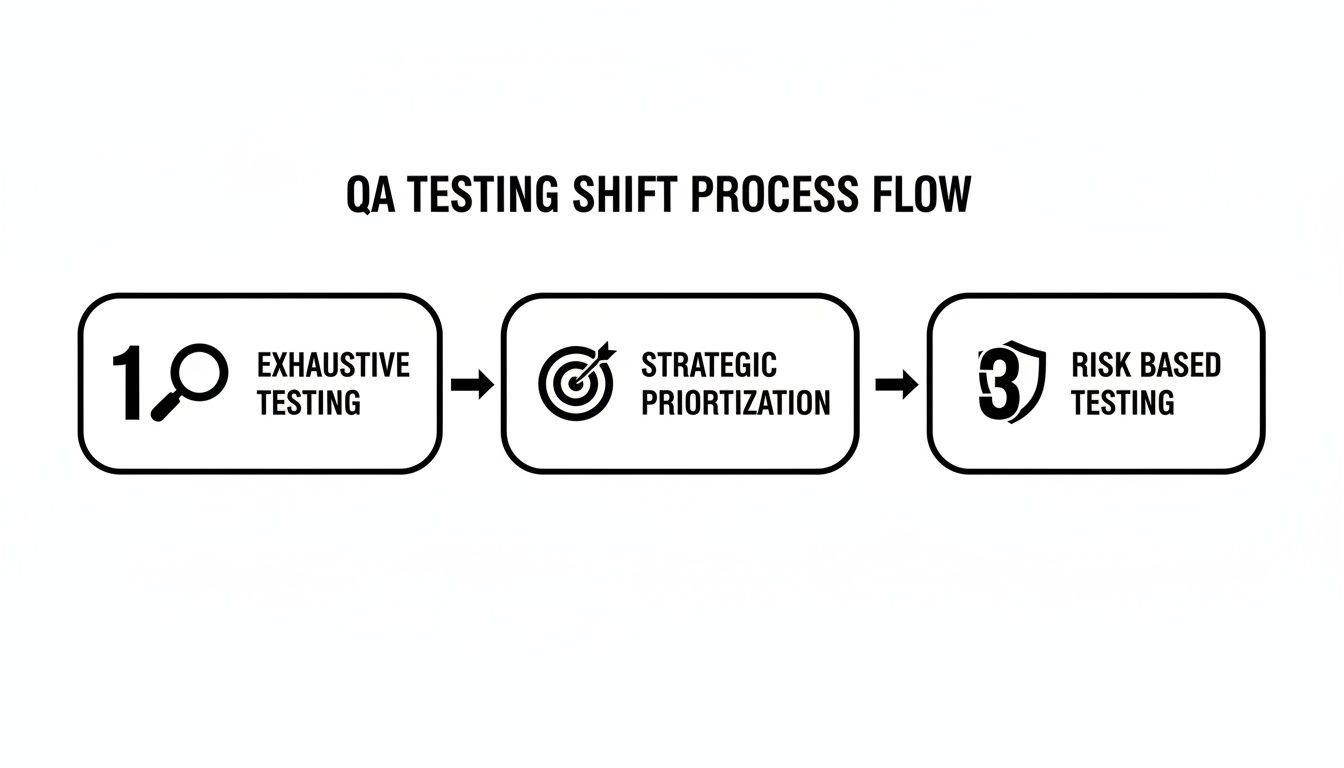
As the graphic shows, mature teams move away from trying to test everything (which is impossible) toward a smarter, more protective model focused entirely on risk.
Looking for Risks in All the Right Places
To build a solid picture, you have to look at risk from different angles. Effective risk-based testing goes way beyond checking if a button works. It’s about understanding the entire application ecosystem.
Your initial brainstorming session should cover a few key areas:
- Business Risks: These are the big ones that hit the company’s bottom line or reputation. A bug that stops users from checking out is a classic example. But also think bigger—a minor data breach could cause major, lasting damage to your brand.
- Technical Risks: This bucket is all about the tech stack itself. Are you dealing with a flaky third-party integration? Adopting a brand-new, unproven framework? Or maybe you have a piece of legacy code so complex no one wants to touch it. Performance bottlenecks are another huge technical risk.
- Project Risks: Sometimes the biggest threats aren’t in the code at all. Vague requirements, unrealistic deadlines that force people to cut corners, or a lack of specific expertise on the team are all project risks that can quietly degrade quality.
And you can’t ignore security anymore. It has to be woven into your risk analysis from day one. With over 60% of executives calling it a top concern, your testing strategy has to validate that the application is tough enough to withstand attacks.
How to Score Risks with a Simple Matrix
Once you have a list of potential problems, you need a way to separate the genuine threats from the minor annoyances. That’s where scoring comes in.
The go-to tool for this is a risk matrix. It’s a straightforward way to evaluate each risk based on two factors:
- Likelihood: On a scale of 1-5, how likely is this to actually happen?
- Impact: On a scale of 1-5, if it does happen, how bad will it be?
Just multiply the two scores (Likelihood x Impact) to get a final risk score. This simple math turns a jumbled list of worries into a prioritized action plan. Anything with a high score goes straight to the top of your test plan.
If you’re just starting, our guide on the essential questions to identify risks in software development can help you kickstart this process.
A Real-World Example: E-Commerce Checkout
Let’s see how this works for something we can all relate to—an e-commerce checkout flow.
| Risk Description | Likelihood (1-5) | Impact (1-5) | Risk Score (L x I) | Priority |
|---|---|---|---|---|
| Payment gateway fails for a major credit card | 3 (Moderately Likely) | 5 (Catastrophic) | 15 | High |
| Shipping cost calculates incorrectly for a specific region | 2 (Unlikely) | 4 (Severe) | 8 | Medium |
| ”Terms and Conditions” link is broken | 4 (Likely) | 1 (Negligible) | 4 | Low |
| Order confirmation email is delayed by 5 minutes | 3 (Moderately Likely) | 2 (Minor) | 6 | Medium |
This simple table brings instant clarity. A payment gateway failure (Score: 15) is a five-alarm fire. A broken “Terms and Conditions” link (Score: 4) is an annoyance, but it can wait—even if it’s more likely to occur.
This kind of data-driven prioritization is the entire point of risk-based testing. It strips away the guesswork and emotion, making sure your team spends its time protecting the parts of the application that truly matter.
Turning High-Priority Risks Into Real-World Test Scenarios
Alright, you’ve done the hard work of identifying and scoring your risks. The abstract planning is done. Now comes the crucial part: connecting that high-level risk matrix to the actual, on-the-ground tests your team will run. This is where a risk-based testing strategy stops being theoretical and starts delivering real value.
The whole point here is to map each of your high-priority risks to specific, end-to-end user journeys. We’re not talking about small, isolated unit tests. We need to simulate the real paths a user would take where these risks could actually pop up. This ensures your testing effort is aimed directly at the most critical—and fragile—parts of your application.
Take a high-scoring risk like “payment gateway failure.” That single line item doesn’t translate to a single test. Instead, it blossoms into a whole family of scenarios that poke and prod the entire transaction process from every conceivable angle.
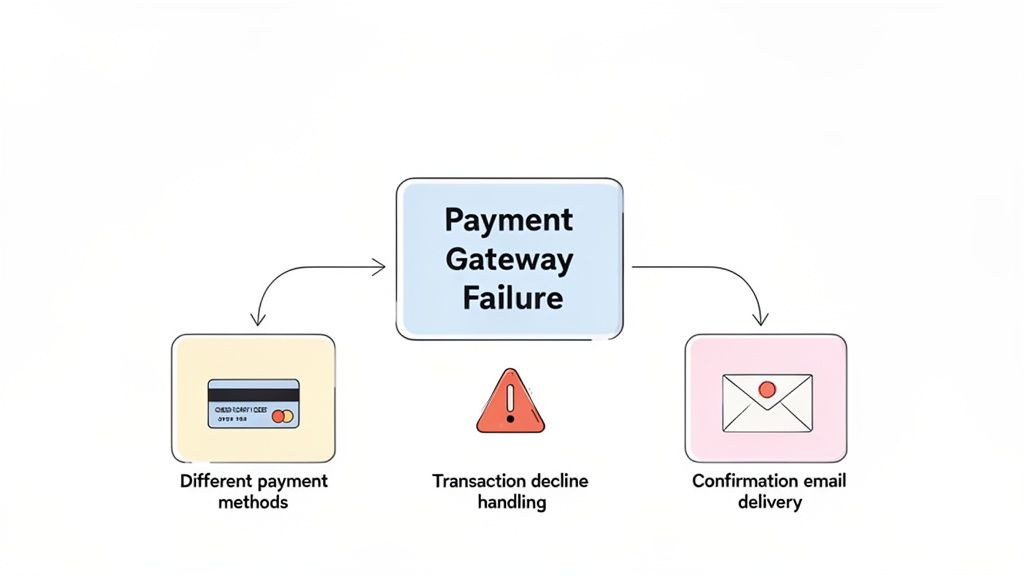
As you can see, properly mitigating one risk requires a multi-pronged testing attack.
From Risk to Reality: A Practical Example
Let’s stick with our e-commerce “payment gateway failure” risk, which we scored at a 15. How do we turn that concern into a set of practical test cases? We start by brainstorming every user action and system reaction related to making a payment.
This mapping exercise should generate a really diverse set of test scenarios:
- Happy Path Tests: First things first, does the basic function even work? We need to confirm a user can successfully buy something with a valid Visa, Mastercard, and AmEx. This establishes our baseline.
- Negative Path Tests: Now for the fun part—let’s try to break it. What happens when a card is declined for insufficient funds? Does the system give the user a clear, helpful error message and let them try a different card?
- Alternative Flow Tests: What about other ways to pay? We need to check if the PayPal integration works smoothly. Can a user apply a gift card and pay the rest with a credit card?
- System Response Tests: Let’s look behind the curtain. Does a confirmation email fire off immediately after a successful purchase? Does the inventory system actually deduct the item from stock?
Mapping it out this way ensures you’re not just testing the risk in a vacuum, but validating the entire ecosystem around that critical moment in the user journey.
Using AI to Accelerate Test Case Generation
Let’s be honest, manually writing dozens of detailed test scenarios for every single high-priority risk is a huge time sink. It can easily become a bottleneck that slows the whole team down. This is where modern tooling can completely change the game.
With a tool like TestDriver, a QA engineer doesn’t have to write every step by hand. They can simply give the platform a high-level prompt describing the user flow they want to test.
For example, you could feed it a prompt like this:
“Generate end-to-end tests for a user checking out with an expired credit card. The test should verify that the payment is declined, an appropriate error message is displayed, and the items remain in the user’s cart.”
From that simple instruction, the AI can generate a complete, executable test case. This lets your team build out a comprehensive suite of risk-focused tests in a fraction of the time, freeing up your engineers to focus on more complex exploratory testing and edge cases.
Don’t Forget the Negative Paths
A classic mistake I see all the time is an over-emphasis on the “happy path”—that perfect scenario where the user does everything right. While you absolutely have to test for that, it’s only half the story. A mature risk-based testing strategy gives equal, if not more, attention to negative testing.
The real goal of negative testing is to check the system’s resilience. You’re not just confirming it works when everything goes right; you’re making sure it doesn’t fall apart when things inevitably go wrong.
Think about it this way when testing a simple login flow:
| Test Type | Objective | Example Scenario for “Login” Risk |
|---|---|---|
| Positive Test | Confirm core functionality | A registered user enters the correct credentials and successfully logs in. |
| Negative Test | Verify graceful error handling | A user enters an incorrect password and receives a “Invalid credentials” message. |
| Negative Test | Ensure security resilience | A user attempts to log in with a locked account and is denied access. |
By building test plans that deliberately explore what happens when users make mistakes or external systems fail, you end up with a much more stable and trustworthy product. This proactive approach to handling failure is what truly defines effective risk-based testing.
You’ve done the hard work of identifying and scoring your risks. You have a prioritized backlog that clearly shows where the biggest dangers lie. Now it’s time to put that plan into action. This is where the rubber meets the road, turning your strategic risk assessment into a powerful, automated safety net for your application.
Let’s be honest: manually running every high-priority test just doesn’t work in the long run. It’s slow, it’s a breeding ground for human error, and it quickly becomes a massive bottleneck. To truly get the most out of risk-based testing, automation is non-negotiable. It’s the engine that lets you validate your most critical features quickly and consistently with every new code change.
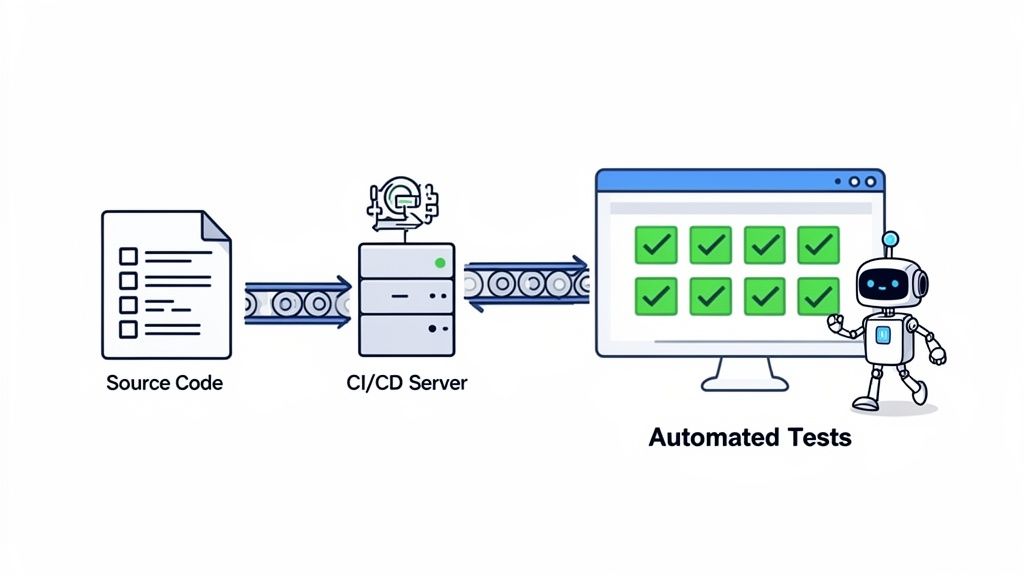
This isn’t just a preference; the industry trends back it up. The global software testing market is huge, and the automation segment is growing at nearly twice the rate of the market as a whole. You can dig into more of these QA trends and insights to see just how critical this has become.
From High-Level Intent to Executable Tests
In the past, building automated end-to-end tests was a job for specialized developers. It took deep coding knowledge and a lot of time to write and maintain complex scripts. This often created a gap between the QA folks who understood the business risks and the engineers who could actually write the tests.
Thankfully, modern tools are closing that gap.
Platforms like TestDriver are changing the game by allowing QA engineers and developers to generate executable browser tests using plain language. Instead of wrestling with code, you can describe a critical user journey—like a checkout process or a user registration flow—and an AI-powered engine will build the automated test for you.
This approach massively speeds up the process, letting your team go from identifying a risk to having a functional, automated test in minutes. It makes your risk priorities directly actionable. For teams just getting their feet wet, understanding how to successfully start automation testing in new projects is a great first step.
The real goal of automation in risk-based testing isn’t just about speed. It’s about building a reliable, repeatable process that shields your most important user journeys from regressions every single time someone pushes new code.
With this kind of speed and accessibility, you can build a far more comprehensive test suite for your high-risk areas than you ever could with manual testing alone.
Integrating Risk-Based Testing into Your CI/CD Pipeline
The true power of your risk-focused test suite is unleashed when it’s wired directly into your Continuous Integration/Continuous Deployment (CI/CD) pipeline. When you do this, your most important tests automatically run every time a developer commits code.
This creates an incredibly effective safety net. You get immediate feedback, catching regressions in high-risk areas before they have a chance to sneak into production. It makes risk-based testing an active, ongoing part of development, not just a phase you go through before a release.
Here’s a practical framework for deciding what tests to run and when, based on their risk scores.
Test Prioritization Levels and Actions
This table provides a framework for categorizing tests based on risk scores and defining corresponding automation and execution strategies.
| Priority Level | Risk Score | Recommended Action | CI/CD Integration |
|---|---|---|---|
| Critical | 15-25 | Automate fully for end-to-end user flows. | Run on every single code commit. A failure here should block the build. |
| High | 9-14 | Automate key scenarios and supplement with targeted manual testing. | Run as part of the nightly build or before a release candidate is cut. |
| Medium | 5-8 | Primarily manual or exploratory testing during dedicated QA cycles. | Run on-demand or as part of a weekly regression suite. |
| Low | 1-4 | Manual spot-checking or regression testing on a quarterly basis. | Typically not included in automated CI/CD runs. |
By following a tiered strategy like this, you get rapid feedback where it matters most—on critical risks—without grinding the entire development pipeline to a halt by running thousands of less important tests on every commit.
Keeping Your Automated Test Suite Healthy
Building your automated tests is just the start. An effective test suite is a living system that has to evolve with your application. Outdated or flaky tests are often worse than no tests at all; they just create noise and cause the team to lose faith in the automation.
To keep your test suite lean and effective, you need to actively maintain it.
- Regularly Review and Prune: Make it a habit to review your test suite every quarter. Are there tests for features that don’t exist anymore? Are some tests constantly failing for no good reason? Be ruthless about deleting tests that aren’t providing real value.
- Tie Tests Back to Risks: Every automated test in your high-priority suite should have a clear line back to a specific, documented risk. If you can’t easily explain why a test exists, it’s probably a good candidate for removal.
- Update with New Features: When a new feature is being developed, update your risk assessment right away. If it introduces significant risk, the automated tests for it should be built as part of the development process itself, not as an afterthought.
By treating your test suite like a product that needs regular care, you ensure your risk-based testing strategy remains a sharp, effective tool that helps your team release with confidence.
Measuring Success and Continuously Improving Your Strategy
Putting a risk-based testing strategy in place is just the beginning. It’s not a “set it and forget it” task. To get the real value, you have to treat it like a living process—one that you measure, fine-tune, and constantly improve.
Without tracking how well it’s working, you’re essentially flying blind. You can’t prove its value to the business or spot where you could be doing better. The whole point is to create a feedback loop fueled by real data, keeping your testing efforts locked on actual user behavior and shifting business priorities.
This commitment to continuous refinement is what separates a good RBT strategy from a great one. You need to know what’s working, what isn’t, and why. By focusing on the right metrics, you can clearly show the return on investment (ROI) of your quality efforts and make smarter decisions for the next release.
Key Metrics to Track Your RBT Success
To really get a grip on your strategy’s impact, you have to look beyond simple pass/fail rates. The numbers you track should directly connect to the core goals of risk-based testing: finding critical bugs and being more efficient.
Here are the essential metrics every team should have on their dashboard:
- Defect Escape Rate: This is the big one. It tells you how many bugs—especially the nasty ones—slipped through your tests and got found by users in production. A dropping escape rate is solid proof that your risk analysis is doing its job and catching the most important issues before they can do any harm.
- Test Coverage of High-Risk Areas: Your goal isn’t 100% test coverage of the whole app. It’s 100% coverage of the features and user journeys you’ve flagged as high-risk. This metric shows how well you’re protecting the parts of the business that matter most.
- Reduction in Testing Time: RBT should make you faster. Keep an eye on how long it takes your team to get through a full testing cycle. As your strategy gets better, you should see this time shrink as you ditch redundant or low-value tests.
The data backs this up. A well-run RBT program can slash defect escape rates by up to 30-50% in production, which naturally helps you ship code faster.
Creating a Data-Driven Feedback Loop
Metrics are only half the battle; you have to act on them. The real magic happens when you use data from the real world to go back and refine your initial risk assessments. This is how your strategy becomes a dynamic system that adapts and gets smarter over time.
Your risk analysis shouldn’t be a one-and-done document you create at the start of a project. It needs to be a living thing you revisit constantly.
The best source of truth for refining your risk assessment is production data. What your users are actually doing and where they are actually running into problems is far more valuable than any initial assumptions.
Here’s how to build that crucial feedback loop:
- Analyze Production Monitoring Data: Tools that watch your application’s performance and errors in the wild are a goldmine. If you see a specific API endpoint constantly failing or a page slowing to a crawl under load, that’s your cue to bump up the risk score and testing priority for that area.
- Review Customer Support Tickets: Your support team is on the front lines, hearing directly from users. Sift through support tickets to find patterns. Are lots of people complaining about the same clunky workflow or a bug that keeps popping up? That feature’s risk profile needs a second look, and fast.
- Hold Regular Retrospectives: After every big release, get the team together—devs, QA, product, everyone. Talk about what went well, but more importantly, what went wrong. Did any surprise bugs make it out? Was our risk assessment for that new feature on the money? Use these conversations to make the next cycle even better.
This iterative process keeps your risk-based testing sharp and relevant, always focused on protecting what really matters to the business and your users. For more ideas on refining your overall processes, it’s worth reading up on mastering continuous improvement process steps.
Common Questions on Risk-Based Testing
Moving to a risk-based testing strategy is a big shift, and it’s natural for questions to pop up. It’s less about a new tool and more about a new way of thinking for the whole QA team. Here are some of the most common things people ask when they’re getting started.
How Does RBT Actually Work in an Agile Sprint?
Risk-based testing and Agile aren’t just compatible; they’re a perfect match. In an Agile world, we’re all about delivering value in quick, iterative cycles. RBT slots right into this by forcing the team to focus its testing efforts on the user stories that pose the biggest threat to that value.
Instead of piling up tests for a big pre-release phase, risks are brought up right in sprint planning. This means the riskiest features get tested first and most often, giving you immediate feedback. It’s how you find the showstoppers early and prevent them from blowing up the sprint. This makes the “fail fast” idea a real, practical part of your quality process.
Isn’t This Just a Fancy Name for Test Prioritization?
I hear this a lot, and it’s a fair question. But there’s a key difference. Traditional prioritization often just looks at feature importance. A core checkout function is important, so all its tests automatically get ranked high.
Risk-based testing is much smarter because it looks at two factors:
- Likelihood: How likely is it that a bug will actually show up here? Is the code new? Is it complex?
- Impact: If a bug does show up, how bad will it be for the business or the user?
Think about it: a “critical” feature might have stable, time-tested code that hasn’t changed in years (low likelihood). Its risk score could actually be lower than a brand-new, less-critical feature with tricky integrations. RBT gives you a data-driven score (Likelihood x Impact) that points you to the real danger zones.
So We Can Just Skip Testing Low-Risk Areas, Right?
No, and please don’t fall into that trap! The point of risk-based testing isn’t to stop testing; it’s to optimize it. Your high-risk areas will get the full treatment—deep, frequent, and automated testing. But the low-risk stuff still needs a sanity check.
It’s like home security. You put the deadbolts and cameras on the main doors and windows, but you still make sure the back gate is latched. You don’t just leave it wide open.
For those low-risk areas, you might run a broader, less frequent regression suite or do some light exploratory testing. This ensures you have a solid quality baseline across the entire application without burning time and money on features where a bug would be a minor hiccup, not a four-alarm fire.
How Does AI Change the Game for RBT?
AI is the ultimate force multiplier for risk-based testing. Let’s be honest, manually identifying every risk, writing out detailed test scenarios, and then scripting the automation is a massive time sink. This is where AI-powered tools completely change the workflow.
In fact, with digital transformation pushing everyone forward, 77.7% of teams are now adopting an AI-first approach to quality, merging practices like shift-left with RBT to catch regressions before they can do any harm. These AI-first quality engineering findings show just how teams are adapting.
AI can analyze code commits to predict which areas are now at high risk. It can generate complete test cases from a simple sentence and then write the automation code for you. This frees your engineers from the drudgery of scripting so they can focus on what humans do best: strategic risk analysis and creative exploratory testing.
Ready to accelerate your testing and focus on what truly matters? With TestDriver, you can generate comprehensive, automated end-to-end tests from a simple prompt. Stop scripting and start shipping with confidence. Generate Your First Test with TestDriver Today
Automate and scale manual testing with AI
TestDriver uses computer-use AI to test any app - write tests in plain English and run them anywhere.