How risk based testing in software testing Elevates Quality and Speed
Discover risk based testing in software testing to boost quality and speed with practical tips, metrics, templates, and AI-enabled guidance.
Automate and scale manual testing with AI ->
Risk-based testing sharpens your team’s focus on the parts of your application where bugs would hurt the most. That means High-impact scenarios climb to the top of the queue, cutting down test cycles and giving everyone more confidence before shipping.
Why Risk Based Testing Is Essential
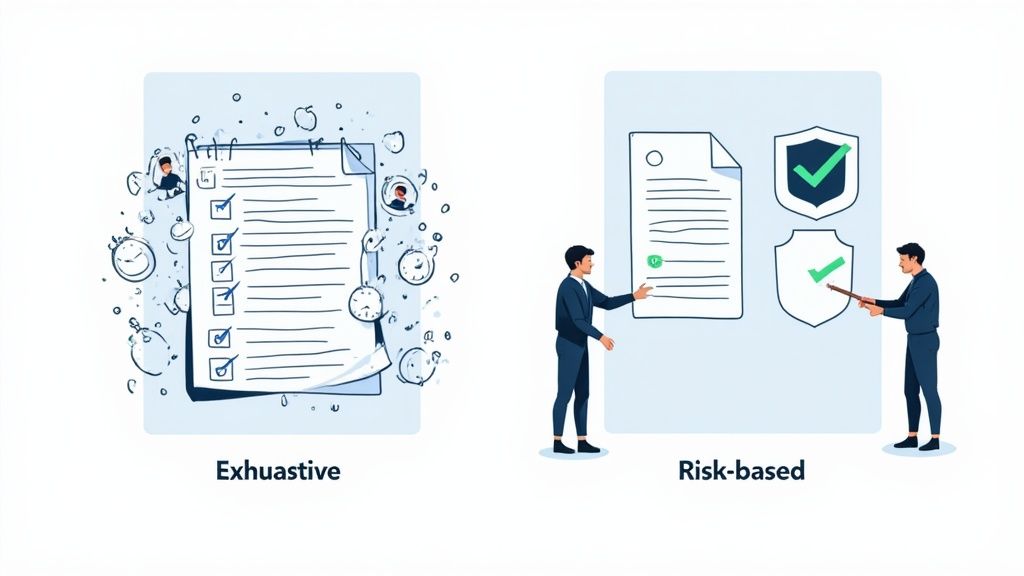
Traditional test plans often spray coverage across every corner of the codebase, even the low-risk bits. Risk-based testing, by contrast, zooms in on modules where failures hit hardest or happen most often.
- Quick feedback on mission-critical paths
- Less upkeep for essential test suites
- Stronger confidence from stakeholders in each release
Consider a finance app: a glitch in payment processing can trigger hefty fines. In healthcare, even a minute of downtime in patient care workflows can have serious consequences. Prioritizing high-risk areas preserves resources, eases pressure on teams, and keeps the product stable under tight deadlines.
Shaping Your Testing Strategy
Imagine an ER triage team sorting patients. Those with life-threatening injuries get treatment first, while less urgent cases wait. In software, we assign each module a risk score so that testing effort follows the likelihood and impact of failure.
Zeroing in on core risks prevents critical issues from slipping through.
Keeping an eye on new threats is key. As features evolve, your risk list and coverage should evolve too.
- Identify And Score Risks By Likelihood And Impact
- Prioritize Tests Using A Simple Risk Matrix
- Automate Critical Flows With AI Like TestDriver
Later on, you’ll find ready-made matrices, templates, and metrics that make proving ROI straightforward. You’ll also see how finance and healthcare teams lean on risk-driven QA to hit compliance and uptime targets.
AI tools such as TestDriver can speed up the creation of end-to-end tests focused on those high-risk workflows.
By following this approach, you can trim test cycle times by up to 40% while ensuring critical paths remain covered.
Ready to dig in? Next, we’ll cover the core principles that form the backbone of any solid risk-based testing practice. In the coming sections, look out for step-by-step guides, fill-in-the-blank templates, and real-world examples that you can plug into your workflow in minutes.
Understanding Key Concepts
Risk-based testing shines a spotlight on the most fragile parts of your system.
Think of each component as a bridge handling different traffic loads. A microservice feels like a footbridge; a payment gateway behaves more like a busy highway overpass.
This simple metaphor guides your team toward clear, actionable risk scores.
- Qualitative Assessments rely on expert judgment to tag features as High, Medium, or Low risk
- Quantitative Assessments use numeric values (probability × impact) to measure exposure
- Hybrid Analysis combines both approaches for a balanced view
Defining Likelihood And Impact
Likelihood estimates how often a bridge might give way under stress.
Impact measures the fallout—user frustration, revenue loss, brand damage.
Standards such as ISO 31000 offer a familiar framework to shape these scales.
Aligning risk scales with business goals makes every test effort count where stakeholders care most.
Aligning Business And Technical Risks
When business objectives and code health meet, you get a scoring model that truly reflects your priorities.
Technical debt becomes a shaky foundation. Critical features, a high-stakes overpass.
Consider real-world scenarios:
- Finance apps spike at month end—downtime costs are extremely high
- Healthcare systems face zero-error tolerance when lives are on the line
A solid scoring model bridges the gap between corporate strategy and hands-on testing.
As software complexity climbs, risk-based testing has taken center stage in QA. The US Software Testing Services market is projected to hit $5.7 billion in 2025, underlining this shift toward smart, risk-driven methods. Learn more about market growth findings
| Category | Description |
|---|---|
| System Risk | Likelihood of failure in essential modules |
| Business Risk | Impact on revenue, reputation, or user trust |
| Security Risk | Potential for data breaches or compliance gaps |
Building a risk register creates a single source of truth for threats and test actions. Include:
- Risk Category
- Likelihood Score
- Impact Score
- Planned Test Strategy
Next, calculate a combined risk score by multiplying likelihood and impact. Then map those numbers to priority tiers.
- 1–5 (Low): Basic smoke tests
- 6–15 (Medium): Full regression suite
- 16+ (High): Focused exploratory and automated testing
For example, a checkout flow with likelihood 4 × impact 5 equals a 20—a clear high-risk signal.
You might find this article useful: Essential Questions to Identify Risks in Software Development
By mastering these concepts, you’ll be ready to build a risk-based testing framework that aligns with your unique challenges.
Start crafting your first assessment today.
Core Principles And Steps For Risk Based Testing
Think of your project like an emergency room triage. You treat the most serious cases first, then circle back to the smaller issues.
Start by diving into requirements, user stories, and system specifications. Getting clarity up front means your tests align with both business goals and technical complexity.
Follow these core steps for risk based testing:
- Identify Risks
- Analyze Likelihood
- Rate Impact
- Prioritize Test Cases
- Plan Test Execution
- Monitor And Review
Step By Step Risk Assessment
Bring your team together in workshops to brainstorm where things might go wrong. Pull in historical defect data and real user feedback to fuel the conversation.
Use a simple template or a lightweight scoring model to track each risk’s probability and potential fallout.
Quantifying risk exposure ensures tests focus where failures hurt most.
Market research predicts the global Risk Management Software Market will grow by USD 13 277.3 million from 2025 to 2029 at a 19.2% CAGR. In testing, these platforms often apply statistical algorithms to score risks—helping teams mitigate vulnerabilities 35–40% faster when working with APIs and microservices. Learn more about this expansion on Technavio here.
Templates And Thresholds
A clear threshold table means everyone knows how deep to test and where to focus resources:
| Risk Level | Score Range | Test Focus |
|---|---|---|
| Low | 1–5 | Smoke tests and quick sanity checks |
| Medium | 6–15 | Regression suites and targeted automation |
| High | 16+ | Exploratory testing and detailed API checks |
Keep a shared spreadsheet or issue tracker updated with:
- A risk register listing IDs, descriptions, scores, and owners
- Weekly reviews to shift priorities as new data arrives
- Cross-checks between expert scores and past defects to catch bias
- Well-defined cutoffs for low, medium, and high risks
Collaboration And Common Pitfalls
Risk based testing only works when developers, testers, and product owners stay in sync. Skipping regular reassessment or writing off low-risk areas can leave you exposed.
Avoid bottlenecks by carving out brief sync meetings with clear action items.
Capture any assumptions in writing, and track gaps in test coverage from day one. Integrate an AI agent like TestDriver to whip up end-to-end tests in seconds. Teams report up to 60% less manual scripting while holding on to essential coverage.
Metrics To Track
Tie your risk strategy to real business results by watching:
- Risk Coverage: Percent of identified risks that have tests
- Defect Detection Rate: Share of high-risk bugs caught before release
- Test Cycle Time: Average time to run prioritized tests
- ROI On Tests: Ratio of prevented high-impact failures to testing investment
Building interactive dashboards makes these figures visible. For instance, chart risk score trends to catch new hotspots before they hit production. Feed incident reports back into your process for constant fine-tuning.
Best Practices And Next Steps
- Embed risk based testing in every sprint planning session
- Assign each risk item to an owner for clear accountability
- Automate high-risk checks, and keep manual tests for edge cases
- Revisit thresholds regularly as defect patterns and priorities shift
- Document lessons learned after each release to sharpen your scoring
- Share wins—like a 40% drop in critical defects—to build trust
- Hold quarterly workshops to refine templates and review progress
This roadmap keeps your testing focused, efficient, and ready for whatever comes next.
Ready to apply these steps in upcoming sprints?
Risk Matrix And Test Prioritization Examples
Putting theory into action is where risk-based testing really shows its value. Let’s walk through a practical example with a payment gateway to see how we can score likelihood and impact.
We derive a risk score by multiplying probability and severity. This simple formula guides smarter test schedules:
- Identify the likelihood and impact for each payment feature.
- Multiply those values to get your risk score.
- Assign each score to a priority tier and slot tests accordingly.
Creating A Simple Risk Matrix
A 3x3 grid keeps things clear and easy to follow. Each cell represents the combined risk score for a given likelihood-impact pair.
| Likelihood \ Impact | Low | Medium | High |
|---|---|---|---|
| Low | 1 | 2 | 3 |
| Medium | 2 | 4 | 6 |
| High | 3 | 6 | 9 |
This matrix highlights any hotspots where the risk score breaches your high-risk threshold. Focus on those first.
Advanced Matrix Variations
Some systems demand finer detail. You can extend your model to handle more dimensions:
- Introduce a detectability factor to boost scores for elusive bugs.
- Fold in a compliance multiplier when regulations make failures costly.
- Expand to a 5x5 matrix for pinpoint accuracy on mission-critical modules.
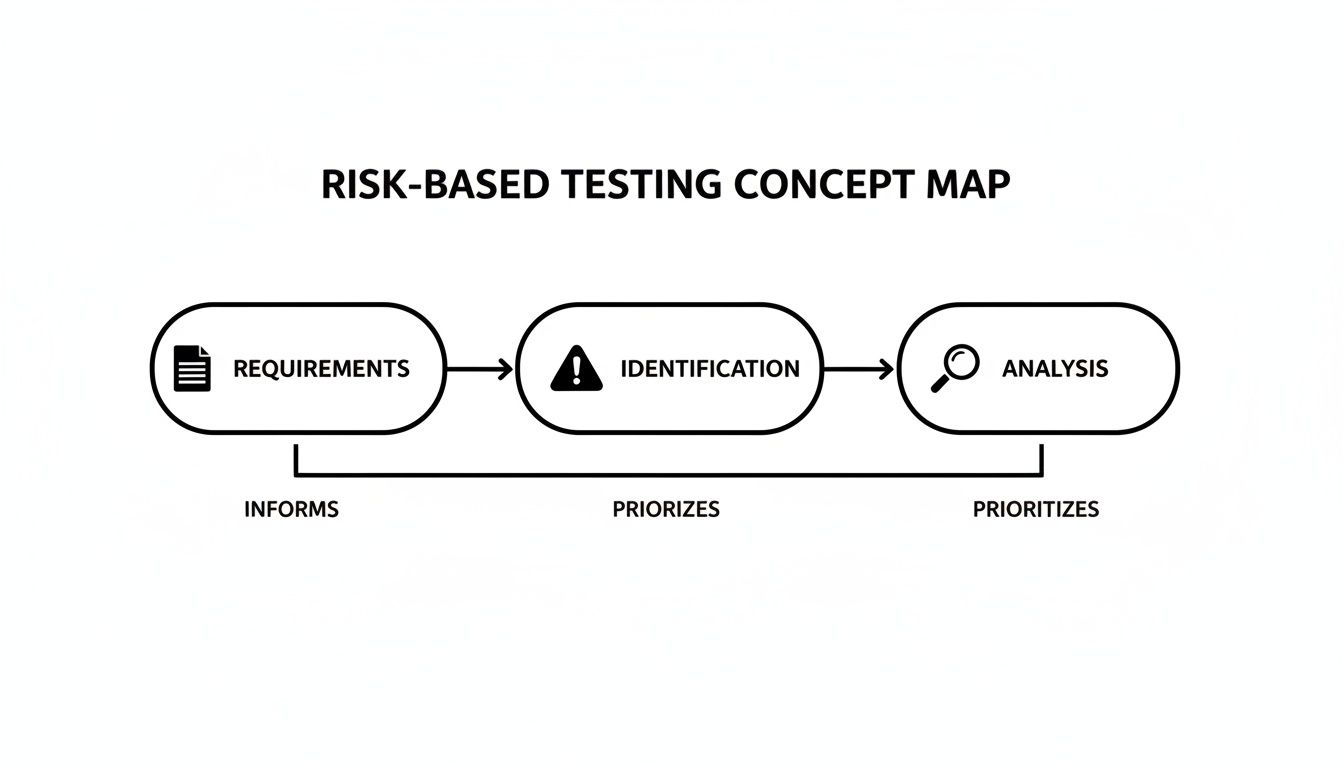
This visual blueprint shows how requirements gathering, risk spotting, and detailed analysis feed into your matrix.
Prioritizing Test Cases
With your matrix in hand, building a prioritized test backlog becomes straightforward. High-risk items rise to the top.
- List every test scenario alongside its risk score.
- Tag each one as High, Medium, or Low priority.
- Schedule High-risk tests first, mixing automation with targeted exploratory runs.
For a deeper dive into common model pitfalls, check out our in-depth guide on risk model flaws.
By following these steps, you’ll align your testing effort with real business and technical exposure.
Tips And Best Practices
Keep your matrix as flexible as your code. Revisit it whenever requirements shift and bring the whole team into scoring sessions.
- Review risk scores at the end of each sprint to spot any drift.
- Collaborate in shared sheets or dashboard tools for transparency.
- Tag test cases in your management platform for quick lookups.
Using AI Tools For Test Generation
An AI assistant like TestDriver can whip up end-to-end tests straight from your high-risk definitions. Just feed it your risk data, and watch it draft scripts in seconds.
“TestDriver cut our setup time by 60%, allowing immediate focus on critical flows.” — QA Lead
- Export your top-risk scenarios from the matrix.
- Load them into TestDriver with a short description.
- Review, validate, and plug the generated tests into your CI pipeline.
These steps show how AI can accelerate risk-based testing within modern QA workflows.
With this playbook, you’ll always know exactly where to aim your testing efforts. Start building your matrix today and see quality and efficiency converge.
Next Steps
Gather your module’s usage data and sketch out a basic grid based on real user flows. Grab our template and jumpstart your risk-based testing journey right away.
Metrics And Benefits Of Risk Based Testing
Think of risk based testing as sending your most experienced climbers up the steepest peak first. By zeroing in on the spots most likely to fail, teams catch critical bugs before they become disasters.
When you front-load high-risk scenarios, you spot showstoppers early and free up time for lower-impact checks.
- Defect Detection Rate in those areas often climbs to 85% or higher.
- Test Cycle Time can drop by 30%, since less risky features get lighter coverage.
- QA Cost Savings may reach 50%, trimming budgets without sacrificing quality.
“Refocusing on risk hotspots prevented a major outage that could have cost us $500K in lost revenue.” — Engineering Manager
Defect Detection And Cost Savings
Tracking the share of defects uncovered in critical modules gives you a clear ROI snapshot. For example, one fintech team boosted payment gateway defect detection by 40% before release, slashing post-launch issues by 60%.
| Metric | Traditional Testing | Risk Based Testing |
|---|---|---|
| Defects Found Pre-Release | 55% | 85% |
| Test Cycle Duration | 10 days | 7 days |
| QA Budget Spent | 100% | 50% |
| Post-Release Incident Rate Drop | — | 60% decrease |
Aim for at least 75% risk coverage and a 20% reduction in test time during your first quarter. Clear targets keep the team focused and motivated.
Tracking Progress With Dashboards
A live dashboard is like the control panel of a spacecraft—you see what’s critical at a glance. It highlights emerging risk clusters and showcases your wins.
Essential widgets include:
- Risk Coverage Percentage by Module
- Average Defect Severity Over Time
- Cost Avoidance Calculations
- Cycle Time Trends
Hooking up your automation tools ensures this data stays fresh. Stakeholders get real-time visibility, and your risk model evolves with every test run.
Proving ROI And Scaling Results
Concrete numbers help maintain momentum for your risk based strategy. Studies show this approach can cut QA costs by 20–30% and boost data quality by 15%, yielding a 2–3× ROI by preventing high-impact failures. Read the full MarketsandMarkets report
Try this pilot plan:
- Select a mission-critical feature (e.g., checkout or login).
- Assign risk scores to each scenario.
- Execute tests according to those scores.
- Compare outcomes with your historical baseline.
Run the cycle again, build confidence, then expand across more releases. Quarterly reviews with before-and-after metrics help bring everyone on board.
Key Takeaways
- Focus on high-risk areas to catch critical issues sooner.
- Use live dashboards to track coverage and cost avoidance.
- Target a 2–3× ROI by combining better defect detection with shorter cycles.
- Start small, prove value, then scale across the product.
Implementing these metrics and benefits not only justifies a shift to risk based testing but also aligns QA efforts with broader business goals.
Next up, we’ll explore how to integrate AI agents like TestDriver to automate high-risk end-to-end test generation. Enjoy faster releases!
Integrating Risk Based Testing With AI Tools

Blending AI into risk based testing in software testing gives teams laser-focused test suites that keep pace with changing code. Instead of manually guessing where defects lurk, machine learning models adjust risk scores on the fly and point to the hottest areas.
That dynamic insight, paired with a human’s nuanced understanding, slashes test design time without skimping on coverage.
Choosing The Right AI Platform
- Make sure the tool speaks your risk data’s language and plugs into your existing stack.
- Look for transparent models so you can trace how each risk score is calculated.
- Verify smooth integration with your CI/CD setup — automated triggers are a must.
Modern pipelines now launch risk-based tests every time someone commits code. With TestDriver, you can spin up critical end-to-end scenarios in seconds.
“TestDriver cut our setup time by 60% while boosting reliability in mission-critical modules.” — QA Lead
Balancing AI And Human Judgment
AI shines at spotting recurring defect patterns and odd usage trends. But it won’t catch every nuance.
Human reviewers still step in to:
- Refine the risk definitions
- Tackle unusual edge cases
- Approve the final test set against shifting business goals
In banking, for example, automated risk tools woven into QA workflows have driven compliance violations down by 60% according to Technavio.
Teams that dedicate 60% of their QA effort to high-impact areas like APIs and microservices are on track with 2025’s AI-based risk assessment trends. Learn more about scaling AI-driven QA in our guide on integrating AI into your quality assurance strategy effectively.
Integrating With CI/CD Pipelines
Let risk metrics steer your build pipeline:
- Export risk scores into a dedicated stage.
- Define thresholds that kick off high-priority test runs.
- Run AI-driven suites in parallel to keep feedback loops tight.
For example, you might organize your pipeline like this:
- stages
analyze-risk
-
test-critical
-
analyze-risk
Uses an AI evaluator image
-
Runs:
evaluate-risk --output=risk.json -
test-critical
Depends on the analyze-risk stage
- Runs:
run-tests --filter high --risk risk.json
Best Practices For AI-Driven Risk Models
- Retrain your models regularly with the latest defect and usage data.
- Always include a human sign-off on tests flagged as high risk.
- Keep a clear audit trail of how risk criteria evolve.
- Monitor key metrics like prediction accuracy and false positive rates.
This mix of automation and oversight keeps your risk based testing in software testing agile and transparent.
Maintaining Oversight And Evolution
Set up routine reviews where stakeholders:
- Examine risk reports
- Tweak the scoring criteria
- Decide when to retrain the model
Dashboards make it easy to spot drift in:
- Risk prediction accuracy per module
- False positive trends
- Manual overrides by reviewers
- Time saved on test generation each release
Start small, measure your gains, then expand your AI-powered risk testing across teams. With these checkpoints, your process stays robust — and your test coverage stays aligned with what truly matters.
FAQ
How Do You Start Your First Risk Assessment In Software Testing?
First, bring stakeholders together in a quick workshop. This isn’t a marathon—it’s a focused session to uncover potential failure points. You’ll capture both business priorities and technical pitfalls in one go.
Next, use a simple risk register template to jot down each item with its description, its likelihood and its impact. Then follow these steps:
- Identify critical modules with the highest user traffic or greatest financial exposure
- Score each risk on a scale from 1 (low) to 5 (high)
- Review past defects and sift through customer feedback
A well-structured kickoff makes risk-based testing focused and efficient.
Which Tools Work Best For Creating Risk Matrices?
Some teams stick with spreadsheets for their flexibility and zero cost. Others prefer purpose-built risk management platforms. Look for tools that let your whole team update scores on the fly and, ideally, sync with your issue tracker so bug trends can tweak your ratings automatically.
| Tool | Key Features | Ideal For |
|---|---|---|
| Spreadsheets | Customizable, free, lightweight | Small teams |
| Jira Add-ons | Inline risk fields, reporting dashboards | Agile projects |
| RiskOptics | Automated scoring, compliance templates | Regulated domains |
Integrating Risk Metrics In Agile
What Is The Best Way To Integrate Risk Metrics Into Agile Sprints?
Start tagging your user stories with risk labels during backlog grooming. This simple habit keeps high-impact work front and center without grinding the sprint to a halt. Then:
- Include risk-mitigation tests in your story acceptance criteria
- Automate risk-based test execution in your CI pipeline
- Review risk trends during sprint retrospectives
Tracking risk alongside velocity keeps QA aligned with product goals.
How Do You Measure ROI And Show Progress To Stakeholders?
Pick metrics that matter and compare them against your baseline. Track how many defects you catch in high-risk areas, measure how much faster your test cycles run, and estimate the cost savings from avoided incidents.
| Metric | Definition | Target |
|---|---|---|
| Risk Coverage | % of identified risks covered by test cases | ≥ 80% |
| High-Risk Defect Detection | Share of critical bugs caught before release | ≥ 85% |
| Test Cycle Time Reduction | Percent decrease in execution time | ≥ 20% |
| Cost Avoidance | Estimated savings from prevented failures (USD) | Variable |
A live dashboard makes these numbers visible in real time. Sharing charts and snapshots at regular intervals brings clarity and builds trust.
Templates To Speed Up Testing
Which Templates Can Help Accelerate My Risk-Based Testing?
Ready-made forms cut days off your setup. Grab a risk register sheet and a test prioritization matrix, then map scenarios straight into risk tiers. For instance:
- Risk Register Template listing IDs, descriptions, and scores
- Test Prioritization Table mapping scenarios to risk tiers
- Dashboard Template with pre-built widgets
This trio keeps your process uniform from project to project.
Common Mistakes To Avoid
What Mistakes Should Teams Avoid?
One surefire trap is letting risk ratings go stale. Assumptions shift fast, and a once-minor issue can turn critical if you don’t recalibrate. Other slip-ups include:
- Skipping scheduled risk score reviews
- Ignoring feedback from production logs
- Overlooking “low-risk” modules that can hide nasty surprises
Regular recalibration keeps your risk model accurate.
Ready to accelerate your QA with AI-driven risk-based test generation? Explore TestDriver Get started today. Let’s begin now.
Automate and scale manual testing with AI
TestDriver uses computer-use AI to test any app - write tests in plain English and run them anywhere.