How to Create a Test Strategy Doc That Actually Works
Learn how to build a test strategy doc that aligns teams and delivers results. Get actionable steps on scope, tools, AI, and metrics.
Boost QA with a practical test case design guide featuring proven techniques, clear writing tips, and AI-driven insights for smarter testing.
Automate and scale manual testing with AI ->
Test case design isn’t just a box to check. It’s the art and science of creating a detailed plan to see if your software actually does what it’s supposed to do. Think of it as a series of controlled experiments, each with its own setup, steps, and a clear definition of success.
This isn’t just about hunting for bugs, either. It’s a strategic process that confirms your product is solid, meets user needs, and gives everyone on the team confidence before a single customer clicks a button.

It’s easy to fall into the trap of treating test cases like a chore, a simple checklist you have to get through. But that viewpoint misses the mark completely. Exceptional test case design is really the blueprint for product quality. It’s the safety net that lets you release new features faster and with far more reliability.
When you get this right, you shift the focus from reactively squashing bugs to proactively building a better product from the start.
This way of thinking is more important than ever. The global software testing market is expected to balloon from about $54.68 billion in 2025 to nearly $99.79 billion by 2035. That massive growth shows just how much pressure there is on teams to adopt smarter, more scalable testing methods.
If you only see test cases as bug detectors, you’re only seeing half the picture. A well-crafted test suite is a full-spectrum validation of your product. It confirms everything works on a technical level and, just as importantly, that it aligns with what your users actually expect.
This has a direct impact on the business.
In essence, great test case design isn’t a reactive measure; it’s a proactive investment. It ensures that every release strengthens the product rather than introducing new uncertainties.
The fallout from getting this wrong is steep. Badly written tests lead to bugs slipping through to production, which quickly erodes customer trust and burns out your team. Understanding the impact of poor quality on customer trust and team morale is critical. It’s what separates teams that ship with confidence from those that are always holding their breath, waiting for the next thing to break.
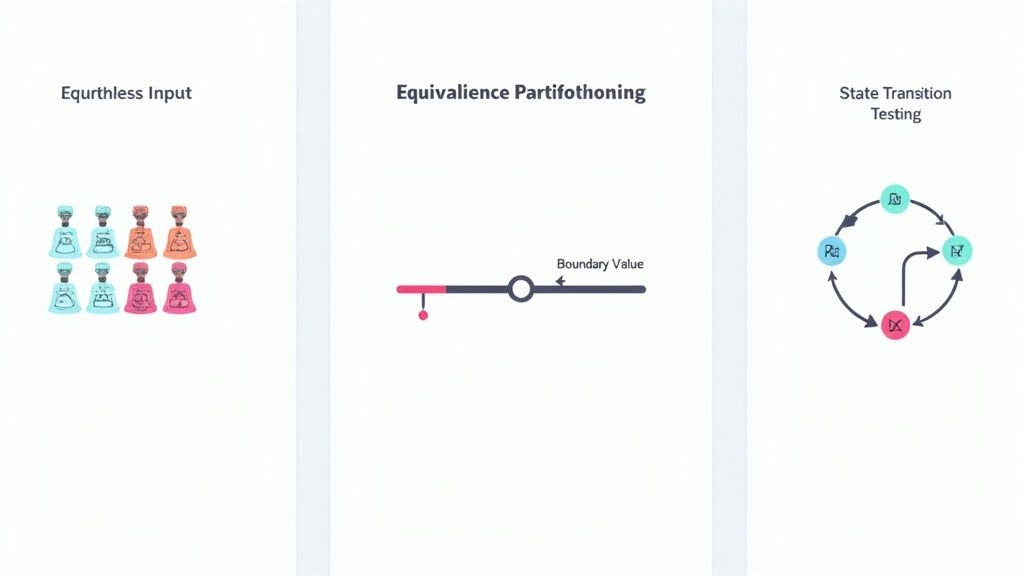
Theory is great, but in the trenches of day-to-day QA, you need methods that get the job done. A handful of classic design techniques are indispensable because they give you a structured way to find critical bugs faster. It’s about moving away from random guesswork and toward a smarter, more efficient process.
Let’s cut through the noise and focus on three workhorses I rely on constantly: Equivalence Partitioning, Boundary Value Analysis, and State Transition Testing. I’ll walk you through how they apply to real-world scenarios, giving you a framework you can start using today.
Imagine you’re testing an e-commerce checkout form. There’s a new discount for orders between $50 and $200. You can’t possibly test every single dollar amount, right? That’s the exact problem Equivalence Partitioning solves.
The core idea is simple: divide all possible inputs into groups, or “partitions,” where you expect the system to behave the same way for every value in that group.
For our discount example, we can quickly define a few logical partitions:
By picking just one representative value from each partition, you can be reasonably confident you’ve covered the core logic without wasting hours on redundant tests. If you want to dive deeper into these fundamentals, check out these essential quality testing techniques every tester should master.
Equivalence Partitioning gets you most of the way there, but I’ve learned from experience that a huge number of bugs lurk right at the edges of those partitions. This is where Boundary Value Analysis (BVA) becomes your best friend. It’s a simple but incredibly powerful technique for catching common off-by-one errors.
Let’s go back to our e-commerce discount. BVA tells us to focus specifically on these boundary values:
These are precisely the spots where developers make mistakes with operators like “greater than” versus “greater than or equal to.” When you combine Equivalence Partitioning with BVA, you have a seriously robust strategy for testing any feature with numerical inputs or ranges.
This systematic approach is a hallmark of mature testing teams. Regions with deep tooling ecosystems, particularly in North America, have widely adopted patterns like equivalence partitioning and boundary-value analysis to build reliable, automated regression suites for modern CI/CD pipelines.
Most software isn’t static; its behavior changes based on user actions and its current “state.” Think about a user account, which can be Active, Locked, or Suspended. State Transition Testing is a fantastic visual technique for mapping out these states and the triggers that move the system from one to another.
Let’s map out a simple login flow:
Unauthenticated).Authenticated state.Unauthenticated state to the Account Locked state.Drawing this out helps you spot every possible user journey, both the happy paths and the unexpected ones. It ensures you’ve built tests to confirm the application handles every valid and invalid transition gracefully.
Choosing the right technique often comes down to what you’re trying to test. Each has its strengths, and knowing when to use which one is a key skill for any experienced tester.
| Technique | Best For | Example Scenario |
|---|---|---|
| Equivalence Partitioning | Reducing the number of test cases for features with large input ranges. | Testing an age input field that accepts values from 18 to 99. |
| Boundary Value Analysis | Finding errors at the edges of input domains (min, max, just inside/outside). | Checking a shipping cost calculator that offers free shipping for orders of $75.00 or more. |
| State Transition Testing | Verifying systems with different states and workflows based on user actions. | Testing the lifecycle of an online order: Pending, Processing, Shipped, Delivered, Canceled. |
Ultimately, these techniques are often used together. For instance, you might use Equivalence Partitioning and BVA to test the inputs on a single screen, while using State Transition Testing to verify the flow between different screens.
A brilliant test case design is completely useless if no one can actually understand it. Clarity isn’t just a nice-to-have; it’s the absolute foundation of a repeatable, reliable, and scalable testing process. When a test case is vague, you open the door for interpretation, and that’s when things get messy. Different testers will run the same test in different ways, leading to inconsistent results and, ultimately, bugs slipping right through the cracks.
The real goal is to write instructions so crystal clear that a brand-new team member, with zero context on the feature, can pick it up and execute the test flawlessly. This means you have to ditch ambiguous language and get laser-focused on precision.
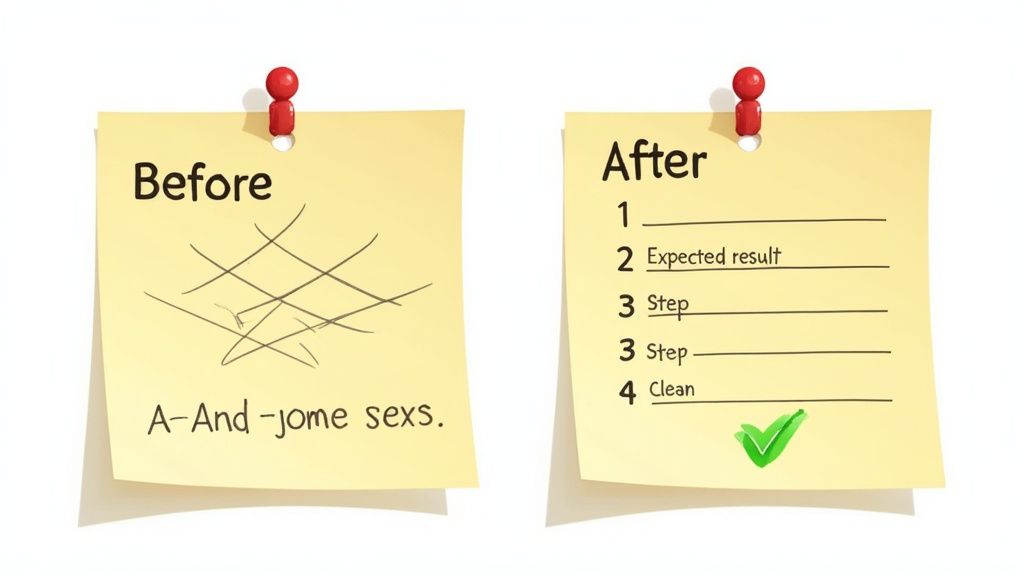
Let’s walk through a real-world example. Say you need to test the “like” button on a social media post. A junior tester, still getting their bearings, might scribble down something like this:
Before: The Vague Test Case
Honestly, this is a recipe for disaster. What does “works” even mean? Which post are we talking about? What state should the user be in to start? An experienced QA engineer would immediately see the gaps and approach this with much more rigor, creating atomic steps that leave zero room for guessing.
After: The Clear Test Case
User TestUser01 is logged into the application.
Navigate to a post created by AnotherUser that TestUser01 has not previously liked.
Test Steps:
Observe the initial state of the like button (it should be inactive/gray).
Observe the initial like count displayed below the post.
Click the like button once.
Expected Results:
The like button’s visual state changes to active/blue.
The difference is night and day. The second version nails down the specific user, the exact state of the post, and provides multiple, verifiable assertions for what “success” looks like. If you’re looking for a more structured way to build out these details, our complete guide on how to write test cases dives deeper into templates and best practices.
To get this level of clarity in your own test cases, it helps to keep a few core principles front and center. These small habits make a massive difference in the quality and long-term health of your test suite.
A great test case tells a complete story. It sets the scene with preconditions, describes the plot with clear steps, and provides a definitive ending with expected results. Anything less is just a rough draft.
In a perfect world, you’d have all the time you need to test every single line of code. But back in reality, projects have deadlines, budgets are finite, and you have to make some tough calls. The best test case design strategies don’t fight this reality, they embrace it by mastering one critical skill: prioritization.
It’s all about investing your limited testing hours where they’ll make the biggest difference. You simply can’t test everything, but you can test the things that matter most. The trick is to stop seeing testing as a blanket activity and start looking at it through the lens of risk.
Ask yourself: what parts of our application, if they failed, would cause the most damage to our users or our business? That’s your starting point.
A risk-based approach is about getting strategic. It forces you to pinpoint and tackle the highest-impact areas of your application first, ensuring your effort is never wasted. This isn’t just guesswork; it’s a calculated assessment of where things are most likely to go wrong and where the consequences are most severe.
To do this right, you have to get comfortable asking some pointed questions:
A risk-based approach keeps your testing efforts squarely focused on business value. You end up spending your time protecting the features that keep the lights on, rather than getting lost in the weeds of low-priority edge cases.
Once you’ve identified those high-risk areas, you can use a simple but incredibly effective prioritization matrix. This helps you visually categorize your tests and decide what gets attention right now versus what can wait. It all boils down to two axes: Business Impact and Frequency of Use.
This gives you four clear quadrants to sort your features into:
The conversation about AI in software testing has moved past “if” and landed squarely on “how.” For test case design, AI is transforming what was once a slow, manual grind into a smart, fast-paced workflow. These tools can be a powerful partner for any QA professional.
Instead of just automating repetitive tasks, modern AI can scan user stories, technical specs, or even wireframes to generate whole suites of test cases. This frees you up to focus on the tricky, exploratory testing that still needs a human touch and years of experience to get right.
The real magic of AI here is its ability to think beyond the obvious. Sure, it can quickly generate tests for common user paths, but it’s surprisingly good at digging up obscure edge cases a human might easily miss. By crunching through tons of data, AI can get pretty good at guessing where bugs are most likely to pop up.
For instance, you can hand a tool like TestDriver a simple, high-level prompt and get back a full set of tests you can actually run.
Generate end-to-end tests for a user login flow with two-factor authentication.Create test cases for an e-commerce checkout, including discount code validation and multiple shipping options.Write smoke tests for the main dashboard, verifying that all key data widgets load correctly.This approach is catching on fast. Early reports show AI can boost test reliability by around 33% and slash late-stage defects by about 29%. Some software testing statistics predict that what was less than 10% adoption in 2023 could jump to over 75% by 2028 for some AI testing tools.
The goal isn’t to replace testers; it’s to supercharge their skills. AI does the heavy lifting of generating the baseline tests, while you, the expert, refine, prioritize, and investigate the results.
This diagram lays out a straightforward way to prioritize your tests, hitting the high-impact and high-use areas first.
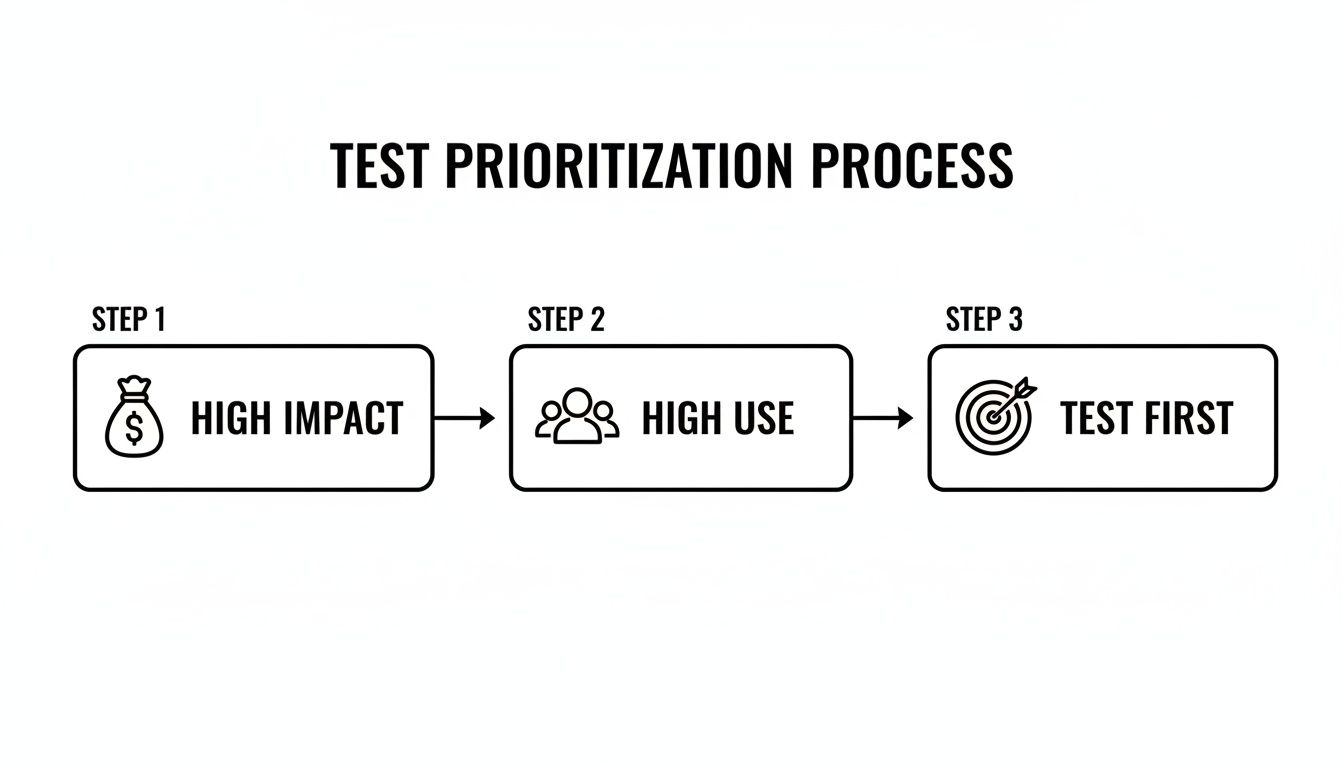
It’s a simple reminder that your first priority should always be the features that make money or that most of your customers use every day.
Let’s be real: AI output is an amazing head start, but it’s rarely perfect right out of the box. The secret is to treat the AI-generated tests as a first draft. Your job is to review, refine, and tune them until they fit your project perfectly.
Start by looking for gaps. Did the AI account for every user role and permission? Did it miss a specific business rule that’s unique to your app?
You can then feed that information back to the AI in your next prompt. Something like, “Now, add a test case for an admin user who needs to bypass the standard checkout.” It’s this back-and-forth process that turns a generic test suite into a rock-solid safety net built just for your product.
Even with a solid strategy in place, a few questions about test case design seem to pop up constantly. Teams always want to know what the “right” number of test cases is, or how to stop their test suites from turning into a bloated, unmanageable mess. Let’s tackle some of the most common ones I hear.
Honestly, there’s no magic number. The right quantity of test cases is dictated by the complexity and risk of what you’re testing, not some arbitrary quota. A simple contact form might only need a handful of tests to feel confident. On the other hand, a complex payment processing feature could easily require dozens to cover every edge case, currency, and potential point of failure.
The real goal isn’t hitting a specific count; it’s achieving confidence. Concentrate on writing enough test cases to feel good about the high-risk and most-used parts of the feature.
Here’s a good rule of thumb: a test case should be detailed enough for someone else on the team to execute it perfectly without knowing anything about the feature beforehand. Think of it as a complete, self-contained recipe. If a tester has to stop and ask, “What does this step mean?” or “What am I supposed to be looking for here?” then it’s not detailed enough.
That said, don’t go overboard and clutter the instructions with fluff. The trick is striking that balance between clarity and conciseness. Every step needs to be unambiguous, and the expected results should be specific and easy to verify.
Test cases aren’t “set it and forget it” documents. They’re living assets that have to evolve right alongside your product. I always recommend teams plan to review and update test cases in a few key situations:
Keeping your test case design sharp and your documentation current is a continuous effort, for sure. But it’s an investment that pays for itself by keeping your testing process efficient, relevant, and great at catching critical issues before they ever reach your users.
Ready to turn your test case design into executable tests in seconds? TestDriver uses AI to generate end-to-end tests from simple prompts, helping your team expand coverage without the manual effort.
Learn how to build a test strategy doc that aligns teams and delivers results. Get actionable steps on scope, tools, AI, and metrics.
Master how to write the test cases with this practical guide, sharing real-world strategies for reliable software testing.
Discover 10 actionable best practices for QA testing to enhance software quality. Learn about TDD, BDD, automation, CI/CD, and more for 2025.
Learn how to write test cases that prevent bugs and improve software quality. Discover practical frameworks, real-world examples, and expert best practices.
TestDriver runs every pull request in a real desktop sandbox, finds bugs, and builds regression tests - right from your repo.