A Practical Guide to Data Driven Tests From Setup to Scale
Master data driven tests with our guide on setup, best practices, and CI/CD integration. Boost your test coverage and build more reliable software.
Master QA with our comprehensive web application testing checklist. Covers 10 critical areas from functional to security for flawless releases in 2025.
Automate and scale manual testing with AI ->
In today’s fast-paced development cycles, simply ‘testing’ a web application isn’t enough. A superficial check might catch glaring bugs, but it often misses the subtle yet critical issues in performance, security, and usability that define a user’s experience. A truly effective quality assurance process requires a structured, multi-faceted approach, and a generic web application testing checklist often falls short by providing vague advice without actionable steps.
This guide moves beyond theory to offer a prioritized, comprehensive checklist covering 10 essential testing domains. We break down each area, from functional and performance testing to security and accessibility, with clear, actionable tasks. You will learn not just what to test but how to test it effectively.
More importantly, this checklist is designed for modern, automated workflows. We’ll demonstrate how to transform these validation steps into powerful end-to-end tests using simple, human-language prompts. By integrating AI-powered tools like TestDriver, you can turn this list from a passive document into an active, automated quality gate. This approach ensures your application is not just functional on the surface but is robust, secure, and ready for production, helping your team release with speed and confidence. This checklist is your blueprint for building a scalable and efficient QA process that catches critical regressions before they impact users.
Functional testing sits at the core of any robust web application testing checklist, acting as the first line of defense against bugs and defects. It’s the process of verifying that every feature of your application behaves exactly as specified in the functional requirements or user stories. This isn’t about how the system works internally, but simply that it works from the user’s perspective.
This testing method focuses on the main business workflows and user interactions. For an e-commerce site, functional testing would validate the entire customer journey, from adding an item to the cart, applying a discount code, and successfully completing a payment. It answers the fundamental question: “Does this feature do what it’s supposed to do?”
To implement functional testing effectively, your QA process should cover both positive and negative scenarios to ensure the application is both functional and resilient.
Pro Tip: Maintain a requirements traceability matrix. This document maps each requirement to its corresponding test cases, ensuring that every specified function is covered by your testing efforts and nothing slips through the cracks. This is a best practice championed by organizations like the ISTQB.
Prioritize testing critical business paths first to ensure the most valuable features are stable. Automating these repetitive functional tests is crucial for efficient regression testing, allowing your team to quickly confirm that new code changes haven’t broken existing functionality.
While functional testing ensures an application works, usability testing determines if it works for the user. This crucial step evaluates how intuitive, efficient, and user-friendly your web application is from the perspective of its target audience. It moves beyond technical specifications to focus on the human experience, uncovering points of friction, confusion, and frustration that technical tests would miss.
This testing method involves observing real users as they interact with the application to complete specific tasks. For instance, a user might be asked to find a product, sign up for a newsletter, or adjust their account settings. The goal is to answer the fundamental question: “Can a real user accomplish their goal easily and without confusion?”

To conduct effective usability testing, structure sessions around clear tasks and recruit participants who represent your actual user base. This ensures the feedback you gather is relevant and actionable.
Pro Tip: Involve a diverse group of participants, including users with varying levels of technical expertise and those with disabilities. Pioneers in this field, like the Nielsen Norman Group, have long advocated that testing with even a small group of 5-8 users can uncover the majority of significant usability issues.
Integrate usability testing early and often in the development lifecycle. Conducting tests on prototypes and wireframes allows you to identify and fix major design flaws before a single line of code is written, saving significant time and resources. Regularly including usability in your web application testing checklist ensures the final product is not only functional but also a pleasure to use.
Performance testing is a critical step in any web application testing checklist that measures speed, responsiveness, and stability under a particular workload. It ensures your application can handle expected traffic volumes without degrading the user experience. This isn’t just about preventing crashes; it’s about making sure your application remains fast and efficient, even during peak usage.
Load testing, a subset of performance testing, specifically evaluates the system’s behavior as the number of concurrent users increases. For an e-commerce platform preparing for a Black Friday sale, load testing would simulate thousands of simultaneous users to identify performance bottlenecks and ensure the infrastructure can handle the surge. It answers the crucial question: “Will our application hold up when it matters most?”
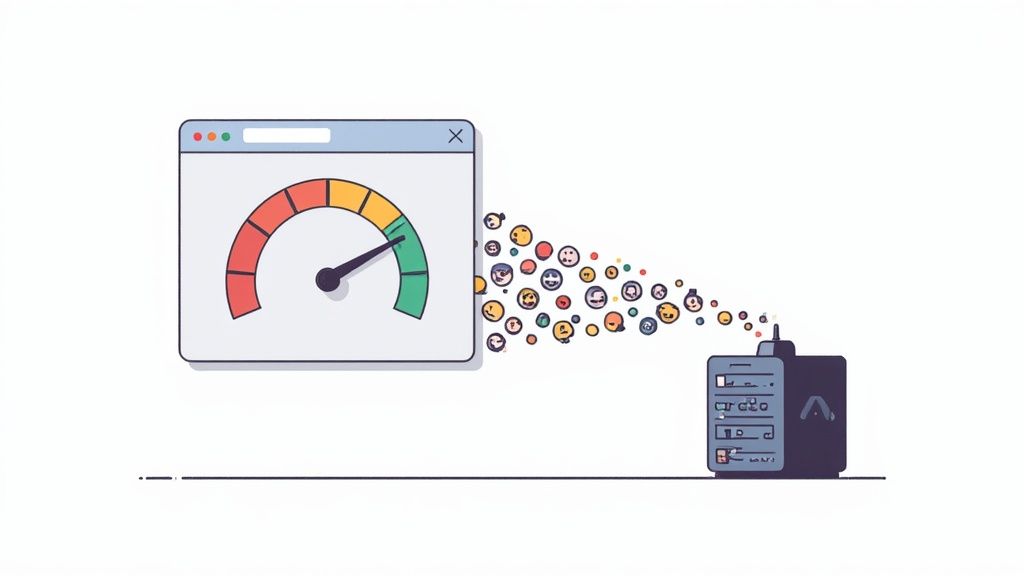
To implement performance and load testing effectively, you must simulate realistic user behavior and monitor system health closely to identify and resolve performance issues before they impact real users.
Pro Tip: Integrate performance monitoring tools (like New Relic or Datadog) directly into your testing environment. These tools provide deep insights into server resource utilization, database query performance, and API response times, helping you pinpoint the exact source of a bottleneck during a load test.
Start performance testing early in the development lifecycle rather than leaving it as a pre-launch activity. By identifying and fixing bottlenecks incrementally, you can prevent costly architectural changes later on. For a deeper dive, you can learn more about how to master performance testing.
Security testing is a critical, non-negotiable component of any comprehensive web application testing checklist. It’s the process of actively identifying vulnerabilities, threats, and weaknesses within an application that malicious actors could exploit. This goes beyond simple functionality to probe the application’s defenses, ensuring that sensitive data remains confidential, user accounts are protected, and the system is resilient against common cyberattacks.
In an era of constant digital threats, security testing answers the most important question: “Is our application safe from attack?” It involves simulating attacks and methodically checking for known security flaws to patch them before they can be exploited. This proactive stance protects not only the business’s reputation and assets but also the privacy and trust of its users.

Effective security testing requires a multi-layered approach, combining automated scanning with manual, in-depth analysis to uncover a wide range of potential vulnerabilities.
Pro Tip: Shift security testing left. To truly build resilient web applications, it’s essential to integrate security from the ground up, embracing a comprehensive secure software development lifecycle. This means incorporating security practices and testing at every stage of development, not just as a final check before release.
Adhering to guidelines from security authorities like the OWASP (Open Web Application Security Project) Top 10 is essential. By regularly testing for these most critical risks, you can build a robust defense and significantly reduce your application’s attack surface.
Compatibility testing is a critical part of any web application testing checklist, designed to ensure your application delivers a consistent and reliable experience across a diverse technological landscape. It verifies that the application functions correctly across different browsers, operating systems, devices, and screen resolutions. In today’s fragmented digital world, this testing prevents user frustration and abandonment caused by a feature working in Chrome but breaking in Safari, or a layout appearing perfectly on a desktop but being unusable on a mobile device.
This testing method focuses on the user’s environment rather than the application’s internal logic. For a SaaS dashboard, it would mean verifying that data visualizations render correctly on both a Windows machine using Firefox and a MacBook using Safari. It answers the crucial question: “Does our application work for all our users, regardless of how they access it?”
To implement compatibility testing effectively, your QA strategy must systematically address the wide range of environments your target audience uses, prioritizing based on real user data.
Pro Tip: Use your website’s analytics data to create a browser/OS support matrix. This allows you to prioritize testing efforts on the platforms used by the vast majority of your actual users, maximizing ROI. This data-driven approach is a core principle advocated by web standards bodies like the W3C.
Prioritize testing on the most popular user configurations first to cover the largest user segments. Cloud-based testing platforms can provide on-demand access to hundreds of browser and device combinations, making it feasible to automate large-scale compatibility checks within your CI/CD pipeline and catch regressions early.
Accessibility testing is a critical component of a modern web application testing checklist, ensuring your application is usable by people with disabilities. This practice involves verifying that individuals with visual, auditory, motor, or cognitive impairments can navigate, understand, and interact with your web application effectively. It goes beyond simple functionality to create an inclusive and equitable digital experience for all users.
This testing method validates compliance with established standards, most notably the Web Content Accessibility Guidelines (WCAG). For a social media platform, this would mean ensuring a user who is blind can use a screen reader to read and post updates, or a user with motor impairments can navigate the entire site using only a keyboard. It answers the crucial question: “Can everyone, regardless of ability, use this application?”
To implement accessibility testing thoroughly, your QA strategy must combine automated checks with manual, human-centered validation to address the nuances of user experience.
Pro Tip: Aim for WCAG 2.1 Level AA compliance as a baseline standard. This level is the globally accepted benchmark for web accessibility and is often a legal requirement. Organizations like the W3C Web Accessibility Initiative (WAI) provide extensive documentation and resources to guide this effort.
Integrating accessibility checks early and often prevents costly remediation later. Start with automated tools for a quick first pass, but always supplement them with manual testing to capture the human element of usability. To dive deeper, explore the essential tools and procedures for effective accessibility testing.
API testing is a critical part of a modern web application testing checklist, focusing on the business logic layer rather than the presentation layer. It involves testing Application Programming Interfaces (APIs) directly to determine if they meet expectations for functionality, reliability, performance, and security. Since most web applications rely on APIs to handle data and business logic, ensuring their stability is paramount for the entire system’s health.
This testing method validates the core backend services that power the user interface. For a mobile banking app, API testing would verify that a request to transfer funds correctly updates account balances in the database, sends the right response code (e.g., 200 OK), and returns a payload with the correct transaction details. It answers the key question: “Do our backend services communicate and function correctly on their own?”
To implement effective API testing, your QA strategy must validate not just successful requests but also how the API handles failures, unexpected loads, and security threats. This ensures the backbone of your application is both robust and secure.
Pro Tip: Leverage API documentation tools like Swagger (OpenAPI) as a single source of truth for your tests. These specifications can be used to automatically generate client code and even baseline test cases, ensuring your tests are always in sync with the API’s design.
Prioritize testing endpoints that are crucial for core business functions or are consumed by multiple client applications. Automating API tests within a CI/CD pipeline is essential for catching integration issues early and enabling rapid, confident deployments. To deepen your expertise, explore these essential resources for mastering API testing.
Regression testing is the safety net of your web application testing checklist, ensuring that new code doesn’t break old features. It acts as a critical verification step after any code change, whether it’s a new feature, a bug fix, or a dependency update. The core purpose is to re-execute a subset of existing test cases to confirm that previously developed and tested software still performs correctly.
This testing method is fundamental to agile development and continuous integration environments where code is frequently modified and deployed. For example, after fixing a bug in the payment processing module, regression testing would re-validate the login, shopping cart, and user profile functionalities to ensure they were not inadvertently affected. It answers the crucial question: “Did the recent change break anything else?”
To implement regression testing efficiently, you need a strategic approach that balances comprehensive coverage with speed. Simply re-running every single test is often impractical and time-consuming.
Pro Tip: Maintain your regression suite diligently. Regularly review and prune outdated or redundant tests, and add new tests to cover new functionality. A lean but comprehensive suite is far more effective than a bloated, unmaintained one. This practice is a cornerstone of modern Agile testing methodologies.
By integrating a robust regression testing strategy, you build confidence in your release process. It prevents the re-emergence of old bugs and ensures that application stability is maintained as it evolves, making it an indispensable part of any comprehensive web application testing checklist.
Cross-browser and cross-platform testing is a critical step in a modern web application testing checklist, ensuring your application delivers a consistent and reliable user experience regardless of how users access it. It validates that your application’s functionality, design, and performance are maintained across various web browsers (like Chrome, Firefox, and Safari), operating systems (Windows, macOS, Linux), and devices (desktops, tablets, and smartphones).
This testing addresses the inconsistencies in how different browsers and platforms interpret HTML, CSS, and JavaScript. For an e-commerce application, it means ensuring the product images render correctly, the “Add to Cart” button is clickable, and the checkout process is smooth whether a user is on Safari on an iPhone or Chrome on a Windows laptop. It answers the crucial question: “Does our application work for all our users, not just those using a specific setup?”
To implement cross-browser testing effectively, focus on both visual consistency and functional integrity across your target environments. This ensures your application is not only usable but also looks professional everywhere.
Pro Tip: Leverage cloud-based testing platforms like BrowserStack or Sauce Labs. These services provide instant access to a massive grid of real browsers and devices, eliminating the need to maintain a costly and complex in-house device lab. This approach allows you to scale your testing efforts efficiently.
Integrate this testing early in your development cycle to catch compatibility bugs before they become deeply embedded in the codebase. By validating on a diverse range of environments, you protect your brand’s reputation and ensure a wider market reach for your web application.
User Acceptance Testing (UAT) is the final, critical validation phase before a web application is released to production. It moves testing from the hands of developers and QA professionals to the actual end-users or clients who will use the system daily. The core purpose of UAT is to confirm that the application meets the business requirements and provides genuine value from the user’s perspective, acting as the final sign-off.
This testing method isn’t about finding bugs like incorrect code implementation or syntax errors; instead, it focuses on validating the overall business flow and usability. For example, a finance team would conduct UAT on a new invoicing system to ensure it correctly handles their specific billing cycles and reporting needs, while an external customer might test a new SaaS feature to confirm it solves their problem as intended. It answers the crucial question: “Does this solution actually work for us?”
Effective UAT bridges the gap between technical development and real-world business needs, ensuring the final product is fit for purpose. A structured approach is essential for gathering meaningful feedback and securing stakeholder approval.
Pro Tip: Involve end-users early in the development lifecycle, not just at the final UAT stage. Inviting them to review wireframes or participate in early demos can uncover fundamental misunderstandings in requirements, saving significant rework and ensuring the final product aligns with their expectations from the start. This practice is a cornerstone of user-centric design and agile methodologies.
Before starting UAT, ensure users receive proper training on the new system and have clear instructions and test cases to follow. This preparation makes the feedback more focused and valuable, making UAT a true validation of business readiness rather than a chaotic bug hunt.
| Test Type | 🔄 Implementation Complexity | ⚡ Resource Requirements | ⭐ Expected Outcomes | 📊 Ideal Use Cases | 💡 Key Advantages / Tips |
|---|---|---|---|---|---|
| Functional Testing | Medium, structured test cases, moderate design effort | Medium, testers + automation tools | High, verifies feature correctness and workflows | Feature validation, acceptance criteria, regression basis | Automate repetitive tests; prioritize critical business paths |
| Usability Testing | Medium, planning sessions and moderating users | High, participant recruitment, facilitators, labs | Medium‑High, improves UX and task success rates | UI/UX improvements, conversion flows, navigation checks | Recruit target users; use think‑aloud and record sessions |
| Performance and Load Testing | High, complex scenarios and environment setup | High, load generators, infrastructure, monitoring | High, identifies bottlenecks and capacity limits | Peak traffic simulations, capacity planning, DB tuning | Establish baselines; use realistic loads and monitor resources |
| Security Testing | High, expert analysis and evolving threat models | High, specialized tools and skilled testers | High, uncovers vulnerabilities and compliance gaps | OWASP Top 10 checks, pen tests, data protection validation | Combine automated scanners with manual pen testing; follow OWASP |
| Compatibility Testing | High, many platform/version combinations | High, devices, OS/browser matrix or cloud services | Medium‑High, wider consistent user experience | Cross‑browser/device support, responsive behavior | Prioritize by analytics; prefer cloud device farms and real devices |
| Accessibility Testing | Medium‑High, WCAG rules + assistive tech checks | Medium, tools + assistive tech and user testing | High, legal compliance and inclusive UX | WCAG compliance, screen reader and keyboard navigation | Test with real assistive tech; automate first pass and follow WCAG |
| API Testing | Medium, depends on API complexity and schemas | Low‑Medium, API tools and dev/test environments | High, ensures backend reliability and integration | REST/GraphQL validation, microservices, CI pipelines | Automate in CI; validate schemas, error handling and rate limits |
| Regression Testing | Medium, maintain and run large test suites | Medium, automation framework and CI resources | High, prevents regressions and stabilizes releases | Post-change verification, CI/CD, refactoring validation | Prioritize critical tests; keep suite lean and automate runs |
| Cross‑browser & Cross‑platform Testing | Very High, exponential combinations to cover | Very High, broad device/browser/OS coverage | Medium‑High, consistent rendering/functionality | Multi‑platform apps, broad audience web products | Use analytics to prioritize; leverage cloud labs and visual tests |
| User Acceptance Testing (UAT) | Medium, coordinating end users and scenarios | Medium‑High, scheduling users, test data, facilitation | High, validates business requirements and sign‑off | Final release validation, business process confirmation | Involve real end users early; provide clear tasks and sign‑off checklists |
We’ve journeyed through a comprehensive web application testing checklist, covering everything from the foundational pillars of functional and usability testing to the critical defenses of security and performance assessments. This guide isn’t just a collection of tasks to tick off before a release; it’s a strategic blueprint for embedding quality deep within your development lifecycle. By systematically addressing functional integrity, user experience, performance bottlenecks, security vulnerabilities, and broad compatibility, you build a resilient and reliable product that earns user trust.
The power of a checklist lies in its ability to transform abstract quality goals into concrete, repeatable actions. It ensures no critical area is overlooked, from API endpoint validation to ensuring your application is accessible to all users. Remember, each item on this list represents a promise to your users: a promise of reliability, security, and a seamless experience.
A static checklist, however, is only the starting point. The ultimate goal is to evolve beyond periodic, pre-release testing and foster a culture of continuous quality. This means integrating these testing principles directly into your daily development workflows, making quality a shared responsibility rather than a final gatekeeping step.
The key to this evolution is a strategic, phased approach. Don’t try to implement every test type overnight. Instead, prioritize based on risk and impact.
Mastering the concepts within this web application testing checklist does more than just prevent bugs; it provides a profound competitive advantage. It accelerates your delivery velocity by catching issues early when they are cheaper and easier to fix. It builds brand reputation by consistently delivering a stable, high-performing product. Most importantly, it demonstrates a commitment to your users, showing that you value their time, their data, and their experience.
By adopting these practices, you transform testing from a cost center or a bottleneck into a strategic enabler of business growth. Your team can release new features with confidence, innovate faster, and respond to market changes with agility, all while maintaining a high bar for quality. This proactive, integrated approach is the hallmark of modern, high-performing engineering teams. The checklist is your map; the journey toward continuous quality is the destination.
Ready to turn your web application testing checklist into an automated, efficient, and AI-powered reality? TestDriver helps you generate complex end-to-end tests from simple, natural language prompts, drastically reducing the time and effort required to build and maintain your test suite. Stop scripting and start testing. See how it works at TestDriver.
Master data driven tests with our guide on setup, best practices, and CI/CD integration. Boost your test coverage and build more reliable software.
Discover 8 actionable test environment management best practices for QA teams. Learn to improve stability, parity, and efficiency in your testing workflow.
Discover the essential test metrics in testing that drive quality and accelerate releases. Learn to measure what matters for your QA and development teams.
Discover regression testing best practices to automate, prioritize risk, and stabilize test suites for faster, reliable releases.
TestDriver runs every pull request in a real desktop sandbox, finds bugs, and builds regression tests - right from your repo.