Automation Testing as a Service A Guide for Modern Teams
Discover how automation testing as a service (ATaaS) transforms software quality. Our guide covers benefits, models, and vendor selection for QA and dev teams.
Discover how to automate GUI testing with our complete guide. Learn to choose the right tools, write effective tests, integrate with CI/CD, and leverage AI.
Automate and scale manual testing with AI ->
Automating your GUI testing starts with a few key decisions: defining what you need to test, picking the right framework (whether it’s a classic like Cypress or a newer AI-assisted tool), and then getting down to writing and running the scripts. The whole point is to embed these checks into your CI/CD pipeline.
This isn’t just about replacing manual clicks with code. It’s about building a safety net that catches regressions automatically, so your team can release new features without constantly worrying about breaking what already works.
In today’s world of rapid-fire development cycles, relying on manual GUI testing is a losing game. It’s like trying to win a Grand Prix on a bicycle, you’re just not equipped for the speed. Teams are pushing updates daily, sometimes hourly, and that constant churn makes a full manual regression test practically impossible.
You’re left with a tough choice: either delay the release to finish testing, or push code with your fingers crossed, hoping nothing breaks in production.
This is exactly where GUI test automation comes in. It flips the script, turning quality assurance from a last-minute bottleneck into a continuous, proactive part of the development process that just runs.
Automated tests are your tireless digital team members. They can run through complex user journeys and check hundreds of UI elements in the time it takes you to grab a coffee. A human tester might spend hours on the same task. When you bake these checks directly into your development workflow, you get feedback almost instantly.
This immediate feedback loop is a game-changer for a few reasons:
The industry has clearly caught on. The global automation testing market was valued at a massive USD 34.64 billion in 2024 and is on track to hit an incredible USD 197.12 billion by 2034. That kind of growth sends a clear message: automating your GUI testing isn’t just a nice-to-have anymore; it’s a fundamental part of staying competitive.
You can dig into more of the data behind this market expansion over on polarismarketresearch.com. And if you’re looking to really formalize your skills in this area, something like a Certified Software Tester Professional course can be a great way to advance your career.
Picking a test automation framework is one of those foundational decisions that will echo through your entire development lifecycle. It’s not just about how you’ll write tests. The tool you land on shapes everything, who can contribute, how you’ll handle maintenance, and how nimble you can be when your application inevitably changes. This choice has staying power.
Broadly speaking, you’ve got two main paths to consider: the traditional, code-heavy frameworks and the newer, AI-assisted platforms. There’s no single “best” answer here. The right choice really depends on your team’s skills, your project’s pace, and your long-term goals.
On one side, you have the battle-tested, open-source workhorses like Selenium and Cypress. These are incredibly powerful and give you complete control, making them a go-to for teams stacked with strong developers. If your QA engineers are fluent in JavaScript or Python and want to fine-tune every line of their test scripts, these frameworks feel like home. A team that’s already deep in the JavaScript ecosystem, for example, will find Cypress a natural fit.
On the other side of the coin are AI-assisted tools like TestDriver, which are designed to slash the time and coding expertise needed to get started. These platforms are a game-changer for teams with mixed technical backgrounds or for anyone under pressure to deliver faster. They empower QA analysts, and even non-technical folks like product managers, to build solid end-to-end tests using plain English. This approach makes it possible to automate GUI testing without needing to hire a squad of specialized test developers.
The whole point is to move from a slow, bottleneck-prone process to one that gives you fast, reliable feedback.
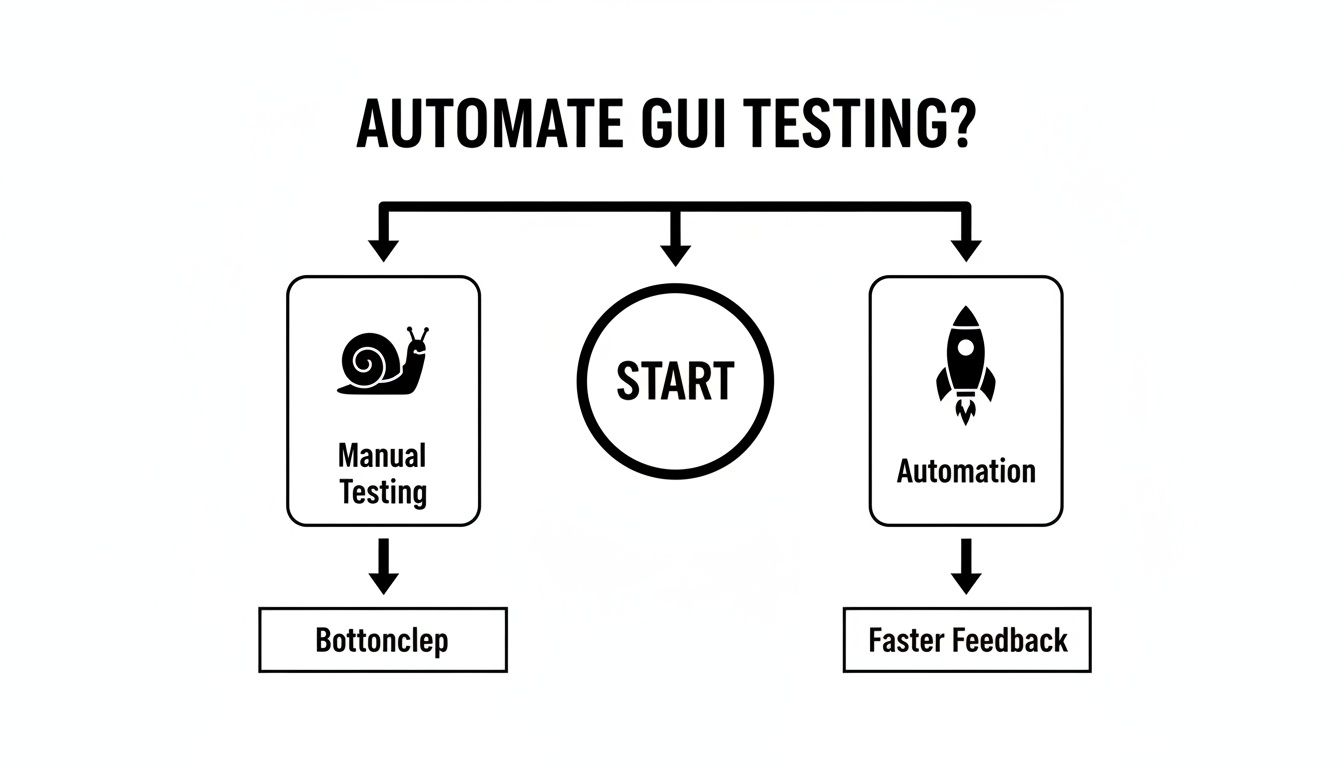
Ultimately, automation is how you break free from the sluggish pace of manual testing and build a truly agile workflow.
To help you see the differences more clearly, let’s break down how these two approaches stack up against each other. Think about your team’s current strengths and where you want to be in a year when you review this.
| Attribute | Traditional Frameworks (e.g., Selenium, Cypress) | AI-Assisted Platforms (e.g., TestDriver) |
|---|---|---|
| Skill Requirement | High. Requires strong coding skills (e.g., JavaScript, Python). | Low. Designed for non-developers; uses natural language. |
| Test Creation Speed | Slower. Writing, debugging, and maintaining code takes time. | Fast. Generate tests in minutes from simple descriptions. |
| Maintenance | High effort. Brittle selectors break with UI changes. | Low effort. AI self-heals tests when locators change. |
| Learning Curve | Steep. Requires learning both the framework and a language. | Gentle. Intuitive and requires minimal training. |
| Team Collaboration | Limited to technical team members who can code. | Inclusive. Product, QA, and dev can all contribute. |
| Flexibility | Extremely high. Can customize scripts for complex scenarios. | High, but focused on standard user workflows and journeys. |
Each path has its merits. Traditional tools offer unparalleled flexibility for those who can wield them, while AI platforms offer speed and accessibility, opening up automation to the entire team.
A common mistake I see teams make is aiming for 100% automation. The real goal isn’t to get rid of manual testers. It’s to free them up. Let automation handle the boring, repetitive regression checks so your human testers can focus their brainpower on exploratory testing and nuanced usability issues, the things machines can’t do.
This hybrid strategy is quickly becoming the norm. In fact, by 2025, it’s predicted that up to 73% of organizations will be using a mix of manual and automated testing. As you can find in various automation testing market reports, the smartest teams know that effective testing isn’t about all-or-nothing. It’s about using the right tool for the right job.
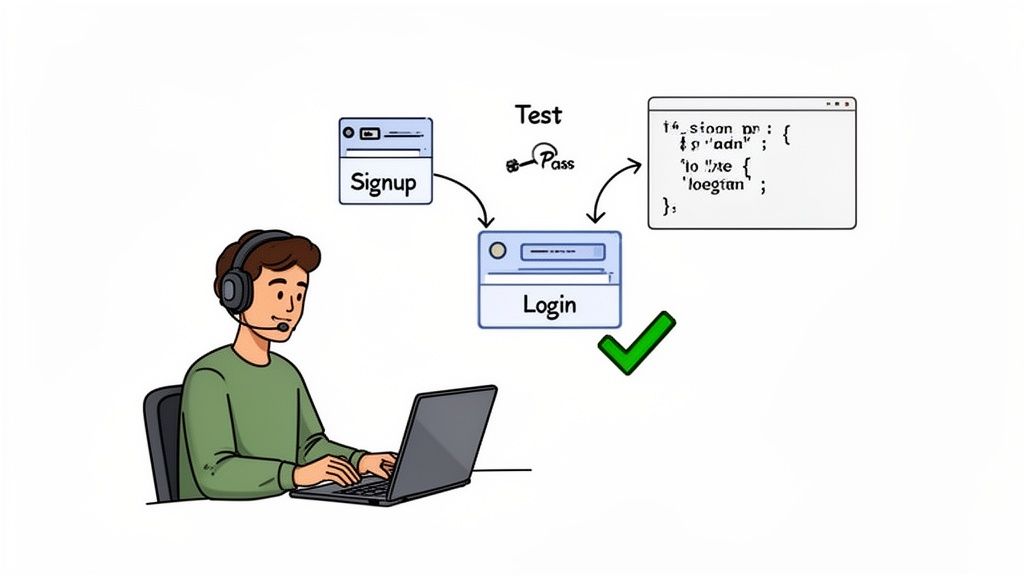
Alright, this is where the rubber meets the road. The real payoff for the decision to automate GUI testing happens the moment your tests start catching actual bugs before they reach users.
Getting started doesn’t mean you have to automate everything at once. Far from it. The smartest move is to target the most critical user journeys, the ones that directly impact your bottom line.
Think about the absolute must-work features of your app. For an e-commerce site, it’s the entire checkout flow. For a SaaS product, it’s a user successfully signing up and logging in. These are your high-value targets, and automating them first delivers the biggest and most immediate return.
Before you write a single line of code or a test prompt, you need to map out the paths your users take to get things done. Don’t get bogged down in individual button clicks just yet. Think in terms of complete workflows from start to finish.
So, what does that look like in the real world?
By focusing on these end-to-end scenarios, you ensure your tests are validating real business value, not just checking if a button exists. This strategic approach keeps you from getting lost in the weeds and builds a safety net around what actually matters to your users and your business.
One of the biggest headaches in GUI test automation is creating brittle tests. You know the ones, they break with every minor UI tweak. A developer changes a button’s color, and suddenly your entire test suite is bleeding red. This is exactly where smart design patterns save the day.
A concept that has been a lifesaver for countless teams is the Page Object Model (POM). The idea is brilliant in its simplicity: for each page or major component in your application, you create a corresponding “page object” in your test code. This object holds all the element locators (like IDs, CSS selectors, etc.) and interaction methods for that specific page, completely separating them from your test logic.
Let’s say your test needs to log in. Instead of having locator strings scattered everywhere, it just calls a method from a
LoginPageobject, likeloginPage.enterUsername('user'). If a developer later changes the username field’s ID, you only have to update it in one place: theLoginPageobject. You don’t have to hunt it down across dozens of test scripts.
This separation makes your tests infinitely more resilient and easier to maintain over time, which is absolutely critical for long-term success. It abstracts the “how” of interacting with a page from the “what” your test is trying to verify. For teams working on complex applications, especially on Linux systems, structuring tests for this kind of resilience is a non-negotiable skill. You can explore this in more detail by reading about how to automate GUI testing on Linux systems.
The good news is that modern tools have made this whole process much easier. Instead of having to manually script every single step and build page objects from scratch, you can now describe what you want to test in plain English.
For instance, using an AI-powered tool like TestDriver, you could give it a prompt that sounds something like this: "Verify the user signup and login process. A new user should be able to register with an email and password, receive a confirmation, and then log in successfully with those credentials."
The AI takes this high-level goal and generates the entire test suite for you. It automatically identifies the necessary UI elements, figures out the step-by-step logic, and adds the assertions needed to confirm each stage of the flow works correctly. This not only accelerates the initial creation process but often builds in resilience from the get-go, as the AI can be smarter about using robust selectors to find elements on the page.
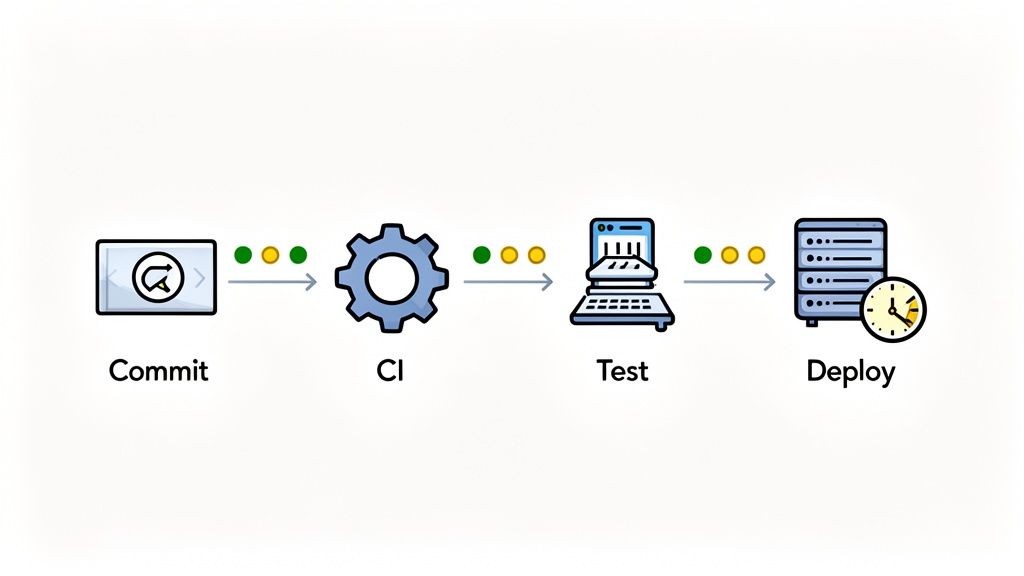
An automated test you have to remember to run manually is a missed opportunity. The real power of automated GUI testing is unlocked when you wire it directly into your Continuous Integration and Continuous Delivery (CI/CD) pipeline.
Doing this turns your test suite from a chore into an automated quality gate. Bugs that might have slipped through and surfaced days later are now caught within minutes of a code commit.
The goal is to get immediate feedback. When a developer gets a notification that their latest change broke a critical user workflow, they can fix it right away while the code is still fresh in their mind. This tight feedback loop is what makes agile development really work.
Connecting your tests to the pipeline means setting up your CI server, whether it’s GitHub Actions, Jenkins, or GitLab CI, to kick off your GUI test suite automatically. It’s about making testing an indispensable part of your build process.
You’ll want to configure specific triggers for your test runs. I’ve seen teams have great success with a few common approaches:
This approach shifts testing from something you do at the end of a cycle to a continuous validation that happens all the time. You build with the confidence that you’ll know the moment something breaks.
A critical, and often overlooked, piece of this is the test environment itself. Never, ever run automated GUI tests against your live production server. It’s a recipe for disaster.
Your CI/CD pipeline should be responsible for spinning up a clean, consistent test environment for every single run.
This environment must have a stable build of your app deployed to it and, just as importantly, predictable test data. For example, if you’re testing a login flow, you need to be 100% sure a specific test user account exists. Consistency is the name of the game here, it’s how you get rid of flaky tests that fail for reasons that have nothing to do with your code. For a deeper look at this topic, our guide covers the best practices for integrating testing into your CI/CD pipeline.
The real value of CI/CD integration isn’t just about speed, it’s about confidence. When your entire team trusts that a green build means the application is stable, they can innovate and ship faster without the constant fear of introducing regressions.
Ultimately, a well-integrated test suite becomes a silent partner in your workflow. It catches mistakes, validates new features, and gives everyone the assurance they need to build and deploy great software. It’s how you truly automate GUI testing at scale.
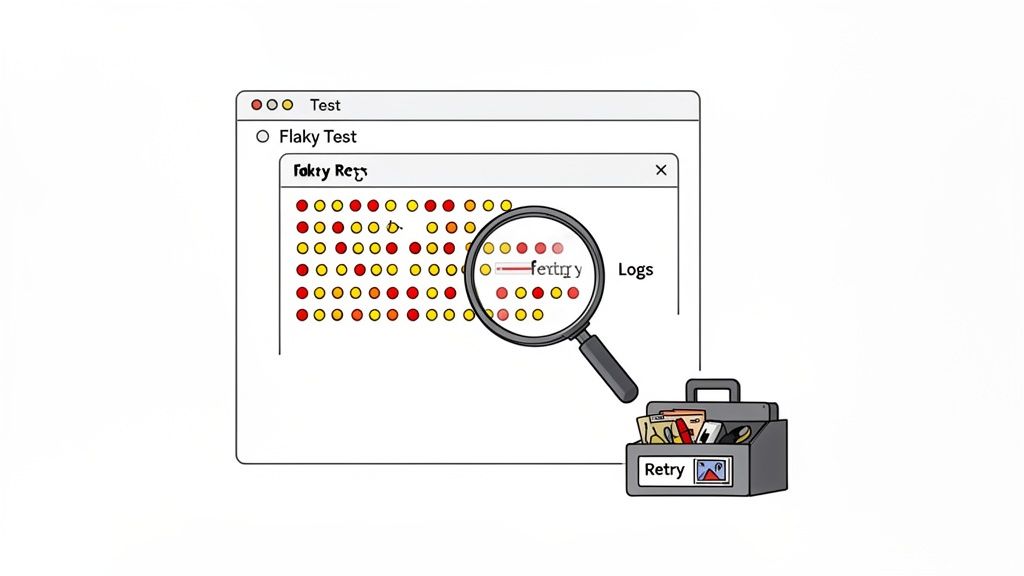
There’s nothing that kills confidence in an automation suite faster than a flaky test. You know the one, it passes, it fails, it passes again, all without a single code change. When your team starts saying things like, “Oh, just ignore that red build, it’s probably that flaky login test again,” your whole effort to automate GUI testing is on shaky ground.
Flakiness is the silent killer of your test automation ROI. It injects doubt, burns developer time, and makes your entire safety net feel unreliable. Getting it under control means taking a proactive, systematic approach to building stability into your tests from the very beginning.
The first step to fixing a flaky test is figuring out why it’s failing intermittently. In my experience, the root cause usually falls into one of a few predictable categories.
A flaky test is worse than no test at all. A missing test is a known gap you can account for. A flaky test actively misleads you, either creating a false sense of security or crying wolf so often that real alerts get ignored.
The solution here is to use smart waits instead of hard-coded delays. Don’t just tell the script to sleep(5000). That’s a guess. Instead, explicitly instruct it to wait until a specific element is visible and interactive. This simple change makes your tests both faster and infinitely more reliable.
When a test genuinely fails, you need an efficient way to diagnose the problem. Nobody has time to waste hours trying to reproduce an issue locally. That’s a massive productivity drain.
A solid debugging workflow is essential, and your framework should provide these tools automatically whenever a test fails:
Building a resilient test suite is a marathon, not a sprint. For a much deeper look into this critical topic, check out our guide on how to overcome flaky tests in functional test automation.
Running tests is half the battle. Proving they’re actually making a difference? That’s where you earn your keep. To get the buy-in you need for more resources and time, you have to show how your GUI automation work directly impacts the business. Forget simple pass/fail reports; we need to talk about real-world value.
You have to move past vanity metrics, like how many tests you’ve written. Frankly, nobody outside of the QA team cares. What stakeholders do care about are numbers that prove you’re reducing risk, saving money, and shipping a better product.
Here are the numbers I always focus on to tell a compelling story:
This kind of data is how you build a rock-solid case for the return on investment (ROI). The financial upside of automation isn’t some far-off dream; it can be incredibly fast. In fact, around 25% of companies see an immediate ROI after investing in test automation, which shows just how quickly modern tools can deliver wins.
The market is exploding for a reason. Projections show the automation testing market in North America growing from USD 9.8 billion in 2023 to USD 17.4 billion by 2028. Businesses are catching on. If you want to dive deeper into the numbers, there are some great software testing statistics and trends available from sources like TestGrid.io.
A successful automation initiative doesn’t just find bugs; it builds a culture of quality. It provides a safety net that empowers developers to ship faster and gives the entire organization confidence in the product.
Once you’ve demonstrated some initial success, it’s time to think bigger. Scaling isn’t about a mad dash to automate every single thing. It’s a strategic expansion.
A solid roadmap for scaling comes down to a few practical steps. First, get your processes documented. Write down your best practices so new team members can get up to speed without a ton of hand-holding. Next, start expanding your test coverage, but do it thoughtfully, tackle the next most important user flows and tricky edge cases.
Finally, treat your test suite like a garden. You have to constantly tend to it. Prune old tests that are no longer relevant, and spend time optimizing the ones that are slow or flaky. This is how you make sure your automation efforts deliver real, sustainable value for the long haul.
Even with a great plan, a few questions always come up when teams first dive into automating their GUI testing. Let’s tackle some of the most common ones we see.
This is a great question, and the answer is all about impact. You want to start with your highest-value and highest-risk user journeys. Think about the absolute core functions of your application, the things that must work for your business to succeed.
We’re talking about flows like user registration, login, the e-commerce checkout process, or the main “happy path” for your most important feature. By prioritizing these, you get the biggest return on your investment right away. You’re building a safety net around the most critical parts of your app, which instantly builds confidence in your automation efforts across the whole team.
Absolutely. While we’ve focused on web applications in this guide, the core principles don’t change. For mobile testing, you just need to swap out the tools for frameworks built specifically for mobile environments.
Some popular choices you’ll run into are:
The fundamental concepts, finding elements, writing assertions, and plugging into a CI/CD pipeline, are all directly transferable. The strategy stays the same; only the tools change.
Is 100% test automation a realistic goal? Honestly, no. And it shouldn’t be. The most effective testing strategies blend automation with manual expertise. Automate the repetitive, critical, and regression-prone tests to create a solid quality baseline.
This frees up your human testers for what they do best: exploratory testing, usability checks, and navigating complex scenarios where human intuition is invaluable. It’s about balance. Let automation handle the predictable work so your team can focus on exploring the unpredictable.
Ready to speed up your testing and cut out the tedious manual work? With TestDriver, you can generate complete end-to-end tests from a simple prompt. See how AI can change your QA process and help you ship with confidence. Create your first test in minutes at testdriver.ai.
Discover how automation testing as a service (ATaaS) transforms software quality. Our guide covers benefits, models, and vendor selection for QA and dev teams.
Learn how to automate UI testing with practical strategies for choosing tools, writing reliable tests, CI/CD integration, and using AI to speed up releases.
A practical guide to automated web application testing. Learn proven strategies, tools, and best practices to accelerate development and boost software quality.
Discover how automated testing DevOps transforms your CI/CD pipeline. This guide covers practical strategies, tools, and AI's role in accelerating releases.
TestDriver runs every pull request in a real desktop sandbox, finds bugs, and builds regression tests - right from your repo.