Mastering Automated User Interface Testing
Discover how automated user interface testing boosts software quality and speed. This guide covers everything from core concepts to CI/CD and AI.
A practical guide to the automation of regression testing. Learn to build a strategy, leverage AI, integrate into CI/CD, and maintain a resilient test suite.
Automate and scale manual testing with AI ->
Trying to run manual regression tests in a CI/CD environment is like entering a marathon wearing flippers. It’s not just slow; it’s a recipe for disaster. You create bottlenecks, delay releases, and honestly, you just burn out your team. This is where the automation of regression testing comes in, it’s the safety net that gives your developers the confidence to actually ship code quickly.
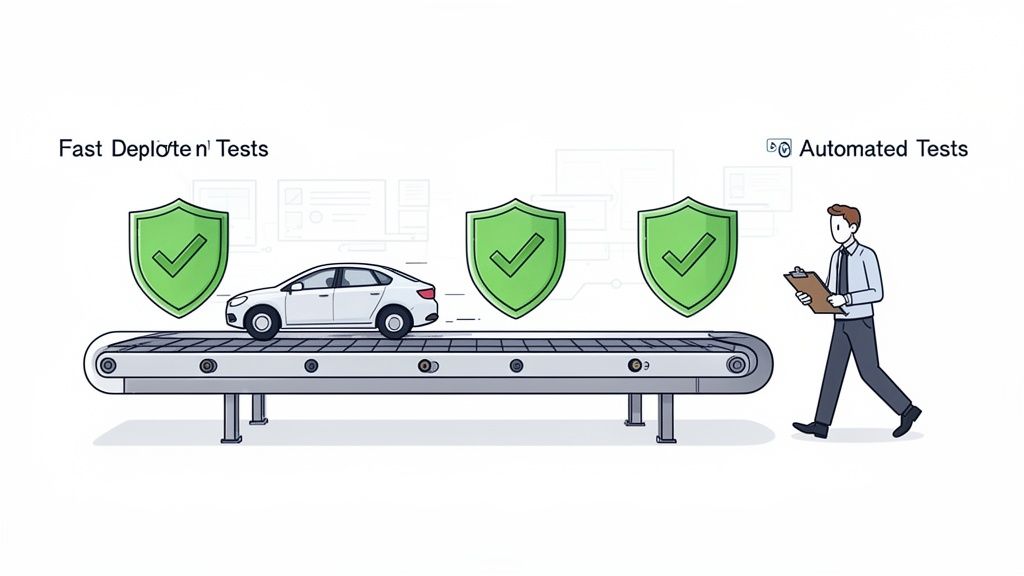
In a fast-paced development cycle, code commits are flying in constantly. Every new feature, bug fix, or even a tiny refactor creates a ripple effect. A seemingly innocent tweak to the login flow could completely wreck the payment process. As your application grows, this risk doesn’t just add up; it multiplies.
Sticking with manual checks in this environment introduces real, tangible risks. It’s not just about slowing down your release cadence. One bad release can instantly shatter user trust, leading to churn and a tarnished reputation. Plus, you’re paying a massive opportunity cost when your best engineers are stuck chasing down preventable bugs instead of building what’s next.
This pressure is exactly why the entire industry is making a massive shift. A recent report shows that 84% of DevOps teams are now baking automated testing right into their CI/CD pipelines. They know it’s the only way to keep regressions from derailing their launches.
The money follows the need. The global test automation market is on a tear, jumping from USD 28.1 billion in 2023 to a projected USD 55.2 billion by 2028. That’s not just a trend; it’s a clear signal that manual testing is becoming a relic for any team that wants to stay competitive. You can discover more insights about the state of test automation and see how other teams are getting ahead.
Let’s break down exactly what makes this shift so critical. This table cuts through the noise and shows the day-to-day reality of each approach.
| Metric | Manual Regression Testing | Automated Regression Testing |
|---|---|---|
| Speed & Feedback Loop | Days or Weeks. Bugs are found late in the cycle, making them harder and more expensive to fix. | Minutes. Developers get immediate feedback after a commit, catching issues instantly. |
| Consistency | Prone to human error. Repetitive tasks lead to missed steps and inconsistent results. | 100% Consistent. The same exact steps are executed perfectly every single time. |
| Coverage Scope | Limited. QA can only cover critical paths due to time constraints, leaving edge cases untested. | Extensive. Can run thousands of tests across different browsers and devices in parallel. |
| Team Focus | Repetitive Execution. QA engineers spend their time on mundane, checklist-driven tasks. | Strategic Quality. QA can focus on exploratory testing, performance, and complex user scenarios. |
| Cost Over Time | High & Increasing. Every new feature adds more manual test cases, scaling costs linearly. | Decreasing. High initial setup cost, but the ROI grows with every test run. |
The takeaway is clear: automation isn’t just about going faster. It’s about building a fundamentally more resilient and efficient development process.
This move provides three huge wins for any team:
By automating the predictable, you free up your team to focus on the unpredictable. It’s a fundamental shift from gatekeeping to enabling, which is the true heart of a modern quality culture.
Ultimately, integrating automated regression testing isn’t just a nice-to-have technical update, it’s a core business strategy. It’s how you build a more stable product, a more productive team, and a faster path from a great idea to happy customers.
It’s easy to get carried away and jump into the automation of regression testing without a solid plan. I’ve seen countless teams make the same mistake: they try to automate everything. This almost always ends in a bloated, slow, and brittle test suite that nobody on the team trusts or wants to maintain.
The real goal isn’t 100% automation. It’s about achieving maximum confidence with the minimum amount of effort.
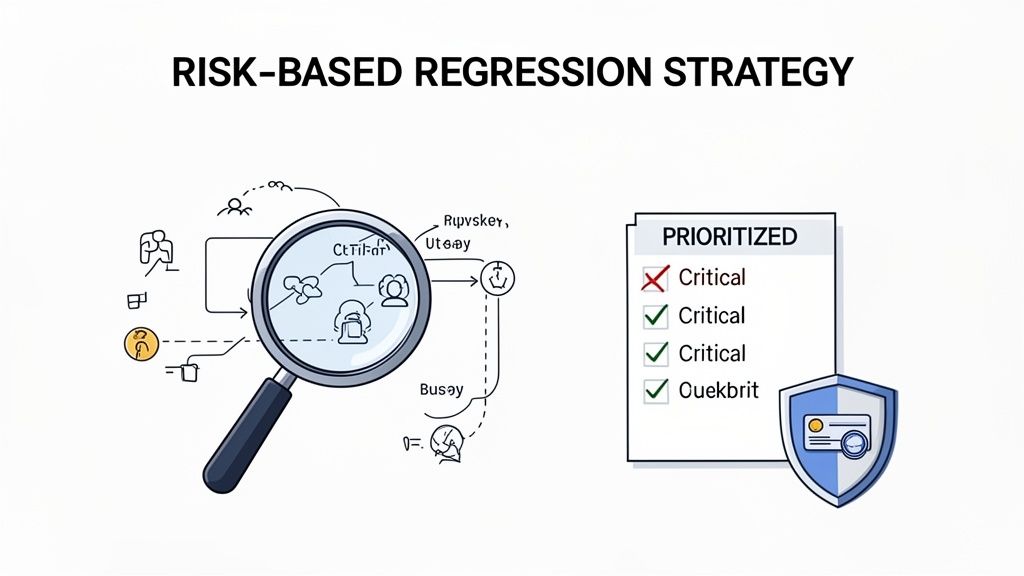
To do that, you have to start with a fundamental question: what absolutely, positively cannot break? Instead of blanketing every feature with tests, a risk-based strategy forces you to focus your precious time and resources on protecting the most critical parts of your application.
Before you even think about writing a test, your first job is to map out your application’s “crown jewels.” These are the user journeys that, if they failed, would create a real headache, think major business disruption, lost revenue, or a serious hit to your brand’s reputation.
Here’s a checklist I use to pinpoint what truly matters:
This selective process ensures you’re building a lean, effective safety net, not a sprawling, inefficient one. It’s the difference between a surgical tool and a sledgehammer.
Once you know what to test, you need to decide the order of attack. Not all critical paths are created equal. I find it helpful to rank them by weighing two key factors: impact and likelihood.
A bug in a low-traffic, low-impact feature is an annoyance. A bug in a high-traffic, high-impact feature like your payment processor is a crisis. Your regression strategy must reflect this reality.
By plotting your features on a simple impact/likelihood matrix, a clear roadmap emerges. You’ll want to start automating the high-impact, high-likelihood scenarios first. This immediately protects your most valuable and vulnerable assets. This methodical approach is the secret to building a test suite that actually delivers value.
It’s also worth mentioning that a smart strategy depends on a stable foundation. Implementing robust Infrastructure as Code best practices is crucial for ensuring your test environments are consistent and reliable, without that, your automation will never be trustworthy.
With a focused, risk-based plan in hand, you’re ready to start generating the tests that will become the backbone of your quality process. The next step is to find modern tools that can help you create these tests quickly, without getting bogged down in writing brittle code.
Let’s be honest: traditional test scripting is a major bottleneck for regression testing. It’s slow, demands specialized coding skills, and often walls off team members who know the product inside and out but can’t write a line of Selenium. This manual coding grind almost always produces brittle tests that shatter with the slightest UI tweak, trapping teams in a never-ending cycle of maintenance.
But that’s starting to change. A more modern, AI-driven approach is finally here. Instead of getting bogged down in code, you can now spin up robust end-to-end tests using plain English. This shift opens up test creation to everyone, from product managers to manual QAs, letting them directly contribute to the automation suite.
The concept is as simple as it is powerful: you describe a user flow in natural language, and an AI agent like TestDriver translates that into a fully executable test. It completely removes the need to fuss with scripting languages or fragile locator strategies. You just focus on what the user needs to accomplish, and the AI figures out how to do it.
This is a huge leap forward for efficiency. The industry is catching on fast, with some projections showing that AI-powered automation could slash manual regression testing efforts by as much as 45% by 2026. AI is perfectly suited for handling the repetitive work of script creation and maintenance, and it can even get smart about predicting where new bugs might crop up. For a closer look at these trends, you can read the full report on QA trends.
The real magic, though, is in the resilience of the tests themselves. AI agents don’t just blindly record clicks. They understand user intent. They use intelligent locators that can adapt when a button’s text changes or a developer tweaks a CSS class, drastically cutting down on flaky tests and the maintenance headache that comes with them.
The quality of your AI-generated tests hinges entirely on the quality of your prompts. If you give vague instructions, you’ll get ambiguous tests. The trick is to be specific and descriptive, laying out each action and expected result just like you would for a human team member.
Here’s my advice for writing prompts that work:
A well-crafted prompt is like a detailed user story. It gives the AI all the context it needs to generate a test that is not only functional but also meaningful and easy to understand.
Even with AI doing the heavy lifting, human expertise is still essential. You always need to review and validate the generated test cases. Make sure they align with your business requirements and cover all the necessary checks. For a deeper dive into this, our guide on the best practices for validating AI-generated test cases walks through how to build a reliable review process.
To make this more tangible, here’s a quick-reference table showing how to translate testing needs into effective prompts for an AI test generation agent like TestDriver.
| Test Scenario | Example Prompt for TestDriver |
|---|---|
| Login with MFA | Navigate to the login page. Enter the username ‘qa-user’ and password ‘securepass123’. Click ‘Sign In’. On the next screen, enter the 2FA code ‘123456’ and click ‘Verify’. Confirm that the dashboard page loads and the heading ‘My Account’ is visible. |
| Add Varied Products to Cart | Go to the products page. Search for ‘Laptop’. From the results, add the ‘15-inch Pro Laptop’ to the cart. Then, search for ‘Mouse’ and add the ‘Wireless Ergonomic Mouse’ to the cart. Navigate to the cart and verify that both items are listed with the correct names and quantities. |
| Complex Form Submission | Open the ‘Contact Us’ form. Fill in the ‘Full Name’ with ‘Jane Doe’. Enter ‘[email protected]’ for ‘Email’. Select ‘Technical Support’ from the ‘Department’ dropdown. Type ‘My aplication is running slow.’ in the ‘Message’ text area. Click ‘Submit’ and verify the success message ‘Thank you for your message!’ appears. |
These examples show just how accessible complex E2E scenarios become when you can describe them in plain English. This capability is part of a much bigger trend where AI is being adopted for efficiency across the board. To get a sense of this wider context, check out this guide on the top AI tools for business.
By shifting from code-heavy frameworks to intent-driven prompts, teams can build and maintain regression suites at a speed that simply wasn’t possible before.
Having a solid suite of automated tests is great, but it’s only half the battle. The real magic happens when you get those tests running automatically inside your development workflow. By plugging your regression suite directly into your CI/CD pipeline, you transform it from a manual chore into a powerful, always-on quality gate.
This is where you get that immediate feedback loop every team dreams of. No more waiting for a nightly build or a frantic pre-release QA cycle. Developers can see the impact of their changes almost instantly, letting them catch regressions the moment they’re introduced, long before they ever get close to production.
The heart of CI/CD integration is deciding when to run your tests. This is a balancing act. You need thoroughness, but you can’t grind development to a halt by running a massive, hour-long test suite on every single commit.
A tiered approach is what I’ve seen work best in practice:
This strategy gives you the best of both worlds: rapid feedback for developers day-to-day, with deeper checks at the most critical points in the process.
Putting this strategy into action is surprisingly straightforward with modern tools like GitHub Actions, Jenkins, or GitLab CI. The concept is always the same: define a job, specify a trigger, and tell it what test command to run.
And with modern AI tools, creating the actual test files that plug into these pipelines has become much faster.
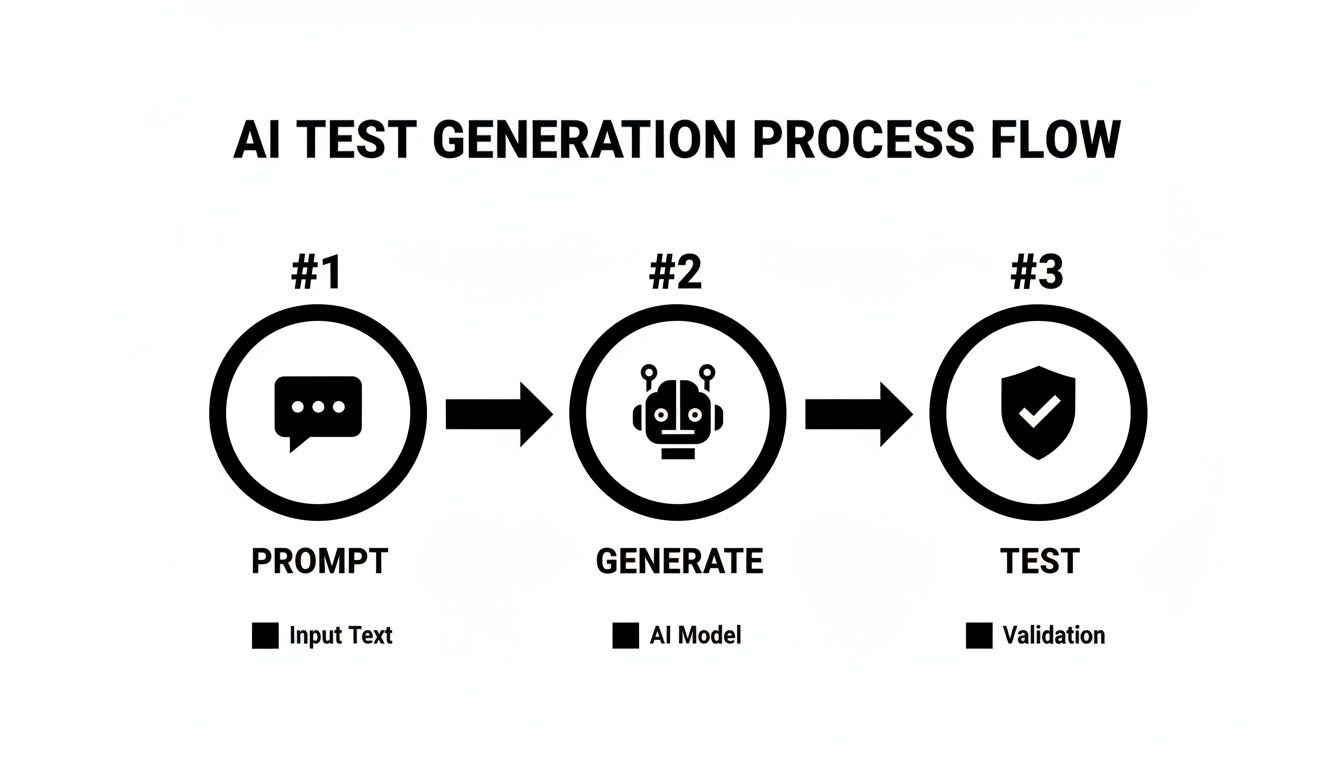
The simple prompt-generate-test workflow means you can build out the assets for your pipeline much more quickly.
Here’s a real-world example of a GitHub Actions configuration that runs your test suite on every pull request targeting the main branch. It’s a great starting point.
name: E2E Regression Tests
on:
pull_request:
branches: [ main ]jobs:
test:
runs-on: ubuntu-latest

steps:

- uses: actions/checkout@v3

- name: Set up Node.js

  uses: actions/setup-node@v3

  with:

    node-version: '18'

- name: Install Dependencies

  run: npm install

- name: Run E2E Tests

   run: npm test
A simple YAML file like this automates the whole process, giving your team pass/fail feedback right inside the pull request. No context switching needed.
This isn’t just a niche trend; it’s a massive industry shift. A recent study found that a staggering 63% of organizations are upping their investment in QA automation, with a clear focus on catching bugs earlier in the CI/CD cycle. It makes sense, especially when you consider that regression testing used to eat up nearly half of all testing time.
The goal is to make quality an automatic, non-negotiable part of the process. When tests are baked into the pipeline, developers don’t have to remember to run them, the system enforces quality by default.
If you want to dig deeper into this, our article on the best practices for integrating testing into your CI/CD pipeline provides a more detailed walkthrough.
As your app grows, so does your test suite. Soon, that quick 10-minute run becomes a 30-minute run, then an hour-long slog. When the pipeline becomes a bottleneck, developers start looking for ways to bypass it.
The solution is parallelization.
Nearly all modern CI/CD platforms and test runners let you split your test suite across multiple machines or containers. By running tests in parallel, you can slash execution times. For instance, a suite that takes 60 minutes to run sequentially could be done in just 10 minutes if you spread it across six parallel jobs. This is how you ensure the pipeline remains a source of rapid feedback instead of a frustrating delay.
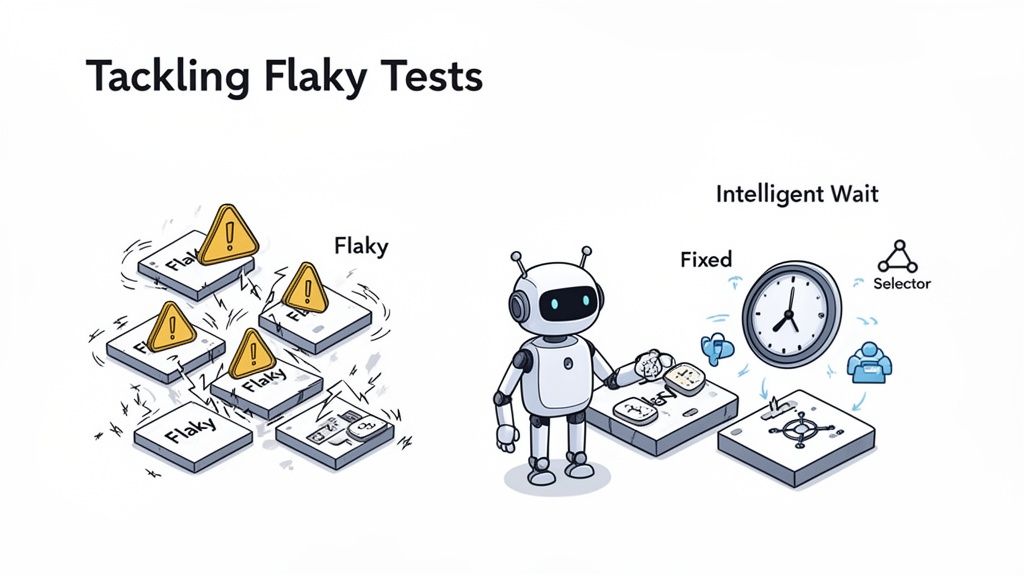
Let’s be honest. The biggest threat to any automation of regression testing effort isn’t a complex feature; it’s the slow, soul-crushing drain of flaky tests and the maintenance they demand. A test suite that constantly throws false failures is more than just an annoyance, it’s actively harmful.
It erodes trust, slows down your pipeline, and eventually, the team starts ignoring the very system designed to protect them.
When a test fails, it needs to mean something real: a bug was found. If your team’s first reaction is a collective sigh followed by, “It’s probably just the test again,” you’ve got a serious flakiness problem on your hands. This completely undermines the value of your automation investment.
Flaky tests aren’t usually random acts of chaos. They’re symptoms of deeper issues in how the tests are written or how the environment behaves. Before you can stamp them out, you have to know what you’re actually fighting.
From my experience, the culprits almost always fall into a few familiar categories:
sleep(5) in there is just a band-aid, not a real fix.div, and your test shatters, even if the user experience hasn’t changed at all.The moment your team spends more time debugging the tests than the actual application, your automation has become a liability. The goal is a trusted signal of quality, not a source of constant noise.
The good news is that you can build resilience into your test suite from the very beginning. Instead of just reacting to failures, you can be proactive by building tests that know how to handle instability.
A huge part of this is moving away from fragile, hard-coded locators. Modern AI-powered tools approach this differently. They don’t just follow a rigid script; they understand the user’s intent. They can find the “Login” button even if its ID or class changes because they recognize its purpose on the page.
This shift toward self-healing tests is a game-changer for reducing maintenance. For a deeper dive, our guide on how to overcome flaky tests and maintenance explores these advanced techniques.
Even with the best tests, failures are going to happen. The key is how you respond. Having a solid triage process helps your team quickly separate the real problems from the noise.
When a test fails in the CI/CD pipeline, don’t panic. Follow a simple, repeatable process:
By following a structured process like this, you ensure real bugs get the attention they deserve while you systematically improve the reliability of your entire test suite.
So, you’ve put in the work to automate your regression testing. How do you actually prove it’s paying off? Without the right metrics, your efforts can easily be dismissed as just another cost center instead of the massive value driver they are.
The biggest mistake I see teams make is focusing on vanity metrics, like the total number of automated tests. That number is meaningless on its own. It tells you nothing about business impact. Real success isn’t about the quantity of tests; it’s about making a measurable dent in your team’s speed and the quality of your product.
Your goal is to build a dashboard that tells a clear story, connecting your automation work directly to business outcomes. Forget the fluff and start tracking these core indicators to show the real-world value you’re creating.
The point isn’t just to catch bugs, it’s to create a system where your team can ship better software, faster. Your metrics need to tell that story, focusing on speed, stability, and cutting down on mind-numbing manual work.
Having solid metrics is great, but they’re only half the battle. The real magic happens when you build a culture where quality is everyone’s responsibility, not just a task for the QA department. This is where your automation efforts can really shine.
Start by weaving the tests directly into your developers’ daily workflow. When a dev can run a targeted test suite and get feedback within minutes of a commit, they become the first line of defense against regressions. It’s no longer an abstract problem for someone else to find later; it’s immediate and actionable. This builds a powerful sense of ownership.
Finally, you have to change the conversation around test failures. A failed build shouldn’t be a cause for finger-pointing. It should be a trigger for a quick, collaborative huddle: “What broke, and how can we make sure this doesn’t happen again?” When you start celebrating the stability and speed that good automation provides, you reinforce the idea that quality is a team sport, and everyone wins.
Even with a solid plan, a few questions always pop up when teams start seriously automating their regression testing. Let’s tackle some of the most common ones I’ve come across.
It’s tempting to aim for 100% automation, but that’s rarely the right move. The sweet spot is the good old 80/20 rule.
Focus your energy on automating the critical 20% of your tests that cover about 80% of your core user-facing functionality. Think about the absolute must-work parts of your application.
This usually includes things like:
Leave things that require nuanced visual checks or brand-new, highly volatile features for manual testing, at least for now. This way, you get the biggest bang for your buck without getting stuck in an automation rabbit hole.
The real goal isn’t 100% automation. It’s 100% confidence in your most critical user journeys. That’s where the value is.
The most effective strategy is to weave your tests directly into your CI/CD pipeline. For instant feedback, run a small set of essential smoke tests on every single code commit. This catches showstoppers immediately.
Then, schedule your full regression suite to run nightly. You can also trigger it right before a deployment to staging or production. This approach gives you comprehensive coverage and catches regressions early, all without bogging down your developers’ daily workflow.
Ready to stop scripting and start testing? With TestDriver, your team can generate resilient end-to-end tests from simple English prompts, cutting down maintenance and accelerating your release cycles. See how it works at https://testdriver.ai.
Discover how automated user interface testing boosts software quality and speed. This guide covers everything from core concepts to CI/CD and AI.
Master UI test automation with this practical guide. Learn to choose frameworks, write reliable tests, integrate CI/CD, and leverage AI for faster releases.
Discover how Test Automation as a Service transforms QA. This guide explains how it works, its benefits, and how to integrate it into your CI/CD pipeline.
Discover the 12 best codeless automation testing tools for web, API, and mobile. Our 2026 guide helps you choose the right platform for your QA workflow.
TestDriver runs every pull request in a real desktop sandbox, finds bugs, and builds regression tests - right from your repo.