A Practical Guide to Data Driven Tests From Setup to Scale
Master data driven tests with our guide on setup, best practices, and CI/CD integration. Boost your test coverage and build more reliable software.
Explore the real differences in automation vs manual software testing. This guide covers when to use each, ROI, and how to build a winning hybrid strategy.
Automate and scale manual testing with AI ->
At its heart, the difference between automation vs manual software testing comes down to execution. Manual testing is all about human intuition, letting skilled testers explore and poke at an application to find bugs. Automation, on the other hand, uses code and tools to run the same checks over and over with incredible speed and accuracy. The smartest strategies don’t pick one; they blend both, using automation for scale and manual testing for nuance.
To build a solid quality assurance process, you have to get the distinct philosophies behind manual and automated testing. Think of them less as rivals and more as complementary disciplines, each with its own job to do. Before getting lost in specific testing methods, it’s worth understanding the bigger picture of quality assurance in software development.
This knowledge helps you see the conversation isn’t about choosing one over the other. It’s about strategically deciding where to put your resources. The real win comes from creating a hybrid approach that plays to the strengths of both human testers and automated scripts.
Manual testing is, at its core, a human-driven process. It relies on a tester’s curiosity, experience, and deep knowledge of the product to interact with an application just like a real user. This hands-on method is simply irreplaceable for certain kinds of checks that go way beyond a simple pass or fail.
Here’s where manual testing really shines:
Manual testing answers the question, “Is this software actually pleasant and intuitive to use?” It’s what catches the flaws that rigid, function-focused scripts will always miss.
To dig deeper into why it’s still so critical, check out our guide on the importance of manual testing in modern software development.
Automation testing is the powerhouse of efficiency, consistency, and scale. By using specialized tools and scripts to run predefined tests, it handles the grunt work that’s tedious, repetitive, or just too massive for a person to do reliably.
This is the go-to solution for tasks like:
To get beyond the surface-level definitions, a real comparison of automation versus manual software testing has to dig into the practical business and technical realities. The decision isn’t just about raw speed; it’s a strategic choice that impacts costs, how you allocate your team’s talent, and even the kinds of bugs you’re likely to find. A smart testing strategy is all about understanding these trade-offs and finding the right balance.
This infographic gives a great at-a-glance summary of where each approach really shines, putting the human-driven, creative nature of manual testing up against the relentless precision of automation.
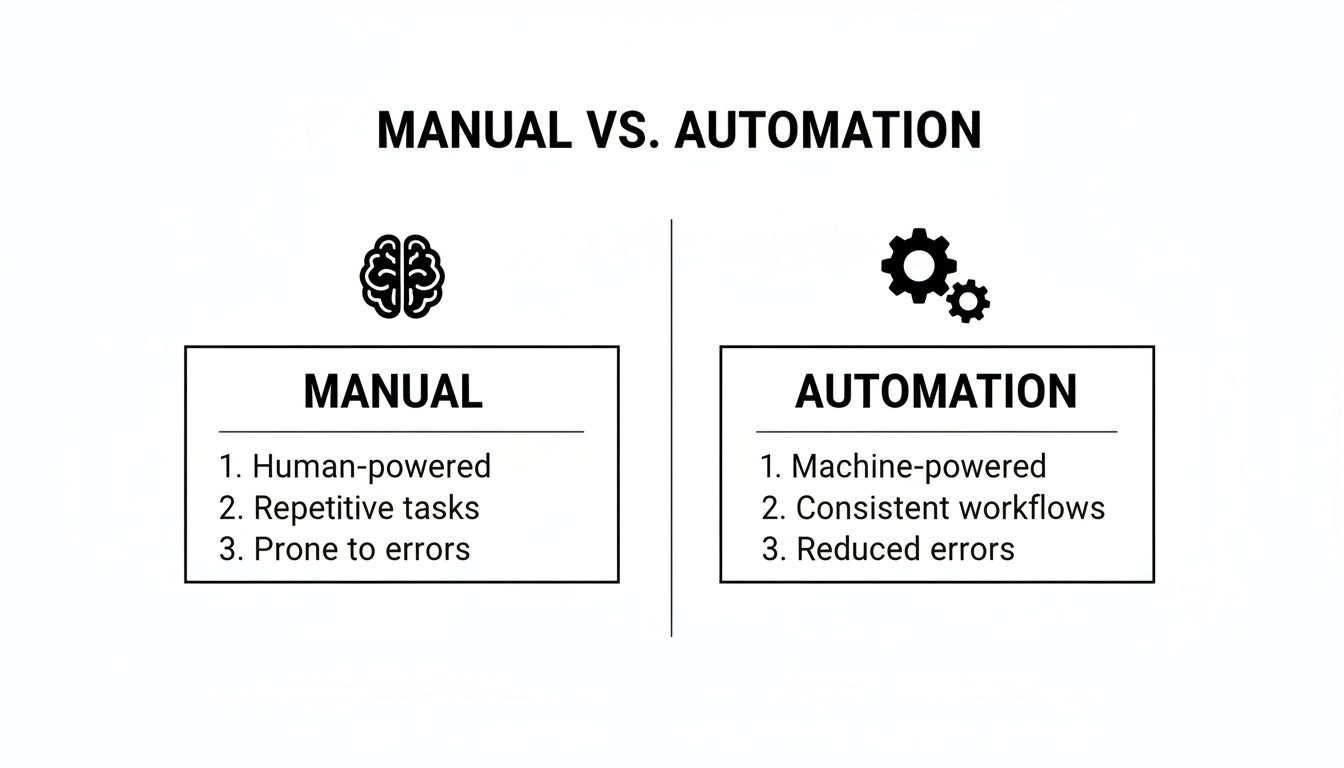
The key takeaway here? Manual testing is your go-to for creativity and adapting on the fly, while automation is built to deliver consistency at a massive scale.
To help you navigate this decision, this table breaks down the core differences across several key criteria. It’s designed to give you a clear, side-by-side view to inform your own QA process.
| Criterion | Manual Testing | Automation Testing |
|---|---|---|
| Initial Cost | Low. Primarily salaries for QA testers. | High. Requires tools, infrastructure, and skilled engineers. |
| Long-Term Cost | High. Costs scale linearly with testing effort. | Low. Cost per test run decreases dramatically over time. |
| Execution Speed | Slow. Limited by human speed and working hours. | Extremely fast. Tests can run 24/7 without supervision. |
| Best For | Exploratory, usability, ad-hoc, and new feature testing. | Regression, performance, load, and data-driven testing. |
| Required Skills | Product knowledge, creativity, attention to detail, user empathy. | Programming, test framework expertise, system architecture knowledge. |
| Human Element | High. Relies on human intuition and observation to find bugs. | Low. Follows a pre-written script and cannot deviate. |
| Repeatability | Prone to human error and inconsistency on repetitive tasks. | 100% consistent. Executes the same steps perfectly every time. |
| Maintenance | Low. Updating test case documents is relatively simple. | High. Scripts need constant updates as the application changes. |
Ultimately, this comparison shows there is no single “winner.” The best approach always depends on the specific context of the test, the maturity of the feature, and your long-term business goals.
The money conversation for manual and automated testing couldn’t be more different. With manual testing, you’re looking at a relatively low initial investment, mostly just the cost of hiring your QA team. The expenses are operational, meaning they grow in a straight line with your testing needs; more features to test means you need more people or more hours.
Automation flips that model on its head. It requires a serious upfront investment in tools, infrastructure, and, most importantly, the skilled engineers who can build and maintain a solid testing framework. In fact, it’s common to see a negative return on investment (ROI) at the very beginning while the team is busy writing the initial batch of scripts.
But the long-term ROI is where automation really makes its case. Once that framework is up and running, executing thousands of tests is incredibly cheap. Over time, the cost per test run plummets, and you eventually hit a break-even point where running automated tests is far more cost-effective than paying for the manual hours they’ve replaced.
When it comes to speed, this isn’t even a fair fight. Automated tests can run 24/7 without anyone watching, ripping through complex test suites in a few hours, a workload that might take a manual team several days to get through. This velocity is what makes modern CI/CD pipelines possible, providing the rapid feedback developers need to keep moving fast.
Manual testing, by its very nature, is slower. A human tester can only check one thing at a time, and they’re bound by normal working hours and the simple fact that people get tired. This can easily turn into a bottleneck, especially for large-scale regression testing before a major release.
Scalability tells the same story. If you need to scale automation, you just spin up more machines in the cloud and run tests in parallel. You get a massive boost in testing capacity without a proportional increase in headcount. To scale manual testing, you have to hire more people, which brings its own set of challenges like training, onboarding, and management overhead.
In the debate of automation vs manual software testing, speed is automation’s clear advantage. A single automated script can validate a user journey across multiple browsers simultaneously, a task that would require a coordinated team of manual testers.
The people you need for each discipline are also quite different. A great manual tester has an intimate understanding of the product, an almost obsessive eye for detail, and a creative mind for finding edge cases. They are the true advocates for your users.
Automation engineers, often called SDETs (Software Development Engineers in Test), are a different breed. They need to be strong programmers, understand software architecture, and be experts in specific testing frameworks and tools. Their job is to build and maintain a robust, reliable testing codebase.
But don’t forget about maintenance, it’s the hidden cost of automation. As your application changes, your test scripts will break and need to be updated. It’s not uncommon for teams to spend up to 50% of their time just maintaining the tests they’ve already written. This is a significant, ongoing investment that many organizations underestimate. While manual test cases also need updating, tweaking a step in a document is almost always faster than debugging and refactoring a brittle test script.
Neither approach is a one-size-fits-all solution. Their value depends entirely on what you’re trying to test.
Making the call between automation and manual testing isn’t a one-and-done decision. It’s an ongoing strategic conversation. The real trick is matching the right method to the specific context, the feature itself, how mature it is, and the risks you’re trying to squash. A blanket “automate everything” mindset is just as flawed as sticking only to manual testing; the true skill lies in building a smart, balanced portfolio of tests.
This decision-making process is the absolute core of an effective quality strategy. As you dig into the nuances, adopting smarter automated testing strategies becomes essential for getting the best results. It shifts the conversation from “which is better?” to “what makes the most sense for this situation?”
Automation really shines when dealing with anything repetitive, large-scale, and predictable. Some testing scenarios aren’t just better with automation, they’re practically impossible without it. These are the areas where that initial time and resource investment pays off in spades down the road.
Here are the non-negotiable use cases for automation:
In these cases, the sheer speed and consistency of automation are indispensable. This is the bedrock of any modern CI/CD pipeline, allowing teams to ship code fast and without holding their breath.
While automation is busy handling the predictable stuff, manual testing is all about exploring the unknown. It’s powered by human creativity, intuition, and empathy, qualities you just can’t code into a script. Some tests absolutely need a human touch to deliver meaningful feedback.
Automate the predictable to ensure stability; manually explore the unpredictable to ensure a quality user experience.
This idea perfectly captures the strategic split. Here’s where manual testing is still king:
If you’re looking to build out your automation capabilities, our guide on how to successfully start automation testing in new projects offers a solid roadmap. It’s a critical first step before you can really nail the hybrid approach.
To make the right call in the automation vs. manual testing debate, run each test case through this simple framework:
| Factor to Consider | Choose Automation When… | Choose Manual When… |
|---|---|---|
| Frequency | The test runs all the time (e.g., with every build). | The test is a one-off or runs rarely. |
| Complexity | The test follows a clear, rule-based path. | The test needs human judgment and subjective feedback. |
| UI Stability | The user interface is stable and not expected to change. | The UI is new, experimental, or changes constantly. |
| Objective | The goal is to confirm functionality and catch regressions. | The goal is to evaluate usability, design, and the overall feel. |
By using a framework like this, teams can put their resources where they’ll have the biggest impact. Automation can handle the grunt work, freeing up your human testers to focus on the high-value activities that truly shape the user experience. That kind of strategic balance is the hallmark of a mature QA process.
Deciding between automation and manual testing often boils down to budget, but a quick cost comparison can be dangerously misleading. To really get the full picture, you have to calculate the total Return on Investment (ROI), a figure that weighs the upfront costs against the long-term gains in speed, quality, and efficiency. This isn’t just about a tester’s salary versus a tool’s license fee; it’s about the total cost of ownership.
The global software testing market is set to hit an eye-watering $93.94 billion by 2030, and automation is a huge piece of that pie. Yet, the numbers tell a more complicated story. Only 25% of companies see an immediate ROI from test automation. And in just 46% of cases, automation has managed to replace 50% or more of manual testing work, a clear signal that human expertise is far from obsolete. You can discover more software testing statistics that dig into this complex relationship.
To figure out the ROI of automation, you have to look at both sides of the coin. The initial investment can be steep, with hidden costs that are easy to miss if you’re only focused on how fast the tests run.
Your Initial and Ongoing Investment Includes:
The payoff, of course, is measured in saved time and faster delivery. The savings come from all the hours you’re no longer sinking into repetitive manual checks. This frees up your team to release features faster and with a lot more confidence.
We often talk about test coverage as a simple percentage, but its true value is in managing risk. A high percentage doesn’t mean much if it only covers the trivial, low-risk parts of your app. The real goal isn’t just broad coverage; it’s strategic coverage that shields your most critical user journeys and business functions from failure.
This is where the manual vs. automation dynamic really shines. Automation is brilliant at providing wide, consistent coverage for the stable, core parts of your application, the stuff that absolutely, positively has to work every single time. It’s your safety net, making sure new code doesn’t break what’s already working.
Manual testing, on the other hand, delivers deep, targeted coverage. It’s the best way to explore tricky user workflows, brand-new features, and those weird edge cases where a script would just follow orders and miss the bigger picture.
A hybrid strategy is the only way to achieve true risk mitigation. Automation provides a wide, shallow net to catch regressions, while manual testing provides a deep, focused probe to uncover critical usability and logic flaws.
Going all-in on one method just leaves you exposed. A manual-only approach simply can’t scale and quickly becomes the bottleneck in your release cycle. An automation-only strategy often misses crucial user experience flaws and struggles with rapid changes, leading to flaky tests and a false sense of security.
Time and time again, the highest ROI is found in a smart, balanced hybrid model. This setup uses automation for the heavy lifting, like regression testing, which frees up your skilled manual testers to focus on high-impact, exploratory work. If you’re looking for ways to measure how well this is working, our guide on essential QA KPIs to benchmark your quality assurance process is a great place to start.
By allocating your resources this way, you’re not just running tests; you’re actively driving down business risk and improving the end-user experience. That’s how you get the maximum value from your QA investment.
The whole “automation vs. manual software testing” debate is a false choice. The real goal isn’t to pick a winner but to build a smarter, more integrated process. Think of it this way: a truly mature quality assurance strategy doesn’t force a choice between human insight and machine efficiency. Instead, it weaves them together, creating a system where each makes the other stronger.
Moving from a manual-first workflow to a balanced, modern model isn’t something that happens overnight. It requires a clear roadmap. You want to get to a point where automation handles all the repetitive, predictable work, freeing up your talented testers to do what they do best: high-value, exploratory testing that truly elevates the product. This strategic blend is what separates good testing teams from great ones.
Making the switch to a hybrid model is a deliberate journey, not a flip of a switch. Start by looking for the biggest bottlenecks in your current testing cycle. Are release schedules constantly slipping because of how long it takes to run a full manual regression? That’s your first target for automation.
Begin with a small, stable feature set within your application to build your first automated tests. This gives you a quick win, which is crucial for showing the value of automation and getting the team excited and on board.
From that starting point, you can roll out a phased approach:
For years, one of the biggest roadblocks to automation was the steep learning curve. Manual testers, the ones with encyclopedic knowledge of the product, often didn’t have the coding skills needed for automation. This created a frustrating divide between the two disciplines.
Thankfully, new AI-powered tools are completely changing that dynamic. They act as a translator, turning human intent into clean, executable code. Platforms like TestDriver allow a tester to describe a user journey in plain English, and the AI handles the heavy lifting of generating the robust, end-to-end test scripts to validate that flow.
AI-driven test generation opens up automation to everyone. It empowers manual testers to use their deep product expertise to contribute directly to the automation suite, which dramatically speeds up both test creation and coverage.
This is a huge shift. The people who know the application inside and out, the manual QA team, can now become central figures in building the automation safety net. They’re no longer just finding bugs late in the game; they’re actively helping to prevent them from ever making it to production.
AI-driven tools don’t just lower the barrier to entry; they also put the entire process into hyperdrive. A complex end-to-end test that might have taken a skilled automation engineer hours, or even days, to write by hand can now be generated in minutes.
The interface for a tool like TestDriver shows just how straightforward this can be, turning simple prompts into complex tests for any website or application.
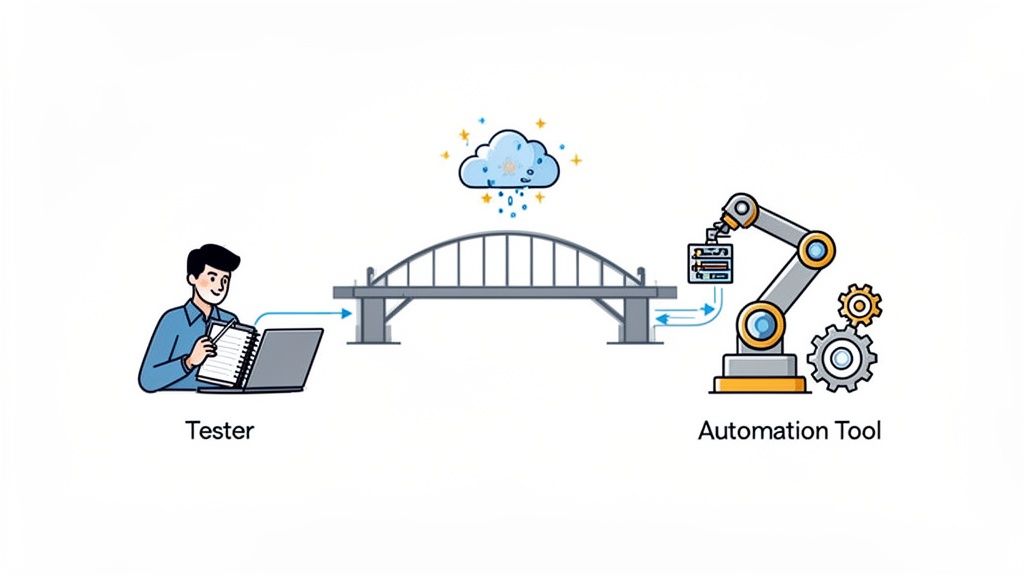
This screenshot gets to the heart of the value: turning a high-level idea into a complete test scenario without a single line of code. It effectively translates the “what” of a manual test case into the “how” of an automated script.
This kind of acceleration means teams can achieve much broader test coverage far more quickly than they could with traditional methods. New features can have automated regression tests created almost as soon as they’re developed, ensuring the test suite actually keeps up with development. This speed and accessibility make a true hybrid strategy a practical reality for any team, not just a theoretical ideal.
A hybrid testing strategy is only as good as the results it delivers. You can’t just set up some automated scripts and hope for the best; you have to measure what’s working and be brutally honest about what isn’t. Without the right metrics, you’re flying blind, unable to prove value or make smart decisions.
Tracking a few key performance indicators (KPIs) is the best way to see if your efforts are actually moving the needle on quality and speed.
Here are three of the most telling metrics for evaluating your testing process:
Even the most well-intentioned automation projects can go off the rails. They often get derailed by a few common, completely avoidable mistakes that turn a smart investment into a sinkhole for time and money. Knowing what these pitfalls are is the first step to building a testing practice that actually lasts.
Here are the most common ways automation efforts fail:
A flaky test is worse than no test at all. It introduces noise, slows down the CI/CD pipeline, and forces engineers to waste time investigating false negatives, ultimately undermining trust in your quality process.
When teams start digging into testing strategies, the same questions pop up time and time again. Let’s tackle some of the most common ones to help you figure out the right mix of manual and automated testing for your projects.
The short answer is no. While automation is a powerhouse for repetitive tasks like regression suites, it just can’t replicate human curiosity and intuition. You’ll always need a human eye for exploratory testing, checking usability, and spotting those weird, unexpected bugs that only crop up when you go off-script with a new feature.
Think of it as a partnership. Automation handles the grunt work, freeing up your testers to focus on the creative, cognitive tasks that really make a difference to the user experience. The best QA strategies find a balance that plays to the strengths of both.
By far, the biggest hurdle is the upfront investment. It’s not just about buying a tool; it’s the time, money, and expertise needed to set up a solid framework and write those initial test scripts.
A lot of teams get tripped up by underestimating this initial setup. They rush in and end up with flaky tests that are a nightmare to maintain. The smart move is to start small. Pick a stable, high-value part of your application, automate that, and show a quick win. This builds momentum and proves the value from day one.
AI is shaking things up by making powerful automation accessible to more people. New AI-driven tools can create complex test scripts from plain English, which means you don’t need to be a coding wizard to get started.
This really blurs the lines between a tester’s idea and an automated script. It allows QA engineers who aren’t hardcore developers to build out the automation suite, helping teams increase their test coverage much faster than the old way.
Ready to close the gap between what you want to test and getting it automated? TestDriver uses AI to turn simple prompts into complete end-to-end tests. It gives your whole team the power to build a solid QA process without the massive upfront effort. See how you can speed up your testing at https://testdriver.ai.
Master data driven tests with our guide on setup, best practices, and CI/CD integration. Boost your test coverage and build more reliable software.
Learn how to write a test case that's clear, effective, and ready for AI automation. This guide covers structure, examples, and pro tips.
What is test coverage? Learn what is test coverage and how it ties into software quality, with key metrics and actionable tips.
Discover regression testing best practices to automate, prioritize risk, and stabilize test suites for faster, reliable releases.
TestDriver runs every pull request in a real desktop sandbox, finds bugs, and builds regression tests - right from your repo.