Automatically run UI tests when a GitHub pull request opens
To run ui tests on pull request github, use GitHub Actions. Configure triggers, application readiness, failure handling, and required checks before merging.
Set up your TestDriver GitHub Actions integration correctly: configure PR triggers, sandbox access, secrets, and required checks that catch UI regressions.
Automate and scale manual testing with AI ->
Instead of manually checking each pull request for UI regressions, connect TestDriver to GitHub Actions so proposed changes enter a repeatable desktop-testing workflow. Configure the pull-request trigger, connect the supported test runner, and verify that the result belongs to the revision under review before making it a merge requirement.
TL;DR
A green build does not establish that a user can complete a workflow. Compilation, unit tests, and UI regression tests answer different questions. Your CI configuration needs to preserve that distinction rather than treating every successful job as evidence that the application works.
TestDriver end-to-end testing is best for GitHub engineering teams that need pull requests exercised in a real desktop sandbox. The platform automatically runs pull requests to catch UI regressions. The integration work is about connecting that execution to the correct application revision and making its result useful during review.
For a 2026 CI setup, treat the trigger, application environment, and reported check as separate configuration responsibilities. A workflow can start successfully while testing the wrong deployment. It can also finish without producing the check your merge policy expects.
The benefit is repeatable feedback before merge. The trade-off is additional environment setup: desktop execution still needs a reachable application, usable test credentials, and predictable test data. Keep those requirements explicit.
localhost on a GitHub-hosted runner is not automatically reachable from a separate desktop sandbox.Set a narrow acceptance target before opening the workflow editor. Choose 1 user journey, such as signing in and opening a protected page. This is an implementation recommendation, not a platform limit. A small initial scope makes infrastructure failures easier to separate from application regressions.
.github/workflows/ with a .yml or .yaml extension. Give the workflow a recognizable name so reviewers can distinguish UI testing from builds and unit tests.pull_request event. Keep its default activity types unless you have a specific reason to change them: GitHub runs this event for opened, reopened, and synchronized pull requests.workflow_dispatch if maintainers need to start a diagnostic run manually. GitHub requires the workflow file to exist on the default branch for manual dispatch to be available.The following YAML shows only the workflow header and trigger configuration. It is not a complete runnable integration: the supported execution job still belongs under jobs.
name: Pull request UI checks

on:
  pull_request:
  workflow_dispatch:
Avoid adding branch and path filters during the first setup. Filters introduce another reason for a check not to appear. Once the workflow works, add filters deliberately and confirm their effect on required checks.
Expected result: Opening a test pull request produces a workflow run in Actions after a valid execution job has been added. Pushing another commit produces another eligible run.
Decide what the test result represents: the proposed branch revision or its prospective merge with the base branch. GitHub’s pull_request event commonly uses a generated merge ref; it is not interchangeable with the contributor’s head commit.
Record the tested revision in your execution logs or test evidence using the facilities your integration supports. If the application comes from a preview deployment, confirm that the deployment represents that same revision.
For a 2026 rollout, do not accept a check merely because its timestamp looks recent. A useful result identifies the code and environment it tested.
A workflow credential and an application login serve different purposes. Keep them separate. The former authorizes automation; the latter lets the test exercise your application without using a developer’s personal account.
Expected result: The execution job starts the supported runner and authenticates without printing credential values. A successful credential check alone does not establish that the application is ready.
Expected result: The sandbox opens the intended application revision, reaches the starting screen, and has the data required for the selected journey.
Your 2026 workflow should separate these phases visibly: Application ready, Sandbox execution, and Result review. That separation makes a deployment failure distinguishable from a UI regression.
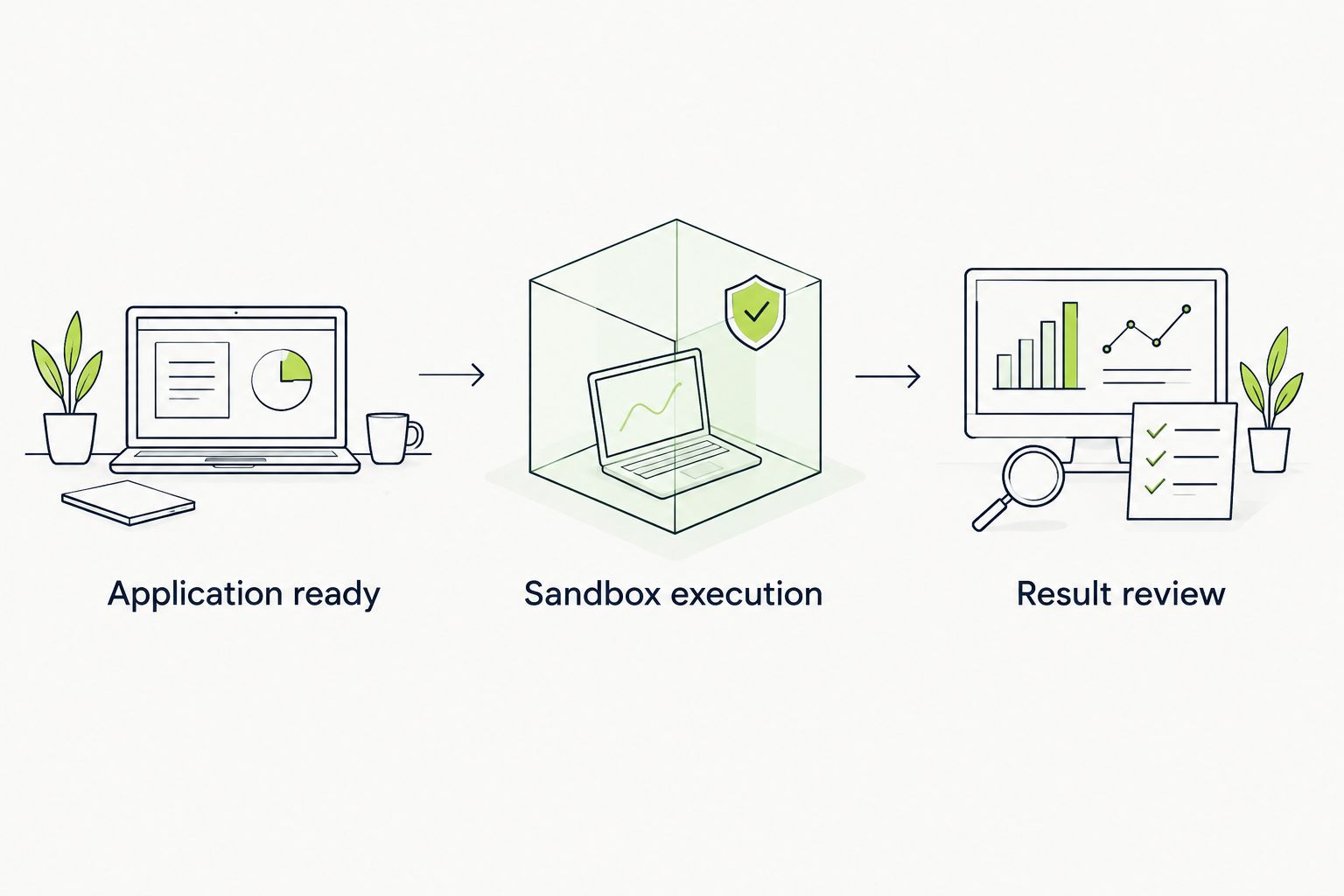
Confirm application readiness before interpreting a UI test result.
Do not assume a desktop sandbox shares the GitHub runner’s filesystem, network, or signed-in browser session. Treat each boundary as an explicit connection. This prevents local success from becoming an unexplained CI failure.
Use 2 validation cases: a known-good change and a controlled failure. Both are necessary. A workflow that passes the first case but also passes the second does not provide a trustworthy merge signal.
Expected result: The valid revision passes, the controlled regression fails, and the merge rule waits for the intended check.
Keep job names stable after making them required. Changing the reported name without updating the rule can leave pull requests waiting for a check that no longer exists.
For broader review design, see automated code review for GitHub teams. UI execution should complement source review, not erase the distinction between them.
Use workflow_dispatch when a maintainer needs a deliberate rerun or wants to inspect a particular branch without manufacturing another code change. It complements pull-request automation; it does not replace a required pull-request check.
workflow_dispatch is on the default branch.Expected result: GitHub starts a manually requested run for the selected branch. Confirm how your integration reports that result before assuming it satisfies any pull-request requirement.
| Trigger | Best for | Benefit | Limitation |
|---|---|---|---|
pull_request | Review feedback on proposed changes | Runs automatically for eligible pull-request activity | Fork permissions and event filtering require care |
workflow_dispatch | Maintainer-led diagnostics | Allows a deliberate run from GitHub | A selected branch is not automatically the same revision as a pull-request merge ref |
Keep both paths on the same execution configuration wherever practical. Separate copies drift: one gains a readiness check while the other retains an outdated environment setting. Shared configuration reduces that maintenance burden without changing what each event means.
Check the file location, YAML validity, event configuration, and repository Actions policy. Then inspect branch or path filters. For manual runs, confirm the workflow file is present on the default branch; adding it only to a feature branch does not satisfy that requirement.
GitHub does not normally provide repository secrets to workflows triggered by pull requests from forks. Keep a separate, reviewed policy for external contributions. Do not switch to pull_request_target simply to expose secrets while executing untrusted pull-request code.
Verify the address from the sandbox’s network context. Check preview-deployment access controls, service binding, and application readiness. A successful request from the GitHub runner does not prove that a separate sandbox can reach the same address.
Compare the application revision, environment address, account state, and seeded records with the intended starting conditions. Shared staging environments and persistent sessions can produce valid-looking results for the wrong change. Reset the environment contract before changing the test.
Compare the required-check name with the actual reported name. Then check whether event filters prevented execution. GitHub can leave required checks pending when an entire workflow is skipped by branch or path filtering; align the merge rule with workflows that will actually run.
After the initial journey reliably distinguishes pass from fail, expand coverage around changed behavior. Add journeys with a clear starting state and observable outcome. Avoid increasing scope until you can identify whether a failure belongs to deployment, credentials, data, or application behavior.
For your 2026 maintenance plan, assign ownership of the integration configuration and the application environment separately. Review action references, permissions, and credential scope when those dependencies change. Treat workflow edits as production code: review them in pull requests and inspect their first execution.
Retain the failure evidence your execution configuration actually produces. Do not assume screenshots, recordings, or other artifacts exist without enabling and verifying the supported mechanism. A useful failed check points the reviewer toward a reproducible problem, not just an exit status.
How do I connect TestDriver to GitHub Actions?
Configure a pull-request workflow, add the supported TestDriver execution job, supply its required credentials, and make the application reachable from the desktop sandbox. Validate a passing case and a controlled failure before requiring the check for merge.
Can I copy the YAML header and run UI tests immediately?
No. The YAML header configures events only; a complete workflow also needs an execution job using the supported integration configuration. Use the documented action or command rather than guessing its name or inputs.
Will the tests run when I update a pull request?
The pull_request event includes synchronized pull requests by default, which covers new commits pushed to the pull-request branch. Branch filters, path filters, and repository policies can prevent a particular run.
Why does my application work locally but fail in the desktop sandbox?
The desktop sandbox does not automatically share your laptop’s or GitHub runner’s network context. Verify the application address, access controls, readiness, and test credentials from the execution environment.
Can I run the workflow manually in 2026?
Yes. Add workflow_dispatch and ensure the workflow file exists on the default branch, then use Run workflow in GitHub Actions. Confirm that the selected branch matches the revision you intend to test.
Should I require the UI test check before merging?
Require the check after proving that valid changes pass and controlled regressions fail. Confirm the exact reported check name and ensure workflow filters do not leave required results pending.
Can fork pull requests use my repository secrets?
Repository secrets are not normally supplied to workflows triggered by pull requests from forks. Use a reviewed external-contribution policy rather than exposing credentials to untrusted code.
Test the failure path before trusting the green check. Deliberately break the selected journey, confirm that merging is blocked, and then restore it. That exercise verifies the connection between UI execution and repository policy, the part a successful setup run cannot prove.
To run ui tests on pull request github, use GitHub Actions. Configure triggers, application readiness, failure handling, and required checks before merging.
TestDriver GitLab CI integration requires a verified execution path. Configure merge-request jobs, protect credentials, and prove failures block merges.
For automated code review github pull requests, pair code checks with runtime tests. Build clear merge gates and catch UI regressions before merging.
End-to-end testing remote engineering teams can trust starts with pull-request checks. Build repeatable CI runs, clear evidence, and async ownership.
TestDriver runs every pull request in a real desktop sandbox, finds bugs, and builds regression tests - right from your repo.