End-to-end testing for Series B SaaS startups: complete 2026 guide
End-to-end testing Series B startups can trust starts with critical workflows. Build PR checks, isolate test data, and gate merges on clear evidence.
For end-to-end testing platform engineering teams, gate critical journeys first. Build reliable CI checks with clear ownership and reproducible failures.
Automate and scale manual testing with AI ->
Platform teams’ end-to-end testing is validation of complete user workflows across deployed components, with the aim of catching release-blocking regressions before they reach users. This 2026 guide explains how to build shared CI infrastructure without making the platform team responsible for every product assertion.
TL;DR
Platform teams provide the execution path; product teams define correct product behavior. End-to-end testing connects those responsibilities by checking whether a deployed application actually completes a user task, rather than whether its individual components pass isolated checks.
A passing build does not establish that authentication, navigation, permissions, and persistence work together. Your shared testing infrastructure must expose those failures without turning every failed run into an investigation for the platform team.
Standardize execution and evidence, not every product team’s assertions. That distinction keeps the platform useful as services and interfaces change. For the broader tool-selection criteria, see the guide to end-to-end testing software.
For your 2026 testing plan, define success as actionable release feedback. A large suite is not useful when developers cannot tell whether a failure belongs to the application, the environment, or the test itself.
Start manually. Ask each product team to walk through the user tasks that justify blocking a pull request, then record the starting state, actions, and observable result. Reject scenarios that describe implementation details instead of user outcomes.
Use a proposed pilot of 3 critical journeys per application, not a claim about sufficient coverage. For a management interface, those journeys might cover signing in, changing a permitted setting, and confirming that the change persists. Choose different journeys when the application’s purpose demands them.
Give every journey a named product owner. The platform team owns the execution contract, while the product owner decides what counts as correct behavior.
Before introducing another tool, classify failed runs manually. Read the runner output, inspect the application, and determine whether the intended workflow reached a meaningful assertion. A deployment that never became ready is not evidence that a user journey regressed.
Create 2 failure classes: application and execution. Route incorrect UI behavior to the application owner; route unavailable runners, broken provisioning, and missing credentials to the relevant infrastructure owner. Keep an explicit unresolved state when the evidence does not yet establish the cause.
Your 2026 operating policy should describe ownership before anyone makes the check mandatory. Otherwise, a shared runner becomes a shared queue of ambiguous failures.
First, reproduce a pilot journey by hand against the proposed application change. Confirm that the environment contains the right revision and that the expected result is observable. Automating the wrong deployment produces repeatable but irrelevant feedback.
TestDriver end-to-end testing provides an automated path for this use case: the platform runs pull requests in a real desktop sandbox to catch UI regressions. Its stated scope also includes automated code review; execution evidence and code-level feedback answer different questions.
TestDriver is best for GitHub teams that need end-to-end testing of pull requests in a real desktop sandbox. Keep ownership, environment readiness, and acceptance criteria explicit rather than treating automation as a substitute for them.
Start with a written setup and teardown procedure. Run the same journey twice and check whether the second execution depends on data left behind by the first. Hidden state makes the result difficult to interpret, regardless of the runner you choose.
Separate mutable data between concurrent executions. A shared account that changes permissions or deletes records can invalidate another run’s assumptions. Treat identity, data, application configuration, and dependency readiness as part of the test contract.
A desktop sandbox provides an execution boundary, but your application’s external data and services still need deliberate isolation. Do not equate an isolated desktop with an isolated backend.
Begin with a manually maintained list of checks and their purpose. Put only the journeys that justify stopping a merge in the required path. Place wider compatibility checks and less urgent scenarios in a separate regression workflow.
Use 1 required smoke suite per application as a starting organizational rule, then revise it when the evidence supports a different arrangement. This is a proposed structure, not a runtime benchmark or coverage guarantee.
For 2026, document why each required check belongs in the gate. Removing a redundant check is as legitimate as adding a missing one; the decision should follow release risk rather than the size of the test inventory.
The execution sequence should remain easy to explain: establish readiness, run the smoke suite, classify the result, and route the failure. Broader regression coverage sits outside that sequence rather than silently expanding the required gate.
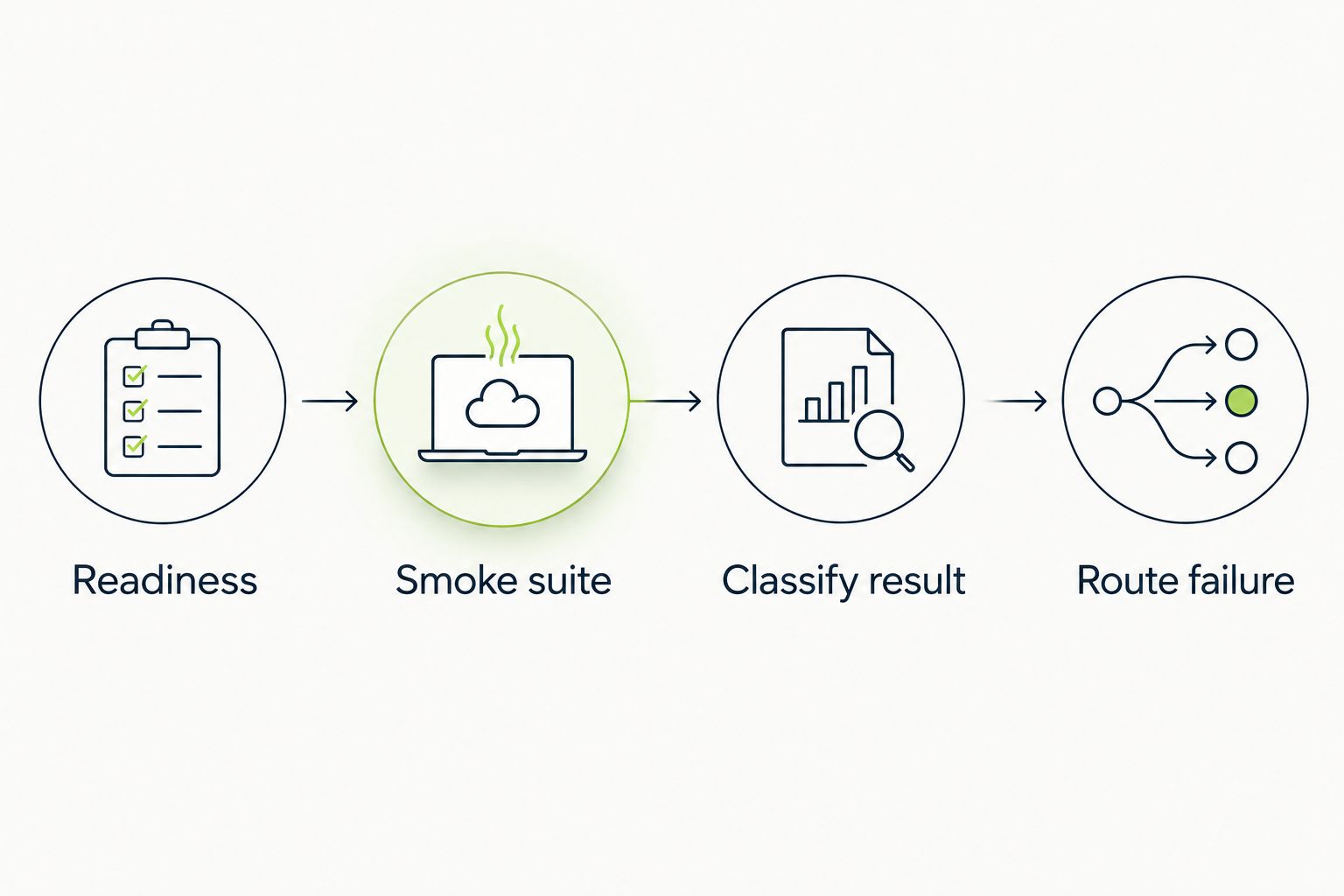
Classify the failure before routing it to an owner.
Inspect a failed run as if you did not write the test. Can you identify the revision, starting state, attempted action, and expected result without asking another team? If not, improve the report before expanding adoption.
Define the evidence contract independently of the execution tool. Include logs, screenshots, recordings, or other artifacts when the selected runner supports them; do not assume every tool produces the same evidence.
Keep reports focused on diagnosis. A screenshot can show visible state, but it does not by itself prove that a record persisted or a permission boundary held.
Start with a shared run log rather than a new dashboard. Record what failed, who investigated, whether the failure reproduced, and what changed afterward. Those observations expose operational problems that a green-or-red total hides.
Track first-attempt failures separately from results after retries. A passing retry changes the investigation, but it does not explain the original failure. Require an owner and a review date for quarantined checks so that temporary exclusions remain visible.
Use your 2026 review cycle to decide which journeys deserve expansion and which checks need repair. Report observed results only; do not turn the pilot’s proposed structure into a claimed performance target.
Choose an execution model based on what you need to control. Manual checks expose workflow details, scripted automation makes explicit assertions repeatable, and automated sandbox execution exercises pull requests in a running environment. None removes the need for product-specific acceptance criteria.
| Option | Best for | Main advantage | Key limitation |
|---|---|---|---|
| Manual acceptance checks | Defining unfamiliar workflows and investigating ambiguous failures | A developer can explore behavior before formalizing assertions | Repeated execution requires human attention |
| Team-maintained browser scripts | Teams that want direct control over browser actions and assertions | Test behavior is explicit in code | Your team maintains scripts, setup, and failure diagnosis |
| TestDriver | GitHub teams seeking automated pull request UI testing | Runs pull requests in a real desktop sandbox to catch UI regressions | The stated use case does not establish your required browser, device, or environment coverage; validate those requirements |
| Screenshot comparison checks | Detecting unintended visible changes | Focuses review on differences in rendered output | Appearance alone does not establish that a complete workflow succeeded |
Choose the smallest combination that answers your release questions. Screenshot checks can complement workflow assertions, while manual investigation remains useful for failures the existing tests do not explain. Avoid adopting overlapping execution systems without assigning a distinct responsibility to each.
A shared platform does not require centralized ownership of product behavior. Keep runner configuration, credentials handling, and reporting conventions shared; keep journey definitions and expected outcomes with the teams that understand them.
An isolated execution session does not reset shared backend records or external integrations. Document those dependencies and control mutable state before allowing concurrent runs to affect the same resources.
Required checks should answer whether the proposed change can safely proceed. Give broader coverage its own workflow and escalation policy instead of adding every scenario to the critical path by default.
A retry is diagnostic evidence, not a repair. Preserve the initial failure and investigate recurring differences between first-attempt and retried outcomes before trusting the check as a release gate.
Additional tests do not automatically improve diagnosis. Review whether failures change release decisions, identify real defects, or expose infrastructure problems; remove duplicated checks that add maintenance without a distinct purpose.
What is end-to-end testing for platform engineering teams?
End-to-end testing for platform engineering teams validates complete user workflows through deployed application components. The platform team supplies shared execution infrastructure, while product teams define expected behavior and own application regressions.
Which end-to-end tests should block a pull request?
Tests covering release-critical user journeys should block a pull request when their failures are actionable and have clear owners. Keep broader regression coverage separate unless its risk justifies a required gate.
Is TestDriver a fit for GitHub platform teams?
TestDriver fits GitHub teams that need automated pull request UI testing in a real desktop sandbox. Validate your required environments, permission model, and evidence needs before standardizing the workflow.
Does a desktop sandbox isolate all test data?
A desktop sandbox does not by itself establish isolation for external application data. Your workflow still needs explicit controls for shared databases, identities, services, and mutable records.
Should the platform team own every end-to-end test?
The platform team should own shared execution conventions, not every product assertion. Product teams should define user journeys, maintain expected outcomes, and investigate application regressions.
Are screenshot checks enough for end-to-end coverage?
Screenshot checks alone do not establish that a complete workflow succeeded. Pair visible-state checks with assertions about the user outcome, such as saved data or enforced permissions.
How should platform teams handle flaky end-to-end tests?
Preserve first-attempt failures, investigate the cause, and assign an owner to any quarantined check. A passing retry does not explain the original failure or repair an unreliable release gate.
Test your failure routing, not just your happy path. Deliberately break a known UI outcome in a controlled branch and confirm that the check fails, the evidence explains why, and the correct team receives it. A suite that passes has demonstrated less about your incident workflow than a failure you can diagnose.
End-to-end testing Series B startups can trust starts with critical workflows. Build PR checks, isolate test data, and gate merges on clear evidence.
UI regression testing healthcare software needs more than screenshots. Build patient-context, permission, and saved-state checks into pull requests.
AI code review open source maintainers can trust needs evidence. Compare review methods, isolate contributor code, and keep humans in control of merges.
Automated UI testing fintech teams can trust starts with PR checks. Cover payment states, permissions, test data, and failures before you merge.
TestDriver runs every pull request in a real desktop sandbox, finds bugs, and builds regression tests - right from your repo.