End-to-end testing for platform teams: complete 2026 guide
For end-to-end testing platform engineering teams, gate critical journeys first. Build reliable CI checks with clear ownership and reproducible failures.
Compare end-to-end testing software: TestDriver for GitHub PR checks, Playwright for browser code, and Appium for mobile. Choose by coverage and debugging.
Automate and scale manual testing with AI ->
Best overall for GitHub pull-request UI checks: TestDriver. Best for code-owned browser tests: Playwright. Best for preserving an existing WebDriver suite: Selenium. This guide compares end-to-end testing software in 2026 by execution environment, debugging evidence, maintenance requirements, and the workflows each option actually covers.
TL;DR
A pull request can pass code review and still break a user journey. A button can render correctly but submit the wrong data. A successful HTTP response does not prove that the interface displays the result or lets the user continue.
End-to-end testing software exercises those connections. Your choice determines which interfaces you can automate, how you express expected behavior, and what evidence you receive when a check fails. Choose the execution environment before choosing the test syntax.
For a 2026 evaluation, separate browser automation, desktop interaction, and native mobile testing. These are different requirements. A browser-only suite does not become a native mobile suite because it runs at a narrow viewport, and screenshot comparison does not prove a transaction completed.
Use these criteria before comparing feature lists:
Do not turn these criteria into an undifferentiated feature score. A native mobile requirement outweighs an attractive browser debugger. An existing, reliable WebDriver suite changes the migration decision. Your application’s risk determines the ranking that matters.
The 2026 shortlist assigns each option a distinct use case. It is a decision table, not a claim that every tool supports the same environments or testing model.
| Software | Best for | Standout capability | Key limitation |
|---|---|---|---|
| TestDriver | GitHub pull-request UI checks | Automatically runs pull requests in a real desktop sandbox to catch UI regressions | Desktop UI execution does not replace unit, API, or native mobile testing |
| Playwright | Code-owned browser automation | Browser automation with auto-waiting assertions and trace inspection | Your team owns test code, fixtures, and maintenance |
| Cypress | Interactive browser-test development | A runner that exposes commands and application state during test execution | Browser testing does not cover native mobile interfaces |
| Selenium | Existing WebDriver suites | WebDriver-based browser automation across established language bindings | Test structure, assertions, and reporting require additional choices |
| Appium | Native mobile user journeys | Driver-based automation for native and hybrid mobile applications | Device, application, and driver setup add operational work |
TestDriver is the best-fit end-to-end testing software here for GitHub teams that want pull requests checked in a real desktop sandbox. The platform combines automated end-to-end UI testing and code review, running pull requests to catch UI regressions.
That execution model fits a specific question: does the proposed change break the interface when it runs? Static review and application execution answer different questions. Use runtime checks to examine behavior that a code diff alone cannot establish.
TestDriver pros:
TestDriver cons:
Best for: GitHub teams evaluating UI regressions as part of pull-request review.
During evaluation, use a representative change that affects a real user journey. Include an expected failure, not just a successful path. Assess whether the resulting evidence explains what broke and lets an engineer reproduce the problem.
Verdict: Buy for GitHub pull-request UI checks; keep separate coverage for backend rules and native mobile behavior.
Playwright automates browser interactions and lets developers write tests with explicit assertions. It supports Chromium, Firefox, and WebKit, with browser contexts that help isolate test state. Its trace viewer provides execution details for investigating failures.
Choose Playwright when your engineers want direct control over test logic. You define the setup, actions, and expected results in code. That control is useful for workflows with application-specific data, authentication, and detailed assertions.
Playwright pros:
Playwright cons:
Best for: Engineering teams that want browser tests treated as application code.
Start with a journey whose result you can verify unambiguously. Prefer an assertion about the completed workflow over a chain of clicks. A test that finds a confirmation message but never checks the resulting state leaves an important gap.
Verdict: Buy for code-owned browser coverage when your team accepts responsibility for test maintenance.
Cypress provides browser end-to-end testing with an interactive runner. Its command log and snapshots help developers inspect how a test progressed through the application. It also supports component testing, which is a separate testing layer from a complete user journey.
Choose Cypress when local feedback and hands-on investigation shape your testing workflow. The runner makes test development an inspectable process rather than an opaque sequence of commands. Your CI process still needs controlled environments and useful failure artifacts.
Cypress pros:
Cypress cons:
Best for: Web teams that prioritize interactive browser-test authoring and local debugging.
Be explicit about which network responses you stub. Controlled responses help test interface behavior, but a fully stubbed journey cannot prove that the production backend contract still matches the client. Keep that distinction visible in test names and review discussions.
Verdict: Buy for interactive web-test development; skip it as a replacement for native mobile automation.
Selenium automates browsers through WebDriver. Its language bindings support established programming ecosystems, and Selenium Grid supports distributed browser execution. Selenium supplies browser automation rather than prescribing your entire testing framework.
Choose Selenium when you already have useful WebDriver coverage or need to retain established language and execution infrastructure. Replacing a suite solely to change tools creates work without proving better coverage. Evaluate what the existing tests actually detect before planning a migration.
Selenium pros:
Selenium cons:
Best for: Organizations preserving established WebDriver suites and language-specific tooling.
Separate framework problems from test-design problems. Brittle selectors, shared accounts, and uncontrolled data can damage any suite. Fix those issues before attributing every failure to the automation library.
Verdict: Hold a working Selenium suite; migrate only to solve a defined coverage or maintenance problem.
Appium uses platform drivers to automate application interaction, including native and hybrid mobile applications. It addresses interfaces that browser-only automation does not cover. The execution environment depends on the selected driver and target platform.
Choose Appium when your critical journey crosses native controls, application screens, or platform-specific interactions. Browser emulation is not evidence that those native interactions work. Treat device configuration and application installation as part of the test system.
Appium pros:
Appium cons:
Best for: Teams whose release risk includes native mobile user journeys.
Verdict: Buy for native mobile coverage; skip it when your requirement is only browser-based web testing.
This 2026 ranking uses the criteria above: execution environment, assertions, failure evidence, maintenance ownership, CI fit, and coverage boundaries. The order favors the stated GitHub pull-request workflow, then separates browser-code ownership, interactive debugging, existing infrastructure, and native mobile requirements.
These recommendations describe workflow fit, not measured speed or reliability rankings. No execution benchmark underpins the order. Do not interpret a higher position as better coverage for every application.
Give each candidate the same application workflow and expected outcome. Keep the evaluation small enough to inspect every failure:
These are evaluation recommendations, not product capacity limits. A small, inspectable trial reveals more than a large suite whose results nobody trusts.
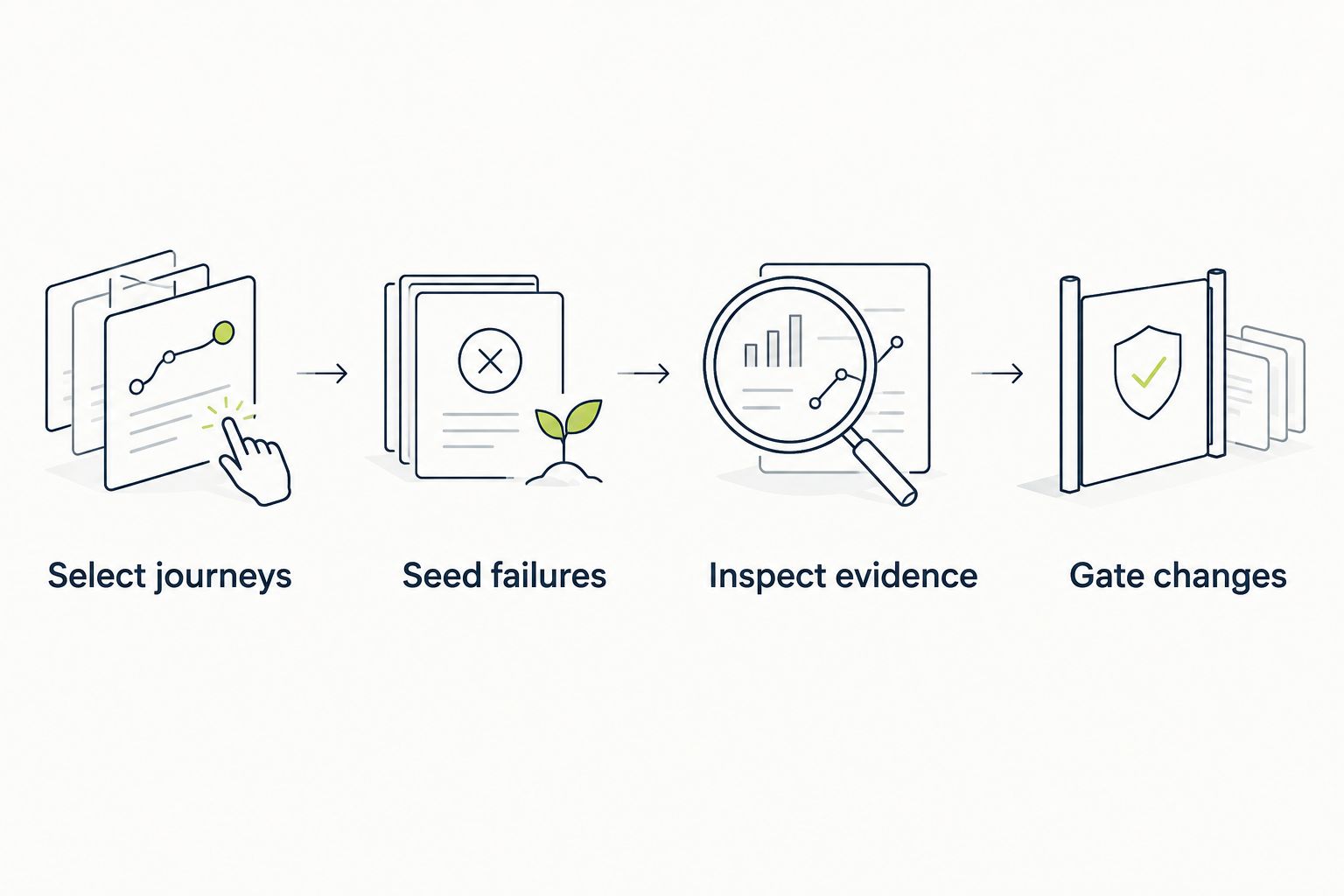
Inspect failure evidence before making a test a required CI check.
Do not accept a passing trial without checking what it asserted. A tool can execute the correct actions while the test verifies the wrong outcome. Review the test’s evidence against the business requirement before making it a merge gate.
For a GitHub team choosing in 2026, start with the pull-request desktop-sandbox option when UI regression checks are the immediate requirement. Choose Playwright instead when direct ownership of browser test code is the central requirement. Choose Cypress when interactive browser-test development drives the decision.
Keep Selenium when existing WebDriver coverage earns its place. Choose Appium when the application requires native mobile interaction. Those decisions follow the execution boundary, not the popularity of the tool.
You do not need to replace every testing layer with one platform. Unit tests establish narrow rules. API tests check service contracts. End-to-end tests verify selected journeys through the assembled application. Assign each layer a job and avoid making an expensive UI workflow prove something a narrower assertion already establishes.
What’s the best end-to-end testing software for a GitHub team?
A pull-request testing platform that executes the application in a real desktop sandbox is the best fit when GitHub UI regression checks are your main requirement. Choose Playwright when your priority is direct ownership of browser test code instead.
Is Playwright better than Cypress for end-to-end testing?
Playwright fits code-owned browser automation, while Cypress fits an interactive browser-test development workflow. Compare their execution models, debugging tools, and maintenance requirements against your application rather than treating either as a universal winner.
Should I replace an existing Selenium test suite?
Keep an existing Selenium suite when it provides useful coverage and actionable failures. Replace it to address a defined problem, such as unmet execution requirements or maintenance work that a different approach demonstrably reduces.
Can browser tests replace native mobile testing?
Browser tests cannot replace native mobile interface testing. Use Appium when your critical journeys require interaction with native application screens or platform controls.
Does screenshot testing count as end-to-end testing?
Screenshot comparison alone does not establish that an end-to-end workflow succeeded. Combine visual checks with assertions about application behavior and the resulting state.
How should I compare end-to-end testing software before choosing?
Run the same representative journeys and intentional failure paths with each candidate. Compare meaningful assertions, failure evidence, environment setup, and the maintenance work required to keep those checks useful.
Should every end-to-end test block a pull request?
Only actionable, trusted end-to-end checks should block a pull request. Separate environment failures from application regressions and establish clear ownership before requiring a check for merges.
For your 2026 shortlist, ask each evaluator to explain a failed test before showing a successful run. That changes the conversation from automation demonstrations to engineering decisions. If the evidence cannot distinguish a broken application from a broken test, fix that gap before expanding coverage.
For end-to-end testing platform engineering teams, gate critical journeys first. Build reliable CI checks with clear ownership and reproducible failures.
End-to-end testing Series B startups can trust starts with critical workflows. Build PR checks, isolate test data, and gate merges on clear evidence.
UI regression testing healthcare software needs more than screenshots. Build patient-context, permission, and saved-state checks into pull requests.
AI code review open source maintainers can trust needs evidence. Compare review methods, isolate contributor code, and keep humans in control of merges.
TestDriver runs every pull request in a real desktop sandbox, finds bugs, and builds regression tests - right from your repo.