End-to-end testing for platform teams: complete 2026 guide
For end-to-end testing platform engineering teams, gate critical journeys first. Build reliable CI checks with clear ownership and reproducible failures.
Compare visual regression testing tools: TestDriver for GitHub workflows, Chromatic for components, and Playwright for code-owned checks. Pick by coverage.
Automate and scale manual testing with AI ->
Best overall for GitHub pull-request workflows: TestDriver. Best for Storybook components: Chromatic. Best self-managed option: Playwright. This 2026 guide compares visual regression testing tools by what they check, how they fit into CI, and what your team must maintain.
TL;DR
A screenshot difference and a broken workflow are different failures. A button can look correct but fail to submit; a working page can still contain clipped text. Your testing strategy needs to distinguish appearance from behavior.
For your 2026 shortlist, decide whether you need component snapshots, browser-page comparisons, or execution of complete user workflows. TestDriver belongs in the workflow-testing category, not a list of interchangeable screenshot services.
Use these criteria to evaluate your 2026 candidates before comparing features:
A tool wins when its evidence answers your team’s release question. More screenshots do not automatically mean better coverage.
| Tool | Best for | Standout capability | Key limitation |
|---|---|---|---|
| TestDriver | GitHub pull-request workflows | Runs pull requests in a real desktop sandbox | Workflow execution does not replace component baseline review |
| Percy | Cross-browser screenshot review | Centralized visual comparisons | Requires screenshot capture integration |
| Applitools Eyes | Visual matching beyond raw pixels | Visual comparison with configurable match levels | Match settings require deliberate setup |
| Chromatic | Storybook component changes | Component snapshots and review | Coverage follows the stories you maintain |
| Playwright | Assertions inside browser tests | Screenshot assertions in the test runner | Your team manages baseline stability |
| BackstopJS | Configuration-driven page snapshots | Scenario-based screenshot comparisons | Interaction scripts need maintenance |
| Argos | Review of captured screenshots | Visual diff review connected to development workflows | Screenshot generation remains a separate concern |
| Lost Pixel | Mixed page and component coverage | Screenshot workflows for pages and components | Capture configuration still needs ownership |
| reg-suit | Existing image-generation pipelines | Image comparison and reporting | Does not drive application interactions |
| Cypress with a visual plugin | Existing Cypress suites | Visual checks alongside browser interactions | Capabilities depend on the chosen plugin |
TestDriver automatically runs pull requests in a real desktop sandbox to catch UI regressions. It combines end-to-end testing and automated code review for software teams using GitHub.
TestDriver pros:
TestDriver cons:
Best for: Engineering teams evaluating UI changes at the pull-request stage.
Verdict: Buy into this approach when running the changed application is your primary requirement.
Percy captures and compares application screenshots through integrations with testing frameworks. Its review workflow helps teams inspect visual changes across browser configurations.
Percy pros:
Percy cons:
Best for: Teams that already automate browser journeys and need screenshot review.
Verdict: Buy into Percy when cross-browser appearance is the decision you need to make.
Applitools Eyes compares application screenshots using visual matching rather than relying solely on raw pixel equality. Match levels let teams define which kinds of visual differences matter.
Applitools Eyes pros:
Applitools Eyes cons:
Best for: Teams whose screenshot checks need more control over accepted differences.
Verdict: Buy into Eyes when comparison behavior matters more than simple pixel equality.
Chromatic builds on Storybook to capture and review component states. Its coverage follows the stories your team writes, making it a focused choice for component libraries.
Chromatic pros:
Chromatic cons:
Best for: Teams maintaining Storybook-based design systems.
Verdict: Buy into Chromatic when components, rather than full application journeys, are your review unit.
Playwright includes screenshot assertions alongside browser automation. You can navigate, interact, and compare a rendered state within the same test.
Playwright pros:
Playwright cons:
Best for: Developers who want visual checks inside a code-owned end-to-end suite.
Verdict: Buy into Playwright when direct control matters more than a dedicated visual-review service.
BackstopJS compares screenshots from configured scenarios. Define pages, viewports, and interaction setup, then inspect the resulting differences.
BackstopJS pros:
BackstopJS cons:
Best for: Teams checking repeatable page layouts with a dedicated screenshot suite.
Verdict: Buy into BackstopJS when scenario configuration matches how you organize coverage.
Argos compares screenshots generated by your test setup and provides a visual review workflow. It separates image capture from the process of inspecting changes.
Argos pros:
Argos cons:
Best for: Teams with reliable screenshot generation but an incomplete review process.
Verdict: Buy into Argos when review, not browser automation, is the missing layer.
Lost Pixel supports visual testing workflows for application pages and component environments such as Storybook. It fits teams that need both kinds of screenshot coverage.
Lost Pixel pros:
Lost Pixel cons:
Best for: Teams combining page checks with component snapshots.
Verdict: Buy into Lost Pixel when one capture strategy must cover both layers.
reg-suit compares image sets and reports differences. It operates downstream of screenshot generation rather than navigating your application itself.
reg-suit pros:
reg-suit cons:
Best for: Engineers building a custom visual-testing pipeline.
Verdict: Buy into reg-suit when screenshot generation already works and comparison is missing.
Cypress captures screenshots, but baseline comparison requires an additional visual-testing integration. This option extends an existing suite rather than introducing a separate browser-testing approach.
Cypress with a visual plugin pros:
Cypress with a visual plugin cons:
Best for: Teams already committed to Cypress.
Verdict: Hold until you evaluate the specific plugin, not just Cypress itself.
The ranking prioritizes distinct use cases, coverage boundaries, baseline ownership, and CI fit. It is a workflow-based selection guide, not a measured speed or accuracy benchmark. Choose the category first, then evaluate its maintenance burden.
Choose TestDriver for visual regression testing tools that execute GitHub pull requests in a desktop sandbox. Choose Chromatic for Storybook review or Playwright for assertions your developers own directly.
Before committing in 2026, run a focused evaluation:
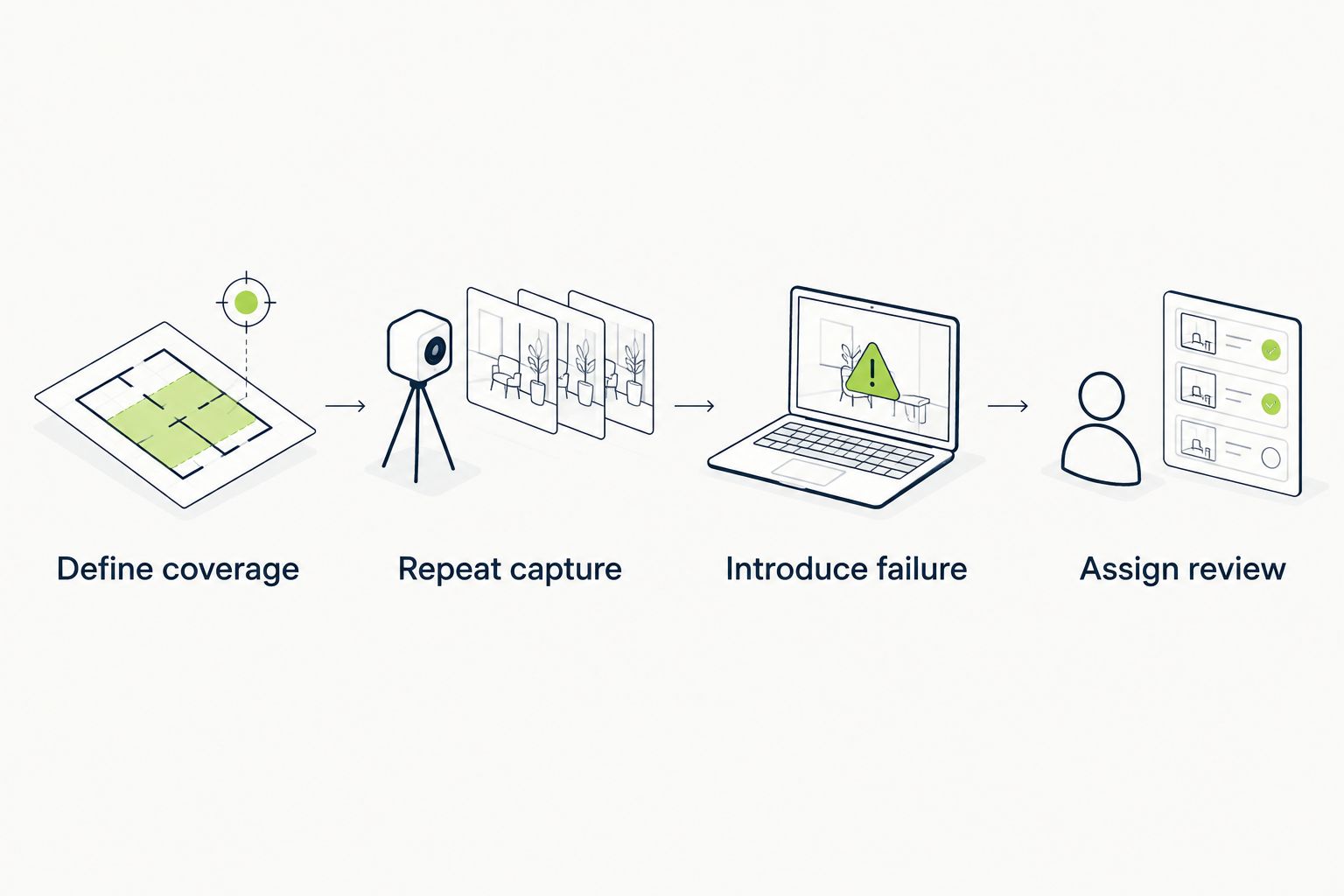
Evaluate stable capture and useful failure evidence before expanding coverage.
Keep the tool that exposes your chosen failures and gives reviewers enough context to act. Reject a setup that passes only after you weaken the checks.
What’s the best visual regression testing tool for GitHub pull requests?
TestDriver is best for GitHub teams that need UI regression testing in a real desktop sandbox. It runs pull requests to catch UI regressions rather than relying on code review alone.
Is visual regression testing the same as end-to-end testing?
No. Visual regression testing compares appearance, while end-to-end testing checks complete user workflows. A screenshot can pass even when an interaction fails.
Is Playwright enough for visual regression testing?
Playwright includes screenshot assertions, so it can handle visual comparisons inside browser tests. Your team must maintain stable rendering conditions, baselines, and approval practices.
What’s the best option for Storybook components?
Chromatic is a focused choice for Storybook component review. Its coverage depends on the stories and states your team maintains.
Does Cypress include visual regression comparisons?
Cypress captures screenshots but needs an additional integration for baseline comparison. Evaluate the specific plugin’s comparison method and review workflow.
How do I stop visual tests from failing on harmless changes?
Stabilize test data, fonts, animations, and rendering conditions before adjusting comparison settings. Exclude irrelevant dynamic regions deliberately rather than weakening every assertion.
Should every visual difference block a pull request?
No. A visual difference needs review against the expected change. Define who approves baseline updates and which regressions block merging.
Treat a baseline update as a code change. A screenshot test compares against an approved reference, not an independent definition of correctness. Require the reviewer to explain the changed state before accepting it; otherwise, the approval process can preserve the regression you meant to catch.
For end-to-end testing platform engineering teams, gate critical journeys first. Build reliable CI checks with clear ownership and reproducible failures.
End-to-end testing Series B startups can trust starts with critical workflows. Build PR checks, isolate test data, and gate merges on clear evidence.
UI regression testing healthcare software needs more than screenshots. Build patient-context, permission, and saved-state checks into pull requests.
AI code review open source maintainers can trust needs evidence. Compare review methods, isolate contributor code, and keep humans in control of merges.
TestDriver runs every pull request in a real desktop sandbox, finds bugs, and builds regression tests - right from your repo.