How to Write Test Case Scenarios That Deliver Results
Learn how to write test cases that catch bugs and improve software quality. Discover practical frameworks, real-world examples, and expert strategies.
Discover how to create test case strategies that catch bugs early. This guide covers templates, real-world examples, and AI-powered QA.
Automate and scale manual testing with AI ->
At its core, a test case is a detailed blueprint. It outlines a specific purpose, establishes clear starting conditions (preconditions), lists step-by-step actions, and defines precisely what should happen as a result. Think of it as a strategic plan to verify that a piece of software works exactly as it should, across all sorts of different scenarios.
Let’s be real, writing test cases can sometimes feel like a tedious chore. The old-school way meant slogging through manual scripts, ending up with brittle tests that would break the moment a tiny UI element changed. But what happens when we flip that perspective? A well-crafted test case isn’t just another item on a checklist. It’s the safety net that stops those dreaded late-night production emergencies and ultimately guards the user experience.
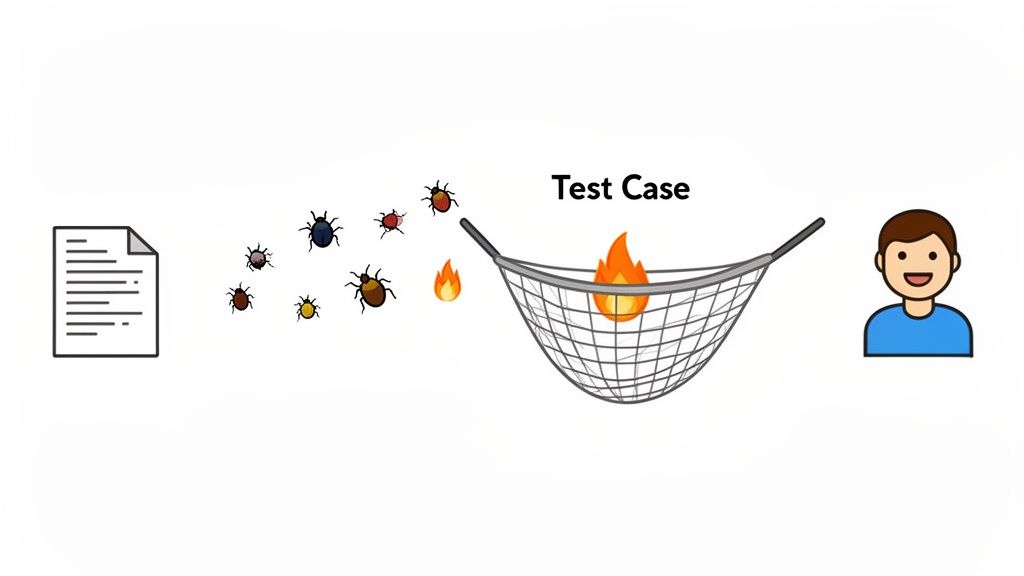
The real game-changer is moving from a “document everything” mentality to a more strategic, user-focused approach. It’s all about putting yourself in your users’ shoes and trying to figure out where things could go wrong before they actually do.
Historically, test case creation was a major bottleneck for development teams. In the early 2000s, it was a manual grind that could eat up as much as 40% of the entire development cycle. This approach often led to fragile test suites where 30% to 50% of tests would fail simply because of minor UI tweaks.
Fast forward to today, and the landscape is completely different. Now, 70% of testing professionals are using AI to help create test cases. This shift has not only made test generation more efficient but has also slashed the workload by an average of 85.7%.
The way we create test cases has changed dramatically over the years, moving from a time-consuming manual task to a more dynamic, AI-powered process.
| Aspect | Traditional Manual Approach | Modern AI-Assisted Approach |
|---|---|---|
| Effort | High manual effort, time-intensive, and prone to human error. | Minimal manual input, focused on defining intent and reviewing AI output. |
| Speed | Slow. Weeks or months to build comprehensive test suites. | Fast. Test cases are generated in minutes from user flows or requirements. |
| Coverage | Often limited due to time constraints, focusing only on critical paths. | Broader and deeper, easily covering edge cases and negative paths. |
| Maintenance | Brittle. Small UI changes require significant manual test script updates. | Resilient. AI can often adapt to minor changes or help identify what needs fixing. |
This evolution shows a critical change in how we approach quality assurance. It’s no longer about just finding bugs after the fact; it’s about preventing them from ever reaching production. Modern test case design, especially when boosted with AI, turns a bottleneck into a catalyst for confident, fast releases.
The goal isn’t just to write more tests, but to write smarter tests. A single, well-designed test case that targets a high-risk user journey is infinitely more valuable than a hundred vague, low-impact ones.
A poorly written test case is worse than just missing a bug, it creates a ton of noise and wastes valuable engineering time. When tests are ambiguous, flaky, or unreliable, developers quickly learn to ignore them. Soon enough, that entire safety net starts to fall apart.
On the flip side, great test cases are a massive asset.
To build a truly robust quality strategy, it helps to incorporate broader software testing best practices into your process. Ultimately, the time you invest in creating high-quality test cases pays off directly with fewer production fires, happier users, and a much smoother development cycle.
Before you can write a truly effective test case, you need a solid blueprint. A standardized template is the unsung hero of a successful QA process. It’s what ensures every test is clear, consistent, and easy to execute, no matter who writes or runs it. This simple tool is what moves your team from disorganized notes scribbled in a doc to a structured, scalable system for validation.
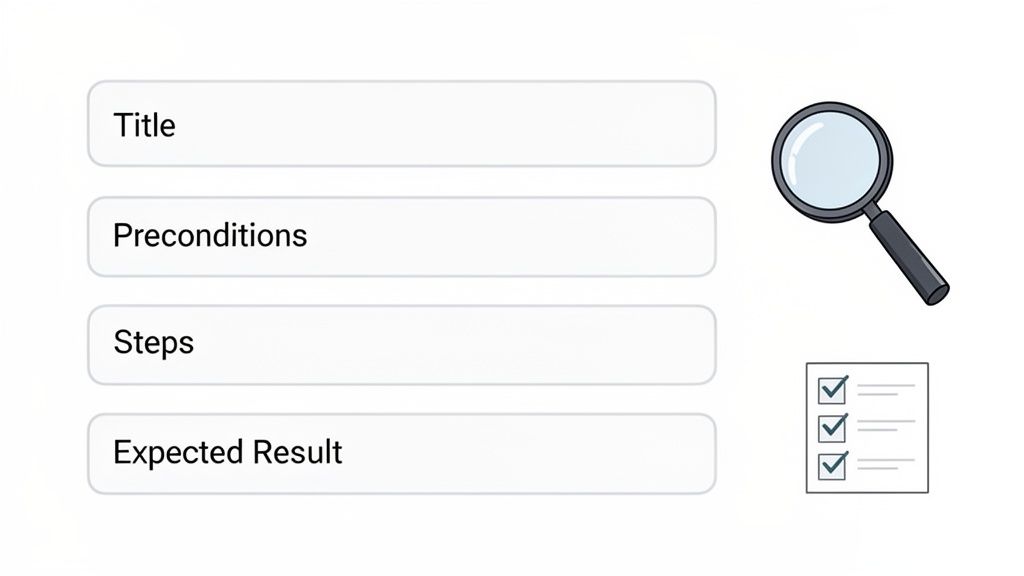
This framework isn’t just a checklist of fields; it’s about defining the strategic purpose behind each component. Think of it as the foundation for every bug you prevent and every quality standard you uphold.
A great test case template doesn’t need to be complicated. In my experience, the best ones are ruthlessly efficient, capturing just enough information to make the test unambiguous and repeatable. Here are the core elements I always include.
**TC-LOGIN-001**. This makes it incredibly easy to track, reference in bug reports, and manage in your test management system. No more “that one login test” confusion.The first few lines of your test case set the entire stage. A vague title or incomplete precondition can send a tester down the wrong path from the get-go.
For the Test Case Title, think of it like an email subject line. You want to convey the core purpose immediately. A title like “Login Test” is useless. Instead, write something like “Verify Error Message for Login with Invalid Password.” See the difference? The second title is far more specific and tells the tester exactly what to look for.
Preconditions are all about eliminating guesswork and making sure the testing environment is correctly configured.
A precondition like “User must be logged out” is okay, but “User is on the login page and is not currently authenticated” is much better. It establishes a clear, verifiable starting point for anyone running the test.
This level of detail is what prevents false positives. It ensures that when a test fails, it’s because of a real issue in the application, not just an incorrect setup. For a deeper dive into this, check out our guide on the best practices for structuring effective test cases.
The heart of any test case lies in its steps and expected outcomes. This is where ambiguity can absolutely kill a test’s effectiveness.
When writing Test Steps, use an active, command-oriented voice. Keep it simple and direct.
Each step is a singular, testable action. I’ve seen countless junior testers combine actions like “Enter username and password and click login” into one step. Don’t do that. It makes it much harder to pinpoint exactly where a failure occurred.
For Expected Results, be painstakingly specific. An expected result of “User is logged in” is lazy and weak. A much stronger result breaks it down:
This level of detail leaves zero room for interpretation. The tester knows exactly what to look for, ensuring that a pass or fail decision is objective and consistent every single time. By mastering these components, you build a repeatable framework that makes every test you create, from manual checks to automated scripts, far more efficient and valuable.
Okay, let’s move past the theory. The best way to understand how to create a great test case is to see it in action. We can talk about templates all day, but watching them come to life with concrete examples is what really makes the concepts stick.
I’m going to walk you through three core scenarios you’ll test for almost any feature: the “happy path,” the “unhappy path,” and the “what-if” path.
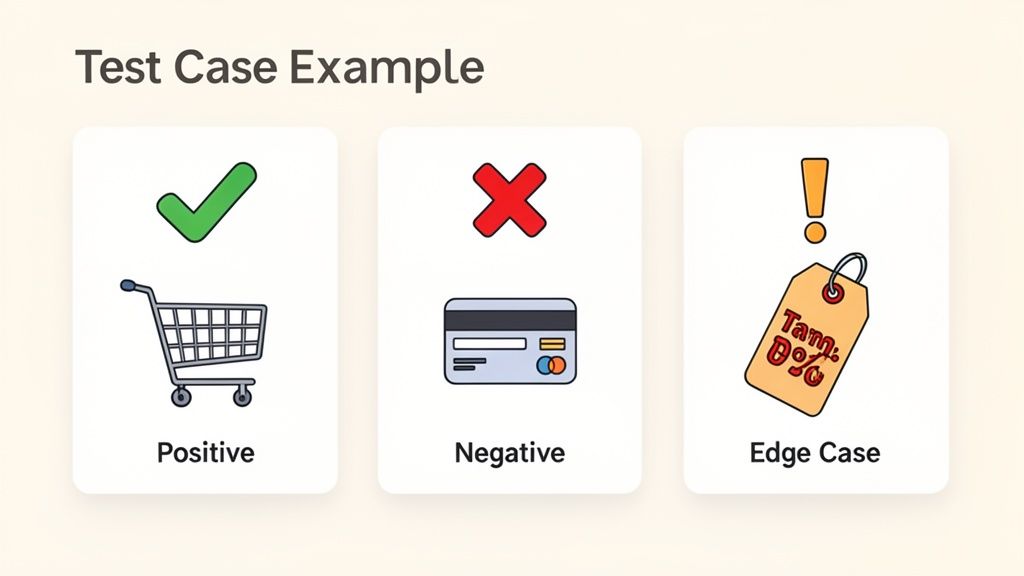
We’ll start with a positive test case, where everything goes right. Then, we’ll explore what happens when things go wrong with a negative test case. Finally, we’ll get creative and push the system’s limits with an edge case.
A positive test case, or “happy path,” is your bread and butter. It’s designed to confirm that a feature works exactly as intended when the user does everything correctly. For a new feature, this is usually the very first test case you’ll write. It validates the core purpose of the functionality.
Let’s stick with our e-commerce site. The mission is simple: make sure a logged-in user can successfully buy something.
The user is already logged into an active account.
The user has a valid shipping address and payment method saved to their profile.
There is at least one item in the shopping cart.
Test Steps:
Navigate to the shopping cart page.
Click the “Proceed to Checkout” button.
Confirm the pre-selected shipping address and payment method are correct.
Click the “Place Your Order” button.
Expected Results:
The user lands on the “Order Confirmation” page.
This test is straightforward but absolutely critical. It proves that a key, revenue-generating flow works from beginning to end, giving everyone confidence in the build.
Now for the fun part. Negative test cases are all about intentionally trying to break things. The goal is to see how the system handles bad data, weird user actions, and common errors. Does it fail gracefully with a helpful message, or does it just crash and burn?
A classic negative test for our e-commerce site is to try buying something with an expired credit card.
The user is logged in.
The user has an item in the cart and is at the payment step of checkout.
Test Steps:
Choose to “Add a new card.”
Enter valid details for all fields, but pick an expiration date from last month.
Click “Use this payment method.”
Attempt to click the “Place Your Order” button.
Expected Results:
Crucially, the order is not placed.
This test does two things: it confirms the validation logic works, and just as importantly, it ensures the user gets clear, actionable feedback. Bad error handling is a one-way ticket to frustrated users and abandoned carts.
Edge cases are where you get to put on your detective hat. These tests probe the boundaries and logical extremes of your system, the rare conditions and weird scenarios the developers might not have thought about. This is where you find the bugs that can cause major, and often embarrassing, problems in production.
Let’s see what happens if a user gets a discount so good it makes their order completely free.
Edge case testing is where you uncover the “what if” scenarios. What if a user uploads a 10GB file? What if an item name has 1,000 characters? These tests push boundaries and reveal hidden breaking points in the system’s logic.
Here’s how we’d test a zero-dollar order.
A valid, single-use 100% discount coupon code has been generated in the system.
The user is logged in and has one coupon-eligible item in their cart.
Test Steps:
Navigate to the shopping cart.
Enter the 100% discount code in the “Promo Code” box and click “Apply.”
Verify the order total immediately updates to $0.00.
Click “Proceed to Checkout.”
Click the “Place Your Order” button.
Expected Results:
The payment information step is completely bypassed since no payment is needed.
This test ensures the checkout flow handles an unusual but totally valid transaction correctly. This kind of thoroughness is what separates a good QA process from a great one.
To make the distinction crystal clear, here’s a quick breakdown of how these three test types approach the same user story, a simple password reset.
| Test Case Type | Objective | Example Scenario |
|---|---|---|
| Positive | Confirm the feature works correctly under normal conditions. | A registered user requests a password reset link, receives the email, clicks the link, and successfully sets a new password that meets all requirements. |
| Negative | Ensure the system handles errors and invalid input gracefully. | A user tries to set a new password that is too short (e.g., “abc”) and is shown a clear error message: “Password must be at least 8 characters long.” |
| Edge Case | Test the system’s limits and rare, boundary conditions. | A user waits 23 hours and 59 minutes before clicking the 24-hour reset link to ensure it’s still valid just before expiration. |
Thinking in these three distinct categories helps you build a comprehensive test plan that not only validates the expected behavior but also hardens your application against unexpected failures.
Let’s be realistic: you’ll never have enough time to test every single thing. In an ideal world, sure. But we live in the real world of tight deadlines and limited resources, which means making smart, strategic calls on where to focus your QA efforts is a critical skill.
Prioritization isn’t about cutting corners. It’s about making a deliberate choice to deliver the biggest impact with the time you’ve got. You simply can’t write a list of test cases and run them from top to bottom. You need a solid framework for deciding what gets tested now, what can wait, and what might not get tested at all for this particular release. The goal is always to find the most critical bugs in the areas that matter most to your users and the business.
The most effective way I’ve found to prioritize is to start thinking in terms of risk. Risk-based testing is all about focusing your energy on the parts of the application that have the highest chance of breaking or would cause the most damage if they did.
Instead of treating every feature as equal, you start assigning a risk level to each one. It usually breaks down like this:
By mapping your test cases to these risk levels, you instantly create a clear hierarchy. When you’re up against a deadline, you can confidently tackle the high-risk tests first, knowing you’re protecting the most vital parts of the system.
This pragmatic approach is essential for keeping up with the rapid pace of modern development, especially in Agile and DevOps environments. There’s a reason the automation testing market is exploding, it was valued at USD 25.43 billion in 2022 and is projected to hit USD 92.45 billion by 2030. Teams need to test faster and smarter. In fact, a 2026 QA Trends Report found that 50.6% of teams are already using AI for test data creation, and 46% are using it for test case formulation. You can find more data on the automation testing market and its growth on Grandview Research.
Another fantastic framework for bringing order to your test suite is the MoSCoW method. It’s a surprisingly simple but powerful way to categorize features, and their associated test cases, based on what the stakeholders actually care about.
The acronym is pretty straightforward:
Applying MoSCoW forces a crucial conversation between QA, product managers, and developers. Once everyone agrees on what’s a “Must-Have,” justifying your testing strategy and getting the resources you need becomes infinitely easier.
If you want to dig deeper into this, we’ve put together a full guide on how to prioritize testing when time is limited. Using frameworks like these gives you the confidence to manage any release schedule and ensures your team is always testing what truly matters.
Once you’ve gotten the hang of designing and prioritizing tests manually, the next move is to see how technology can make you faster and more effective. All those core principles of a good test case, clarity, specific preconditions, and precise expected results, don’t just disappear. They become the blueprint you feed into powerful AI tools that can seriously slash your test creation time.
This is where the role of a QA professional really starts to evolve. Instead of meticulously scripting every single click, keypress, and assertion, your focus shifts to high-level strategy and clear communication. Your job becomes less about writing code and more about describing what a user needs to accomplish in plain English.
Tools like TestDriver are built on a beautifully simple idea: turn a clear description of a user journey into a fully executable end-to-end test. It’s the bridge between your test case document and the automated script, often skipping the manual scripting part entirely.
The real skill here is learning to write effective prompts. A great prompt is basically a condensed, action-oriented version of a solid test case title. It needs to be specific and define a clear goal for the AI to execute.
For example, forget writing a 20-step script. You can just provide a simple instruction like this:
Prompt Example: “Test that a user can add a laptop to their cart, apply the ‘SAVE15’ discount code, and complete the checkout process using a test credit card.”
The AI agent takes that command and translates it into all the necessary browser interactions, assertions, and validation steps. It takes on the tedious, often brittle, parts of scripting, which frees you up to think about what critical scenario to test next.
The real beauty of this approach is its flexibility. You can apply it to all the different test case types we’ve discussed, going from an idea to a running automated test in a fraction of the usual time.
A simple prioritization flow, like the one below, can help you decide which prompts to tackle first. You can’t test everything, so focus is key.
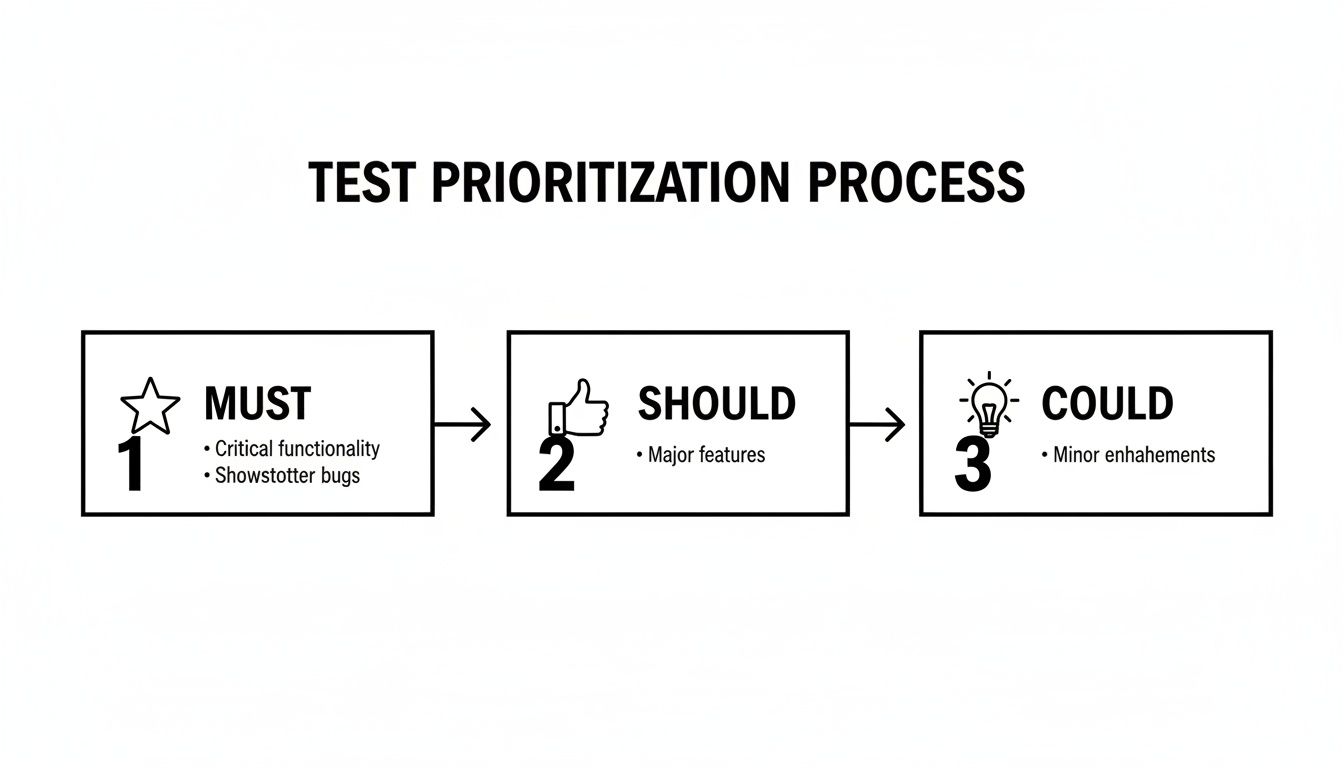
This kind of visual guide helps you sort your test ideas into “Must,” “Should,” and “Could” buckets. It ensures your AI-driven testing is always aimed at the most important user journeys first.
This AI-assisted workflow doesn’t replace QA engineers; it elevates them. Instead of getting bogged down in maintaining flaky scripts, your expertise is channeled into higher-value work like risk analysis, exploratory testing, and designing more intricate test scenarios. You become the test strategist, guiding the AI to cover the application’s most critical paths.
It’s clear that AI and Machine Learning are changing how we approach testing. If you’re curious about the bigger picture, it’s worth reading up on the role of ML and AI in DevOps transformation to see how these technologies fit into the entire development lifecycle.
Of course, with great power comes great responsibility. As you start translating business requirements directly into tests, it’s crucial to know the best practices for validating AI-generated test cases to make sure they are both accurate and truly robust.
Even with a solid plan, a few questions always seem to pop up when you’re deep in the trenches of writing test cases. It’s completely normal, and sorting out these common hurdles is the key to building confidence and getting the whole team aligned.
Let’s dig into some of the most frequent questions I hear, with some practical answers to help you smooth out your testing process.
This one trips people up all the time, but it’s pretty simple when you think of it as strategy versus tactics.
A test scenario is the big picture, a high-level description of something you need to test. It’s the “what,” not the “how.” A perfect example is: “Verify user login functionality.” It’s a goal, an objective.
A test case, on the other hand, is the granular, step-by-step instruction on how you’re going to test that scenario. It gets into the weeds with specific inputs, actions, and exact expected outcomes. That one “login” scenario could easily break down into several distinct test cases:
Think of it this way: the scenario is the destination you’re driving to, and the test cases are the turn-by-turn directions for all the different routes you could take to explore the area.
Honestly, there’s no magic number. Anyone who gives you one is oversimplifying things. The real aim isn’t to hit a certain count; it’s to achieve adequate coverage based on the feature’s risk and complexity.
A simple user story for a tiny UI text change might only need one or two quick validation tests. But a complex story for a new payment gateway? That could easily demand dozens of test cases covering different card types, successful transactions, various failure modes (declined, expired card, fraud alerts), and currency conversions.
Your focus should always be on quality over quantity. Let business impact be your guide. Critical features deserve more of your time and attention. Make sure you cover the happy path, the most likely negative paths, and any tricky edge cases you can imagine.
Not just yet, but you can offload a huge chunk of the work. AI tools are phenomenal at generating solid test cases for standard user flows and building out regression suites. That’s their sweet spot, freeing up your team from the repetitive grind.
But human insight is still irreplaceable. Manual and exploratory testing are crucial for judging things an automated script just can’t, like user experience, visual appeal, and overall usability. A person might spot a confusing workflow or an awkward button placement that a script, focused purely on function, would sail right past.
The best strategy is a hybrid one. Let AI handle the heavy lifting for the predictable, rules-based stuff. This allows your human experts to focus their creativity on exploratory testing and high-level strategy.
Ah, test case maintenance, a very real headache, especially in a fast-paced Agile world. Without a good system, your test suite can become stale and unreliable almost overnight.
Here are a few things that have worked for me:
This is another area where modern tools can be a game-changer. Regenerating a test from a simple prompt is often much faster than manually digging through a brittle script to figure out what broke.
Ready to stop scripting and start testing? With TestDriver, you can turn plain English prompts into powerful end-to-end tests in minutes. Streamline your QA process and focus on what really matters, shipping a high-quality product. Create your first AI-powered test case today at testdriver.ai.
Learn how to write test cases that catch bugs and improve software quality. Discover practical frameworks, real-world examples, and expert strategies.
Learn how to prepare test cases that improve software quality. This guide covers everything from requirements analysis to AI-powered automation for QA pros.
Learn how to make test cases in software testing with practical guidance on designing, writing, and automating tests.
Boost QA with a practical test case design guide featuring proven techniques, clear writing tips, and AI-driven insights for smarter testing.
TestDriver runs every pull request in a real desktop sandbox, finds bugs, and builds regression tests - right from your repo.