A Practical Guide to Automated Testing as a Service
Explore our complete guide to automated testing as a service (ATaaS). Learn how it works, its key benefits, and how to implement a successful strategy.
Discover 10 essential test automation best practices to enhance your QA strategy. Learn about POM, CI/CD, flaky test management, and more.
Automate and scale manual testing with AI ->
In today’s fast-paced development cycles, simply automating tests isn’t enough. The difference between a high-performing team and a struggling one often comes down to their underlying strategy. While automation promises speed and reliability, it can quickly become a bottleneck if not managed correctly. Outdated practices lead to brittle tests, maintenance nightmares, and a CI/CD pipeline that’s constantly red. A key driver for adopting test automation is the ability to streamline development cycles by efficiently automating repetitive tasks, allowing teams to focus on more complex challenges. This strategic shift is crucial for maintaining both velocity and quality.
This guide cuts through the noise to deliver 10 essential test automation best practices that modern QA teams use to build robust, scalable, and trustworthy testing frameworks. We move beyond generic advice to provide actionable strategies that address the entire testing lifecycle. You will learn how to structure your test suite for maximum efficiency, manage test data effectively, and integrate seamlessly into your CI/CD pipeline.
We’ll cover critical topics including:
Furthermore, we will explore how each of these principles can be supercharged with AI-powered tools. By the end of this article, you’ll have a clear roadmap for transforming your QA process from a reactive bottleneck into a proactive, value-driving force for your engineering organization.
The Test Pyramid Strategy is a foundational framework for structuring automated tests, popularized by experts like Mike Cohn and Martin Fowler. It visualizes the ideal distribution of tests across different levels to create a fast, stable, and cost-effective test automation suite. This model is one of the most critical test automation best practices because it directly addresses the trade-offs between test execution speed, maintenance overhead, and feedback time.
The pyramid is built on three main layers:
Adopting this strategy means intentionally focusing the bulk of your testing efforts at the lower levels. Companies like Google famously advocate for a ratio of approximately 70% unit tests, 20% integration tests, and 10% E2E tests. This structure ensures that most defects are caught quickly and cheaply at the unit level, long before they reach the more complex stages.
Actionable Tip: Reserve your valuable E2E testing resources for only the most critical, business-centric user journeys, such as the checkout process or user registration. Over-reliance on E2E tests leads to a slow, flaky, and unmaintainable test suite, a common anti-pattern known as the “Ice Cream Cone”.
By adhering to this model, your test suite runs faster, provides quicker feedback to developers, and is significantly easier to debug and maintain. For a deeper exploration of this concept and its variations, learn more about the Test Pyramid model and its alternatives.
The Page Object Model (POM) is a design pattern that has become a cornerstone of robust UI test automation. It enhances test maintenance and reduces code duplication by creating an object repository for UI elements. This model is one of the most vital test automation best practices as it decouples test logic from the UI, making the test suite more resilient to application changes.
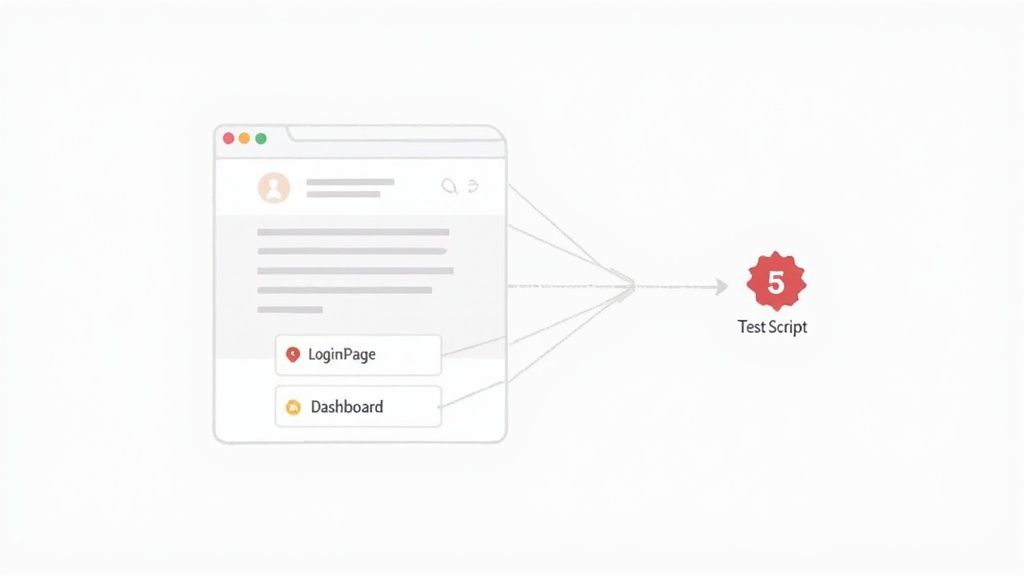
The core idea is to represent each page or significant component of your web application with its own class. This class holds all the locators for the elements on that page and the methods that perform interactions with those elements.
LoginPage.java, HomePage.java, or ShoppingCart.java.login(username, password) or addItemToCart(). The test scripts call these methods instead of directly interacting with web elements.Implementing POM means that your test scripts become cleaner and more readable. Instead of containing complex selector logic and WebDriver calls, they read like a series of user actions. For example, a test for a login flow would simply call loginPage.enterUsername("testuser"), loginPage.enterPassword("password"), and loginPage.clickLoginButton(). If a button’s ID changes, you only need to update it in one place: the LoginPage class, not in every test that uses it.
Actionable Tip: Keep your page objects focused on their primary responsibility. Avoid including test assertions directly within page object methods. Page objects should return information or state (e.g., return a new page object after a navigation), and assertions should live within the test scripts themselves to maintain a clear separation of concerns.
By adopting POM, you create a more scalable, maintainable, and reusable test automation framework. For a deeper look at applying this pattern with modern tools, read more about managing page object classes in Playwright.
Integrating test automation into a Continuous Integration (CI) pipeline is a cornerstone practice for modern software development. Pioneered by thought leaders like Martin Fowler and the teams behind tools like Jenkins, this approach automates the execution of your test suite every time new code is committed. This creates a rapid and consistent feedback loop, making it one of the most impactful test automation best practices for catching defects early and preventing regressions from ever reaching production.

The core principle is simple: every change triggers an automated build and test sequence. If any test fails, the pipeline breaks, immediately notifying the team that the latest commit has introduced a problem. This process ensures that the main codebase always remains in a stable, deployable state.
Popular CI/CD platforms for implementing this include:
Effective implementation involves more than just running tests. It requires a strategic approach to pipeline design and management. Start by integrating your fastest tests, like unit and component tests, to run on every commit for immediate feedback. Reserve longer-running E2E tests for key stages, such as before a merge to the main branch or on a nightly schedule. The goal is to balance feedback speed with test coverage.
Actionable Tip: Configure your CI pipeline to execute tests in parallel. Most modern CI tools support parallelization, which can dramatically reduce the total test execution time. Splitting a 30-minute test suite into three parallel jobs can bring feedback time down to just 10 minutes, enabling teams to move faster.
By making automated testing an integral part of your development workflow, you transform it from a separate, often-delayed phase into a continuous quality assurance process. For a detailed guide on this topic, learn more about integrating testing into your CI/CD pipeline.
Data-Driven Testing (DDT) is a powerful methodology that separates test logic from the data used to execute the test. Instead of hardcoding input values and expected outcomes, this approach allows a single test script to run multiple times with different datasets stored in external sources like spreadsheets, CSV files, or databases. This technique is one of the most efficient test automation best practices because it drastically improves test coverage and reduces script redundancy.
The core principle of DDT involves creating a reusable test script that reads data from an external source and iterates through it. For each row of data, the script executes the same test steps, using the inputs and verifying against the expected outputs provided in that row.
This method allows testers to validate application behavior with a wide range of data inputs, including:
Implementing DDT is straightforward with most modern test automation frameworks. For example, developers using Java can leverage TestNG’s @DataProvider annotation, while Python developers can use Pytest’s @pytest.mark.parametrize decorator. Similarly, BDD tools like Cucumber use “Scenario Outlines” with an “Examples” table to achieve the same result. The key is to externalize your data so it can be managed independently of the test code.
Actionable Tip: Store your test data files (e.g., CSV, JSON) in the same version control system as your test code. This ensures that changes to data are tracked, versioned, and tied to the specific code commits they are intended to test, preventing data-code mismatches.
By adopting a data-driven approach, you create a more robust, scalable, and maintainable test suite. It empowers non-technical team members to contribute to testing by simply adding new data rows, expanding test coverage without writing a single line of code.
A flaky test is a test that exhibits non-deterministic behavior, passing and failing intermittently without any changes to the codebase. Addressing this issue is one of the most crucial test automation best practices because flaky tests erode trust in the entire test suite, obscure genuine regressions, and waste valuable engineering time on debugging false alarms. A reliable automation suite is built on the foundation of stable, predictable tests.

The core principle behind managing flakiness is to systematically identify, analyze, and remediate the root causes of instability. This often involves a combination of tooling, process, and test design discipline. Common causes include:
Effective management starts with automated detection. Tech giants like Google developed internal tools like “FlakyBot” to automatically identify and quarantine unreliable tests. Modern frameworks and CI/CD platforms also offer built-in features, such as Playwright’s automatic test retries or GitHub Actions’ ability to track test result history, helping pinpoint intermittent failures.
The goal is to move from a reactive state of debugging random failures to a proactive one where instability is measured and systematically eliminated. Implementing a clear process to quarantine and prioritize fixing flaky tests prevents them from disrupting development workflows and ensures the CI/CD pipeline remains a trustworthy source of feedback.
Actionable Tip: Replace all fixed
sleep()commands with explicit or dynamic waits. For instance, instead of pausing for 5 seconds, wait for a specific element to be visible or for a network call to complete. This makes your tests more resilient to variations in environment speed and application performance.
Shift-Left Testing is a proactive approach that integrates quality assurance activities earlier in the software development lifecycle (SDLC). Instead of treating testing as a final phase before release, this practice “shifts it left” into the design and development stages. This methodology is one of the most impactful test automation best practices because it transforms testing from a gatekeeping activity into a collaborative, continuous process for building quality in from the start.
The core idea is to find and fix defects as early as possible, when they are cheapest and easiest to resolve. Key activities in a shift-left model include:
Adopting a shift-left culture requires a significant change in mindset and process, moving from siloed teams to shared ownership of quality. Tech giants like Microsoft and Atlassian have championed this approach to accelerate their release cycles while maintaining high-quality standards. The goal is to make testing a developer’s daily habit rather than a QA team’s final hurdle.
Actionable Tip: Empower developers by providing them with robust, easy-to-use testing frameworks and training. Integrate static code analysis and automated unit tests directly into their Integrated Development Environment (IDE) and pre-commit hooks to catch bugs before they even enter the codebase.
By shifting left, teams dramatically reduce the cost and time associated with late-stage bug fixes, shorten feedback loops, and improve overall product quality. This practice is fundamental to modern DevOps and agile methodologies, fostering a culture where everyone is responsible for quality.
Just as production code requires ongoing maintenance, so does test code. Test Maintenance and Technical Debt Management is the practice of actively updating, refactoring, and improving an automated test suite to ensure it remains reliable, relevant, and efficient over time. This approach, emphasized by leaders like Martin Fowler and organizations such as Google, treats test code as a first-class citizen, preventing the accumulation of “technical debt” that leads to slow, flaky, and untrustworthy tests.
Ignoring test maintenance is a primary reason why automation initiatives fail. An unmaintained suite quickly becomes a liability rather than an asset. Key activities in this practice include:
Effective implementation requires a cultural shift where maintenance is a scheduled, non-negotiable part of the development lifecycle. Companies like Airbnb and Mozilla dedicate specific cycles, such as quarterly test health audits or dedicated “fix-it” weeks, to address test suite decay. A common strategy is to allocate a fixed percentage of engineering time, often around 20%, purely to maintenance tasks. This ensures technical debt is paid down continuously rather than accumulating into an unmanageable problem.
Actionable Tip: Establish strict test code review standards, just as you would for production code. Enforce clear naming conventions, use of the Page Object Model to reduce duplication, and ensure tests are well-documented. This preventative approach is one of the most effective test automation best practices for minimizing future maintenance.
By dedicating resources to test maintenance, you ensure the long-term health and value of your automation suite. This leads to faster feedback loops, higher developer confidence in test results, and a more sustainable and scalable testing strategy.
Effective test environment and test data management are cornerstones of a reliable automation strategy, ensuring that tests execute consistently and produce trustworthy results. This practice involves creating isolated, predictable environments that accurately mirror production and managing the data lifecycle to support repeatable tests. Neglecting this area is a primary source of flaky tests, making this one of the most crucial test automation best practices for achieving stability.
A robust approach addresses two key components:
The modern solution to environment consistency is containerization. Tools like Docker and Kubernetes allow teams to define environments as code, ensuring every test run executes against an identical setup, from the operating system to service dependencies. For data, the focus is on automating its creation, management, and teardown to align with the test lifecycle. For example, using a database seeding script before a test suite runs and a cleanup script after it finishes ensures a clean slate for every execution.
Actionable Tip: Use tools like TestContainers to programmatically spin up ephemeral Docker containers for dependencies like databases or message queues directly within your test code. This guarantees a clean, isolated service for each test run, eliminating environment-related flakiness entirely.
By systematically managing environments and data, you decouple your tests from external dependencies and volatile states. This leads to faster, more reliable feedback loops, simplifies debugging by eliminating environmental variables, and ultimately builds trust in your automation suite. For teams looking to scale their testing, mastering this discipline is not optional; it is essential.
Intelligent Test Execution and Prioritization is an advanced strategy designed to accelerate feedback loops by running only the most relevant tests for a given code change. Instead of executing the entire, often time-consuming, test suite after every commit, this approach uses data and analytics to select and run a smaller, high-impact subset of tests first. This method stands as one of the most impactful test automation best practices for mature CI/CD pipelines, directly tackling the challenge of slow build times.
This practice operates on a simple but powerful principle: not all tests are relevant to every code change. By analyzing the committed code, historical test failures, and execution data, intelligent systems can predict which tests are most likely to fail or provide valuable feedback. This involves techniques like:
Adopting this strategy begins with collecting data about your tests and code. Tools and platforms like Gradle have built-in test selection capabilities, while companies like Salesforce and IBM have pioneered their own internal systems. The goal is to create a multi-stage execution plan: a quick, targeted run for immediate feedback, followed by a full suite run later in the pipeline if needed. For a deeper dive into how AI and RPA combine to create impactful solutions, you can gain a better understanding of Intelligent Automation.
Actionable Tip: Implement a two-stage testing process in your CI pipeline. The first stage runs a dynamically selected, high-priority test suite (e.g., tests mapped to changed code) that must pass for a pull request to be considered. The second, more comprehensive stage can run post-merge or nightly.
This data-driven approach dramatically reduces the time developers wait for feedback, allowing them to fix issues faster while ensuring that critical regressions are still caught early. It transforms testing from a brute-force activity into a precise, efficient, and intelligent quality gate.
A Cross-Browser and Device Testing Strategy ensures that your application provides a consistent and functional experience for all users, regardless of how they access it. This approach systematically validates an application’s behavior across a defined set of browsers, operating systems, and devices. It is one of the most essential test automation best practices for any public-facing application, as it prevents compatibility issues that can alienate users and damage brand reputation.
The core of this strategy involves identifying the most relevant platforms your target audience uses and creating a plan to test them efficiently. Key components include:
The goal is to achieve maximum coverage without incurring unsustainable costs or execution times. A common approach is to focus on the platforms that represent the top 80-90% of your user base. Cloud-based testing platforms are invaluable here, as they provide instant access to thousands of real device and browser combinations without the maintenance overhead of a physical device lab.
For example, a team can configure their CI/CD pipeline to run a full regression suite on the latest version of Chrome (as a primary browser) and then execute a smaller, critical-path test suite in parallel across Safari, Firefox, and a few key mobile devices using a service like BrowserStack. This tiered approach balances comprehensive validation with speed.
Actionable Tip: Use visual regression testing tools to automate the detection of UI inconsistencies across different platforms. Tools that capture and compare screenshots can quickly identify rendering issues like broken layouts or misaligned elements that functional tests might miss.
By systematically managing your cross-platform testing, you ensure your application is robust and reliable for the vast majority of your users. This practice transforms compatibility from a reactive bug-fixing exercise into a proactive quality assurance standard.
| Strategy | 🔄 Implementation Complexity | ⚡ Resource Requirements | 📊 Expected Outcomes | 💡 Ideal Use Cases | ⭐ Key Advantages |
|---|---|---|---|---|---|
| Test Pyramid Strategy | Medium — needs discipline and clear test-level boundaries | Moderate — heavy unit-test investment, fewer E2E resources | Fast feedback, efficient coverage, lower maintenance cost | Microservices and long-lived projects prioritizing fast CI feedback | Cost-effective test distribution; scalable and maintainable |
| Page Object Model (POM) | Medium-High — initial design and object hierarchy planning | Low-Moderate — development time for page classes and upkeep | Improved readability and easier UI updates | UI-heavy applications using Selenium/Cypress or similar | Centralized locators, reduced duplication, clearer tests |
| Continuous Integration and Test Automation | High — pipeline and tooling setup, enforce reliable tests | High — CI servers, runners, reporting and infra | Immediate test feedback, faster releases, consistent gates | Active repos with frequent commits and CD requirements | Early defect detection; automated, repeatable quality gates |
| Data-Driven Testing | Medium — parameterization and data management setup | Low-Moderate — external data stores and maintenance | Broader scenario coverage with less test code duplication | Validation of multiple input combinations and business rules | Reusable tests; non-devs can add datasets; scalable scenarios |
| Flaky Test Detection and Stabilization | Medium-High — root-cause analysis and stabilization practices | Moderate — tracking tools, time to triage and fix flakiness | Increased test reliability and fewer false positives | Suites with intermittent failures or unstable CI pipelines | Restores trust in results; reduces wasted debugging time |
| Shift-Left Testing | High — cultural/process change and developer enablement | Moderate-High — early infra and training investments | Earlier defect detection; lower fix costs; faster feedback | Teams adopting TDD or embedding QA during design/development | Reduces cost-of-fix; increases developer quality ownership |
| Test Maintenance & Technical Debt Mgmt | Medium — ongoing refactoring, audits and standards | Moderate — dedicated maintenance time and tools | Sustainable, performant test suites and lower long-term cost | Evolving or legacy test suites requiring upkeep | Prevents test rot; improves maintainability and ROI |
| Test Environment & Test Data Management | High — environment parity, provisioning and compliance | High — infra, data provisioning, privacy controls | Consistent, reproducible test results; fewer env-related failures | Integration tests, parallel runs, complex system testing | Stable environments; enables reliable parallel execution |
| Intelligent Test Execution & Prioritization | High — selection algorithms, coverage mapping, tuning | Moderate-High — analytics, coverage tooling, historical data | Faster feedback with focused runs; reduced infra cost | Large suites where full runs are expensive or slow | Efficient resource use; quicker detection of high-risk failures |
| Cross-Browser & Device Testing Strategy | High — many combinations and compatibility maintenance | High — device clouds, longer execution time, infra costs | Better platform compatibility and reduced user-facing bugs | Public-facing UIs with diverse browser/device audiences | Ensures consistent UX across browsers/devices; catches compatibility issues |
Embarking on the journey of test automation is one of the most transformative decisions a modern software development team can make. We’ve explored a comprehensive landscape of test automation best practices, moving from foundational strategies like the Test Pyramid and the Page Object Model to advanced tactics such as intelligent test execution and proactive flaky test management. Each practice serves as a crucial building block in constructing a robust, scalable, and efficient quality assurance framework.
However, the true power of these concepts is unlocked not by understanding them, but by consistently applying them. The transition from theory to practice is where many initiatives falter. The goal isn’t just to implement a few isolated tips; it’s to cultivate a culture where quality is a shared responsibility and automation is a core component of the development lifecycle, not an afterthought.
Let’s distill the core themes from our discussion into actionable takeaways. The most successful automation strategies are those that are integrated, maintainable, and strategic.
Reading about best practices is the first step; turning them into daily habits requires a deliberate plan. Here’s how you can start transforming your team’s approach today:
Ultimately, mastering test automation best practices is about more than just writing better code or catching more bugs. It’s about building a resilient engineering culture that can release high-quality software with speed and confidence. It’s about empowering your developers to innovate without fear of breaking existing functionality and giving your organization a decisive competitive edge in a fast-moving market. By committing to this journey of continuous improvement, you’re not just improving your tests; you’re fundamentally improving how you build software.
Ready to implement these test automation best practices without the steep learning curve and maintenance overhead? TestDriver uses AI to help you create, run, and maintain resilient end-to-end tests in plain English, automatically incorporating principles like the Page Object Model and flaky test management. Supercharge your QA efforts and build a world-class automation suite by visiting TestDriver to get started.
Explore our complete guide to automated testing as a service (ATaaS). Learn how it works, its key benefits, and how to implement a successful strategy.
Discover the 12 best codeless automation testing tools for web, API, and mobile. Our 2026 guide helps you choose the right platform for your QA workflow.
Discover how quality assurance in software development works. Learn modern QA processes, key testing types, and how AI is revolutionizing software delivery.
Explore manual versus automated testing: compare use cases, ROI, and a practical framework to choose the best approach for your team.
TestDriver uses computer-use AI to test any app - write tests in plain English and run them anywhere.