8 Essential Test Environment Management Best Practices for 2026
Discover 8 actionable test environment management best practices for QA teams. Learn to improve stability, parity, and efficiency in your testing workflow.
Discover how to test website on all browsers with a practical guide to cross-browser compatibility and a flawless experience on any device.
Automate and scale manual testing with AI ->
To test a website on all browsers, you can’t just wing it. You need a solid game plan that blends smart data analysis with a mix of automated and hands-on checks across the different browser engines out there. Getting this right means your site delivers a consistent, reliable experience for everyone, whether they’re on Chrome, Safari, or Edge. Ultimately, this protects your revenue and your brand’s reputation.
In a world where it feels like Chrome is the only browser that matters, it’s easy to push cross-browser testing to the bottom of the to-do list. That’s a huge mistake. The truth is, the browser landscape is still surprisingly fragmented, and ignoring that reality can hit your business where it hurts. Even browsers that share the same core engine, like Chrome and Edge, can display your site in unexpectedly different ways.

Sure, Chrome is the dominant player, but writing off other browsers means you’re intentionally turning away a massive chunk of your audience. In 2025, Google Chrome captures about 70.5% of the global market. But that leaves a lot of people using other things. Apple’s Safari holds a significant 14%, and Microsoft Edge has 4.85%.
When you add it all up, those “other” browsers represent millions of potential customers, and they all expect your site to just work. You can dive deeper into the numbers yourself on StatCounter’s market share report.
This is about more than just a few pixels being out of place. Imagine your payment form is completely broken on Safari, the default browser for every iPhone, iPad, and Mac user. That’s a direct hit to your revenue. Or what if your main navigation menu doesn’t render correctly on Edge, making your site impossible for a whole segment of corporate users to navigate?
A website bug isn’t just a technical problem; it’s a broken promise to your user. When core functionality fails on their chosen browser, they don’t blame the browser, they blame your brand.
At the end of the day, this is about safeguarding your brand and reaching as many people as possible. Every single person who runs into a browser-specific glitch is a customer you might lose forever. These issues can be anything from minor CSS quirks that make you look unprofessional to show-stopping JavaScript errors that brick an entire feature.
If you really want to get a handle on why this is so critical, it helps to understand the common pitfalls. For a great deep-dive, check out this guide on Fixing Cross Browser Compatibility Issues for Good.
Start thinking of cross-browser testing not as a final, annoying checkbox, but as a core part of your business strategy. It’s how you guarantee your website is accessible, functional, and professional for every single visitor, no matter what they use to find you.
Trying to test your website on every browser ever made is a recipe for disaster. It’s just not practical. Smart testing isn’t about chasing 100% coverage; it’s about putting your energy where it will make the biggest difference for your actual users. This is where a browser testing matrix comes in.
Think of the matrix as your strategic blueprint. It spells out exactly which browsers, operating systems, and devices are on your radar. Instead of guessing, you’ll be using hard data to decide where to focus, making sure you protect the experience for the people who actually use your product.
The best data you have is your own. Tools like Google Analytics are an absolute goldmine for figuring out how people find and use your site. Jump into the “Tech details” report, it gives you a no-nonsense breakdown of the browsers, operating systems, and devices your visitors are using.
This report shows you what’s really happening, not just what industry averages suggest. You’ll see the exact percentages of users on Chrome, Safari, Edge, and others, which immediately helps you set your priorities.
From there, you can dig deeper. Which browsers are driving the most traffic, conversions, or even revenue? If you discover that 80% of your mobile sales come from users on the latest two versions of Safari on iOS, you’ve just found your top testing priority. It’s that simple.
While your own data is king, it’s always a good idea to keep an eye on broader market trends. The browser landscape can look very different from one country to another. For a global audience in 2025, you have to think beyond the obvious.
Sure, Google Chrome dominates mobile with over 65% market share, but Safari isn’t far behind at 25%, especially with its huge user bases in the US, Japan, and parts of Europe. And here’s one people often miss: Samsung Internet holds around 4.3% globally. That might not sound like much, but in markets like South Korea, it’s a major player. Ignoring it could mean shutting out millions of users who might be running into unique rendering bugs. You can find some great breakdowns on browser market share on BrowserStack.
Now, blend that market data with your internal analytics to build a tiered testing strategy. It might look something like this:
Your browser matrix isn’t a “set it and forget it” document. It should be alive. Revisit it every quarter to see if your priorities need to shift based on new analytics and changing market trends. What’s a Tier 2 browser today could easily become a Tier 1 priority six months from now.
This data-first approach takes the guesswork out of testing and turns it into a clear, focused strategy. You’ll end up investing your time and budget where it actually matters, delivering a solid experience for the users who are most important to your business.
Let’s be honest: manually clicking through your website on a dozen different browser versions is a recipe for disaster. It’s painstakingly slow, riddled with human error, and just can’t keep pace with how fast we build software today. If you’re serious about delivering a consistent experience, you have to embrace automation. An automated end-to-end (E2E) test suite is your safety net, catching bugs and regressions across your entire browser matrix before your users do.
This isn’t just about replacing manual clicks with scripts; it’s a fundamental shift. It means your team can stop spending hours on repetitive smoke tests and start focusing on what they do best: building new features. You gain the confidence to ship faster because you have an automated guardrail protecting your core user flows.
The whole process starts with a smart, data-driven strategy. You don’t just start writing tests for every browser under the sun.
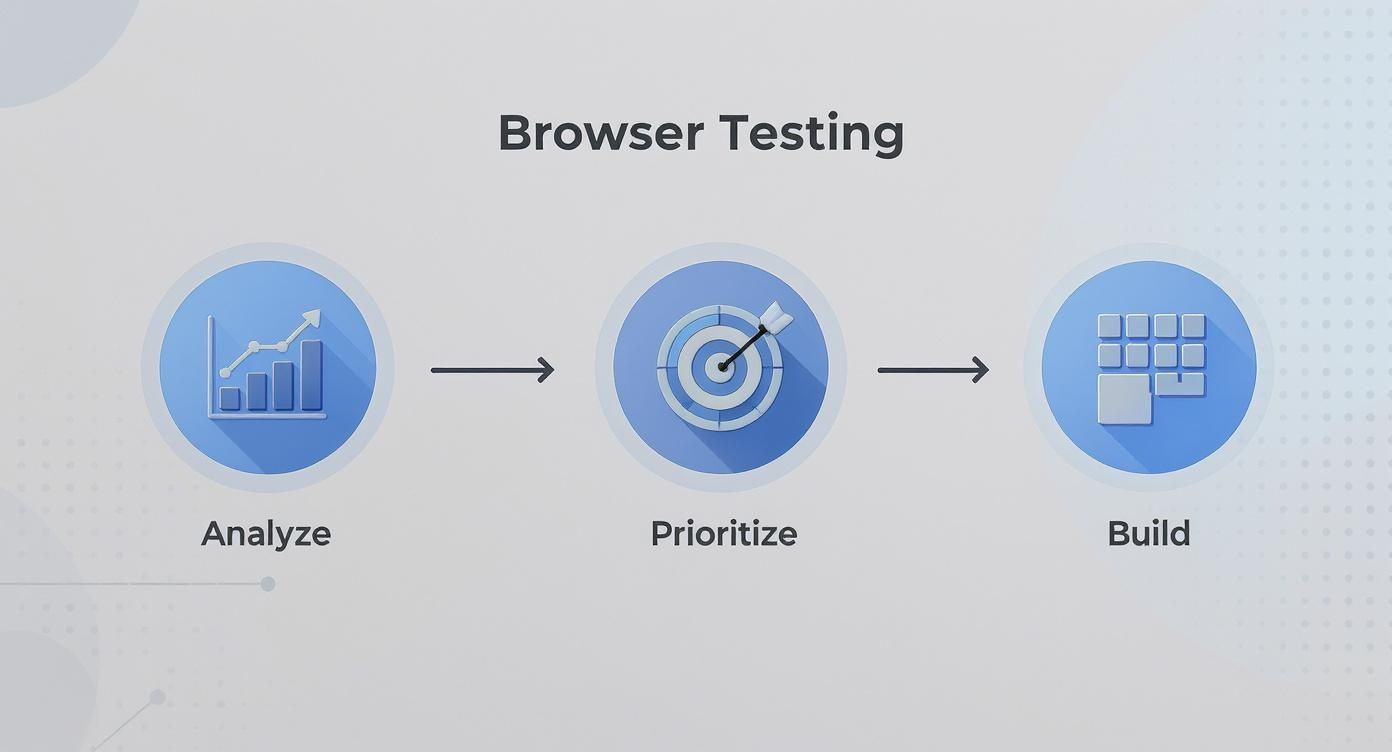
This approach ensures your engineering efforts are concentrated where they’ll have the biggest impact, on the browsers and journeys that are most critical to your business.
When it’s time to build your test suite, the tools you choose matter. Two of the heavyweights in the E2E testing world are Playwright and Cypress, and both have their own fanbases for good reason.
Deciding between them often boils down to your team’s workflow and priorities. If you want to dive deeper into the nitty-gritty, check out our detailed guide on Playwright vs Cypress.
The goal isn’t just to have automated tests; it’s to have tests you can trust. Nothing kills a testing initiative faster than a flaky suite that breaks with every minor CSS change. A fragile test suite is worse than no test suite at all.
To keep your tests resilient and your maintenance overhead low, stick to a few battle-tested best practices:
data-testid attribute, an ARIA role, or the visible text on the screen.sleep(5000). It’s a classic rookie mistake. Modern frameworks have intelligent, built-in “auto-waiting” that automatically pauses the test until an element is actually ready to be interacted with. This makes your tests faster and eliminates countless race conditions.Think of a good test like a user with a clear goal. It shouldn’t care if a button’s color changed from blue to green. It should only care if it can find the “Add to Cart” button and successfully click it to proceed to the next step.
Yes, building a solid automated suite takes an upfront investment. But the payoff is huge. It’s the only scalable way to validate your app’s functionality across the fragmented browser landscape, giving your team the freedom and confidence to ship great software, faster.
Alright, you’ve scripted your automated tests. Now for the million-dollar question: where do you actually run them? This really comes down to two main paths, running them on your own machine or tapping into a cloud-based testing platform. The best teams I’ve worked with know how to use both to test a website on all browsers effectively.
Running tests on your local machine is your bread and butter during the development grind. It’s all about immediate feedback.
Picture this: you’re building a new feature. You can fire up a specific test right there on your local instance of Chrome, spot a bug, and fix it on the fly. There’s no waiting for a remote server or a CI pipeline to spin up. This rapid-fire iteration is perfect for quick sanity checks and making sure your code isn’t completely broken before you even think about committing it.
But let’s be realistic. A local setup can only get you so far. You’re not going to maintain a basement full of machines with every browser version and OS from your browser matrix. It’s just not practical. That’s where the cloud comes in to save the day.
Cloud-based testing grids are, without a doubt, a game-changer for serious cross-browser testing. Services like BrowserStack or Sauce Labs give you instant, on-demand access to a mind-boggling library of thousands of real browser, OS, and device combinations.
Instead of wrestling with a few virtual machines, you can instantly test on anything from an ancient version of Firefox on Windows XP to the very latest Safari on a shiny new iPhone.
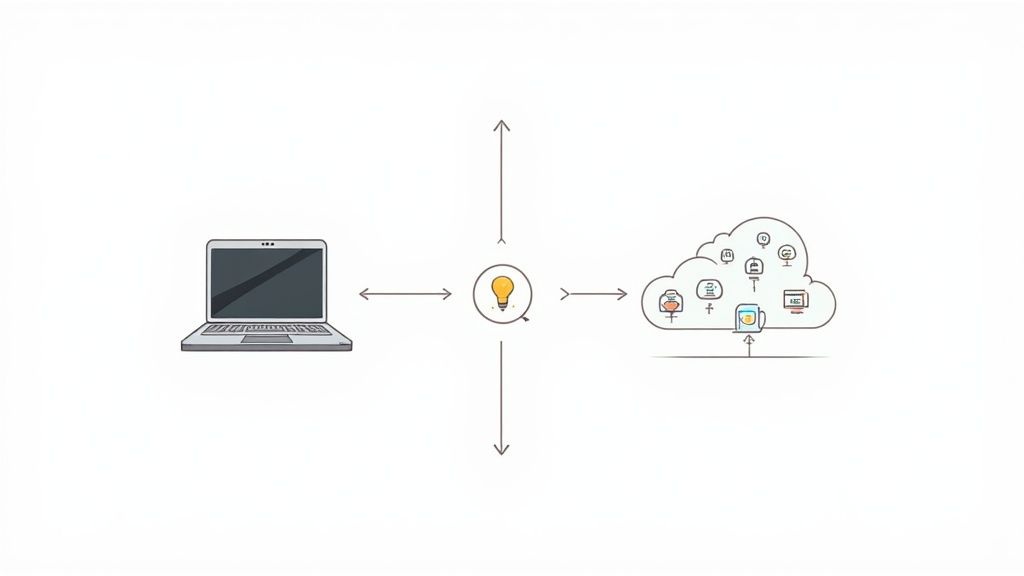
The real magic, though, is parallelization. You can set up your test suite to run across dozens of these environments at the same time. A test run that might take hours to plod through sequentially on one machine can be done and dusted in just a few minutes on a cloud grid. This drastically shrinks your feedback loop and helps your team find those pesky browser-specific bugs before they ever reach a customer.
Want to get a better handle on how these platforms work? Check out our comprehensive guide to using BrowserStack for some practical tips.
To help you decide what’s right for your situation, here’s a quick breakdown of how local and cloud testing stack up against each other.
| Feature | Local Testing | Cloud Testing Platform |
|---|---|---|
| Speed | Instantaneous feedback for active development. | Slower due to network latency, but faster overall with parallel runs. |
| Coverage | Very limited. Just the browsers you have installed. | Massive. Thousands of browser, OS, and device combinations. |
| Cost | Free (besides your own hardware and time). | Subscription-based, which can get pricey. |
| Maintenance | You are responsible for everything, updates, configs, etc. | Zero maintenance. It’s all managed for you. |
| Best For | Quick checks and debugging during development. | Comprehensive regression testing and CI/CD integration. |
Ultimately, you need both to build a robust testing process that scales with your team and your product.
The most effective engineering teams don’t pick one over the other; they masterfully combine both. This hybrid approach gives you the raw speed of local testing when you’re coding and the massive scale of the cloud when you need to be sure.
A smart testing workflow uses local runs for immediate developer feedback and cloud grids for comprehensive regression testing in the CI/CD pipeline. This gives you the best of both worlds: rapid iteration and confident releases.
Here’s a common, real-world workflow for this strategy:
This blended approach ensures you get lightning-fast feedback when you need it most, without ever sacrificing the broad coverage required to ship a high-quality product that works beautifully for everyone, everywhere.
Relying on manual testing is like building a car and only checking if the wheels are on right before it ships. To truly test a website on all browsers effectively, testing needs to become an automatic, almost invisible part of your development process. The best way to do that? Weave your cross-browser tests directly into your Continuous Integration/Continuous Deployment (CI/CD) pipeline.
When you do this, testing stops being a dreaded pre-release chore and transforms into a powerful safety net. No more relying on a QA engineer to remember to run a test suite. Instead, the system handles it. Every time a developer commits new code, your pipeline can kick off the entire test suite, catching browser-specific bugs in minutes, not days or weeks.
This automated check acts as a quality gate. It’s what stops those embarrassing regressions from ever making it to production and gives your team the confidence to ship code faster.
A rookie mistake is running every single test on every single commit. That’s a surefire way to create a slow, expensive pipeline that developers will try to bypass. The smarter approach is to think in tiers, balancing the need for quick feedback with the need for deep test coverage.
Here’s a practical, real-world example of how this plays out in a tool like GitHub Actions or Jenkins:
main or develop, a bigger job kicks off. This is where you run your full “regression suite” against a wider range of browsers from your matrix.Integrating tests into your pipeline is the essence of “shifting left.” You’re making quality a core part of the development process itself, which is always better than trying to find bugs at the last minute.
For this to truly work, the process has to be seamless. Developers shouldn’t need to dig through logs on a separate server. Test results need to be reported directly back into the pull request, complete with clear logs, screenshots, and even videos of any failures.
This immediate, contextual feedback allows developers to see exactly what went wrong, on which specific browser, without ever leaving their coding environment. It makes fixing bugs faster and less frustrating.
If you’re looking to go deeper, our guide on the best practices for integrating testing into your CI/CD pipeline has even more actionable strategies. By adopting these methods, you ensure quality is something you build in from the start, not something you bolt on at the end.
A failed test in your CI pipeline isn’t a dead end. Think of it as a bright, flashing arrow pointing you exactly where something went wrong. Instead of getting frustrated when you see that red build, get curious. The first thing to do is dig into the artifacts that modern testing platforms spit out, they’re there to help you figure out what’s broken, fast.
These platforms are built for this exact moment. You’ll get screenshots snapped at the point of failure, full video recordings of the entire test run, and even deep-dive console and network logs. This isn’t just data; it’s a treasure trove that lets you see the test exactly as the machine saw it, making it way easier to find the root cause.
When you’re looking at a failed test, you’re really trying to answer one big question: is this a genuine bug in our app, or is the test itself just unreliable?
A real bug is usually pretty clear. Maybe the “Add to Cart” button just plain doesn’t work on Firefox, but it’s fine on Chrome. You can probably reproduce it by hand, and it’s going to need a code fix.
A flaky test, on the other hand, is a whole different beast. It’s that test that passes one minute and fails the next, with zero changes to the application code. These are often the result of tricky timing issues, a slow network response, or test locators that weren’t specific enough. The worst thing you can do is ignore them. Flaky tests are like a virus; they slowly kill your team’s confidence in the entire test suite.
Your test suite is only as valuable as the trust your team has in it. If developers start ignoring failures because they assume the tests are flaky, you’ve lost your automated safety net entirely.
The only way to deal with this is to investigate every single failure. Does the issue only pop up on a specific browser? Is it tied to an element that takes a little too long to load? Answering these questions will tell you whether you need to file a detailed bug report for the developers or simply go back and make your test script a bit more robust.
Test maintenance isn’t something you do once and forget about. It’s a constant gardening process. As your website grows with new features and UI tweaks, your tests have to keep up. An old, unmaintained test suite just becomes technical debt, creating a lot of noise and hiding the real problems you need to find.
Here are a few things I’ve learned to keep tests lean and effective:
data-testid instead of relying on fragile CSS classes that a designer might change on a whim. This one practice will save you from countless headaches.At the end of the day, a well-maintained test suite is a massive asset. It’s what gives your team the confidence to ship code faster without breaking things.
Ready to slash your test creation and maintenance time? TestDriver uses an AI agent to generate robust end-to-end tests from simple prompts, helping your team build reliable test suites faster than ever. Explore how it works.
Discover 8 actionable test environment management best practices for QA teams. Learn to improve stability, parity, and efficiency in your testing workflow.
Learn how to master testing website in different browsers with practical strategies, automation tips, and real-world debugging insights.
Discover how to approach testing a website in different browsers. Learn to build a testing matrix, automate workflows, and ensure a flawless user experience.
Master testing a website on different browsers with a modern workflow: plan tests, configure environments, and automate checks for consistent experiences.
TestDriver runs every pull request in a real desktop sandbox, finds bugs, and builds regression tests - right from your repo.