ACCELQ alternatives in 2026
Compare ACCELQ alternatives: TestDriver for GitHub pull-request UI checks, Playwright for code-owned browser tests. See trade-offs and migration steps.
Compare cross-browser testing tools for browser coverage, CI, and UI regressions. Choose Playwright by default or a device cloud for real-device testing.
Automate and scale manual testing with AI ->
Best overall: Playwright. Best for real-device browser coverage: BrowserStack. Best for an existing WebDriver stack: Selenium. These cross-browser testing tools solve different problems; this 2026 guide separates test frameworks, browser clouds, and pull-request regression testing so you can choose the right layer.
TL;DR
A browser automation framework defines and runs your tests. A browser cloud supplies environments. Pull-request testing checks whether a change breaks behavior. Treating these as interchangeable creates gaps in your release checks.
Start with the failure you need to catch. A broken checkout in Safari needs browser-specific execution; a UI regression introduced by a pull request needs a repeatable workflow check. For the broader framework decision, see the guide to browser automation testing tools.
Use these criteria to assess your 2026 shortlist before comparing feature lists:
Reject a tool if it cannot execute the browser environment your release policy requires. A convenient authoring experience does not compensate for missing coverage.
This 2026 comparison ranks tools by their primary job, not by an assumed universal feature score. Frameworks and cloud services can work together rather than replace each other.
| Rank and tool | Best for | Standout capability | Key limitation |
|---|---|---|---|
| 1. Playwright | New code-based browser suites | Automation across Chromium, Firefox, and WebKit | Engine coverage does not establish physical-device compatibility |
| 2. BrowserStack | Real-device browser validation | Cloud access to browser and device environments | Your team still needs test logic and assertions |
| 3. Selenium | Existing WebDriver suites | WebDriver-based automation across browser implementations | Execution infrastructure and synchronization need deliberate setup |
| 4. Sauce Labs | Browser and mobile cloud execution | Cloud environments for browser and mobile testing | Adds remote execution configuration and dependencies |
| 5. TestDriver | GitHub pull-request UI regression checks | Automatically runs pull requests in a real desktop sandbox | Desktop sandbox execution does not establish a cross-browser matrix |
Playwright is a browser automation framework that supports Chromium, Firefox, and WebKit. Its test runner provides facilities including browser projects, assertions, and tracing, making it a practical starting point for a new engineering-owned suite.
Playwright is the default recommendation when you need repeatable browser workflows in CI. You can express a user journey in code and execute it against different engine configurations without selecting a separate framework for each engine.
Best for: Engineering teams building a browser regression suite around application workflows.
Choose a critical journey, establish deterministic test data, and run the same assertions across your required engines. Expand only after failures produce useful debugging evidence.
Verdict: Buy into Playwright for a new code-based browser suite; do not treat engine coverage as complete device coverage.
BrowserStack provides cloud browser and device environments for manual and automated testing. Its role differs from a framework: it supplies places to run checks rather than defining what your application should do.
Choose BrowserStack when your compatibility requirements extend beyond the environments available in your local or CI setup. Keep the acceptance criteria in your test suite; use the environment layer to exercise those criteria on the required combinations.
Best for: Teams whose support requirements include real devices and specific browser–operating-system combinations.
Before connecting your full suite, run a representative authenticated workflow. Check application connectivity, session setup, failure evidence, and how results reach CI.
Verdict: Buy into BrowserStack when real-device or environment coverage is the missing layer; skip it as a replacement for test design.
Selenium automates browsers through WebDriver and supports multiple programming languages. Selenium Grid distributes browser sessions across machines, giving teams a route to running an existing suite across different environments.
Selenium is a strong fit when your organization already has WebDriver tests, supporting infrastructure, and engineers who maintain them. A framework migration needs a specific benefit; replacing a working suite just to standardize on a newer name is not one.
Best for: Teams extending established WebDriver automation rather than starting over.
Separate suite problems from infrastructure problems. Unstable test data will remain unstable after a framework migration, and an overloaded execution environment will still need attention.
Verdict: Hold a working Selenium stack; extend its coverage before committing to a rewrite.
Sauce Labs provides cloud environments for automated browser and mobile application testing. It belongs on the shortlist when your engineering organization needs remote execution across both browser workflows and mobile testing projects.
Evaluate the integration against the test frameworks you already use. The important question is whether engineers can configure sessions, inspect failures, and connect results to their release workflow without losing useful context.
Best for: Organizations evaluating a cloud execution provider across browser and mobile testing projects.
Use the same representative workflow when comparing cloud providers. Otherwise, differences in test design obscure differences in execution and debugging.
Verdict: Buy into Sauce Labs when its browser and mobile execution model matches your requirements; skip selection based on catalog breadth alone.
TestDriver automatically runs pull requests in a real desktop sandbox to catch UI regressions. It combines end-to-end testing and automated code review for software teams using GitHub.
TestDriver fits GitHub teams that need pull-request UI regression checks in a real desktop sandbox. That is a distinct role from proving compatibility across a named browser matrix. Keep browser-specific acceptance checks wherever your support policy requires them.
Best for: GitHub engineering teams adding executed UI checks to pull-request review.
Verdict: Buy into this approach for pull-request regression detection; skip it as your sole proof of cross-browser compatibility.
For a 2026 evaluation, separate 2 testing layers: the suite that defines expected behavior and the environment that executes it. Then connect the result to your pull-request process.
Use the same workflow across candidates. A comparison is useful only when each option faces the same application state and assertions.
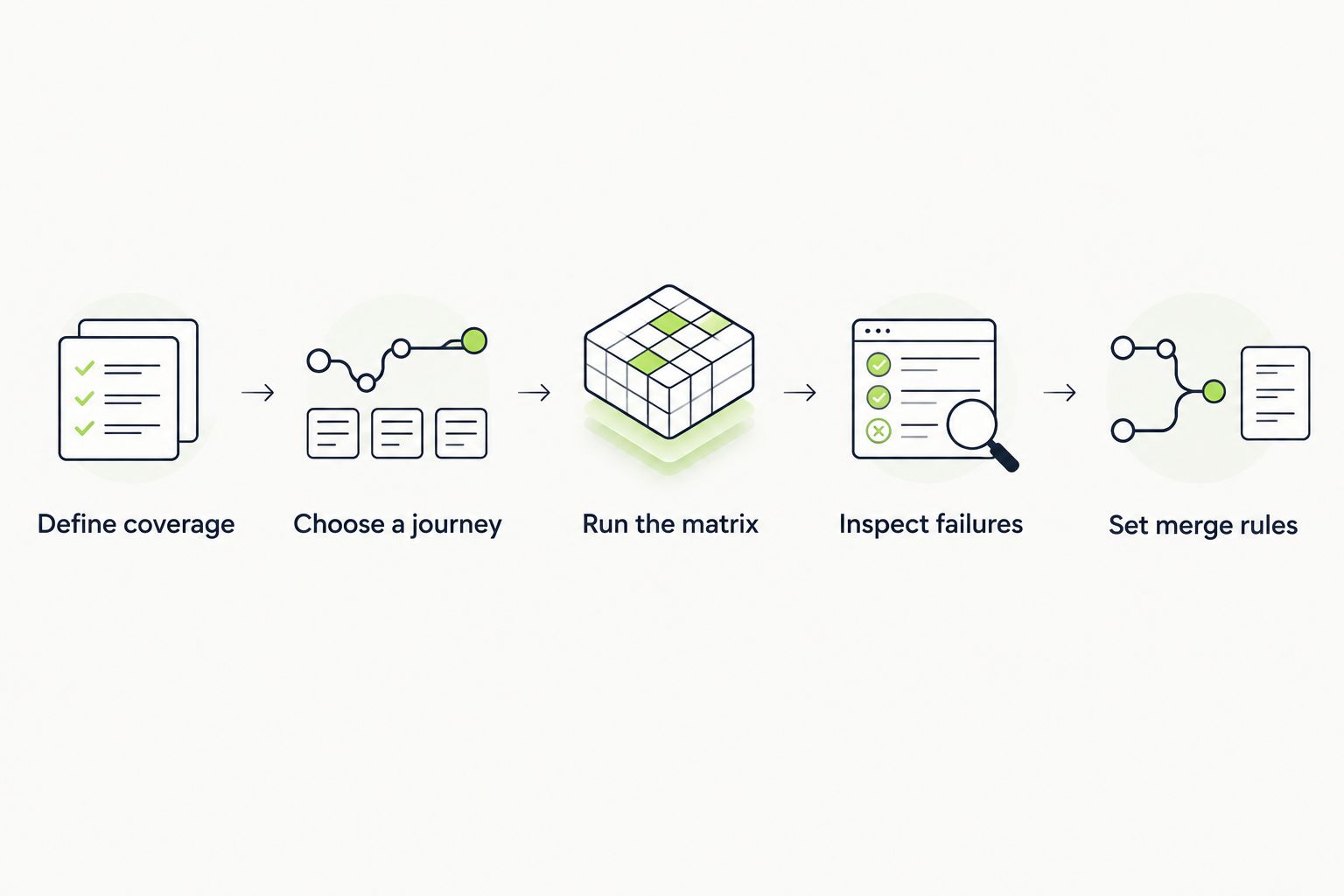
Evaluate the same workflow and expected result across every candidate.
Require 3 outcome checks in the pilot: the workflow completes, the intended state persists, and a deliberately introduced regression fails. These are evaluation requirements, not performance claims about any tool.
Do not accept a green result that only proves a button was clicked. Assert the business outcome, then confirm that a broken outcome produces a useful failure.
The 2026 ranking prioritizes browser coverage, test ownership, CI execution, debugging evidence, and regression scope. It is a use-case ranking, not a measured performance benchmark.
Playwright leads for a new code-based suite because it covers the main browser engines within one framework. BrowserStack and Sauce Labs address execution environments. Selenium fits existing WebDriver investments, while pull-request sandbox testing addresses executed regression checks before merge.
Choose Playwright if you are starting a browser suite and have engineers who will own the tests. Add a browser cloud when your support policy requires environments or physical devices outside that setup.
Keep Selenium when the existing suite works and the team can maintain it. Choose between BrowserStack and Sauce Labs by running the same representative workflow through each candidate’s required environments and failure-investigation process.
The best 2026 setup is not necessarily one tool. It is a test suite, an explicit environment matrix, and a clear rule for what blocks release.
What’s the best cross-browser testing tool for a new project?
Playwright is the default choice for a new engineering-owned browser test suite. It supports Chromium, Firefox, and WebKit; add real-device execution when your support policy requires it.
Is Playwright better than Selenium?
Choose Playwright for a new suite and retain Selenium when an established WebDriver stack meets your needs. Existing test coverage, language requirements, and maintenance ownership matter more than replacing a framework by default.
Do I need BrowserStack if I already use a test framework?
You need an additional environment provider when your framework’s current execution setup does not cover your required browsers, operating systems, or devices. BrowserStack supplies environments rather than replacing application assertions.
Does WebKit testing prove that my application works in Safari?
WebKit testing alone does not prove compatibility with every Safari environment. Validate the Safari and operating-system combinations included in your support policy.
Can TestDriver replace cross-browser testing?
TestDriver provides pull-request UI regression testing in a real desktop sandbox, not proof of compatibility across an unspecified browser matrix. Keep explicit browser and device checks for the environments your application supports.
Should cross-browser tests block every pull request?
Block pull requests on checks that are required, repeatable, and owned by the engineering team. Separate broader exploratory coverage from merge requirements so engineers know which failures demand action.
Are screenshots enough for cross-browser testing?
Screenshots alone do not establish functional correctness. Pair visual checks with assertions for user actions, persisted state, and the outcomes your application must deliver.
A test can pass in every configured browser and still miss the regression you care about. Cross-browser execution repeats your assertions; it does not improve them.
Before expanding the matrix, deliberately break the workflow your test claims to protect. If the test stays green, fix the assertion before adding another environment.
Compare ACCELQ alternatives: TestDriver for GitHub pull-request UI checks, Playwright for code-owned browser tests. See trade-offs and migration steps.
Compare testrigor alternatives: TestDriver for desktop PR testing, Playwright for coded browser tests. See trade-offs and decide what fits your team.
Compare Virtuoso QA alternatives: TestDriver for GitHub pull-request UI testing, Playwright for code-owned tests. See trade-offs and evaluation steps.
Test automation tools pricing comparison for 2026: choose by workflow fit, then compare CI execution, maintenance, and failure investigation work.
TestDriver runs every pull request in a real desktop sandbox, finds bugs, and builds regression tests - right from your repo.