Integration Testing vs End to End Testing Explained
Struggling with integration testing vs end to end testing? Discover the key differences, practical use cases, and how to build a balanced strategy.
end to end testing best practices: unlock faster, safer releases with actionable tips on test automation, data management, and coverage.
Automate and scale manual testing with AI ->
End-to-end (E2E) testing is the final gatekeeper before your code reaches users, simulating real user journeys to validate that your entire application stack works in harmony. Yet, it’s often a source of frustration, plagued by flaky results, slow execution, and high maintenance costs. The difference between a reliable E2E suite and a liability is not luck; it’s strategy. Adopting proven end to end testing best practices transforms your test suite from a brittle bottleneck into a powerful asset that builds confidence with every release.
This guide moves beyond generic advice to offer 10 actionable strategies, complete with concrete examples and modern tooling insights. Whether you are building a new test suite from scratch or optimizing an existing one, these practices will help you create a robust, efficient, and maintainable testing framework. We will cover everything from designing tests that mirror user behavior and writing stable selectors to managing test data and integrating seamlessly into your CI/CD pipeline.
To fundamentally address and fix recurring E2E test failures, a strategic shift towards earlier quality assurance is vital. Learn more about how concepts like Shift Left Testing can help your team catch issues sooner, making your E2E process smoother and more effective. By focusing on the core principles of test design, reliability, and automation, you can finally stop fighting with your tests and start depending on them.
One of the most impactful end-to-end testing best practices is shifting focus from isolated feature validation to testing complete user journeys. Instead of verifying that a single button or API endpoint works, this approach validates the entire sequence of actions a user takes to achieve a specific goal. It ensures that disparate components, services, and databases integrate seamlessly to deliver business value.
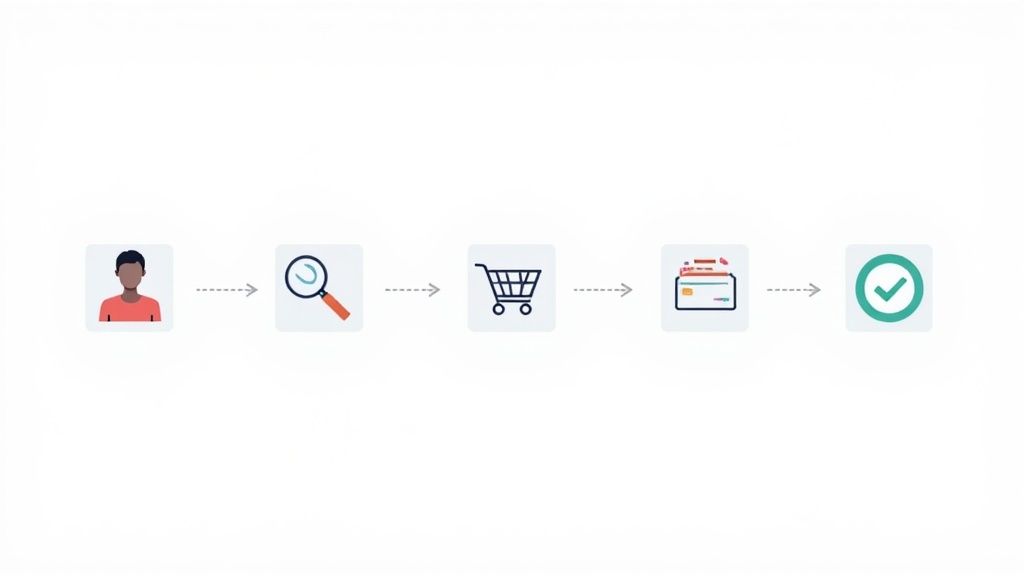
This method provides the highest level of confidence that your application functions correctly in real-world conditions. By simulating how a customer actually interacts with your product, you can uncover critical integration bugs, data consistency issues, and user experience flaws that unit or integration tests would miss.
To effectively test user journeys, start by identifying the most critical paths in your application, often those directly tied to revenue or core user engagement. Map out each step in the journey, including all inputs, actions, and expected outcomes.
One of the cornerstones of stable end-to-end testing is implementing a robust strategy for identifying UI elements. Brittle tests, which fail due to minor UI changes rather than actual bugs, often stem from unreliable element locators. Choosing the right mechanism to find buttons, inputs, and other components ensures that your automated tests are resilient, maintainable, and less prone to flakiness.
This practice involves a deliberate and hierarchical approach to selecting locators, prioritizing those that are unique, static, and decoupled from styling or structure. By collaborating with developers to add test-specific identifiers, you create a stable “test contract” with the application’s front end. This significantly reduces the time spent fixing broken tests and allows your team to focus on expanding test coverage.
data-testid="login-submit" attribute, which is added specifically for automation and is unlikely to be changed by UI redesigns.input fields via their stable name attribute (e.g., name="firstName", name="emailAddress").form#signup-form button.primary-action to uniquely identify the submission button.A successful locator strategy is a team effort. It begins with establishing a clear hierarchy of preferred locators and ensuring developers are on board with adding test-friendly attributes.
data-testid or id. They are explicitly for testing and are not tied to visual styling or element structure..css-1wh9lj7). These are the first to break. Learn more about choosing the best locator strategy on testdriver.ai.A cornerstone of scalable and maintainable UI automation is the Page Object Model (POM). This design pattern separates test logic from UI interaction details, creating an abstraction layer that makes your test suite more robust and easier to manage. Instead of embedding element locators and interaction code directly in your tests, you encapsulate them within dedicated classes representing pages or components of your application.
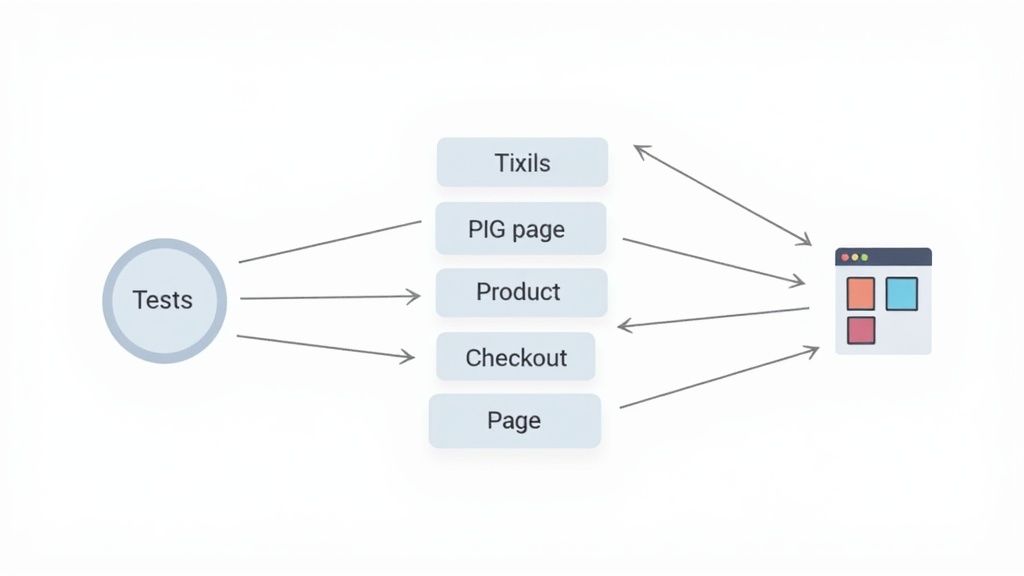
This separation is critical for long-term success. When the UI changes, you only need to update the corresponding page object class, not every single test that interacts with that UI element. This dramatically reduces maintenance overhead, prevents code duplication, and makes test scripts more readable and business-focused. It’s a fundamental practice for any serious end-to-end testing effort.
login(username, password) method that encapsulates the entire login sequence.addToCart(), selectSize(size), and getProductName(), hiding the complexity of finding and clicking specific buttons or reading text.goToProfilePage() or openCart(), which can be used across multiple tests.enterShippingDetails(addressInfo) and submitPayment(cardDetails).Adopting POM requires a disciplined approach to organizing your test automation code. The goal is to create a clear, intuitive API for your application’s UI that your tests can use.
searchForProduct(term)) rather than technical steps (e.g., typeInSearchBoxAndClickButton()).A powerful technique among end-to-end testing best practices is to implement a data-driven approach, which separates test logic from test data. Instead of hardcoding values like usernames or search terms into your test scripts, you run the same test scenario repeatedly with different inputs from an external data source. This dramatically increases test coverage without duplicating code.
This method allows you to validate system behavior against a wide range of conditions, edge cases, and user inputs efficiently. By parameterizing your tests, you can easily add new test cases just by adding a new row to your data file (like a CSV or JSON), making your test suite more robust, maintainable, and scalable.
To adopt data-driven testing, you first need to identify tests where the core logic is static, but the inputs can vary. The goal is to isolate the data so it can be managed independently from the test script.
DataProvider, JUnit’s parameterized tests, or Cucumber’s Scenario Outlines to feed data into your tests.One of the most common sources of flaky, unreliable end-to-end tests is improper handling of timing. A crucial best practice is to replace fixed, arbitrary delays like sleep() with explicit waits. Instead of pausing a test for a set number of seconds and hoping an element is ready, explicit waits poll the application for a specific condition to be met before proceeding, leading to more resilient and faster tests.

This approach synchronizes your test script with the application’s state, especially in modern web apps where content is loaded dynamically via API calls. By waiting for an element to be visible, clickable, or for an AJAX call to complete, you eliminate failures caused by race conditions, where the test script tries to interact with an element that hasn’t loaded yet. This practice makes your test suite more robust and reduces false negatives.
Effectively implementing explicit waits involves using the built-in utilities provided by modern testing frameworks. Instead of guessing how long an operation might take, you define the maximum time you are willing to wait for a specific condition.
WebDriverWait in Selenium, cy.get() with timeouts in Cypress, or page.waitForSelector() in Playwright.waitForElementToBeClickable(element)).**TimeoutException** Appropriately: Ensure your tests provide clear error messages when a wait condition fails, explaining what element or state was expected but not found.A critical best practice for modern, automated end-to-end testing is to run tests using headless browsers. A headless browser is a web browser without a graphical user interface (GUI), which executes scripts and renders web pages in the background. This approach significantly speeds up test execution and reduces resource consumption, making it perfect for integration into CI/CD pipelines where no screen is available.
By removing the overhead of rendering visual elements, headless tests run much faster than their “headed” counterparts. This efficiency allows development teams to get feedback on code changes almost immediately, enabling faster iteration and deployment cycles. Most modern testing frameworks and browsers, including Chrome, Firefox, and Edge, offer robust support for headless execution.
Integrating headless testing is straightforward with most modern automation tools. The key is to balance the speed of headless execution with the debugging benefits of a visible browser.
--headless.Integrating your end-to-end test suite directly into your Continuous Integration/Continuous Deployment (CI/CD) pipeline is a non-negotiable best practice for modern development. This transforms testing from an isolated, manual phase into an automated, continuous quality gate. By triggering tests automatically on events like code commits or pull requests, you get immediate feedback on whether a change has introduced a regression or broken a critical user flow.
This approach ensures that every change is validated against key business requirements before it merges into the main branch, dramatically reducing the risk of deploying defects to production. It makes quality a shared responsibility and empowers developers to fix issues when the context is still fresh in their minds, rather than weeks later during a manual QA cycle.
.gitlab-ci.yml configuration that defines a “test” stage, running end-to-end tests in parallel across multiple runners after the “build” stage succeeds.Integrating tests into your pipeline requires careful planning to ensure it provides fast, reliable feedback without becoming a development bottleneck. For teams looking to build out this capability, understanding the required skill set is crucial. The responsibilities often align with those outlined in a QA Automation Engineer role, which focuses on building and maintaining such robust test automation frameworks.
For a deeper dive into this topic, you can learn more about the best practices for integrating testing into your CI/CD pipeline.
A critical, yet often overlooked, end-to-end testing best practice is the rigorous management of test environments and configurations. Inconsistent environments are a primary source of flaky tests and misleading results. This practice involves abstracting environment-specific details (like URLs, credentials, and feature flags) from the test logic itself, allowing the same test suite to run reliably across different stages like local development, staging, and production.
This approach, heavily influenced by the Twelve-Factor App methodology, ensures that your tests are portable and consistent. By externalizing configuration, you prevent hard-coded values that break when an environment changes, making your test suite more robust, maintainable, and adaptable to your CI/CD pipeline.
BASE_URL) to target http://localhost:3000 on a developer’s machine and https://staging-api.example.com in the CI pipeline.Properly separating configuration from your test code is essential for creating a reliable testing framework. This allows you to promote the same tests through different pipeline stages without any code modifications.
.env, config.json).A passed or failed status is not enough; one of the most crucial end-to-end testing best practices is to generate rich, actionable test reports. Comprehensive reporting and logging transform test runs from simple binary outcomes into a treasure trove of diagnostic information. This practice involves capturing every detail of a test execution, including system state, user interactions, and application output, to accelerate debugging and provide clear insights to all stakeholders.

Effective reports are the bridge between QA and development. When a test fails, a detailed report with screenshots, video recordings, and console logs allows a developer to understand the context of the failure instantly, often without needing to rerun the test locally. This drastically reduces the mean time to resolution (MTTR) for bugs and makes the entire feedback loop more efficient.
Integrating powerful reporting is a non-negotiable step for a mature testing strategy. Most modern test automation frameworks have built-in capabilities or can be extended with popular open-source libraries.
A cornerstone of reliable and scalable end-to-end testing best practices is ensuring each test operates independently. Test isolation means that a test’s outcome is never influenced by the execution of other tests. Each test should be a self-contained unit that sets up its own environment, executes its assertions, and cleans up after itself, leaving the system in a neutral state.
This practice is crucial for several reasons. It eliminates “flaky” tests that pass or fail unpredictably based on their execution order. More importantly, it unlocks the ability to run tests in parallel, significantly reducing the overall execution time of your test suite. When a test fails in isolation, debugging is far simpler because you can be confident the root cause lies within that specific test’s scope, not in some lingering state from a previous one.
AfterEach hook ensures the mock is reset to its default state, so its behavior isn’t affected by a specific configuration from a previous test.Frameworks like Cypress, Playwright, and Selenium WebDriver provide hooks or fixtures (e.g., beforeEach/afterEach) that are perfect for managing setup and teardown logic. The goal is to make your tests stateless and idempotent.
beforeEach to create necessary data, and afterEach to clean up resources, reset mocks, or delete created entities.| Approach | Complexity 🔄 | Resources ⚡ | Outcomes ⭐📊 | Ideal Use Cases 📊 | Key Advantages 💡 |
|---|---|---|---|---|---|
| Test User Journeys End-to-End | 🔄 High, cross-component orchestration, maintenance overhead | ⚡ High, long runtimes, infra and data needs | ⭐⭐⭐⭐, validates real UX and integrations | Critical business flows, release verification | 💡 Catches integration issues; increases release confidence |
| Use Reliable Element Locators | 🔄 Medium, requires HTML/CSS/XPath knowledge | ⚡ Low, minimal infra, some maintenance time | ⭐⭐⭐⭐, fewer flaky tests; faster debugging | UI-heavy tests; selector strategy for stable automation | 💡 Reduces maintenance; improves speed and readability |
| Implement Page Object Model (POM) | 🔄 Medium, initial design and discipline required | ⚡ Medium, dev effort for abstraction classes | ⭐⭐⭐⭐, improved maintainability and reuse | Large test suites; multi-team test ownership | 💡 Encapsulation reduces duplication; easier updates |
| Implement Data-Driven Testing | 🔄 Medium, data management and validation needed | ⚡ Medium, more test runs and data handling | ⭐⭐⭐, broader coverage with same tests | Input permutations, multi-locale/currency tests | 💡 Scales coverage; non-devs can contribute datasets |
| Explicit Waits & Proper Synchronization | 🔄 Low, simple concept but needs correct use | ⚡ Low, faster than fixed sleeps, minimal infra | ⭐⭐⭐⭐, reduces flakiness; more reliable results | Dynamic content, AJAX-heavy pages | 💡 Eliminates timing issues; enables stable automation |
| Headless Browser Testing | 🔄 Low, minor configuration changes | ⚡ Low, faster execution and lower resource use | ⭐⭐⭐, faster CI runs but may miss visual bugs | CI pipelines; parallel execution at scale | 💡 Faster and cost-effective for CI; scalable |
| Continuous Integration & Automated Test Execution | 🔄 High, pipeline design and maintenance | ⚡ High, CI agents, orchestration, storage | ⭐⭐⭐⭐, early feedback; prevents regressions | PR gating, continuous delivery, nightly runs | 💡 Automates quality checks; consistent, repeatable runs |
| Test Environment & Configuration Management | 🔄 High, infra-as-code, secrets, drift prevention | ⚡ Medium, containers, config stores, orchestration | ⭐⭐⭐⭐, reproducible tests across environments | Multi-stage deployments; integration testing | 💡 Ensures consistency; simplifies deployments and security |
| Comprehensive Test Reporting & Logging | 🔄 Medium, tooling and artifact management | ⚡ Medium, storage and processing overhead | ⭐⭐⭐⭐, faster root-cause analysis; stakeholder visibility | Debugging failures, audits, release reports | 💡 Visual evidence and trends; reduces debugging time |
| Maintain Test Independence & Isolation | 🔄 Medium, careful setup/teardown design | ⚡ Medium, fixtures, isolated data, rollback | ⭐⭐⭐⭐, reliable, parallelizable, deterministic tests | Parallel CI runs; large suites requiring stability | 💡 Enables parallel execution; prevents cascading failures |
Mastering end-to-end testing is not a one-time project with a clear finish line; it’s a journey of continuous improvement. The ten best practices we’ve explored form the bedrock of a resilient, scalable, and truly effective testing strategy. Moving beyond theory requires embedding these principles into your team’s daily rituals, transforming them from a checklist into a shared mindset.
This journey begins by shifting your perspective. Instead of viewing tests as an isolated QA task, see them as an integral part of the development lifecycle. This means embracing practices like focusing on critical user journeys over exhaustive edge cases, implementing the Page Object Model (POM) for maintainability, and ensuring every test is independent and isolated to guarantee reliable results. These aren’t just technical choices; they are strategic decisions that directly impact your team’s velocity and confidence.
The true power of these end-to-end testing best practices is unlocked when they work in concert. A test suite built with reliable locators and proper synchronization mechanisms is far less likely to suffer from the flakiness that erodes trust in automation. When you combine this stability with the efficiency of headless browser testing and the power of a fully integrated CI/CD pipeline, you create a formidable quality gate.
This system provides a rapid, automated feedback loop that catches regressions before they reach production. It empowers developers to push code with greater certainty and allows QA to focus on more complex, exploratory testing. The ultimate goal is to make quality a collective responsibility, supported by a testing framework that is as robust and well-engineered as the application it validates.
Adopting all these practices at once can feel overwhelming. The key is to start small and build momentum. Choose one or two areas that represent your biggest pain points right now.
By tackling one challenge at a time, you can demonstrate tangible value and build the case for broader adoption. Measure your success not just in bugs caught, but in reduced cycle times, lower maintenance overhead, and increased developer confidence. Building a culture of quality is an incremental process, and each practice you successfully implement is a step toward creating a more resilient, efficient, and reliable development process. The investment you make in these foundational habits will pay dividends with every single deployment.
Ready to implement these end-to-end testing best practices without the steep learning curve and maintenance overhead? TestDriver uses AI to generate robust, maintainable E2E tests from simple text prompts, automatically applying principles like POM and reliable locators so your team can focus on shipping features, not writing boilerplate. Discover how you can build a world-class testing suite in a fraction of the time at TestDriver.
*Article created using *Outrank
Struggling with integration testing vs end to end testing? Discover the key differences, practical use cases, and how to build a balanced strategy.
Explore manual versus automated testing: compare use cases, ROI, and a practical framework to choose the best approach for your team.
Learn how to build a test strategy doc that aligns teams and delivers results. Get actionable steps on scope, tools, AI, and metrics.
Explore the real differences in automated vs manual testing. This guide covers practical use cases, ROI, and building a hybrid strategy that works.
TestDriver runs every pull request in a real desktop sandbox, finds bugs, and builds regression tests - right from your repo.