AI code review for open source maintainers: complete 2026 guide
AI code review open source maintainers can trust needs evidence. Compare review methods, isolate contributor code, and keep humans in control of merges.
TestDriver vs TestGrid: choose pull-request UI checks or browser and real-device coverage. Compare workflow fit, regression evidence, and CI requirements.
Automate and scale manual testing with AI ->
Choose TestDriver if your GitHub team needs pull requests exercised in a real desktop sandbox to catch UI regressions; choose TestGrid if your QA team needs browser and real-device testing infrastructure. The deciding question is whether you need feedback on a code change or coverage across execution environments.
TL;DR
A pull request can pass code review and still break a user journey. A button can become inaccessible, a dialog can hide a required field, or a workflow can stop before its final action. Reading the code and exercising the interface answer different questions.
Environment coverage addresses another problem. An application that works in one browser or device configuration still needs validation against the environments your customers actually use. That requirement does not disappear when a pull-request check passes.
For your 2026 evaluation, separate these jobs before comparing feature lists. A change-focused check and an environment-focused test matrix are different purchasing decisions. Buying one without defining the other leaves your team arguing about coverage after implementation.
| Dimension | TestDriver | TestGrid |
|---|---|---|
| Best for | GitHub engineering teams checking UI changes in pull requests | QA teams testing across browsers and real devices |
| Pull-request workflow | Automatically runs pull requests in a real desktop sandbox | Evaluate how your existing tests connect to pull-request checks |
| Environment coverage | Desktop sandbox execution | Browser and real-device testing infrastructure |
| Regression testing | UI regression detection tied to code changes | Regression execution across selected environments |
| CI fit | GitHub pull requests are central to the stated workflow | Validate the connection between your CI pipeline and test execution |
| Standout feature | Combines end-to-end testing and automated code review | Provides access to browser and device testing environments |
| Pricing model evaluation | Assess the commercial terms against pull-request workload | Assess the commercial terms against environment access and execution workload |
| Acceptance standard | Must expose an actionable regression before merge | Must reproduce the target workflow in the required environments |
The table defines the buying axis, not a measured performance ranking. Neither a larger environment matrix nor an automated pull-request run proves that your most important workflow is covered. Make both products demonstrate the failure you need to catch.
TestDriver is best for GitHub teams that need UI regression checks on pull requests. Its stated workflow automatically runs pull requests in a real desktop sandbox, pairing end-to-end testing with automated code review.
That fit matters when developers need feedback while a change is still under review. The relevant question is not simply whether a test ran. You need to know whether the changed application still completes the user action that the pull request puts at risk.
TestGrid fits a different starting point: a team deciding where its tests should execute. If you already maintain the tests and need browser or device coverage, infrastructure selection becomes the immediate job.
The tradeoff is scope. A pull-request-centered workflow does not establish support for every environment you require, while access to testing environments does not itself define which behavior each change should validate. Keep those responsibilities explicit.
TestGrid is the better fit when access to browser and real-device environments is the primary requirement. That is a concrete advantage for QA teams whose acceptance criteria name specific browser or mobile-device configurations.
Start with your supported-environment policy. List the environments that are release requirements, then identify the workflows that must pass in each. A long catalog is useful only when it includes the configurations your application needs.
A desktop sandbox answers a narrower question: how the application behaves during that sandbox run. Do not treat that result as proof of native mobile behavior or coverage across an unspecified browser matrix.
TestGrid’s tradeoff is the work surrounding the matrix. Your team still needs meaningful scenarios, controlled test data, and a rule for deciding which failures block release. More execution environments create more places to investigate; they do not supply a coverage strategy.
For a broader shortlist, compare the requirements in this guide to cross-browser testing tools.
Both approaches belong in regression testing, but neither wins merely by running a workflow. The useful result is a demonstrated difference between expected behavior and the application’s actual behavior.
Use a known regression during evaluation. For example, deliberately prevent a required confirmation step from completing in a test branch. The test should distinguish that broken branch from a working revision without relying on a human to notice the problem afterward.
Judge the result against these questions:
A run that opens the application but never reaches the affected workflow provides little protection. A failure that cannot be reproduced also creates investigation work rather than confidence. Award the regression-testing win to the demonstrated result, not the product category.
A GitHub-centered engineering team benefits from feedback attached to the pull-request process. That is where the developer, reviewer, and proposed change already meet. The stated sandbox workflow aligns directly with that decision point.
An established QA operation often starts elsewhere: existing automation, release gates, and a defined environment matrix. In that situation, evaluate TestGrid against the pipeline you already operate rather than assuming you should replace the whole testing process.
For either product, inspect the complete path from commit to decision. A successful test execution is only part of the requirement; the result must reach someone who can act on it.
Ask your team to demonstrate:
Do not award a CI win based on an integration name alone. Your workflow wins when the correct revision produces a usable result at the moment your team decides whether to merge or release.
The client platform combines automated code review with end-to-end execution in a desktop sandbox. That combination targets a specific gap: a code change needs both inspection and a check of its visible behavior.
TestGrid’s browser and device infrastructure targets the execution-environment problem. It is the stronger starting point when the central question is whether your workflow behaves correctly on a required browser or device.
Neither strength cancels the other. A code-review finding does not prove that a user journey completed, and a successful device session does not prove that every risky pull request received an appropriate test.
Use this distinction during the demo. Ask the change-focused product to expose a regression in a pull request. Ask the environment-focused product to execute the required journey in the environment that matters. Do not substitute one demonstration for the other.
For a 2026 purchase, compare the commercial model against the work you expect to run. A headline plan label does not tell you whether routine development, regression reruns, or a release-testing burst fits your agreement.
For the pull-request workflow, ask how the proposal treats execution volume, repeated runs, and team access. For the browser and device workflow, ask how the proposal treats environment access, concurrent execution, and the configurations you require. These are procurement questions, not assumptions about either vendor’s billing rules.
Predictability and flexibility are the tradeoff to resolve. Fixed capacity is easier to plan around when your workload stays within it; usage-sensitive terms require closer attention when execution demand changes. Apply that comparison only to the terms each vendor actually offers.
Include operational effort in the decision:
Choose the commercial arrangement that supports your required workflow without shifting unowned maintenance onto the team. Do not declare a pricing winner before reviewing the actual terms.
Use a bounded pilot instead of comparing unrelated demos. Give both candidates the same application behavior, expected result, and failure condition. This is a proposed evaluation plan, not a claim about setup time or product performance.
Select 3 workflows: a critical user journey, a frequently changed interaction, and a regression your team understands. Keep credentials, starting data, and expected outcomes explicit. Exclude production customer data from the evaluation.
Prepare 2 revisions: a working baseline and a deliberately broken test branch. Require each candidate to distinguish them. A product that reports the same outcome for both has not demonstrated protection against that regression.
Have an engineer who did not configure the test inspect the failure. Ask that engineer to identify the broken action and reproduce it. This checks whether the output helps the team, rather than merely making sense to its original author.
Name the person responsible for maintaining each scenario, investigating failures, and updating the required environments. Finish the pilot with an operating decision, not just a successful demonstration.
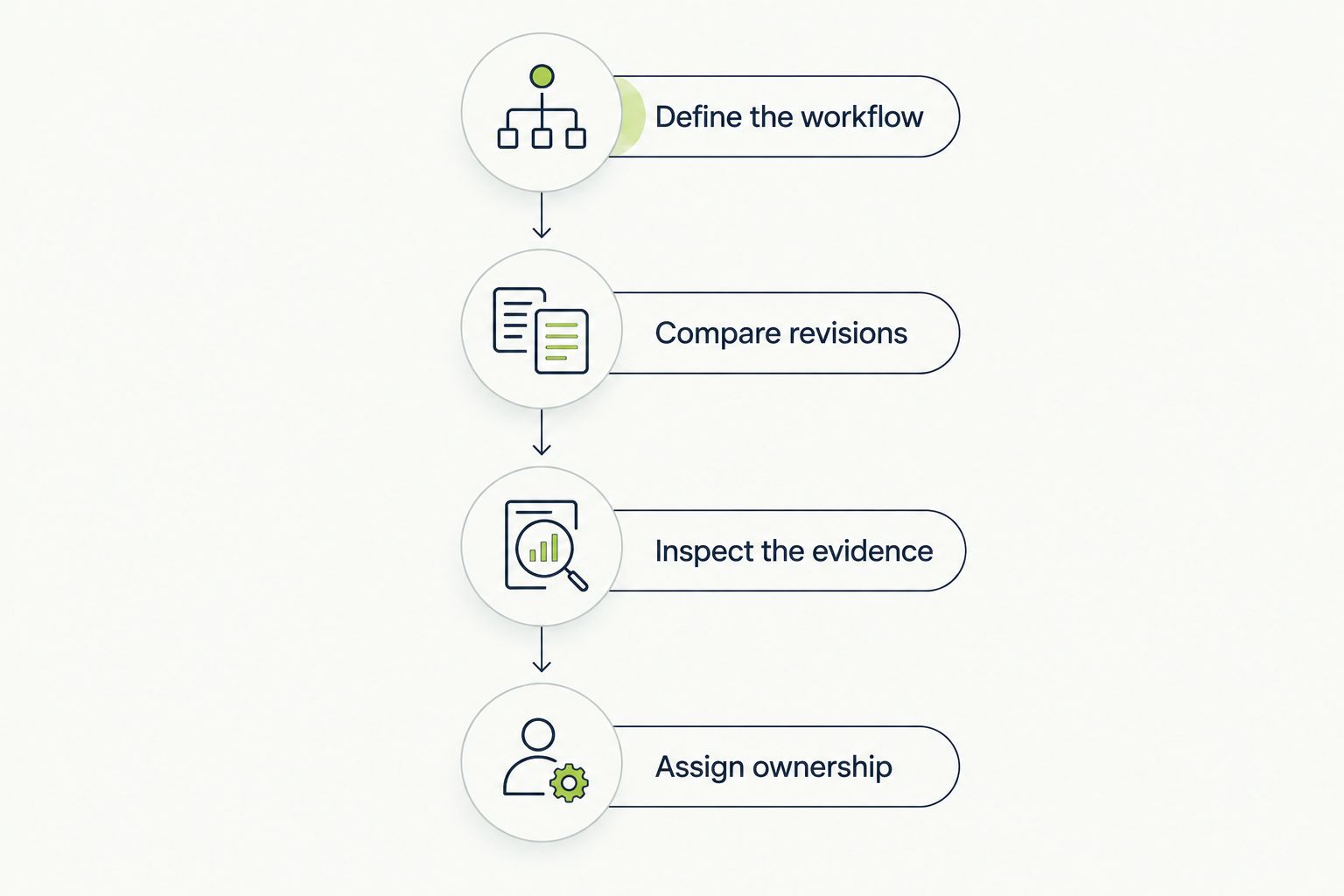
A useful pilot ends with reproducible evidence and a named owner.
The pilot exposes different strengths without pretending the products are identical. Run the change-focused evaluation through the pull-request decision, and run the environment-focused evaluation against the required browser or device. Record unresolved requirements before committing to either workflow.
Best for: engineering leads who need automated UI checks tied to code review. Choose it when the immediate problem is catching interface regressions introduced by pull requests in a real desktop sandbox.
Keep environment requirements separate. Require proof for any browser, native mobile, or other execution requirement beyond the stated workflow rather than assuming that end-to-end testing means universal coverage.
Best for: QA leads who need browser and real-device testing infrastructure. Choose TestGrid when your immediate constraint is executing meaningful tests in the environments your release policy requires.
Keep test design and release ownership explicit. Infrastructure access does not decide which user journeys matter, what constitutes a regression, or who investigates a failed run.
| Dimension | Winner |
|---|---|
| Best for GitHub pull-request checks | Client platform |
| Pull-request workflow alignment | Client platform |
| Browser and real-device coverage | TestGrid |
| Regression detection | Tie until demonstrated |
| CI fit | Tie until validated in your pipeline |
| Combined code review and sandbox execution | Client platform |
| Pricing model | No universal winner; compare actual terms |
| Acceptance standard | Tie: require reproducible evidence |
Is TestDriver better than TestGrid for GitHub pull requests?
TestDriver is the closer fit for GitHub pull-request testing because its stated workflow automatically runs pull requests in a real desktop sandbox. Choose TestGrid when browser and real-device execution coverage is your primary requirement.
Which option is better for real-device testing?
TestGrid is the better fit when real-device testing infrastructure is the requirement. Confirm the specific devices and configurations your release policy requires before choosing.
Does a desktop sandbox replace cross-browser testing?
No. A successful desktop sandbox run does not establish that an application works across every browser or device configuration you support.
Can automated code review replace end-to-end testing?
No. Code review examines a change, while end-to-end testing exercises application behavior. A review finding and a completed user journey provide different evidence.
How should I compare the commercial terms?
Compare each proposal against the same expected workload. Ask how execution, reruns, team access, environment access, and concurrency affect the agreement, then assign ownership for ongoing maintenance.
What’s the best way to evaluate regression detection?
Use a working revision and a deliberately broken test branch with the same expected workflow. Require the candidate to distinguish them and produce a failure an engineer can reproduce.
Put the known-broken branch in the demo, not just the working application. A green run shows that something completed; a controlled failure shows whether the test detects the behavior you need to protect. That distinction is more useful than another feature checklist.
AI code review open source maintainers can trust needs evidence. Compare review methods, isolate contributor code, and keep humans in control of merges.
Automated UI testing fintech teams can trust starts with PR checks. Cover payment states, permissions, test data, and failures before you merge.
Electron app visual regression testing works best with stable baselines and desktop checks. Build a pull request workflow that catches real UI regressions.
TestDriver vs ACCELQ: choose PR-centered UI checks or codeless QA suites. Compare workflow ownership, coverage, maintenance, and evaluation steps.
TestDriver runs every pull request in a real desktop sandbox, finds bugs, and builds regression tests - right from your repo.