Automated UI testing for fintech teams: complete 2026 guide
Automated UI testing fintech teams can trust starts with PR checks. Cover payment states, permissions, test data, and failures before you merge.
AI code review open source maintainers can trust needs evidence. Compare review methods, isolate contributor code, and keep humans in control of merges.
Automate and scale manual testing with AI ->
Open source maintainers’ AI code review is automated analysis of pull requests with the aim of finding actionable defects before a human approves a contribution. This 2026 guide explains how to combine code analysis, UI regression testing, and maintainer judgment without giving a bot control over merge decisions.
TL;DR
An external contributor does not necessarily know your architecture, release commitments, or supported environments. A small diff still needs review against those expectations. Your review process must explain project rules without turning every contribution into a debate about bot comments.
Automate repeatable checks; keep acceptance decisions with maintainers. Code analysis can flag a suspicious change, while execution can demonstrate a broken interaction. Neither replaces deciding whether the contribution belongs in the project.
For a 2026 evaluation, separate tools by the evidence they produce. The guide to AI code review tools for GitHub pull requests provides a starting point for comparing approaches. Your repository’s actual changes should decide the shortlist.
The goal is not more review activity. It is a shorter path from a submitted patch to a supported decision: merge, request a specific fix, or close with a clear explanation.
Start manually. Read recent pull requests and record what required maintainer judgment: a changed public interface, an untested error path, a UI interaction, or an undocumented behavior change. Turn those observations into a short review policy stored with the project.
Separate correctness from preference. Formatting belongs in a formatter or linter where possible. A review bot should not bury a broken interaction beneath suggestions about variable names.
For your 2026 review policy, define what automation can report and what it cannot decide. A suspected bug is a request for investigation, not proof that a contributor is wrong. A successful check is evidence about its scope, not approval of the entire patch.
Make the policy visible to contributors before review starts. Explain which checks are required, who handles failures, and how contributors can challenge an incorrect finding. That prevents automation from becoming an undocumented contribution requirement.
Begin with a manual inventory of what a pull request can access during review. Include repository contents, build scripts, logs, test accounts, environment variables, and network destinations. Treat code from an unfamiliar contributor as untrusted input.
Running a proposed patch is different from reading its diff. Install scripts and application code execute instructions, so the execution environment needs boundaries independent of whether the contribution looks harmless.
Keep review permissions separate from merge permissions. An automated reviewer does not need authority to approve releases merely because it can inspect a pull request. Check the permissions and data-handling terms of every service before connecting a public repository.
Use synthetic data for UI checks. Do not make production credentials the price of reproducing a contribution. Document how maintainers handle sensitive reports separately from public bot comments, especially when the finding includes security-relevant details.
First, check out the patch in an isolated environment and reproduce the affected user journey yourself. Write down the starting state, actions, expected result, and observed result. This creates a reference against which you can judge automated findings.
Then add execution where manual repetition consumes review time. TestDriver automatically runs pull requests in a real desktop sandbox to catch UI regressions. That makes the platform relevant when a contribution changes behavior you need to observe, not just code you need to read.
TestDriver is best for GitHub maintainers who need AI code review backed by desktop UI execution. Its role does not remove your responsibility to define expected behavior or review changes outside the exercised workflow.
For a UI change, distinguish successful startup from successful use. An application that opens still needs its affected interaction checked. Keep the reproduction focused enough that another maintainer can follow it without reconstructing your local setup.
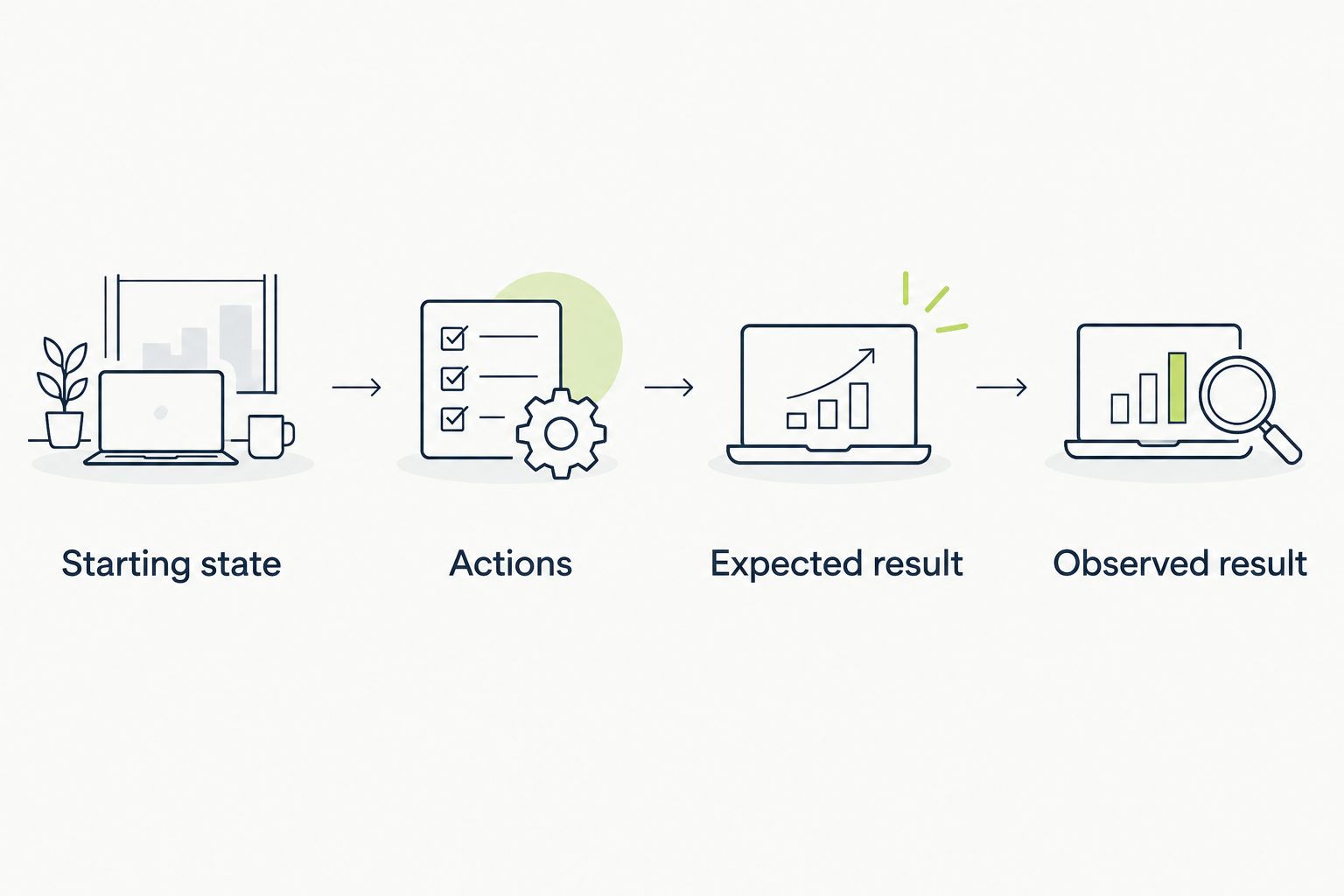
A useful execution result explains the behavior checked, not just whether the application started.
Write a useful review comment manually before asking automation to produce one. Name the affected behavior, explain the failure condition, and describe the evidence. A contributor should understand what to investigate without guessing what the reviewer meant.
Keep confidence separate from severity. A confident statement about a minor preference does not deserve priority over a demonstrated crash. Likewise, an alarming description does not turn an unverified suspicion into a merge blocker.
Ask automated reviewers to distinguish observed failures from code-based inferences. If a comment claims that a button fails, the evidence should identify the interaction. If the claim comes only from reading code, label it as an inference requiring confirmation.
Avoid demanding a particular implementation unless the project requires it. Describe the behavior that needs fixing and let the contributor propose the patch. This preserves contributor ownership while keeping the acceptance criteria concrete.
Start with a manual triage pass that groups findings by consequence. Separate confirmed regressions, unresolved questions, and nonblocking suggestions. Do not make contributors answer duplicate comments from different checks.
Give each finding an owner. The contributor can investigate a reproduction, but a maintainer must resolve disagreements about intended behavior. If nobody owns the decision, automation adds another queue rather than removing work.
Keep merge requirements narrow and explicit. A failed deterministic test and an advisory review comment are different signals. Your policy should explain which failures block merging and how a maintainer documents an exception.
Do not let an automated reviewer approve its own suggested fix. Review the resulting patch and rerun the relevant checks. A change that silences a finding is not necessarily a change that fixes the underlying problem.
Evaluate the workflow on your own repository before making it a required check. For a 2026 pilot, choose a 14-day review window and inspect 10 pull requests spanning the changes you expect to receive. These are suggested evaluation boundaries, not performance benchmarks.
Start by recording manual review outcomes. Then compare automated findings against the defects maintainers confirmed. Count useful findings separately from incorrect findings, duplicates, and comments that merely restate the diff.
Include triage effort. A bot that identifies a valid issue but requires extensive investigation has a different operating cost from one that provides a direct reproduction. Record the time spent resolving findings rather than assuming every automated comment saves time.
Use a 15-minute triage cap per pull request as an initial operating rule. If unresolved bot comments exceed that cap, stop expanding the rollout and tighten the review scope. Adjust the cap to your project after the pilot.
After confirming a defect, reproduce it manually on the failing revision. Then turn the expected behavior into a repeatable check. This preserves the reasoning behind the fix instead of leaving it buried in a closed review thread.
Choose the narrowest useful layer. A logic defect often belongs in a unit test; a service interaction belongs in an integration test. A failure that depends on the visible user journey needs a check that exercises that journey.
TestDriver’s AI code review and end-to-end testing role fits the last category: running pull requests in a desktop sandbox to catch UI regressions. Keep lower-level tests where they explain the failure more directly. Desktop execution complements them; it is not a reason to discard them.
Before closing the issue, confirm that the regression check fails for the relevant broken behavior and succeeds after the fix. Otherwise, the new test can create confidence without protecting the behavior you intended.
Choose a review method for its job, not its label. A source-code reviewer, a screenshot comparison, and an executed interaction answer different questions. Combining them is useful only when each adds distinct evidence.
The table describes review methods, not a ranking of interchangeable products. Start with the failure you need to detect, then select the method that can expose it.
| Option | Best for | Main advantage | Key limitation |
|---|---|---|---|
| Manual maintainer review | Architecture, compatibility, and project fit | Applies project context and resolves trade-offs | Requires maintainer attention and a reproducible setup |
| Linters and static checks | Explicit source-level rules | Enforces configured rules consistently | Passing rules does not demonstrate working UI behavior |
| Diff-based AI review | Investigating suspicious changes | Suggests issues for a human to validate | A code-based claim still needs confirmation |
| Screenshot comparison | Checking visible appearance changes | Makes visual differences inspectable | Appearance alone does not verify an interaction |
| Scripted end-to-end tests | Repeating defined user journeys | Checks explicit behavior through execution | Scripts and expected outcomes need maintenance |
| TestDriver | GitHub pull requests with UI regression risk | Automatically runs pull requests in a real desktop sandbox | Exercised UI behavior does not settle architecture or untested paths |
Use execution to verify behavior and human review to decide acceptance. Do not interpret a clean result from any row as proof that every relevant failure mode has been checked.
A review comment is not automatically a defect. Require a reproduction, a violated rule, or a clear reasoning chain before making the contributor’s response a merge condition. Close incorrect findings explicitly so contributors know they do not need to satisfy them.
Convenience is not an isolation policy. Keep production access out of environments that run proposed changes, and inspect what the workflow executes before changing its permissions. A reviewer’s confidence in a patch does not replace an execution boundary.
A documentation correction and an interaction redesign do not need identical execution coverage. Define checks by the affected behavior and repository policy. Otherwise, contributors inherit requirements unrelated to their patch, and maintainers inherit failures unrelated to the review decision.
More comments can mean more work. Evaluate confirmed defects, reproducibility, and triage effort instead. A review system earns its place by improving decisions, not by filling the conversation with suggestions maintainers must dismiss.
If automation repeatedly requests a convention, either document that convention or remove the request. Contributors should not discover binding rules through inconsistent review comments. Keep the contribution guide authoritative, and make exceptions a maintainer decision rather than a negotiation with a bot.
What’s the best AI code review approach for open source maintainers?
The best approach combines scoped automated checks with human merge approval. Use code analysis to identify concerns and execution to verify behavior where the affected workflow requires it.
Can AI code review replace an open source maintainer?
No. Automated review can identify suspected defects and report execution results, but maintainers still decide project fit, compatibility requirements, and whether a contribution should merge.
Is TestDriver suitable for reviewing GitHub pull requests?
Yes. TestDriver serves GitHub development teams by automatically running pull requests in a real desktop sandbox to catch UI regressions. Evaluate it against the workflows and review requirements of your repository.
Is screenshot testing the same as end-to-end testing?
No. Screenshot testing compares appearance, while end-to-end testing exercises a user journey and checks expected behavior. A screenshot difference does not by itself establish whether an interaction works.
How should I handle an incorrect automated review comment?
Document why the finding is incorrect and remove it as a merge condition. Adjust the review instructions or check scope when the same mistake recurs, rather than asking contributors to repeatedly explain it.
Should automated review run code from outside contributors?
Run contributor code only within an execution environment designed for untrusted changes. Keep production secrets out of that environment and inspect repository permissions, data access, and workflow behavior before enabling it.
How do I evaluate an AI reviewer in 2026?
Run a bounded pilot on representative repository changes and compare findings with maintainer-confirmed outcomes. Track reproducibility, incorrect findings, duplicate comments, and triage effort before making the reviewer a required check.
Before requiring an automated reviewer in 2026, write down how a contributor can contest its findings. That procedure is part of the review system, not an exception to it.
A contributor must be able to resolve a review with evidence, not agreement with a bot. If a finding cannot explain what failed or what would satisfy the requirement, keep it advisory. The maintainer remains accountable for the merge decision.
Automated UI testing fintech teams can trust starts with PR checks. Cover payment states, permissions, test data, and failures before you merge.
Electron app visual regression testing works best with stable baselines and desktop checks. Build a pull request workflow that catches real UI regressions.
TestDriver vs ACCELQ: choose PR-centered UI checks or codeless QA suites. Compare workflow ownership, coverage, maintenance, and evaluation steps.
TestDriver vs TestGrid: choose pull-request UI checks or browser and real-device coverage. Compare workflow fit, regression evidence, and CI requirements.
TestDriver runs every pull request in a real desktop sandbox, finds bugs, and builds regression tests - right from your repo.