AI code review for open source maintainers: complete 2026 guide
AI code review open source maintainers can trust needs evidence. Compare review methods, isolate contributor code, and keep humans in control of merges.
Automated UI testing fintech teams can trust starts with PR checks. Cover payment states, permissions, test data, and failures before you merge.
Automate and scale manual testing with AI ->
Fintech automated UI testing is the automated execution of financial product workflows with the aim of catching customer-facing regressions before release. Your tests must check transaction states, account permissions, and recovery behavior, not just whether a payment button responds.
TL;DR
A financial workflow can look successful while showing the wrong account, hiding a rejection, or presenting an outdated balance. Your UI suite needs to distinguish an accepted request from a completed transaction. Those are different outcomes.
For your 2026 testing plan, prioritize what customers believe happened after an interaction. A confirmation message, receipt, activity entry, and displayed balance must agree with the application’s defined transaction state.
TestDriver automatically runs pull requests in a real desktop sandbox to catch UI regressions. That execution layer addresses customer-visible behavior; it does not replace independent checks of financial calculations or authorization rules.
Make the release gate depend on the expected financial state, not the presence of a success message. This distinction sets the scope for everything below.
Start manually with your product requirements, recent defects, and a shared worksheet. List the journeys that change money, expose sensitive information, or change who can act on an account. Record the expected outcome before choosing an automation tool.
For each journey, separate the user action from the business result. Selecting a recipient is not submitting a transfer. Submitting a transfer is not settlement. Your test names should preserve those distinctions so a failed check identifies the broken transition.
Use this map to choose your first automated checks in 2026. Avoid treating every page as equally important simply because each page is easy to open.
Write the expected journey as a state sequence before recording clicks or writing scripts. A payment flow might include submission, a pending response, and a final result. Use the states your application actually supports rather than imposing a generic payment model.
For a sample transfer, define a 10 USD amount as a test fixture, not a production limit. Specify whether the interface should show that amount as pending, completed, rejected, or reversed at each checkpoint. Check the currency beside the amount as well.
The example sequence below describes a successful path. Add separate branches for rejection and interruption; do not force every scenario through a confirmation screen.
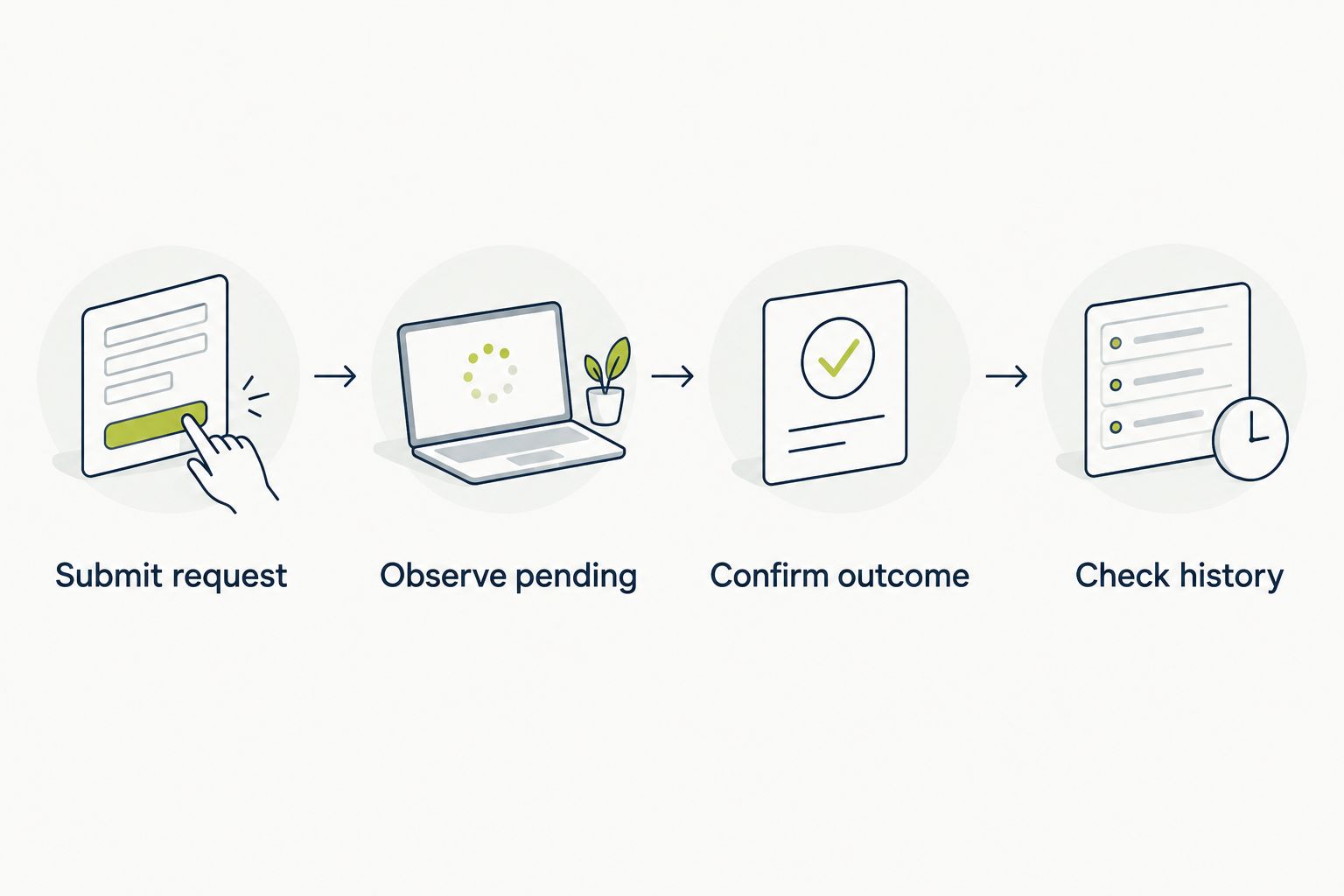
A submitted request and a completed transaction need separate assertions.
Run your first scenarios manually against a non-production build. Create synthetic users and accounts, document the starting balances, and reset the data between runs. A shared account with changing history makes failures harder to explain.
Once the journey is defined, use automated execution to repeat the check for code changes. TestDriver is best for GitHub teams that need automated UI testing of pull requests in a real desktop sandbox. Its role here is execution against the changed application, not deciding your financial acceptance criteria.
For your 2026 pull-request workflow, make the build, environment, and fixture identity explicit. A passing test against the wrong deployment does not validate the pull request under review.
Use a role matrix to describe what each user can see and do. A practical starting fixture has 3 roles: an account owner, an authorized operator, and an unauthorized user. Adapt those labels to your actual authorization model.
Check both the interface and the result of the attempted action. Hiding a transfer control is a useful UI assertion, but it does not establish that the server rejects an unauthorized request. Keep those checks connected without confusing their responsibilities.
Where sessions matter, use 2 separate sessions to test how an account change affects another signed-in user. Define the expected refresh or rejection behavior first; do not assume immediate synchronization is a product requirement.
Start with a controlled manual exercise: interrupt a response after submitting a test transaction. Observe what the customer sees and document the intended recovery path. Then automate the behavior against a predictable failure condition.
Design a scenario with 2 submission attempts for the same intended action. The expected result must follow your product’s duplicate-handling contract; do not assume disabling the button proves duplicate prevention.
For the 2026 regression suite, include ambiguous outcomes. A timeout tells the browser that it did not receive a response. It does not establish whether the backend accepted the transaction.
Review the critical screens manually before creating visual baselines. Mark which regions contain stable interface elements and which contain timestamps, generated identifiers, or account-specific content. A visual difference needs interpretation before it becomes a release blocker.
A screenshot comparison answers whether the rendered screen changed. A behavioral assertion answers whether a defined interaction produced the expected result. Neither independently proves that a ledger entry is correct.
Use the same distinction when choosing automated regression testing tools. Select execution coverage around the failure you need to detect rather than treating screenshots as a substitute for transaction assertions.
Begin with a documented checklist and a named reviewer. For each failure, capture the environment, starting data, action, expected outcome, and observed result. Automation should repeat that contract rather than create an unexplained pass-or-fail signal.
Your 2026 merge policy should identify which failures block a change and who can approve an exception. A flaky payment test needs investigation, not an indefinite exemption. Preserve the original failure when rerunning a check so a later pass does not erase the evidence.
Use operational measurements to improve the suite, but define each measurement before reporting it. A rerun-assisted pass rate and a first-run pass rate describe different behavior.
Choose your testing approach around the evidence you need. Manual exploration, scripted browser checks, screenshot comparisons, and pull-request sandbox execution serve different purposes. Use complementary checks; do not expect one execution method to establish financial correctness.
| Option | Best for | Main benefit | Key limitation |
|---|---|---|---|
| Manual exploratory testing | Investigating unfamiliar journeys and recovery behavior | Lets a reviewer investigate unexpected states directly | Does not provide repeatable unattended execution |
| Scripted browser automation | Explicit browser interaction and assertion sequences | Makes expected actions and outcomes visible in test code | Requires test implementation and maintenance |
| Screenshot comparison | Detecting changes to reviewed interface layouts | Exposes rendered differences for review | Does not establish transaction correctness |
| TestDriver | GitHub teams checking pull requests in a real desktop sandbox | Executes the changed application to catch UI regressions | UI execution does not replace ledger, security, or compliance validation |
Keep execution selection separate from test-management selection. When evaluating Jira test management tools, check whether your evaluation can trace a requirement to a test case, a particular execution, and the resulting defect. A documented case without execution evidence does not show what happened on the release candidate.
Run the same representative journey through the approaches you are considering. Compare the clarity of the failure evidence and the work required to update an intentional product change. Do not compare a manually curated demonstration against an unattended regression run and treat them as equivalent.
A confirmation screen proves that the application displayed a message. It does not independently establish settlement or final ledger state. Assert the exact status your product promises, then verify the corresponding backend evidence through a separate check.
Parallel tests that change the same balance or recipient list interfere with each other’s assumptions. Give each scenario isolated data or a controlled allocation strategy. Resetting only the browser does not reset account state.
Real names, account identifiers, and transaction histories introduce sensitive information into test artifacts. Use synthetic fixtures with realistic relationships and edge cases instead. Apply your organization’s data-handling controls to screenshots and logs as well as databases.
A second successful run does not explain why the first run timed out. Investigate whether the failure occurred before submission, after acceptance, or during status retrieval. That distinction determines whether a retry is safe under your product’s rules.
UI tests provide evidence about specified behaviors. They do not establish that every applicable legal, security, or operational requirement has been satisfied. Map relevant requirements to their own controls and evidence rather than attaching a compliance label to a green build.
What’s the best starting point for automated UI testing in fintech?
Start with a money-moving journey and define its expected transaction states. Add permissions, failure recovery, and independent backend checks before expanding to less consequential screens.
Is screenshot testing enough for a fintech application?
Screenshot testing is not enough to validate a fintech workflow. It checks rendered differences, while behavioral assertions and backend tests check actions, transaction states, and financial results.
Where does TestDriver fit in a fintech testing stack?
TestDriver provides automated UI testing and code review by running pull requests in a real desktop sandbox. Use that execution alongside separate authorization, ledger, security, and compliance checks.
Should fintech UI tests use real customer accounts?
Use synthetic accounts in isolated test environments. Real customer data introduces sensitive information into fixtures, logs, and screenshots without being necessary to define the workflow’s expected behavior.
How do you test payment timeouts without creating duplicates?
Create a controlled timeout scenario and verify the backend state before retrying. The test should assert the duplicate-handling behavior defined by your product rather than assuming the first request failed.
Which UI test failures should block a pull request?
Block a pull request when an agreed critical journey fails, such as an incorrect recipient, unauthorized action, or misleading transaction status. Assign an owner and preserve the execution evidence before rerunning the check.
Does automated UI testing prove fintech compliance?
Automated UI testing does not prove fintech compliance. It supplies evidence for specified interface behaviors, while applicable requirements need their own controls, assessments, and records.
Test the moment when the interface cannot tell the customer what happened. A pending transaction after a lost response reveals whether your product helps the customer recover or encourages another uncertain submission. Add that scenario to your 2026 release checklist before adding another happy-path screenshot.
AI code review open source maintainers can trust needs evidence. Compare review methods, isolate contributor code, and keep humans in control of merges.
Electron app visual regression testing works best with stable baselines and desktop checks. Build a pull request workflow that catches real UI regressions.
TestDriver vs ACCELQ: choose PR-centered UI checks or codeless QA suites. Compare workflow ownership, coverage, maintenance, and evaluation steps.
TestDriver vs TestGrid: choose pull-request UI checks or browser and real-device coverage. Compare workflow fit, regression evidence, and CI requirements.
TestDriver runs every pull request in a real desktop sandbox, finds bugs, and builds regression tests - right from your repo.