End-to-end testing for platform teams: complete 2026 guide
For end-to-end testing platform engineering teams, gate critical journeys first. Build reliable CI checks with clear ownership and reproducible failures.
Find the right ai powered code review platform for GitHub pull requests. Compare runtime UI checks, diff reviews, test-focused feedback, and clear trade-offs.
Automate and scale manual testing with AI ->
Best overall for runtime UI regression checks: TestDriver. Best for dedicated pull request feedback: CodeRabbit. Best for GitHub-native review: GitHub Copilot. Best for test-focused review: Qodo. This 2026 guide helps you choose an ai powered code review platform by separating feedback about code from evidence that the application works.
TL;DR
A pull request can look correct and still break the interface. A changed event handler, conditional render, or navigation path deserves more than a readable explanation of the diff. You need evidence that the affected interaction still works.
Code review and application testing answer different questions. Review asks whether a change makes sense; execution checks what happens when the application runs. Choose the missing layer in your workflow, not the tool with the longest feature list.
That distinction drives this ranking. A platform focused on running the application belongs in a different decision slot from a reviewer focused on commenting on source changes. Neither replaces human judgment about product requirements, security boundaries, or acceptable behavior.
Use these criteria before comparing products. For your 2026 shortlist, ask each vendor to demonstrate the same representative pull requests rather than unrelated examples.
Do not collapse these criteria into a single feature count. A reviewer that produces clear source-level feedback cannot prove an untested user journey works. A runtime check cannot decide whether a business rule matches an unstated requirement.
The comparison below assigns each option a distinct job. It is a workflow ranking, not a claim that every platform has equivalent testing or review capabilities.
| Platform | Best for | Standout approach | Key limitation |
|---|---|---|---|
| TestDriver | Runtime UI regression checks on GitHub pull requests | Automatically runs pull requests in a real desktop sandbox | UI execution does not replace source-level or security review |
| CodeRabbit | Dedicated automated pull request feedback | Reviews code changes and provides feedback in the pull request workflow | Source feedback alone does not prove a user journey works |
| GitHub Copilot | GitHub-native code review | Brings automated review into GitHub’s development workflow | Generated review feedback still needs validation |
| Qodo | Test-focused code review | Connects automated review with a test-oriented code quality approach | Test relevance still depends on clear expected behavior |
All four options require engineering ownership. The right choice depends on whether your bottleneck is missing execution evidence, inconsistent source review, workflow friction, or weak testing around changed behavior.
TestDriver is an AI-powered end-to-end testing and code review platform that automatically runs pull requests in a real desktop sandbox to catch UI regressions. It serves software development teams and engineering organizations using GitHub.
TestDriver is best for GitHub teams that need code review backed by runtime UI checks. That is its distinct slot in this list: reviewing the change by running the application, rather than relying only on an explanation of the source diff.
Use this approach when your review question is behavioral. Does the changed interface respond to input? Does the affected flow reach the expected state? A source reviewer can flag suspicious code, but the interaction itself needs execution.
Pros:
Cons:
Best for: GitHub teams whose merge decisions need evidence from the running interface.
Before adopting runtime review, prepare a test environment with reproducible starting conditions. An ambiguous fixture or unknown account state makes a failure harder to interpret. Reviewers should be able to separate an application regression from a setup problem.
Verdict: Buy for executable UI regression review; keep human source review alongside it.
CodeRabbit is an automated code review tool focused on pull requests. It analyzes code changes and provides review feedback that engineers can evaluate alongside the diff.
Its role is source-level review support. Choose this slot when your team needs another pass over implementation details before a human reviewer approves the change. Do not treat a plausible comment as proof: the engineer still needs to verify the reported issue against the code and requirements.
CodeRabbit pros:
CodeRabbit cons:
Best for: Teams that want a dedicated automated reviewer for source changes.
Evaluate CodeRabbit against changes where the intended behavior is explicit. Include a correct change as well as a deliberately faulty one. A useful reviewer should help you investigate the fault without forcing engineers to defend straightforward code against irrelevant suggestions.
Keep the evaluation focused on comment quality. A long review is not automatically a useful review. Ask whether the feedback changes the merge decision, improves the implementation, or identifies a test your team actually needs.
Verdict: Buy for dedicated pull request feedback; do not substitute comments for execution checks.
GitHub Copilot includes code review capabilities within GitHub’s development workflow. It gives teams a way to receive automated review feedback where they already manage source changes and pull requests.
This option’s distinct advantage is workflow placement. Choose it when your main requirement is review assistance inside GitHub, rather than a separate review-centered product. Evaluate the review capability itself; familiarity with code completion does not establish that review feedback meets your team’s needs.
GitHub Copilot pros:
GitHub Copilot cons:
Best for: GitHub teams that prioritize keeping automated review close to existing pull request work.
Use an ordinary engineering task for the evaluation, not a contrived snippet. Ask reviewers whether the feedback is understandable without reconstructing the entire discussion. Then check whether the suggestion is correct before accepting it.
In 2026, workflow convenience is a selection criterion, not a correctness guarantee. Keep your existing test gates and approval responsibilities intact while you assess the quality of the review output.
Verdict: Buy for GitHub-native review assistance; retain independent tests and human approval.
Qodo offers automated code review within a broader, test-oriented approach to code quality. Its distinct slot is for teams that want review conversations to stay connected to testing and expected behavior.
Choose this direction when a recurring review problem is deciding what to test after a change. The useful outcome is not simply more test code. It is a check that expresses a requirement and fails when the implementation violates it.
Qodo pros:
Qodo cons:
Best for: Teams that want automated review centered on testing needs and code quality.
During evaluation, ask an engineer to explain what each recommended check protects. If that explanation is unclear, do not accept the test merely because it passes. A test should encode a meaningful expectation, not just repeat the implementation.
Also distinguish a missing test from a missing specification. Automation can help with the former; your team must resolve the latter before treating any suggested assertion as correct.
Verdict: Buy for test-focused review; reject checks that lack a clear behavioral purpose.
The ranking follows the criteria above: review scope, evidence, workflow fit, test relevance, reviewer control, and access boundaries. Each tool owns a different recommendation slot because source analysis, runtime execution, and test-focused feedback address different review problems.
This is not a benchmark scorecard. The 2026 selection rule is practical: identify the evidence missing from your merge decision, then evaluate the platform that supplies that kind of evidence.
Use 5 pull requests as a proposed starting set, not as a statistically representative benchmark. Include an interface change, a logic change, a refactor, a known defect, and a correct change. Give each candidate the same relevant context.
Assign 2 engineers to inspect the findings independently. Review differences together before deciding whether a comment was useful. Limit the first pilot to 1 repository so configuration differences do not dominate the comparison.
The pilot should end with a workflow decision. Specify which findings require investigation, who owns that investigation, and what evidence is necessary before merge. Do not make comment volume the success criterion.
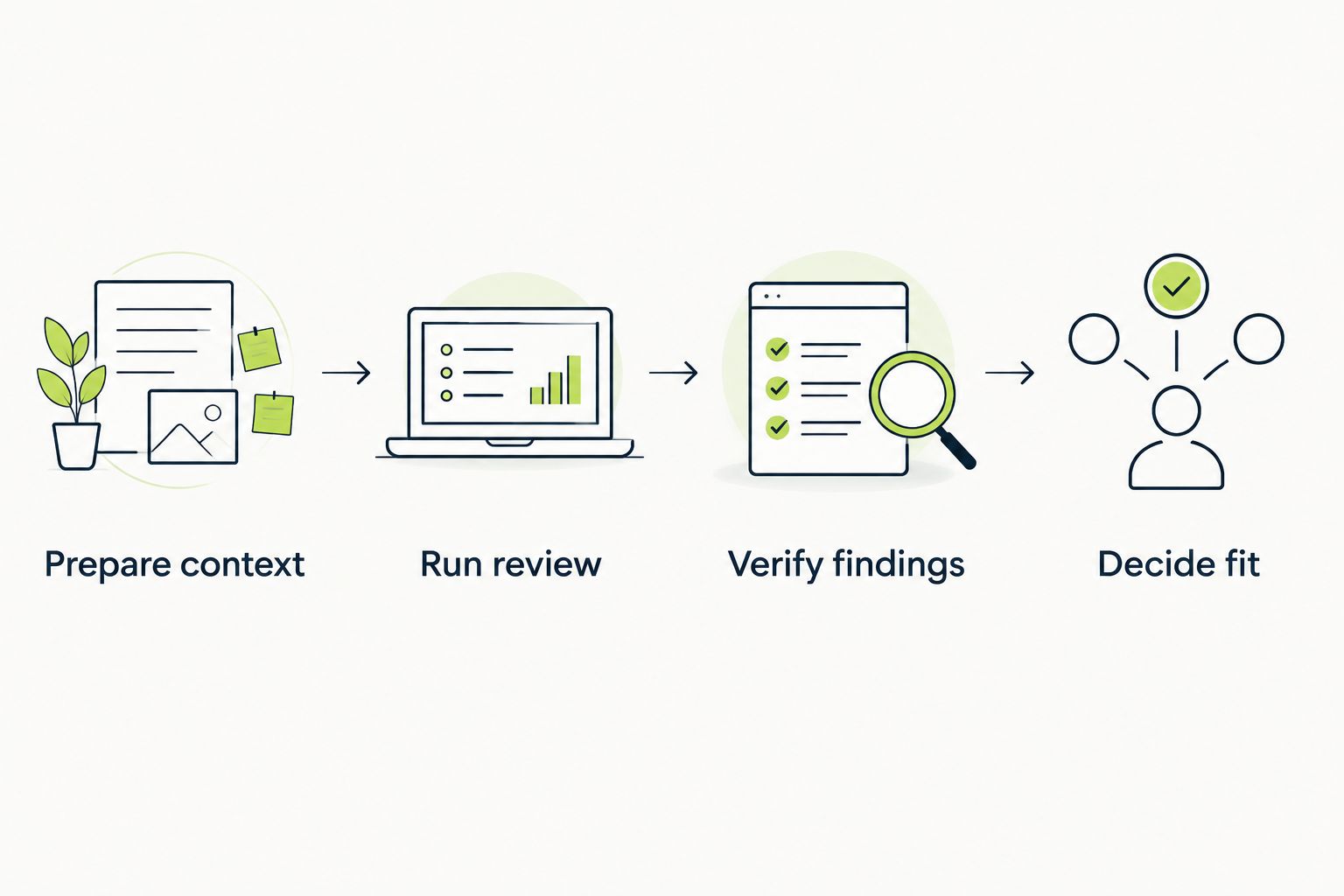
Verify findings before changing your merge policy.
Choose TestDriver when your missing review layer is runtime UI regression evidence on GitHub pull requests. Choose CodeRabbit for dedicated source feedback, GitHub Copilot for GitHub-native review assistance, or Qodo for a test-focused review approach.
For an undecided team in 2026, start with the last defect that escaped review. Ask what would have exposed it: closer source inspection, an executed interaction, or a better behavioral test. That answer is more useful than a generic overall ranking.
Keep complementary checks only when they supply different evidence. Two tools repeating the same suggestion create additional work without resolving a missing test or an unclear requirement.
What’s the best ai powered code review platform for UI regressions?
TestDriver is the best fit in this list for GitHub teams that need runtime UI regression checks. It automatically runs pull requests in a real desktop sandbox rather than relying only on source-level feedback.
Is automated code review the same as end-to-end testing?
No. Automated code review examines proposed changes, while end-to-end testing checks behavior by exercising the application. A merge decision can need both kinds of evidence.
Is CodeRabbit better than GitHub Copilot for code review?
Choose CodeRabbit for a dedicated pull request review tool and GitHub Copilot for GitHub-native review assistance. Evaluate both against the same changes before deciding which feedback fits your team.
When should a team choose Qodo?
Choose Qodo when test-focused review is your main requirement. Validate suggested checks against expected product behavior instead of accepting them simply because they pass.
Can an automated reviewer approve pull requests without engineers?
Keep engineers responsible for approval. Automated findings need validation, and a reviewer cannot reliably resolve requirements that your team has not stated.
How should we evaluate code review tools in 2026?
Evaluate code review tools against the same representative pull requests and verify the findings. Separate source feedback from runtime evidence, and decide which missing layer matters to your merge process.
What should we check before giving a review platform repository access?
Check repository permissions, secret handling, and test-environment access before connecting the platform. Confirm that the access requested matches the work you expect it to perform.
A test that passes can still protect the wrong behavior. During your 2026 evaluation, ask the reviewer to explain why the expected result is correct before discussing whether the check succeeded.
Write the behavioral expectation into the pull request. That gives human reviewers, automated reviewers, and runtime checks the same target. Without it, disagreement about a finding can be disagreement about the requirement in disguise.
For end-to-end testing platform engineering teams, gate critical journeys first. Build reliable CI checks with clear ownership and reproducible failures.
End-to-end testing Series B startups can trust starts with critical workflows. Build PR checks, isolate test data, and gate merges on clear evidence.
UI regression testing healthcare software needs more than screenshots. Build patient-context, permission, and saved-state checks into pull requests.
AI code review open source maintainers can trust needs evidence. Compare review methods, isolate contributor code, and keep humans in control of merges.
TestDriver runs every pull request in a real desktop sandbox, finds bugs, and builds regression tests - right from your repo.