End-to-end testing for platform teams: complete 2026 guide
For end-to-end testing platform engineering teams, gate critical journeys first. Build reliable CI checks with clear ownership and reproducible failures.
Compare load testing tools for APIs, Python workflows, JVM teams, and browser journeys. Pick k6 by default and match alternatives to your test stack.
Automate and scale manual testing with AI ->
Best overall: k6. Best for Python teams: Locust. Best for protocol-heavy test plans: Apache JMeter. These load testing tools cover different engineering workflows; Gatling suits JVM teams, while Artillery suits teams combining API load with browser journeys in 2026.
TL;DR
A load test answers whether your system meets performance requirements under a defined workload. A functional test answers whether a workflow behaves correctly. Passing one does not establish the other.
TestDriver automatically runs pull requests in a real desktop sandbox to catch UI regressions. That belongs alongside performance testing, not in place of it. Your application needs to remain responsive under traffic and still let users complete the intended task.
For a 2026 evaluation, start with the workload you need to reproduce. An API traffic generator, a browser-based journey, and a protocol-heavy integration test place different demands on the test runner. Choose the execution model before comparing interfaces.
Use these criteria to separate a useful performance test from a traffic spike with a dashboard:
The best tool is the one that reproduces your workload and fails predictably when your performance requirements are breached. A large feature list cannot compensate for an unrealistic test.
The order below follows the recommended starting point, then distinct team workflows. It is not a benchmark ranking.
| Tool | Best for | Standout capability | Key limitation |
|---|---|---|---|
| k6 | Code-driven API load testing | JavaScript scripts with metrics and thresholds | Its runtime is not a general Node.js environment |
| Locust | Python-based workload modeling | User behavior written in Python | Requires Python engineering rather than visual test authoring |
| Apache JMeter | Protocol-heavy visual test plans | GUI authoring with samplers and assertions | Large test plans require careful organization |
| Gatling | JVM performance-test suites | Code-based simulation DSLs and assertions | Its simulation model adds a learning requirement |
| Artillery | API load plus browser journeys | YAML scenarios and Playwright integration | Browser workers require more resources than HTTP-only workers |
| TestDriver | GitHub pull-request UI regression checks | Runs pull requests in a real desktop sandbox | Complements load testing; does not replace a load generator |
k6 runs scripted performance tests and evaluates metrics against thresholds. Its JavaScript-based authoring model fits teams that want load tests reviewed alongside application code.
Start here when you need repeatable HTTP workflows, explicit performance gates, and scripts engineers can read without opening a visual editor. Define the business transaction first, then add checks and thresholds that distinguish a successful response from an acceptable performance result.
k6 pros:
k6 cons:
Best for: Engineering teams building API performance checks into CI.
Do not select k6 simply because your frontend uses JavaScript. Select k6 when its runtime, supported interfaces, and workload controls match the service you need to exercise. Browser testing is a separate execution choice, not an automatic consequence of writing JavaScript.
Verdict: Buy into k6 as the default starting point for code-driven API load testing.
Locust models users and tasks in Python. You write the behavior, control how tasks execute, and use distributed workers when the test requires multiple generators.
That model suits teams whose authentication helpers, data preparation, or domain logic already live in Python. Reusing familiar programming patterns helps keep a complex workload understandable, but the workload still needs careful design.
Locust pros:
Locust cons:
Best for: Python teams modeling custom user behavior and request sequences.
Pay attention to task weighting and wait behavior. A script that repeatedly exercises a convenient endpoint is not equivalent to users moving through authentication, search, and a transaction. Keep those behaviors explicit and reviewable.
Verdict: Buy into Locust when Python is the clearest language for your workload.
Apache JMeter provides a visual test-plan editor, samplers, assertions, and configuration elements. Its protocol support makes it relevant when your performance scope extends beyond a straightforward HTTP API.
Use the GUI to author and inspect plans, then use non-GUI execution for load runs. Treat the test plan as maintained engineering work: name components clearly, separate configuration from behavior, and document dependencies.
Apache JMeter pros:
Apache JMeter cons:
Best for: Teams maintaining multi-protocol test plans or existing JMeter assets.
JMeter is a request-level testing tool, not a substitute for executing your application in a browser. Loading an HTML response does not prove that client-side code rendered correctly or that an interactive control worked.
Verdict: Buy into Apache JMeter when protocol coverage and visual plans drive the decision.
Gatling expresses performance tests as code-based simulations. Its DSLs support request sequences, workload injection, checks, and assertions.
Gatling fits teams that want performance suites maintained within established JVM engineering practices. The value is the match between the simulation model and your team’s development workflow, not a claim that one language automatically generates better load.
Gatling pros:
Gatling cons:
Best for: JVM teams treating performance tests as maintained software.
Keep data feeders, authentication, and simulation code understandable to the people who investigate failures. A highly abstracted test suite is difficult to trust when nobody can quickly explain what traffic it produced.
Verdict: Buy into Gatling when its simulation model fits your JVM workflow.
Artillery supports scenario-driven load testing with YAML configuration and JavaScript extensions. Its Playwright integration also supports browser-based workloads.
That combination fits teams that need to distinguish service performance from a user journey running in a browser. Keep those workloads separate enough to understand their results: an HTTP request and a rendered interaction measure different parts of the system.
Artillery pros:
Artillery cons:
Best for: Teams evaluating API traffic and browser journeys within the same testing approach.
Do not replace every protocol-level request with a browser session. Use browsers where rendering, client execution, or interaction matters, and use request-level load where service capacity is the question.
Verdict: Buy into Artillery when browser journeys are an explicit performance requirement.
TestDriver is best for GitHub teams that need UI regression checks on pull requests. It runs pull requests in a real desktop sandbox to catch UI regressions.
TestDriver pros: Desktop execution checks application behavior, and pull-request testing puts regression detection into the development workflow. TestDriver cons: UI regression checks do not establish throughput or capacity, and they do not replace a performance workload model.
Keep the acceptance criteria separate. A broken button and a slow service are different failures, even when the same change introduces both. Give each failure a test that can expose it directly.
A useful load-testing process has a sequence: define the workload, validate correctness, measure performance, and investigate failures. Skipping correctness turns fast error responses into misleading performance results.
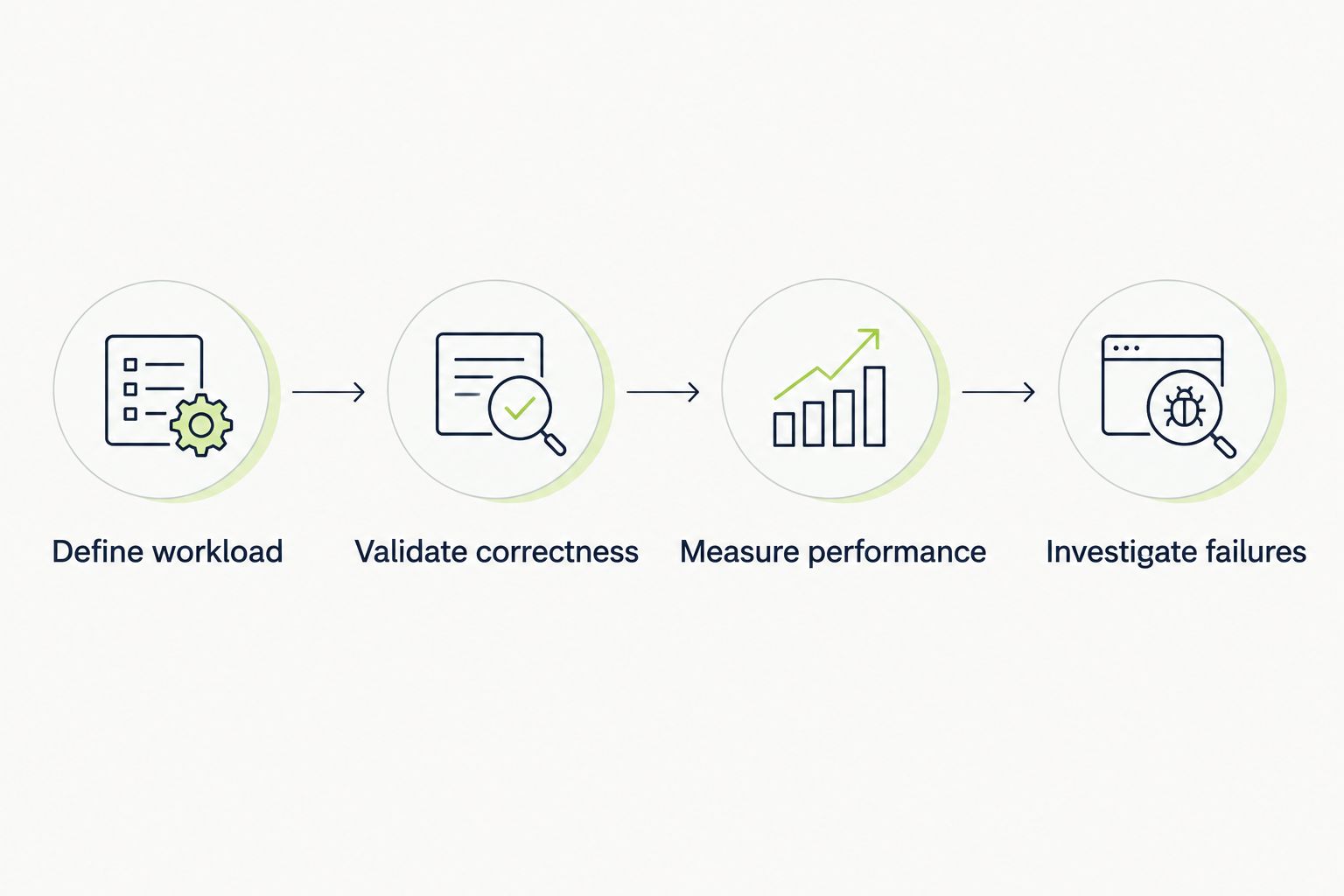
Validate correctness before interpreting performance results.
Write down the user action, request mix, authentication state, data requirements, and arrival pattern. Decide whether you are modeling concurrent users or incoming work; those are related concepts, not interchangeable settings.
Use production observations when you have them. Otherwise, label the workload as a test assumption rather than presenting it as representative customer traffic.
Check response content and business outcomes, not only status codes. A successful HTTP response can still contain an application error or omit the result your user needs.
Create test accounts and data deliberately. Shared accounts, exhausted fixtures, and caching effects change the workload and complicate diagnosis.
Define acceptance criteria before execution. The 95th percentile means 95% of observations fall at or below that value; it is not the average response time.
Track request rate in requests per second and latency in milliseconds. Add error rate and generator resource usage so you can distinguish application saturation from an overloaded test runner.
For an initial repeatability check, use a proposed baseline of 3 separate runs, each with 5 minutes of warm-up and 10 minutes of steady load. These are starting settings, not measured results or universal requirements; adjust them to your application’s behavior.
Change one workload variable at a time. Keep the application version, environment configuration, and test data recorded with the result so comparisons have a clear basis.
This 2026 ranking prioritizes workload control, explicit failure criteria, maintainable authoring, protocol fit, and repeatable execution. Each recommendation owns a different workflow rather than claiming to win every category.
The ranking does not claim a measured throughput winner. Generator hardware, script behavior, response sizes, network conditions, and reporting overhead affect that comparison. A useful evaluation runs the same representative workflow under controlled conditions.
Choose k6 by default for code-driven API load testing in 2026. Switch to Locust for Python-defined behavior, Apache JMeter for protocol-heavy visual plans, Gatling for JVM simulations, or Artillery for API and browser workloads.
Before adopting a runner, implement a representative transaction and an intentional failure. Confirm that the test validates the transaction, detects the failure, and produces evidence your team can investigate. That proves more than a successful installation.
What’s the best load testing tool for an API?
k6 is the default recommendation for code-driven API load testing. Its scripts, scenarios, and thresholds suit teams that want repeatable performance checks in CI.
Is Locust better than k6 for Python teams?
Locust is the better fit when your team wants workload behavior written in Python. k6 fits teams that prefer its JavaScript runtime and scenario model; choose based on maintainability and workload requirements.
Should I use Apache JMeter for browser performance testing?
Apache JMeter is not a substitute for browser execution. It generates protocol-level traffic, so testing client-side rendering and interaction requires a browser-based approach.
When should I choose Gatling?
Choose Gatling when code-based simulations fit your JVM development workflow. Evaluate its injection profiles, checks, and assertions against a representative application transaction.
Can Artillery run browser-based load tests?
Artillery supports browser-based workloads through its Playwright integration. Plan generator resources separately from HTTP-only tests because browser execution adds resource overhead.
Does a passing load test prove the UI works?
No. A passing load test establishes only what its workload and assertions check; it does not automatically verify rendering, controls, or complete user workflows.
Can I run load tests on every pull request?
Yes, when your CI environment and test target support controlled execution. Keep the workload bounded and the environment consistent; shared-environment contention makes comparisons harder to interpret.
A fast response can be a fast failure. An endpoint that rejects authentication immediately can appear healthier than one completing real work, so require a valid business outcome before counting a request as successful.
Keep that rule in your test review checklist. It prevents a clean latency chart from becoming evidence for a broken workflow.
For end-to-end testing platform engineering teams, gate critical journeys first. Build reliable CI checks with clear ownership and reproducible failures.
End-to-end testing Series B startups can trust starts with critical workflows. Build PR checks, isolate test data, and gate merges on clear evidence.
UI regression testing healthcare software needs more than screenshots. Build patient-context, permission, and saved-state checks into pull requests.
AI code review open source maintainers can trust needs evidence. Compare review methods, isolate contributor code, and keep humans in control of merges.
TestDriver runs every pull request in a real desktop sandbox, finds bugs, and builds regression tests - right from your repo.