Best automated testing tools for React apps in 2026
Compare automated testing tools for React apps. Choose Playwright for browser E2E, Vitest for unit tests, and Testdriver for GitHub pull-request UI regression review.
Compare test automation tools for enterprise teams. TestDriver wins for GitHub UI checks; match browser, mobile, and load tools to your release risks in 2026.
Automate and scale manual testing with AI ->
Best overall for GitHub pull-request UI checks: TestDriver. Best for code-owned browser testing: Playwright. Best for native mobile testing: Appium. This 2026 guide compares test automation tools for enterprise teams by execution scope, maintenance ownership, and the evidence each produces before a merge.
TL;DR
Enterprise testing is not one workload. A pull request can break a visible workflow, a mobile interaction, or a backend service under load. Those failures require different execution environments and different assertions.
Choose the tool that observes the failure you need to catch. A code review does not demonstrate that a screen works. A browser test does not establish backend capacity. A successful load test does not prove that a user can complete checkout.
The practical decision is which layer should block a merge, who maintains that layer, and what evidence an engineer receives when it fails.
Use these criteria for your 2026 shortlist before comparing individual products:
These criteria separate functional fit from procurement fit. A tool can execute the right tests and still fail your organization’s requirements for handling source code, credentials, or production-like data.
This 2026 comparison assigns each option a distinct job. The order prioritizes pull-request regression prevention, then broader execution needs; it is not a measured performance ranking.
| Tool | Best for | Standout capability | Key limitation |
|---|---|---|---|
| TestDriver | GitHub pull-request UI checks | Runs pull requests in a real desktop sandbox | Does not replace dedicated load-testing coverage |
| Playwright | Code-owned cross-browser regression suites | Browser automation with fixtures, assertions, and tracing | Teams maintain test code and application fixtures |
| Selenium | Existing WebDriver estates | Standardized browser automation with remote execution through Grid | Browser automation alone is not a complete test framework |
| Cypress | Browser-focused developer feedback | Interactive runner with command-level inspection | Browser scope does not cover native desktop applications |
| Appium | Native and hybrid mobile applications | Driver-based automation for mobile platforms | Device environments and platform differences require maintenance |
| Apache JMeter | Protocol-level load testing | Configurable samplers, assertions, and load scenarios | Does not render the application UI |
This platform combines AI-powered end-to-end UI testing with automated code review. It automatically runs pull requests in a real desktop sandbox to catch UI regressions, serving development teams and engineering organizations using GitHub.
That execution model addresses a specific review gap: changed code needs a runtime check, not only a source-level assessment. It belongs on the shortlist when your immediate requirement is finding UI regressions during pull-request review.
TestDriver pros:
TestDriver cons:
Best for: Engineering teams using GitHub that want application execution to inform code review.
Make a changed user journey the center of the evaluation. Ask whether the result shows what happened in the running application and whether the reviewer can act on that evidence without reconstructing the failure.
Verdict: Buy TestDriver for GitHub-centered pull-request UI testing when that is your primary coverage gap.
Playwright is a browser automation framework with a test runner, assertions, fixtures, and debugging tools. It supports 3 browser engines: Chromium, Firefox, and WebKit. That gives browser-focused teams a defined cross-engine testing surface.
Its strongest fit is an engineering organization prepared to treat regression tests as maintained software. Developers can express application-specific behavior in code, inspect traces, and keep test changes alongside product changes.
Playwright pros:
Playwright cons:
Best for: Teams that want direct control over browser assertions and test architecture.
Use Playwright when the organization can assign clear owners to test failures. Adding a framework without assigning fixture maintenance simply moves unresolved work into CI. Start with stable business outcomes, then expand coverage where browser differences create risk.
Verdict: Buy into Playwright for developer-owned browser regression testing.
Selenium provides browser automation through WebDriver. Selenium Grid distributes browser sessions across remote machines, making it relevant when an enterprise already maintains shared browser execution infrastructure.
The strongest reason to choose Selenium is continuity with a working estate, not the age of the project. Existing language bindings, internal libraries, trained maintainers, and Grid operations all matter when assessing a replacement.
Selenium pros:
Selenium cons:
Best for: Organizations with established WebDriver suites and the staff to maintain them.
Separate framework problems from suite problems before migrating. Fragile selectors, shared accounts, and inconsistent test data can survive a framework change. Replace Selenium only when the alternative solves an identified execution or maintenance problem.
Verdict: Hold a working Selenium estate; skip a rewrite justified only by a newer framework.
Cypress provides an interactive environment for browser-based end-to-end and component testing. Its command log and runner help developers inspect what happened during a test rather than relying only on a terminal result.
Choose it when the team values a browser-centered authoring and debugging workflow. The evaluation should focus on your actual application behavior, including authentication, navigation, and dependencies outside the page.
Cypress pros:
Cypress cons:
Best for: Web teams that want interactive test development close to frontend work.
Do not evaluate Cypress solely with a simple form submission. Include a representative workflow with the boundaries your application actually crosses. A pleasant authoring experience matters only if the suite can express the behaviors you need to protect.
Verdict: Buy into Cypress for browser-focused development feedback after validating application boundaries.
Appium is an automation framework that uses platform-specific drivers. For mobile testing, its established targets include 2 operating systems: Android and iOS. It supports native, hybrid, and mobile web application testing through the relevant drivers.
Appium belongs in the shortlist when the regression exists inside a mobile application rather than only in a responsive website. Device permissions, native controls, and application lifecycle behavior need platform-aware execution.
Appium pros:
Appium cons:
Best for: Mobile engineering and QA teams responsible for native application releases.
Plan ownership of the device environment before expanding the suite. An unavailable simulator and a broken login flow are different incidents; your reporting should make that distinction clear. Keep device administration separate from application assertions wherever practical.
Verdict: Buy into Appium for native mobile coverage; skip it for browser-only requirements.
Apache JMeter runs configurable test plans against services and protocols. Teams use samplers, assertions, and concurrent execution to investigate service behavior under load.
JMeter is not a substitute for functional UI automation. It answers a different question: how does a service behave when requests arrive under the workload you define?
Apache JMeter pros:
Apache JMeter cons:
Best for: Performance engineers investigating backend behavior under concurrent demand.
An HTTP 200 response code establishes protocol-level success, not a correct business outcome. Assert response content where appropriate, and separate application errors from load-generator constraints before interpreting a result. A workload without a stated purpose produces numbers without a release decision.
Verdict: Buy into Apache JMeter for load testing, not UI regression coverage.
Use a bounded pilot in 2026 rather than a feature checklist alone. Give each candidate the same application change, test environment, and expected business outcome wherever their execution scopes overlap.
A pilot should expose the work that remains after installation. Record whether each failure requires product debugging, test repair, or environment repair; those are different responsibilities.
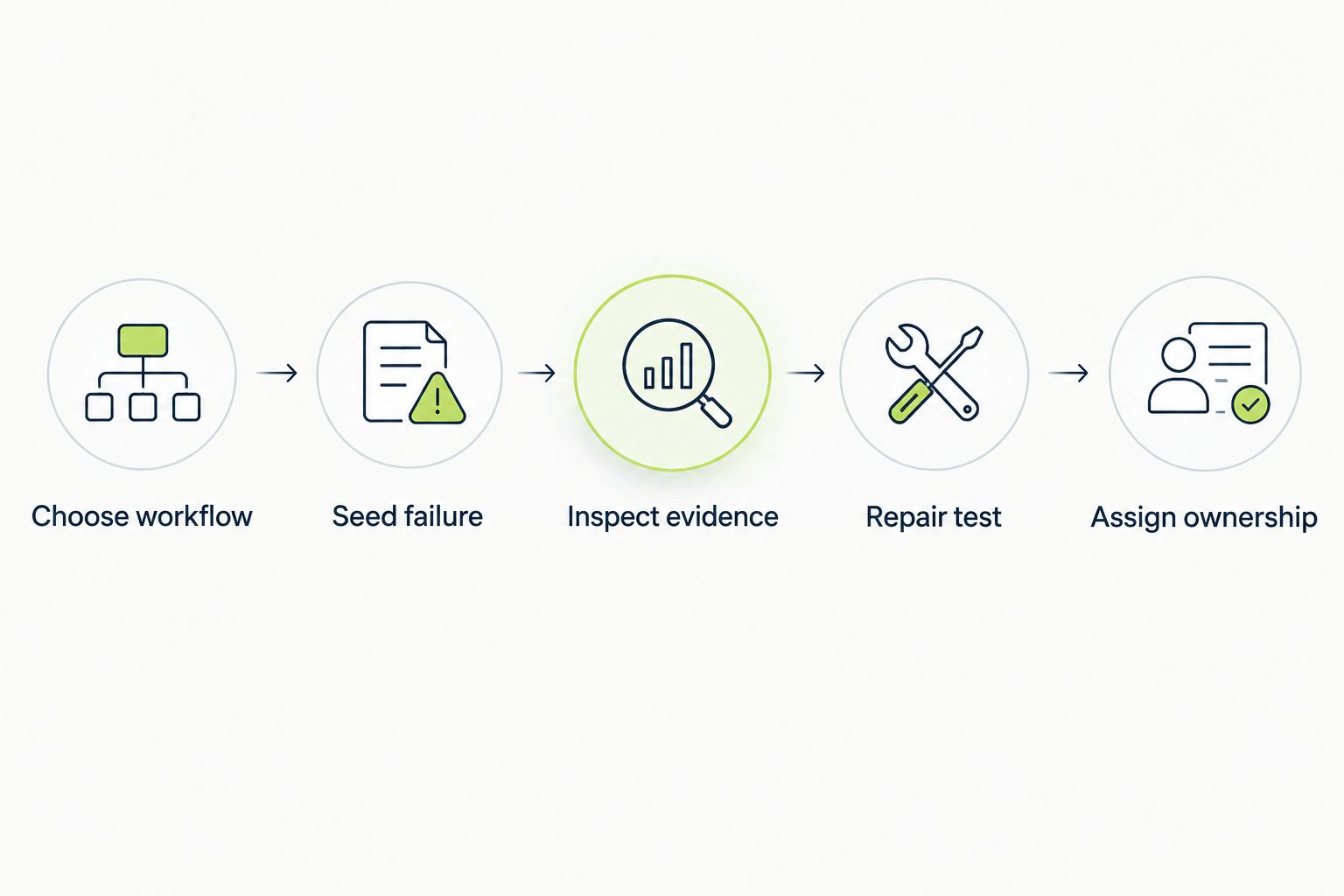
Evaluate failure detection and maintenance ownership together.
Before approval, review the permissions the tool receives and the data that enters its execution environment. Use isolated test accounts, keep credentials out of test source, and confirm how your organization will handle sensitive artifacts. These are acceptance checks, not capabilities to assume from a product category.
This ranking uses execution scope, failure evidence, ownership, CI fit, enterprise controls, and repeatability. It does not claim hands-on benchmark results or measured differences in detection rate.
For the 2026 shortlist, pull-request UI checking receives the first slot because it directly addresses the GitHub review workflow described here. The remaining tools win distinct jobs. Appium is not a lower-quality browser framework, and JMeter is not a lower-quality UI runner; neither is competing for that role.
Default to the tool that closes your nearest release-risk gap. Choose pull-request sandbox execution for runtime UI evidence during review, Playwright for code-owned browser assertions, and Appium for native mobile behavior.
Keep Selenium when the existing estate works. Choose Cypress when its interactive browser workflow fits your application. Add Apache JMeter when the unanswered question concerns service behavior under load.
For 2026, avoid replacing several testing layers with one procurement label. Enterprise coverage requires explicit boundaries: what executes, what gets asserted, and who investigates a failed gate.
What’s the best test automation tool for enterprise teams using GitHub?
For GitHub teams prioritizing pull-request UI checks, choose a platform that executes the changed application in a real desktop sandbox. Evaluate the failure evidence on a known regression before making it a merge gate.
Is Playwright better than Selenium for enterprise testing?
Playwright is the stronger shortlist candidate for a new code-owned browser suite that wants an integrated runner and tracing. Selenium remains a valid choice for an established WebDriver estate with working infrastructure and experienced maintainers.
Should enterprise teams choose Cypress or Playwright?
Choose Cypress for an interactive browser-focused development workflow, or Playwright for a code-owned cross-browser suite. Validate authentication, navigation, and external application boundaries with the same representative journey before deciding.
Can browser automation replace native mobile testing?
Browser automation cannot establish that native mobile controls and application lifecycle behavior work correctly. Use platform-aware testing such as Appium when those behaviors are part of your release requirements.
Can Apache JMeter replace end-to-end UI tests?
Apache JMeter cannot replace end-to-end UI tests because it does not render and interact with the application interface. Use it for protocol-level load scenarios and keep visible workflow assertions in a UI testing layer.
What enterprise controls should a testing evaluation include?
Evaluate access permissions, secrets handling, execution isolation, data retention, and audit requirements. Confirm each requirement against the proposed deployment and contract rather than assuming it from the enterprise label.
How do you compare automation tools without a misleading benchmark?
Use the same representative workflow and known regression where tool scopes overlap. Compare failure evidence, test repairs, environment work, and ownership rather than ranking tools by an unsupported speed claim.
A green run is useful only when the test can fail for the right reason. Before promoting a new suite to a required CI check, deliberately break the behavior it claims to protect. If the suite stays green, fix the assertion before adding more tests.
Compare automated testing tools for React apps. Choose Playwright for browser E2E, Vitest for unit tests, and Testdriver for GitHub pull-request UI regression review.
Compare test automation tools for startups. Pick pull-request UI checks for regression coverage, then match browser, unit, Python, and mobile tools to your stack.
Compare automated regression testing tools for 2026. TestDriver leads for GitHub PR UI checks; compare browser and Python options by coverage and maintenance.
Compare browser automation testing tools for 2026. Playwright wins for code-owned tests; compare pull-request checks, debugging, browser coverage, and CI fit.
TestDriver runs every pull request in a real desktop sandbox, finds bugs, and builds regression tests - right from your repo.