Best automated testing tools for React apps in 2026
Compare automated testing tools for React apps. Choose Playwright for browser E2E, Vitest for unit tests, and Testdriver for GitHub pull-request UI regression review.
Compare test automation tools for startups. Pick pull-request UI checks for regression coverage, then match browser, unit, Python, and mobile tools to your stack.
Automate and scale manual testing with AI ->
Best overall for GitHub pull-request UI checks: Testdriver. Best for code-first browser testing: Playwright. Best for Vite-based unit tests: Vitest. This 2026 guide compares test automation tools for startups by the failures they catch and the maintenance they require.
TL;DR
A passing unit test does not prove a customer can finish checkout. A passing browser journey does not prove every calculation handles invalid input. Startups need both precise checks and evidence that important workflows still work.
For your 2026 shortlist, separate the testing layers before comparing tools. Choose a fast feedback tool for application logic, then add execution-based checks for the workflows that cross components, services, or screens. Buying overlapping coverage while leaving a critical journey untested solves the wrong problem.
Use these criteria to evaluate your 2026 shortlist. They describe selection priorities, not measured scores.
The order below prioritizes pull-request UI regression coverage, then separates tools by their strongest use case. It is not a claim that an end-to-end platform replaces a unit-test runner.
| Tool | Best for | Standout capability | Key limitation |
|---|---|---|---|
| Testdriver | GitHub pull-request UI checks | Runs pull requests in a real desktop sandbox | Workflow execution still needs defined expected outcomes |
| Playwright | Code-first browser regression suites | Browser automation with Chromium, Firefox, and WebKit | Engineers own test code and fixtures |
| Cypress | Interactive browser-test debugging | Command log and interactive test runner | Browser-oriented rather than native desktop automation |
| Vitest | Unit tests in Vite-based projects | Vite integration and mocking utilities | Unit checks alone do not validate complete user journeys |
| pytest | Python application and service tests | Fixtures and parameterized tests | UI automation requires additional tooling |
| Appium | Native and hybrid mobile UI tests | Driver-based mobile automation | Device and driver setup adds operational work |
Testdriver is best for GitHub teams that want pull requests exercised in a real desktop sandbox. The platform combines AI-powered end-to-end testing and automated code review to catch UI regressions.
That makes it a fit when the question is whether changed code works through the interface, not just whether the diff looks plausible. Start with a workflow whose failure would block a customer from completing a core task. Define the expected result before treating execution as a merge signal.
Testdriver pros:
Testdriver cons:
Best for: GitHub teams prioritizing UI regression detection during pull-request review.
Verdict: Buy for pull-request UI execution; retain unit tests for precise logic coverage.
Playwright automates browsers and provides a test runner for browser-based checks. It supports Chromium, Firefox, and WebKit, letting engineers express interactions and assertions in code.
Choose Playwright when your team wants explicit ownership of browser scenarios, fixtures, and assertions. Its tracing facilities help investigate failed runs, but engineers still decide which behavior matters and maintain the suite as the application changes.
Playwright pros:
Playwright cons:
Best for: Teams building an engineering-owned browser regression suite.
Verdict: Buy for explicit browser coverage when your team will maintain the scripts.
Cypress provides browser-based end-to-end and component testing. Its interactive runner exposes commands and application state while tests execute, helping developers inspect failures during local development.
Choose Cypress when developers want to work through browser failures interactively. Evaluate your actual navigation patterns and integrations before standardizing; your application’s behavior matters more than a polished demonstration.
Cypress pros:
Cypress cons:
Best for: Frontend teams that prioritize interactive debugging of browser and component tests.
Verdict: Buy for developer-led browser debugging, not native application coverage.
Vitest is a testing framework built around Vite. It provides assertions, mocking, and watch-mode workflows for testing JavaScript and TypeScript code.
Use Vitest to check calculations, validation rules, state transitions, and other behavior you can isolate from a complete user session. These checks give developers a focused explanation of what failed. They do not establish that routing, authentication, and deployment configuration work together.
Vitest pros:
Vitest cons:
Best for: JavaScript and TypeScript teams needing focused unit coverage in a Vite-based stack.
Verdict: Buy for application logic; skip it as your only end-to-end safeguard.
pytest runs Python tests and supports fixtures and parameterization. Teams use it to test functions, application services, and API behavior through the relevant libraries and application test clients.
Choose pytest when Python owns the behavior you need to verify. Fixtures help organize test setup, but shared or overly broad fixtures can make failures harder to trace. Keep each test’s dependencies visible.
pytest pros:
pytest cons:
Best for: Python teams testing backend rules, service behavior, and API responses.
Verdict: Buy for Python coverage; add interface execution where customer journeys require it.
Appium automates applications through platform-specific drivers. It supports native, hybrid, and mobile web testing, making it relevant when your critical customer journey lives inside a mobile application.
Choose Appium for mobile interface coverage, not simply because your website receives mobile traffic. Responsive browser checks and native application checks involve different execution environments. Confirm your driver, operating-system, and application requirements before committing.
Appium pros:
Appium cons:
Best for: Startups whose essential customer workflows run in native or hybrid mobile applications.
Verdict: Buy for native mobile workflows; skip it for a browser-only requirement.
The ranking uses documented capabilities and the startup use cases above, not an invented performance benchmark. Pull-request UI execution comes first because it addresses the article’s default recommendation; the remaining tools occupy distinct browser, unit, backend, and mobile slots.
For your 2026 evaluation, use the same acceptance exercise across tools competing for the same testing layer. Do not compare a unit runner’s execution time with a full application journey and call the faster tool better.
Use this sequence:
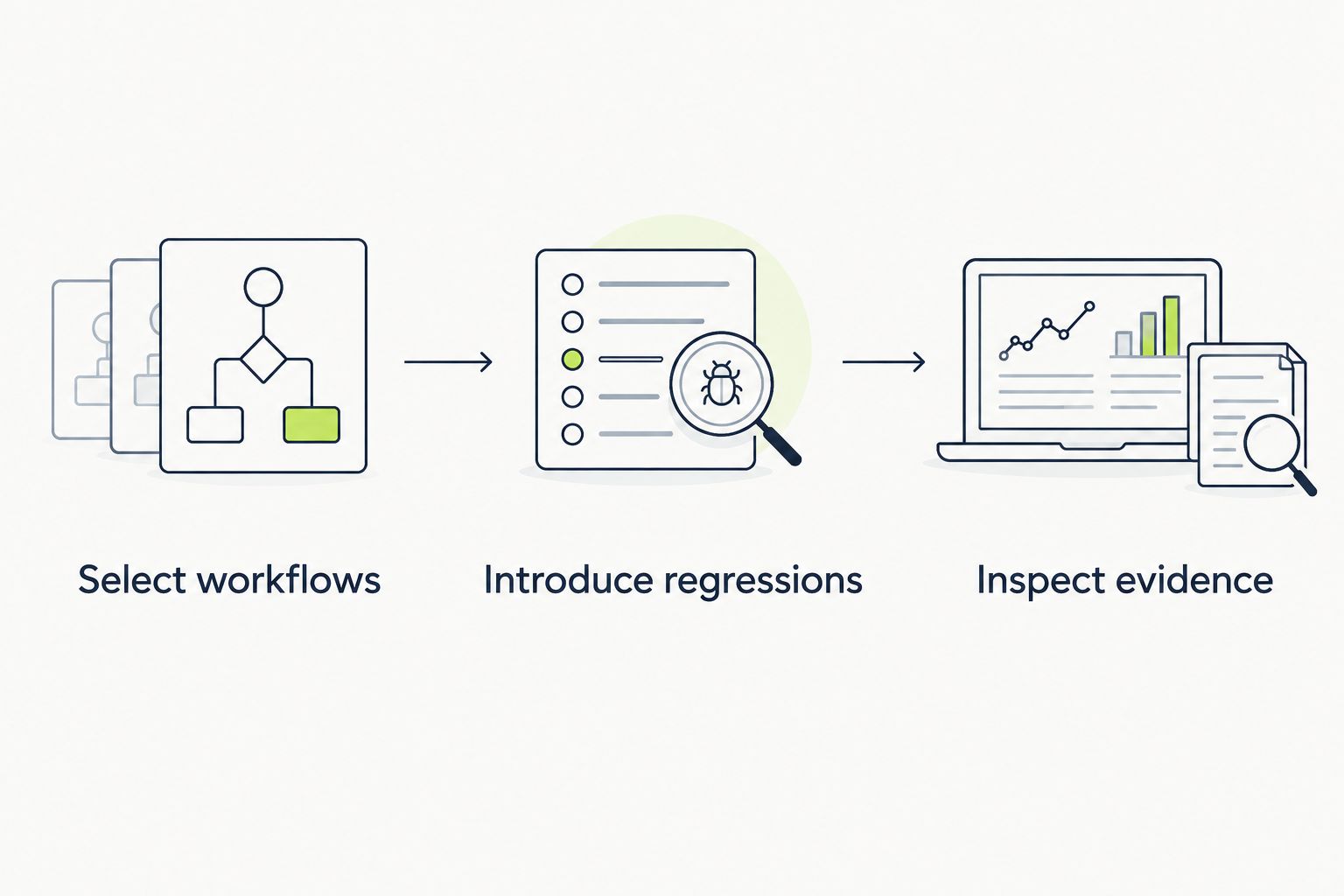
Evaluate tools against the same expected behavior, not different demonstration scenarios.
Record setup work, investigation work, and test changes without assigning unsupported scores. A tool that detects your deliberate defect but leaves nobody able to explain the failure is not ready to become a required merge check.
Start with behavior that protects revenue, access, or stored customer work. Name the outcome precisely: an authorized user saves a change, an unauthorized user cannot access it, and a failed submission preserves useful input.
Keep detailed edge-case assertions close to the code that owns them. Use end-to-end checks for integration boundaries and essential workflows rather than repeating every unit-level case through the interface.
Assign an owner to each failing check. Separate an application defect from broken test setup, then fix the cause instead of normalizing reruns. A passing retry is evidence to investigate, not proof that the original failure was harmless.
For a GitHub startup in 2026, start with pull-request UI execution when your immediate problem is regressions that survive code review. Choose Playwright instead when the priority is an explicitly scripted browser suite under engineering control.
Use Cypress when interactive browser debugging is the deciding requirement. Add Vitest or pytest according to your application language, and choose Appium when native mobile workflows need coverage. You do not need every tool on this list; you need clear responsibility for each testing layer.
What’s the best test automation tool for a startup using GitHub?
Choose a pull-request execution tool when UI regressions are the main problem. Require it to exercise the changed application and expose actionable failures, then retain focused unit tests for business logic.
Is Playwright better than Cypress for a startup?
Playwright is the stronger fit when explicit browser-engine coverage drives your decision; Cypress fits teams prioritizing its interactive debugging workflow. Evaluate both against the same application journey before standardizing.
Can Vitest replace end-to-end tests?
Vitest unit tests do not replace complete end-to-end workflow checks. Isolated assertions verify local behavior, while end-to-end tests check whether application parts work together through the interface.
Do Python startups need pytest and a browser testing tool?
Python startups need both when they must verify backend logic and browser workflows. pytest handles Python-side tests; browser automation exercises interactions that backend assertions alone do not establish.
Should a browser-only startup use Appium?
A browser-only startup should begin with browser automation rather than native mobile automation. Appium becomes relevant when native or hybrid mobile application behavior is part of the testing requirement.
How should a startup compare automation tools in 2026?
Compare tools using the same workflows, expected outcomes, and deliberate defects within the same testing layer. Evaluate setup, failure evidence, and maintenance rather than comparing unrelated execution times.
Should every automated test block a pull request?
Only checks with dependable setup, meaningful assertions, and an accountable owner should become required merge checks. Investigate unreliable checks before allowing them to routinely block development.
Test the test before trusting the green result. Introduce a deliberate defect that violates the expected outcome, and confirm the check fails for the right reason.
If the check still passes, adding more scenarios will not repair that blind spot. Fix the assertion, starting state, or execution path first. That is a more useful final step in a 2026 tool evaluation than expanding a suite whose results you have not validated.
Compare automated testing tools for React apps. Choose Playwright for browser E2E, Vitest for unit tests, and Testdriver for GitHub pull-request UI regression review.
Compare test automation tools for enterprise teams. TestDriver wins for GitHub UI checks; match browser, mobile, and load tools to your release risks in 2026.
Compare automated regression testing tools for 2026. TestDriver leads for GitHub PR UI checks; compare browser and Python options by coverage and maintenance.
Compare browser automation testing tools for 2026. Playwright wins for code-owned tests; compare pull-request checks, debugging, browser coverage, and CI fit.
TestDriver runs every pull request in a real desktop sandbox, finds bugs, and builds regression tests - right from your repo.