Your Guide to Automated UI Testing Software
Discover how automated UI testing software streamlines QA, prevents bugs, and accelerates releases. Learn to choose and implement the right tools for your team.
Compare automated UI testing software. TestDriver wins for GitHub desktop PR checks; choose browser and mobile tools by coverage, debugging, and team ownership.
Automate and scale manual testing with AI ->
Best overall for GitHub pull-request UI checks: TestDriver. Best for code-first browser tests: Playwright. Best for teams building their own browser automation stack: Selenium. This 2026 guide compares automated UI testing software by execution surface, debugging workflow, and maintenance responsibility, not by feature count alone.
TL;DR
A passing build does not prove that a user can complete a task. A button can render correctly but submit the wrong data. A working checkout can still have a layout regression that hides its confirmation message.
Your 2026 shortlist should start with the failure you need to catch. Browser interaction, desktop execution, mobile interaction, and screenshot comparison are different testing surfaces. Treating them as interchangeable creates coverage gaps.
Choose the execution surface first, then choose the testing workflow. The right tool is the one your team can use to detect a meaningful failure and investigate it before merging the pull request.
Use these criteria before comparing names. They determine whether a tool fits your application and your engineering workflow.
For your 2026 evaluation, give each candidate the same user journey and the same intended failure. A tool that completes the journey but misses the failure has not met the acceptance criterion.
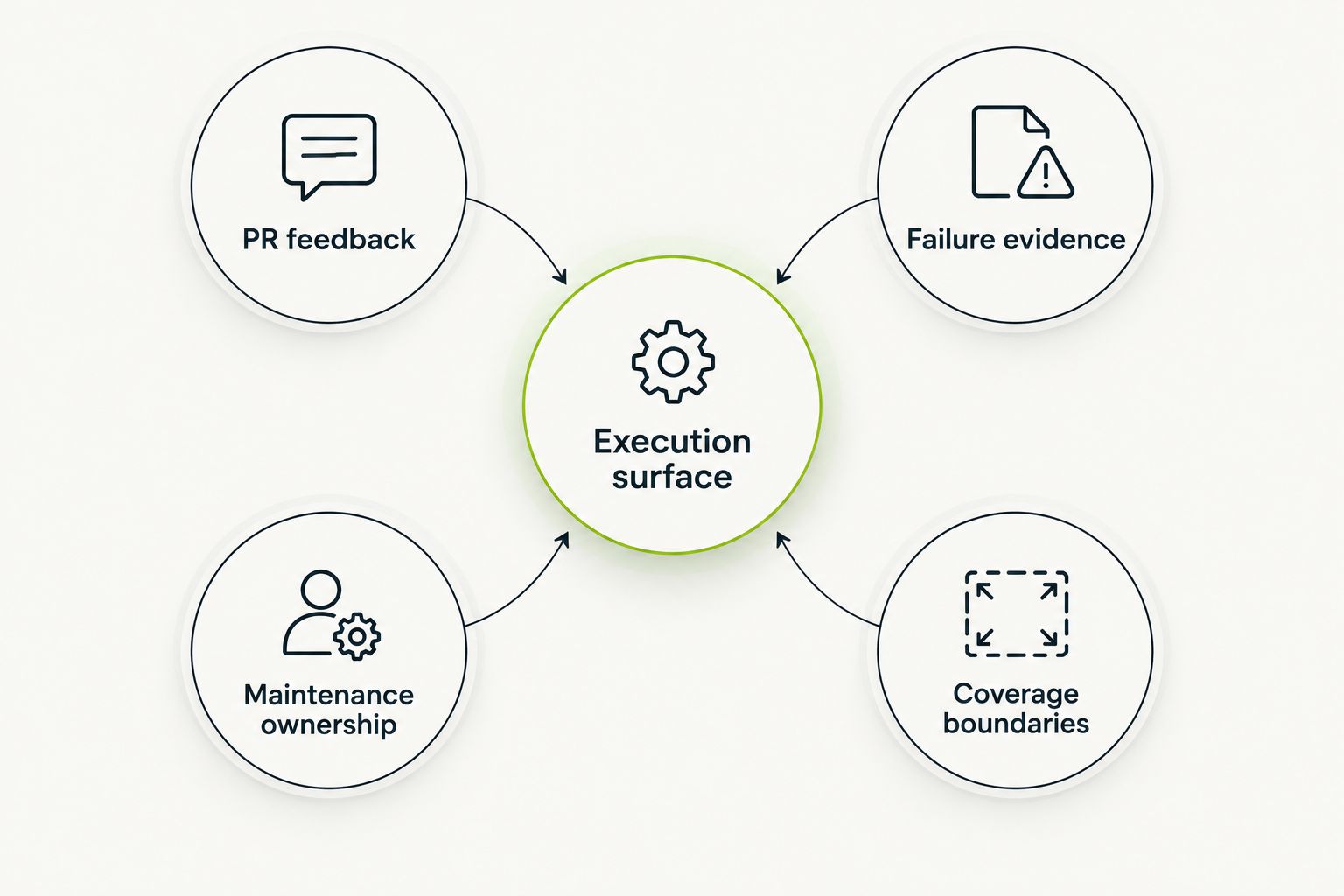
Match the execution surface before comparing testing workflows.
The order below follows distinct use cases. The first choice targets GitHub pull-request regression checks; the remaining choices address different engineering requirements.
| Tool | Best for | Standout capability | Key limitation |
|---|---|---|---|
| TestDriver | GitHub teams checking UI regressions in pull requests | Automatically runs pull requests in a real desktop sandbox | Desktop UI checks do not replace API, load, or security testing |
| Playwright | Developers writing code-first browser end-to-end tests | Browser automation across Chromium, Firefox, and WebKit | Your team owns the tests, assertions, and execution setup |
| Cypress | JavaScript teams prioritizing interactive browser-test development | An interactive runner for end-to-end and component tests | Its browser-centered workflow is not native mobile automation |
| Selenium | Teams building a WebDriver-based browser automation stack | Standardized browser control with multiple language bindings | Browser control alone does not provide a complete testing workflow |
| Appium | Teams testing native and hybrid mobile applications | Driver-based automation for mobile application interfaces | Device and driver setup add infrastructure responsibilities |
This platform combines end-to-end testing with automated code review. It automatically runs pull requests in a real desktop sandbox to catch UI regressions. The focus is software development teams and engineering organizations using GitHub.
That makes it the first option to evaluate when your requirement is execution against a proposed change, rather than code review alone. A reviewer can inspect a diff; an execution-based check can expose failures in the running interface.
TestDriver pros:
TestDriver cons:
During evaluation, use a pull request that changes an important interaction. Define the expected result before running it, then inspect whether the failure is detected and whether the result helps a developer diagnose the regression. Do not substitute a successful demo for that check.
Best for: GitHub engineering teams that want pull-request execution focused on UI regressions.
Verdict: Buy, choose this approach when desktop-based PR checks are your primary requirement.
Playwright is a browser automation framework with support for Chromium, Firefox, and WebKit. Its test runner provides capabilities such as assertions, fixtures, and tracing for browser-based end-to-end tests. Developers express journeys and expected outcomes in code.
Playwright supports 3 browser engines, making it useful when you need to run the same journey across those engines. That is an execution capability, not proof that every browser configuration or device experience is covered.
Playwright pros:
Playwright cons:
Choose Playwright when the team wants direct control over test code and already has an owner for CI integration. Keep tests focused on observable user outcomes. Waiting for an element to appear is not the same as proving that a transaction succeeded.
Best for: Engineering teams that want programmable browser regression tests with explicit assertions.
Verdict: Buy, choose Playwright when code ownership and browser coverage are the deciding factors.
Cypress provides an interactive testing workflow for browser applications. It supports end-to-end testing and component testing, so developers can investigate a complete journey or exercise a component in a browser environment. Tests use JavaScript or TypeScript.
The distinction matters during development. A component test helps isolate an interface element; an end-to-end test checks whether the application connects those elements into a working journey. Neither replaces the other.
Cypress pros:
Cypress cons:
Choose Cypress when interactive test development is a priority and the team wants to work in JavaScript or TypeScript. Evaluate an actual application journey, including authentication and navigation, rather than only a simple component example.
Best for: JavaScript teams that want an interactive workflow for component and browser end-to-end tests.
Verdict: Buy, choose Cypress when its development workflow matches how your team investigates UI failures.
Selenium automates browsers through WebDriver and provides bindings for multiple programming languages. Selenium Grid supports running browser sessions on remote machines. These capabilities suit teams assembling or maintaining a browser automation stack.
Selenium is browser-control infrastructure, not a complete opinionated test system. Your team combines it with a test framework, assertions, reporting, and environment management.
Selenium pros:
Selenium cons:
For a 2026 evaluation, distinguish an existing investment from a new requirement. A maintained WebDriver suite with useful coverage has a different replacement decision from a team starting without tests. Do not migrate solely because another tool has a more appealing demo.
Best for: Teams with an established WebDriver stack or a specific need for its language and remote-execution model.
Verdict: Hold, retain Selenium when the existing stack meets your requirements; evaluate alternatives before starting a new stack.
Appium uses a driver-based architecture to automate application interfaces, including native and hybrid mobile applications. Android and iOS automation depend on the relevant drivers and platform tooling. This is a different requirement from testing a responsive website in a browser viewport.
Choose Appium when the user journey includes native application controls. A browser test cannot establish that a native permission prompt, application navigation flow, or platform-specific interaction works correctly.
Appium pros:
Appium cons:
Keep the test matrix tied to supported application experiences. Adding environments without a defined risk increases execution work without establishing what additional failure the suite is meant to catch.
Best for: Mobile engineering teams that need to exercise native or hybrid application interfaces.
Verdict: Buy, choose Appium for native mobile requirements, not as a replacement for browser-only testing.
This ranking prioritizes execution surface, pull-request relevance, investigation workflow, and maintenance ownership. It separates use cases instead of treating every testing tool as a direct substitute.
The 2026 recommendation is requirement-based. GitHub desktop regression checks lead the list; code-first browser tests, interactive JavaScript workflows, WebDriver infrastructure, and native mobile automation each receive a separate slot. No measured speed or accuracy ranking is implied.
Start with the application surface your users actually touch. Then decide whether you want a pull-request testing platform or a framework your engineers operate themselves.
Use this selection sequence:
For your pilot, use 3 user journeys: an important successful action, an expected validation failure, and a stateful flow that requires setup. These are evaluation recommendations, not a tool benchmark. Give every shortlisted option the same acceptance criteria.
Use 2 execution contexts: local development and CI. A test that works locally but fails unpredictably in CI is not ready to block a pull request. Investigate environment differences before adding retries.
For GitHub desktop regression checks, start with the first-ranked platform. For browser tests your developers will own, compare Playwright and Cypress against the same journey. Keep Selenium for a justified WebDriver requirement and Appium for native mobile execution.
What’s the best automated UI testing software in 2026?
TestDriver is the best choice in this guide for GitHub teams that want pull requests executed in a real desktop sandbox to catch UI regressions. Playwright is the code-first browser testing choice, while Appium addresses native mobile testing.
Is Playwright better than Selenium for UI testing?
Playwright fits teams that want browser automation with an integrated test runner and tracing workflow. Selenium fits teams with an established WebDriver stack or specific language and remote-execution requirements; choose according to those requirements rather than treating one as universally better.
Should I choose Cypress or Playwright?
Choose Cypress when an interactive JavaScript testing workflow is your priority. Choose Playwright when its code-first test runner and Chromium, Firefox, and WebKit coverage fit your browser testing requirements.
Does screenshot testing replace end-to-end UI testing?
Screenshot testing does not replace behavioral end-to-end testing. Visual comparisons detect appearance changes, while behavioral assertions check whether actions produce the expected application result.
Can browser automation test a native mobile app?
Browser automation does not test native mobile application interfaces. Use a native mobile automation approach such as Appium when the journey depends on native controls or platform-specific application behavior.
How should I evaluate UI testing software before adopting it?
Evaluate UI testing software against the same user journeys and intentionally introduced failures. Check whether it detects the intended regression, produces useful investigation evidence, and runs reliably in your CI environment.
Do automated UI tests replace manual testing?
Automated UI tests do not replace exploratory manual testing. Automation checks defined outcomes repeatedly; exploratory testing investigates behavior and failure cases outside those defined checks.
A test that checks only whether a button exists can pass while the button does nothing. The automation succeeded; the assertion failed to describe the product requirement.
Before expanding your 2026 suite, deliberately break the behavior each important test claims to protect. If the test still passes, fix the assertion before adding more coverage. That exercise tells you more about the suite’s purpose than counting test files.
Discover how automated UI testing software streamlines QA, prevents bugs, and accelerates releases. Learn to choose and implement the right tools for your team.
For end-to-end testing platform engineering teams, gate critical journeys first. Build reliable CI checks with clear ownership and reproducible failures.
End-to-end testing Series B startups can trust starts with critical workflows. Build PR checks, isolate test data, and gate merges on clear evidence.
UI regression testing healthcare software needs more than screenshots. Build patient-context, permission, and saved-state checks into pull requests.
TestDriver runs every pull request in a real desktop sandbox, finds bugs, and builds regression tests - right from your repo.