End-to-end testing for platform teams: complete 2026 guide
For end-to-end testing platform engineering teams, gate critical journeys first. Build reliable CI checks with clear ownership and reproducible failures.
TestDriver vs BrowserStack: choose PR-focused UI testing or browser and device coverage. Compare workflows, regression checks, and evaluation criteria.
Automate and scale manual testing with AI ->
Choose TestDriver if your GitHub team needs automated pull-request testing in a real desktop sandbox; choose BrowserStack if you need browser and device coverage for manual testing or existing automated suites. The deciding factor is whether you need a PR-focused testing workflow or infrastructure for testing across environments.
TL;DR
Your testing bottleneck determines the right purchase. A team missing broken user flows before merge has a different problem from a team unable to reproduce a failure on a particular mobile device.
For a 2026 evaluation, separate those problems before comparing feature lists. More execution environments do not automatically produce better regression scenarios, and automated PR checks do not establish compatibility across your supported device matrix.
TestDriver is best for GitHub engineering teams that want end-to-end UI testing built around pull requests. BrowserStack is the better fit when your immediate requirement is access to browsers and devices. The broader automated UI testing software comparison covers adjacent options, but this head-to-head focuses on that workflow difference.
| Dimension | TestDriver | BrowserStack |
|---|---|---|
| Best for | GitHub teams checking UI changes before merge | Teams testing across browsers and devices |
| Standout feature | Automatically runs pull requests in a real desktop sandbox | Cloud access to browser and real-device testing environments |
| Cross-browser coverage | Evaluate the sandbox against your required environments | Stronger fit for a browser compatibility matrix |
| Mobile coverage | Desktop-sandbox workflow is the stated focus | Stronger fit for real-device mobile testing |
| Existing automation | Evaluate how it fits your current PR workflow | Established route for running supported automated suites remotely |
| Functional verification | End-to-end UI testing focused on regressions | Manual and automated testing of user flows |
| Failure investigation | PR-centered context for investigating changed behavior | Environment-centered context for reproducing compatibility issues |
| Pricing model | Compare current access and execution terms against PR volume | Subscription choices tied to the testing products and capacity selected |
The PR-centered option automatically runs pull requests in a real desktop sandbox to catch UI regressions. Its stated product scope also includes automated code review. That puts the changed application, rather than only its source diff, inside the review workflow.
For a GitHub engineering team, the practical question is simple: does the proposed change break a user journey? Running the application addresses a different question from reading code and suggesting changes.
BrowserStack also supports automated testing in CI. The distinction is not that one belongs in a pipeline and the other does not. BrowserStack supplies testing environments; your pipeline and selected testing tools determine which scenarios execute and when.
Do not treat automated code review and UI execution as interchangeable. A code comment explains a suspected problem; a failing user flow demonstrates observed behavior. Your review process needs to distinguish those forms of evidence.
BrowserStack is built around access to testing environments, including different browsers and operating systems. That is the stronger starting point when your support policy spans environments that your developers do not keep locally.
A real desktop sandbox answers whether an application works in that sandbox. It does not, by itself, establish how the application behaves across every browser you support. Keep that boundary explicit when approving a testing purchase.
For your 2026 evaluation, start with the environments named in your support policy. Then reproduce a representative flow on each required combination. Do not substitute a long platform list for evidence that your application works on the combinations customers actually use.
BrowserStack wins when compatibility coverage is the requirement. The tradeoff is matrix management: your team still chooses environments, maintains scenarios, and decides which failures block a release.
Avoid expanding the matrix without a reason. Every added environment creates another result to interpret; coverage is valuable when it maps to an actual support obligation.
BrowserStack offers real-device testing for mobile workflows. That makes it the clearer choice when your acceptance criteria involve behavior on physical phones or tablets rather than only a desktop browser.
Mobile testing adds concerns that a desktop result cannot settle. Touch interaction, viewport behavior, operating-system differences, and device-specific reproduction all affect how you investigate a reported problem.
For this comparison, the desktop-sandbox platform serves a different primary requirement. Choose it for the stated GitHub PR workflow, not as a substitute for proving behavior on your required mobile devices.
Best for mobile QA teams: BrowserStack. Its limitation is not access alone: your team must still define the mobile journeys, prepare test accounts, and distinguish application defects from test-environment problems.
If mobile compatibility is a release requirement, include it directly in acceptance criteria. Do not leave it as an informal check after desktop tests pass.
BrowserStack supports established browser automation frameworks, including Selenium and Playwright. Teams with an existing suite can evaluate remote execution without making a new test-authoring approach the center of the purchase.
That matters when your current tests already express useful business behavior. Preserve those assertions during the evaluation. A platform migration that runs tests successfully but drops important checks is not an improvement in coverage.
The PR-focused alternative deserves evaluation when you want to change the review workflow itself. Assess it against the work you want automated, rather than assuming it is a drop-in replacement for every existing runner or framework.
In a 2026 pilot, keep the application behavior constant while changing the execution approach. Otherwise, you are comparing different tests rather than different platforms.
Both approaches support checking application behavior. Neither turns an incomplete scenario into complete coverage. A successful sign-in check, for example, does not establish that account recovery or session expiration works.
This dimension is a tie: meaningful assertions matter more than the execution location. Start with a business outcome, then define what must be observable before the check passes.
Use 3 workflows in an initial evaluation: a routine success path, a validation failure, and a recovery path. This is a starting test design, not a coverage benchmark. Choose workflows that expose different application states rather than repeating the same interaction with different labels.
A practical flow separates the steps clearly:
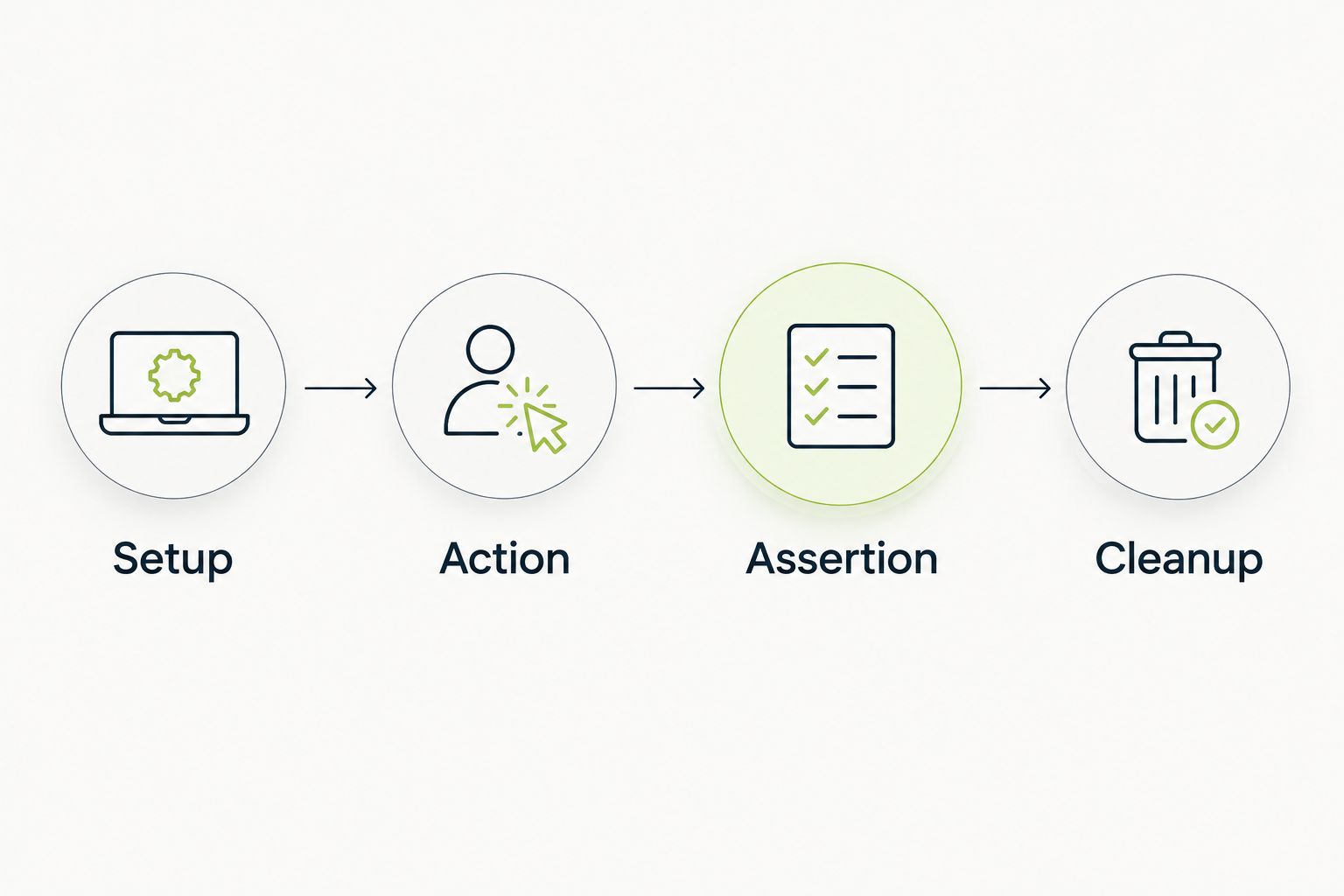
A useful UI check needs an observable outcome, not just completed interactions.
Keep test data under your control. A failure caused by an expired account tells you little about the code change being reviewed. Likewise, an assertion that checks only whether a page loaded leaves the actual business outcome untested.
For workflows involving bot defenses, CAPTCHA-resistant browser automation raises a separate boundary: your authorized application test should not confuse an anti-abuse challenge with a functional regression. Coordinate an approved testing configuration with the application owner, and test production protection behavior separately where required.
A failed result is useful only when an engineer can understand what failed and reproduce the relevant conditions. Both approaches need evaluation against that requirement, even though their strongest contexts differ.
PR-centered testing starts with a proposed code change. Environment-centered testing starts with a browser, operating system, or device combination. Neither context proves the root cause on its own.
Ask 2 review questions for every intentional failure: can the assigned engineer explain the failed behavior, and can that engineer reproduce it? These are acceptance questions for your pilot, not claims about either platform’s performance.
The winner is a tie until your own failure investigation demonstrates otherwise. Use the same known regression in both evaluations. Compare the evidence available to the engineer, the steps needed to reproduce the problem, and the clarity of the eventual fix.
Do not rank products by the volume of output. A long report without a clear failed expectation is less actionable than a concise result that identifies the broken user outcome.
For a 2026 purchase, compare current commercial terms against your intended workload. BrowserStack uses subscriptions across its testing products; the relevant choice depends on which products and execution capacity your team needs.
For the PR-focused platform, assess current access and execution terms against your repository workflow. Establish what happens when pull-request activity increases, checks rerun, or additional teams adopt the platform. Use the actual agreement rather than assuming a particular billing unit.
The tradeoff is predictability versus flexibility. Committed capacity supports a known workload; variable usage requires attention to peaks and repeated execution. Evaluate whichever structure each proposal actually offers.
Ask both vendors to map their proposal to the same workload:
Buy against the complete workflow, not a plan name. Keep commercial scope separate from technical acceptance so an attractive proposal does not conceal an unmet testing requirement.
Best for engineering leads who want automated end-to-end UI testing and code review around proposed changes. The real desktop sandbox is the defining capability: it runs the application as part of evaluating a pull request.
Choose this direction when the immediate gap is catching broken user behavior before merge. Do not use that choice as evidence that your entire browser and device support matrix is covered.
Best for QA and test-infrastructure leads who need browsers, real devices, or remote execution for supported automation. BrowserStack wins when the missing capability is access to the environments your support policy requires.
Choose this direction when you already know what to test and need broader execution coverage. Do not expect additional environments to repair weak assertions or create a complete regression strategy.
| Dimension | Winner |
|---|---|
| Best fit for GitHub PR review | TestDriver |
| Standout capability | PR sandbox execution versus browser/device infrastructure |
| Cross-browser coverage | BrowserStack |
| Real-device mobile testing | BrowserStack |
| Reusing supported automation suites | BrowserStack |
| Functional verification | Tie; scenario design decides |
| Failure investigation | Tie; validate with a known regression |
| Commercial fit | Decide against the same workload and current terms |
Is TestDriver better than BrowserStack for GitHub pull requests?
TestDriver is the better fit when you want a platform that automatically runs pull requests in a real desktop sandbox to catch UI regressions. BrowserStack is the better fit when your primary requirement is browser and device testing infrastructure.
Is BrowserStack better for cross-browser testing?
BrowserStack is the stronger fit for cross-browser testing because it provides access to browser and operating-system environments. Define your required support matrix before evaluating coverage.
Which option should I choose for real-device mobile testing?
Choose BrowserStack when real-device mobile testing is the requirement. A successful desktop-sandbox run does not establish behavior on your supported physical devices.
Can BrowserStack run existing Selenium or Playwright tests?
BrowserStack supports Selenium and Playwright automation. Validate your suite’s dependencies, environment configuration, and required workflows during the evaluation.
Do I still need assertions when testing runs automatically?
Yes, automatic execution still needs a defined expected outcome. Completing clicks and navigation does not prove that the application produced the correct result.
How should I compare the cost of these testing platforms?
Compare current commercial terms against the same repositories, users, environments, and execution workload. Include the engineering work required to maintain tests and investigate failures.
What should I test during a 2026 evaluation?
Evaluate a success path, a validation failure, and a recovery path using controlled test data. Introduce a known regression and check whether the resulting evidence helps an engineer reproduce and explain it.
A passing run can still be a weak test. Before approving either platform in 2026, deliberately break an assertion’s expected behavior and confirm that the check fails for the right reason.
Use 1 pull request containing a controlled regression as an acceptance exercise. If the test still passes, fix the test before expanding execution. More runs of an ineffective check do not add confidence.
For end-to-end testing platform engineering teams, gate critical journeys first. Build reliable CI checks with clear ownership and reproducible failures.
End-to-end testing Series B startups can trust starts with critical workflows. Build PR checks, isolate test data, and gate merges on clear evidence.
UI regression testing healthcare software needs more than screenshots. Build patient-context, permission, and saved-state checks into pull requests.
AI code review open source maintainers can trust needs evidence. Compare review methods, isolate contributor code, and keep humans in control of merges.
TestDriver runs every pull request in a real desktop sandbox, finds bugs, and builds regression tests - right from your repo.