End-to-end testing for platform teams: complete 2026 guide
For end-to-end testing platform engineering teams, gate critical journeys first. Build reliable CI checks with clear ownership and reproducible failures.
Compare testdriver vs testsigma: choose pull-request UI checks or natural-language QA automation. See workflow tradeoffs and how to run a fair pilot.
Automate and scale manual testing with AI ->
Choose TestDriver if your GitHub engineering team needs end-to-end testing and code review that runs pull requests in a real desktop sandbox; choose Testsigma if your QA team needs natural-language test authoring across web, mobile, and API workflows. This 2026 comparison separates pull-request regression detection from suite-based test automation so you can pick the workflow your team actually needs.
TL;DR
A pull request and a regression suite answer different questions. Pull-request testing asks whether a particular change broke the application; a regression suite checks whether defined workflows still behave as expected.
Your 2026 testing decision should start with that distinction. If developers merge changes without checking the running UI, review-time execution addresses that gap. If QA cannot express and maintain enough repeatable coverage, test authoring deserves priority.
Do not buy a broader testing platform to solve an undefined testing problem. Name the missed defect, identify who should catch it, and place the check where that person works.
| Dimension | TestDriver | Testsigma |
|---|---|---|
| Best for | GitHub engineering teams checking application changes | QA teams building natural-language automated tests |
| Pull-request workflow | Automatically runs pull requests in a real desktop sandbox | Suite-based test automation; evaluate how execution fits your review process |
| Test authoring | AI-powered end-to-end UI testing and automated code review | Natural-language test creation |
| Platform scope | Real desktop execution for catching UI regressions | Web, mobile, and API test automation |
| Regression strategy | Check changed application behavior during review | Define repeatable workflows and expected results |
| Evidence quality | Evaluate whether findings explain the affected UI behavior | Evaluate whether failed tests explain the broken expected behavior |
| Pricing model | Confirm current billing units and execution allowances | Confirm current billing units and execution allowances |
| Standout feature | Pull-request execution in a real desktop sandbox | Natural-language authoring across testing surfaces |
The table compares workflow fit, not measured performance. Neither a desktop sandbox nor natural-language authoring establishes defect detection accuracy by itself. The useful comparison is what each approach catches on your application and what your team must do with the result.
TestDriver is best for GitHub engineering teams that need UI regression checks during pull-request review. Its stated workflow automatically runs pull requests in a real desktop sandbox, connecting code review with the application that code produces.
That matters when a change looks reasonable in the diff but fails when someone uses the interface. A form submission, navigation transition, or interactive control requires execution to assess behavior. Reading the implementation alone does not establish that the workflow works.
Testsigma’s suite-based approach serves a different starting point: define tests, run them, and inspect results. If your organization already treats a maintained suite as the release gate, that operating model matches how QA works.
The limitation of a pull-request-first decision is scope. Review-time checks do not establish that every required workflow, device, or environment has been covered. Keep explicit release requirements rather than treating a clean review as a universal quality certificate.
For your 2026 evaluation, ask a concrete question: does the result help the pull-request author decide whether the change is safe to merge?
Testsigma is the better fit when natural-language test creation is the requirement. Its authoring model lets teams express automated test steps without making every test a conventional hand-written script.
That is a genuine advantage for QA-led coverage programs. Test authors can focus on actions and expected outcomes, while the organization defines how those tests become a repeatable suite.
The tradeoff is that readable steps still need precise intent. A test that says to complete checkout must specify the relevant starting state, action, and expected result. Natural language changes how you write a test; it does not remove the need to design one.
The engineering-first alternative makes sense when your priority is automated execution and review around application changes rather than adopting a particular authoring language. Do not assume the two products provide interchangeable editing, debugging, or maintenance workflows.
During evaluation, have the person who will maintain the test change its expected behavior. Watching that edit tells you more about ownership than watching a prepared demonstration pass.
Testsigma is the clearer fit for a testing requirement spanning web, mobile, and APIs. Those are distinct testing surfaces, and its platform scope includes all three.
A mobile workflow is not simply a desktop browser workflow on a smaller screen. API checks also target a different layer from UI interaction. If your acceptance criteria explicitly require those surfaces, include them in the procurement decision from the start.
A real desktop sandbox answers a narrower but useful question: what happens when the changed application runs in that environment? It does not, by itself, establish native mobile coverage or a dedicated API testing workflow.
The tradeoff with broader scope is selection discipline. A platform supporting several testing surfaces still needs to demonstrate the exact environments your product requires. A category label is not proof of compatibility with your application.
For a 2026 shortlist, write down required browsers, operating systems, mobile environments, and API checks before comparing demonstrations. Treat each as a requirement to verify, not a feature implied by the word testing.
Neither approach removes the need to define correct behavior. Automated execution is useful only when the result distinguishes an intended change from a regression.
For pull-request review, specify what must remain true after the change. For a maintained suite, express the same requirement as an expected outcome. The language and execution model differ, but the underlying acceptance criterion should not.
Consider a settings form. Opening the page and clicking Save are actions; seeing the updated value persist after reopening the page is an outcome. A test that completes the actions without checking persistence leaves the important behavior unresolved.
Both approaches deserve the same evaluation discipline:
The shared limitation is test design. Neither product should receive credit for coverage that your acceptance criteria never required it to demonstrate.
Failure evidence is a tie until you inspect real results. A failed execution is not automatically a useful bug report, and a passing execution is not automatically proof of adequate coverage.
Ask a developer to investigate a result without help from the person who configured the test. The developer should be able to identify the affected behavior, distinguish an application defect from an environment problem, and decide what to change next.
Use the same questions for both products:
Do not infer better diagnostics from an authoring interface or an execution environment. Those features describe how testing happens, not how clearly a failure is explained.
This is also where honest limitations belong. Count incomplete executions separately from detected defects. A setup failure and a correctly identified UI regression are different outcomes.
Choose the billing model that matches your execution pattern. For both products, confirm current billing units, included execution capacity, concurrency rules, and the treatment of reruns before making a commitment.
A fixed allowance provides predictability only when your workload fits inside it. Usage-based billing connects spending to activity, but requires you to understand what counts as billable execution. These are model tradeoffs, not claims about either product’s current contract.
Build your 2026 comparison around the work you intend to run:
Then request terms against that same workload. Different execution scopes make headline plan comparisons misleading: a short targeted check and a broad regression run are not equivalent units of work.
Include ownership effort in the decision. A predictable bill does not compensate for a workflow that your team cannot maintain or a failure report that nobody can investigate.
TestDriver connects automated code review with running pull requests; Testsigma emphasizes natural-language test authoring. Choose based on the bottleneck, not the more appealing demonstration.
If developers already understand the expected behavior but changes reach review without UI execution, focus on the path from pull request to actionable regression finding. If QA knows what to test but struggles to turn that knowledge into maintained automation, focus on authoring and editing.
Do not assume either strength proves the other. Running changed code does not establish broad suite coverage. Writing readable tests does not establish that every relevant pull request receives a useful check.
The right demonstration follows your actual work from start to finish. Include the person who creates the check, the person who investigates failures, and the person who decides whether to merge or release.
Use 5 pull requests and 3 user workflows as a bounded starting exercise, not a statistical benchmark. Include an intentional UI regression, an intended behavior change, and an unchanged workflow so you can distinguish detection from indiscriminate failure.
Follow the same sequence for both candidates:
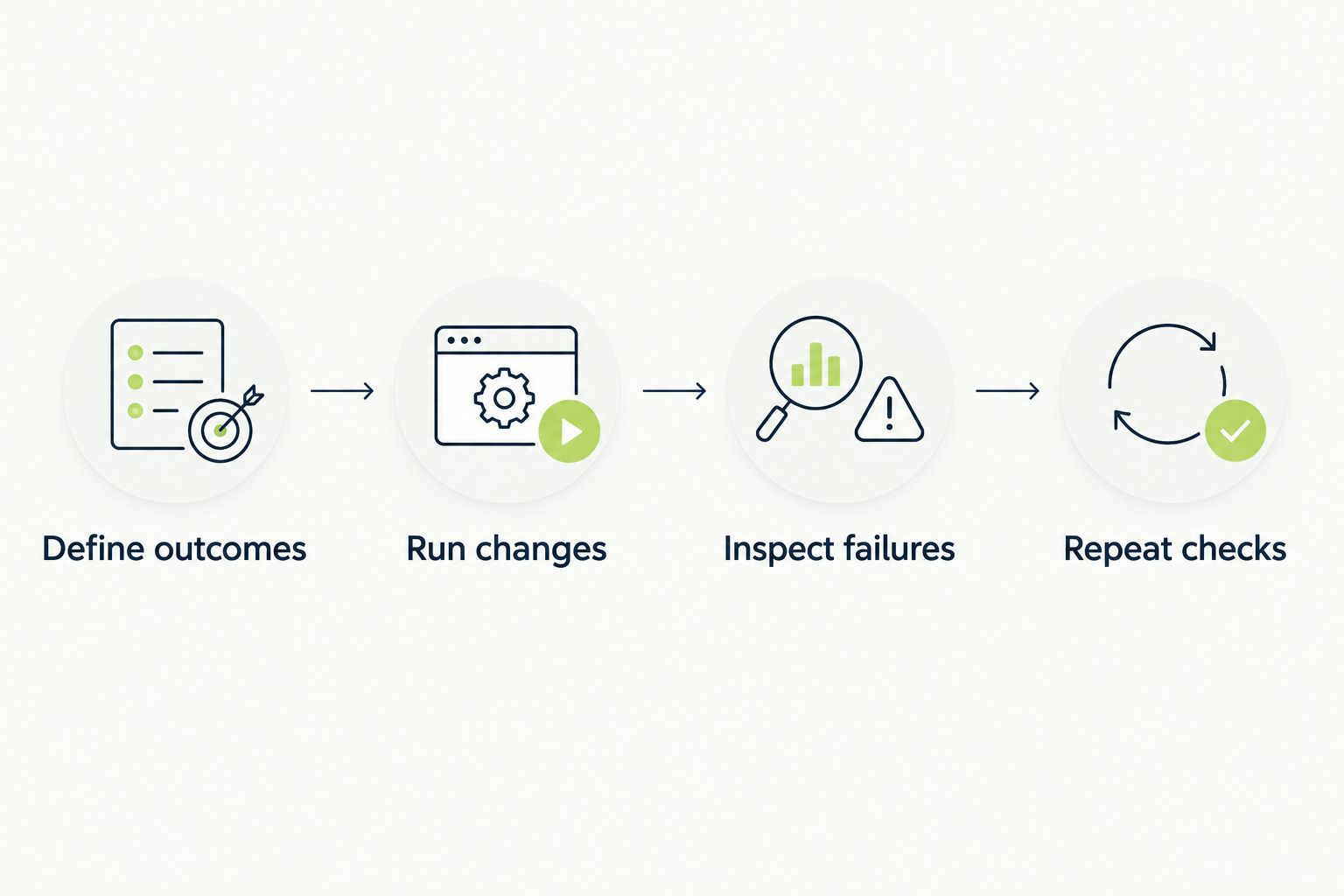
Use identical outcomes and application changes to compare the two workflows.
Keep the record simple: expected result, actual result, investigation outcome, and required follow-up. These observations describe your pilot only; they are not general accuracy claims about either platform.
Best for: engineering leads and developers using GitHub who need automated end-to-end UI testing during review. Choose the real desktop sandbox workflow when the immediate problem is application regressions escaping code review.
Keep separate requirements for broader release coverage. A strong fit for pull-request testing does not establish every testing capability your organization needs.
Best for: QA leads and test authors building natural-language automation across web, mobile, and APIs. Choose the suite-authoring workflow when the immediate problem is expressing, maintaining, and running repeatable coverage.
Keep pull-request feedback requirements explicit. Broad platform scope does not establish that results reach developers in the form or at the point your review process requires.
| Dimension | Winner |
|---|---|
| GitHub pull-request UI checks | TestDriver |
| Natural-language test authoring | Testsigma |
| Web, mobile, and API scope | Testsigma |
| Defining regression expectations | Tie: both require explicit outcomes |
| Actionable failure evidence | Tie: verify in a matched pilot |
| Pricing fit | Decide against the same workload |
| Standout capability | Match review-time execution or suite authoring to your bottleneck |
Is TestDriver or Testsigma better for GitHub pull requests?
TestDriver is the clearer fit for GitHub pull-request UI checks because its stated workflow automatically runs pull requests in a real desktop sandbox. Evaluate the resulting findings against the decisions your developers make during review.
Which option is better for natural-language test creation?
Testsigma is the better fit when natural-language test creation is a core requirement. Ask your future test maintainers to create and edit a representative workflow during evaluation.
Which option should I evaluate for web, mobile, and API testing?
Testsigma supports web, mobile, and API test automation. Verify your exact environments rather than treating broad platform coverage as proof of compatibility.
Does a passing UI check mean a pull request is safe?
A passing UI check establishes only that the checked behavior passed under the tested conditions. It does not establish coverage of every workflow, environment, or failure mode.
How should I compare the cost of these testing platforms?
Compare current commercial terms against the same execution workload. Confirm billing units, capacity, concurrency, and rerun treatment, then include the effort required to maintain tests and investigate failures.
What should a fair comparison in 2026 include?
A fair 2026 comparison uses the same application changes, starting data, and expected outcomes. Include an intentional regression, an intended change, and an unchanged workflow, then inspect both detection and investigation quality.
Include a deliberately broken workflow in the pilot. A passing demonstration shows that a tool completed something; a correctly explained failure shows whether it checked the behavior you actually care about.
Choose the result your developer can act on, not the demonstration with the fewest red indicators.
For end-to-end testing platform engineering teams, gate critical journeys first. Build reliable CI checks with clear ownership and reproducible failures.
End-to-end testing Series B startups can trust starts with critical workflows. Build PR checks, isolate test data, and gate merges on clear evidence.
UI regression testing healthcare software needs more than screenshots. Build patient-context, permission, and saved-state checks into pull requests.
AI code review open source maintainers can trust needs evidence. Compare review methods, isolate contributor code, and keep humans in control of merges.
TestDriver runs every pull request in a real desktop sandbox, finds bugs, and builds regression tests - right from your repo.