AI code review for open source maintainers: complete 2026 guide
AI code review open source maintainers can trust needs evidence. Compare review methods, isolate contributor code, and keep humans in control of merges.
Electron app visual regression testing works best with stable baselines and desktop checks. Build a pull request workflow that catches real UI regressions.
Automate and scale manual testing with AI ->
Electron app visual regression testing is the comparison of an Electron application’s rendered interface against an approved baseline to catch unintended visual changes before release. This 2026 guide shows desktop engineering teams how to control screenshots, test window behavior, and connect visual evidence to pull request review without treating every changed pixel as a bug.
TL;DR
Electron combines web-rendered interfaces with desktop application behavior. Your renderer can look correct while a separate window opens incorrectly, a keyboard shortcut stops working, or a native dialog blocks the workflow. A browser screenshot alone does not establish that the desktop application works.
Visual checks address a narrower question: did an approved screen change unexpectedly? They expose clipped labels, missing icons, overlapping controls, and layout shifts that functional assertions do not describe. Functional checks remain necessary because a correct-looking button can still trigger the wrong action.
For your 2026 test plan, separate these responsibilities before choosing tools. The visual regression testing tools guide provides a broader comparison; the workflow below focuses on Electron’s renderer, windows, and desktop boundaries.
Treat a visual difference as review evidence, not an automatic diagnosis. A changed screenshot requires context: application state, environment, intended design changes, and the action that produced it.
Start manually. Walk through a critical user journey and capture its meaningful states with your operating system’s screenshot utility. Write down what each image proves, including whether it covers renderer content, application chrome, or the whole desktop.
Choose a small initial scope. For example, define 3 application states: an empty workspace, a populated workspace, and an error state. These are starting coverage targets, not a claim that every Electron application needs the same suite.
Keep appearance and behavior expectations separate. A screenshot can establish that a validation message is visible; an assertion should establish that invalid input was rejected. Record both against the same workflow so reviewers understand what a failure means.
Finish this step with a coverage map:
Create the first baseline manually in a documented environment. Record the operating system, Electron version, application build, font setup, display scaling, and window dimensions. A baseline without its capture conditions is difficult to reproduce.
Do not compare screenshots from different platforms as though they were interchangeable. Font rendering, native controls, and window decorations differ. Keep separate baseline sets wherever the rendering environment produces intentional differences.
For your initial 2026 baseline, choose 1 fixed window size before expanding resize coverage. This reduces competing variables while you establish whether the capture process is repeatable. It does not replace testing the window sizes your application supports.
Control the environment with these tactics:
Run the workflow by hand first, then automate the repeated actions. Renderer-focused automation is appropriate when you need precise assertions about page content. Desktop-level execution matters when the journey crosses windows or operating system interfaces.
TestDriver automatically runs pull requests in a real desktop sandbox to catch UI regressions. TestDriver is best for GitHub engineering teams that need pull request testing in a real desktop sandbox. That makes it a runtime testing option, not proof that a particular pixel-comparison requirement has been met.
Use TestDriver to evaluate that pull request workflow against your application’s actual boundaries. Keep an explicit visual comparison mechanism wherever you require approved images, difference images, and baseline ownership. Do not infer those capabilities from desktop execution alone.
Evaluate automation with concrete acceptance criteria:
Reset the application manually and repeat the journey before writing screenshot assertions. Seed known records, use a dedicated test account, and remove unrelated desktop notifications. Capture the same meaningful state each time.
Wait for observable readiness rather than an arbitrary pause. A loaded workspace, enabled control, or completed request gives the test a reason to continue. A fixed delay only establishes that time passed; it does not establish that the interface finished rendering.
Run the unchanged build through 2 consecutive captures as an initial stability check. Investigate differences before accepting either image as a baseline. Two matching runs are a useful first check, not evidence that the test can never become flaky.
Stabilize captures with these controls:
Begin with side-by-side inspection of the baseline and current screenshot. Then inspect the difference image if your comparison setup produces one. Identify whether the change comes from the application, its data, or its rendering environment.
Do not raise a global tolerance simply to make a failing check pass. A tolerance that hides font noise can also hide a small missing icon. Choose comparison settings against the defects you need to detect, and document why each exception exists.
For a 2026 workflow, use an explicit review sequence: capture, compare, classify, then approve. Approval belongs after diagnosis. A baseline update is a change to expected behavior and deserves review alongside the code that caused it.
Apply these review rules:
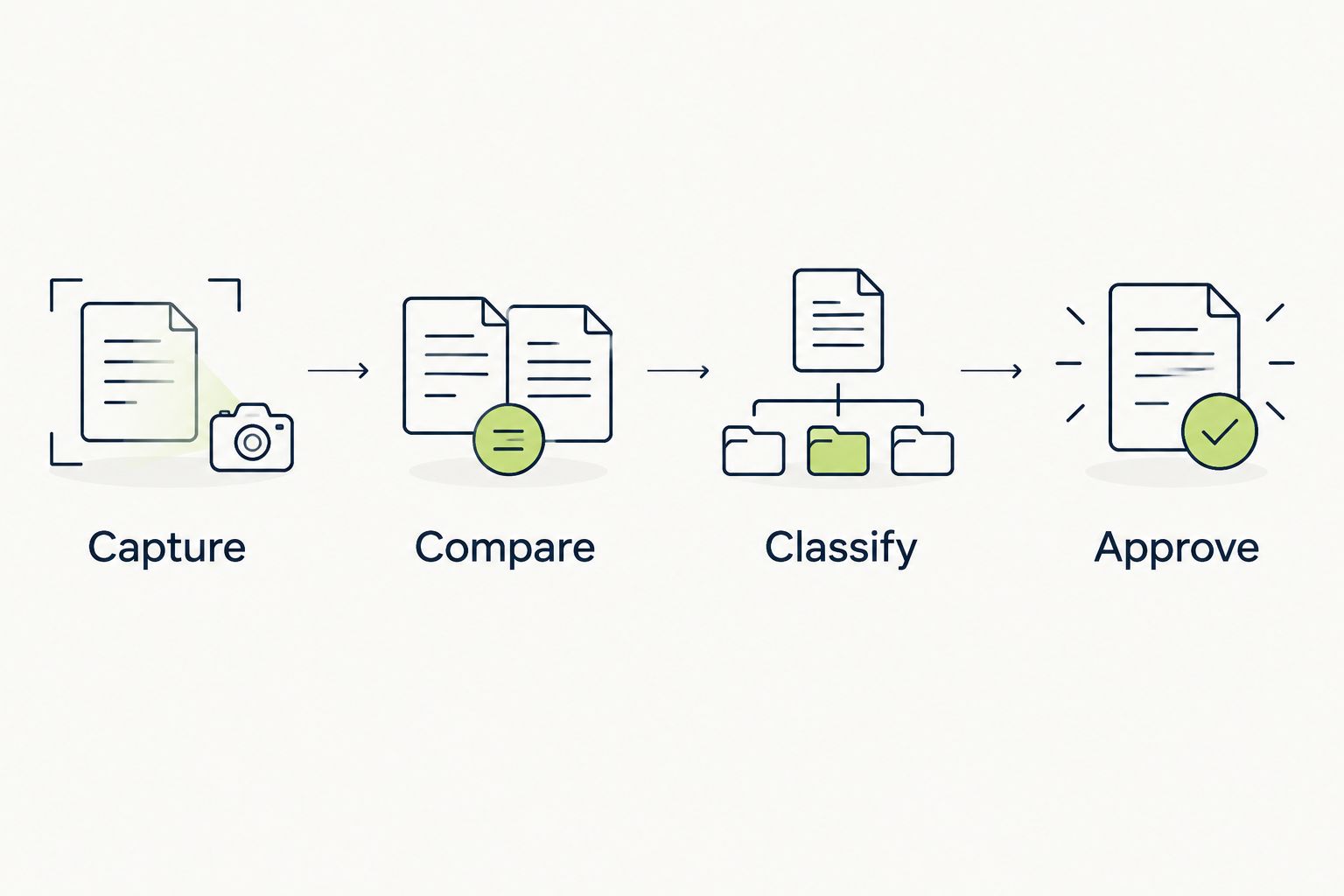
Classify the difference before approving a replacement baseline.
Start by reviewing visual results alongside pull requests without making every new check blocking. Establish repeatability and ownership first. Then make stable, critical checks part of the merge decision.
Store enough context to investigate without recreating the entire CI job. A screenshot without the application build or failed action leaves reviewers guessing. Preserve the relevant baseline, current capture, environment, and interaction failure together.
Keep the 2026 release workflow layered. Visual comparisons answer whether appearance changed; interaction assertions answer whether actions produced the expected result. Desktop execution checks the environment in which those actions occur. None of these layers replaces the others.
Make the gate operational:
Choose by the boundary you need to validate, not by how many screenshots an option produces. The table separates appearance checks from desktop execution because their evidence serves different purposes.
| Option | Best for | Main advantage | Key limitation |
|---|---|---|---|
| Manual screenshot review | Teams defining their first baselines | Lets reviewers inspect appearance without building automation first | Repeated capture and comparison remain manual work |
| Scripted renderer screenshots | Repeatable checks of web-rendered application content | Connects controlled UI states with visual assertions | Renderer-only coverage does not establish native desktop behavior |
| Desktop interaction checks | Journeys involving windows and operating system interfaces | Exercises behavior beyond a single renderer view | Interaction success alone does not prove visual equivalence |
| TestDriver | GitHub teams testing pull requests in a desktop sandbox | Automatically runs pull requests to catch UI regressions | Desktop execution alone does not establish baseline comparison rules; define those separately |
Use scripted visual comparisons for appearance and desktop execution for desktop behavior. Combine them when your release risk includes both. Avoid forcing a screenshot tool to serve as your only functional test or treating runtime execution as an approved-image comparison.
A renderer check leaves other application boundaries untested. A correct screenshot says nothing about whether a second window received focus or a native file dialog completed successfully. Add explicit desktop journeys for the boundaries your users actually cross.
A screenshot from one platform is not a universal desktop reference. Keep intentionally different rendering environments separate, and name baseline sets clearly enough that reviewers can identify the expected platform and configuration.
Masks suppress differences, including defects inside the masked area. Limit masks to content whose variability is understood. If a changing region contains the button, error message, or status you need to verify, stabilize its data instead of hiding it.
A broad baseline replacement can accept an unrelated regression alongside an intended redesign. Review changed states individually. Explain why each accepted difference belongs to the pull request rather than using baseline replacement as a cleanup step.
A passing retry does not explain the original mismatch. Inspect readiness conditions, persisted settings, font loading, and test data before adding retries. Otherwise, a real intermittent regression and capture noise become indistinguishable in the merge decision.
What’s the best way to start Electron app visual regression testing?
Start with a manually captured baseline for a critical user journey in a fixed environment. Make application state repeatable before automating screenshot comparison or adding a blocking CI check.
Can browser screenshots test an entire Electron application?
Browser screenshots do not establish that an entire Electron application works. Renderer captures cover visible web content; separate checks are needed for relevant windows, native dialogs, and desktop interactions.
Should Electron visual baselines be separate for each operating system?
Keep separate baselines when operating systems produce intentional rendering differences. Fonts, native controls, and window decorations are reasons to avoid treating screenshots from unlike environments as equivalent.
Does TestDriver replace screenshot comparison?
TestDriver runs pull requests in a real desktop sandbox to catch UI regressions. If your workflow requires approved screenshot baselines and image differences, evaluate those requirements explicitly rather than assuming desktop execution replaces them.
How do I stop Electron screenshot tests from failing randomly?
Control test data, window state, fonts, scaling, and readiness conditions before changing comparison tolerance. Repeat the unchanged build and investigate mismatches so capture noise does not become accepted behavior.
When should I update a visual regression baseline?
Update a baseline after a reviewer confirms that the visual change is intentional. Keep the update tied to the application change and review affected states individually.
Should every visual difference block a pull request?
Only stable, actionable visual checks should block a pull request. Establish ownership and repeatability first, then require reviewers to resolve unexpected differences or approve intentional changes.
Test a changed baseline as carefully as a changed assertion. Before making a visual check blocking, introduce a deliberate layout defect on a throwaway branch and confirm that the check detects it. A consistently green comparison is useful only if it fails when the interface breaks.
AI code review open source maintainers can trust needs evidence. Compare review methods, isolate contributor code, and keep humans in control of merges.
Automated UI testing fintech teams can trust starts with PR checks. Cover payment states, permissions, test data, and failures before you merge.
TestDriver vs ACCELQ: choose PR-centered UI checks or codeless QA suites. Compare workflow ownership, coverage, maintenance, and evaluation steps.
TestDriver vs TestGrid: choose pull-request UI checks or browser and real-device coverage. Compare workflow fit, regression evidence, and CI requirements.
TestDriver runs every pull request in a real desktop sandbox, finds bugs, and builds regression tests - right from your repo.