End-to-end testing for platform teams: complete 2026 guide
For end-to-end testing platform engineering teams, gate critical journeys first. Build reliable CI checks with clear ownership and reproducible failures.
Compare test case management tools for Jira, GitHub, and manual QA. Pick TestRail for dedicated management or match a tool to your release workflow.
Automate and scale manual testing with AI ->
Best overall: TestRail. Best for Jira-centered teams: Xray. Best for API-led workflows: Qase. Best for Azure DevOps teams: Azure Test Plans. Best for an open-source setup: TestLink. These are the test case management tools to shortlist in 2026; choose around where your team plans, executes, and reviews testing, not the longest feature list.
TL;DR
A test repository answers what you intend to check. An execution result answers what actually happened. Your release decision needs both, connected to the correct build and defect.
The distinction matters when evaluating TestDriver: it automatically runs pull requests in a real desktop sandbox to catch UI regressions. That is an execution and review role, not a reason to replace your test case repository. TestDriver is best for GitHub engineering teams that need end-to-end UI testing on pull requests.
For your 2026 shortlist, separate test management from test execution before comparing vendors. Otherwise, you risk buying another place to record results without fixing how those results get produced.
Use these criteria before reading the comparison table:
Treat these as acceptance criteria, not a feature checklist. A tool that technically supports an integration still needs to handle your actual result format and release workflow.
The order below follows distinct use cases. It is not a claim that every team should migrate to the first entry.
| Tool | Best for | Standout capability | Key limitation |
|---|---|---|---|
| TestRail | Dedicated test management | Organizes cases, plans, runs, and results in a testing workspace | Adds a workspace outside your issue tracker |
| Xray | Jira-centered QA | Manages tests and execution within Jira | Requires Jira workflow and administration decisions |
| Qase | API-led workflows | Combines case management with API-based result reporting | Automated results still need deliberate case mapping |
| Azure Test Plans | Azure DevOps teams | Connects manual testing with Azure DevOps work items | Strongest fit depends on adopting the surrounding ecosystem |
| TestLink | Open-source deployment | Provides a self-hosted test specification and execution repository | Your team owns hosting and maintenance |
TestRail organizes test cases, test runs, plans, and execution results in a dedicated application. It fits teams that want testing work represented separately from development tickets, while retaining connections to defect tracking.
Choose TestRail when your QA process needs its own structure: reusable cases, planned execution, and a clear record of what passed or failed. Do not mistake that structure for automatic coverage. Someone still needs to retire obsolete cases and connect automated results correctly.
TestRail pros:
TestRail cons:
Best for: QA teams that want a dedicated test management system rather than an issue-tracker extension.
Verdict: Buy when a separate testing workspace is an intentional choice. Skip it if keeping every testing activity inside Jira is a firm requirement.
Xray brings test management into Jira through test-related issue types and execution records. It fits teams that already use Jira to connect requirements, development work, and defects.
Its main advantage is proximity. Testers can organize testing around the same issue environment developers use, rather than maintaining a separate planning destination. That also makes Jira configuration part of your testing design.
Xray pros:
Xray cons:
Best for: Teams whose requirements, bugs, and release work already live in Jira.
For a 2026 evaluation, test the full path from requirement to failed execution to defect. A useful dashboard cannot compensate for relationships that testers must repeatedly repair.
Verdict: Buy when Jira is your shared delivery workspace and someone owns its testing configuration.
Qase combines test case organization, test runs, and result reporting, with an API and automation integrations. It belongs on the shortlist when your engineering team wants to connect test management with automated execution.
Evaluate the reporting contract before the interface. Your team needs to know how a result identifies its case, how repeated executions remain distinguishable, and how failures retain enough context for investigation.
Qase pros:
Qase cons:
Best for: Engineering-led QA teams prepared to maintain the connection between CI and their test repository.
Avoid evaluating Qase solely through a manually entered sample run. The deciding exercise is whether your actual automated results become usable release evidence without repeated cleanup.
Verdict: Buy when API-based reporting is part of the implementation plan, not an item deferred until after adoption.
Azure Test Plans supports manual and exploratory testing within Azure DevOps. Test plans, suites, cases, and work-item relationships keep testing connected to the surrounding development process.
Choose it when your team already organizes delivery in Azure DevOps. The strongest reason is continuity between requirements, test execution, and defects, not a desire to introduce another ecosystem for test management alone.
Azure Test Plans pros:
Azure Test Plans cons:
Best for: Organizations already using Azure DevOps for delivery planning and engineering work.
Keep your 2026 pilot inside a real release. Confirm that a tester can move from a requirement to an execution result and then to a useful defect record without rebuilding context manually.
Verdict: Buy for an Azure DevOps-centered team. Skip it if adopting the surrounding workflow creates more work than the testing capability removes.
TestLink is an open-source test management application for organizing test specifications, plans, and execution results. A self-hosted deployment gives your organization responsibility for the application and its operation.
That responsibility is the central buying decision. Open source is a deployment and ownership choice; it does not eliminate the work of administration, backups, upgrades, or integration maintenance.
TestLink pros:
TestLink cons:
Best for: Teams that explicitly want self-hosted, open-source test management and have an administrator to support it.
Do not select TestLink simply to avoid a procurement discussion. First confirm that the person responsible for operating it has agreed to the work.
Verdict: Buy when self-hosting is a requirement and operational ownership is assigned. Hold if neither condition is settled.
Use the same small acceptance exercise for every candidate in 2026. A suggested pilot contains 10 test cases, 1 failed run, and 2 release cycles; these are evaluation targets, not vendor performance figures.
The point is to expose maintenance work after the initial setup. A clean demonstration cannot show whether your team will preserve useful history as requirements change.
Create cases from an actual feature. Include preconditions and expected outcomes, then ask someone other than the author to execute them. Rewrite any instruction that requires a private explanation.
Send real CI output into the candidate system. Confirm that a failed result maps to the intended case and build, rather than creating an unrelated or duplicate record.
Use the failed run to create a defect. Check whether another developer can identify the failing behavior, relevant build, and reproduction context from the linked records.
Change a requirement during the next release cycle. Update its cases and confirm that historical results remain distinguishable from current coverage.
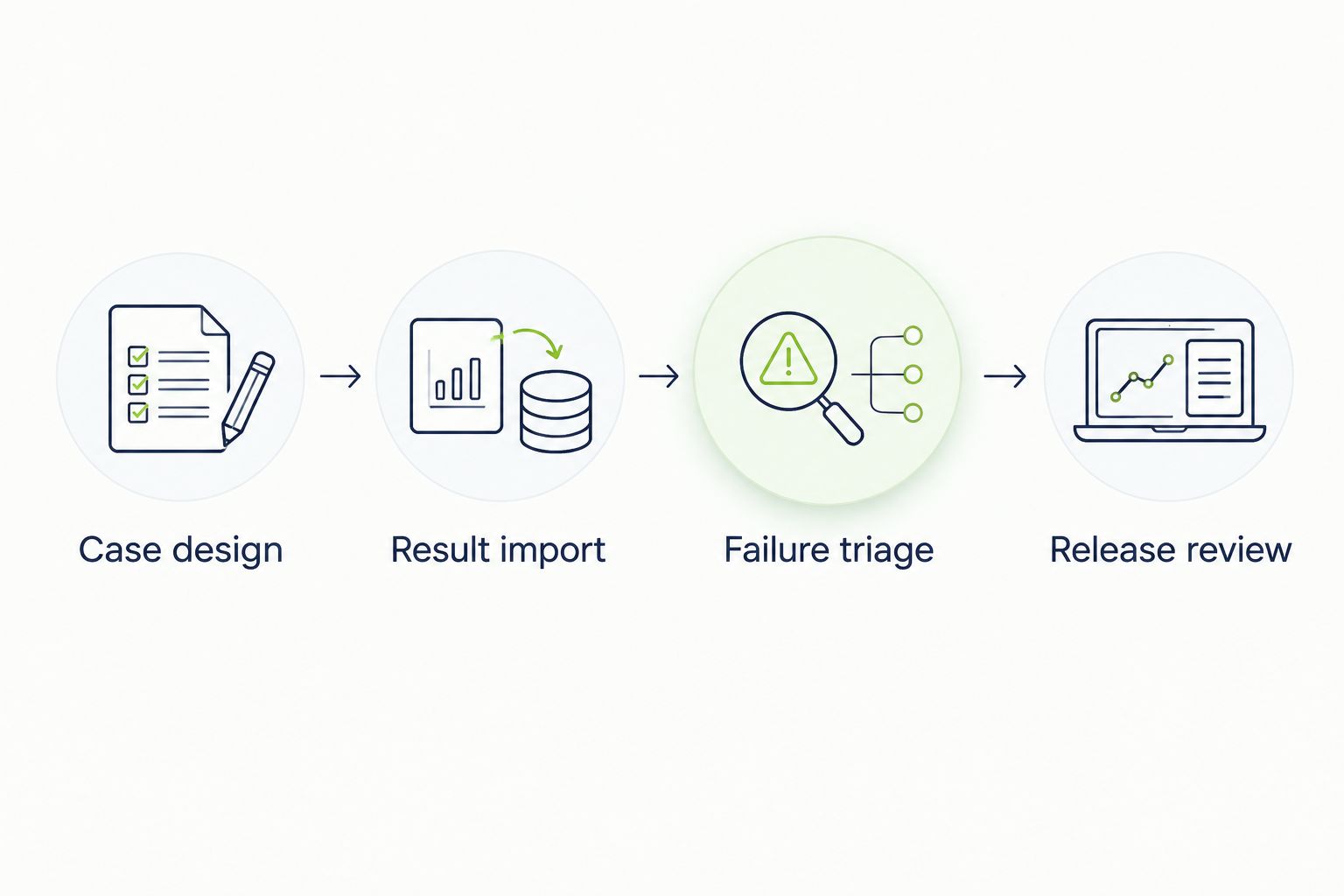
Evaluate the complete evidence chain, not just the case editor.
Record where people copy information, repair mappings, or leave the application to understand a result. Those observations give you a concrete basis for choosing between otherwise similar tools.
The ranking prioritizes workflow fit, case organization, execution history, traceability, automation reporting, and operational ownership. Each recommendation owns a different use case; this is a workflow-based shortlist, not a benchmark of execution speed or defect detection.
TestRail is the default dedicated-management recommendation. Xray and Azure Test Plans take precedence when their existing delivery environments are the deciding requirement. Qase addresses API-led reporting, while TestLink addresses open-source deployment.
Choose TestRail if you need a dedicated repository and have no stronger ecosystem requirement. Choose Xray for Jira, Azure Test Plans for Azure DevOps, Qase for API-led result reporting, or TestLink for a deliberately self-hosted setup.
Keep execution tooling in a separate decision. TestDriver complements test case management tools by running GitHub pull requests in a real desktop sandbox to catch UI regressions; a test repository organizes the cases and records your team uses to assess coverage.
For 2026, make the final decision after the release pilot. Choose the tool that preserves the clearest connection between a requirement, an execution result, and a defect with the least repeated administration.
What’s the best test case management tool overall?
TestRail is the default recommendation for teams that want dedicated test case management outside an issue tracker. Choose an ecosystem-specific alternative when keeping testing inside Jira or Azure DevOps is a stronger requirement.
What’s the best test case management tool for Jira?
Xray is the Jira-centered recommendation in this shortlist. It manages testing within Jira, so evaluate issue configuration, requirement links, and defect handling together.
Is Qase better than TestRail?
Qase is the recommendation for an API-led evaluation; TestRail is the default for a dedicated testing workspace. Run the same CI reporting exercise in both before deciding which better fits your workflow.
Can test case management tools run automated tests?
Test management and automated execution are separate responsibilities. A management tool can receive results or coordinate integrations, but your execution framework or platform still needs to perform the checks.
Is TestDriver a replacement for test case management?
TestDriver serves a different role: it runs pull requests in a real desktop sandbox to catch UI regressions. Use a test case management system when you also need an organized repository of cases, plans, and execution records.
What’s the open-source option for test case management?
TestLink is the open-source option in this shortlist. Select it when your team wants self-hosted deployment and has assigned responsibility for administration and maintenance.
How should a small team evaluate test management software?
A small team should evaluate a real feature from case creation through failure triage and release review. Confirm that the repository removes repeated work rather than becoming another record everyone must update.
A passed case is evidence for a particular execution, not a permanent statement about a feature. Before approving any tool, ask it to distinguish an older passing result from a newer failure. If your release report blurs that distinction, fix the reporting model before expanding the repository.
For end-to-end testing platform engineering teams, gate critical journeys first. Build reliable CI checks with clear ownership and reproducible failures.
End-to-end testing Series B startups can trust starts with critical workflows. Build PR checks, isolate test data, and gate merges on clear evidence.
UI regression testing healthcare software needs more than screenshots. Build patient-context, permission, and saved-state checks into pull requests.
AI code review open source maintainers can trust needs evidence. Compare review methods, isolate contributor code, and keep humans in control of merges.
TestDriver runs every pull request in a real desktop sandbox, finds bugs, and builds regression tests - right from your repo.