AI code review for open source maintainers: complete 2026 guide
AI code review open source maintainers can trust needs evidence. Compare review methods, isolate contributor code, and keep humans in control of merges.
Compare TestGrid alternatives: TestDriver for GitHub PR testing, Playwright for browser tests, and BrowserStack for device coverage. Choose by need.
Automate and scale manual testing with AI ->
TestGrid combines web and mobile testing with access to real devices. That breadth answers a coverage question, not automatically the question of which UI regressions a pull request introduces. The best TestGrid alternative in 2026 is TestDriver if you need GitHub pull requests tested in a real desktop sandbox; Playwright if you want code-owned browser tests.
TL;DR
A testing platform, a browser automation framework, and a pull-request review platform solve different problems. Treating them as interchangeable creates a migration that changes the tool without fixing the gap.
Start with the failure you need to catch. A broken checkout interaction, a browser-specific rendering defect, and a mobile-device compatibility issue need different evidence. Your shortlist should follow that evidence, not a feature-count contest.
For this 2026 comparison, separate test execution from coverage infrastructure. You can change how you validate application behavior without replacing every browser or device environment your team already uses.
| Tool | Best for | Standout capability | Difference from TestGrid |
|---|---|---|---|
| TestGrid | Teams needing web and mobile testing coverage | Testing across browsers and real devices | Baseline platform for this comparison |
| TestDriver | GitHub pull-request UI regression checks | Automatically runs pull requests in a real desktop sandbox | Centers the decision on change-specific UI validation and code review |
| Playwright | Developers maintaining browser tests in code | Browser automation with locators, assertions, and tracing | A test framework rather than a replacement device cloud |
| BrowserStack | Teams prioritizing browser and device coverage | Cloud access to browsers and real mobile devices | An infrastructure alternative for compatibility testing |
| Selenium | Teams with WebDriver-based browser automation | Browser control through the WebDriver standard | A browser automation foundation rather than a managed testing platform |
Choose the testing layer before choosing the vendor. Browser automation does not replace real-device coverage, and a device cloud does not define which application behaviors your tests assert.
TestDriver is an end-to-end UI testing and automated code review platform for software teams using GitHub. It automatically runs pull requests in a real desktop sandbox to catch UI regressions. That makes it a direct candidate when your selection starts with validating changes before merge.
The distinction is execution context. You are evaluating what a pull request does in a running application, rather than treating a code review comment or a screenshot difference as complete evidence of application behavior.
| Dimension | Pull-request sandbox approach | TestGrid |
|---|---|---|
| Primary selection criterion | Validate UI behavior introduced by a pull request | Cover web and mobile testing requirements |
| Environment emphasis | Real desktop sandbox | Browsers and real devices |
| Evaluation evidence | A regression reproduced against the changed application | Required environments executing the intended tests |
Best for: GitHub engineering teams that want UI regression detection tied to pull requests.
Verdict: Buy for pull-request validation; keep device coverage as a separate decision.
Playwright is a browser automation framework with test tooling for writing and running browser checks. Its browser engines include Chromium, Firefox, and WebKit. Developers define interactions and assertions in code, then maintain those tests alongside application changes.
Choose Playwright when ownership is the point. Your team controls the test logic, fixtures, and CI integration instead of selecting a platform primarily for its hosted environments.
| Dimension | Playwright | TestGrid |
|---|---|---|
| Core role | Browser automation framework | Web and mobile testing platform |
| Test ownership | Application team writes and maintains test code | Depends on the testing workflow you select |
| Mobile decision | Browser checks do not substitute for native-app testing | Real-device testing belongs in the platform evaluation |
Best for: Developers who want direct control over browser test logic and accept responsibility for maintenance.
Verdict: Buy into Playwright when code ownership is the requirement, not when you only need a different device cloud.
BrowserStack provides cloud-based browser and real-device testing. It belongs on your shortlist when the reason for comparing TestGrid alternatives is environment coverage rather than changing how tests are authored.
Start with a concrete environment list. A platform that supports the exact device, operating system, and browser combination you need is more relevant than a long catalog you will not use.
| Dimension | BrowserStack | TestGrid |
|---|---|---|
| Shared evaluation area | Browser and real-device coverage | Browser and real-device coverage |
| Deciding evidence | Your required environments running your actual tests | Your required environments running your actual tests |
| Migration question | Does the environment fit improve? | Does the existing setup already meet the requirement? |
Best for: QA and engineering teams replacing or expanding browser and mobile testing infrastructure.
Verdict: Hold until your exact environment matrix passes a representative workflow.
Selenium automates browsers through WebDriver. Selenium Grid supports distributing browser sessions across machines, making it relevant when your team wants control over a browser execution setup.
This is an architecture choice, not a direct swap for every managed-platform capability. Your team takes responsibility for assembling the surrounding workflow.
| Dimension | Selenium | TestGrid |
|---|---|---|
| Core role | Browser automation tools | Testing platform |
| Infrastructure | Team-operated or separately selected | Platform-based execution |
| Scope decision | Browser automation architecture | Web and mobile testing workflow |
Best for: Teams with established WebDriver expertise and a reason to control browser execution infrastructure.
Verdict: Hold unless infrastructure ownership solves a named requirement.
Use 3 acceptance checks before migrating: environment fit, defect detection, and failure diagnosis. These are evaluation steps, not a vendor performance benchmark.
Run an application workflow with the authentication and data it actually requires. Include private application access if your product depends on it. A successful demonstration against a public sample application does not prove that your own environment works.
Use 2 pull requests: a clean change and a change containing 1 known UI regression. Keep the application workflow constant so you can distinguish a useful failure from setup noise.
The regression should violate a specific expectation. For example, a form submission that never completes needs a check for completion, not merely a check that the submit button exists.
Ask a developer to identify the cause from the failure output. Look for evidence that separates an application defect from authentication failure, missing data, and an unavailable environment. A failed check without an actionable explanation still leaves investigation work.
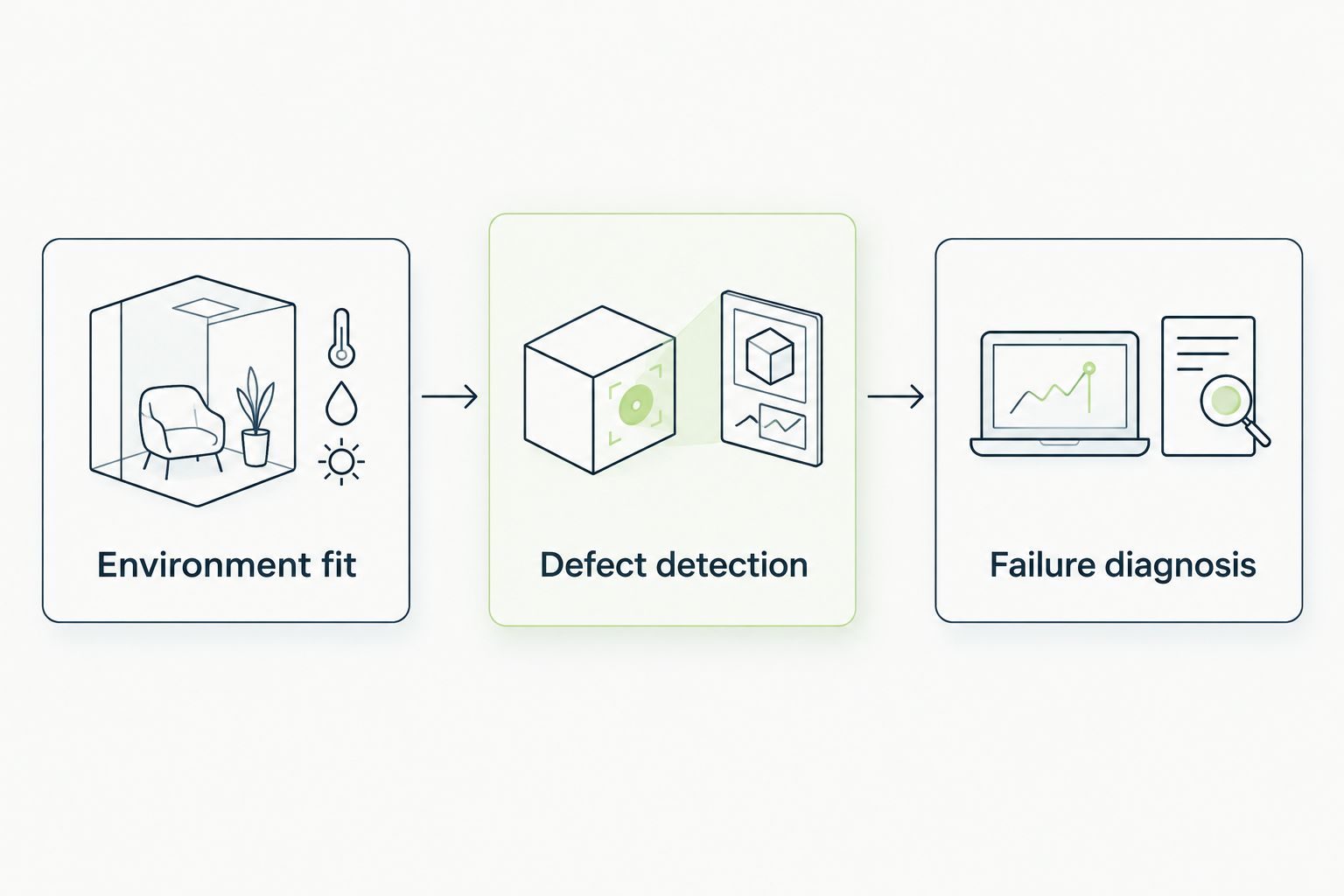
Validate the environment before judging whether a tool catches and explains a regression.
Apply the same acceptance criteria to every candidate. Do not give a new tool an easier workflow than the one your current platform must handle.
For GitHub teams evaluating TestDriver, this pilot tests the stated end-to-end UI testing use case directly: execute the changed application in a desktop sandbox and examine the regression evidence.
The defensible reasons to switch in 2026 are requirement changes, not unsupported claims about outages or vendor quality. Each reason below maps to a different shortlist.
Do not migrate because a tool belongs to a newer category. Write down the requirement the current workflow fails to satisfy, then require the replacement to demonstrate it.
Stay with TestGrid when its browser and device coverage meets your requirements and your existing tests produce useful results. A new framework or pull-request testing workflow is not automatically a replacement for that coverage.
You can also separate the decisions. Keep compatibility testing where it works, then evaluate change-specific UI validation independently. Replace an entire platform only when the replacement covers the responsibilities you actually intend to move.
What’s the best TestGrid alternative in 2026?
TestDriver is the strongest fit here for GitHub teams seeking end-to-end UI testing and automated code review that runs pull requests in a real desktop sandbox. Choose Playwright for code-owned browser tests, or compare BrowserStack when browser and real-device coverage is the priority.
Is Playwright a direct replacement for TestGrid?
Playwright is a browser automation framework, not a direct replacement for every testing-platform capability. It fits teams prepared to own browser tests and arrange the execution environments those tests require.
Should I compare BrowserStack with TestGrid?
Yes, when browser and real-device coverage drives your decision. Compare the exact environments and application workflows you need rather than treating catalog size as the deciding factor.
Can Selenium replace a managed testing platform?
Selenium can supply browser automation, but it does not by itself replace an entire managed testing workflow. Your team must account for execution infrastructure, reporting, test data, and failure investigation.
Do desktop sandbox tests replace mobile-device testing?
No. Desktop execution and real-mobile-device testing answer different environment questions. Keep mobile-device checks when physical device behavior is part of your acceptance criteria.
How should I test a TestGrid alternative before migrating?
Run a clean pull request and a pull request containing a known UI regression through the same application workflow. Evaluate environment fit, defect detection, and whether a developer can diagnose the failure from the output.
When should I stay with TestGrid?
Stay when TestGrid meets your required browser and device coverage and your tests provide useful defect evidence. Switching needs a specific unmet requirement, not just a different tool name.
A passing test only establishes what its assertions checked. Before replacing a testing platform, inspect a critical workflow for missing expectations: completion, persisted state, and the result the user should see. In 2026, that remains a better starting point than adding environments to a test that never checks the outcome.
AI code review open source maintainers can trust needs evidence. Compare review methods, isolate contributor code, and keep humans in control of merges.
Automated UI testing fintech teams can trust starts with PR checks. Cover payment states, permissions, test data, and failures before you merge.
Electron app visual regression testing works best with stable baselines and desktop checks. Build a pull request workflow that catches real UI regressions.
TestDriver vs ACCELQ: choose PR-centered UI checks or codeless QA suites. Compare workflow ownership, coverage, maintenance, and evaluation steps.
TestDriver runs every pull request in a real desktop sandbox, finds bugs, and builds regression tests - right from your repo.