AI code review for open source maintainers: complete 2026 guide
AI code review open source maintainers can trust needs evidence. Compare review methods, isolate contributor code, and keep humans in control of merges.
TestDriver vs ACCELQ: choose PR-centered UI checks or codeless QA suites. Compare workflow ownership, coverage, maintenance, and evaluation steps.
Automate and scale manual testing with AI ->
Choose TestDriver if your GitHub team needs pull requests executed in a real desktop sandbox to catch UI regressions; choose ACCELQ if your QA team needs codeless automation organized around reusable business workflows. This 2026 comparison separates pre-merge UI checks from broader test-suite ownership so you can choose around the work your team actually does.
TL;DR
A pull-request check and a maintained regression suite answer different questions. The first asks whether a proposed change breaks the running application. The second asks whether defined business workflows still behave as expected across releases.
Your team can need both. But buying a suite-oriented platform to solve a narrow pre-merge problem adds a different operating model, while choosing a pull-request-focused tool does not remove the need to define release coverage.
Choose around the decision you need to make: merge this change, or validate this release. That distinction is more useful than comparing automation labels.
| Dimension | TestDriver | ACCELQ |
|---|---|---|
| Best for | GitHub engineering teams checking proposed UI changes | QA teams maintaining codeless business-workflow tests |
| Pull-request workflow | Automatically runs pull requests in a real desktop sandbox | Suite-oriented automation that can participate in CI workflows |
| Test authoring | AI-powered end-to-end testing and automated code review | Codeless test authoring with reusable actions |
| Coverage emphasis | Running application behavior and UI regressions | Web, mobile, and API test automation |
| Reuse model | Evaluate regression coverage against recurring code changes | Reusable actions and business-process test design |
| Failure evaluation | Judge whether a sandbox run explains the changed behavior | Judge whether a failed test explains the broken workflow |
| Pricing model | Request terms covering your proposed execution workload | Request terms covering your proposed suite and team |
| Standout feature | Pull-request execution in a real desktop sandbox | Reusable codeless workflows across testing surfaces |
The table describes product focus, not an exhaustive compatibility list. For your 2026 evaluation, require a demonstration of your application rather than treating a category label as proof that a particular workflow works.
TestDriver end-to-end UI testing is best for GitHub engineering teams that need proposed changes exercised before merge. Its stated workflow automatically runs pull requests in a real desktop sandbox to catch UI regressions, combining application execution with automated code review.
That is a direct match when developers own the merge decision. The relevant question is not merely whether the diff looks reasonable; it is whether the changed application still behaves correctly when someone interacts with it.
ACCELQ supports test automation within development pipelines, but a suite running in CI is not automatically the same operating model as examining each pull request. Ask how the proposed revision is selected, how its environment is prepared, and how the result reaches the person responsible for merging.
For a PR-first team, that alignment matters more than collecting unrelated testing features.
ACCELQ is the better fit when QA specialists want to express and maintain business workflows through codeless authoring. Its approach uses reusable actions rather than requiring every test journey to become a separately maintained script.
That model suits teams whose test owners think in processes such as account creation, order approval, or permission changes. These are example evaluation scenarios, not claims about either platform’s packaged test content.
Codeless authoring still requires engineering judgment. Someone must decide which starting state is valid, what data the test needs, and what outcome counts as correct. Removing script syntax does not remove those decisions.
Choose ACCELQ for codeless suite ownership, not because codeless means maintenance-free. The authoring interface matters only if your team can keep the resulting tests meaningful.
ACCELQ’s automation scope includes web, mobile, and API testing. That makes it the stronger starting point when your procurement requirement explicitly spans those testing surfaces under a common automation approach.
A UI result and an API result establish different things. A successful API response does not prove the interface exposes the correct action, while a successful UI interaction does not establish every service-level condition your application requires.
Map those responsibilities before choosing a platform. If your release process requires service assertions alongside browser and mobile journeys, demonstrate each surface separately and then demonstrate the handoff between them.
The client’s stated product focus is end-to-end UI testing and automated code review around GitHub pull requests. Do not translate that description into an assumed mobile-device matrix or an API-testing feature list.
Choose broader coverage only when your release requirements use it. For a narrow pre-merge UI problem, additional testing surfaces are not the deciding advantage; for a cross-surface QA program, they are central.
Reusable actions are a meaningful advantage when the same business step appears throughout a maintained suite. ACCELQ makes that reuse part of its codeless test-design approach.
Consider authentication followed by a role-specific task. If multiple journeys share the same authentication behavior, a shared action gives the team a common place to represent that behavior rather than repeating its implementation throughout the suite.
The tradeoff is dependency management. A change to a shared action affects the tests that use it, so reviewers need to understand whether they are correcting application interaction or changing the meaning of the checks.
For your 2026 shortlist, inspect the test model rather than counting generated tests. A large suite with unclear assertions is harder to trust than a smaller set of well-defined journeys.
ACCELQ is the stronger choice when reusable workflow design is itself a requirement. If your immediate priority is checking individual proposed changes, evaluate that requirement separately from suite architecture.
A desktop sandbox provides a place to execute the application rather than judging a change from source text alone. That is the central distinction in TestDriver’s stated approach to pull-request testing and code review.
This matters when the defect concerns interaction: an inaccessible control, an interrupted journey, or a UI state that does not match the intended behavior. These are useful demonstration cases because they require observing the running application.
Execution still needs an expected result. A test that reaches the final screen without checking the business outcome leaves an important question unanswered. Ask what the run establishes, not merely whether it finishes.
Favor the sandbox-centered workflow when your review bottleneck is uncertainty about application behavior. Favor a suite-centered workflow when the bottleneck is designing and maintaining repeatable coverage across business processes.
The distinction is about where testing begins, not a claim that only one platform can execute applications.
Do not award a winner for debugging quality from a feature description. Your team needs to see whether an actual failure can be traced to an application defect, test assumption, environment problem, or data dependency.
Use the same acceptance standard for both candidates:
A failed run is useful only when the responsible person can act on it. That applies equally to developer-owned PR checks and QA-owned suites.
Treat failure evidence as a tie until your own application establishes a winner. A polished demonstration of a different product does not settle whether your team can diagnose its own failures.
Request current 2026 commercial terms for both products using the same proposed workload. Specify the people who need access, the applications under test, execution frequency, and the work that must happen concurrently.
Do not assume either vendor charges by the same unit. Ask whether the proposal uses seats, execution allowances, concurrency, a platform agreement, or another basis, then map that basis to your actual workflow.
For the pull-request-centered option, model how often proposed changes trigger execution and what happens when several developers open changes together. For ACCELQ, model suite ownership and execution across the testing surfaces your release process requires.
The tradeoff to examine is predictability versus flexibility. Committed capacity needs to match ordinary demand; usage-linked terms need clear treatment of bursts, retries, and additional environments.
Include internal maintenance in the decision. Who repairs a broken test, updates a shared action, and distinguishes an application defect from an environment failure? Commercial terms alone do not answer those staffing questions.
Use a small, representative evaluation instead of trying to automate your entire release process at once. For a 2026 selection, start with 3 workflows, 2 pull requests, and 1 intentional UI regression. These are recommended evaluation inputs, not product performance claims.
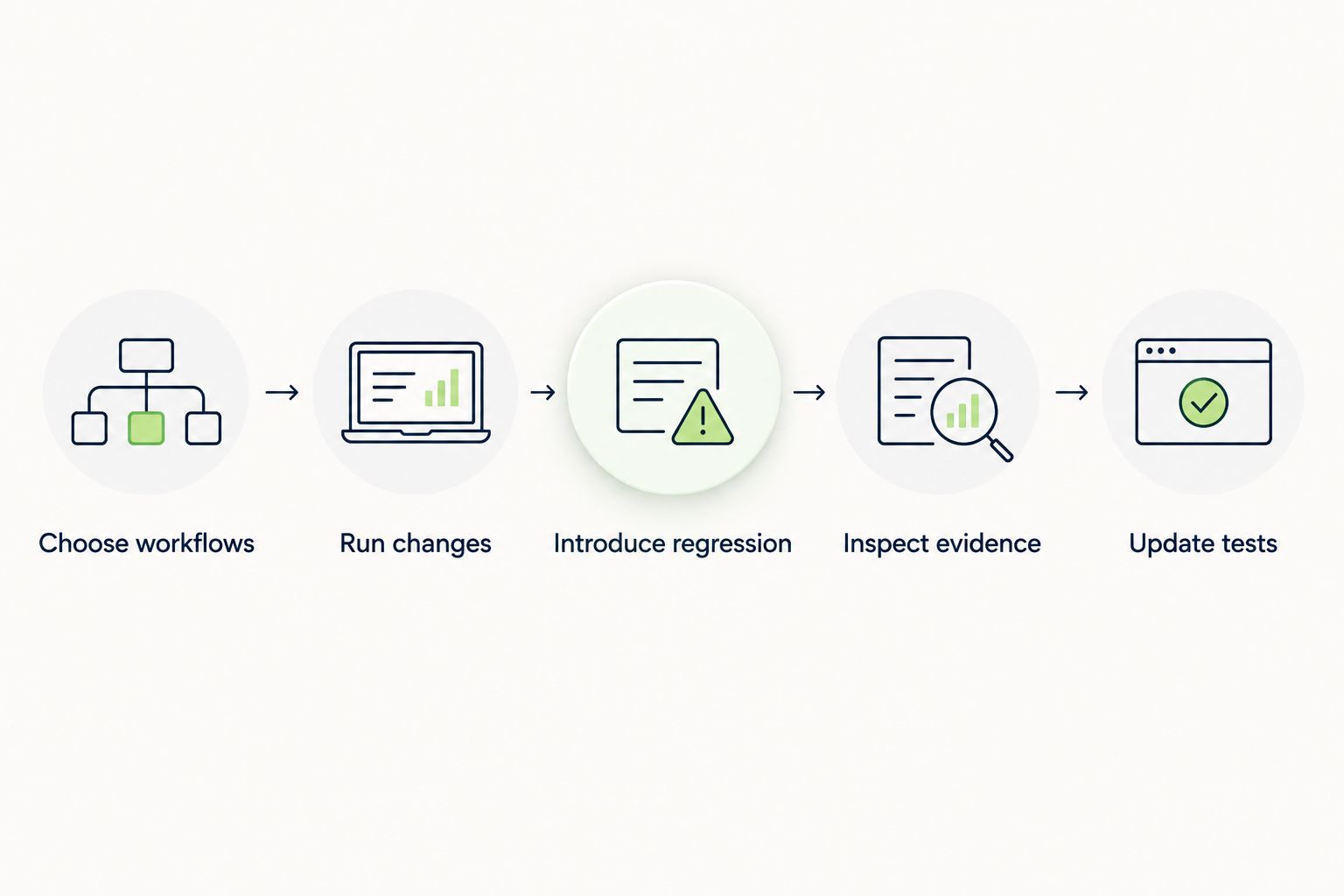
Evaluate detection and maintenance against the same application changes.
Record setup tasks, unclear failures, and maintenance decisions as they occur. Do not substitute an invented scoring formula for the team’s actual constraints: a required workflow that fails the demonstration is a concrete reason to reject a candidate.
Best for: GitHub engineering teams that need end-to-end UI checks tied to pull requests. Choose this direction when executing proposed changes in a real desktop sandbox directly addresses your review gap. Keep release-level coverage requirements explicit rather than assuming PR checks cover every business process.
Best for: QA teams building codeless business-workflow tests across web, mobile, and APIs. Choose ACCELQ when test authoring, shared actions, and cross-surface coverage define the project. Assign ownership for those shared assets before expanding the suite.
| Dimension | Winner |
|---|---|
| Pull-request-centered UI checks | TestDriver |
| Explicit codeless authoring | ACCELQ |
| Web, mobile, and API scope | ACCELQ |
| Reusable business-process design | ACCELQ |
| Sandbox-centered PR execution | TestDriver |
| Failure evidence | Tie until demonstrated |
| Commercial fit | Tie until terms are compared |
What’s the main difference in TestDriver vs ACCELQ?
TestDriver centers on executing GitHub pull requests in a real desktop sandbox, while ACCELQ centers on codeless test automation with reusable workflows. Choose around pre-merge engineering checks versus maintained QA-suite ownership.
Which option is better for a GitHub engineering team?
The pull-request-centered platform is the more direct fit when the goal is checking proposed UI changes before merge. Require a demonstration using your repository and application workflow.
Is ACCELQ better for codeless test automation?
ACCELQ is the stronger fit when codeless authoring and reusable actions are explicit requirements. Your team still needs to define test data, expected outcomes, and maintenance responsibilities.
Does ACCELQ cover more than browser testing?
ACCELQ supports web, mobile, and API test automation. Demonstrate the specific environments and workflows your release process requires rather than assuming every configuration is covered.
Does running a pull request replace regression testing?
Running a pull request does not by itself establish complete regression coverage. You still need defined critical journeys and checks that verify the intended business outcomes.
How should we compare the commercial terms?
Compare proposals against the same team, application scope, and execution workload. Ask how access, concurrency, retries, and additional environments affect the agreement.
What’s the best way to evaluate these tools in 2026?
Use the same workflows and application changes in both candidates, including an intentional regression. Compare detection, failure diagnosis, and maintenance work before choosing.
A test can finish successfully and still fail to prove the behavior you care about. Before expanding automation, ask the test owner to explain exactly what a passing result establishes. If the answer is only that the final screen appeared, strengthen the assertion before adding more journeys.
AI code review open source maintainers can trust needs evidence. Compare review methods, isolate contributor code, and keep humans in control of merges.
Automated UI testing fintech teams can trust starts with PR checks. Cover payment states, permissions, test data, and failures before you merge.
Electron app visual regression testing works best with stable baselines and desktop checks. Build a pull request workflow that catches real UI regressions.
TestDriver vs TestGrid: choose pull-request UI checks or browser and real-device coverage. Compare workflow fit, regression evidence, and CI requirements.
TestDriver runs every pull request in a real desktop sandbox, finds bugs, and builds regression tests - right from your repo.